Bonjoro vs Loom (2026): Which Video Tool Wins for Sales?
Bonjoro vs Loom in 2026: one is built for 1:1 customer delight, the other for async screen recording at scale. Here's which video tool fits your sales motion.
Picking between Bonjoro and Loom usually means you already believe video beats another plain-text email. Good instinct. The harder question is which kind of video your team actually needs — and these two tools answer it very differently.
TL;DR
- Bonjoro is a personalized 1:1 video tool built for sales and customer teams who want to record quick, face-to-camera messages that trigger on CRM events and drive replies.
- Loom is an async screen-recording tool built for scale — product walkthroughs, demos, team updates, and support answers you record once and reuse.
- Pick Bonjoro when the goal is warmth, conversion, and onboarding moments; pick Loom when the goal is explaining something visual to many people without a live meeting.
- Both cost roughly the same at the entry tier, but Loom's free plan is far more generous, while Bonjoro's value sits in automation and CRM triggers.
- Neither tool finds or verifies contacts — your reply rate still depends on reaching real inboxes, which is where an email finder earns its keep.
What is Bonjoro and who is it for?#
Bonjoro is a personalized video platform aimed at sales, success, and marketing teams. Think of it as a thank-you note machine with a camera: a customer signs up, books a demo, or hits a milestone, and Bonjoro nudges you to record a short, warm, face-to-camera message addressed to them by name.
The product is built around moments. It connects to your CRM, email platform, or e-commerce store, watches for triggers, and drops a "record a video for this person" task into your queue. You film it on your phone or webcam, Bonjoro hosts it on a branded landing page with a call-to-action button, and you get notified when the recipient watches.
Where Bonjoro shines is the human, low-volume, high-intent touch. A 40-second video that says "Hey Sarah, saw you signed up — here's the one feature I'd start with" lands differently than a templated welcome email. Teams use it for onboarding, demo follow-ups, renewal saves, and reactivation. The response rate lift is the whole pitch.
What is Loom and who is it for?#
Loom is an async screen-and-camera recorder. You hit record, capture your screen (plus an optional webcam bubble), stop, and Loom instantly gives you a shareable link. The recipient watches in the browser, scrubs, comments at timestamps, and reacts — no download, no scheduling.
Loom's center of gravity is explaining things. Engineers record bug repros, PMs walk through specs, support reps answer tickets with a 90-second screen capture, and sales reps send personalized demo recaps. Because it's now part of Atlassian, it leans into team knowledge-sharing and integrates tightly with tools like Slack, Jira, and Notion.
The magic is replacing meetings and walls of text. One Loom can save a 30-minute call with five people. It scales because you record once and the link works forever — the opposite of Bonjoro's deliberately one-to-one design.
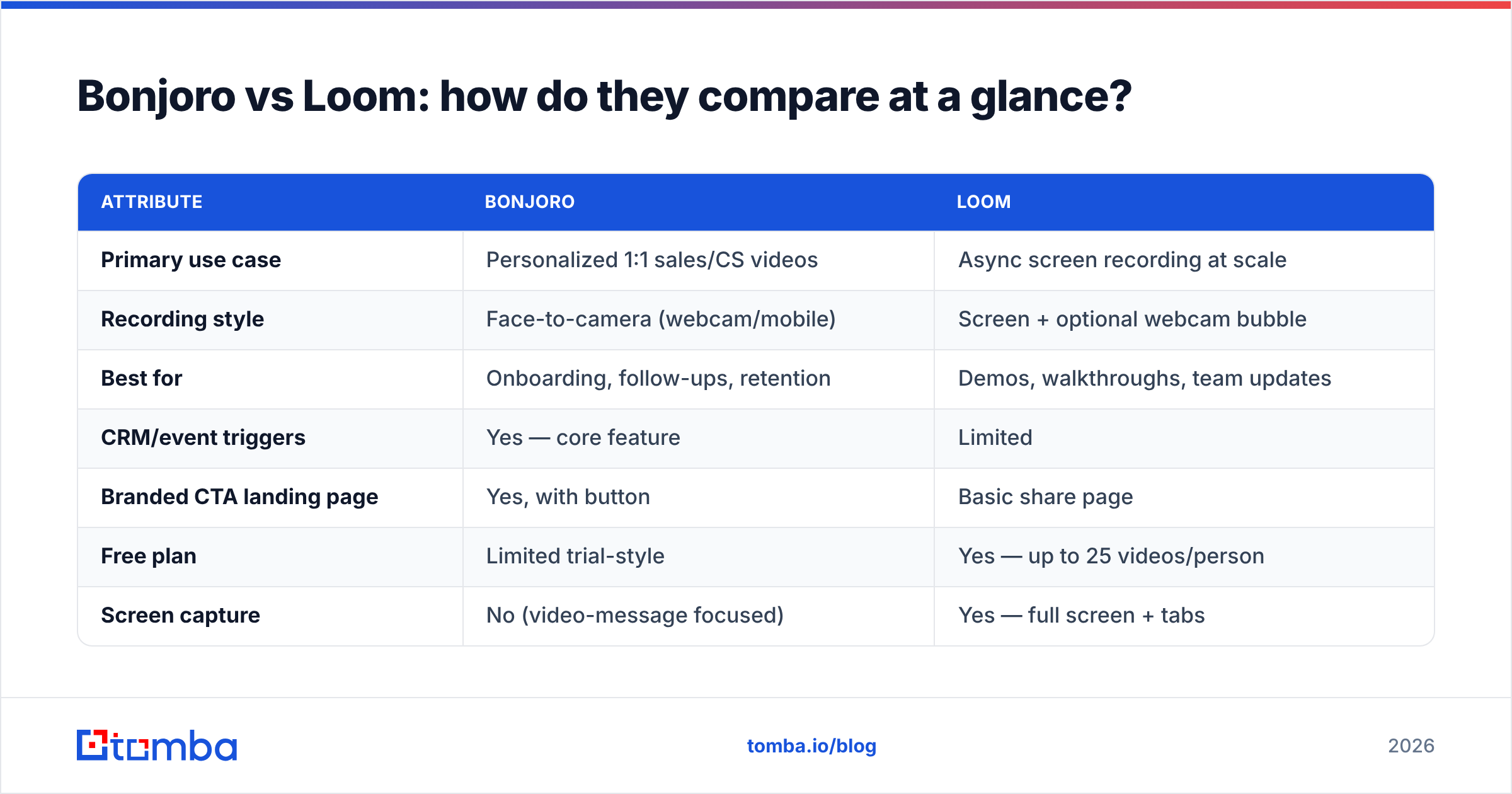
Bonjoro vs Loom: how do they compare at a glance?#
Here's the side-by-side on the attributes that actually change your decision.
| Attribute | Bonjoro | Loom |
|---|---|---|
| Primary use case | Personalized 1:1 sales/CS videos | Async screen recording at scale |
| Recording style | Face-to-camera (webcam/mobile) | Screen + optional webcam bubble |
| Best for | Onboarding, follow-ups, retention | Demos, walkthroughs, team updates |
| CRM/event triggers | Yes — core feature | Limited |
| Branded CTA landing page | Yes, with button | Basic share page |
| Free plan | Limited trial-style | Yes — up to 25 videos/person |
| Screen capture | No (video-message focused) | Yes — full screen + tabs |
| Viewer analytics | Opens, watches, CTA clicks | Views, reactions, comments |
| Team knowledge library | No | Yes — workspaces + folders |
| Starting paid tier | ~$25/user/mo | ~$15/user/mo |
The pattern is clear: Bonjoro optimizes for who you're talking to, Loom optimizes for what you're showing and how many people see it.
Is Bonjoro better than Loom for sales outreach?#
For warm, conversion-focused outreach, Bonjoro usually wins. For volume and clarity, Loom wins. It comes down to your motion.
Use Bonjoro when:
- The moment is personal. A new trial, a closed-won deal, a churn-risk account — anywhere a named human touch moves the needle.
- You want CRM-triggered automation. Bonjoro queues the right video task at the right time so reps don't forget the follow-up.
- Conversion is the metric. Branded landing pages with a single CTA button are built to turn a watch into a booked call or a renewal.
- Volume is low and intent is high. You're sending dozens, not thousands.
Use Loom when:
- You're explaining something visual. Pricing breakdowns, product demos, "here's how to set this up" — screen capture beats a talking head.
- One recording serves many. A single onboarding walkthrough can be reused across every new account.
- Internal collaboration matters. Async standups, design reviews, and recorded specs keep distributed teams aligned.
- You want a searchable library. Loom workspaces double as a team knowledge base.
Plenty of revenue teams run both: Loom for the scalable demo, Bonjoro for the personal "let's get you started" nudge. They're complements as often as competitors.
How much do Bonjoro and Loom cost in 2026?#
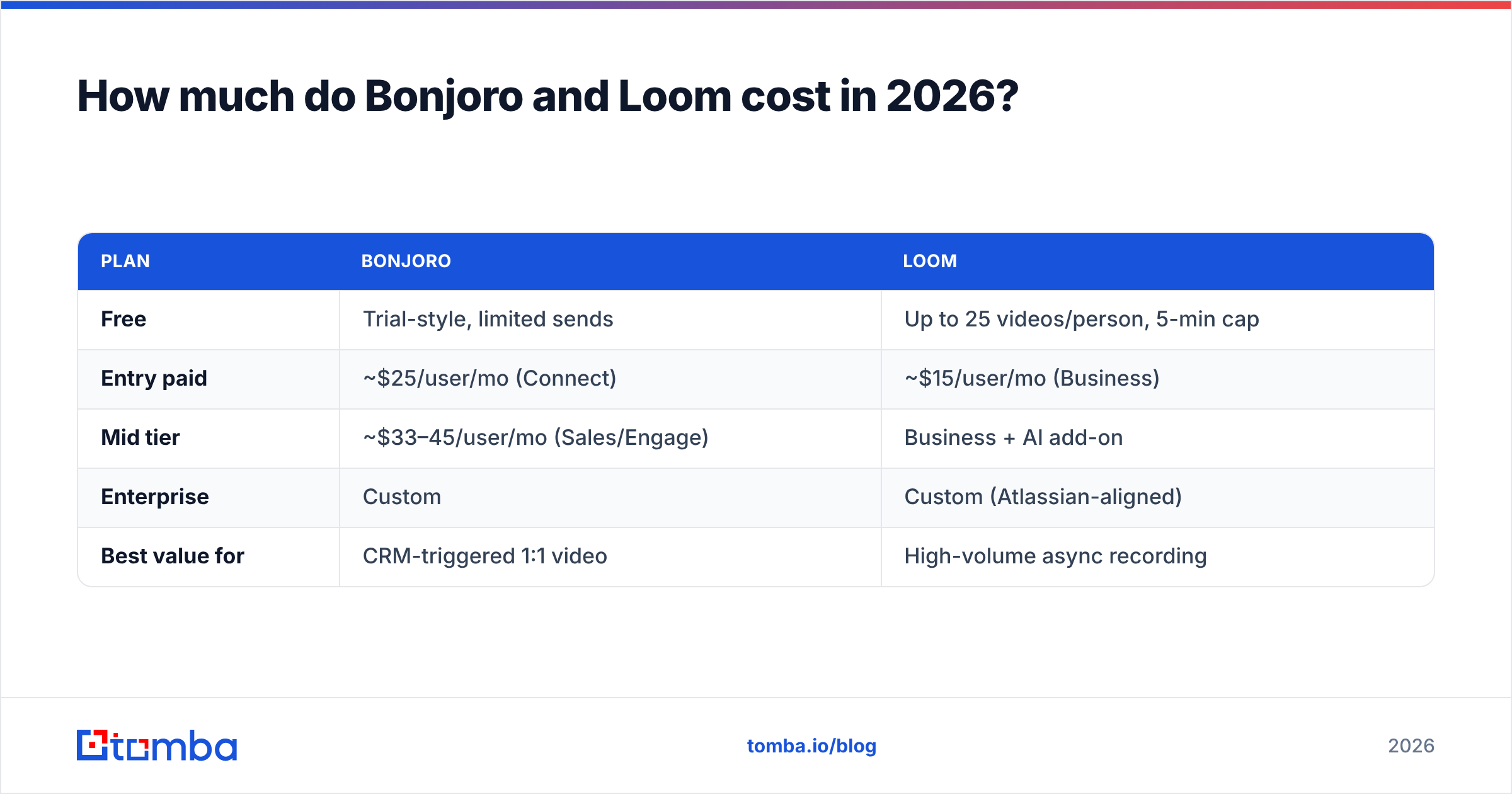
Pricing is close at entry but diverges on what you're paying for — Loom sells seats and storage, Bonjoro sells automation and CRM depth.
| Plan | Bonjoro | Loom |
|---|---|---|
| Free | Trial-style, limited sends | Up to 25 videos/person, 5-min cap |
| Entry paid | ~$25/user/mo (Connect) | ~$15/user/mo (Business) |
| Mid tier | ~$33–45/user/mo (Sales/Engage) | Business + AI add-on |
| Enterprise | Custom | Custom (Atlassian-aligned) |
| Best value for | CRM-triggered 1:1 video | High-volume async recording |
Always confirm current numbers on the vendors' own pages — plans shift. Loom's pricing lives at loom.com and Bonjoro's at bonjoro.com. For independent reviews, G2 carries hundreds of verified ratings for both.
The honest read: Loom's free plan is genuinely useful and can carry a small team for a long time. Bonjoro's free tier is more of a test drive — its value is locked behind the automations and integrations on paid plans.
What do Bonjoro and Loom NOT do?#
This is the part most comparison posts skip. Neither tool helps you find the person to record for.
Bonjoro triggers off contacts already in your CRM. Loom gives you a link you still have to send to someone. Both assume the hard part — having a real, reachable, verified email address — is already solved. It usually isn't.
If your CRM is full of stale or guessed addresses, your beautiful personalized video bounces or lands in spam, and your watch rate quietly craters. A 60-second Bonjoro to a dead inbox is wasted effort, and a Loom link nobody opens teaches you nothing.
That's the gap a contact-data layer fills:
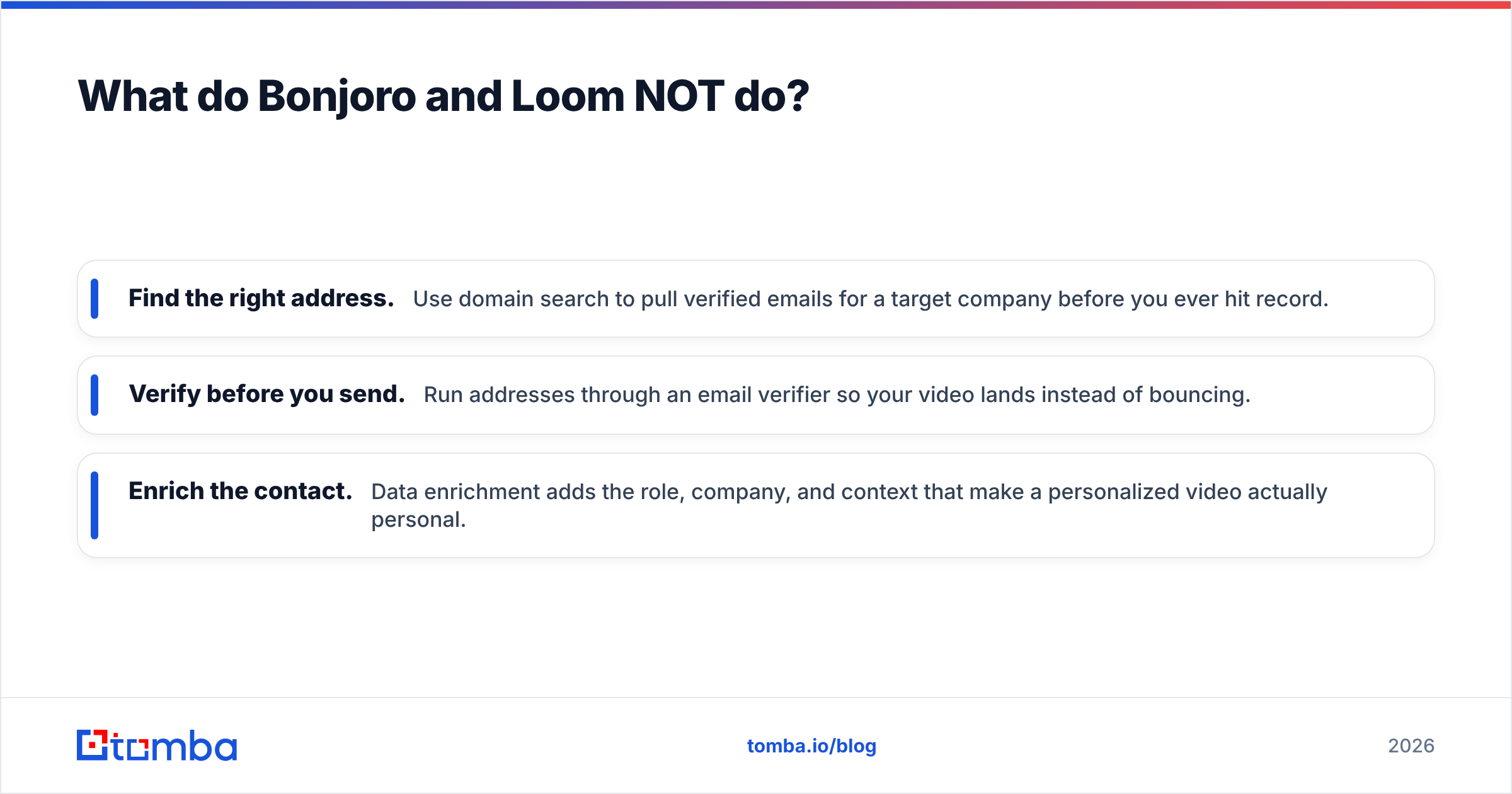
- Find the right address. Use domain search to pull verified emails for a target company before you ever hit record.
- Verify before you send. Run addresses through an email verifier so your video lands instead of bouncing.
- Enrich the contact. Data enrichment adds the role, company, and context that make a personalized video actually personal.
Get the data right first, and both Bonjoro and Loom perform dramatically better.
Which video tool should you choose?#
Here's the decision in one pass:
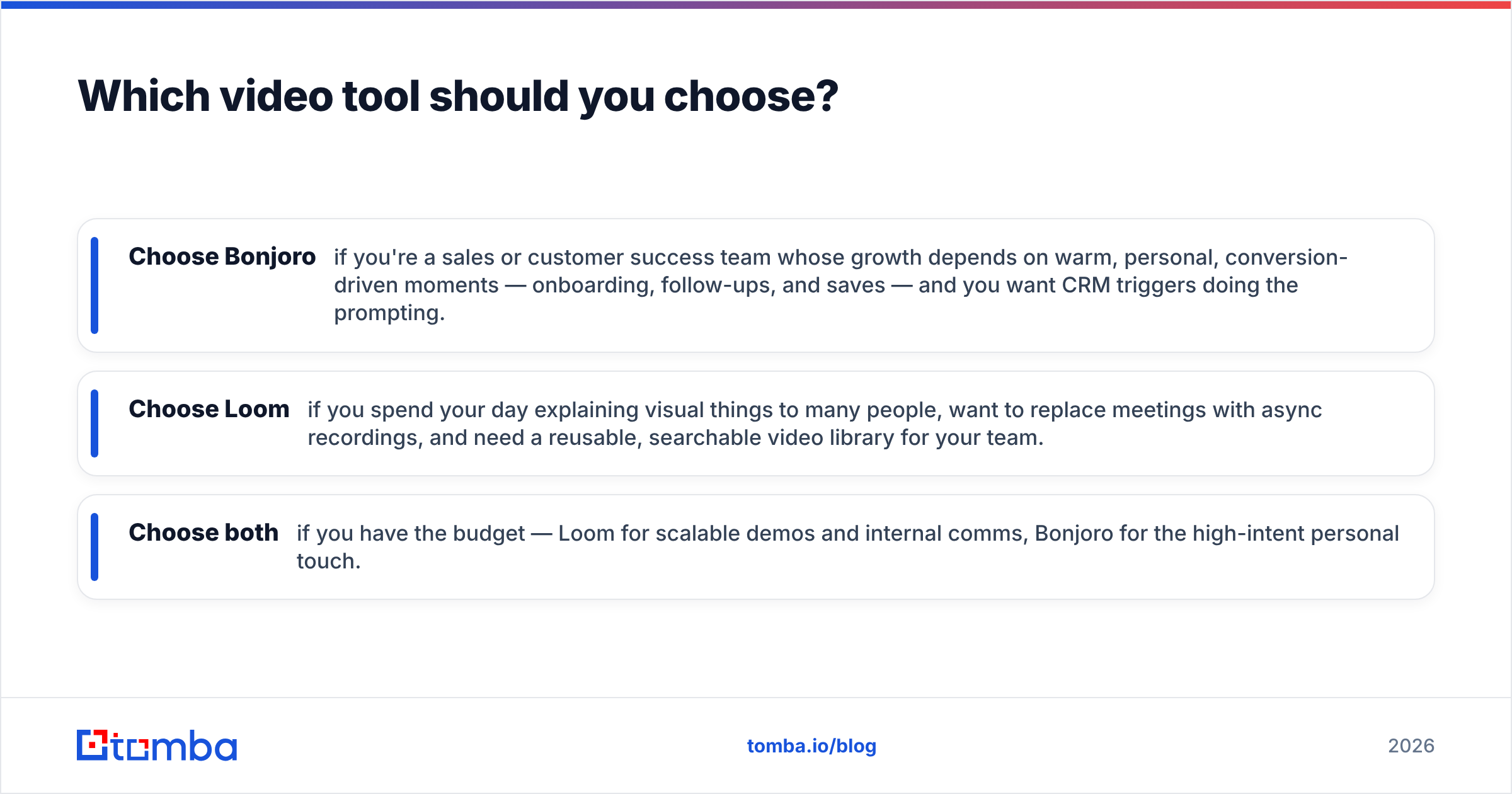
- Choose Bonjoro if you're a sales or customer success team whose growth depends on warm, personal, conversion-driven moments — onboarding, follow-ups, and saves — and you want CRM triggers doing the prompting.
- Choose Loom if you spend your day explaining visual things to many people, want to replace meetings with async recordings, and need a reusable, searchable video library for your team.
- Choose both if you have the budget — Loom for scalable demos and internal comms, Bonjoro for the high-intent personal touch.
| Your priority | Best pick |
|---|---|
| Personal 1:1 outreach | Bonjoro |
| Screen demos & walkthroughs | Loom |
| CRM-triggered automation | Bonjoro |
| Async team collaboration | Loom |
| Generous free plan | Loom |
| Conversion-focused landing pages | Bonjoro |
Whichever you pick, remember the multiplier sitting underneath both: deliverability. Personalized video is the most expensive content you'll create per recipient — don't waste it on inboxes you never confirmed existed.
The contact data that makes video outreach work#
Bonjoro and Loom are excellent at the message. They are useless without the recipient. Before you record a single frame, make sure the email behind it is real.
Tomba's Email Finder turns a name and a company domain into a verified, deliverable email address — the missing first step in every video outreach play. Pull a clean list, verify it, then let Bonjoro or Loom do what they do best. Start free with 25 searches a month, and scale up on the Starter plan at $49/mo when your pipeline does. Find the right person first; the video is the easy part.
// get started
Find, verify and enrich your first contacts today
Start on the free plan with 25 searches a month, then scale when your team is ready.
Free plan · No credit card required · GDPR & CCPA
// about the author