Book Like A Boss Pricing, Reviews, Pros and Cons (2026)
An honest 2026 breakdown of Book Like A Boss pricing, real user reviews, and the pros and cons that matter before you commit to a booking page.
Book Like A Boss (often shortened to BLAB) is one of the most-recommended all-in-one booking page tools for solopreneurs, coaches, and small sales teams. But the marketing copy rarely tells you where it actually falls short, or whether the pricing holds up against Calendly and Acuity in 2026. This review fixes that.
TL;DR — Is Book Like A Boss worth it in 2026?#
- Best for: solopreneurs, consultants, and coaches who want a branded booking page (not just an embeddable widget) plus payments in one place.
- Pricing: a genuine free plan exists; paid tiers run roughly $9–$30/mo (cheaper billed annually). No per-seat tax until you need real team features.
- Strengths: beautiful landing-page-style booking pages, built-in payments (Stripe, PayPal, Square), and strong calendar/video integrations.
- Weaknesses: the page builder feels dated next to newer tools, mobile editing is clunky, and advanced team routing lags behind Calendly.
- Bottom line: great value for one-person and small-team service sellers; underpowered for large, round-robin sales orgs.
What is Book Like A Boss?#
Book Like A Boss is a scheduling and "booking page" platform that combines an appointment calendar with a mini landing page and a checkout. Think of it like a digital storefront for your time: instead of sending a bare calendar link, you send a branded page that explains your service, shows social proof, takes payment, and then books the meeting.
That page-first approach is the core difference from a widget-first tool. Calendly drops a scheduling box onto an existing site; Book Like A Boss gives you the whole shopfront. For a freelancer or coach without a polished website, that one-page presence is often the entire funnel.
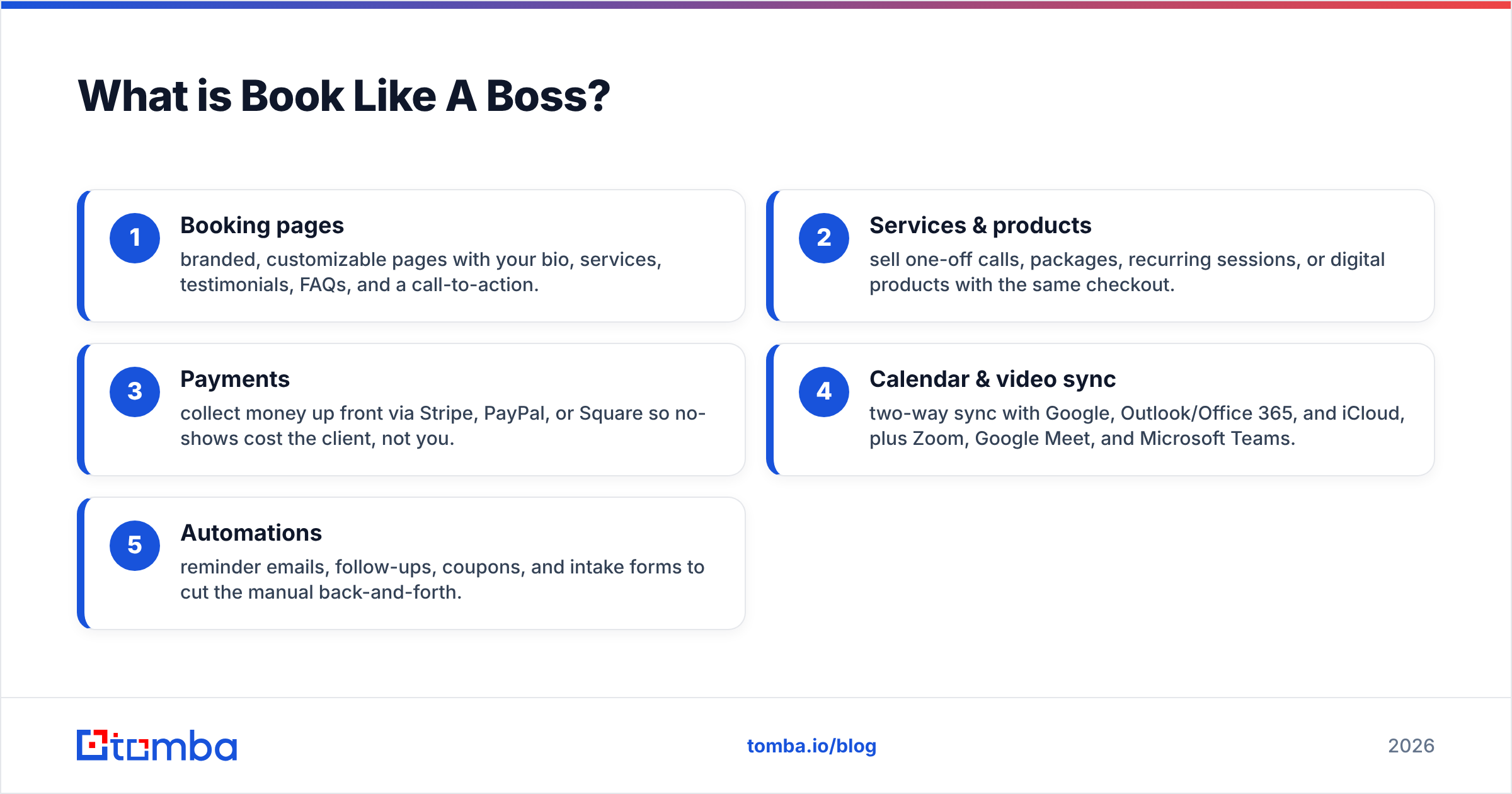
Here's how the main building blocks break down:
- Booking pages — branded, customizable pages with your bio, services, testimonials, FAQs, and a call-to-action.
- Services & products — sell one-off calls, packages, recurring sessions, or digital products with the same checkout.
- Payments — collect money up front via Stripe, PayPal, or Square so no-shows cost the client, not you.
- Calendar & video sync — two-way sync with Google, Outlook/Office 365, and iCloud, plus Zoom, Google Meet, and Microsoft Teams.
- Automations — reminder emails, follow-ups, coupons, and intake forms to cut the manual back-and-forth.
)
How much does Book Like A Boss cost?#
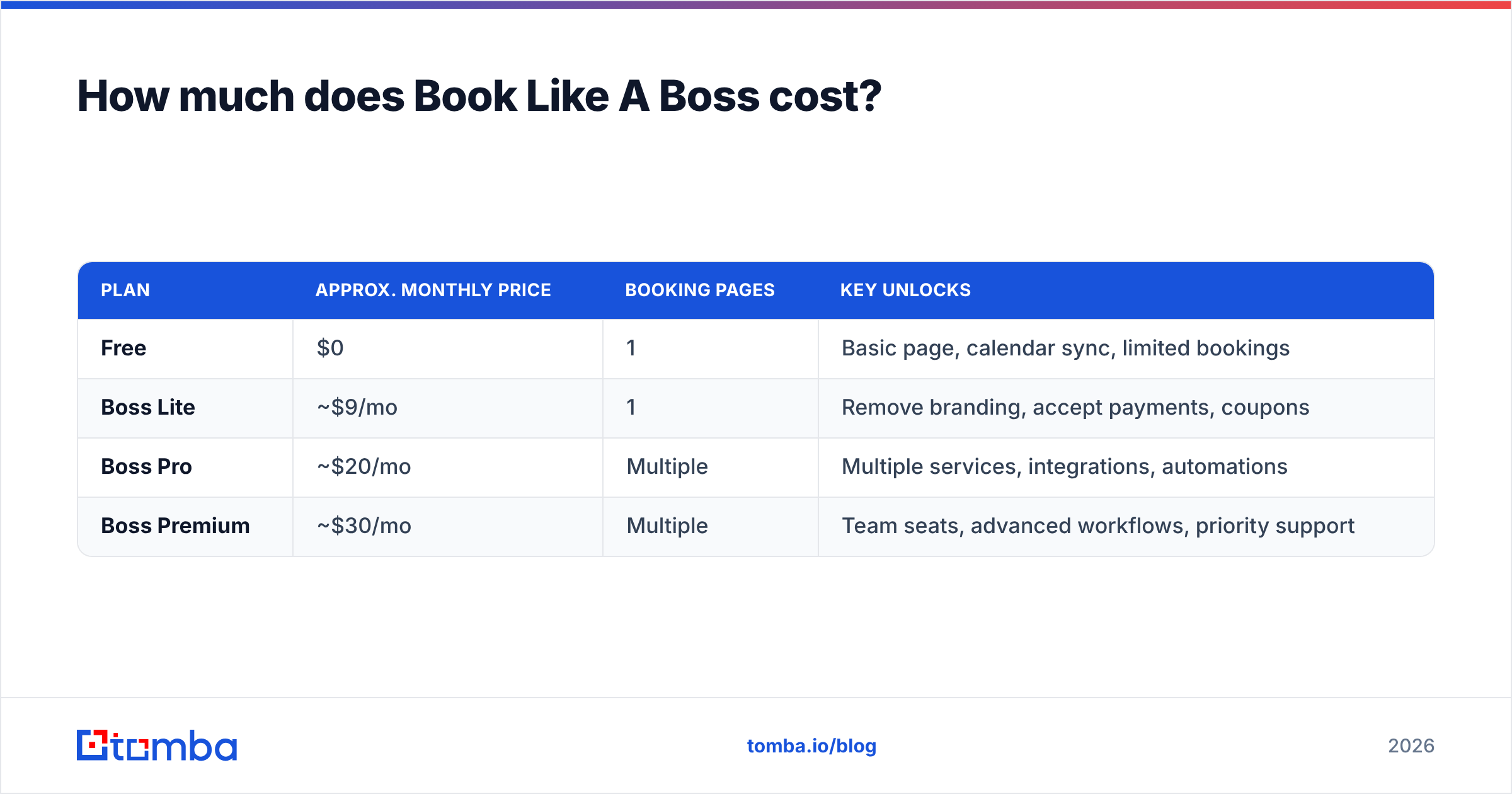
Book Like A Boss keeps pricing refreshingly simple: a free tier, then a small ladder of paid plans that get cheaper when billed annually. Exact numbers shift with promotions, so confirm on the official Book Like A Boss site before buying. As of 2026, the structure looks like this:
| Plan | Approx. monthly price | Booking pages | Key unlocks |
|---|---|---|---|
| Free | $0 | 1 | Basic page, calendar sync, limited bookings |
| Boss Lite | ~$9/mo | 1 | Remove branding, accept payments, coupons |
| Boss Pro | ~$20/mo | Multiple | Multiple services, integrations, automations |
| Boss Premium | ~$30/mo | Multiple | Team seats, advanced workflows, priority support |
A few things worth knowing before you pick a tier:
- Annual billing typically shaves 20–40% off the monthly rate, so the real Boss Pro cost can land closer to $12–$15/mo.
- The free plan is usable, not a crippled trial — fine for testing the waters with a single service.
- Payments aren't gated behind the top tier. Even lower paid plans let you charge clients, which is a genuine advantage over tools that reserve checkout for premium plans.
- Team features live at the top. If you need multiple staff calendars or shared availability, budget for Boss Premium.
Compared with the wider scheduling market, BLAB sits in the value bracket. Calendly's paid plans start around $10–$16 per seat and climb fast for teams; Acuity (Squarespace Scheduling) runs roughly $20–$49/mo. For a solo operator who wants payments included, Book Like A Boss is usually the cheaper all-in-one.
How does Book Like A Boss compare to Calendly and Acuity?#
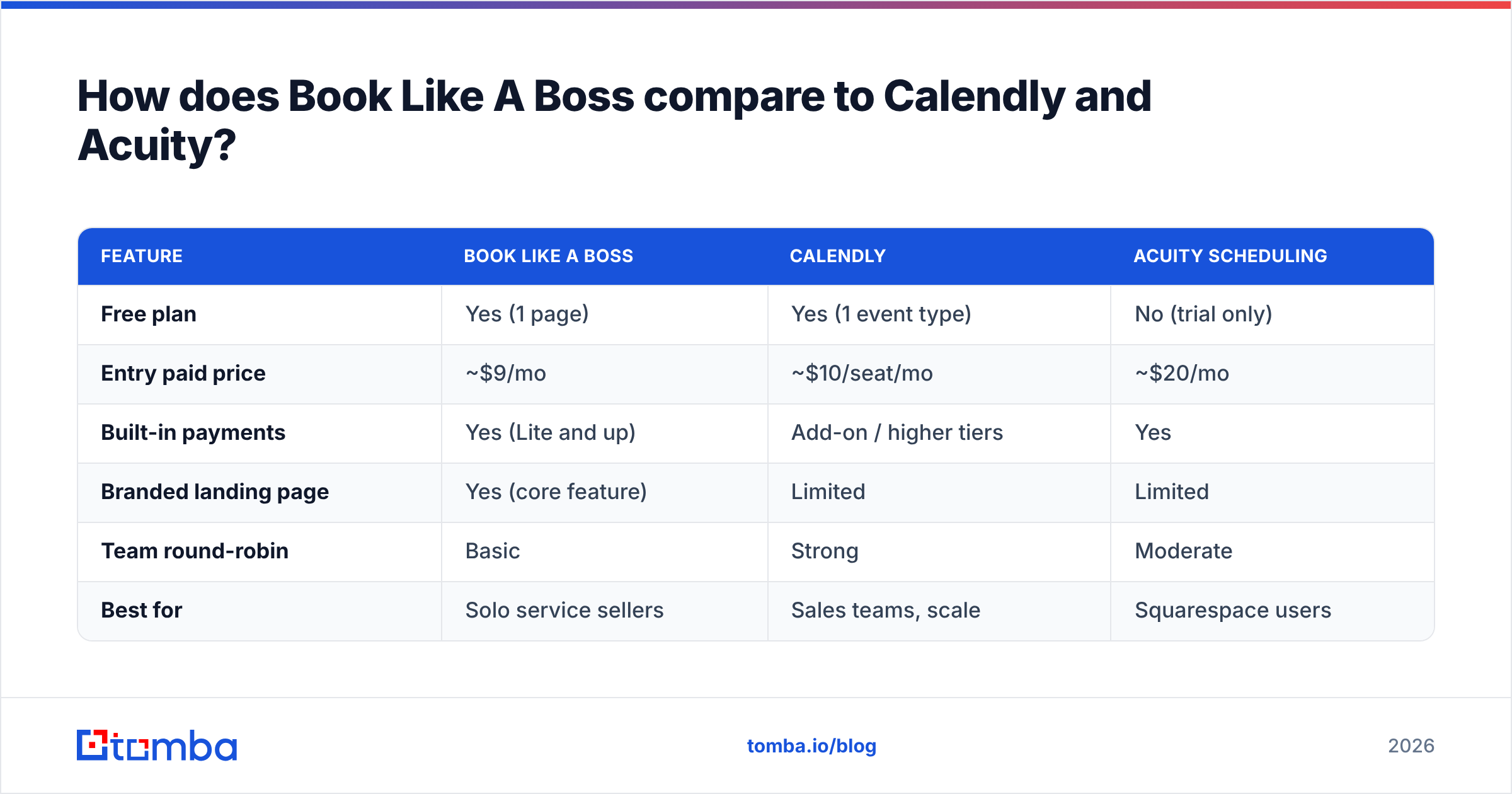
The honest answer: each tool wins a different buyer. Book Like A Boss is page-first, Calendly is widget-and-team-first, and Acuity is for service businesses already living inside Squarespace.
| Feature | Book Like A Boss | Calendly | Acuity Scheduling |
|---|---|---|---|
| Free plan | Yes (1 page) | Yes (1 event type) | No (trial only) |
| Entry paid price | ~$9/mo | ~$10/seat/mo | ~$20/mo |
| Built-in payments | Yes (Lite and up) | Add-on / higher tiers | Yes |
| Branded landing page | Yes (core feature) | Limited | Limited |
| Team round-robin | Basic | Strong | Moderate |
| Best for | Solo service sellers | Sales teams, scale | Squarespace users |
Read it this way:
- Choose Book Like A Boss if you want a standalone page that sells and schedules, and you value bundled payments over advanced routing.
- Choose Calendly if you run a sales team that needs round-robin distribution, meeting analytics, and tight CRM workflows. You can review the differences on G2's scheduling category.
- Choose Acuity if your business already runs on Squarespace and you want scheduling that matches your site.
No scheduling tool fills your calendar on its own, though. The page and the payment flow only matter once qualified prospects actually land on them — which is a demand problem, not a booking problem.
What do real Book Like A Boss reviews say?#
Aggregate sentiment across Capterra and other review sites is broadly positive, usually landing in the 4.5–4.7 out of 5 range. The themes are consistent enough to trust.
What reviewers consistently praise:
- Value for money. The most repeated compliment. A branded page plus payments for under $20/mo reads as a bargain.
- Responsive support. Users mention fast, human replies — notable for a tool at this price.
- Ease of getting live. Most people have a working booking page in under an hour.
- Payment collection. Charging up front visibly cuts no-shows, which reviewers love.
What reviewers consistently criticize:
- Dated builder UX. The page editor works but feels a generation behind modern drag-and-drop tools.
- Mobile editing friction. Building or tweaking pages on a phone is awkward.
- Limited deep customization. Power users hit walls on design control and CSS-level tweaks.
- Team features feel bolted on. Larger orgs find routing and permissions thin versus Calendly.
A fair read: BLAB earns its ratings on price and simplicity, and loses points on polish and scale. If you're one person selling your time, the trade is easy. If you're standing up a 12-rep sales team, it's a harder sell.
What are the pros and cons of Book Like A Boss?#
Here's the condensed verdict, the part most "Book Like A Boss pricing, reviews, pros and cons" searches actually want.
| Pros | Cons |
|---|---|
| Real free plan, low-cost paid tiers | Page builder UX feels dated |
| Payments bundled at low tiers | Clunky mobile editing |
| Full branded booking page, not just a widget | Limited advanced design control |
| Strong calendar + video integrations | Team/round-robin lags Calendly |
| Coupons, packages, and product sales built in | Fewer native CRM integrations |
| Responsive customer support | Reporting/analytics are basic |
Who should buy it: coaches, consultants, freelancers, tutors, and small agencies who want one link that presents, sells, and schedules.
Who should skip it: mid-market and enterprise sales teams that need sophisticated lead routing, deep analytics, and a dense CRM integration stack. Those buyers will outgrow it.
)
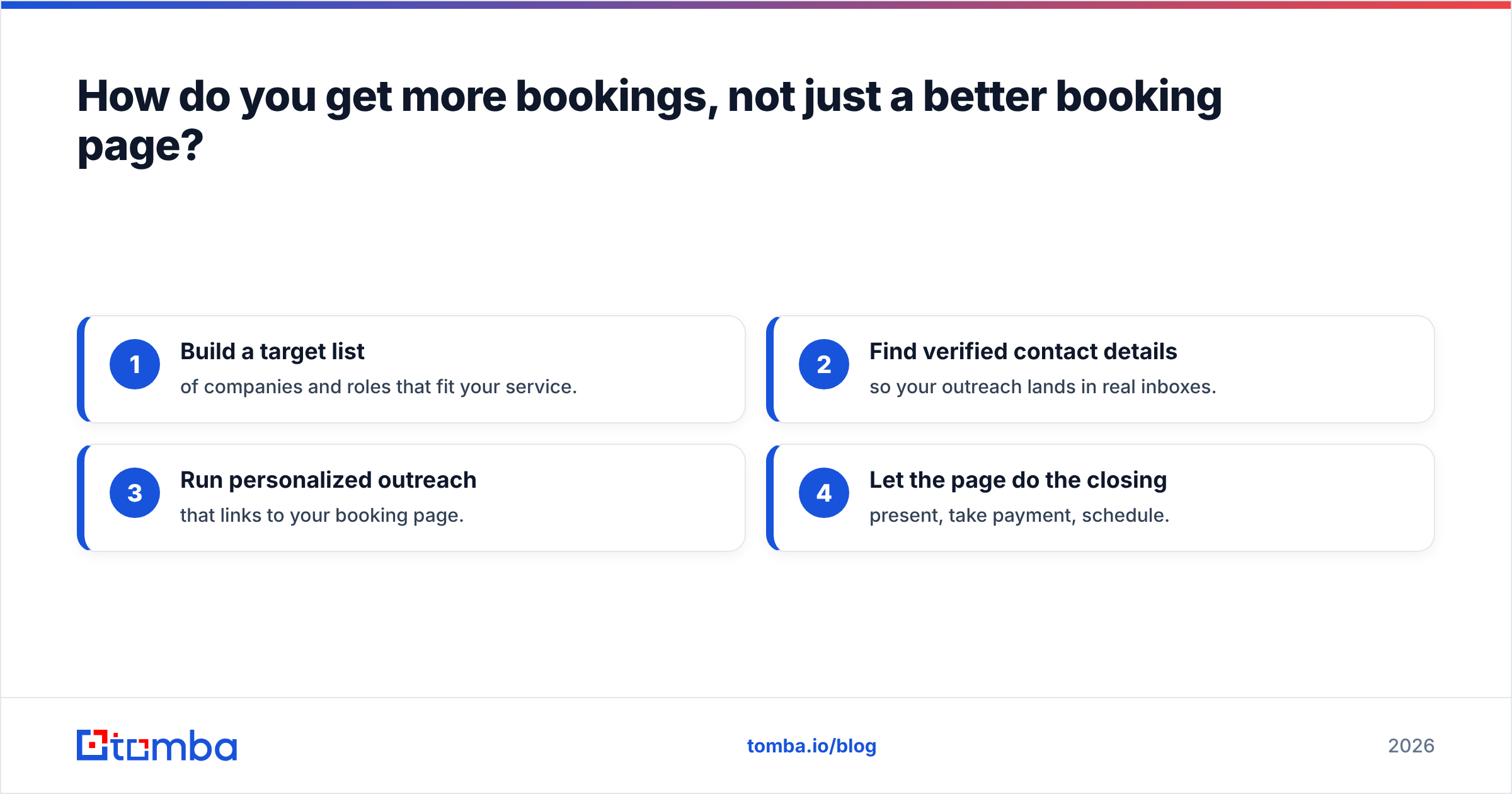
How do you get more bookings, not just a better booking page?#
A booking tool is the finish line, not the race. Book Like A Boss converts interested prospects who already found you. The harder, earlier job is putting your offer in front of the right people in the first place — and that's a lead generation and outreach problem.
This is where the booking stack and the prospecting stack meet. A typical flow looks like this:
- Build a target list of companies and roles that fit your service.
- Find verified contact details so your outreach lands in real inboxes.
- Run personalized outreach that links to your booking page.
- Let the page do the closing — present, take payment, schedule.
Steps one and two are where most solo sellers stall, and where a dedicated data tool earns its keep. With an email finder you can turn a list of target companies into reachable decision-makers, and a domain search surfaces every relevant contact at a company in one pass. Layering in data enrichment means each booking-page invite goes out with the right name, role, and context — which is exactly what lifts reply rates.
Put plainly: Book Like A Boss makes saying "yes" easy; your prospecting decides how many people ever see the page. Pair a clean booking page with a steady pipeline of verified contacts and the empty-calendar problem mostly solves itself.
Frequently asked questions#
Does Book Like A Boss have a free plan? Yes. The free tier supports one booking page with calendar sync and basic scheduling — enough to test the workflow before paying.
Can I take payments on Book Like A Boss? Yes, and you don't need the most expensive plan. Payments via Stripe, PayPal, and Square unlock on the lower paid tiers, letting you charge up front to reduce no-shows.
Is Book Like A Boss better than Calendly? For solo service sellers who want a branded page plus payments, usually yes on value. For sales teams needing round-robin routing and analytics, Calendly is stronger.
Is the Book Like A Boss lifetime deal still available? Lifetime deals appear periodically through marketplaces and promotions rather than permanently. Check the official site for current offers before assuming one is live.
The bottom line on Book Like A Boss#
Book Like A Boss is a high-value, no-nonsense booking platform for individuals and small teams who want their scheduling page to also sell. The pricing is fair, the free plan is real, and bundled payments make it a strong pick under $20/mo. Just go in knowing the builder is functional rather than flashy, and that big sales orgs will want something heavier.
But a polished booking page only pays off when qualified prospects keep arriving. If your calendar looks empty, the fix usually isn't a new scheduling tool — it's more, better-targeted outreach. Start filling the top of your funnel with verified, ready-to-contact decision-makers using the Tomba Email Finder, then let your booking page close the loop. Compare Tomba pricing against your current lead-gen spend and you'll likely find the contacts cost less than the empty slots they fill.
// get started
Find, verify and enrich your first contacts today
Start on the free plan with 25 searches a month, then scale when your team is ready.
Free plan · No credit card required · GDPR & CCPA
// about the author