How to Write a Booking an Appointment Email That Gets a Yes (2026)
A booking an appointment email only works if it reaches a real inbox and makes one clear ask. Here are the templates, structure, and timing that win the meeting in 2026.
How to Write a Booking an Appointment Email That Gets a Yes (2026)
TL;DR
- A booking an appointment email wins or loses on three things: it reaches a real inbox, it makes one specific ask, and it removes the friction of replying.
- The structure that converts is simple: relevant hook → reason to meet → one concrete time (or a scheduling link) → short sign-off.
- Subject lines should signal value or specificity, not urgency tricks. "15 min on your Q3 pipeline?" beats "Quick question."
- Verify the address before you hit send. Even perfect copy bounces if the email is wrong, and bounces wreck your sender reputation.
- Use the templates below, then personalize the first line. Templates set the frame; the first sentence earns the read.
What is a booking an appointment email?#
A booking an appointment email is a short message whose only job is to get someone to agree to a specific time to talk. That's it. It is not a pitch, a newsletter, or a brochure. Think of it like asking a busy friend to grab coffee: you don't send three paragraphs explaining why coffee is good for society, you say "Thursday at 10, the place on 5th?" and let them say yes.
The mistake most reps make is treating the appointment email like a sales pitch. They cram in features, social proof, three calendar links, and a 200-word company history. The reader's brain reads "work" and moves on. A great appointment email asks the recipient to make exactly one easy decision.
There are three common contexts, and the tone shifts for each:
- Cold outreach — you've never spoken. The bar is high; you earn the meeting with relevance and brevity.
- Warm follow-up — they downloaded something, replied once, or met you at an event. You're rekindling, not introducing.
- Confirmation / reschedule — the meeting exists; you're locking logistics. Clarity beats charm here.
Most of this guide focuses on the first two, because that's where deals are won or lost.
What does a high-converting appointment email look like?#
Every booking email that consistently lands a meeting shares the same skeleton. Memorize these five parts and you can write one in two minutes.
- A specific subject line — names the topic or the time commitment, never vague.
- A personalized first line — proves you're writing to them, not a list.
- A one-sentence reason to meet — the value, framed around their world.
- A single, concrete ask — one proposed time or one scheduling link, not a menu.
- A frictionless close — easy out, short signature, no attachments.
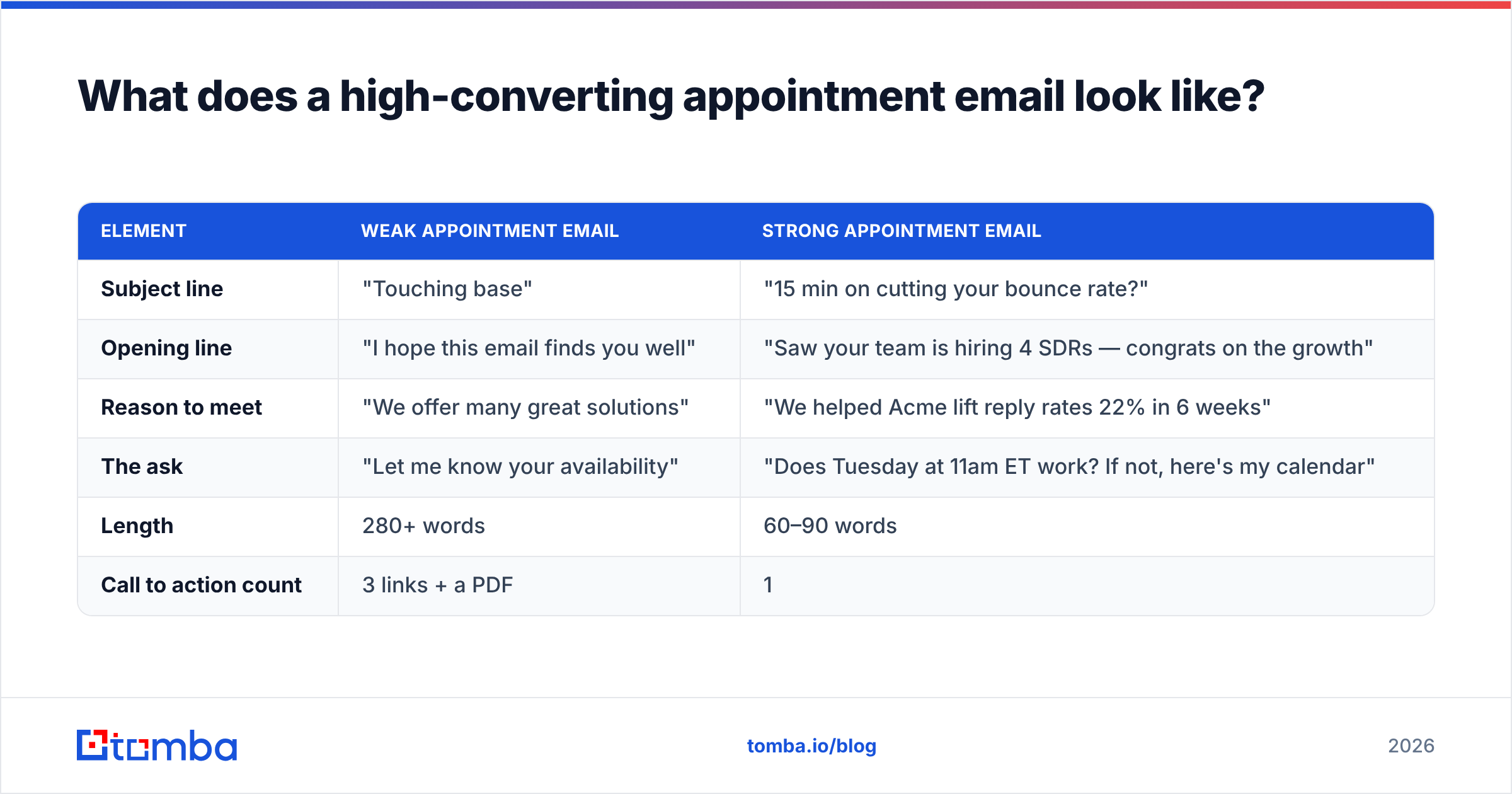
Here's how the wrong and right versions compare side by side.
| Element | Weak appointment email | Strong appointment email |
|---|---|---|
| Subject line | "Touching base" | "15 min on cutting your bounce rate?" |
| Opening line | "I hope this email finds you well" | "Saw your team is hiring 4 SDRs — congrats on the growth" |
| Reason to meet | "We offer many great solutions" | "We helped Acme lift reply rates 22% in 6 weeks" |
| The ask | "Let me know your availability" | "Does Tuesday at 11am ET work? If not, here's my calendar" |
| Length | 280+ words | 60–90 words |
| Call to action count | 3 links + a PDF | 1 |
Notice the strong column never asks the reader to do work. The weak column makes them invent a time, parse a paragraph, and decide whether you're worth it. Remove every gram of friction and your reply rate climbs.
Why do most appointment emails never get a reply?#
Most appointment emails fail before the copy is ever read — they never reach the inbox, or they reach the wrong person. You can write the best invitation on earth and still get silence if any of these are true:
- The address is wrong or guessed. Pattern-guessing ("first.last@company.com") is right maybe 60% of the time. The other 40% bounces or hits a dead alias.
- You blew your sender reputation. Too many bounces, spam complaints, or a cold domain and your message lands in spam. Mailbox providers score you on this constantly — it's why sender reputation matters as much as your subject line.
- You buried the ask. If the reader has to hunt for what you want, they won't.
- You asked for too much. "Can we set up a 45-minute discovery call plus a demo?" is a bigger commitment than a stranger will make.
The first two are data problems, not copy problems. Before you obsess over wording, make sure the email exists and your domain is healthy. Run new addresses through an email verifier to strip out invalid and risky contacts, and check your authentication with a quick SPF record review. Clean data first, clever copy second.
What subject lines book the most meetings?#
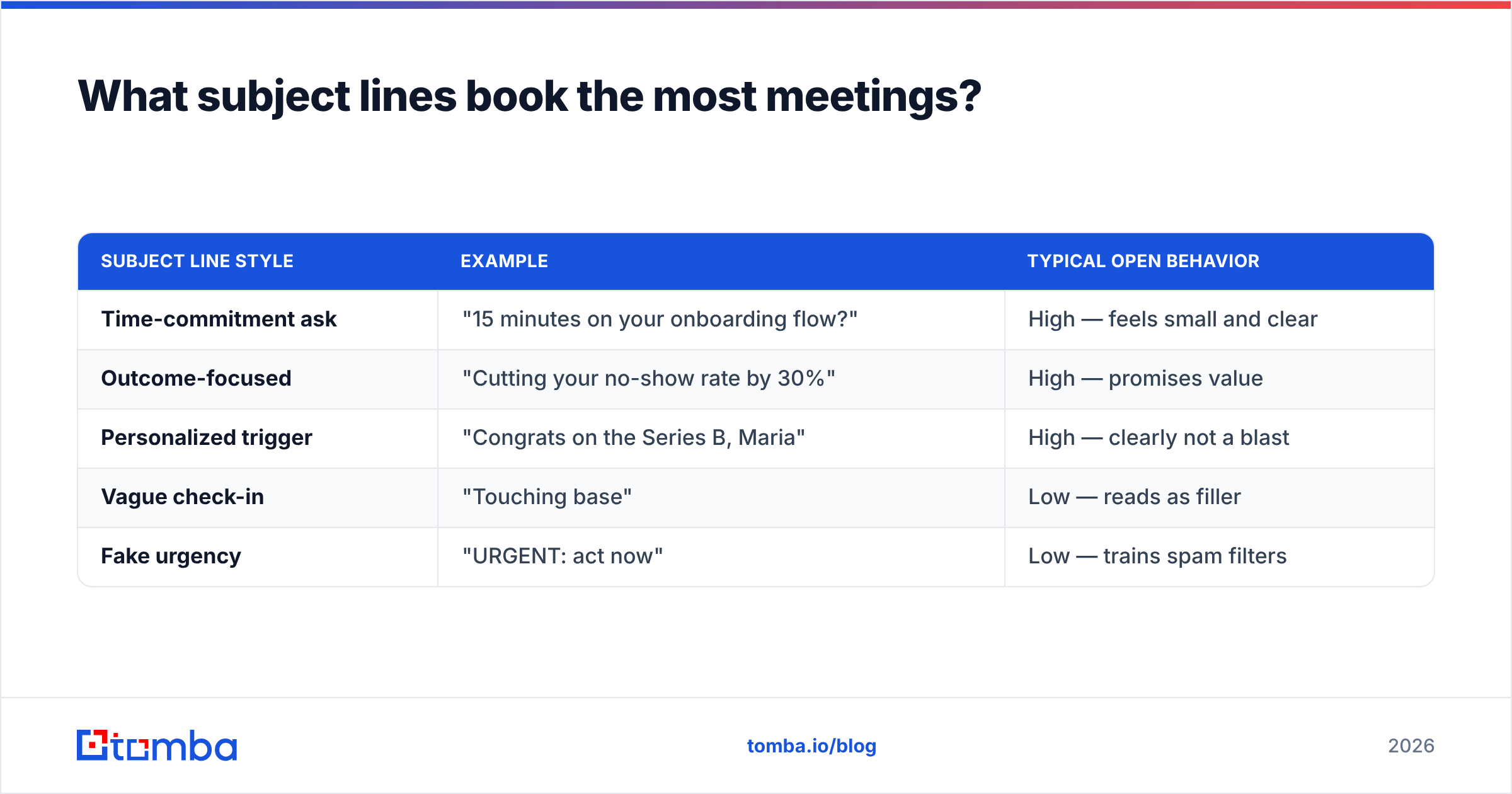
Subject lines that book meetings do one of two things: they name a specific outcome, or they name a specific, tiny time commitment. They never rely on fake urgency or clickbait, because that erodes trust the instant the email opens.
Here's a quick comparison of subject-line styles and how they tend to perform in cold appointment outreach.
| Subject line style | Example | Typical open behavior |
|---|---|---|
| Time-commitment ask | "15 minutes on your onboarding flow?" | High — feels small and clear |
| Outcome-focused | "Cutting your no-show rate by 30%" | High — promises value |
| Personalized trigger | "Congrats on the Series B, Maria" | High — clearly not a blast |
| Vague check-in | "Touching base" | Low — reads as filler |
| Fake urgency | "URGENT: act now" | Low — trains spam filters |
A few rules that hold up across industries:
- Keep it under 6 words so it doesn't truncate on mobile.
- Lowercase or sentence case often outperforms Title Case — it looks like a human, not a campaign.
- Put the specific in front. "Q3 pipeline review — 15 min?" beats "A quick chat about a few things."
If you want to pressure-test variations before sending, a subject line tester will score length, spammy words, and clarity in seconds.
Which appointment email templates actually work in 2026?#
Below are six copy-paste templates. Swap the brackets, rewrite the first line in your own words, and keep them short. The frame is proven; the personalization is your job.
1. Cold outreach — the value-first invite#
Subject: 15 min on [specific outcome]?
Hi [First name],
Noticed [specific trigger — a hire, launch, post, or change]. Teams in that spot usually hit [specific problem].
We helped [similar company] [concrete result] in [timeframe]. Worth a quick look at whether the same applies to [their company]?
Does [day] at [time, with timezone] work? If not, here's my calendar: [link].
[Your name]
2. Warm follow-up — the re-engage#
Subject: Picking this back up, [First name]
Hi [First name],
You grabbed our [resource] a few weeks back — curious whether [related problem] is still on your radar.
If it is, I'd love 20 minutes to share how [peer company] handled it. [Day] at [time]?
[Your name]
3. The "one specific time" nudge#
Subject: [Day] at [time]?
Hi [First name],
Keeping this short — I think 15 minutes could save your team a lot of manual work on [task].
I'm open [day] at [time] and [day] at [time]. Reply with either and I'll send an invite.
[Your name]
4. The break-up / last attempt#
Subject: Should I close your file?
Hi [First name],
I've reached out a couple of times about [topic] and haven't heard back, which usually means one of two things: it's not a priority right now, or my timing's off.
Either is totally fine — just let me know which, and I'll act accordingly. If it is worth a chat, [day] at [time] is open.
[Your name]
5. Post-event / referral#
Subject: Great chat at [event] — next step?
Hi [First name],
Really enjoyed talking about [topic] at [event]. You mentioned [specific pain]; I'd love to show you how we solve exactly that.
Are you free [day] at [time]? Happy to work around your schedule.
[Your name]
6. Confirmation / reduce no-shows#
Subject: Confirming [day] at [time]
Hi [First name],
Looking forward to our call on [day] at [time] [timezone]. Here's the link: [link].
I'll keep it to 20 minutes and come ready to talk [agenda item]. If anything changes, just reply and we'll move it.
[Your name]
Want a deeper library to draw from? You can browse more cold email templates and adapt the structure to your motion.
How do you make sure the email actually reaches the right person?#
The single highest-leverage step in appointment booking happens before you write a word: confirm the address is real and belongs to the right human. A flawless invitation sent to info@ or a typo'd alias is worth nothing.
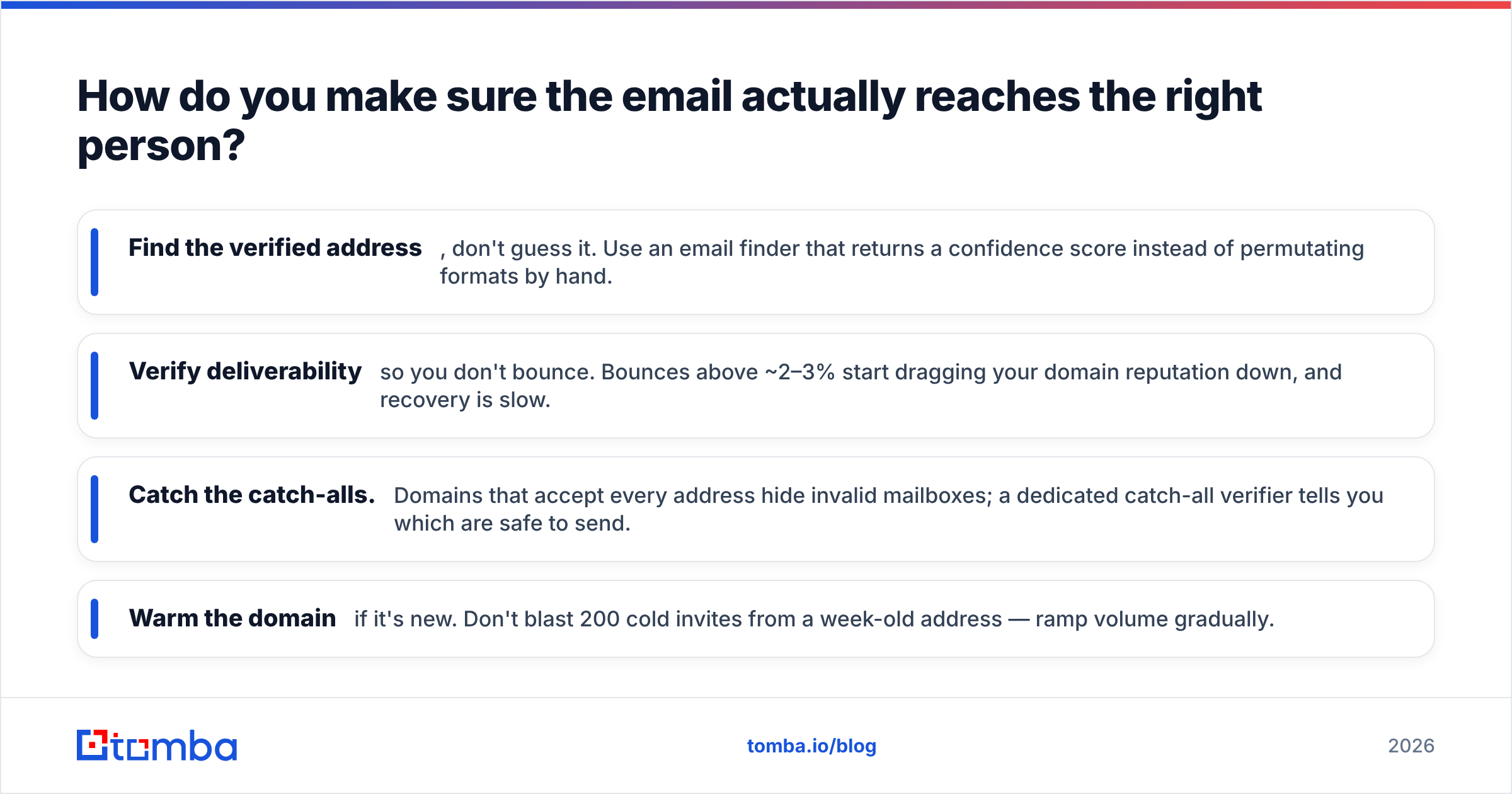
A reliable pre-send workflow looks like this:
- Find the verified address, don't guess it. Use an email finder that returns a confidence score instead of permutating formats by hand.
- Verify deliverability so you don't bounce. Bounces above ~2–3% start dragging your domain reputation down, and recovery is slow.
- Catch the catch-alls. Domains that accept every address hide invalid mailboxes; a dedicated catch-all verifier tells you which are safe to send.
- Warm the domain if it's new. Don't blast 200 cold invites from a week-old address — ramp volume gradually.
This is where good data tooling earns its keep. According to HubSpot's research on sales outreach, persistence and personalization drive booked meetings — but both are wasted if your messages never arrive. And independent reviews on G2 consistently rank deliverability and data accuracy as the features that separate tools that book meetings from tools that fill spam folders.
For teams running outreach at scale, pulling verified contacts straight into your sequence — via the HubSpot integration or a bulk email finder — removes the manual copy-paste step that introduces typos in the first place.
How many follow-ups should a booking sequence have?#
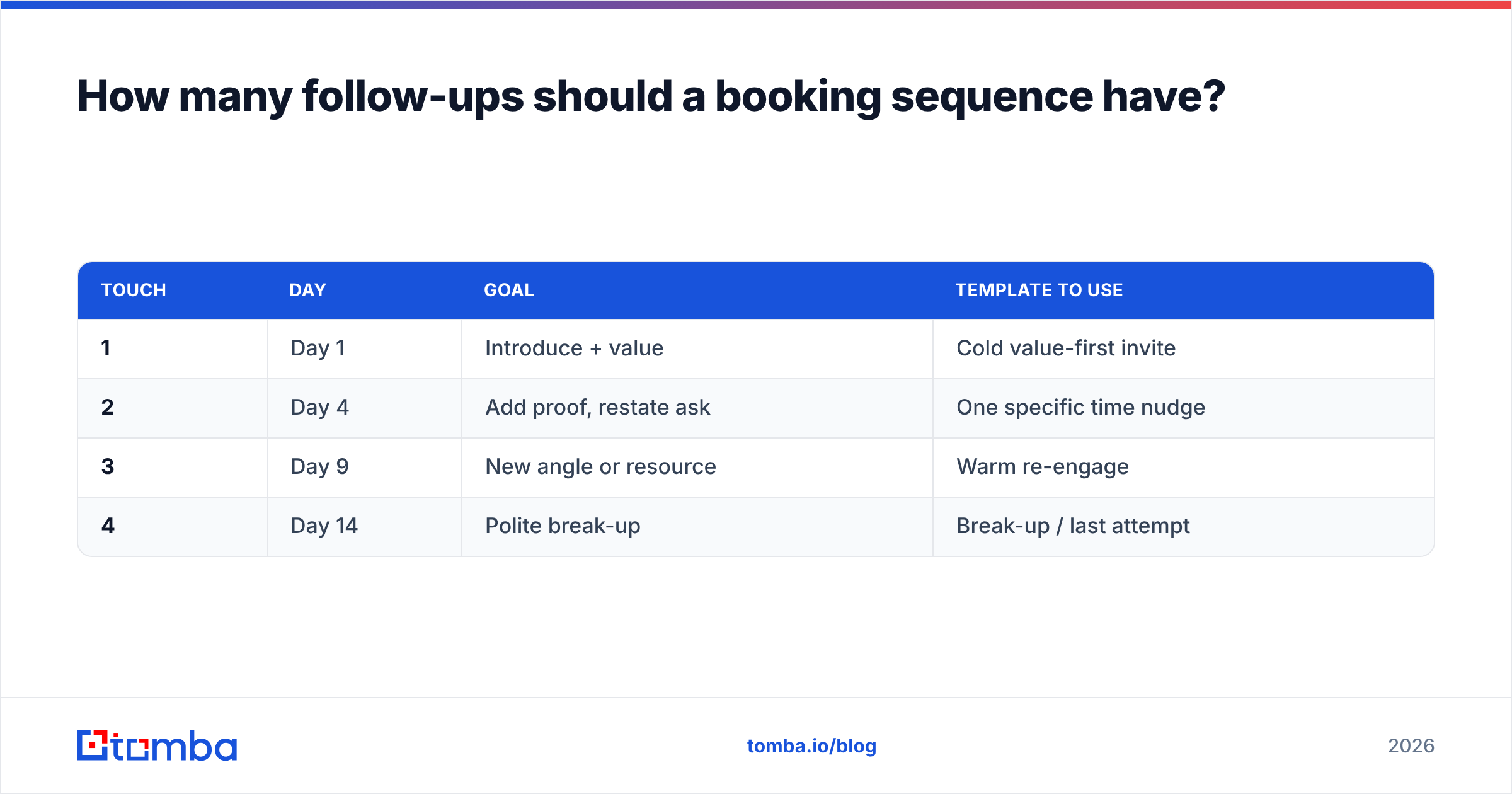
Three to four touches over about two weeks is the sweet spot for most B2B appointment booking. One email rarely lands the meeting; the data is consistent that the majority of replies come after the first message. But there's a ceiling — past four or five touches without a response, you're training the recipient to ignore you and risking spam complaints.
A simple, effective cadence:
| Touch | Day | Goal | Template to use |
|---|---|---|---|
| 1 | Day 1 | Introduce + value | Cold value-first invite |
| 2 | Day 4 | Add proof, restate ask | One specific time nudge |
| 3 | Day 9 | New angle or resource | Warm re-engage |
| 4 | Day 14 | Polite break-up | Break-up / last attempt |
Two rules keep this from feeling robotic:
- Change the angle each time, not just the wording. New stat, new use case, new question.
- Always include the ask. Every email in the sequence should propose a time or a link. Don't send a "just checking in" with no path to yes.
Track your response rate across the sequence so you know which touch is doing the work — and cut the ones that aren't.
What are the most common booking email mistakes?#
Avoid these and you'll already be ahead of most senders:
- Multiple CTAs. Two calendar links and a "or just reply" is one choice too many. Pick one.
- No timezone. "Tuesday at 11" is ambiguous across regions. Always specify.
- Walls of text. If it doesn't fit on a phone screen without scrolling, cut it.
- Sending to unverified lists. This is the silent killer — it tanks deliverability for every message, not just the bad ones.
- Generic openers. "I hope this email finds you well" signals a template. Lead with something only their company would prompt.
- Asking for too much time. Request 15 minutes, not an hour. You can always extend a good call.
Booking more meetings starts with the right contact data#
Great copy gets you a reply; the right contact data gets you the chance to send it at all. Before you fine-tune another subject line, make sure every address in your sequence is real, verified, and tied to the decision-maker you actually want to meet.
Tomba's Email Finder returns verified, confidence-scored professional emails by name, company, or domain — so your perfectly written booking email reaches a live inbox instead of a bounce. Start free with 25 searches a month, then scale on the Starter plan at $49/mo as your outreach grows. Check the full Tomba pricing to match a plan to your volume. Write the meeting-winning email, send it to a real person, and watch your calendar fill up.
// get started
Find, verify and enrich your first contacts today
Start on the free plan with 25 searches a month, then scale when your team is ready.
Free plan · No credit card required · GDPR & CCPA
// about the author