Bookyourdata vs Contactout (2026): B2B Data Compared
Bookyourdata vs Contactout in 2026: pricing, data accuracy, coverage, and which B2B contact tool actually fits cold outreach. A neutral breakdown with a third option.
You are choosing between two very different ways to get B2B contacts: buy a pre-built list, or pull emails one prospect at a time from LinkedIn. Bookyourdata and Contactout sit on opposite ends of that line, and picking wrong means either a stale CSV or a workflow that never scales. This guide breaks down where each one wins, where each one quietly fails, and when a verification-first email finder beats both.
TL;DR#
- Bookyourdata is a pay-as-you-go B2B list database — buy credits, filter by industry/title/geo, export a CSV. Best for fast list builds when you accept variable accuracy.
- Contactout is a LinkedIn-centric email and phone finder with a Chrome extension — best for reps who live in LinkedIn and Sales Navigator.
- Accuracy is the real differentiator: bought lists decay ~22–30% per year, while real-time lookups verified at request time stay fresher.
- Pricing models clash: Bookyourdata sells credits with a 97% accuracy guarantee; Contactout sells seat-based annual plans with daily caps.
- If you want verified-at-source emails plus an API, a tool like Tomba Email Finder covers both use cases without the list-rot problem.
What is Bookyourdata?#
Bookyourdata is a self-service B2B contact database. You log in, apply filters (job title, industry, company size, location, technology), preview the count, and pay per record to export. It advertises a 97% accuracy guarantee and refunds credits for bounced emails, which is unusual in the list space.
The model is simple: it's a database you query, not a tool that searches the live web. That makes it fast — you can build a 5,000-row list in minutes — but it also means you inherit whatever decay has set into the underlying data since it was last refreshed. Job changes, departures, and rebrands all erode a static database, and B2B data is widely cited to decay 20–30% per year (see Gartner research on data quality).
Bookyourdata fits teams that want volume now and treat the bounce-refund as their quality net.
What is Contactout?#
Contactout is built around LinkedIn. Its Chrome extension overlays profiles and Sales Navigator searches, revealing personal and work emails plus phone numbers as you browse. It also offers a search portal and an API for programmatic lookups.
Where Bookyourdata is a bulk list play, Contactout is a per-prospect play. A recruiter or AE working a curated list of 40 target accounts can enrich each contact directly from the profile they're already viewing. The trade-off is throughput: plans carry daily reveal limits, and the value collapses if your workflow isn't LinkedIn-first.

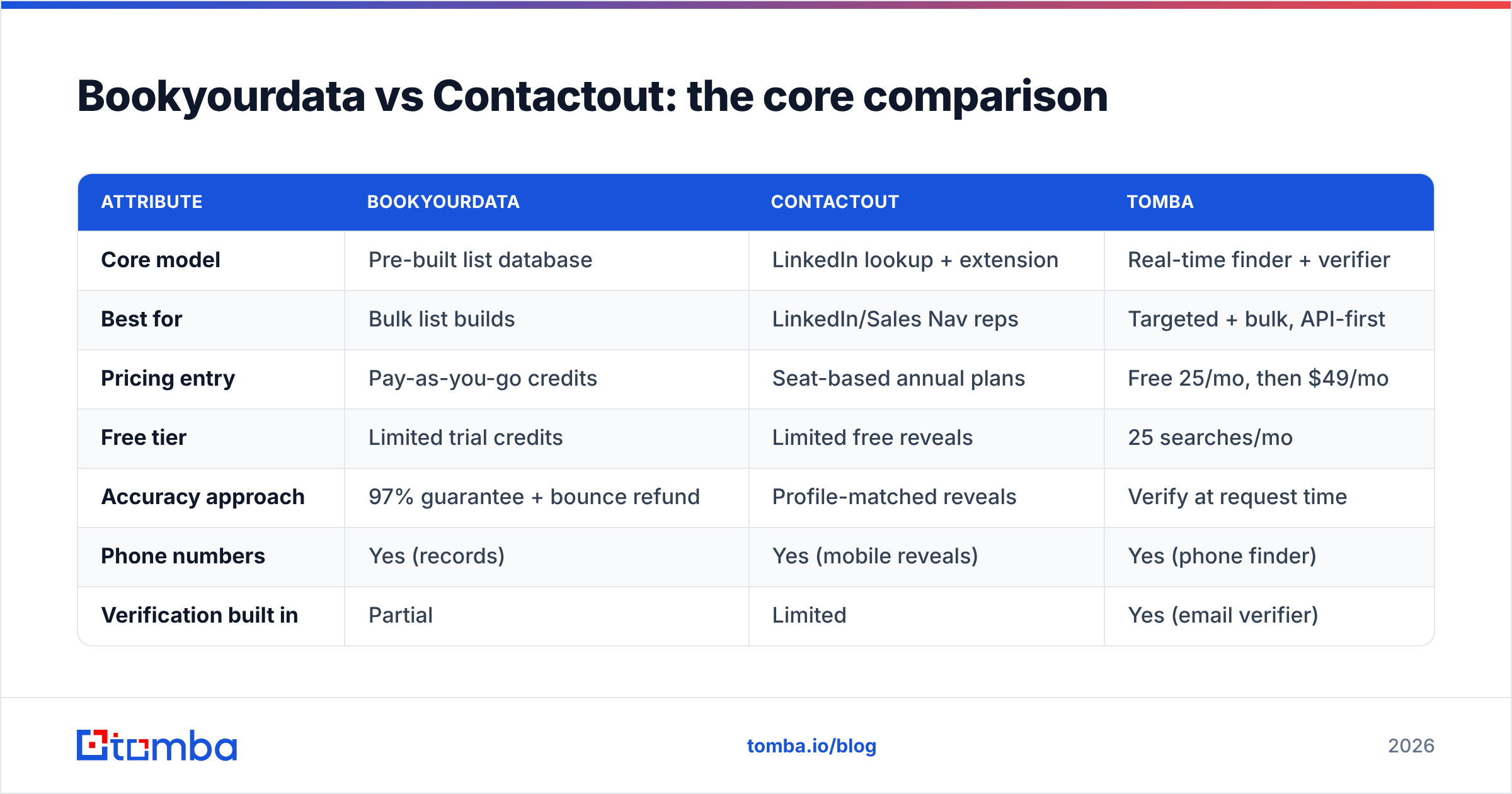
Bookyourdata vs Contactout: the core comparison#
The two tools optimize for different jobs. Here's the side-by-side, with a verification-first alternative for context.
| Attribute | Bookyourdata | Contactout | Tomba |
|---|---|---|---|
| Core model | Pre-built list database | LinkedIn lookup + extension | Real-time finder + verifier |
| Best for | Bulk list builds | LinkedIn/Sales Nav reps | Targeted + bulk, API-first |
| Pricing entry | Pay-as-you-go credits | Seat-based annual plans | Free 25/mo, then $49/mo |
| Free tier | Limited trial credits | Limited free reveals | 25 searches/mo |
| Accuracy approach | 97% guarantee + bounce refund | Profile-matched reveals | Verify at request time |
| Phone numbers | Yes (records) | Yes (mobile reveals) | Yes (phone finder) |
| Verification built in | Partial | Limited | Yes (email verifier) |
| API access | Limited | Yes | Yes (full REST API) |
| Compliance posture | GDPR/CCPA stated | GDPR/CCPA stated | GDPR/CCPA, opt-out |
The pattern: Bookyourdata wins on speed-to-list, Contactout wins on LinkedIn-native enrichment, and a finder with a built-in email verifier wins when you can't afford bounces on either path.
Which has better data accuracy?#
Accuracy is decided at the moment of capture, not at the moment of sale. This is the single most important section, so be specific about it.
A static database like Bookyourdata is accurate the day it's compiled and degrades every day after. A 97% guarantee describes the dataset at refresh time; by the time you export, a slice of those contacts have changed roles. The bounce-refund helps your wallet but not your sender reputation — every hard bounce still hits your domain before you get the credit back.
Contactout reveals are tied to a live LinkedIn profile, which keeps the identity current, but the email it surfaces may be a personal Gmail or an outdated work address depending on what's been indexed. Personal emails are great for recruiting and risky for B2B cold outreach.
Real-time finders take a third route: they resolve the email against the company's live mail server at request time and return a deliverability status. That's the difference between "this was valid last quarter" and "this resolves right now."

If accuracy is your top concern, pair any source with verification before you send. You can read more about where Tomba gets data to see why source transparency matters for accuracy claims.
How do pricing models compare?#
Bookyourdata and Contactout don't just differ on price — they differ on what you're buying.
- Bookyourdata — credits. You pay per record exported, with volume discounts. Great for a one-time campaign list; less predictable if you enrich continuously, since cost scales linearly with every export.
- Contactout — seats. Annual per-seat plans with daily reveal caps. Predictable monthly cost, but you pay even in slow months, and the caps throttle big bulk jobs.
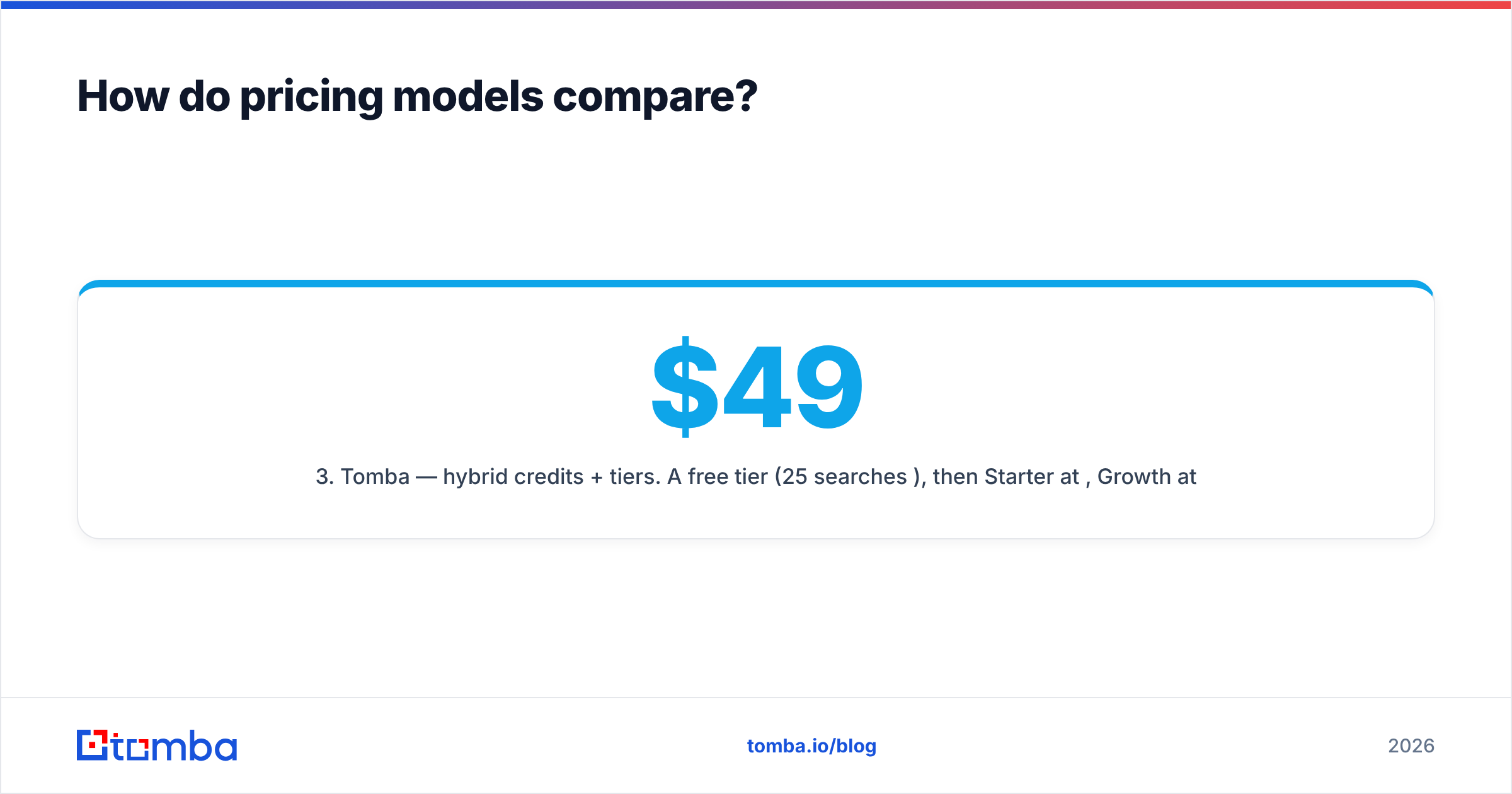
- Tomba — hybrid credits + tiers. A free tier (25 searches/mo), then Starter at $49/mo, Growth at $99/mo, Pro at $249/mo, and Enterprise custom — with API access on paid plans. See full Tomba pricing for credit allocations.
The honest read: if you run one big list build a quarter, Bookyourdata's pay-as-you-go can be cheaper. If you enrich every day inside LinkedIn, Contactout's flat seat cost is simpler. If you want both bulk and targeted with an email finder API underneath, a tiered finder is the most flexible.

Which is better for cold email vs recruiting?#
The right tool depends heavily on your motion.
For cold B2B sales email, you want work emails verified for deliverability. Personal-email reveals can torch your domain reputation and violate some outreach norms. A list tool with a bounce refund still exposes you to the bounce. The safest cold-email stack is a verified work-email source plus a catch-all verifier for domains that accept everything.
For recruiting, personal emails and mobile numbers are gold — candidates ignore work inboxes. This is Contactout's sweet spot, since LinkedIn is already the recruiting graph and personal reveals are a feature, not a liability.
For broad market campaigns (events, webinars, ABM seeding), Bookyourdata's fast filtered exports get you a large addressable list quickly, as long as you run the export through verification first.
What about compliance and deliverability?#
Both vendors state GDPR and CCPA alignment, and both offer opt-out handling. That's table stakes — but compliance posture and deliverability outcomes are separate problems.
Bought lists carry higher complaint risk because recipients never interacted with you and the data may be older. LinkedIn-sourced personal emails carry consent nuance depending on jurisdiction. Either way, the fix is the same: verify before you send, warm your domain, and monitor sender reputation.
If you're new to the mechanics, Tomba's glossary covers email deliverability and sender reputation — both decide whether your verified list actually lands in the inbox. For a quick gut-check on any list, run a sample through a free email checker before committing budget.
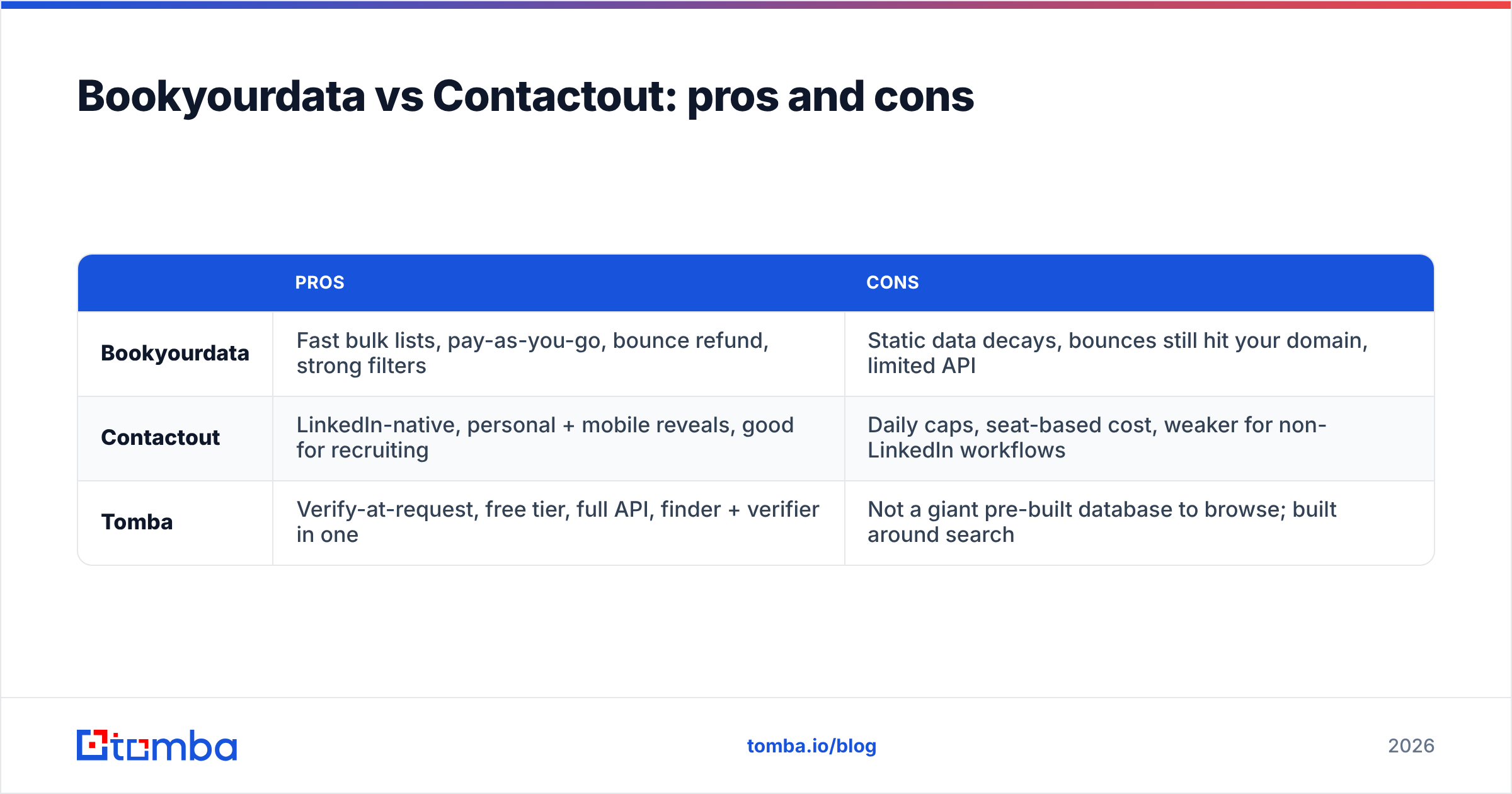
Bookyourdata vs Contactout: pros and cons#
A blunt summary of the trade-offs:
| Pros | Cons | |
|---|---|---|
| Bookyourdata | Fast bulk lists, pay-as-you-go, bounce refund, strong filters | Static data decays, bounces still hit your domain, limited API |
| Contactout | LinkedIn-native, personal + mobile reveals, good for recruiting | Daily caps, seat-based cost, weaker for non-LinkedIn workflows |
| Tomba | Verify-at-request, free tier, full API, finder + verifier in one | Not a giant pre-built database to browse; built around search |
When should you pick a third option?#
Pick a verification-first finder when your top risk is bounces and your workflow is mixed. The reason is simple: Bookyourdata answers "give me a list" and Contactout answers "enrich this LinkedIn profile," but neither is built primarily around deliverability at the moment you act.
A finder lets you search by name and company, run domain search to map an entire company's addresses, push verified contacts straight into your CRM via the HubSpot integration, and do it all through one API instead of stitching a list vendor to a separate verifier. For teams already comparing tools, the Tomba ContactOut alternative page lays out the migration specifics.
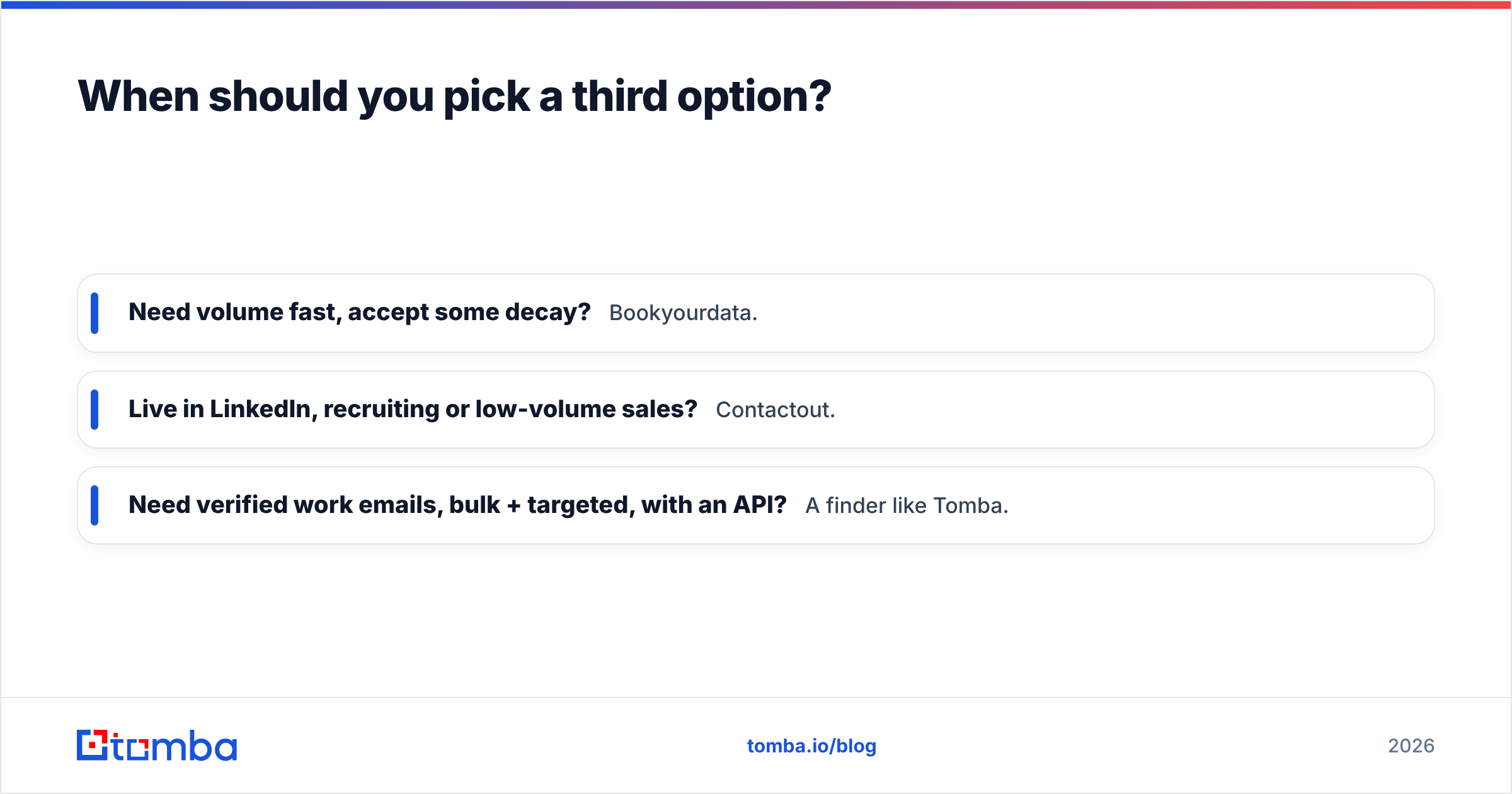
The decision tree is short:
- Need volume fast, accept some decay? Bookyourdata.
- Live in LinkedIn, recruiting or low-volume sales? Contactout.
- Need verified work emails, bulk + targeted, with an API? A finder like Tomba.
The bottom line#
Bookyourdata and Contactout are both legitimate, but they solve different problems: one sells you a list, the other reveals contacts inside LinkedIn. Neither is built to guarantee that the email is deliverable the instant you press send — and in 2026, with sender-reputation rules tightening, that's the thing that actually protects your campaigns.
If your priority is verified, current B2B emails that you can find one at a time or in bulk — with a real API and a free tier to test first — start with the Tomba Email Finder. Run 25 searches free, verify before you send, and skip the list-rot tax entirely. Your bounce rate, and your domain reputation, will thank you.
// get started
Find, verify and enrich your first contacts today
Start on the free plan with 25 searches a month, then scale when your team is ready.
Free plan · No credit card required · GDPR & CCPA
// about the author