BookYourData vs EmailListVerify: 2026 Comparison Guide
BookYourData sells net-new B2B contacts; EmailListVerify cleans the list you already have. Here's which one your 2026 pipeline actually needs — and where a find-plus-verify tool beats both.
You typed "BookYourData vs EmailListVerify" into a search bar because you have one budget line and two tools fighting for it. The honest answer up front: these two products do different jobs, and picking the wrong one wastes money no matter how good the tool is.
TL;DR — which one do you actually need?#
- BookYourData is a data seller. You buy net-new B2B contacts (emails, titles, company, sometimes phone) by filtering a database and paying per record.
- EmailListVerify is a list cleaner. You upload a list you already own and it removes invalid, risky, and dead addresses before you send.
- They are complements, not substitutes — many teams buy from one and verify with the other.
- If you want both jobs in one workflow (find the contact and confirm it's deliverable), a combined email finder plus email verifier like Tomba covers the gap.
- Price-per-record and bounce-rate guarantees vary a lot at scale — always test on a small batch before committing budget.
What is BookYourData?#
BookYourData is a pay-as-you-go B2B contact database. You log in, filter by industry, job title, location, company size, and technology, then pay for the records that match. The pitch is speed: instead of prospecting one lead at a time, you export a few thousand targeted contacts and load them straight into your sequence.
The platform advertises a deliverability guarantee — it claims a high accuracy rate and offers credit refunds on bounces above a threshold. That guarantee is the main reason buyers choose it over scraping a list themselves. You can read the specifics on the BookYourData site, and you should, because guarantee terms change.
The trade-off with any list-purchase model is freshness. People change jobs constantly, so a record that was accurate when it entered the database may be stale by the time you mail it. That's exactly why verification exists as a separate category.
What is EmailListVerify?#
EmailListVerify does one thing: it tells you whether an email address is safe to send to. You feed it a CSV — leads from a form, an old CRM export, a purchased list — and it runs syntax checks, MX/SMTP checks, disposable-domain detection, role-account flags, and catch-all handling. You get back a cleaned file sorted into deliverable, risky, and invalid.
It does not find new contacts. If your list is empty, EmailListVerify has nothing to do. Its value shows up the moment you already have addresses of unknown quality and you want to protect your sender reputation before a campaign. See their feature breakdown on the EmailListVerify site.
)
BookYourData vs EmailListVerify: the core difference#
Here's the cleanest way to think about it: one tool creates a list, the other protects one.
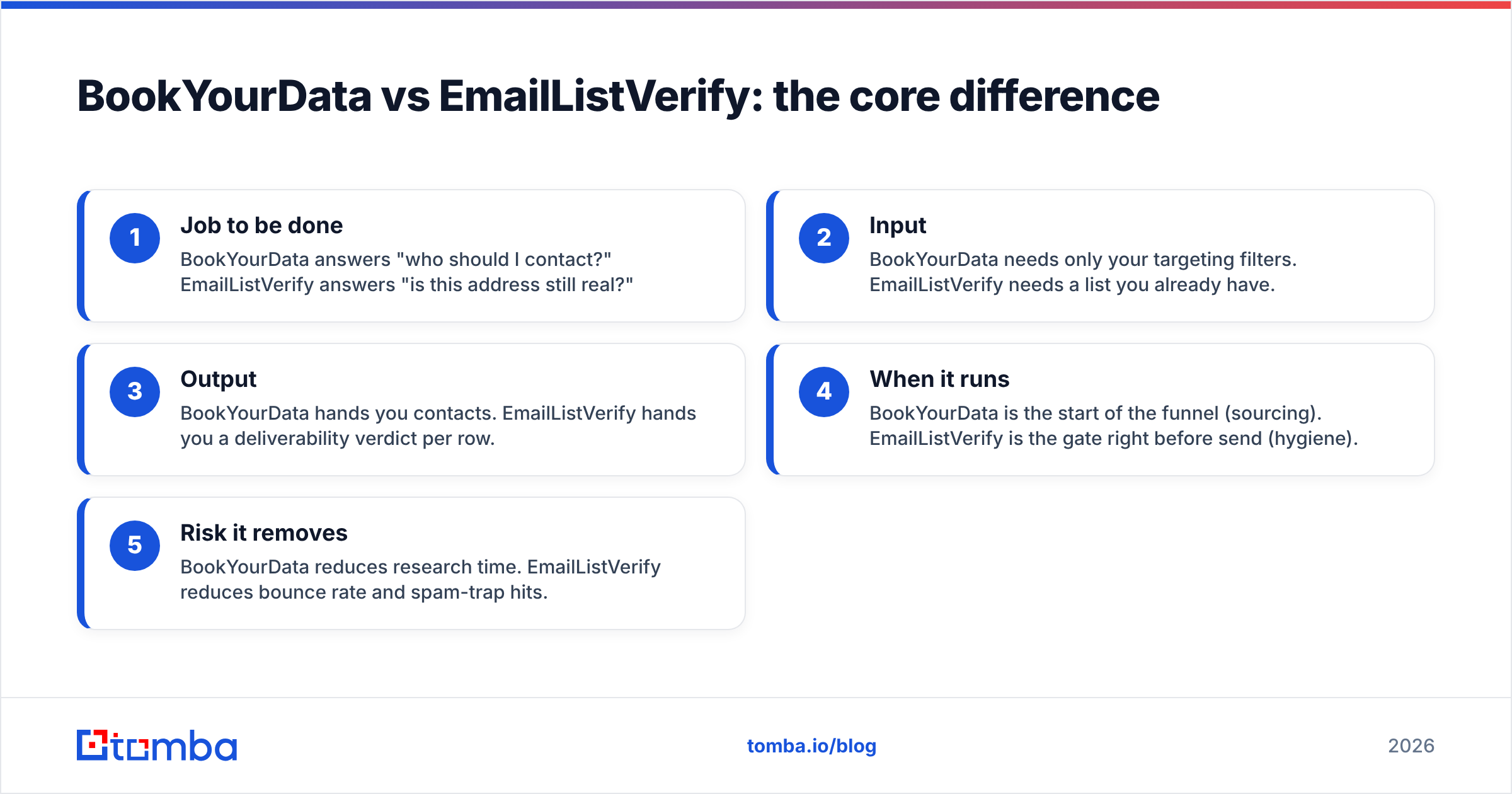
- Job to be done — BookYourData answers "who should I contact?" EmailListVerify answers "is this address still real?"
- Input — BookYourData needs only your targeting filters. EmailListVerify needs a list you already have.
- Output — BookYourData hands you contacts. EmailListVerify hands you a deliverability verdict per row.
- When it runs — BookYourData is the start of the funnel (sourcing). EmailListVerify is the gate right before send (hygiene).
- Risk it removes — BookYourData reduces research time. EmailListVerify reduces bounce rate and spam-trap hits.
If you confuse the two, you end up paying for a verifier when you have no leads, or buying a fresh list and skipping the cleaning step that keeps you out of the spam folder.
How do they compare side by side?#
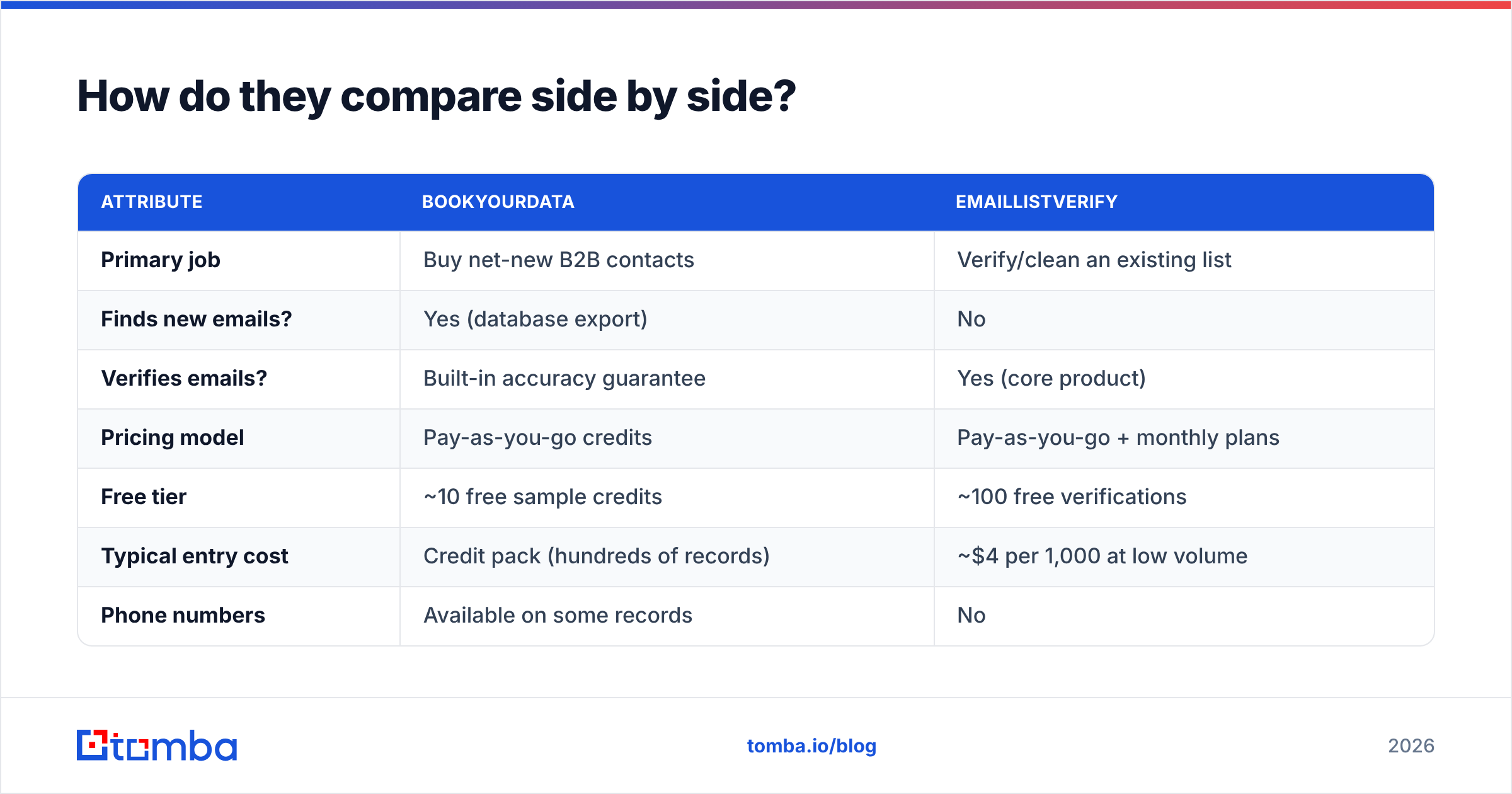
| Attribute | BookYourData | EmailListVerify |
|---|---|---|
| Primary job | Buy net-new B2B contacts | Verify/clean an existing list |
| Finds new emails? | Yes (database export) | No |
| Verifies emails? | Built-in accuracy guarantee | Yes (core product) |
| Pricing model | Pay-as-you-go credits | Pay-as-you-go + monthly plans |
| Free tier | ~10 free sample credits | ~100 free verifications |
| Typical entry cost | Credit pack (hundreds of records) | ~$4 per 1,000 at low volume |
| Phone numbers | Available on some records | No |
| Best for | Cold outbound at scale | List hygiene before send |
| Weak spot | Data can go stale | Useless with no list to clean |
Numbers above are directional — confirm current rates on each vendor's pricing page, since pay-as-you-go tiers shift often.
Which one is better for cold outbound in 2026?#
Neither alone is enough for clean cold outbound — and that's the point most buyer guides skip.
A purchased list from BookYourData is only as good as the day it was compiled. Even a 95%-accurate export degrades as contacts change roles. So the disciplined workflow is: buy the list, then re-verify it immediately before the first send. That second step is where a verifier earns its keep. If you skip it, you inherit whatever decay has happened since the record was last touched, and your bounce rate punishes your domain.
Run that logic forward and you notice you're now paying two vendors and stitching two CSVs together. That's fine at enterprise scale where each tool is best-in-class. It's overkill for a lean team that just wants deliverable contacts for a specific account list.
For deliverability fundamentals, sender reputation is the thing both tools are ultimately protecting — a single bad campaign can take weeks to recover from, which is why verification is non-negotiable regardless of where the list came from.
Where does a find-and-verify tool fit instead?#
The third option collapses both jobs into one workflow. Instead of buying a bulk list and cleaning it separately, you find the specific people you want and verify them in the same step.
That's the lane Tomba sits in. You start from a company domain or a name, pull the professional email, and the email verifier confirms deliverability before the address ever reaches your sequence. For account-based outbound — where you have a target list of companies, not a "give me 5,000 random SaaS contacts" request — this is usually faster and cheaper than buying in bulk and scrubbing afterward.
)
A few concrete advantages of the combined approach:
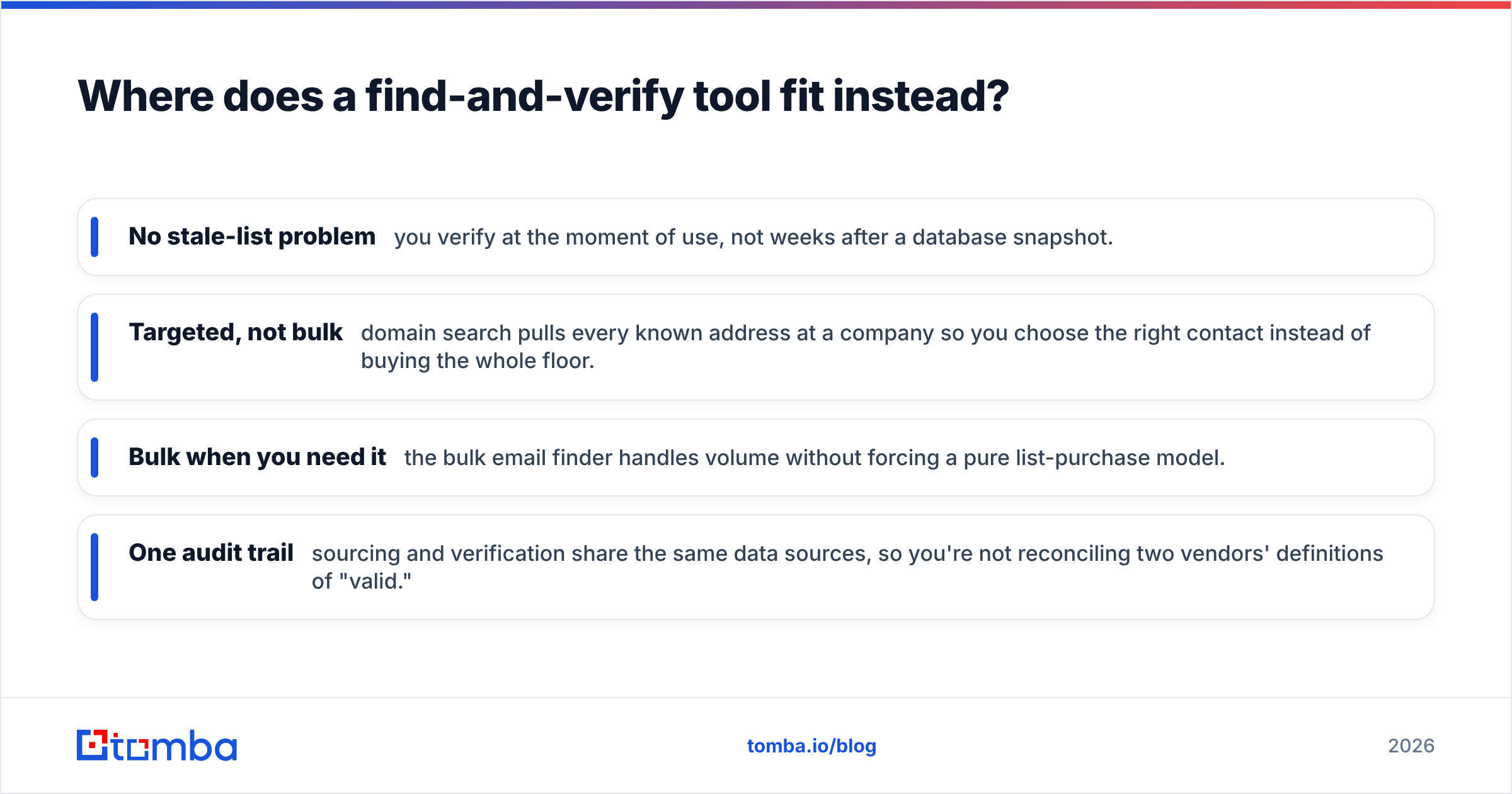
- No stale-list problem — you verify at the moment of use, not weeks after a database snapshot.
- Targeted, not bulk — domain search pulls every known address at a company so you choose the right contact instead of buying the whole floor.
- Bulk when you need it — the bulk email finder handles volume without forcing a pure list-purchase model.
- One audit trail — sourcing and verification share the same data sources, so you're not reconciling two vendors' definitions of "valid."
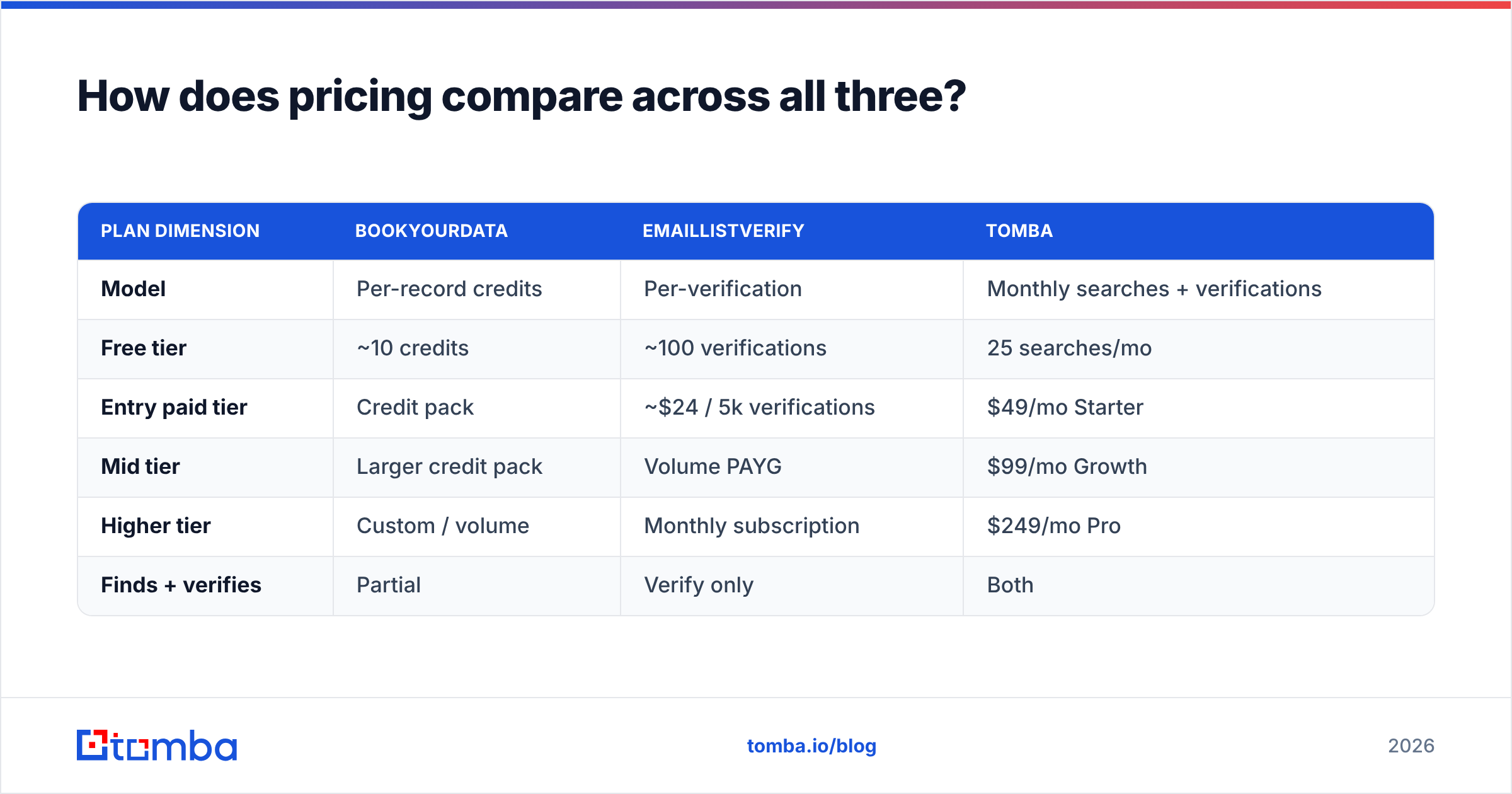
How does pricing compare across all three?#
| Plan dimension | BookYourData | EmailListVerify | Tomba |
|---|---|---|---|
| Model | Per-record credits | Per-verification | Monthly searches + verifications |
| Free tier | ~10 credits | ~100 verifications | 25 searches/mo |
| Entry paid tier | Credit pack | ~$24 / 5k verifications | $49/mo Starter |
| Mid tier | Larger credit pack | Volume PAYG | $99/mo Growth |
| Higher tier | Custom / volume | Monthly subscription | $249/mo Pro |
| Finds + verifies | Partial | Verify only | Both |
You can see Tomba's full pricing breakdown for the current numbers. The takeaway isn't "Tomba is cheapest" — it's that you're paying for one workflow instead of two when finding and verifying live together.
What about catch-all domains?#
This is the detail that quietly wrecks campaigns. A catch-all domain accepts mail to any address, so a normal SMTP check can't tell you whether jane@company.com is real or a black hole. EmailListVerify flags catch-alls as "risky" and largely leaves the decision to you. BookYourData's guarantee may or may not cover them depending on terms.
If catch-alls are a big share of your target accounts (common in enterprise and certain regions), look for dedicated handling like a catch-all verifier rather than treating every catch-all as an automatic skip. Throwing those rows away blindly can mean discarding real, reachable buyers.
When should you choose each tool?#
Choose BookYourData when:
- You need net-new contacts and have no existing list to work from.
- You want broad, filter-driven volume across many companies at once.
- The bounce guarantee terms genuinely fit your send volume.
Choose EmailListVerify when:
- You already own lists (form fills, old CRM, events) of unknown quality.
- You only need hygiene, not sourcing.
- You want a focused, single-purpose verifier and nothing else.
Choose a find-and-verify tool like Tomba when:
- You run account-based outbound against a known target list.
- You want sourcing and verification in one pass to avoid stale data.
- You'd rather pay one predictable monthly fee than juggle two pay-as-you-go bills.
For broader context on how the verification category stacks up, third-party review sites like G2 are useful for reading unfiltered user feedback before you commit budget.
The bottom line#
BookYourData and EmailListVerify aren't really rivals — they're two stages of the same pipeline. BookYourData fills your list; EmailListVerify keeps that list from torching your sender reputation. If you genuinely need bulk net-new data and a dedicated scrubbing pass, running both is a legitimate setup.
But if your real job is "get me deliverable emails for these specific accounts," buying a bulk list and cleaning it afterward is the long way around. Start from the contact you actually want, verify it in the same step, and skip the stale-data tax entirely.
That's the workflow the Tomba Email Finder is built for: find the right professional email by domain, name, or company, confirm it's deliverable before you send, and keep your bounce rate — and your domain — clean. Try it on your next target account list and compare the hit rate against a purchased file. The difference shows up in your reply rate, not just your bounce report.
// get started
Find, verify and enrich your first contacts today
Start on the free plan with 25 searches a month, then scale when your team is ready.
Free plan · No credit card required · GDPR & CCPA
// about the author