Bookyourdata vs Mailcheck: Best B2B Data Tool in 2026?
Bookyourdata sells pay-as-you-go B2B lists; Mailcheck verifies what you already have. Here is which one actually fits your 2026 pipeline — and where a live email finder beats both.
You are choosing between two very different products that get lumped together because both touch email. Bookyourdata sells you B2B contact lists you download and own. Mailcheck checks whether email addresses you already have are deliverable. Picking the "winner" without knowing which job you are hiring for is how teams waste budget and torch their sender reputation.
This breakdown sorts out what each tool actually does, where each one is strong, and the scenario where neither is the right starting point.
TL;DR#
- Bookyourdata is a pay-as-you-go B2B data marketplace — you buy pre-built contact records (email, phone, title, company) by the credit and keep them forever.
- Mailcheck is an email verification layer — it grades a list you already own as valid, risky, or invalid so you stop hitting bounces.
- They solve opposite halves of the same problem: Bookyourdata gives you contacts, Mailcheck cleans contacts. Many teams need both.
- Accuracy gotcha: purchased lists decay ~2-3% per month, so a Bookyourdata export still needs verification before you send — that is where a verifier earns its keep.
- The better default for most outbound teams in 2026 is finding emails live at the moment you need them (so they are never stale) and verifying in the same step — what an email finder with built-in verification does.
What is Bookyourdata?#
Bookyourdata is a self-serve B2B contact database. You filter by industry, job title, location, company size, and technology, then pay per record to unlock verified-at-purchase emails and direct-dial phone numbers. There is no forced annual contract — the pay-as-you-go credit model is its main selling point, and unused credits do not expire on most plans.
The pitch is speed: you can go from "I need 500 SaaS marketing directors in the US" to a downloadable CSV in minutes. It markets a 97%+ deliverability guarantee on records at the time of export, and it will refund credits for emails that hard-bounce beyond that threshold.
The catch is the one every static-list vendor shares: a record verified the day you buy it is not verified the day you send. People change jobs. Roughly 30% of B2B contact data goes stale every year, according to widely cited HubSpot research on database decay. A list is a snapshot, not a live feed.

What is Mailcheck?#
Mailcheck is an email verification tool. You feed it a list — uploaded CSV or via API — and it returns a status for each address: valid, invalid, accept-all (catch-all), disposable, role-based, or unknown. The goal is to protect your email deliverability by removing the addresses that would bounce before they ever reach your mail server.
It does syntax checks, MX-record lookups, and SMTP handshakes to confirm a mailbox exists without sending a real message. Good verifiers also flag catch-all domains, which accept everything at the server and therefore can't be confirmed by SMTP alone — a genuinely hard problem that a dedicated catch-all verifier is built to handle.
What Mailcheck does not do is find new contacts. It has no opinion about who you should email — only whether the address you typed is real. It is a cleaning step, not a sourcing step.
Bookyourdata vs Mailcheck: how do they compare?#
Here is the head-to-head on the attributes that actually drive a buying decision.
| Attribute | Bookyourdata | Mailcheck |
|---|---|---|
| Primary job | Buy B2B contact lists | Verify existing email lists |
| Output | New emails, phones, titles | Valid / invalid / risky status |
| Pricing model | Pay-as-you-go credits | Per-verification credits / subscription |
| Finds new contacts | Yes | No |
| Cleans your data | No (verified only at export) | Yes |
| Catch-all handling | N/A | Yes (flags catch-all) |
| Phone numbers | Yes (direct dials) | No |
| Best for | Fast list building | Pre-send list hygiene |
| Data freshness risk | High (static snapshot) | N/A (checks live) |
The table makes the real takeaway obvious: this is rarely an "either/or." If you buy from Bookyourdata, you still want a verifier like Mailcheck before you load the list into a sequencer. They are sequential steps, not competitors.
Which one is more accurate?#
Accuracy means different things for each tool, so compare them on their own turf.
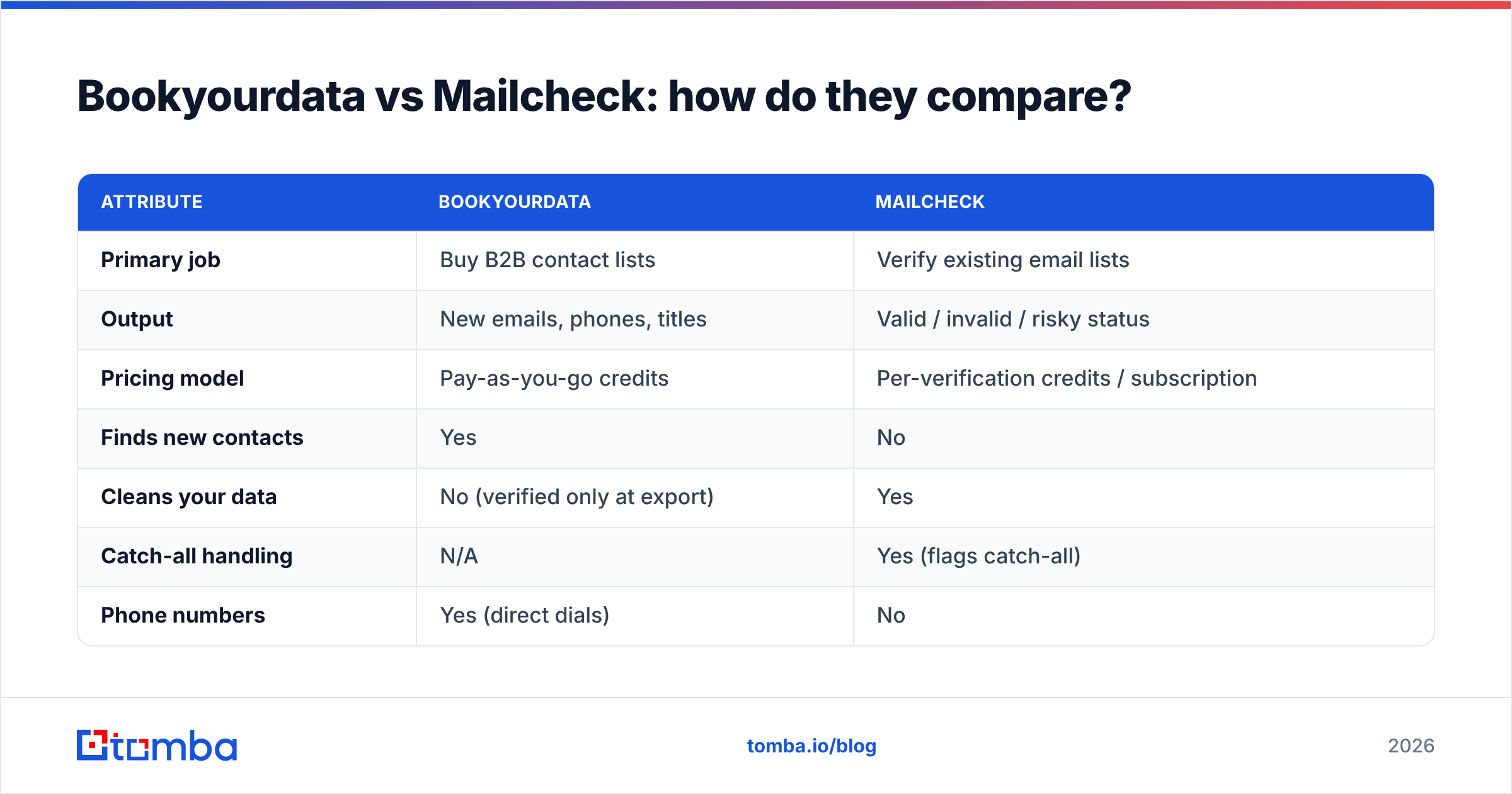
- Bookyourdata's accuracy is a freshness problem. Its records are verified at the moment of export, and the 97% deliverability claim is credible on day one. But because it is a static database, accuracy decays from the second you download. Buy a list in January, send in March, and you are working with two months of job changes baked in.
- Mailcheck's accuracy is a detection problem. A verifier is judged on how few false "valid" results it returns (so you don't bounce) and how few real addresses it kills as "invalid" (so you don't lose good leads). The hardest case is catch-all domains, where no verifier can be 100% certain by SMTP alone.
- Neither solves the other's weakness. A perfectly verified list of contacts who left their jobs is still useless. A list of current contacts you never verified will still bounce. Accuracy is a chain, and it is only as strong as both links.
- The freshest possible data is data found on demand. When you look up an email at the moment you need it — keyed off the person's name and current company domain — there is no decay window. That is the structural advantage of live lookup over both buying a static list and re-verifying it later.
If accuracy is your top concern, the order of operations matters more than the brand: source as close to send-time as possible, then verify in the same workflow.
When should you use Bookyourdata?#
Bookyourdata fits a few specific situations:
- You need volume fast and don't have a source. Building a target list from scratch with no existing data, no website traffic, and no LinkedIn workflow — a marketplace gets you moving today.
- You want phone numbers alongside email. For teams that run cold calling, the direct-dial coverage is a real draw; a pure verifier gives you none of that.
- You prefer to own the data outright. Pay-as-you-go credits with no subscription appeals to agencies and one-off campaigns that don't want a recurring SaaS bill.
Where it struggles: ongoing, always-on outbound where the same list gets reused for months. The decay tax compounds, and you end up re-buying or heavily re-verifying anyway.
When should you use Mailcheck?#
Reach for a verifier like Mailcheck when:
- You already have a list — from a trade show, a CRM export, a webinar signup, or a purchased file — and you don't trust its freshness.
- Your bounce rate is creeping up. Mailbox providers throttle senders who bounce. Cleaning before you send protects sender reputation, which is far easier to keep than to rebuild.
- You're about to migrate to a new sending platform and want a clean baseline so warmup isn't sabotaged by dead addresses.
It will not, however, tell you who to contact. If your problem is "I have no leads," a verifier is the wrong tool — you need a sourcing step first.
Is there a better alternative to both?#
For most outbound and growth teams, yes — combine sourcing and verification into one live step instead of buying a snapshot and cleaning it afterward.
That is the model behind a live email finder: you give it a name and a company domain (or just a domain), and it returns the current professional email, verified in the same call. Because the lookup happens at the moment you need the contact, there is no months-old decay window to clean up. You skip the "buy a list, then re-verify the list" two-step entirely.
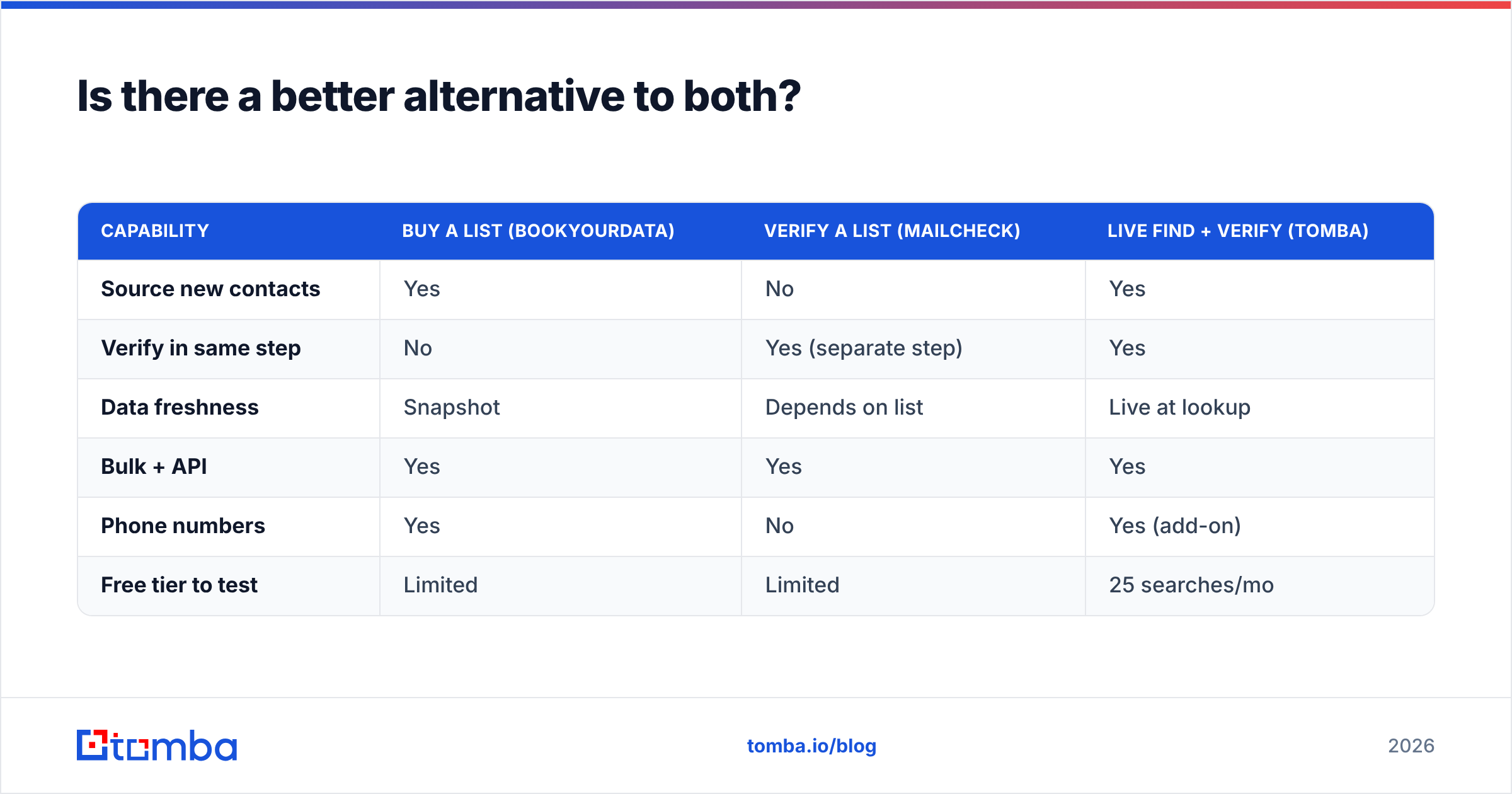
Here is how the three approaches stack up for a typical cold-outreach motion:
| Capability | Buy a list (Bookyourdata) | Verify a list (Mailcheck) | Live find + verify (Tomba) |
|---|---|---|---|
| Source new contacts | Yes | No | Yes |
| Verify in same step | No | Yes (separate step) | Yes |
| Data freshness | Snapshot | Depends on list | Live at lookup |
| Bulk + API | Yes | Yes | Yes |
| Phone numbers | Yes | No | Yes (add-on) |
| Free tier to test | Limited | Limited | 25 searches/mo |
Tomba pairs the email verifier directly with the finder, supports domain search to pull every public address at a company, and exposes everything through the Tomba API for teams that want to enrich inside their own stack. For one-off cleanups you can still drop a list into the bulk email finder the same way you would with a standalone verifier — you just don't have to leave for a second vendor.
On cost, Tomba pricing starts free (25 searches/month), then $49/mo for Starter, $99/mo for Growth, and $249/mo for Pro, with custom Enterprise — credits cover both finding and verifying rather than splitting the spend across two products.
This isn't to say purchased lists never make sense. If you genuinely have no sourcing channel and need 10,000 records by Friday, a marketplace is faster. But for repeatable, reputation-safe outbound, finding fresh and verifying live beats buying stale and cleaning later.
How do you choose in 60 seconds?#
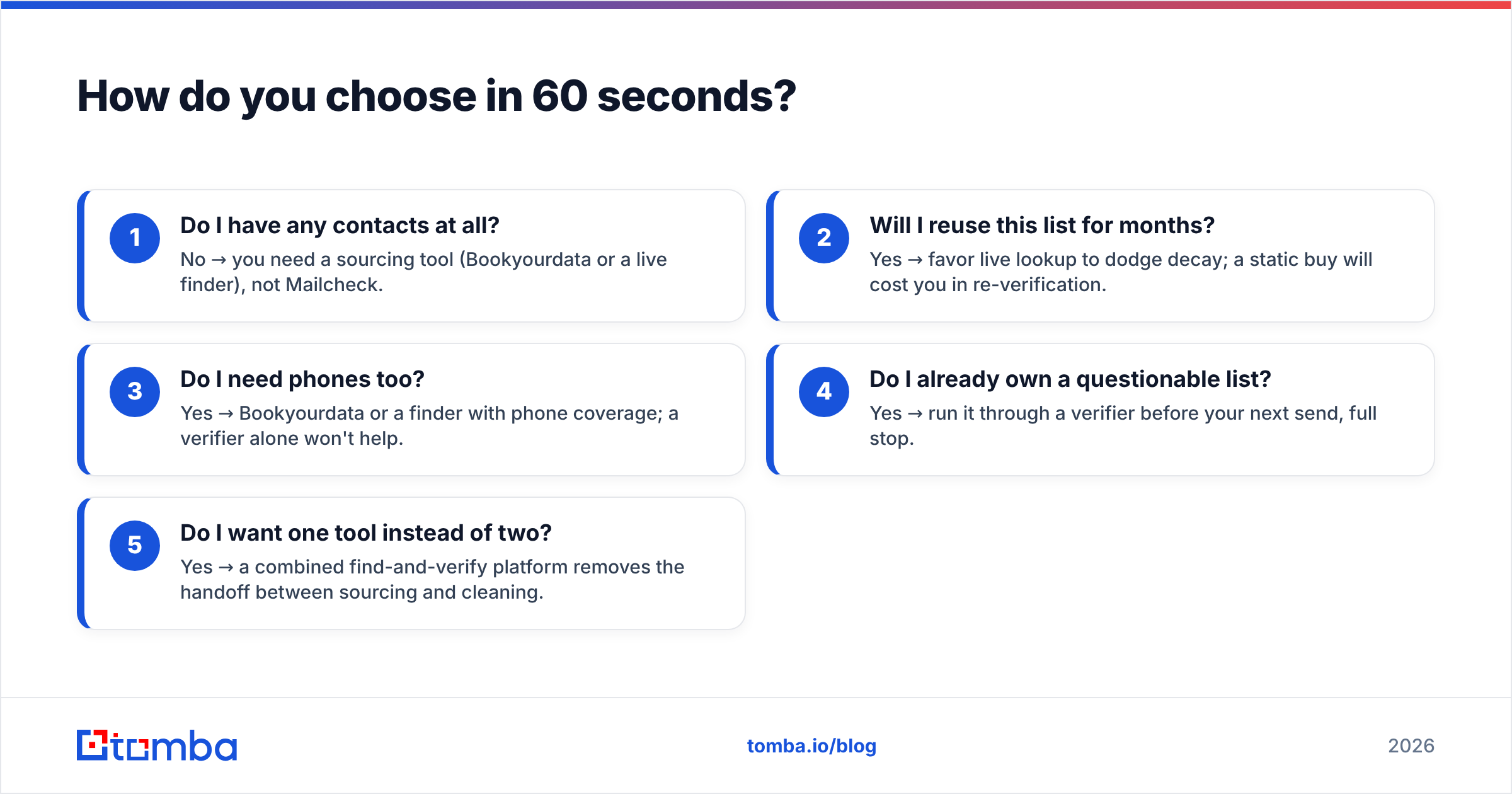
Run the decision in this order:
- Do I have any contacts at all? No → you need a sourcing tool (Bookyourdata or a live finder), not Mailcheck.
- Will I reuse this list for months? Yes → favor live lookup to dodge decay; a static buy will cost you in re-verification.
- Do I need phones too? Yes → Bookyourdata or a finder with phone coverage; a verifier alone won't help.
- Do I already own a questionable list? Yes → run it through a verifier before your next send, full stop.
- Do I want one tool instead of two? Yes → a combined find-and-verify platform removes the handoff between sourcing and cleaning.
You can also cross-check vendor reputation on independent review sites like G2 before committing credits — the pricing models differ enough that real-user notes on data quality are worth ten minutes.
The bottom line#
Bookyourdata and Mailcheck aren't really rivals — one fills your list, the other cleans it, and serious campaigns often use both. The real question is whether buying a static snapshot and re-verifying it is the workflow you want to repeat every month, or whether you'd rather source fresh and verify in a single step.
If you're building outbound that has to stay accurate over time, start with a live lookup that bakes verification into the find. Try the Tomba Email Finder free — 25 searches a month, no card — and see how current, verified data feels compared to cleaning up a list you bought last quarter. When you're ready to scale, the same credits cover finding, verifying, and enriching across one platform instead of two invoices.
// get started
Find, verify and enrich your first contacts today
Start on the free plan with 25 searches a month, then scale when your team is ready.
Free plan · No credit card required · GDPR & CCPA
// about the author