Bookyourdata vs Mailfloss 2026: Which Data Tool Wins?
Bookyourdata sells contact lists; Mailfloss cleans them. We break down what each tool actually does in 2026, where they fall short, and the smarter build-your-own-list path.
You typed "Bookyourdata vs Mailfloss" into a search bar expecting two versions of the same thing. They aren't. One sells you contacts. The other scrubs the contacts you already have. Picking between them without understanding that gap is how teams waste a quarter's budget on the wrong tool.
TL;DR#
- Bookyourdata is a pay-as-you-go B2B contact database — you buy pre-built email and phone lists by filtering job titles, industries, and locations.
- Mailfloss is an email verification and cleaning service that plugs into your ESP (Mailchimp, ActiveCampaign, etc.) and auto-removes invalid addresses.
- They solve different problems: Bookyourdata gets you data, Mailfloss protects your sender reputation from bad data.
- Bought lists — even "95% accurate" ones — decay fast and carry deliverability risk that no verifier fully fixes.
- The durable play in 2026 is to find verified emails on demand from real sources, then keep your list clean. That's where a tool like Tomba changes the math.
What is Bookyourdata?#
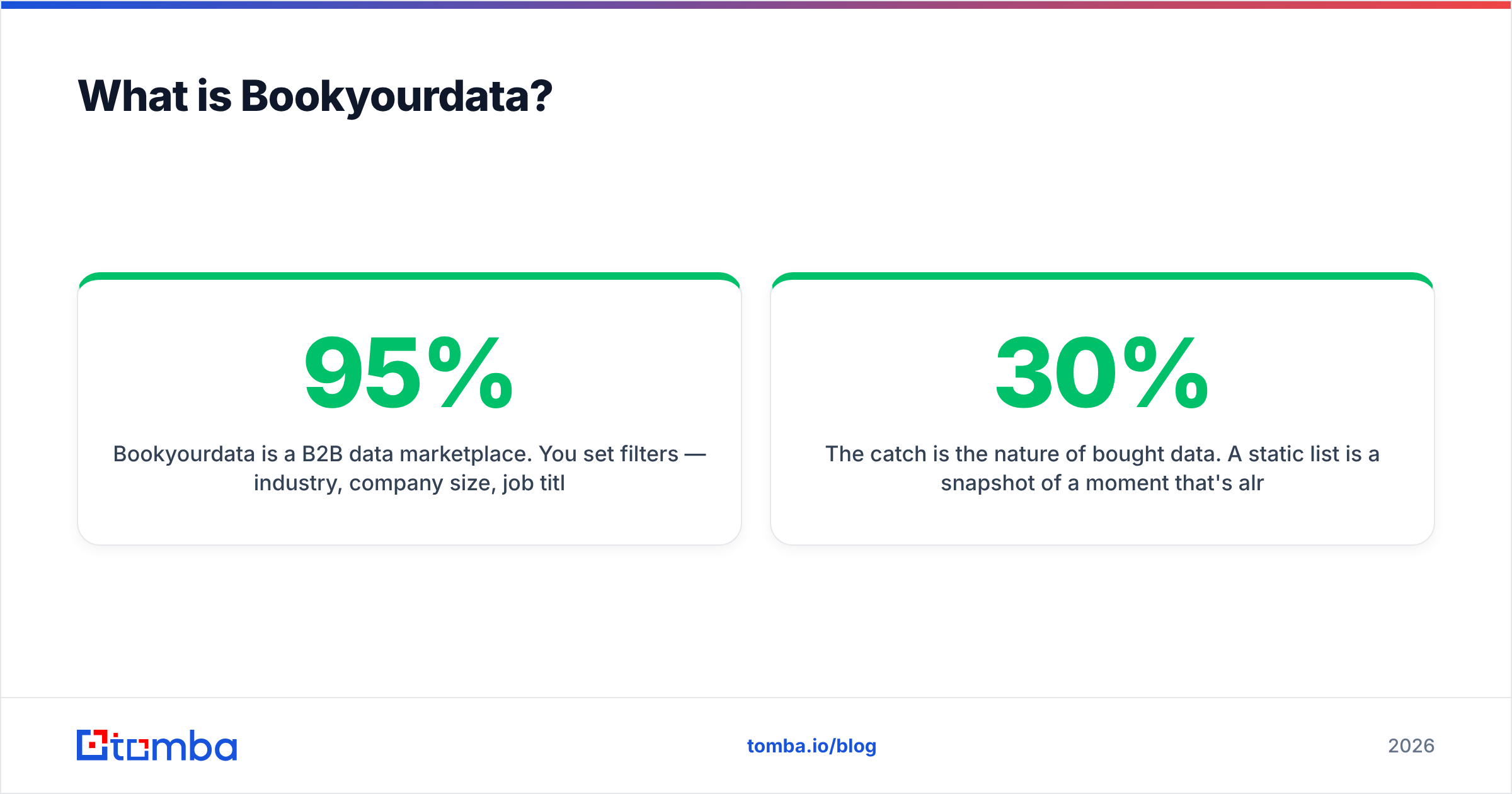
Bookyourdata is a B2B data marketplace. You set filters — industry, company size, job title, geography — and it returns a list of contacts with emails, and often direct-dial phone numbers, that you export or push to your CRM. It markets a "95% accuracy guarantee" and works on a credit model, so you pay per contact rather than per seat.
The appeal is speed. You go from "I need 2,000 SaaS marketing directors in North America" to a downloadable CSV in minutes. No prospecting, no manual research.
The catch is the nature of bought data. A static list is a snapshot of a moment that's already passing. People change jobs at roughly 20–30% per year in many B2B segments, companies rebrand domains, and role titles shift. A list that was 95% accurate at export can drift well below that within months. You also inherit zero relationship context — these are cold contacts who never asked to hear from you.
What is Mailfloss?#
Mailfloss sits on the opposite end of the workflow. It doesn't find anyone. It connects to your email marketing platform and continuously verifies the addresses already on your list — catching typos ("gmial.com" → "gmail.com"), removing hard bounces, flagging spam traps and role-based addresses, and pruning inactive contacts.
Think of Mailfloss as a water filter, not a well. It makes whatever you pour through it cleaner, but it can't produce water. If your list is empty, Mailfloss has nothing to do. Its value is entirely a function of the list you feed it.
That makes it genuinely useful for one job: keeping an existing, opted-in list healthy so your campaigns keep landing in the inbox. For protecting email deliverability and sender reputation, a continuous verifier earns its keep. It just isn't a lead source.
Bookyourdata vs Mailfloss: how do they actually compare?#
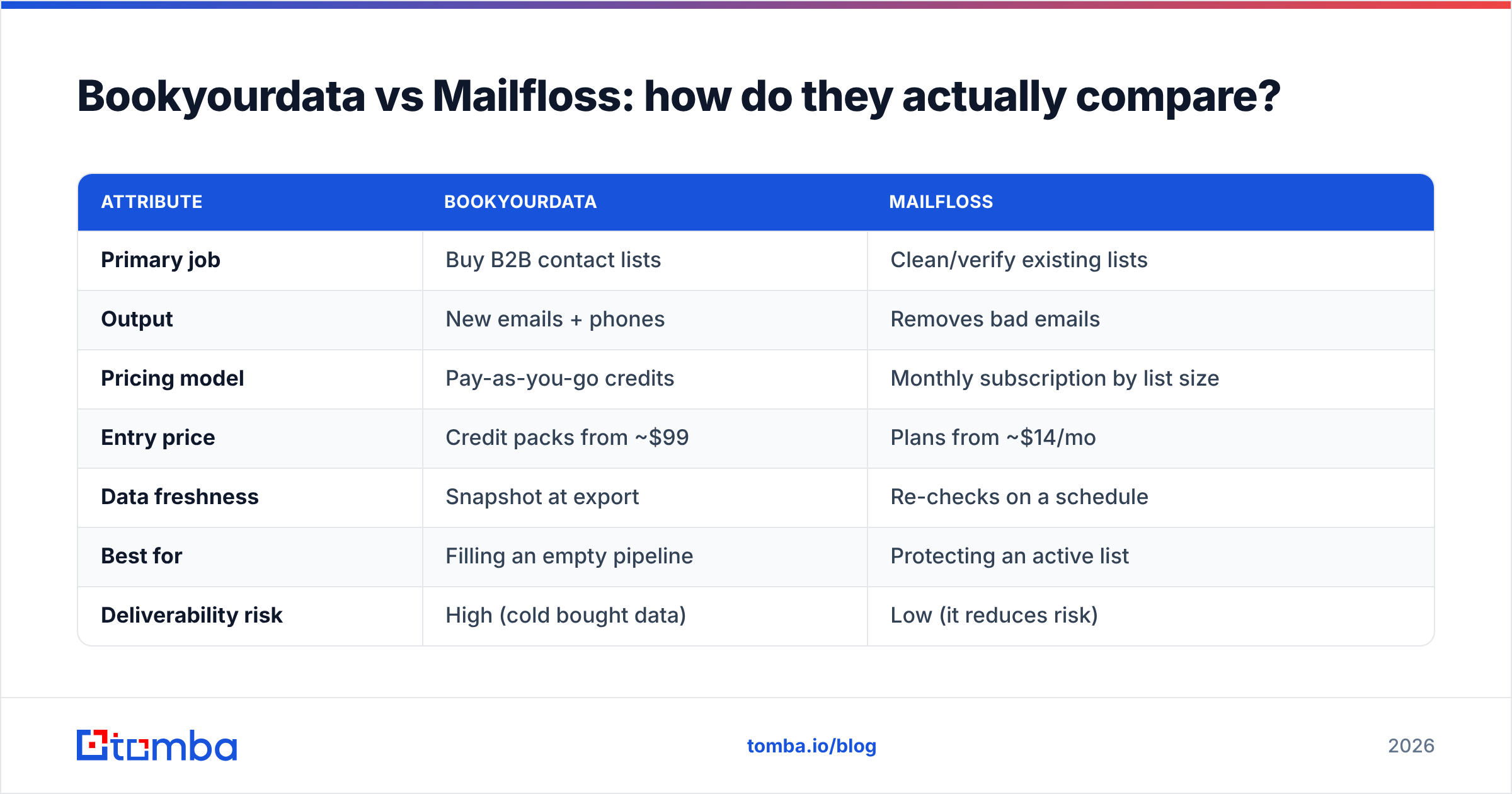
Here's the core distinction laid out. Read it as "different categories," not "winner takes all."
| Attribute | Bookyourdata | Mailfloss |
|---|---|---|
| Primary job | Buy B2B contact lists | Clean/verify existing lists |
| Output | New emails + phones | Removes bad emails |
| Pricing model | Pay-as-you-go credits | Monthly subscription by list size |
| Entry price | Credit packs from ~$99 | Plans from ~$14/mo |
| Data freshness | Snapshot at export | Re-checks on a schedule |
| Best for | Filling an empty pipeline | Protecting an active list |
| Deliverability risk | High (cold bought data) | Low (it reduces risk) |
| What it can't do | Keep data fresh over time | Find or add any contacts |
The takeaway: these tools aren't substitutes. If you bought a Bookyourdata list, you might then run it through a verifier like Mailfloss before sending. They're sequential, not competing.
So the real question most buyers are actually asking is hidden underneath: "What's the best way to get accurate B2B emails I can email safely?" Neither of these two tools answers that on its own.
Why is buying a list risky in the first place?#
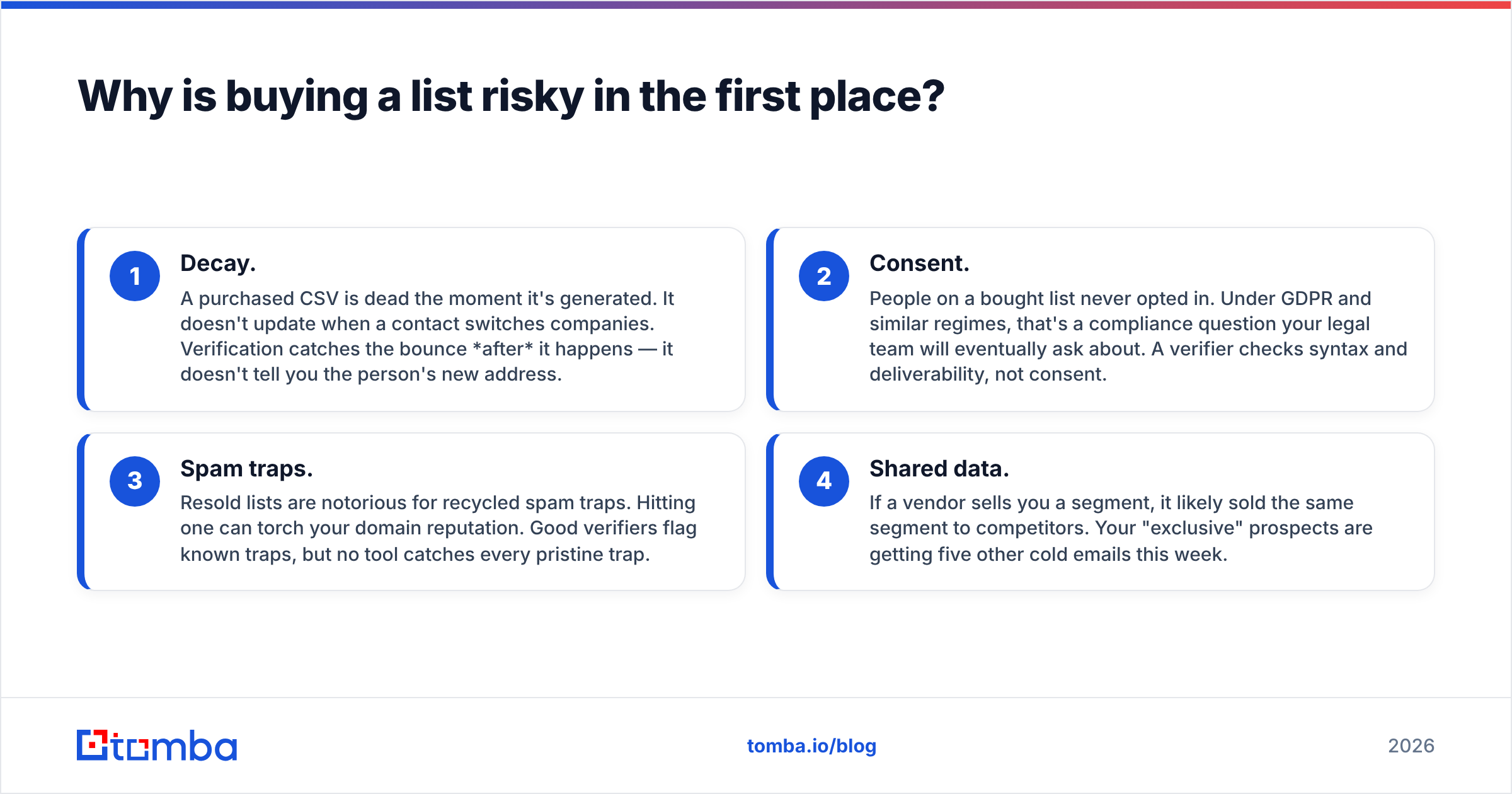
Bought lists fail in predictable ways, and a verifier only patches one of them.
- Decay. A purchased CSV is dead the moment it's generated. It doesn't update when a contact switches companies. Verification catches the bounce after it happens — it doesn't tell you the person's new address.
- Consent. People on a bought list never opted in. Under GDPR and similar regimes, that's a compliance question your legal team will eventually ask about. A verifier checks syntax and deliverability, not consent.
- Spam traps. Resold lists are notorious for recycled spam traps. Hitting one can torch your domain reputation. Good verifiers flag known traps, but no tool catches every pristine trap.
- Shared data. If a vendor sells you a segment, it likely sold the same segment to competitors. Your "exclusive" prospects are getting five other cold emails this week.
Mailfloss reduces the bounce portion of this risk, which matters. But running dirty bought data through a filter is still emailing strangers — it just bounces less.
What's the smarter alternative in 2026?#
Find emails on demand, verified at the source, and skip the static-list problem entirely. Instead of buying a frozen snapshot or only cleaning an aging one, you generate fresh, targeted contacts when you actually need them — and verify each before it enters your sequence.
This is the model an email finder is built for. You identify a real company and a real person you have a reason to contact, then pull their professional email — checked in real time — rather than mass-buying thousands of cold rows you hope are still valid.
A combined find-and-verify stack gives you both halves of what Bookyourdata and Mailfloss split between them:
- Targeted discovery — use domain search to pull every public professional email on a company's domain, or the finder to get one specific decision-maker.
- Built-in verification — every result runs through an email verifier and catch-all verifier, so you're not exporting guesses.
- Scale when you need it — a bulk email finder handles whole account lists without the resold-data baggage.
How does Tomba fit against these two?#
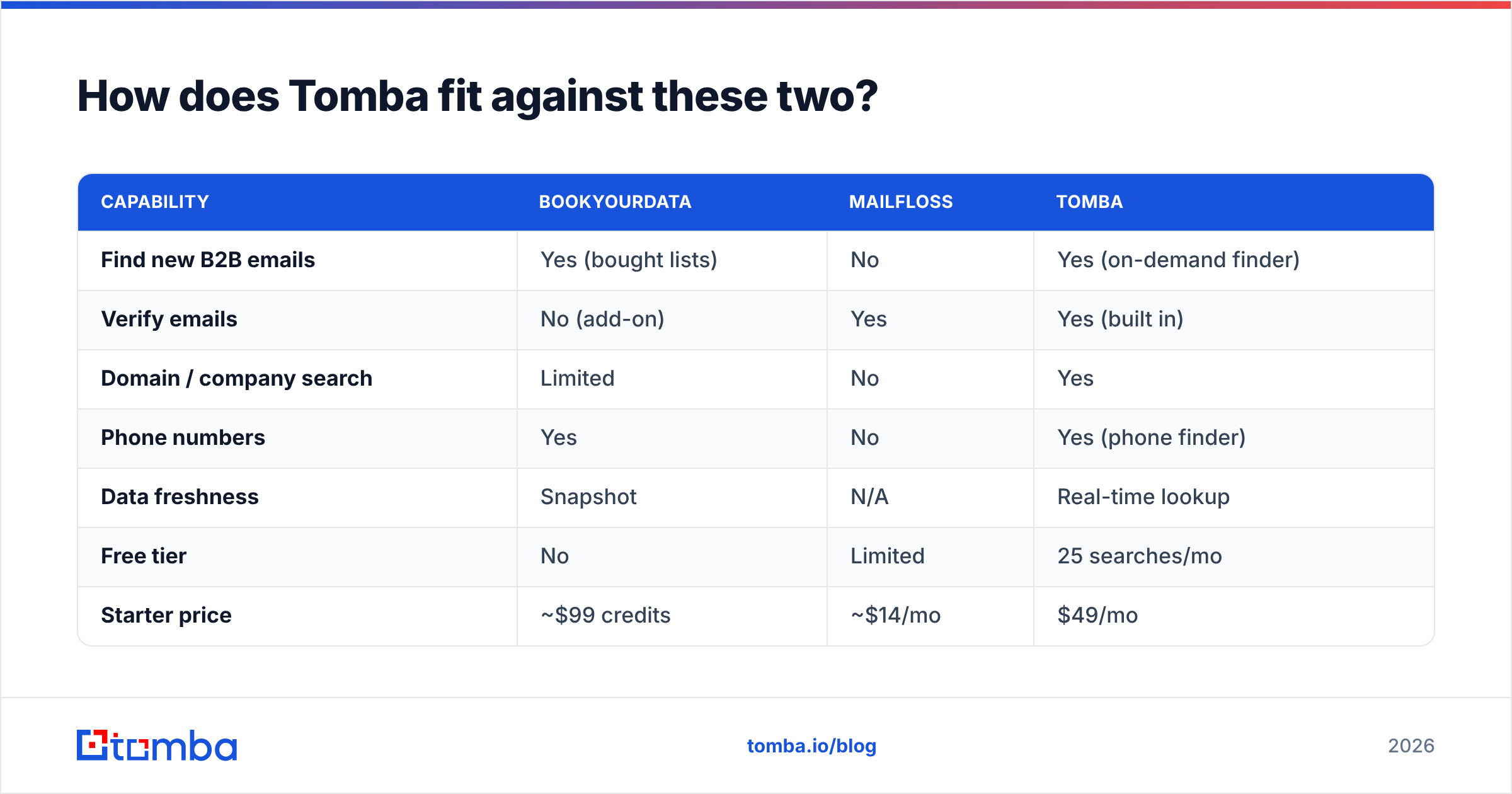
Tomba covers the "get accurate emails" job that Bookyourdata does, but without selling you a static, shared snapshot — and it bakes in the verification that Mailfloss charges for separately. Here's the three-way picture.
| Capability | Bookyourdata | Mailfloss | Tomba |
|---|---|---|---|
| Find new B2B emails | Yes (bought lists) | No | Yes (on-demand finder) |
| Verify emails | No (add-on) | Yes | Yes (built in) |
| Domain / company search | Limited | No | Yes |
| Phone numbers | Yes | No | Yes (phone finder) |
| Data freshness | Snapshot | N/A | Real-time lookup |
| Free tier | No | Limited | 25 searches/mo |
| Starter price | ~$99 credits | ~$14/mo | $49/mo |
| API access | Yes | Yes | Yes (Tomba API) |
Tomba's pricing runs a free tier at 25 searches/month, then Starter at $49/mo, Growth at $99/mo, Pro at $249/mo, and custom Enterprise — full Tomba pricing is public. The free tier alone lets you test accuracy on your own target accounts before paying, which neither a list seller nor a subscription verifier really offers.
The point isn't that Tomba beats a verifier at verifying or a list broker at dumping volume. It's that the job to be done — building a clean, sendable list of people you have a reason to reach — is one workflow, and splitting it across a list purchase plus a separate cleaning subscription is the expensive, leaky way to do it.
Which should you pick?#
Match the tool to the situation, not the hype.
- You have a large, opted-in list and bounces are creeping up → Mailfloss (or any continuous verifier) is a reasonable, cheap fix. Keep it.
- You want thousands of cold contacts fast and accept the compliance and decay risk → Bookyourdata does what it says, just budget for the bounces and the reputation hit.
- You want to build targeted, fresh, verified lists you actually own the context for → an on-demand finder-plus-verifier like Tomba is the better long-term foundation, and you can still layer a verifier on top of any list.
If you're choosing between only these two because you think they're rivals, step back: you're likely solving the wrong problem. Bookyourdata answers "where do I get contacts," Mailfloss answers "how do I keep contacts clean." Most teams need both jobs done — ideally in one stack, with data fresh enough that you're not constantly cleaning up after a stale purchase.
For a broader view of the category, independent reviews on G2 are worth scanning, and you can always check each vendor directly at bookyourdata.com and mailfloss.com before you commit.
The bottom line#
Bookyourdata and Mailfloss aren't competitors — they're two stages of a list workflow that's fundamentally fragile when it starts with bought, static data. Buying a list and cleaning it is still emailing people who never opted in, off a snapshot that's decaying by the day.
If you'd rather build a list you can stand behind — fresh, targeted, verified at the source, and yours — start with the Tomba Email Finder. Run your top target accounts through the free tier, see the accuracy on contacts you already know, and skip both the resold-CSV gamble and the standalone cleaning bill. Find it right the first time, and there's far less to clean later.
// get started
Find, verify and enrich your first contacts today
Start on the free plan with 25 searches a month, then scale when your team is ready.
Free plan · No credit card required · GDPR & CCPA
// about the author