Bookyourdata vs Nymeria 2026: Which B2B Data Tool Wins?
Bookyourdata sells pay-as-you-go lists; Nymeria finds emails from profiles. Here's an honest 2026 breakdown of accuracy, pricing, and which fits your outreach.
Choosing between Bookyourdata and Nymeria comes down to one question: do you want to buy a list, or find contacts as you go? They solve adjacent problems with very different mechanics, and picking the wrong one means either a CSV full of stale records or a credit balance you burn through faster than expected.
This is a neutral teardown. We compare data model, accuracy, pricing, integrations, and the use cases each tool actually fits in 2026 — plus where a verification-first finder beats both.
TL;DR — Bookyourdata vs Nymeria at a glance#
- Bookyourdata is a pay-as-you-go B2B contact list marketplace. You filter by industry, title, and geography, then buy verified records as a downloadable list. Best for one-off list builds.
- Nymeria is a profile-based email and contact finder, strongest as a LinkedIn/social enrichment layer with a browser extension. Best for prospect-by-prospect sourcing.
- Accuracy is the real battleground. Both claim high verification rates; neither replaces a dedicated email verifier on cold lists.
- Pricing models differ fundamentally: Bookyourdata charges per credit/record, Nymeria runs monthly subscriptions with credit allowances.
- If you want real-time finding plus built-in verification and an API, a tool like Tomba covers the same jobs with a free tier and predictable pricing.
What is Bookyourdata?#
Bookyourdata is a self-service B2B contact database where you build and buy targeted lists. Think of it like a grocery store for leads: you walk the aisles (filters for job title, industry, company size, location, technology used), fill your cart, and pay only for what you take out. There's no long-term contract required — the headline pitch is pay-as-you-go with a 97%+ accuracy guarantee and credit refunds for bounces.
The model suits teams that need a defined list now: 5,000 marketing directors in SaaS companies in North America, exported to CSV, dropped into a sequencer. You're buying a snapshot of a database.
The tradeoff with any pre-built database is freshness. People change jobs roughly every two to three years, so any static list begins decaying the moment you download it. That's not unique to Bookyourdata — it's the structural weakness of the "buy a list" model. You can read more about where contact data comes from and why source freshness matters more than headline accuracy claims.

What is Nymeria?#
Nymeria is a contact-finding and enrichment tool built around social and professional profiles. Its core surface is a browser extension that reveals emails and phone numbers as you browse LinkedIn and other profiles, plus bulk enrichment and an API for developers.
If Bookyourdata is the grocery store, Nymeria is more like a personal shopper who tags along while you browse — you find a person you want, and Nymeria tries to surface their contact details on the spot. This makes it a natural fit for recruiters and SDRs who work prospect-by-prospect inside LinkedIn rather than buying lists in bulk.
Nymeria sells monthly subscriptions with credit allowances. You're paying for ongoing access and a steady stream of lookups, not a one-time list dump. That structure rewards consistent daily prospecting and punishes sporadic, bursty usage where a pay-as-you-go model would be cheaper.
Bookyourdata vs Nymeria: full comparison table#
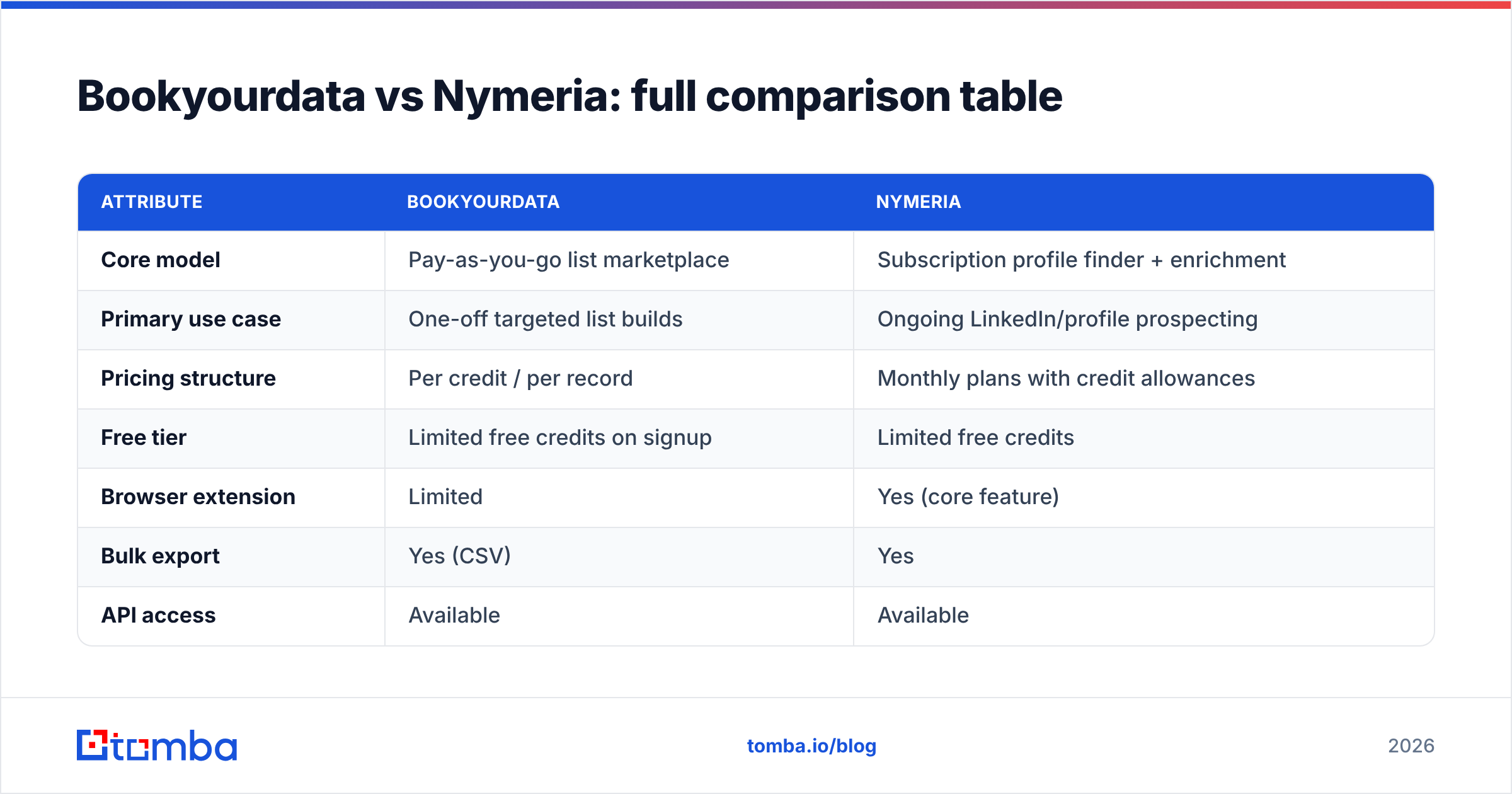
Here's how the two stack up across the attributes that decide most purchases. (Vendor pricing changes often — confirm current numbers on each official site before you buy.)
| Attribute | Bookyourdata | Nymeria |
|---|---|---|
| Core model | Pay-as-you-go list marketplace | Subscription profile finder + enrichment |
| Primary use case | One-off targeted list builds | Ongoing LinkedIn/profile prospecting |
| Pricing structure | Per credit / per record | Monthly plans with credit allowances |
| Free tier | Limited free credits on signup | Limited free credits |
| Browser extension | Limited | Yes (core feature) |
| Bulk export | Yes (CSV) | Yes |
| API access | Available | Available |
| Accuracy claim | ~97%+ with bounce refunds | High, profile-sourced |
| Phone numbers | Yes | Yes |
| Best for | Marketers needing a defined list | Recruiters, SDRs working profiles |
The pattern is clear: Bookyourdata optimizes for buying a list, Nymeria optimizes for finding contacts in a workflow. Neither is strictly "better" — they're tuned for different motions.
Which one is more accurate?#
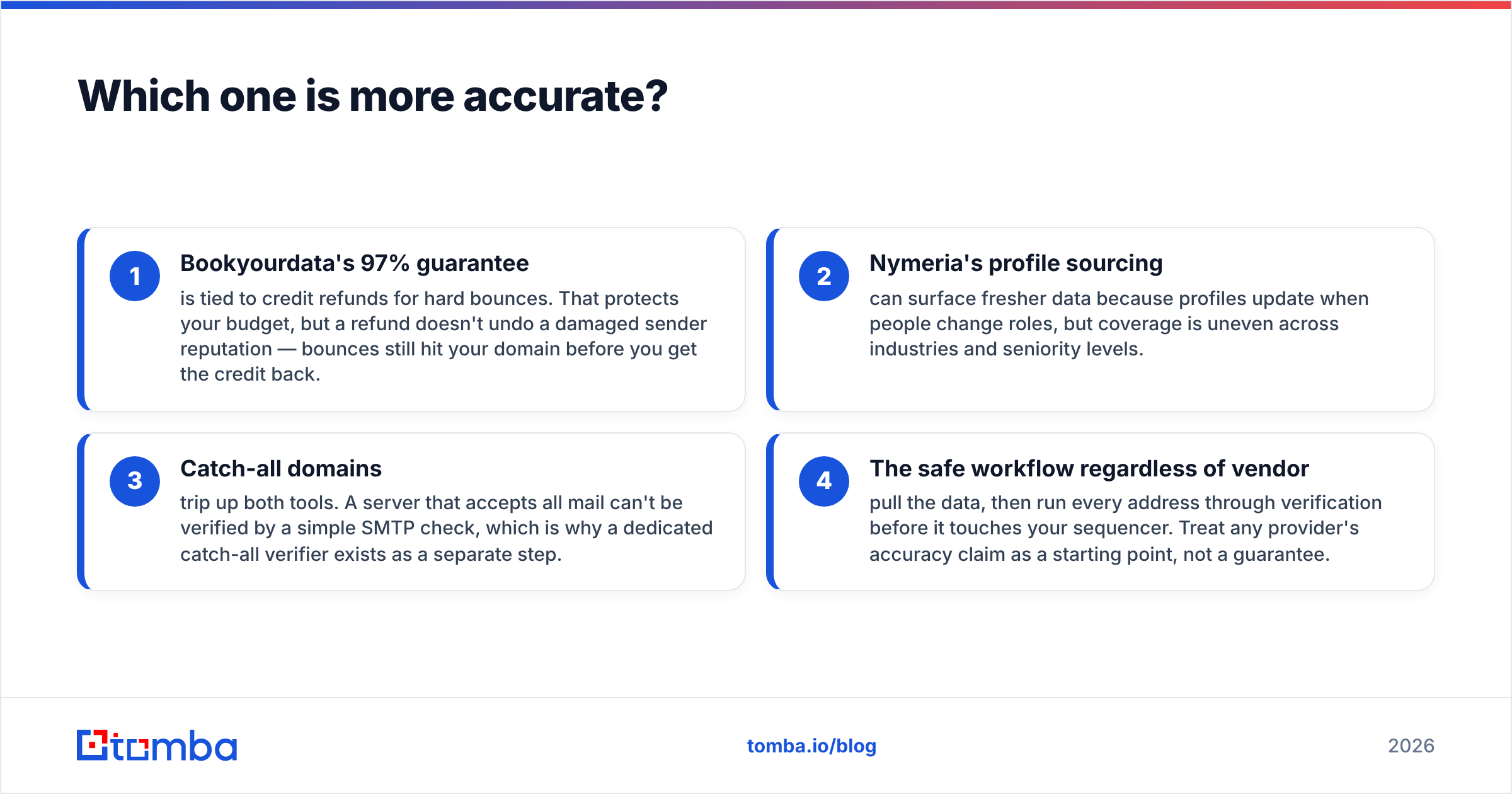
Accuracy depends less on the vendor's headline number and more on when the record was last validated and whether you re-verify before sending. Here's the honest breakdown:
- Bookyourdata's 97% guarantee is tied to credit refunds for hard bounces. That protects your budget, but a refund doesn't undo a damaged sender reputation — bounces still hit your domain before you get the credit back.
- Nymeria's profile sourcing can surface fresher data because profiles update when people change roles, but coverage is uneven across industries and seniority levels.
- Catch-all domains trip up both tools. A server that accepts all mail can't be verified by a simple SMTP check, which is why a dedicated catch-all verifier exists as a separate step.
- The safe workflow regardless of vendor: pull the data, then run every address through verification before it touches your sequencer. Treat any provider's accuracy claim as a starting point, not a guarantee.

The data above is why we always recommend a verify-before-send step. Even a 97% list means 3 in 100 sends bounce, and at scale that's enough to throttle your email deliverability and tank your sender reputation.
Bookyourdata vs Nymeria: pricing reality#
Pricing is where the two models diverge hardest, and where buyers most often misjudge cost.
Bookyourdata (pay-as-you-go): You pay per record. Great when usage is bursty — you build one big list a quarter and pay nothing in between. Costly if you'd be buying the same contacts repeatedly or need continuous enrichment, because there's no flat ceiling.
Nymeria (subscription): You pay a monthly fee for a credit allowance. Predictable, and cheaper per-lookup if you prospect daily and use your full allowance. Wasteful if you only prospect a few days a month, since unused credits typically don't roll forever.
The decision rule: bursty, list-based buying → pay-as-you-go (Bookyourdata). Steady, daily prospecting → subscription (Nymeria). If your usage is somewhere in between, or you want verification bundled in rather than billed separately, a third option with a free tier and flat plans often wins on total cost.
Where does Tomba fit in this comparison?#
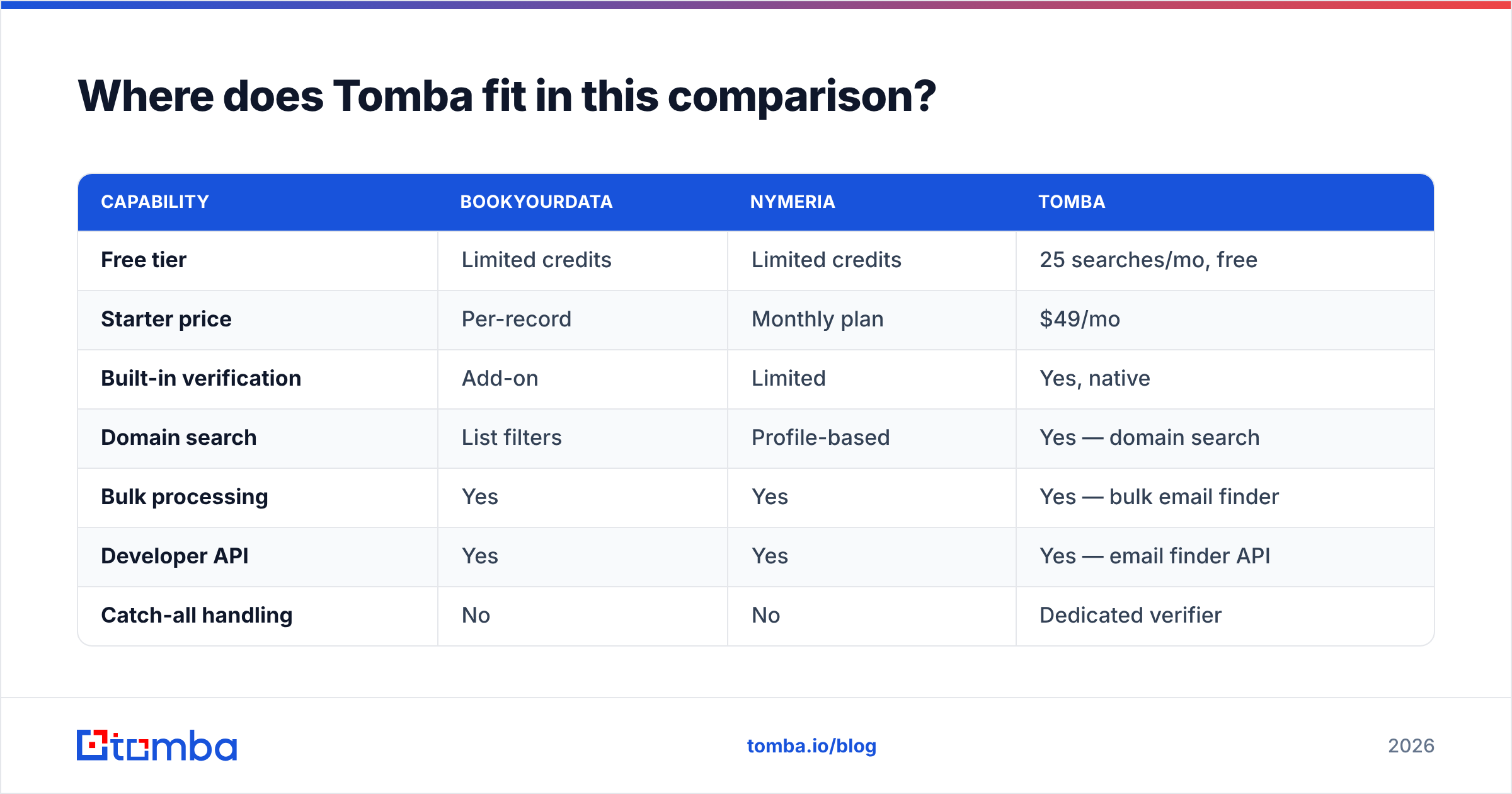
Tomba sits between the two models: real-time finding like Nymeria, bulk capability like Bookyourdata, plus verification and a developer-first API in one platform. Instead of buying a decaying list or paying per-profile, you search live by domain or name, verify in the same flow, and only act on deliverable addresses.
| Capability | Bookyourdata | Nymeria | Tomba |
|---|---|---|---|
| Free tier | Limited credits | Limited credits | 25 searches/mo, free |
| Starter price | Per-record | Monthly plan | $49/mo |
| Built-in verification | Add-on | Limited | Yes, native |
| Domain search | List filters | Profile-based | Yes — domain search |
| Bulk processing | Yes | Yes | Yes — bulk email finder |
| Developer API | Yes | Yes | Yes — email finder API |
| Catch-all handling | No | No | Dedicated verifier |
Tomba's plans run Free (25 searches/mo), Starter $49/mo, Growth $99/mo, and Pro $249/mo, with Enterprise custom — see full Tomba pricing. The practical advantage isn't a single feature; it's not having to bolt a separate verifier onto a list provider, or accept profile-only coverage from a finder.
Which tool should you choose?#
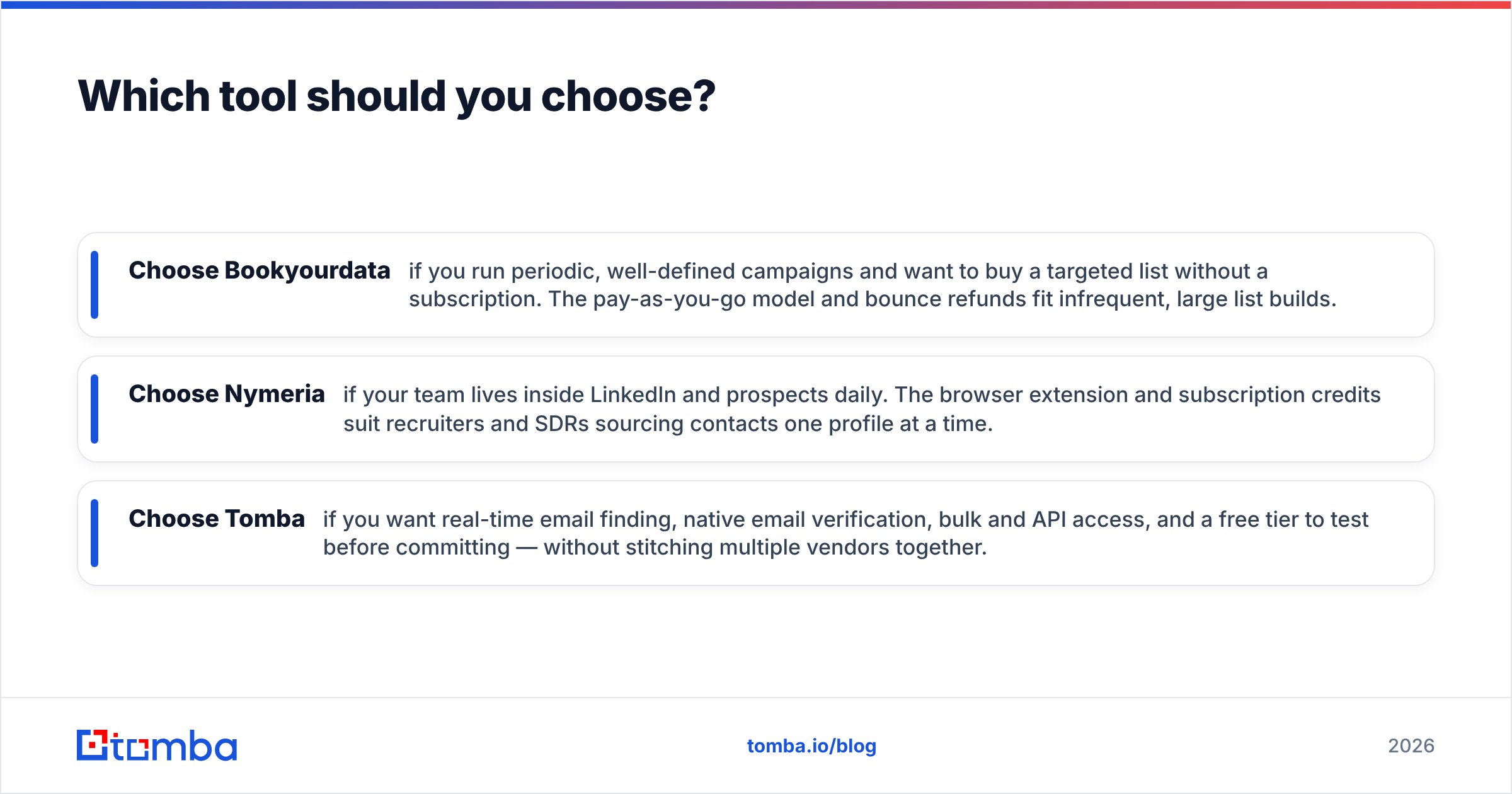
Match the tool to your motion, not the marketing:
- Choose Bookyourdata if you run periodic, well-defined campaigns and want to buy a targeted list without a subscription. The pay-as-you-go model and bounce refunds fit infrequent, large list builds.
- Choose Nymeria if your team lives inside LinkedIn and prospects daily. The browser extension and subscription credits suit recruiters and SDRs sourcing contacts one profile at a time.
- Choose Tomba if you want real-time email finding, native email verification, bulk and API access, and a free tier to test before committing — without stitching multiple vendors together.
For broader context on how these tools rank against the rest of the market, third-party review sites like G2 and Capterra carry verified user reviews worth scanning before any purchase, and HubSpot's own guidance on sales prospecting is a solid neutral primer on building a repeatable outreach motion.

Frequently asked questions#
Is Bookyourdata better than Nymeria? Neither is universally better. Bookyourdata wins for one-off list purchases; Nymeria wins for ongoing, profile-by-profile prospecting. Your usage pattern decides.
Do I still need to verify emails from these tools? Yes. Even high accuracy claims leave a few percent of bad addresses, and verifying before you send protects your domain reputation. Run lists through a verifier as a standard step.
What's the cheapest way to start? Both offer limited free credits. Tomba's free tier gives 25 searches per month with verification included, which makes it easy to test data quality before you pay anything.
Can I integrate these with my CRM? All three offer APIs and export options. Tomba additionally ships native integrations for HubSpot, Salesforce, and Pipedrive plus a Chrome extension.
The bottom line#
Bookyourdata and Nymeria are both legitimate tools that solve different halves of the same problem — buying lists versus finding contacts. The risk with either is the same: data decays, and unverified addresses quietly erode your deliverability.
If you'd rather not choose between a static list and a profile-only finder — and want verification, bulk, and an API in one place — try the Tomba Email Finder. Start free with 25 searches a month, verify as you go, and only pay when you're ready to scale. It's the simplest way to get accurate, deliverable B2B contacts without stitching two vendors together.
// get started
Find, verify and enrich your first contacts today
Start on the free plan with 25 searches a month, then scale when your team is ready.
Free plan · No credit card required · GDPR & CCPA
// about the author