Bookyourdata vs Safetymails 2026: Buyer's Comparison Guide
Bookyourdata sells B2B contacts; Safetymails cleans your list. Here's which one you actually need in 2026 — and the smarter third option.
Picking between Bookyourdata vs Safetymails feels like a head-to-head, but it isn't really one. These two tools sit at opposite ends of the contact-data lifecycle: one hands you a list, the other tells you whether a list is any good. If you buy the wrong one for your problem, you'll either be cleaning data you don't have yet or paying for contacts you can't trust.
This guide breaks down what each platform actually does, where the pricing bites, and how to decide — plus where a find-and-verify tool fits when you want both jobs handled in one place.
TL;DR#
- Bookyourdata is a B2B contact database. You filter by job title, industry, and location, then buy verified contacts on a pay-as-you-go credit model. It creates lists.
- Safetymails is an email verification service. You upload a list you already have, and it flags invalids, spam traps, and risky addresses. It cleans lists.
- They are complementary, not competitors — you'd realistically use a data source first, then a verifier, or pick a tool that does both.
- Pricing models differ: both lean pay-as-you-go, but you're buying contacts (Bookyourdata) versus buying validation checks (Safetymails).
- If you want to find and verify in one workflow, a combined platform like Tomba covers both steps without juggling two vendors and two bills.
What is Bookyourdata?#
Bookyourdata is a self-service B2B data marketplace. You log in, apply filters — job title, seniority, company size, industry, technology used, location — and the platform returns matching business contacts with emails, phone numbers, and firmographic detail. You pay per record you download, and the company advertises a high accuracy guarantee with credit refunds for bounces.
The core promise is list building from scratch. You don't bring your own data; you discover it. That's useful when you're entering a new market, building an account list for a new territory, or topping up a CRM that's gone stale.
The trade-offs are the usual ones for purchased databases:
- Freshness varies by segment. Job-change rates in B2B run roughly 20–30% a year, so any static database decays. Niche or fast-moving roles age faster than stable ones.
- You're buying breadth, not intent. A filtered list tells you who fits a profile, not who's in-market right now.
- Compliance is on you. Buying contacts is legal in many regions, but how you contact them (GDPR, CAN-SPAM, CASL) is your responsibility.

What is Safetymails?#
Safetymails is an email verification platform. It takes a list of addresses you already own — exported from a CRM, a signup form, an event scan, or yes, a purchased database — and runs each one through syntax checks, domain and MX record lookups, SMTP probing, spam-trap detection, and disposable-domain filtering. The output is a cleaned list segmented into valid, invalid, and risky.
Its job is deliverability protection. Sending to a dirty list spikes your bounce rate, and mailbox providers read high bounce rates as a spam signal. A few bad sends can drag down your sender reputation for the addresses that are good. Verification is the cheap insurance against that.
What Safetymails does not do is find contacts. If your list is empty, a verifier has nothing to work on. That's the fundamental split with Bookyourdata.
Bookyourdata vs Safetymails: side-by-side#
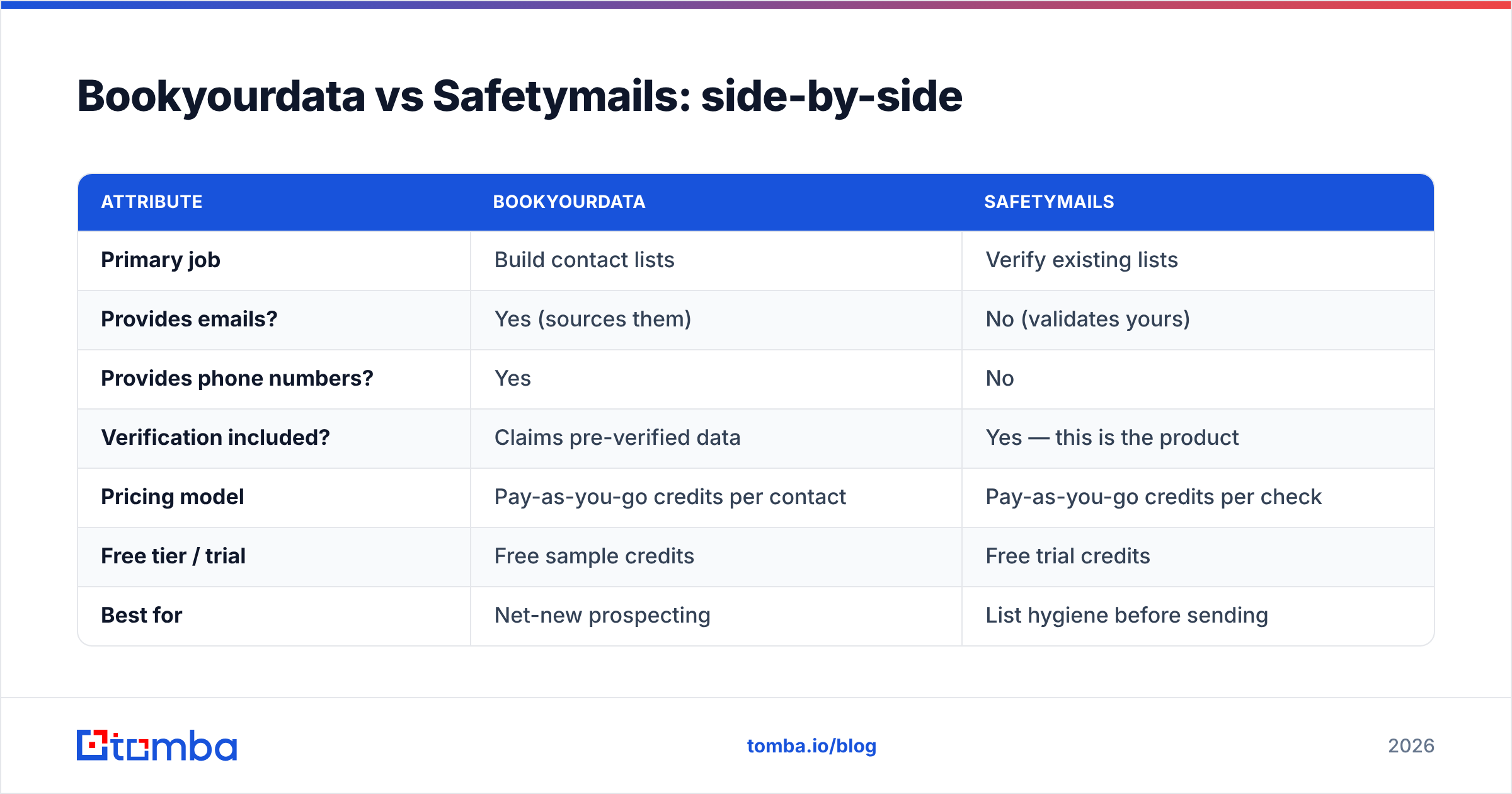
Here's the core comparison. Note that several rows are "N/A" precisely because these tools do different jobs — that's the point.
| Attribute | Bookyourdata | Safetymails |
|---|---|---|
| Primary job | Build contact lists | Verify existing lists |
| Provides emails? | Yes (sources them) | No (validates yours) |
| Provides phone numbers? | Yes | No |
| Verification included? | Claims pre-verified data | Yes — this is the product |
| Pricing model | Pay-as-you-go credits per contact | Pay-as-you-go credits per check |
| Free tier / trial | Free sample credits | Free trial credits |
| Best for | Net-new prospecting | List hygiene before sending |
| Compliance burden | On the buyer | On the buyer |
| Bulk support | Yes | Yes |
The honest read: if your problem is "I have no one to email," you need a data source. If your problem is "my list bounces," you need a verifier. Buying the wrong category solves nothing.
Is Bookyourdata better than Safetymails?#
Neither is "better" — they answer different questions. Use this decision logic:
- You're starting from zero contacts → you need data sourcing. Bookyourdata (or any B2B database) is the relevant category. A verifier can't help an empty file.
- You already have a list and it bounces → you need verification. Safetymails is the relevant category. Buying more contacts won't fix the dirty ones you have.
- You have data but it's stale and unverified → you need both: refresh sources and re-validate.
- You want one workflow for find + verify → a combined tool beats stitching two vendors together.
A practical caution about "pre-verified" databases like Bookyourdata: pre-verification happens at the moment the record enters the database, not the moment you download it. By the time you send, months may have passed. That's exactly why teams run even purchased lists through a verifier before a campaign. So in many real workflows, you end up wanting both a data tool and a verification step — which is the case for a unified platform.
How does Tomba compare to both?#
Tomba sits across the line that separates these two tools. It both finds professional emails and verifies them, so you're not buying a static list from one vendor and validation checks from another.
- The email finder locates business addresses by name and company domain, with confidence scores and the source where each email was seen.
- Domain search returns every public email pattern on a company domain — useful for account-based lists.
- The built-in email verifier runs the same SMTP and catch-all checks a standalone tool like Safetymails performs, so you validate at the point of discovery.
- Bulk email finder and the API handle list-scale jobs.
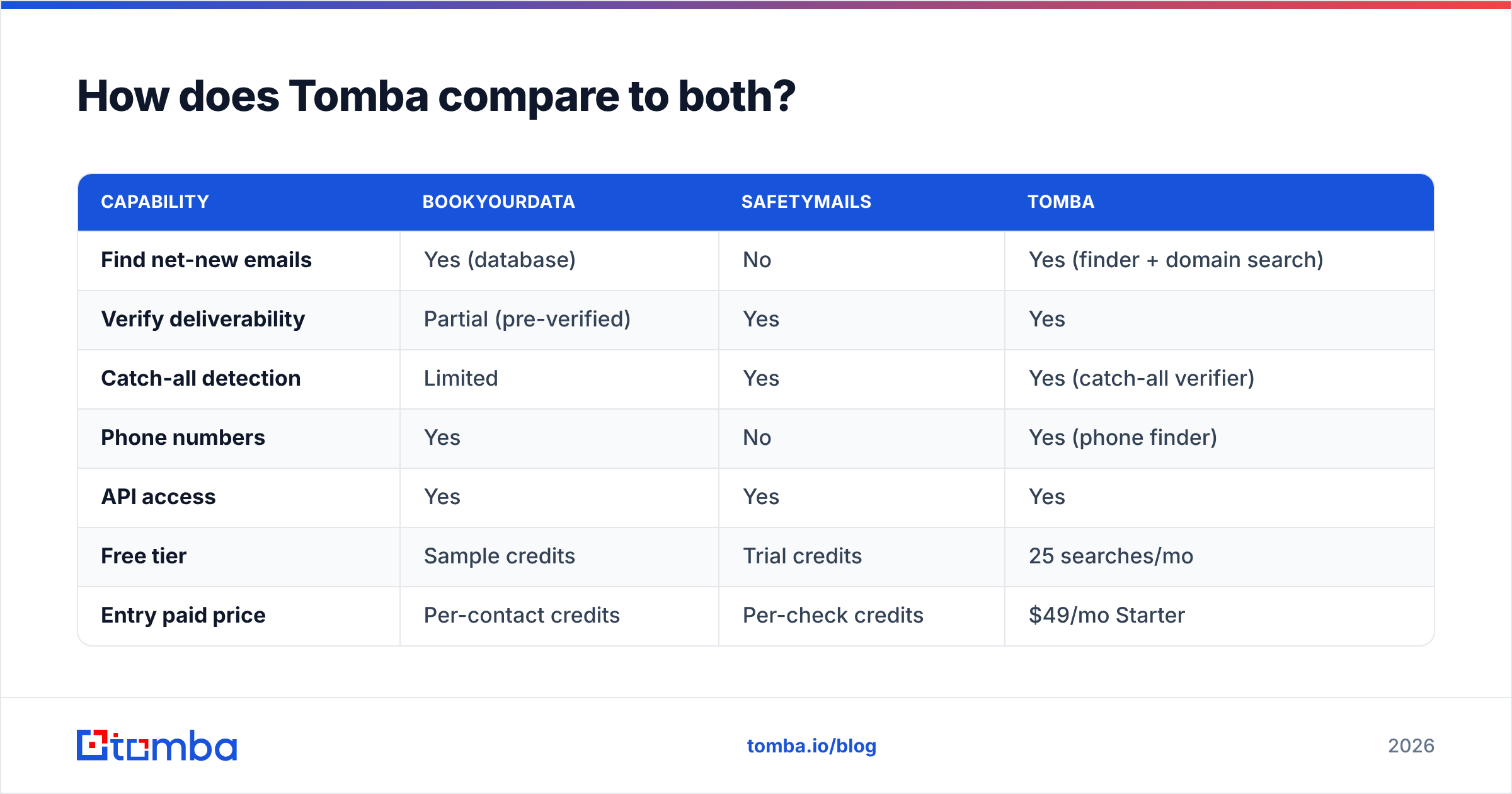
Here's how the three line up on jobs-to-be-done:
| Capability | Bookyourdata | Safetymails | Tomba |
|---|---|---|---|
| Find net-new emails | Yes (database) | No | Yes (finder + domain search) |
| Verify deliverability | Partial (pre-verified) | Yes | Yes |
| Catch-all detection | Limited | Yes | Yes (catch-all verifier) |
| Phone numbers | Yes | No | Yes (phone finder) |
| API access | Yes | Yes | Yes |
| Free tier | Sample credits | Trial credits | 25 searches/mo |
| Entry paid price | Per-contact credits | Per-check credits | $49/mo Starter |
The difference in model matters. Bookyourdata and Safetymails are both largely credit-metered around their single function. Tomba's plans bundle finding and verifying, so a typical "find the contact, confirm it's safe to send" loop happens under one subscription instead of two metered bills.
What about pricing?#
Pricing is where the "different tools" reality shows up most clearly, because you're metering different units.
- Bookyourdata charges per contact you export. Your spend scales with list size, and you re-pay every time you build a fresh list. Costs are predictable per record but open-ended over time.
- Safetymails charges per address verified. If you verify a 50k list monthly, your bill tracks that volume. Cleaning is recurring, so this cost recurs.
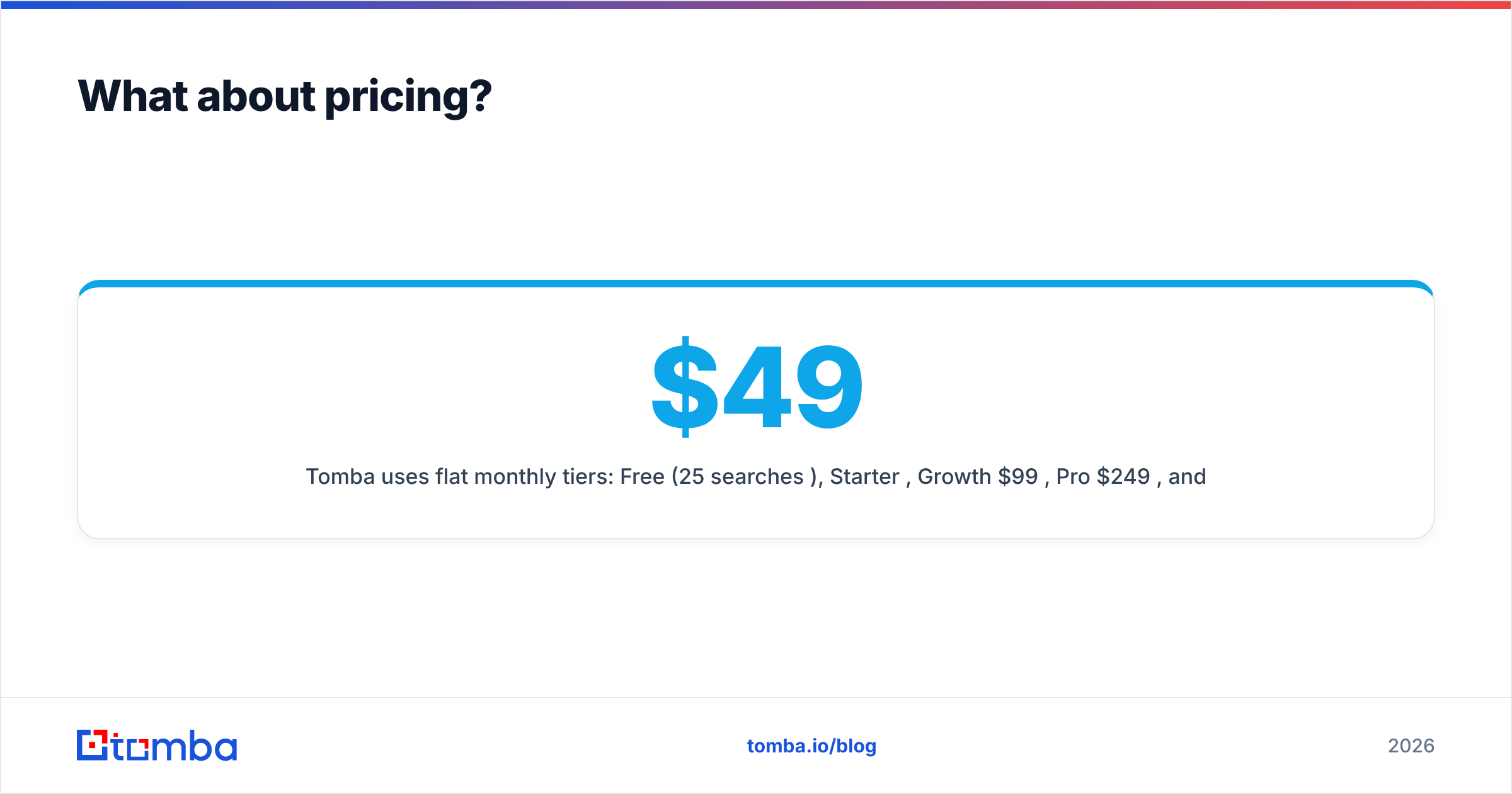
- Tomba uses flat monthly tiers: Free (25 searches/mo), Starter $49/mo, Growth $99/mo, Pro $249/mo, and Enterprise custom. Because finding and verifying share the plan, you're not double-paying for the two steps. Full Tomba pricing is public.
A quick way to think about it: pay-as-you-go is cheaper when usage is spiky and low; flat tiers win when you prospect and clean continuously. Most outbound teams send every week, so recurring verification plus recurring list-building usually favors a bundled subscription over two separate meters.
Before committing to any vendor, check current, independent reviews on G2 and confirm pricing directly on each official site — bookyourdata.com and safetymails.com — since credit packs and rates change.
Do you actually need both a data tool and a verifier?#
Usually, yes — and that's the strongest argument for not framing this as Bookyourdata vs Safetymails at all.
Think of it like buying produce. A database is the grocery store: it gives you a full cart fast. A verifier is washing and checking the produce before you cook — you'd never skip it for food you bought weeks ago. Sourcing without verifying gets you a big list that quietly bounces; verifying without a source gives you nothing to clean. The complete workflow is source → verify → send → re-verify on a cadence.
That cadence is the part teams underestimate. Even a perfect list on day one decays. People change jobs, companies fold, domains lapse. Running verification before every major send — not just once at import — is what protects email deliverability over months. Whether you do that with two specialized tools or one combined platform is a workflow and budget call, not a quality one.
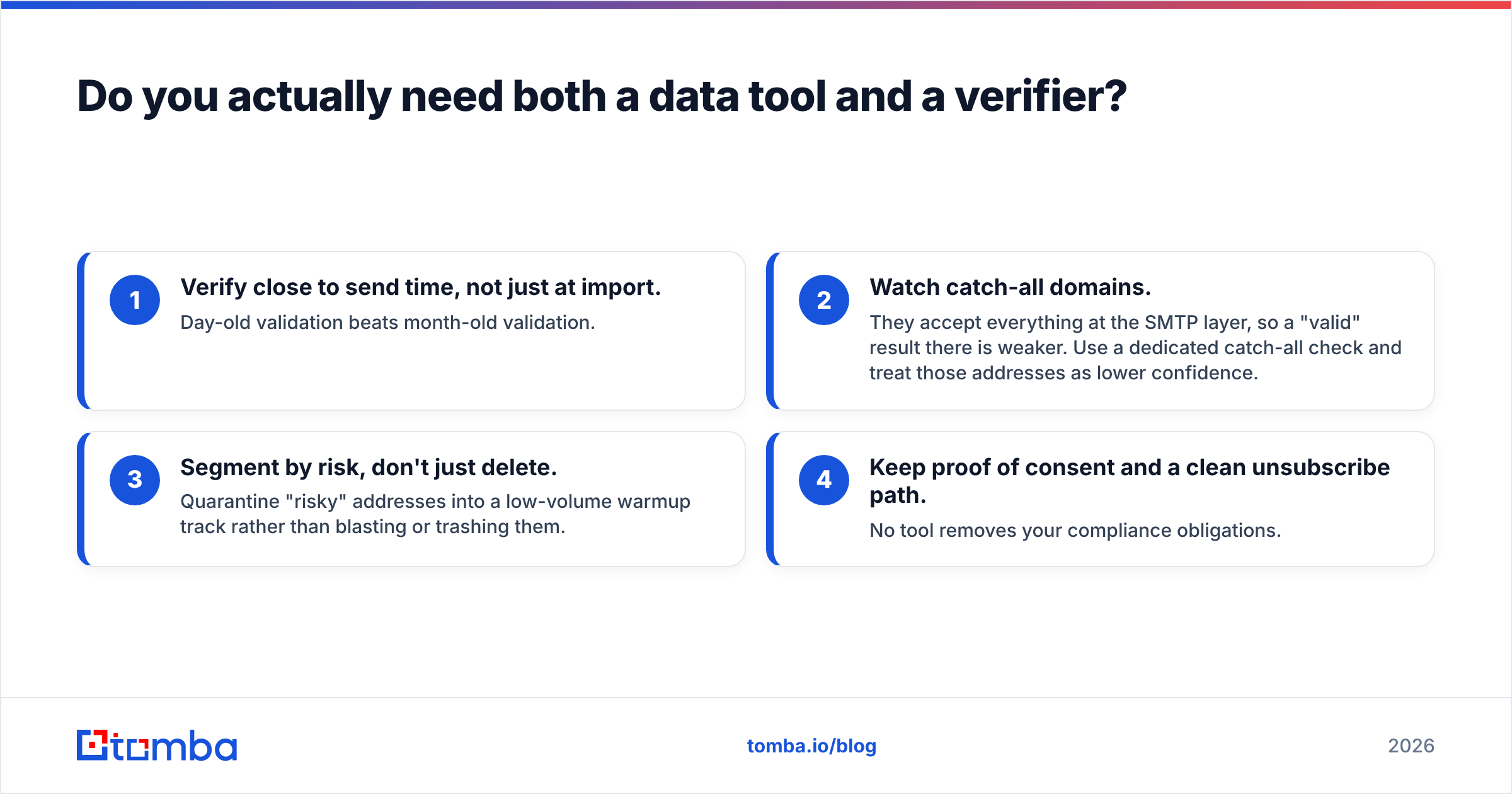
A few practical guardrails regardless of vendor:
- Verify close to send time, not just at import. Day-old validation beats month-old validation.
- Watch catch-all domains. They accept everything at the SMTP layer, so a "valid" result there is weaker. Use a dedicated catch-all check and treat those addresses as lower confidence.
- Segment by risk, don't just delete. Quarantine "risky" addresses into a low-volume warmup track rather than blasting or trashing them.
- Keep proof of consent and a clean unsubscribe path. No tool removes your compliance obligations.
Which should you choose?#
Conclusion first: match the tool to the gap in your funnel, not to a brand.
- No list yet? Start with a data source. Bookyourdata is one option; an email finder with domain search like Tomba is another, and it verifies as it finds.
- List exists but bounces? You need verification. Safetymails does this well as a standalone, and Tomba's verifier covers the same checks inside the same account you prospect from.
- You do both, continuously? A single find-and-verify platform removes the two-vendor tax and keeps your prospecting and hygiene in one log, one API, and one bill.
For most outbound and demand-gen teams running weekly campaigns, the combined route is simpler and cheaper than maintaining a database subscription plus a separate verifier — and it closes the gap between "found a contact" and "confirmed it's safe to send" to a single step.
Start finding and verifying in one place#
If your real need is net-new B2B contacts that are already validated, skip the two-tool juggling act. The Tomba Email Finder locates professional emails by name, company, or domain, scores each result, and runs them through the built-in verifier before they ever hit your sequencer. You can test it on the Free plan (25 searches a month), then scale to Starter at $49/mo when you're ready to run real lists. Find the contact, confirm it's deliverable, and send — without paying one vendor to build the list and another to clean it.
// get started
Find, verify and enrich your first contacts today
Start on the free plan with 25 searches a month, then scale when your team is ready.
Free plan · No credit card required · GDPR & CCPA
// about the author