11 Best Boomerang for Gmail Alternatives in 2026 (Ranked)
Boomerang is great for scheduling and snoozing email — but it won't find leads or scale outreach. Here are 11 Boomerang for Gmail alternatives compared on price, features, and use case for 2026.

You installed Boomerang to schedule one email at 7 a.m. and snooze a thread until Monday. Six months later you're trying to run real outreach through it — and discovering it was never built for that. This guide ranks the best Boomerang for Gmail alternatives in 2026 so you can match the tool to the job instead of forcing one extension to do everything.
TL;DR#
- Boomerang is a scheduling and follow-up reminder tool, not an outreach platform or a data source. It does send-later, snooze, and "remind me if no reply" extremely well — and stops there.
- If you want better scheduling and tracking inside Gmail, look at Mixmax, Streak, or Right Inbox. They're the closest like-for-like swaps.
- If you want to scale cold outreach, Boomerang is the wrong category entirely — you need a sequencer like Instantly or Saleshandy plus a verified contact source.
- The piece every alternative ignores: data. Scheduling a follow-up to a wrong or dead address still fails. You need accurate emails first — that's where an email finder belongs in the stack.
- Use the comparison table below to pick by price, follow-up automation, and whether you need lead data.
What does Boomerang for Gmail actually do?#
Boomerang is a Gmail and Outlook extension built by Baydin for personal email productivity. Think of it as a snooze button and an egg timer bolted onto your inbox — it controls when messages move, not who you reach.
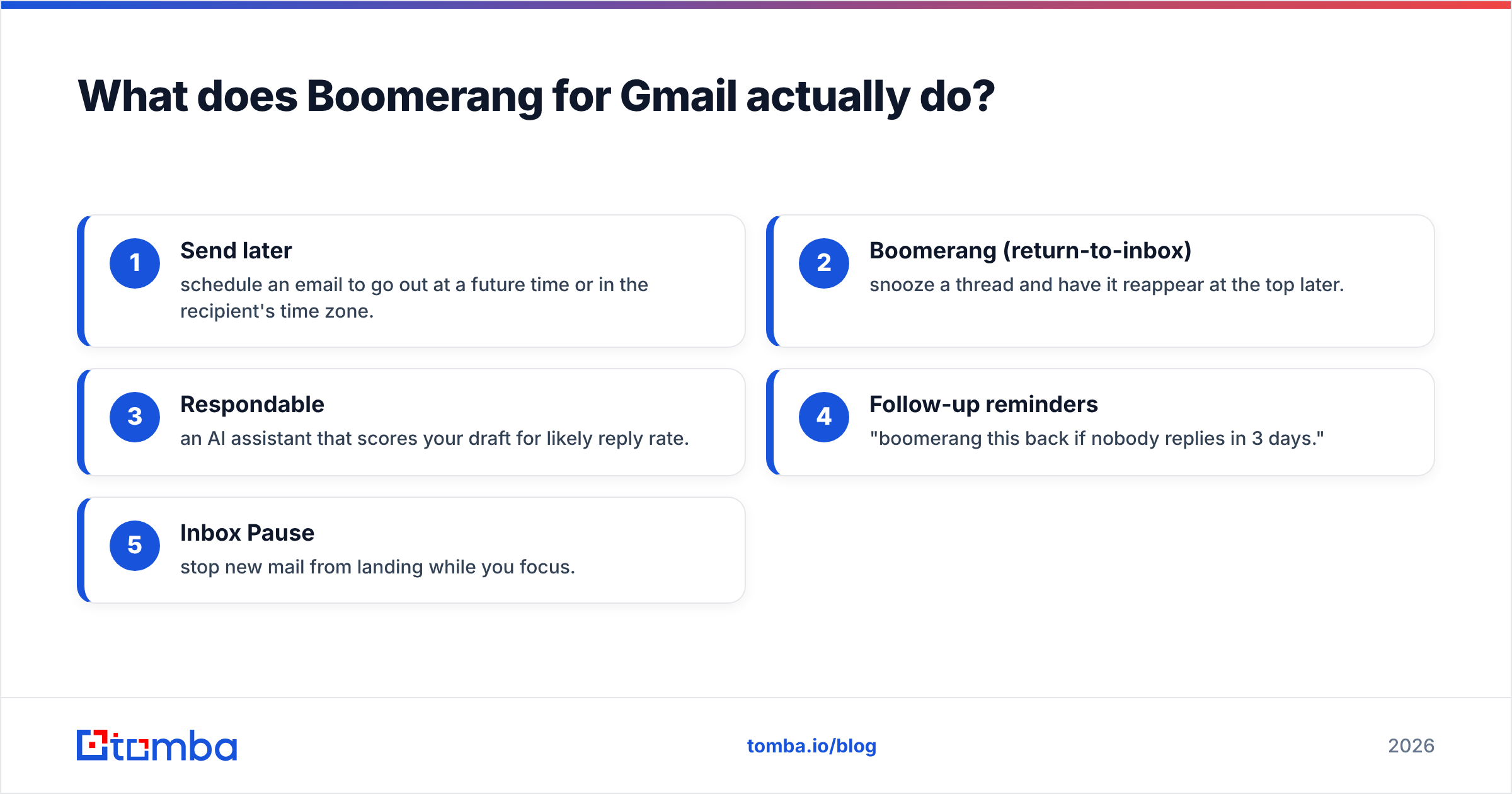
Its core features:
- Send later — schedule an email to go out at a future time or in the recipient's time zone.
- Boomerang (return-to-inbox) — snooze a thread and have it reappear at the top later.
- Respondable — an AI assistant that scores your draft for likely reply rate.
- Follow-up reminders — "boomerang this back if nobody replies in 3 days."
- Inbox Pause — stop new mail from landing while you focus.
That's a strong feature set for an individual managing a busy inbox. The limits show up the moment your goal shifts from managing replies to generating them at scale. Boomerang has no lead database, no email verification, no multi-step sequencing across hundreds of prospects, and no native CRM. You can read more about the official feature list on the Boomerang site, but the short version is: it's a productivity layer, not a pipeline engine.

Why look for a Boomerang for Gmail alternative?#
Most people search for an alternative for one of four reasons:
- Price. Boomerang's paid tiers add up, and you may want scheduling bundled into a tool you already pay for.
- Outreach at scale. You've outgrown one-off reminders and need sequences, A/B testing, and inbox rotation.
- Tracking and CRM. You want open/click tracking and pipeline stages living in Gmail.
- You actually need leads. This is the big one. No scheduling tool finds contacts — and a perfectly timed email to a bounced address is wasted effort.
The category you need depends on which problem you're solving. Below, the alternatives are grouped so you don't buy a sequencer when you wanted a snooze button.
What are the best Boomerang for Gmail alternatives in 2026?#
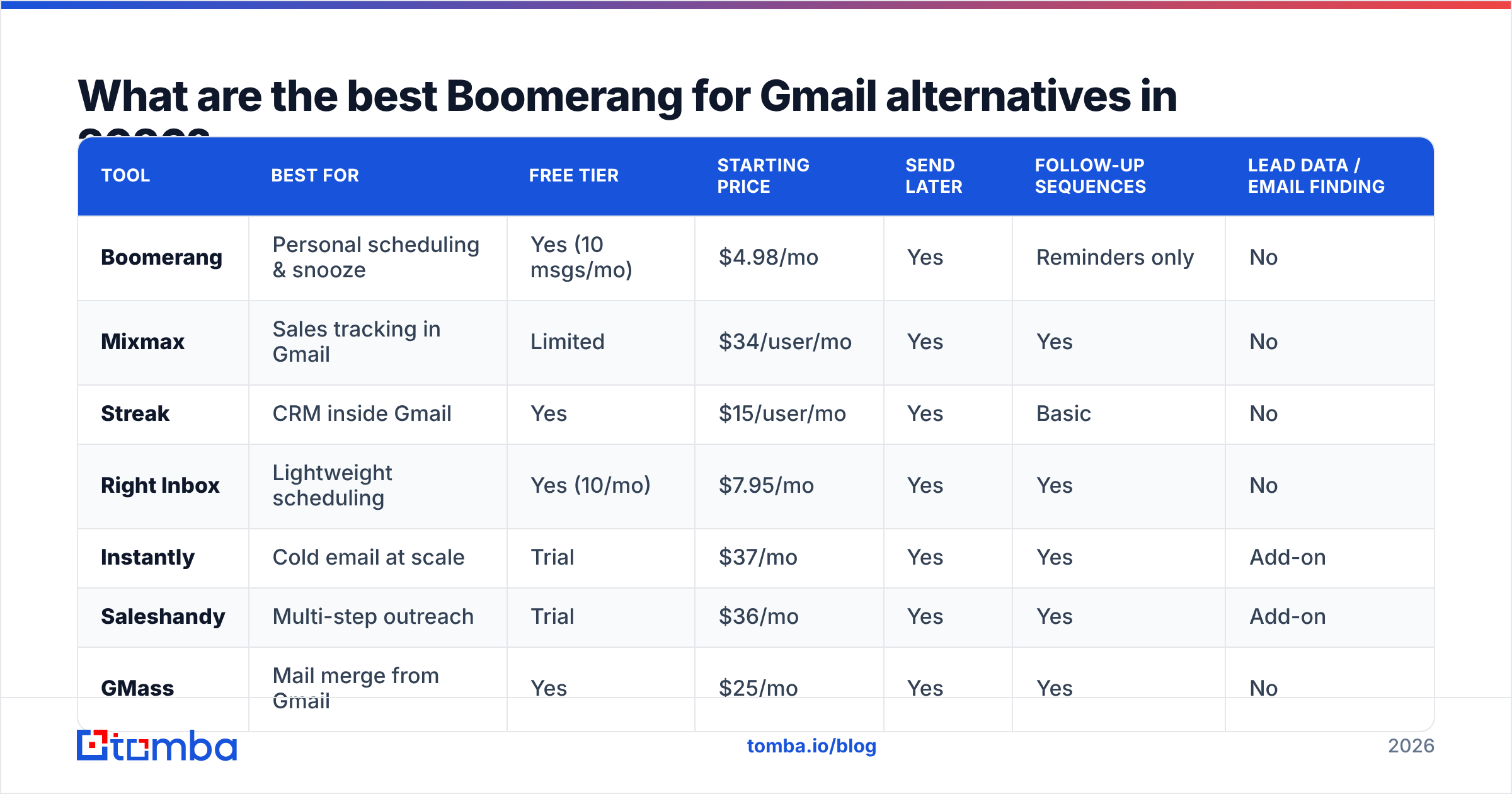
Here's a side-by-side comparison of the most relevant tools across the three jobs Boomerang users tend to need: inbox productivity, sales tracking, and outreach at scale.
| Tool | Best for | Free tier | Starting price | Send later | Follow-up sequences | Lead data / email finding |
|---|---|---|---|---|---|---|
| Boomerang | Personal scheduling & snooze | Yes (10 msgs/mo) | $4.98/mo | Yes | Reminders only | No |
| Mixmax | Sales tracking in Gmail | Limited | $34/user/mo | Yes | Yes | No |
| Streak | CRM inside Gmail | Yes | $15/user/mo | Yes | Basic | No |
| Right Inbox | Lightweight scheduling | Yes (10/mo) | $7.95/mo | Yes | Yes | No |
| Instantly | Cold email at scale | Trial | $37/mo | Yes | Yes | Add-on |
| Saleshandy | Multi-step outreach | Trial | $36/mo | Yes | Yes | Add-on |
| GMass | Mail merge from Gmail | Yes | $25/mo | Yes | Yes | No |
| Tomba | Finding & verifying contacts | Yes (25/mo) | $49/mo | No | No | Yes (core) |
Prices are list rates as of 2026 and shift often — confirm on each vendor's pricing page and on review sites like G2 before buying.
Inbox productivity swaps (closest to Boomerang)#
- Right Inbox — the most direct one-to-one replacement. Send later, recurring emails, follow-up reminders, and notes, at a lower entry price than Boomerang's higher tiers.
- Streak — turns Gmail into a lightweight CRM with pipelines, plus send-later and tracking. Best if you want deals and email in one place.
- Mixmax — heavier, sales-team oriented. Sequences, calendar booking, templates, and detailed tracking. Overkill for pure inbox snoozing, ideal for AEs.
Outreach platforms (a different category)#
If your real goal is cold email volume, you've left Boomerang's lane:
- Instantly — inbox rotation, warmup, and unlimited sending accounts for high-volume cold email. See how it stacks up as an Instantly alternative when you need data bundled in.
- Saleshandy — strong multi-step sequences and reply detection; a common Saleshandy alternative search lands here from Boomerang too.
- GMass — mail merge and campaigns sent natively through Gmail, good for marketers who live in the Google ecosystem.
Is Boomerang or a sales sequencer the right pick?#
Pick Boomerang (or Right Inbox/Streak) if you manage your own inbox. Pick a sequencer (Mixmax, Instantly, Saleshandy) if you run outreach to lists of people. The mistake is buying a $34/user sequencer to do what a $5 snooze tool already does — or duct-taping Boomerang reminders into a fake outreach campaign.
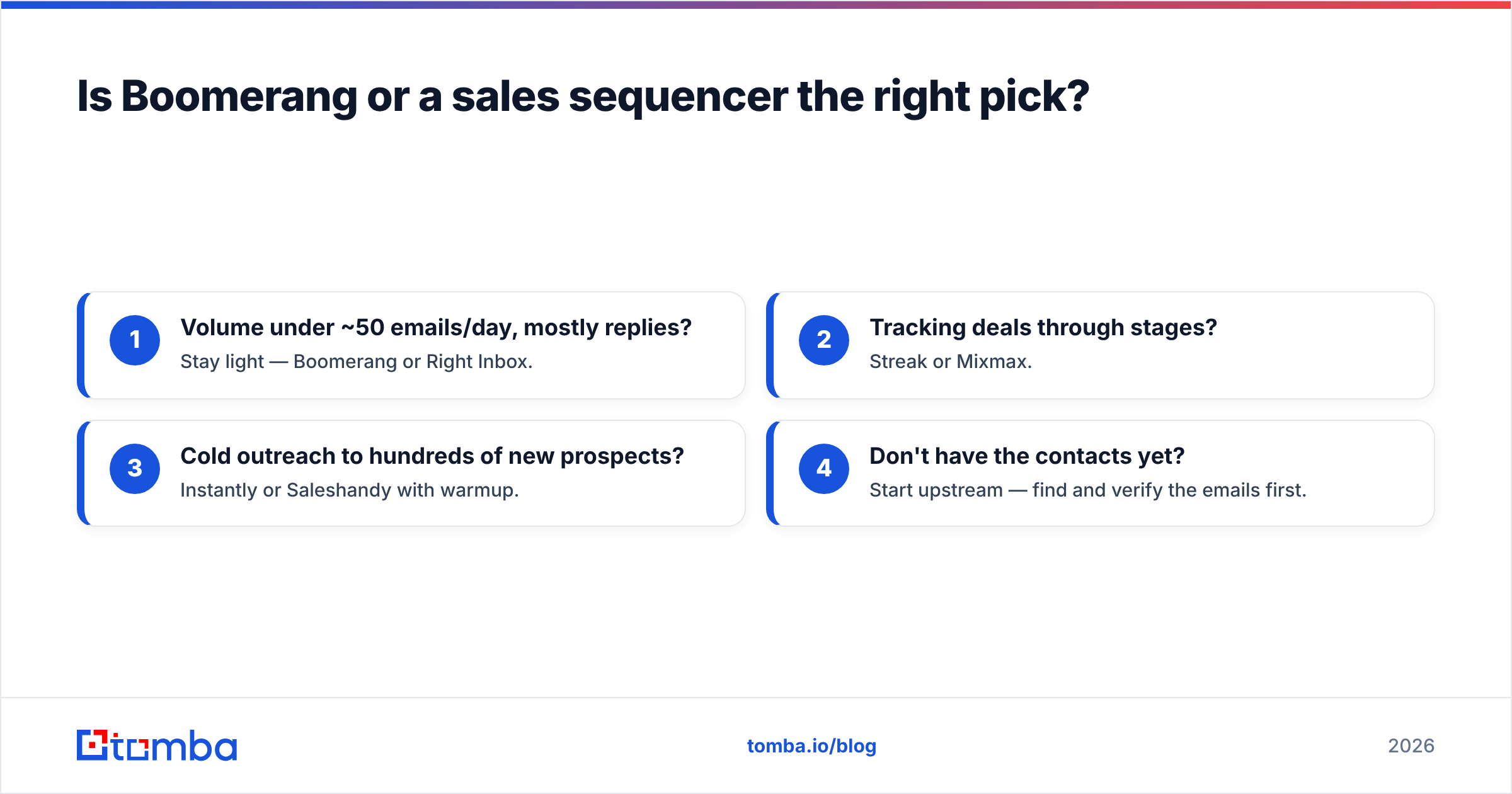
Use this quick decision filter:
- Volume under ~50 emails/day, mostly replies? Stay light — Boomerang or Right Inbox.
- Tracking deals through stages? Streak or Mixmax.
- Cold outreach to hundreds of new prospects? Instantly or Saleshandy with warmup.
- Don't have the contacts yet? Start upstream — find and verify the emails first.
That fourth point is the one every "Boomerang alternative" listicle skips, so let's give it the section it deserves.

What do all these tools have in common that they won't fix?#
None of them find email addresses. Boomerang, Mixmax, Streak, Right Inbox, GMass — every one assumes you already have a clean, deliverable list. That assumption is where most outreach quietly fails.
Here's the chain of failure: you schedule a beautifully timed follow-up, your sequencer fires it, and it hits a catch-all domain, a role address, or a contact who left the company eight months ago. The tool reports "sent." Your reply rate reports the truth. Worse, repeated bounces damage your sender reputation and drag down email deliverability for every message after it.
So the real stack for anyone doing outbound looks like this:
- Find the contact — get the right professional email by name, company, or domain with an email finder or domain search.
- Verify it — confirm the address is deliverable with an email verifier before it ever enters a sequence.
- Write it — draft a tight first line and follow-up using proven cold email templates.
- Schedule & send it — now Boomerang, Mixmax, or Instantly does its job on a foundation that won't bounce.
In other words, the scheduling tool is the last 20% of the workflow. The first 80% — accurate, verified contact data — is what determines whether the schedule matters at all.
How much do Boomerang alternatives cost in 2026?#
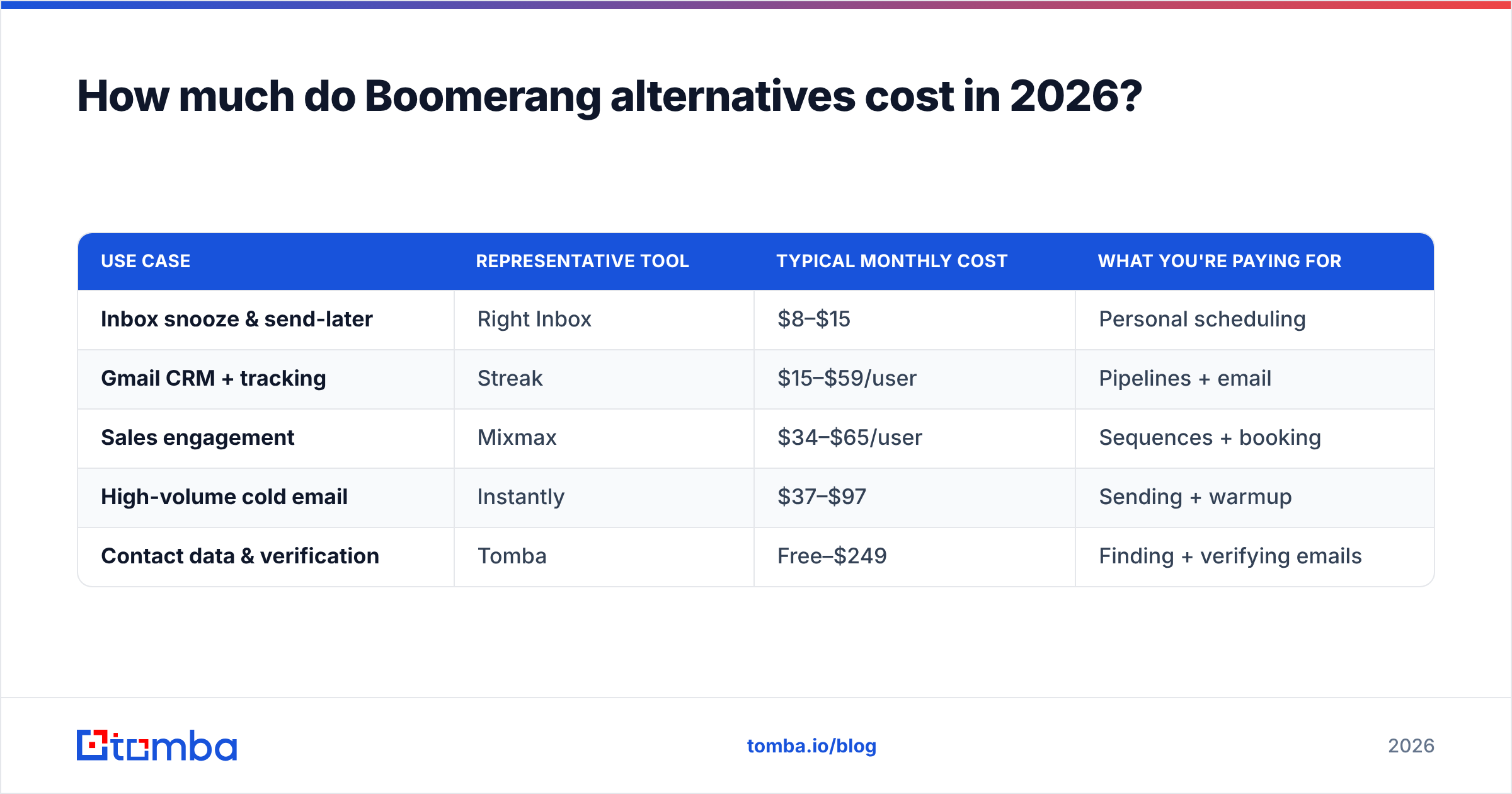
Cost depends entirely on which job you're buying for. Lumping a $5 productivity extension against a $49 data platform is apples to oranges — they sit at different points in the workflow.
| Use case | Representative tool | Typical monthly cost | What you're paying for |
|---|---|---|---|
| Inbox snooze & send-later | Right Inbox | $8–$15 | Personal scheduling |
| Gmail CRM + tracking | Streak | $15–$59/user | Pipelines + email |
| Sales engagement | Mixmax | $34–$65/user | Sequences + booking |
| High-volume cold email | Instantly | $37–$97 | Sending + warmup |
| Contact data & verification | Tomba | Free–$249 | Finding + verifying emails |
Tomba's own tiers run from a free plan (25 searches/month) through Starter at $49/mo, Growth at $99/mo, and Pro at $249/mo, with custom Enterprise — full numbers are on the Tomba pricing page. The point isn't that one tool is cheaper; it's that a scheduling tool and a data tool solve different problems and often belong in the same budget.
Which Boomerang alternative should you choose?#
Match the tool to the actual problem:
- You love Boomerang but want it cheaper or simpler: Right Inbox.
- You want scheduling plus a CRM in Gmail: Streak.
- You're a sales rep who needs sequences and tracking: Mixmax.
- You're scaling cold outreach: Instantly or Saleshandy, paired with verified data.
- Your real bottleneck is finding people to email: start with an email finder and verifier, then add whichever scheduler fits.
The honest takeaway: most people searching for Boomerang for Gmail alternatives don't actually have a scheduling problem — they have a results problem, and results start with reaching the right inbox. A reminder can't fix a wrong address. For deeper tactics on warming domains and avoiding the spam folder, HubSpot's email deliverability guide is a solid, vendor-neutral read.
The contact data layer your scheduler is missing#
Before you schedule anything, make sure it's going somewhere real. Tomba Email Finder locates verified professional email addresses by name, company, or domain — so the follow-ups you so carefully time actually land. Find the contacts, verify them, then let Boomerang or any alternative on this list do what it does best. Start free with 25 searches a month and find email addresses before your next campaign goes out.
// get started
Find, verify and enrich your first contacts today
Start on the free plan with 25 searches a month, then scale when your team is ready.
Free plan · No credit card required · GDPR & CCPA
// about the author