Boomerang Pricing Reviews 2026: Pros, Cons & Best Picks
Honest 2026 breakdown of Boomerang for Gmail and Outlook: real pricing tiers, what reviewers love, where it falls short, and the tools that fill the gaps.
TL;DR
- Boomerang is an email scheduling, reminder, and follow-up tool for Gmail and Outlook — paid plans run roughly $4.99/mo (Personal) to $49.99/mo (Premium), with a limited free tier.
- Reviewers love the send-later scheduling, "boomerang" reminders, and Inbox Pause; the most common complaints are price-per-feature, occasional sync lag, and AI features locked behind higher tiers.
- It is a productivity layer, not a data source — Boomerang schedules and tracks the emails you already have. It does not find or verify contact addresses.
- For sales teams, the honest verdict: keep Boomerang for follow-up discipline, but pair it with a real email finder so your sequences actually reach valid inboxes.
- Below: every plan tier, a side-by-side comparison, and where Boomerang fits versus alternatives.
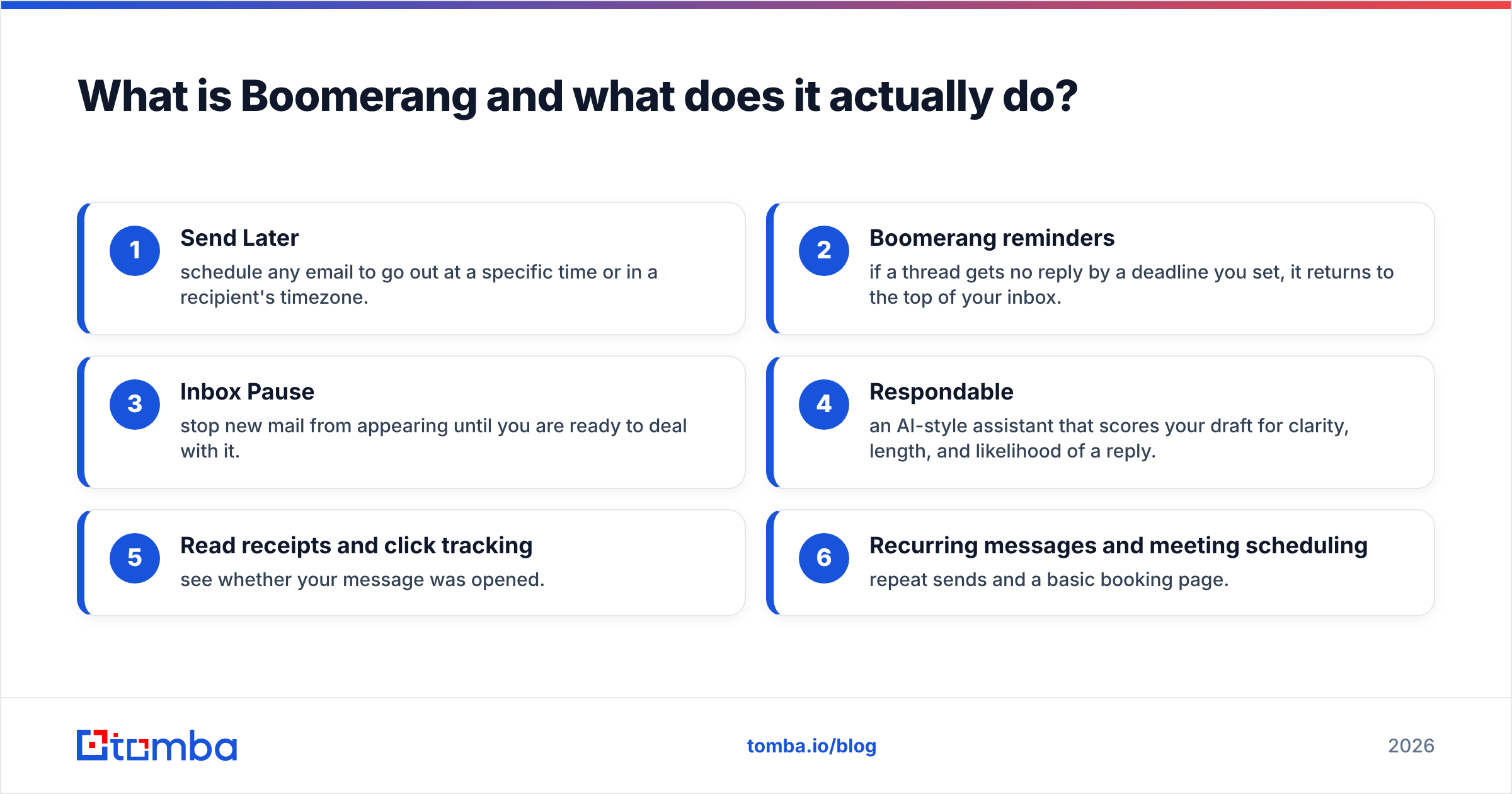
What is Boomerang and what does it actually do?#
Boomerang is a browser-and-mobile add-on that bolts scheduling, reminders, and follow-up tracking onto Gmail and Outlook. Think of it like a sticky-note assistant for your inbox: it does not write your emails or find your prospects, but it makes sure the right message leaves at the right time and that nothing slips through after you hit send.
The core features most reviews focus on:
- Send Later — schedule any email to go out at a specific time or in a recipient's timezone.
- Boomerang reminders — if a thread gets no reply by a deadline you set, it returns to the top of your inbox.
- Inbox Pause — stop new mail from appearing until you are ready to deal with it.
- Respondable — an AI-style assistant that scores your draft for clarity, length, and likelihood of a reply.
- Read receipts and click tracking — see whether your message was opened.
- Recurring messages and meeting scheduling — repeat sends and a basic booking page.
That feature set explains the audience: busy professionals, founders, and sales reps who live in Gmail and want discipline around follow-up. What it is not is a prospecting engine. If you need to know who to email and which address is valid, that is a different category of tool — an email finder — and we will come back to why that distinction matters for the pros-and-cons math.
How much does Boomerang cost in 2026?#
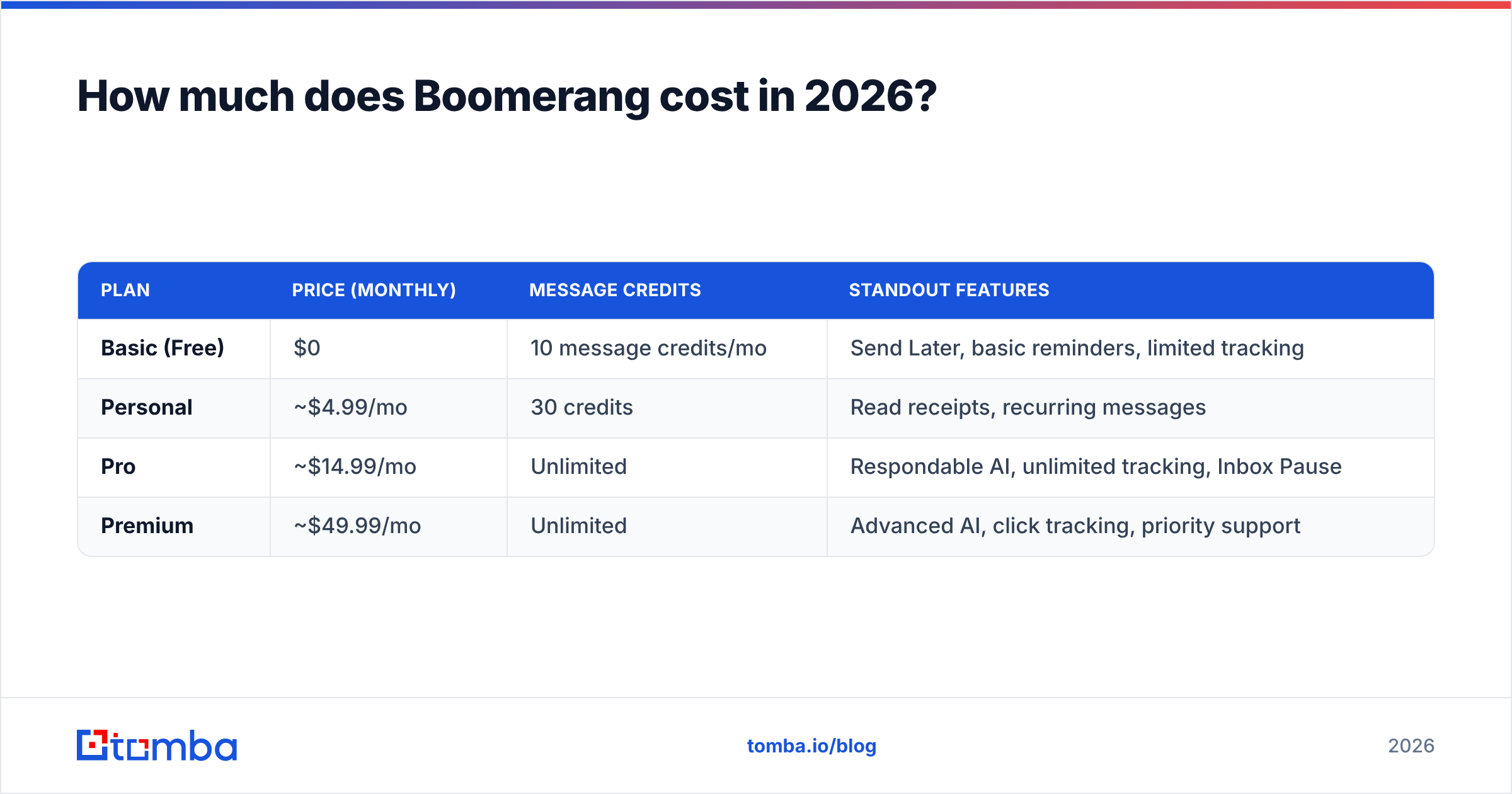
Boomerang uses a freemium model with three main paid tiers for individuals, plus team and Outlook variants. Pricing is per user, per month, and drops if you pay annually. Here are the published consumer plans you will see referenced across most Boomerang pricing reviews.
| Plan | Price (monthly) | Message credits | Standout features |
|---|---|---|---|
| Basic (Free) | $0 | 10 message credits/mo | Send Later, basic reminders, limited tracking |
| Personal | ~$4.99/mo | 30 credits | Read receipts, recurring messages |
| Pro | ~$14.99/mo | Unlimited | Respondable AI, unlimited tracking, Inbox Pause |
| Premium | ~$49.99/mo | Unlimited | Advanced AI, click tracking, priority support |
A few things reviewers consistently flag about this structure:
- The free tier is genuinely limited. Ten "message credits" per month get used up fast if you schedule or set reminders daily, which nudges regular users toward Pro.
- Unlimited tracking only starts at Pro. If read receipts are why you came, you are effectively on a $14.99/mo tool, not a $4.99 one.
- AI quality scales with price. The best Respondable insights and newer AI writing help sit on Premium.
- Annual billing softens the blow but locks you in for a year.
Compare that to a transparent, public price sheet like Tomba pricing — Free at 25 searches/mo, Starter at $49/mo, Growth at $99/mo — and you can see the two tools solve different problems at different price logics. Boomerang charges for inbox behavior; an email finder charges for verified contact data.
What are the pros of Boomerang, according to reviewers?#
The praise is consistent across G2 and Capterra, and it clusters around a few real strengths.
- Send Later is best-in-class. It is reliable, timezone-aware, and the single most-cited reason people pay. Scheduling outreach for a prospect's 9 a.m. instead of your midnight is a measurable open-rate win.
- Follow-up discipline. The "boomerang" reminder is a genuine behavior-changer. Reps stop forgetting the second and third touch — the touches where most replies actually happen.
- Inbox Pause reduces context-switching. Reviewers running deep work describe it as the feature they did not know they needed.
- Respondable nudges better writing. Even skeptics admit the live scoring shortens rambling drafts. If you want to push that further, a dedicated subject line generator pairs well with it.
- Low friction. It installs as an extension and lives inside Gmail, so adoption is fast and training is near-zero.
For an outside reference point, Boomerang's strengths line up with what productivity reviewers on G2 generally reward in email add-ons: reliability, a tight feature focus, and an interface that disappears into the inbox.
What are the cons and common complaints?#
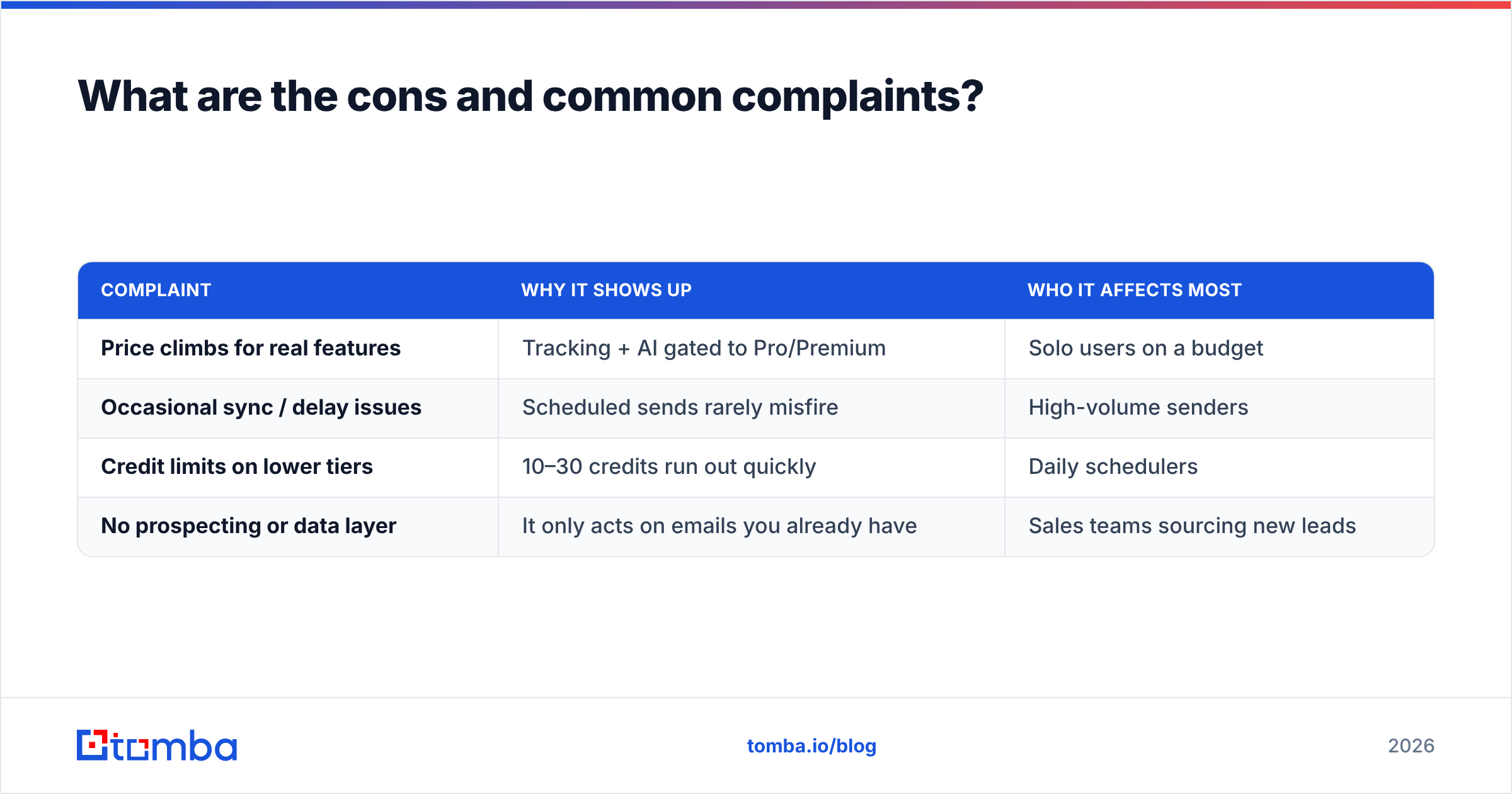
No tool is all upside. The recurring criticisms in Boomerang pricing reviews fall into four buckets.
| Complaint | Why it shows up | Who it affects most |
|---|---|---|
| Price climbs for real features | Tracking + AI gated to Pro/Premium | Solo users on a budget |
| Occasional sync / delay issues | Scheduled sends rarely misfire | High-volume senders |
| Credit limits on lower tiers | 10–30 credits run out quickly | Daily schedulers |
| No prospecting or data layer | It only acts on emails you already have | Sales teams sourcing new leads |
That last row is the one sales leaders underrate. Boomerang makes your follow-up flawless, but it has zero visibility into whether the address you are emailing is real. Schedule a perfect three-touch sequence to a guessed or stale address and Boomerang will dutifully send all three into the void — and a high bounce rate quietly damages your sender reputation, which hurts every future campaign.
This is the core pro-and-con tension: Boomerang optimizes the timing and persistence of outreach, but deliverability and reach depend on data quality it cannot supply. The fix is not to drop Boomerang — it is to put a verification and discovery layer in front of it.

Is Boomerang worth it for sales teams?#
Conclusion first: yes as a follow-up tool, no as a complete outbound stack. For a sales team, Boomerang is one layer of a three-layer problem.
- Find the right contact — you need accurate, current email addresses. That is the job of a tool like the Tomba email finder or domain search, which returns addresses by name or company and shows a confidence score.
- Verify before you send — run the list through an email verifier so you are not scheduling sequences to addresses that will bounce.
- Schedule and follow up — this is where Boomerang shines, sending on time and reminding you to chase non-responders.
Skip step one or two, and Boomerang amplifies a data problem instead of solving it. Use all three, and you have a clean, complete loop: good data in, perfectly timed follow-up out. For teams sourcing at scale, a bulk email finder plus Boomerang covers far more ground than either alone.
A quick reality check on cost: a sales rep paying ~$15/mo for Boomerang Pro but emailing unverified lists is spending money to send faster into spam folders. Adding a verification step is the cheapest deliverability insurance you can buy.
How does Boomerang compare to alternatives?#
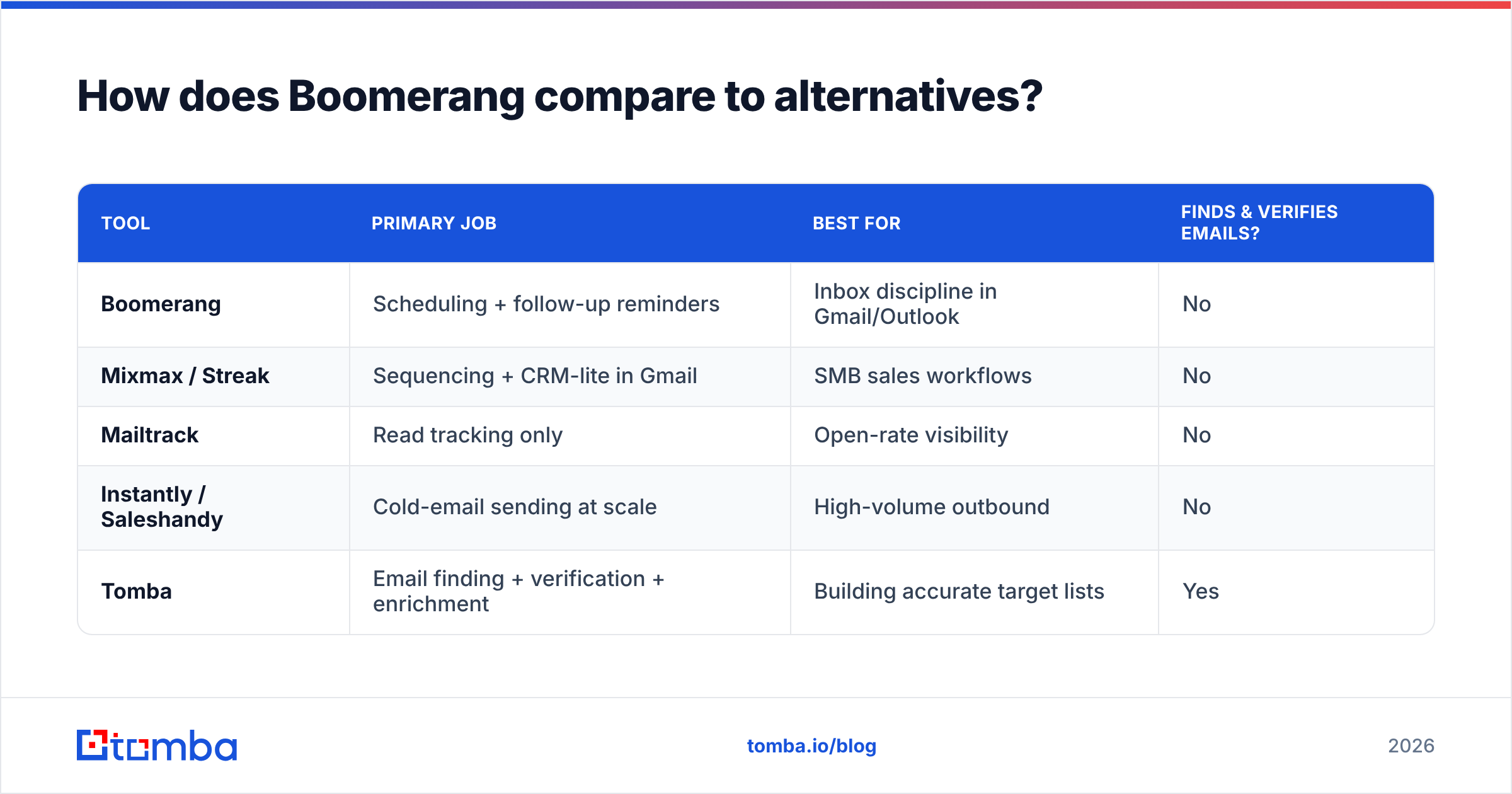
Boomerang is not the only scheduling-and-tracking add-on, and it is frequently confused with full outbound sequencers. Here is where it sits.
| Tool | Primary job | Best for | Finds & verifies emails? |
|---|---|---|---|
| Boomerang | Scheduling + follow-up reminders | Inbox discipline in Gmail/Outlook | No |
| Mixmax / Streak | Sequencing + CRM-lite in Gmail | SMB sales workflows | No |
| Mailtrack | Read tracking only | Open-rate visibility | No |
| Instantly / Saleshandy | Cold-email sending at scale | High-volume outbound | No |
| Tomba | Email finding + verification + enrichment | Building accurate target lists | Yes |
The pattern is clear: scheduling and sequencing tools assume you already have a clean list. None of them generate or validate the underlying data. That is why pairing a finder/verifier with whatever scheduler you prefer beats trying to make one tool do everything. If you are weighing a full sequencer instead, our breakdowns of an Instantly alternative and a Saleshandy alternative cover that trade-off in detail.
For broader category context, Microsoft's own Outlook add-ins documentation shows how scheduling add-ons like Boomerang plug into the host client rather than replace it — reinforcing that they are a layer, not a platform.
Who should buy Boomerang, and who should skip it?#
Buy it if:
- You live in Gmail or Outlook and your biggest leak is forgotten follow-ups.
- You schedule outreach across timezones and want reliable send-later.
- You are a founder or solo seller who values inbox calm (Inbox Pause) over a heavy CRM.
Skip it — or pair it — if:
- You are sourcing brand-new prospects and have no verified contact data yet.
- You need team-wide reporting, lead scoring, or pipeline tracking.
- Your bounce rate is already a problem; fix data quality first.
The honest takeaway from every balanced Boomerang review: it is an excellent, narrow tool. It earns its price for the follow-up problem it solves, and it quietly fails at problems it was never built for. Knowing which is which is the whole game.
The bottom line#
Boomerang's pricing is fair for what it is — a reliable scheduling and follow-up layer that runs roughly $5 to $50 per user per month, with the genuinely useful features starting at Pro. Its pros are timing, persistence, and inbox focus. Its cons are credit limits, feature gating, and a complete blind spot around contact data.
If your follow-up game is solid but your reply rates are low, the problem usually is not your scheduler — it is the list. Start by making sure every address you load is real. Use the Tomba email finder to source verified, scored contacts, then let Boomerang do what it does best: deliver your message at the perfect moment and never let a thread die. Clean data in, disciplined follow-up out — that is the combination that actually books meetings in 2026.
Ready to find emails that actually work?
Join 150,000+ professionals who stopped guessing and started sending. Free credits on signup — no credit card required.
Get the Tomba newsletter
Practical outbound tactics and product updates — once every two weeks.
About the author