Bounceban vs Lusha: Which B2B Data Tool Wins in 2026?
Bounceban verifies catch-all emails; Lusha sells contact data. We compare accuracy, pricing, and workflow fit so you pick the right tool in 2026 — and where Tomba beats both.
TL;DR
- Bounceban and Lusha solve different problems. Bounceban is an email verification tool built to crack catch-all domains; Lusha is a B2B contact database that hands you emails and phone numbers. Comparing them head-to-head only makes sense once you know which job you're hiring for.
- Bounceban wins on catch-all verification depth — it's purpose-built to predict whether a risky catch-all address will actually bounce.
- Lusha wins on raw contact discovery — a large prospect database, a slick Chrome extension, and decent phone coverage for US-heavy lists.
- Neither does the whole job alone. If you find with Lusha, you still need verification; if you verify with Bounceban, you still need data to verify.
- A combined finder + verifier stack (like Tomba Email Finder plus its built-in email verifier) usually beats running two single-purpose tools and reconciling them by hand.
What is Bounceban?#
Bounceban is an email verification service with one headline specialty: catch-all (accept-all) domains. A catch-all server accepts every address you throw at it during the SMTP handshake, so traditional verifiers shrug and return "unknown." Bounceban's pitch is that it uses additional signals and proprietary checks to predict whether that catch-all address is a real, deliverable mailbox or a trap that will bounce.
Think of a catch-all domain like a building lobby that lets everyone in the front door. A normal verifier only checks if the door opens — Bounceban tries to confirm there's an actual office behind the name on the directory.
It's a focused tool. You feed it addresses, it grades them. It does not build prospect lists, find emails by name, or enrich records with firmographics. That narrow scope is a strength for accuracy and a weakness for anyone who needs the full prospecting workflow in one place.
What is Lusha?#
Lusha is a B2B contact-data platform. Its core value is the database: you search by person or company (or scrape a LinkedIn profile with the browser extension) and Lusha returns work emails, direct dials, and basic company data. It leans heavily on a Chrome extension workflow that sales reps love because it sits right on top of LinkedIn and company sites.
Lusha's strengths are discovery and phone coverage, particularly for North American contacts. Its weaknesses are the usual data-vendor problems: coverage thins out internationally, credit-based pricing gets expensive at scale, and the emails it returns still need verifying before you send. Lusha does some validation, but it is fundamentally a data provider, not a deliverability tool.
)
Bounceban vs Lusha: what's the real difference?#
Here's the core distinction in one line: Bounceban tells you if an email will land; Lusha tells you the email exists in the first place. One is a verifier, the other is a finder/database. They sit at opposite ends of the same pipeline.
The four practical differences that matter when you choose:
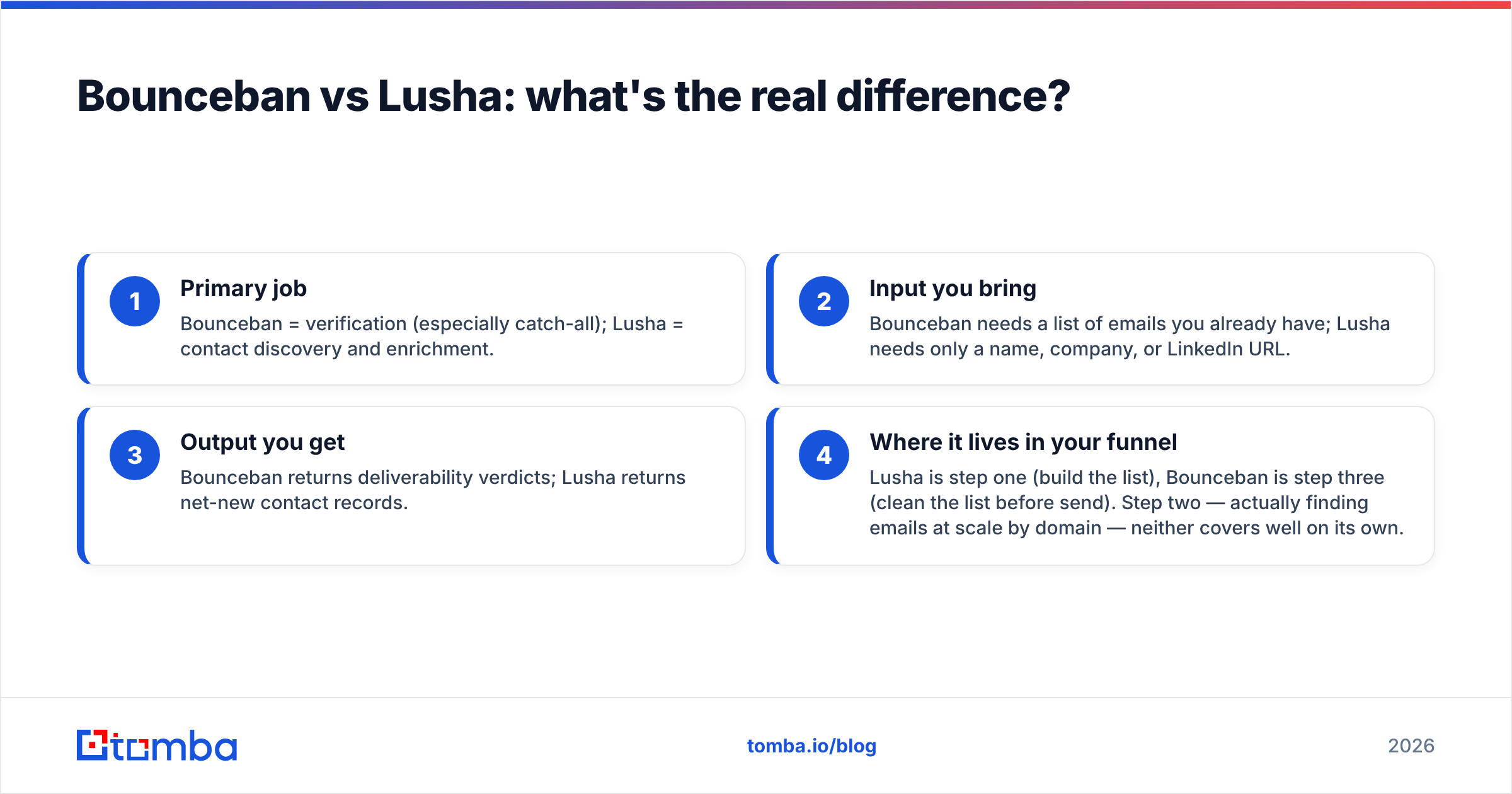
- Primary job — Bounceban = verification (especially catch-all); Lusha = contact discovery and enrichment.
- Input you bring — Bounceban needs a list of emails you already have; Lusha needs only a name, company, or LinkedIn URL.
- Output you get — Bounceban returns deliverability verdicts; Lusha returns net-new contact records.
- Where it lives in your funnel — Lusha is step one (build the list), Bounceban is step three (clean the list before send). Step two — actually finding emails at scale by domain — neither covers well on its own.
That ordering is why a lot of teams end up paying for both. And it's exactly the gap a combined platform is designed to close.
How do Bounceban and Lusha compare on features and pricing?#
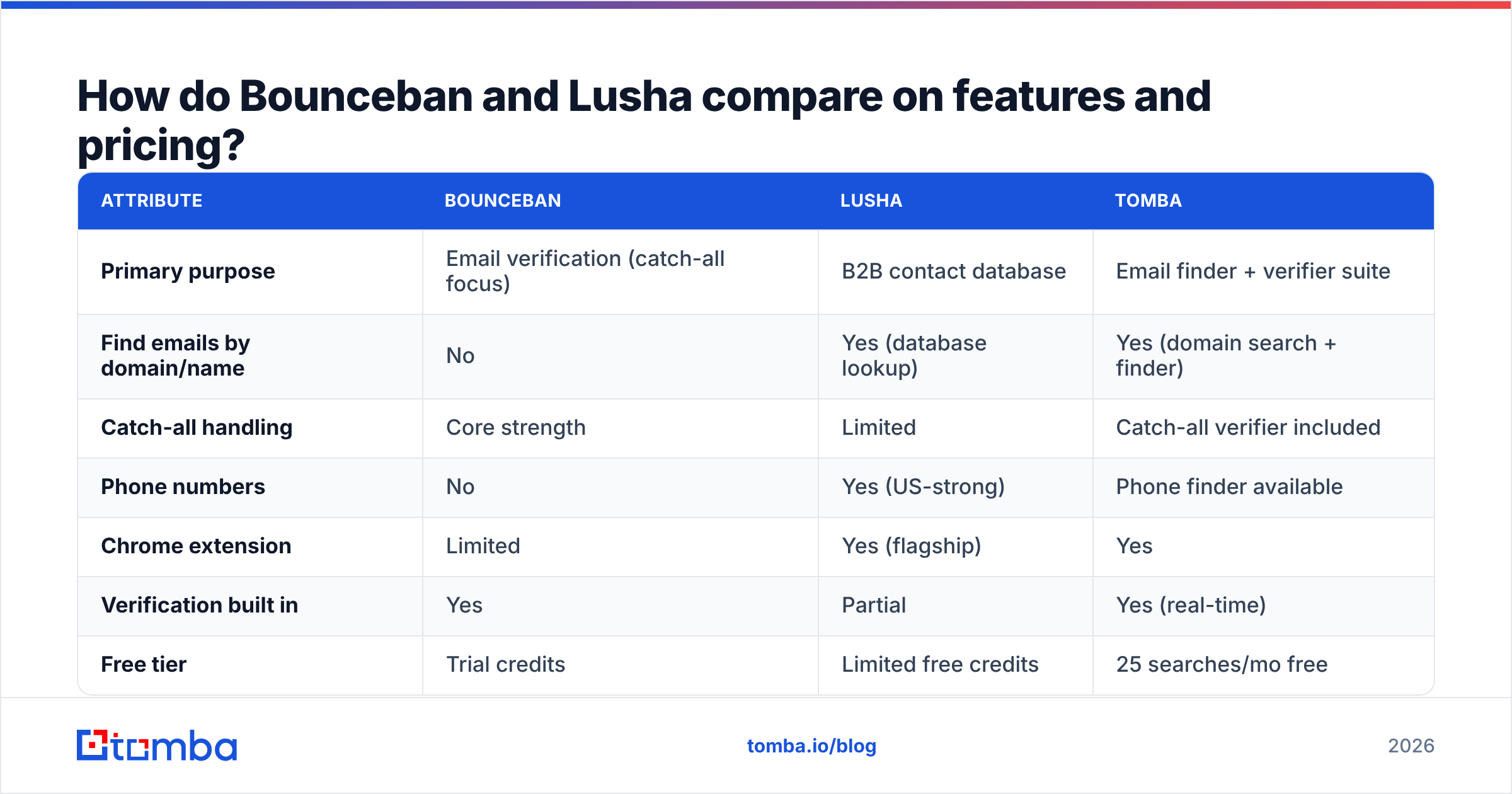
Pricing for both tools shifts with promotions and credit bundles, so treat the figures below as directional and confirm on each vendor's site before you buy. The point of the table is the shape of each tool, not a penny-exact quote.
| Attribute | Bounceban | Lusha | Tomba |
|---|---|---|---|
| Primary purpose | Email verification (catch-all focus) | B2B contact database | Email finder + verifier suite |
| Find emails by domain/name | No | Yes (database lookup) | Yes (domain search + finder) |
| Catch-all handling | Core strength | Limited | Catch-all verifier included |
| Phone numbers | No | Yes (US-strong) | Phone finder available |
| Chrome extension | Limited | Yes (flagship) | Yes |
| Verification built in | Yes | Partial | Yes (real-time) |
| Free tier | Trial credits | Limited free credits | 25 searches/mo free |
| Entry paid plan | Credit packs (varies) | ~$36+/user/mo (annual) | $49/mo Starter |
| Best for | Cleaning risky lists | Prospect discovery | End-to-end find + verify |
A few honest caveats. Lusha's lowest published price can look cheaper per seat, but it's credit-metered — heavy users blow through allowances fast, and the effective cost climbs. Bounceban's credit packs are economical if verification is all you need, but you're then maintaining a second subscription for whatever finds the emails. Check current numbers on the Lusha and Bounceban sites and read recent reviews on G2 before committing — credit definitions change.
Which is more accurate for catch-all and deliverability?#
For catch-all verdicts specifically, Bounceban is the stronger of the two — that's its entire reason to exist, and Lusha doesn't pretend to compete there. If your only problem is "I have 50,000 addresses and a third of them are catch-all, which can I safely email?", Bounceban is a sensible specialist pick.
But accuracy is a pipeline property, not a single-tool property. A verified address is only as good as the source that produced it. If Lusha hands you a stale email from a contact who changed jobs in 2024, even a perfect verifier can only confirm that the old mailbox still accepts mail — not that you're reaching the right person. Garbage in, verified garbage out.
That's why serious deliverability work treats finding, verifying, and monitoring as one loop. Strong email deliverability comes from clean sourcing plus verification plus sender hygiene — not from bolting a catch-all checker onto a stale list. If you want to go deeper on the mechanics, our email verifier page breaks down how real-time SMTP checks and catch-all detection work together rather than as separate purchases.
When should you choose Bounceban, Lusha, or something else?#
Match the tool to the job. Here's the decision in plain terms:
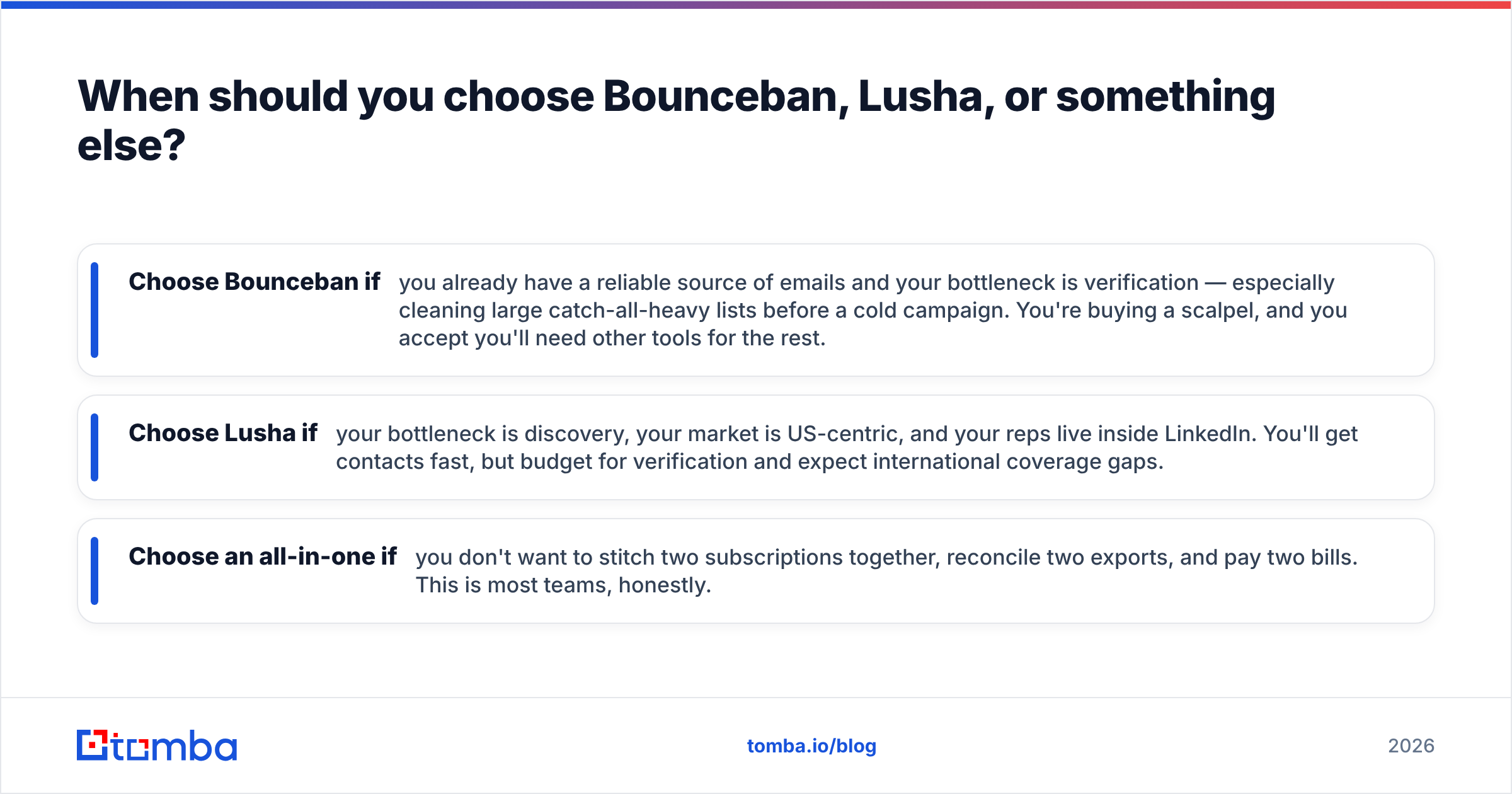
- Choose Bounceban if you already have a reliable source of emails and your bottleneck is verification — especially cleaning large catch-all-heavy lists before a cold campaign. You're buying a scalpel, and you accept you'll need other tools for the rest.
- Choose Lusha if your bottleneck is discovery, your market is US-centric, and your reps live inside LinkedIn. You'll get contacts fast, but budget for verification and expect international coverage gaps.
- Choose an all-in-one if you don't want to stitch two subscriptions together, reconcile two exports, and pay two bills. This is most teams, honestly.
)
The hidden tax of the Bounceban-plus-Lusha approach is integration overhead. You export from Lusha, import to Bounceban, push the survivors to your sequencer, and hope the CSVs line up. Every handoff is a place for data to rot or duplicate. A unified platform with a bulk email finder and verification in the same run removes those seams.
How does Tomba compare to Bounceban and Lusha?#
Tomba is built to cover the whole span these two tools split between them: find the email, verify it, and enrich the record — in one workflow. Instead of choosing between "a verifier" and "a database," you get a finder, a verifier, a domain search, a catch-all verifier, and a phone finder under one roof.
Where the others specialize, Tomba generalizes without forcing you to give up depth:
- Versus Bounceban: Tomba includes catch-all verification and the finding step that produces the addresses in the first place, so you're not buying a verifier that has nothing to verify until another tool runs.
- Versus Lusha: Tomba's domain search pulls company emails directly by pattern and source, then verifies them in the same pass — so what lands in your CRM is already checked, not a raw export you still have to clean.
- On pricing transparency: Tomba's plans are public and predictable — Free (25 searches/mo), Starter $49/mo, Growth $99/mo, Pro $249/mo, and custom Enterprise. No mystery credit math. See the full Tomba pricing breakdown.
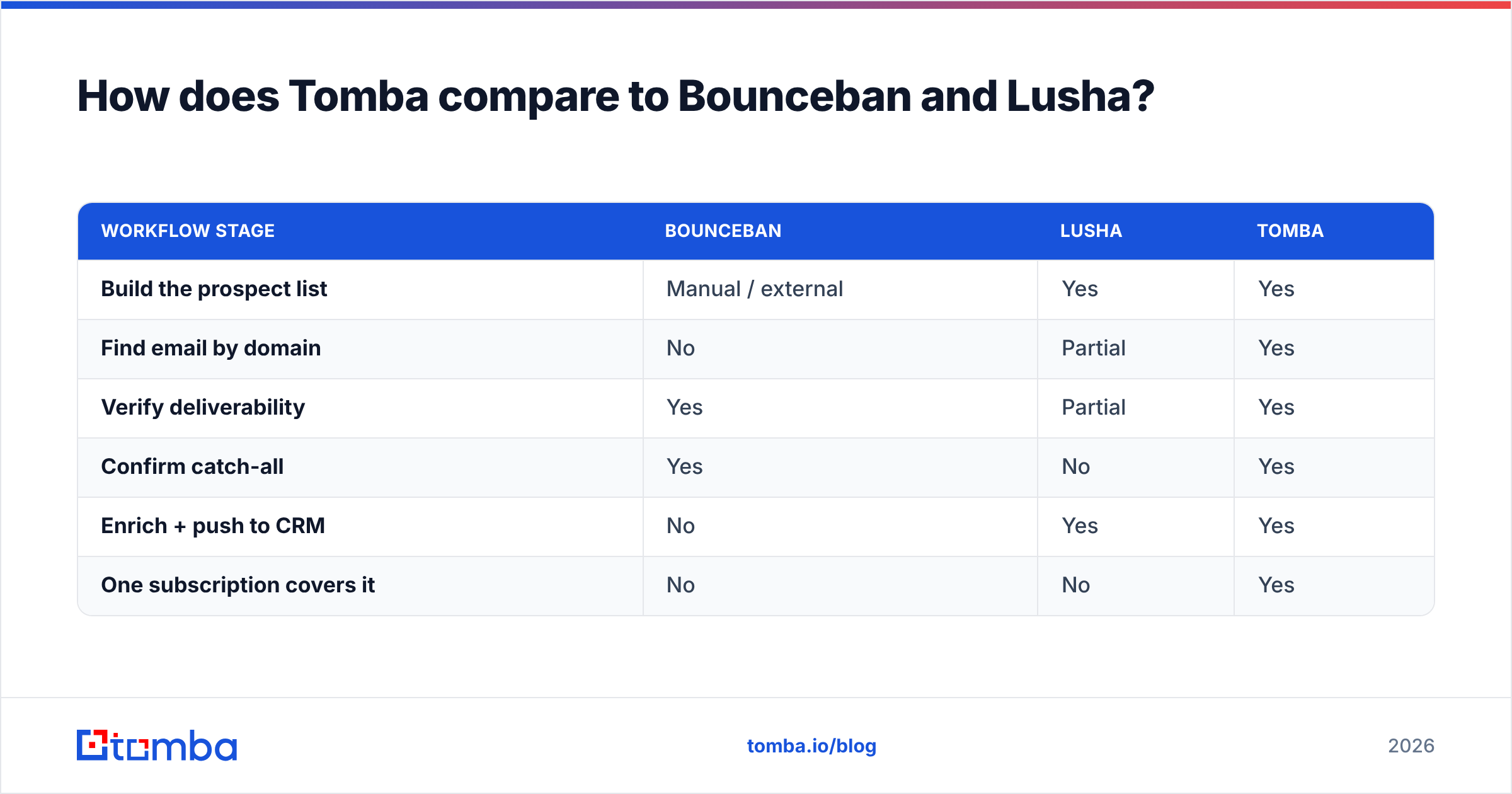
| Workflow stage | Bounceban | Lusha | Tomba |
|---|---|---|---|
| Build the prospect list | Manual / external | Yes | Yes |
| Find email by domain | No | Partial | Yes |
| Verify deliverability | Yes | Partial | Yes |
| Confirm catch-all | Yes | No | Yes |
| Enrich + push to CRM | No | Yes | Yes |
| One subscription covers it | No | No | Yes |
None of this means Bounceban or Lusha are bad tools — they're good at what they narrowly do. It means that if you'd otherwise buy both to cover the gap between them, a single suite is usually cheaper, faster, and less error-prone. For developers, the same capabilities are available through the Tomba API, so you can wire find-and-verify directly into your own pipeline.
Frequently asked questions#
Is Bounceban a Lusha competitor? Not really. They're often compared because both touch email data, but Bounceban verifies emails (with a catch-all specialty) while Lusha finds and supplies contact data. They're complementary steps in the same funnel more than direct rivals.
Can Bounceban find email addresses? No. Bounceban verifies addresses you already have. To find new emails by name or domain, you need a finder or a database like Lusha — or an all-in-one tool such as Tomba.
Does Lusha verify the emails it provides? Lusha does some validation, but it's a data provider first. For cold outreach you should still run its emails through a dedicated verifier to protect your sender reputation.
What's the cheapest way to both find and verify emails? Running two single-purpose tools usually costs more than one suite once you count credits and seats. A combined platform that finds and verifies in the same run — starting at $49/mo on Tomba — typically wins on total cost and on accuracy.
Are these tools GDPR-compliant? All three publish compliance documentation, but responsibility for lawful use sits with you. Review each vendor's data-processing terms and your own legal basis before prospecting in regulated regions.
The bottom line#
Bounceban and Lusha each do one thing well — verification and discovery, respectively — and neither does the other's job. If you only ever need one of those, buy the specialist. But most outbound teams need both, and stitching two credit-metered subscriptions together quietly costs more than it looks.
If you'd rather find, verify, and enrich in a single workflow with transparent pricing, start with the Tomba Email Finder. Pull company emails by domain, confirm catch-alls, and push clean contacts straight into your sequencer — without reconciling two exports or paying two bills. The free tier gives you 25 searches a month to test it against whatever stack you're running today.
// get started
Find, verify and enrich your first contacts today
Start on the free plan with 25 searches a month, then scale when your team is ready.
Free plan · No credit card required · GDPR & CCPA
// about the author