Bounceban vs Nymeria 2026: Which Email Tool Wins?
Bounceban verifies emails, Nymeria finds them. We compare accuracy, pricing, and features in 2026 so you know which tool fits your B2B workflow — and where one platform beats both.
Bounceban vs Nymeria is a slightly unfair fight, because the two tools do different jobs. Bounceban verifies whether an email address is deliverable. Nymeria finds email addresses and contact data in the first place. If you only compare them on price, you miss the point. If you compare them on workflow, you realize most teams end up paying for both — when one platform could cover the whole job.
TL;DR — Bounceban vs Nymeria at a glance#
- Bounceban is an email verifier. Its strength is catch-all and risky-domain validation, where most verifiers guess.
- Nymeria is an email finder and enrichment tool, built around LinkedIn prospecting and a Chrome extension.
- They solve opposite halves of the same problem, so picking "the winner" depends on whether your bottleneck is finding contacts or cleaning them.
- Buying both means two subscriptions, two dashboards, and two billing cycles.
- A combined platform like Tomba does find + verify + enrich in one place, starting at $49/mo — which is why we cover it as the tie-breaker.
What is Bounceban?#
Bounceban is a real-time email verification service. You feed it an address (or a list), and it tells you whether sending to that address is safe, risky, or guaranteed to bounce. Its headline feature is catch-all verification: domains configured to accept every address at the SMTP layer, which most verifiers simply mark "unknown" and move on.
That matters because catch-all domains are everywhere in B2B. A verifier that punts on them leaves you guessing on a large slice of your list. Bounceban leans into that gap and markets accuracy on exactly the addresses other tools skip.
What Bounceban does not do is find emails. It assumes you already have a list. If your prospecting motion is "scrape LinkedIn, then validate," Bounceban is the second step, not the first. You can read more about why catch-all handling is hard on our catch-all verifier page.
What is Nymeria?#
Nymeria is a contact-data and enrichment platform aimed at recruiters and salespeople who live inside LinkedIn. Its Chrome extension surfaces a person's email and phone number while you browse a profile, and its enrichment API attaches contact data to records you already have.
Nymeria's core value is discovery: turning a name and a company into a reachable email. It also does light verification on the data it returns, but verification is a side effect of finding, not the main product. If your bottleneck is "I don't have anyone's email yet," Nymeria is built for you.
The trade-off is that a finder's verification is usually shallower than a dedicated verifier's. Finders optimize for coverage (return an address) while verifiers optimize for precision (prove the address is real). That's the structural reason teams pair a tool like Nymeria with a tool like Bounceban — and why a single platform that does both well is worth a look.

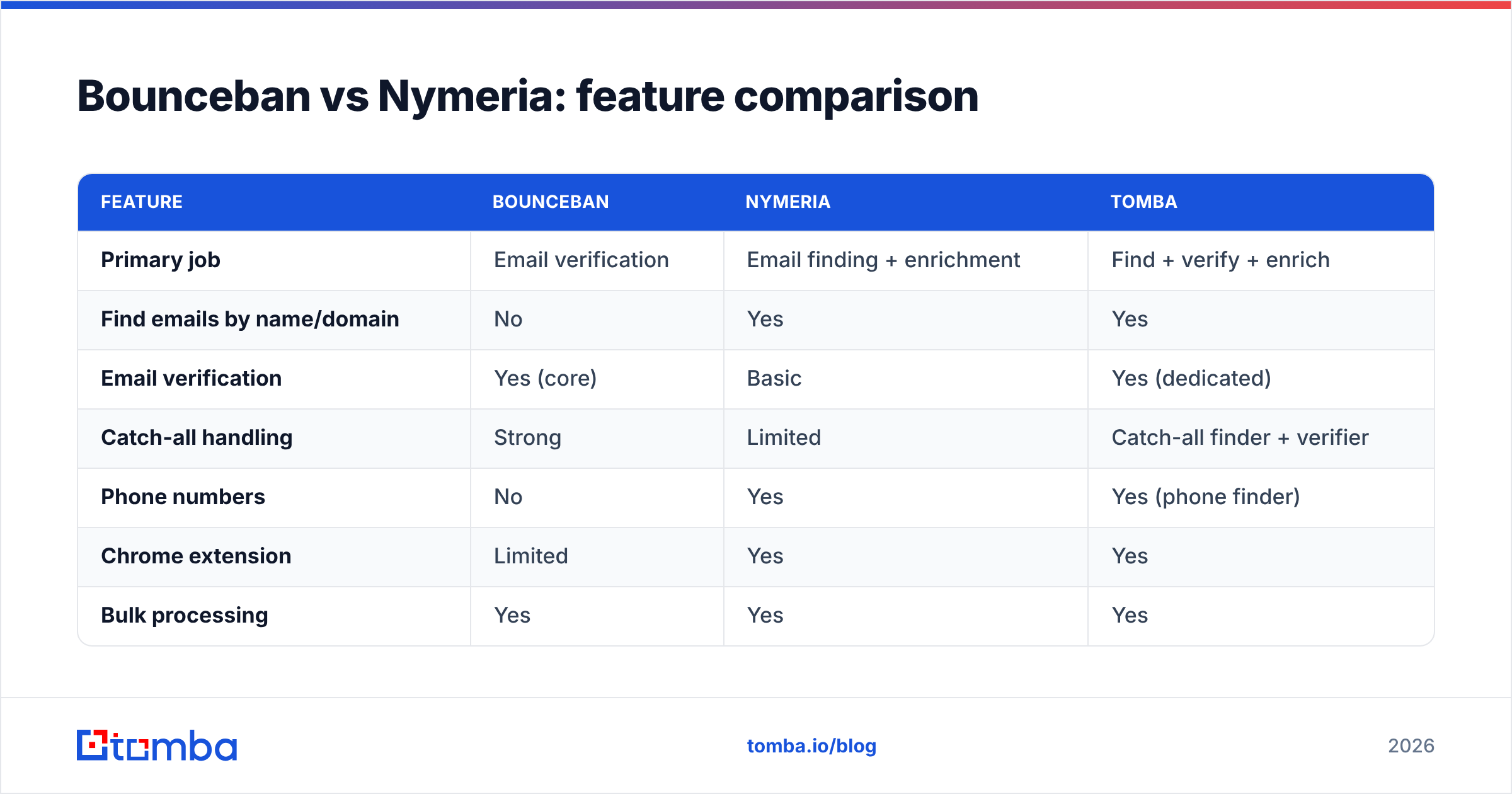
Bounceban vs Nymeria: feature comparison#
Here is the side-by-side. Pricing for third-party tools moves often, so treat the figures as directional and confirm on each vendor's site before you buy.
| Feature | Bounceban | Nymeria | Tomba |
|---|---|---|---|
| Primary job | Email verification | Email finding + enrichment | Find + verify + enrich |
| Find emails by name/domain | No | Yes | Yes |
| Email verification | Yes (core) | Basic | Yes (dedicated) |
| Catch-all handling | Strong | Limited | Catch-all finder + verifier |
| Phone numbers | No | Yes | Yes (phone finder) |
| Chrome extension | Limited | Yes | Yes |
| Bulk processing | Yes | Yes | Yes |
| Free tier | Limited credits | Limited credits | 25 searches/mo |
| Public API | Yes | Yes | Yes |
| Entry paid price | ~ low-tier monthly | ~$39/mo region | $49/mo |
The pattern is clear: Bounceban owns the right column of the workflow, Nymeria owns the left column, and a unified tool spans both. If you only do one of those two jobs, a specialist is fine. The moment you need both, you're managing two vendors.
Is Bounceban better than Nymeria?#
It depends on which problem is actually costing you money. Bounceban is better if your lists already exist and your pain is bounce rate, sender reputation, and inbox placement. Nymeria is better if your pain is that you can't reach people at all because you don't have their addresses.
Use Bounceban when:
- You import lead lists from events, partners, or scrapers and need to clean them.
- Your domain reputation is slipping and bounces are the cause.
- You hit a lot of catch-all domains and need real answers, not "unknown."
- You already have a finder you like and just want verification.
Use Nymeria when:
- You prospect inside LinkedIn and want emails without leaving the profile.
- You need phone numbers alongside emails for multi-channel outreach.
- You're enriching a CRM full of records that are missing contact fields.
- Discovery, not list hygiene, is your blocker.
Notice that neither bullet list covers the whole outbound motion. Real campaigns need discovery and hygiene. That's the gap the next section addresses.
Why do teams end up buying both?#
Because a healthy outbound process is a pipeline, not a single step. You find a prospect, verify the address, enrich the record, then send. Nymeria nails step one. Bounceban nails step two. Run them together and you've duct-taped a workflow across two products — two logins, two API keys, two invoices, and two support queues.
That stack works, but it's expensive and brittle. Credits don't pool. A finder might return an address that your separate verifier then rejects, so you paid for a lookup you can't use. And every integration seam is a place for data to drift or break.
This is exactly the case for a consolidated tool. With one platform you find an email, verify it in the same call, and enrich it without exporting a CSV in between. Our email finder and email verifier run on the same data layer, so a verified result is the output of the find, not a second purchase.
How does Tomba compare to Bounceban and Nymeria?#
Tomba is the tie-breaker because it refuses to pick a lane. It finds emails by name, domain, or company; verifies them, including catch-all domains; pulls phone numbers; and enriches records — all from one account.
Here's the head-to-head on the dimensions that actually decide a purchase:
- Coverage breadth. Bounceban does verification only. Nymeria does finding plus light verification. Tomba does finding, verification, data enrichment, and phone lookup in a single workflow.
- Catch-all reality. Both Bounceban and Tomba treat catch-all domains as a first-class problem rather than an "unknown." Nymeria, as a finder, is weaker here.
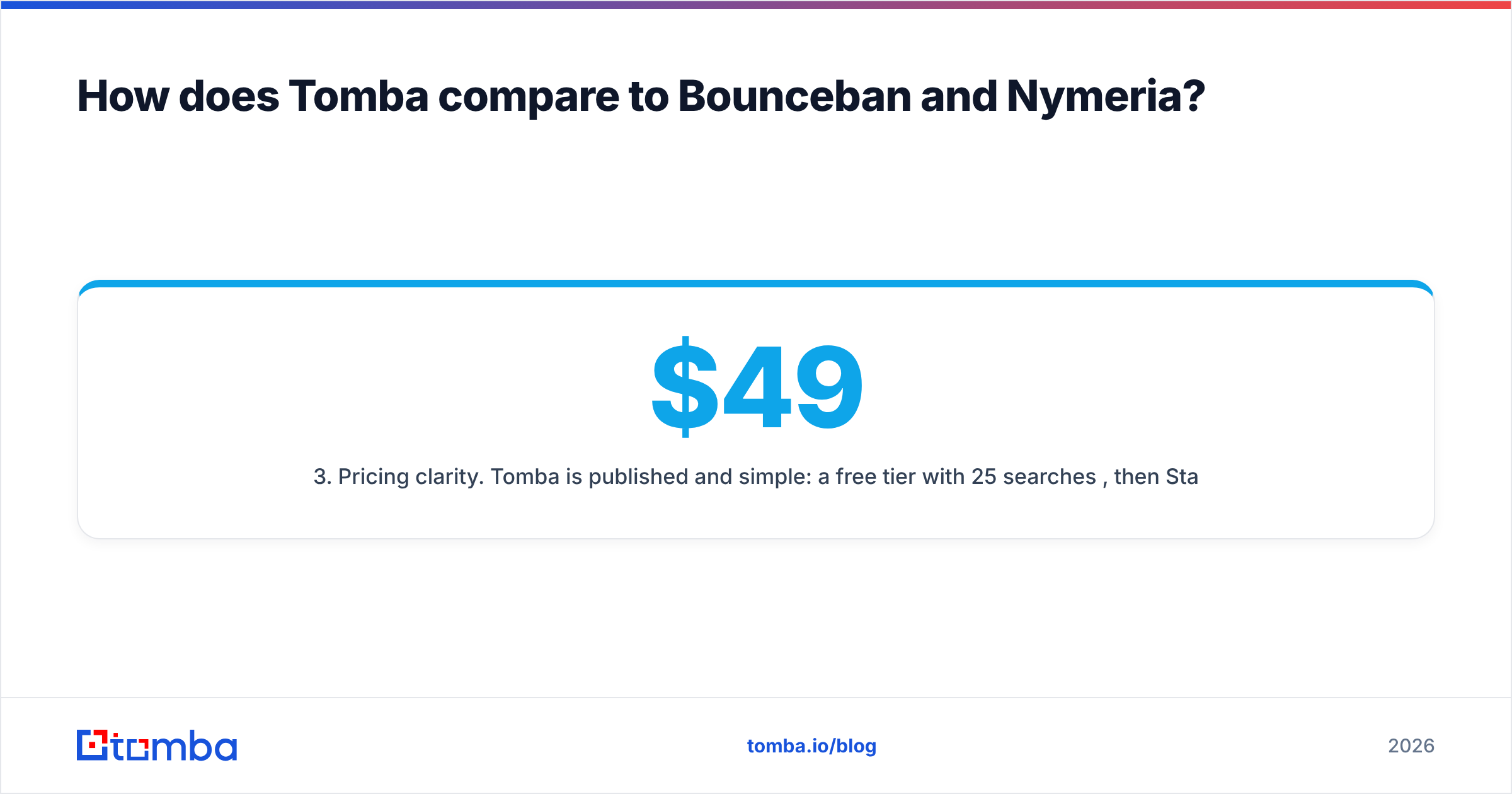
- Pricing clarity. Tomba is published and simple: a free tier with 25 searches per month, then Starter at $49/mo, Growth at $99/mo, and Pro at $249/mo. See full Tomba pricing for the breakdown.
- Developer surface. All three offer APIs, but Tomba ships an email finder API, a CLI, browser extensions, and spreadsheet add-ins, so it drops into whatever you already use.
- One bill. The biggest practical win: you replace two subscriptions with one, and your credits pool across find and verify instead of being stranded in separate tools.
To be fair to the specialists: if you only verify lists and never prospect, Bounceban's focus is genuine and worth it. If you only prospect inside LinkedIn and don't care about deep verification, Nymeria's extension is slick. Tomba wins when you do both — which is most B2B teams.
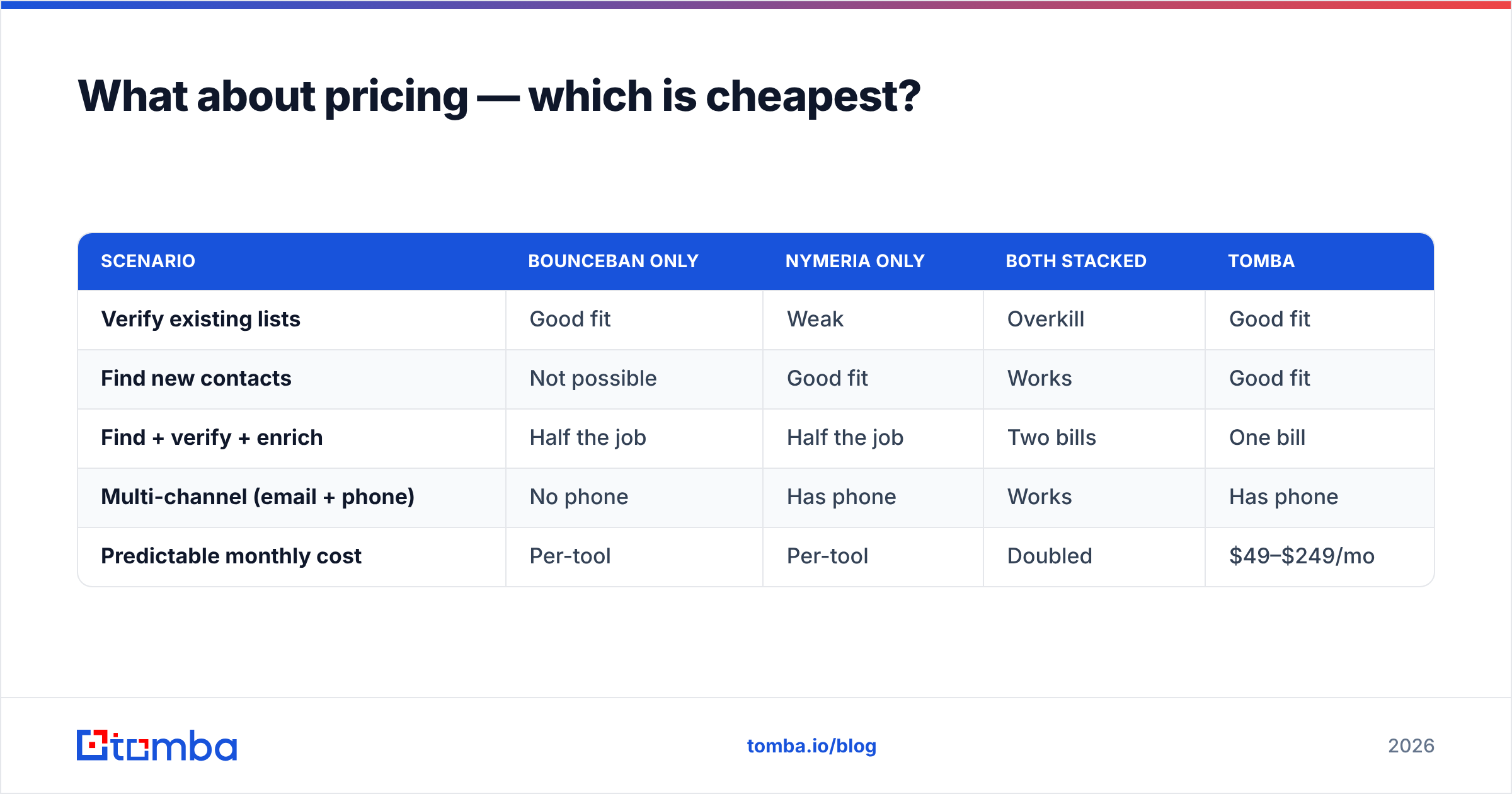
What about pricing — which is cheapest?#
Cheapest-per-tool and cheapest-per-outcome are different questions. A standalone verifier looks cheap until you add the finder you also need. A standalone finder looks cheap until your bounce rate tanks deliverability and you bolt on a verifier.
| Scenario | Bounceban only | Nymeria only | Both stacked | Tomba |
|---|---|---|---|---|
| Verify existing lists | Good fit | Weak | Overkill | Good fit |
| Find new contacts | Not possible | Good fit | Works | Good fit |
| Find + verify + enrich | Half the job | Half the job | Two bills | One bill |
| Multi-channel (email + phone) | No phone | Has phone | Works | Has phone |
| Predictable monthly cost | Per-tool | Per-tool | Doubled | $49–$249/mo |
The honest takeaway: for a single, narrow job, a specialist can be marginally cheaper. For the realistic end-to-end job, consolidating is cheaper and simpler. Independent reviews on G2 are a good sanity check on how each tool's real users describe value versus price.
How to choose in 2026#
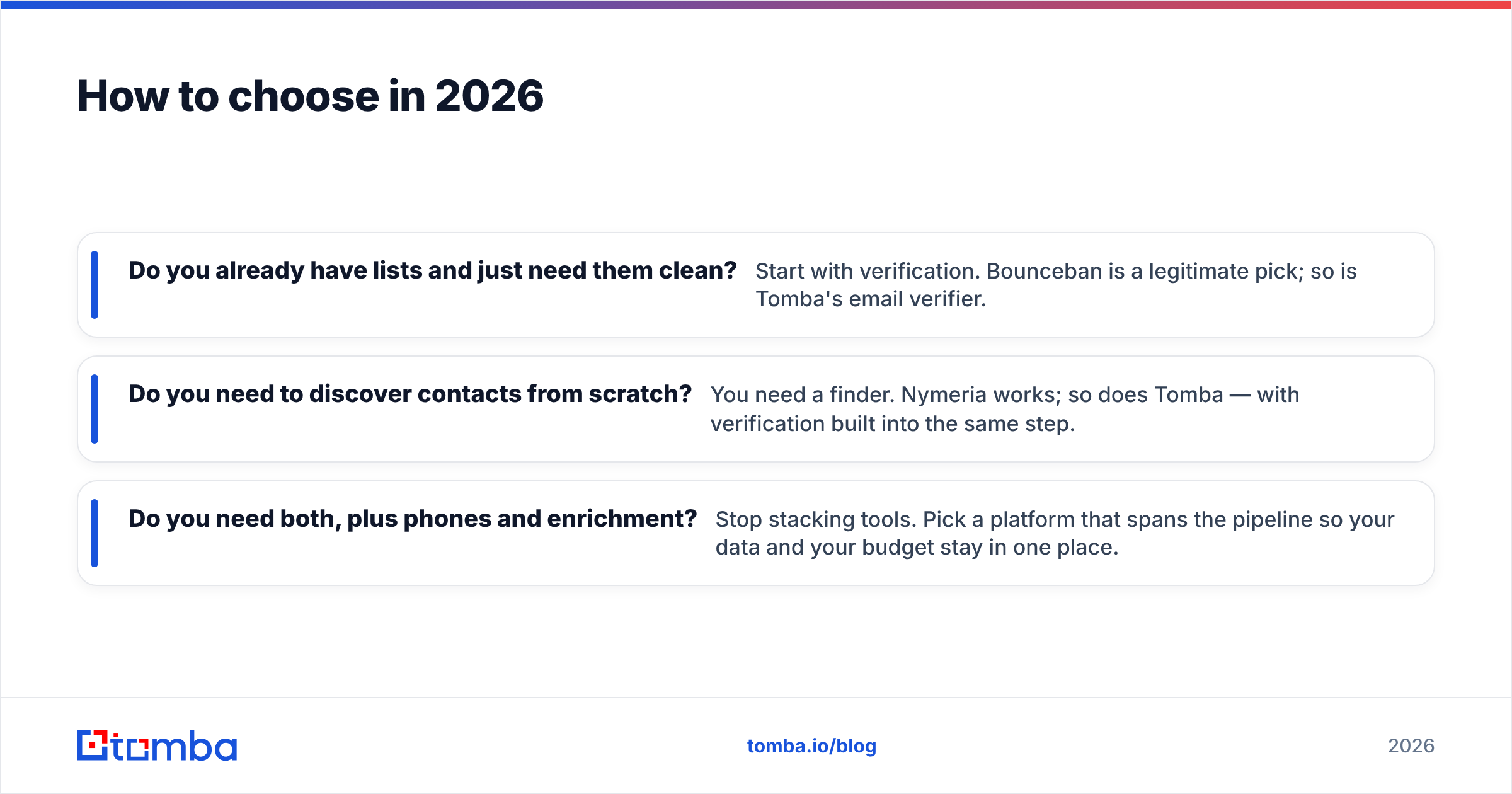
Run this quick test before you spend a dollar:
- Do you already have lists and just need them clean? Start with verification. Bounceban is a legitimate pick; so is Tomba's email verifier.
- Do you need to discover contacts from scratch? You need a finder. Nymeria works; so does Tomba — with verification built into the same step.
- Do you need both, plus phones and enrichment? Stop stacking tools. Pick a platform that spans the pipeline so your data and your budget stay in one place.
Don't over-index on a single benchmark number, either. Accuracy claims vary by data set, region, and how each vendor counts "valid." Test on your list — every tool here offers a free tier or trial, so validate against domains you actually email before committing.
You can verify the specifics straight from the source: Bounceban and Nymeria both publish current pricing and feature pages, and they update them more often than any third-party post can keep up with.
The bottom line#
Bounceban and Nymeria aren't really competitors — they're two halves of the same workflow. Bounceban is the better verifier. Nymeria is the better finder. Choose the specialist that matches your single biggest bottleneck, and you'll be happy with either.
But if your bottleneck is the whole pipeline — find, verify, enrich, reach — buying two tools is the expensive way to solve it. Tomba does the entire job in one account: find professional emails by name, domain, or company, verify them (catch-alls included), and enrich the record, starting free and scaling to $49/mo when you're ready. Spin up the Tomba Email Finder, run it against your next list, and see how much of your two-tool stack you can retire in an afternoon.
// get started
Find, verify and enrich your first contacts today
Start on the free plan with 25 searches a month, then scale when your team is ready.
Free plan · No credit card required · GDPR & CCPA
// about the author