Bounceless vs ContactOut 2026: Verify and Find Emails
Bounceless verifies email lists; ContactOut finds contact data. We break down accuracy, pricing, and use cases so you pick the right tool in 2026 — plus where one platform beats running both.
Bounceless and ContactOut get lumped together as "email tools," but they solve opposite halves of the same problem. One cleans the list you already have. The other builds the list in the first place. Picking between them without knowing which half you actually need is how teams end up paying for two subscriptions to do one job.
This guide breaks down what each tool does, where it's strong, where it falls short, and which one belongs in your 2026 stack — or whether a single platform can replace both.
TL;DR#
- Bounceless is an email verifier. It takes a list you already have and tells you which addresses are valid, risky, or dead. It does not find new contacts.
- ContactOut is a contact finder. It pulls emails and phone numbers from LinkedIn profiles and a B2B database. Verification is a secondary feature, not its core.
- They're complementary, not interchangeable. If you're choosing "one or the other," you've probably mis-scoped the problem.
- Pricing favors different buyers: Bounceless is volume-based pay-as-you-go for cleaning; ContactOut is seat-based for prospecting, and gets expensive fast.
- An all-in-one like Tomba finds and verifies in one workflow, which removes the export-import shuffle between two vendors.
What Does Bounceless Do?#
Bounceless is a dedicated email verification service. You upload a list — from a webform, an old CRM export, a purchased database — and it runs each address through a series of checks: syntax, domain and MX records, SMTP handshake, and flags for disposable domains, role accounts (info@, sales@), and spam traps.
The output is a cleaned list bucketed into deliverable, risky, and undeliverable. The goal is simple: protect your sender reputation by not mailing addresses that bounce.
Think of Bounceless like a bouncer at a club door. It doesn't bring guests to your party — it just checks IDs and turns away the ones that don't belong. That's valuable, but only if you already have a guest list.
Where Bounceless is strong:
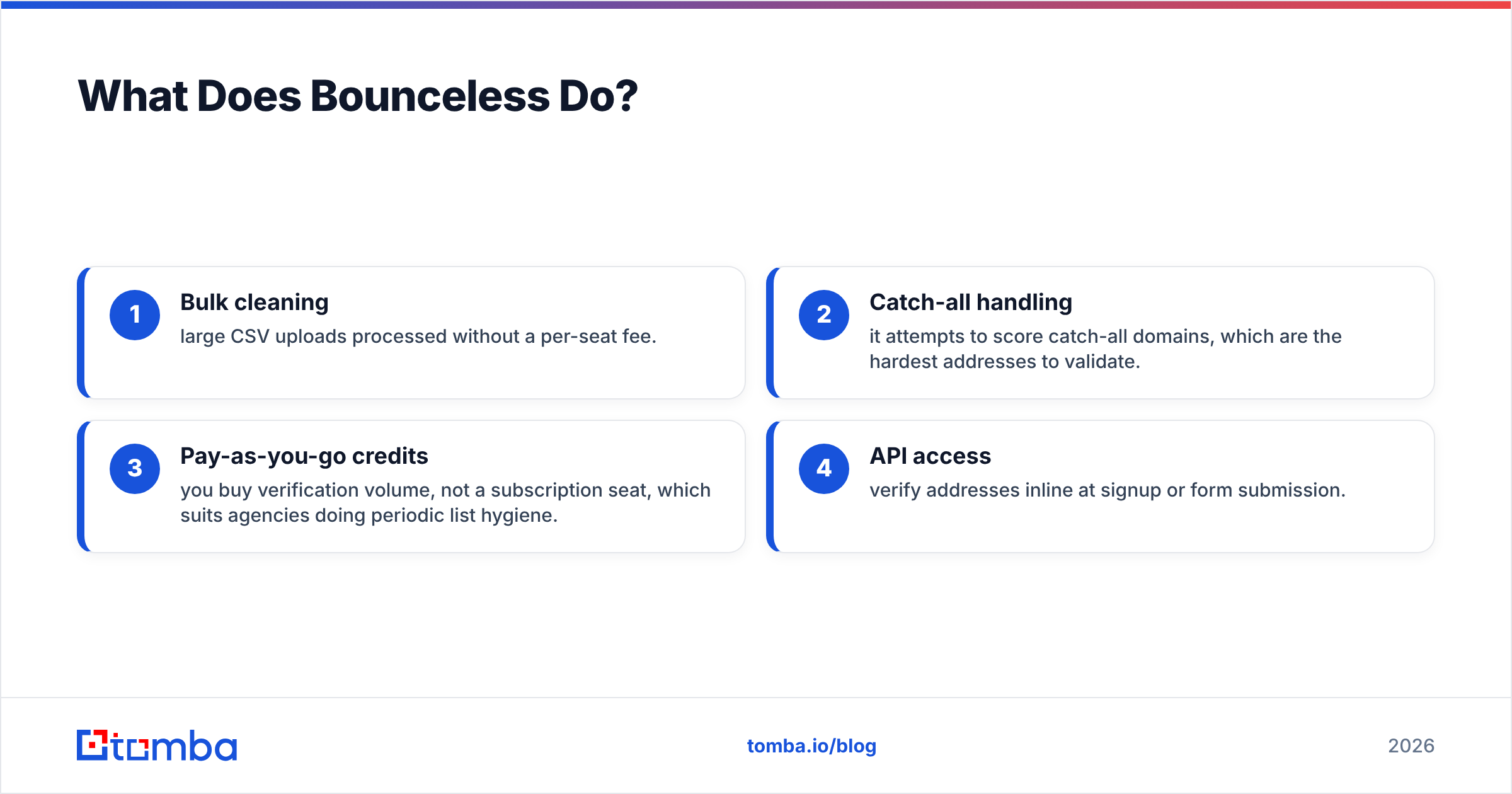
- Bulk cleaning — large CSV uploads processed without a per-seat fee.
- Catch-all handling — it attempts to score catch-all domains, which are the hardest addresses to validate.
- Pay-as-you-go credits — you buy verification volume, not a subscription seat, which suits agencies doing periodic list hygiene.
- API access — verify addresses inline at signup or form submission.
What Bounceless does not do: it won't find a single new email address. If your pipeline is empty, a verifier has nothing to work on.

What Does ContactOut Do?#
ContactOut sits on the opposite side. It's a prospecting tool built around a Chrome extension that surfaces personal and work emails plus phone numbers while you browse LinkedIn profiles. It also offers a searchable B2B database and bulk export for building lead lists at scale.
ContactOut's pitch is coverage of personal emails — the Gmail and Outlook addresses that recruiters and some sales teams want when work emails bounce or go unread. That coverage is its differentiator and also its compliance question mark, depending on your region and use case.
Where ContactOut is strong:
- LinkedIn-native workflow — find contacts where prospecting actually happens.
- Personal + work email coverage — useful for recruiting and hard-to-reach buyers.
- Phone numbers — direct dials alongside emails.
- Built-in verification — it claims to validate addresses before surfacing them, so you're not always running a separate cleaner.
ContactOut's weak spots: pricing climbs quickly with seats and credits, the free tier is thin, and its verification is a convenience layer rather than a forensic, deliverability-grade check. For high-stakes cold sending, many teams still re-verify ContactOut exports through a dedicated tool.
Bounceless vs ContactOut: Side-by-Side Comparison#
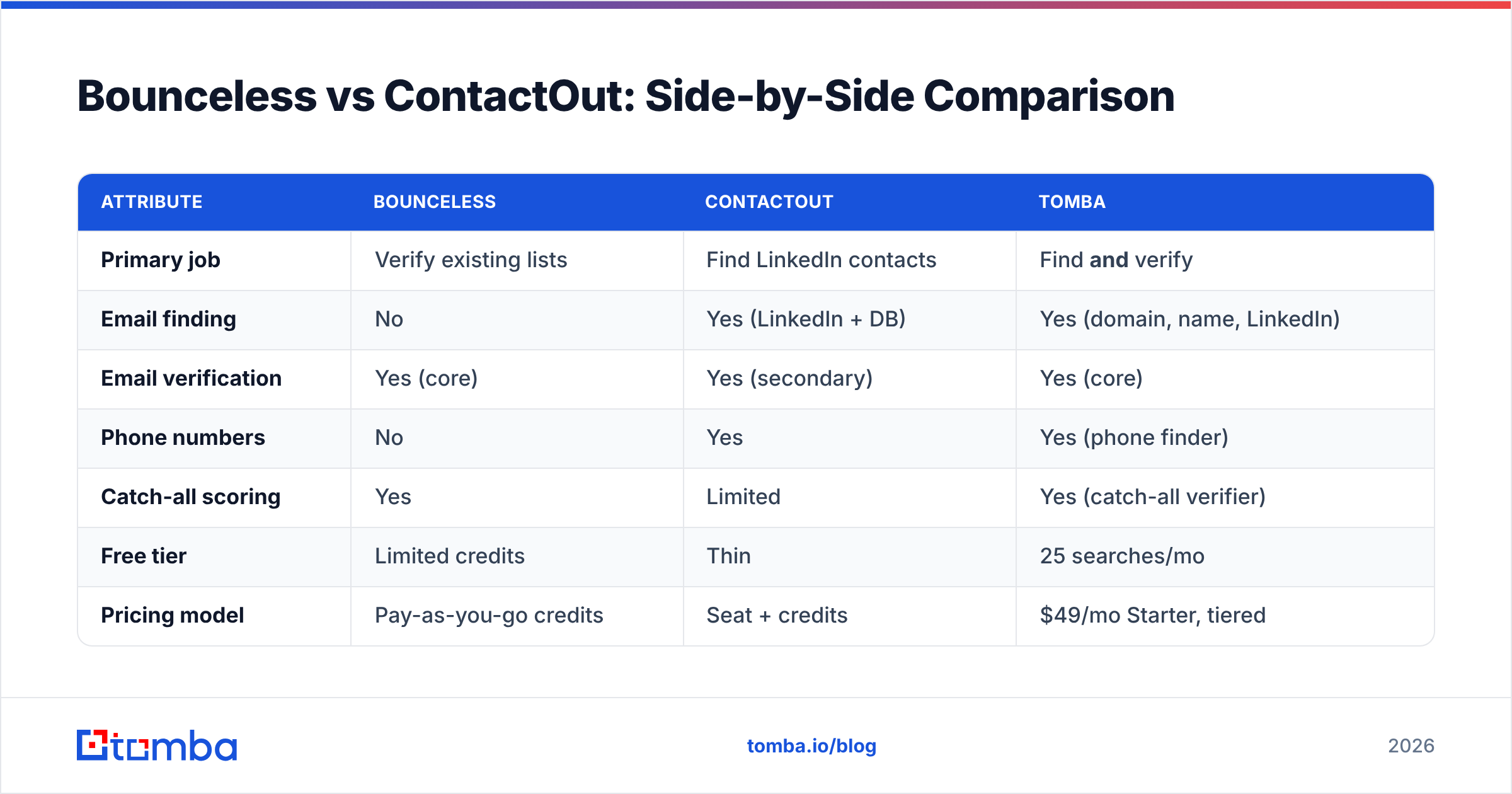
Here's the core difference in one table. Read the "Primary job" row first — it explains every other row.
| Attribute | Bounceless | ContactOut | Tomba |
|---|---|---|---|
| Primary job | Verify existing lists | Find LinkedIn contacts | Find and verify |
| Email finding | No | Yes (LinkedIn + DB) | Yes (domain, name, LinkedIn) |
| Email verification | Yes (core) | Yes (secondary) | Yes (core) |
| Phone numbers | No | Yes | Yes (phone finder) |
| Catch-all scoring | Yes | Limited | Yes (catch-all verifier) |
| Free tier | Limited credits | Thin | 25 searches/mo |
| Pricing model | Pay-as-you-go credits | Seat + credits | $49/mo Starter, tiered |
| Best for | List hygiene | Recruiting, LinkedIn prospecting | End-to-end pipeline building |
| API | Yes | Yes | Yes (REST + CLI + MCP) |
The takeaway: Bounceless and ContactOut barely overlap. One finds, one verifies. The only real overlap is ContactOut's lightweight verification, which isn't a true substitute for a deliverability-grade cleaner.
Which One Has Better Data Accuracy?#
Accuracy means two different things here, so compare like with like.
For verification accuracy, Bounceless competes directly. Its whole product is the SMTP handshake and catch-all logic, so it tends to return cleaner buckets than a finder's bundled check. If your only job is scrubbing a 200,000-row list before a send, a dedicated verifier is the right category of tool.
For finding accuracy — does the email ContactOut surfaces actually belong to the right person and still work — the story is murkier. Finder accuracy depends on data freshness and source quality. Personal emails go stale faster than corporate ones, and a LinkedIn-scraped Gmail from two years ago may bounce even if it was "verified" at capture time. This is exactly why re-verification before a campaign matters regardless of where the data came from. You can read more about where contact data comes from and why source transparency drives accuracy.
The honest framing: don't ask "which is more accurate?" Ask "accurate at what?" Bounceless is accurate at telling you an address is dead. ContactOut is accurate at handing you an address in the first place. Neither claim covers the other tool's job.
How Do They Compare on Pricing?#
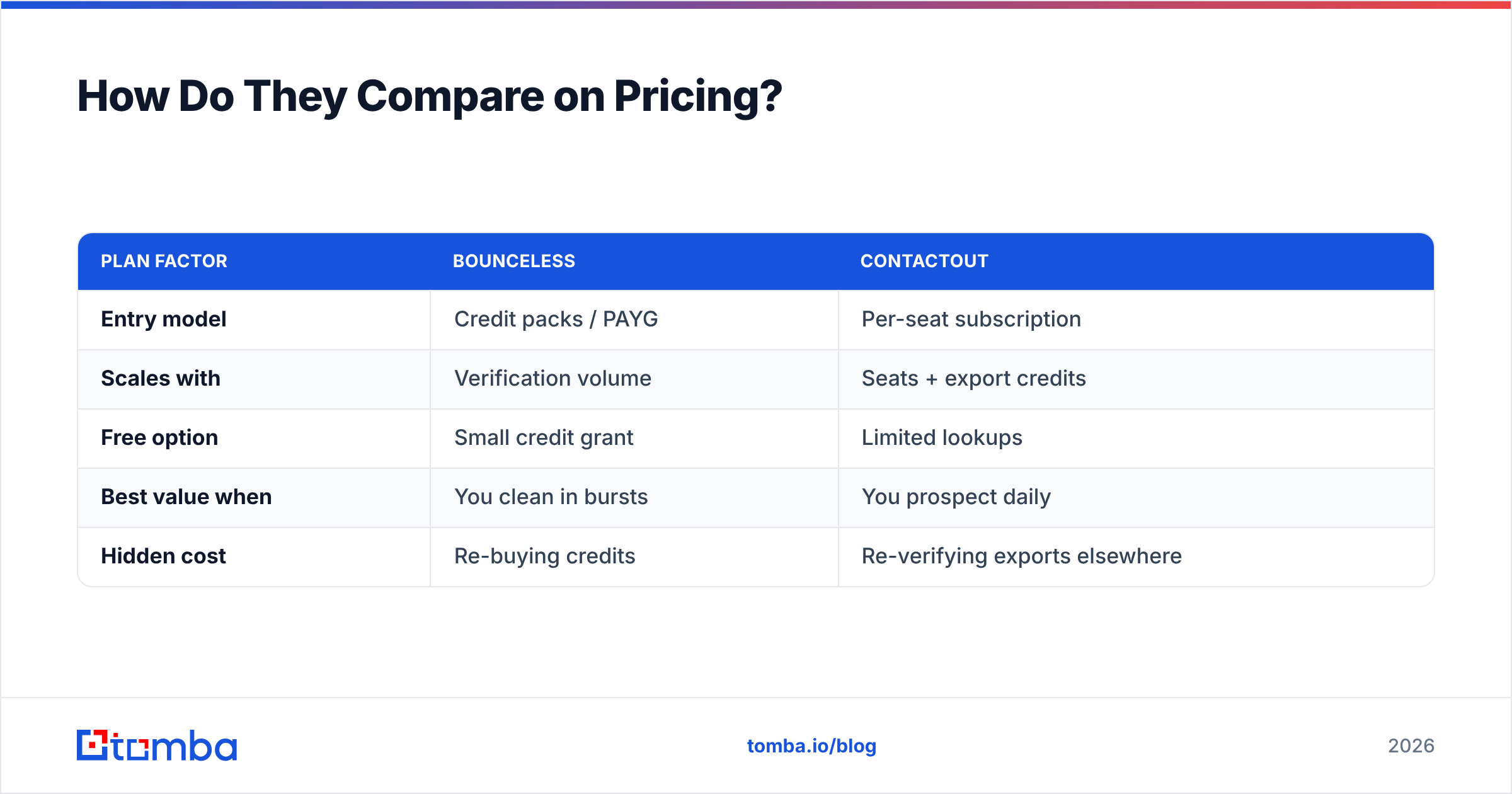
Pricing reflects the two business models. Bounceless sells volume — you pay per verification, which scales with how much cleaning you do. ContactOut sells access — you pay per seat for ongoing prospecting, with credit caps on top.
| Plan factor | Bounceless | ContactOut |
|---|---|---|
| Entry model | Credit packs / PAYG | Per-seat subscription |
| Scales with | Verification volume | Seats + export credits |
| Free option | Small credit grant | Limited lookups |
| Best value when | You clean in bursts | You prospect daily |
| Hidden cost | Re-buying credits | Re-verifying exports elsewhere |
Two budgeting traps to watch:
- With Bounceless, if you don't have a finder, you'll still pay a second vendor to build the lists you're cleaning.
- With ContactOut, if you need deliverability-grade hygiene, you may pay again for a dedicated verifier — eroding the "all-in-one finder" promise.
That double-spend is the strongest argument for consolidating. Compare both against transparent Tomba pricing, where finding and verifying live under one plan starting at $49/mo.

When Should You Use Each Tool?#
Match the tool to the job, not the brand.
Use Bounceless when:
- You already have a large list and need to clean it before a send.
- You're an agency offering list-hygiene as a service.
- You want pay-as-you-go pricing without a seat commitment.
- Verification is the only thing missing from your stack.
Use ContactOut when:
- You live inside LinkedIn and need contacts as you browse.
- You're recruiting and personal emails matter more than work emails.
- You need phone numbers alongside emails.
- Your team prospects daily and seat-based pricing pays off.
Use an all-in-one (Tomba) when:
- You want to go from "company name" to "verified contact" in one flow.
- You're tired of exporting from one tool and importing into another.
- You need a domain search to map a whole company, then verify on the spot.
- You want a single API for both finding and verification instead of stitching two vendors together.
The two-tool stack — finder plus verifier — is legitimate and plenty of teams run it. The question is whether the seams between two vendors cost you more in time and credits than a unified platform would.
Is There a Single Tool That Does Both?#
Yes — and that's the real decision behind "Bounceless vs ContactOut." If you're weighing these two, you're implicitly admitting you need both finding and verification. The cleanest way to get both is one platform built for the full loop.
Tomba covers the whole sequence: find an email by name or domain, run it through the email verifier in the same step, score catch-all domains, pull phone numbers, and enrich the record — without leaving the workflow. For bulk jobs, the bulk email finder handles list-building and validation together, which is exactly the gap a Bounceless-plus-ContactOut combo tries to bridge with two invoices.
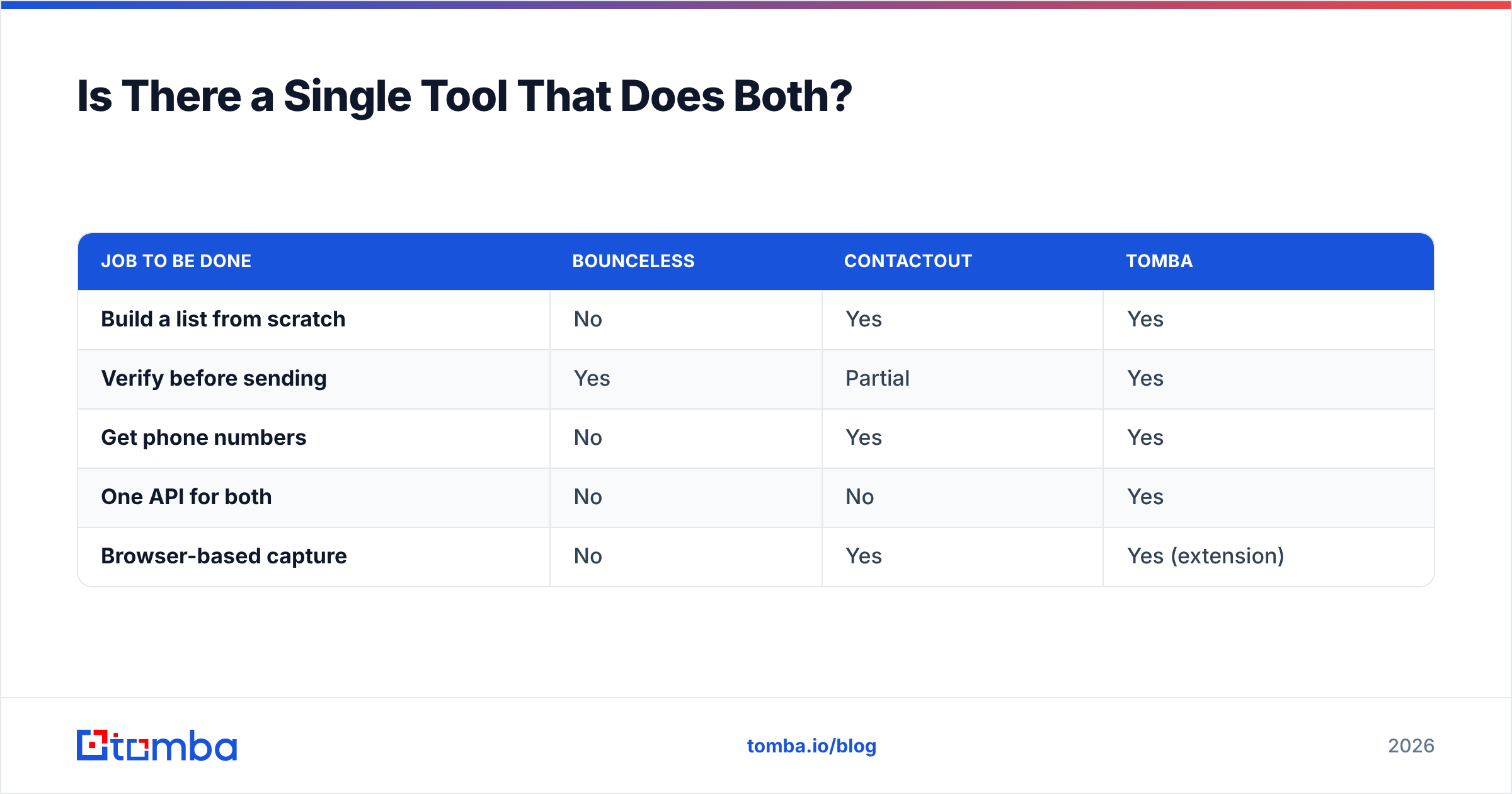
Here's how the consolidated approach lines up:
| Job to be done | Bounceless | ContactOut | Tomba |
|---|---|---|---|
| Build a list from scratch | No | Yes | Yes |
| Verify before sending | Yes | Partial | Yes |
| Get phone numbers | No | Yes | Yes |
| One API for both | No | No | Yes |
| Browser-based capture | No | Yes | Yes (extension) |
None of this means Bounceless or ContactOut are bad tools. Bounceless is a sharp verifier. ContactOut has genuine LinkedIn coverage. But if your goal is a working pipeline rather than a single feature, paying two specialists to do one job is the expensive path.
How to Decide in Under Five Minutes#
Run this quick checklist:
- Do you have a list already? If yes and it's only cleaning you need, a verifier (Bounceless or Tomba) is enough.
- Is your pipeline empty? Then you need a finder first — a verifier alone solves nothing.
- Do you need phone numbers? That rules out Bounceless on its own.
- Do you want one bill and one API? That points to an all-in-one.
- Are you re-verifying finder exports anyway? If so, you're already running two tools — consolidating may be cheaper.
Most teams who carefully answer these realize they need both halves. The only open question is whether to buy them separately or together.
Verdict: Bounceless vs ContactOut in 2026#
They're not really competitors — they're two ingredients. Bounceless verifies; ContactOut finds. Choosing "one" only makes sense if you already own the other half of the workflow elsewhere.
- Pick Bounceless if you have lists and need pay-as-you-go cleaning.
- Pick ContactOut if you prospect inside LinkedIn and want personal emails plus phones.
- Pick an all-in-one if you want to find and verify in a single, API-driven flow without the export-import tax.
If that last description fits, start with the Tomba Email Finder. It finds professional emails by domain, name, or company and verifies them in the same step — replacing the finder-plus-verifier combo with one platform, one API, and a free tier of 25 searches a month to test it before you commit. Build the list and trust it's deliverable, without paying two vendors to do one job.
// get started
Find, verify and enrich your first contacts today
Start on the free plan with 25 searches a month, then scale when your team is ready.
Free plan · No credit card required · GDPR & CCPA
// about the author