Bounceremove vs FinalScout 2026: Which Email Tool Wins?
Bounceremove cleans lists, FinalScout finds and verifies emails. See how they actually differ in 2026 — features, pricing, accuracy, and where each one fits.
Bounceremove and FinalScout solve two different halves of the same problem, and most teams confuse them. One cleans a list you already have; the other builds the list in the first place. Picking the wrong one wastes budget and still leaves you bouncing. Here is the honest breakdown for 2026.
TL;DR#
- Bounceremove is a pay-as-you-go email verifier — it takes a list you already own and removes invalid, risky, and dead addresses before you send.
- FinalScout is an AI-assisted email finder built around LinkedIn — it discovers new contacts and claims high deliverability on the emails it returns.
- They are not true competitors: a verifier and a finder do different jobs. The real question is which job you actually have right now.
- If you need to find contacts, a finder wins. If you only need to clean, a standalone verifier is cheaper.
- A platform like Tomba covers both jobs in one credit pool, which is usually cheaper than stitching two single-purpose tools together.
What is Bounceremove?#
Bounceremove is a list-cleaning service. You upload a CSV (or push addresses through an API), and it checks each one for syntax errors, dead domains, role accounts like info@, disposable addresses, and mailboxes that fail an SMTP handshake. You get a scored list back: valid, invalid, catch-all, and unknown.
Think of it like a bouncer at the door of your email campaign. It does not bring you guests — it just stops the fake IDs from getting in. That is genuinely useful, because sending to dead addresses tanks your sender reputation and pushes you toward spam folders.
What Bounceremove does not do is find anyone. If your CRM is empty, a verifier has nothing to verify. It is the last step in a pipeline, not the first.
)
What is FinalScout?#
FinalScout is an email finder with a LinkedIn-first workflow and an AI layer for writing outreach. You browse profiles or companies, and it returns business email addresses, claiming strong deliverability because it verifies before handing the address over. It leans heavily into the "find a person on LinkedIn, get their email, draft a message" loop.
So FinalScout is closer to the front of the pipeline. It generates contacts. It also bundles verification, which is why people line it up against pure verifiers like Bounceremove even though the core jobs differ.
The catch with any LinkedIn-centric finder is coverage and compliance: you are limited to people who have a findable profile, and scraping-style workflows can be fragile when LinkedIn changes its rules. For broad, domain-based prospecting outside LinkedIn, a dedicated email finder or domain search tends to reach more of the market.
Bounceremove vs FinalScout: how do they actually compare?#
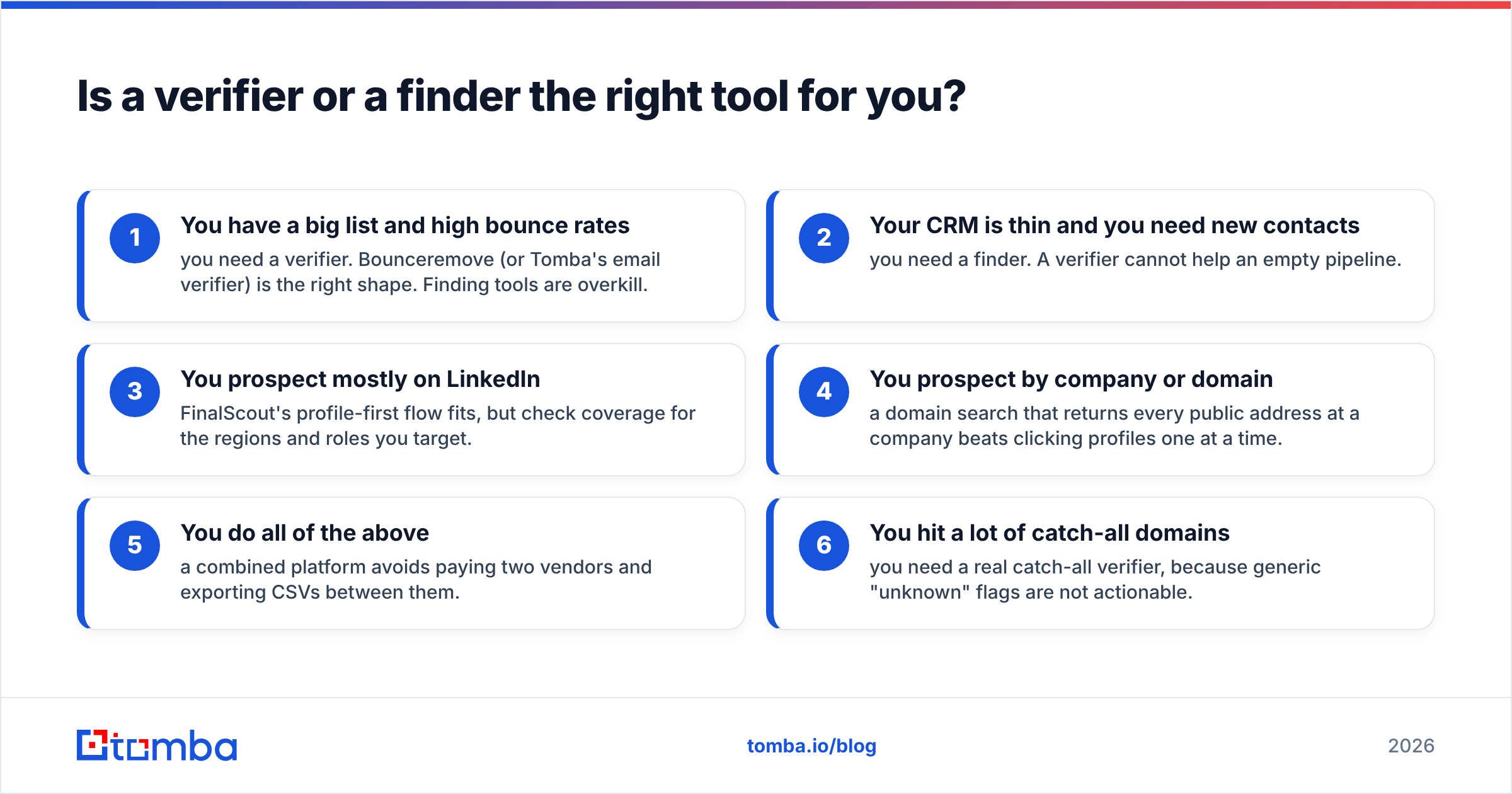
Here is the side-by-side. Tomba is included because, in practice, most buyers comparing these two are really asking "do I buy a finder, a verifier, or one tool that does both?"
| Feature | Bounceremove | FinalScout | Tomba |
|---|---|---|---|
| Core job | Verify / clean lists | Find emails (LinkedIn-first) | Find and verify |
| Email finding | No | Yes | Yes |
| Email verification | Yes | Yes (bundled) | Yes (standalone too) |
| Catch-all handling | Flags as risky | Limited | Dedicated catch-all verifier |
| LinkedIn workflow | No | Yes (primary) | Yes (LinkedIn finder) |
| Domain / bulk search | No | Partial | Yes (domain + bulk) |
| Free tier | Trial credits | Limited free emails | 25 searches/mo free |
| Pricing model | Pay-as-you-go | Subscription | Free + $49–$249/mo tiers |
| Best for | Cleaning an existing list | LinkedIn prospecting | End-to-end outbound data |
The pattern is clear: Bounceremove is a specialist at one task, FinalScout is a finder with verification attached, and a full platform folds both into a single credit balance.
Is a verifier or a finder the right tool for you?#
Conclusion first: buy for the job you do most.
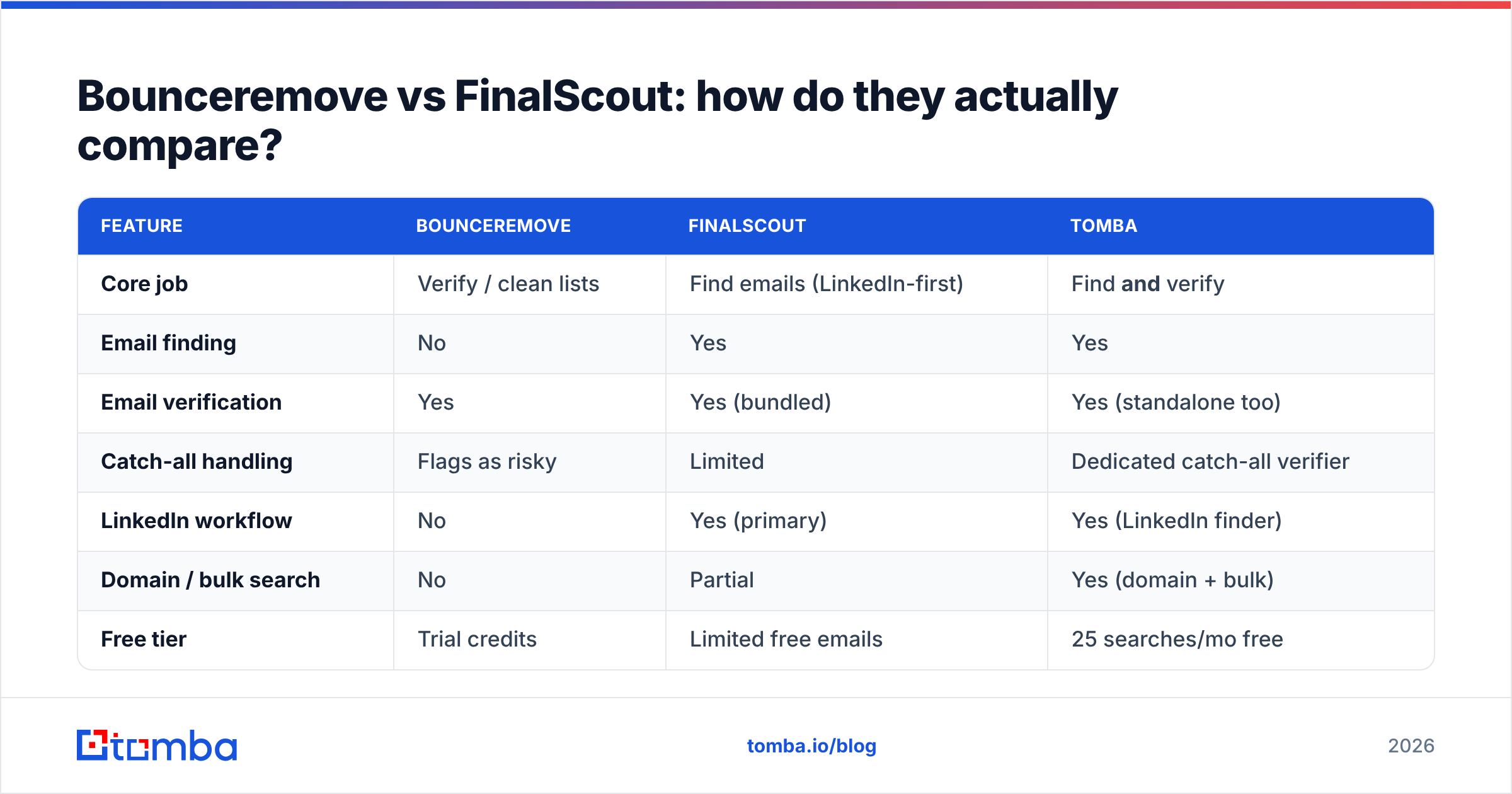
Use this quick decision list:
- You have a big list and high bounce rates — you need a verifier. Bounceremove (or Tomba's email verifier) is the right shape. Finding tools are overkill.
- Your CRM is thin and you need new contacts — you need a finder. A verifier cannot help an empty pipeline.
- You prospect mostly on LinkedIn — FinalScout's profile-first flow fits, but check coverage for the regions and roles you target.
- You prospect by company or domain — a domain search that returns every public address at a company beats clicking profiles one at a time.
- You do all of the above — a combined platform avoids paying two vendors and exporting CSVs between them.
- You hit a lot of catch-all domains — you need a real catch-all verifier, because generic "unknown" flags are not actionable.
Most teams discover they oscillate between jobs 1 and 2 every quarter, which is the strongest argument against buying a single-purpose tool.
How accurate is each tool?#
Accuracy means two different things here, so be precise.
For a verifier like Bounceremove, accuracy is about false positives and false negatives — how often it marks a good address as bad (you lose a real lead) or a dead address as good (you bounce anyway). The hardest case is catch-all domains, where the server accepts everything at the SMTP layer and tells you nothing. Any verifier that simply labels these "unknown" is pushing the decision back onto you.
For a finder like FinalScout, accuracy is about deliverability of the emails it returns — what share of discovered addresses actually land. Finders that verify before returning a result post higher deliverability numbers, which is the headline FinalScout leans on.
The honest take: vendor-published accuracy numbers are marketing until you test them on your domains. Run the same 200 contacts through any two tools and compare bounce rates from your own ESP. That is the only benchmark that matters. Cross-reference third-party reviews on G2 before trusting a single published figure.
)
What about pricing?#
Pricing structure tells you as much as price.
- Bounceremove uses pay-as-you-go credits. Great if you clean lists occasionally and hate subscriptions; less great if you verify constantly, where per-email costs add up.
- FinalScout is subscription-based, priced around finding volume and seats. Predictable, but you pay for the finder even in months you only need to clean.
- Tomba runs a single credit pool across finding, verification, catch-all checks, and enrichment, with a free tier (25 searches/month), then Starter at $49/mo, Growth at $99/mo, and Pro at $249/mo. See full Tomba pricing for the per-credit math.
The trap with two single-purpose tools is double spend: you carry a finder subscription and a verifier subscription, with idle capacity in both. One platform that handles bulk lead generation on the same credits usually wins on total cost — not because any one feature is cheaper, but because you stop paying twice for overlapping work.
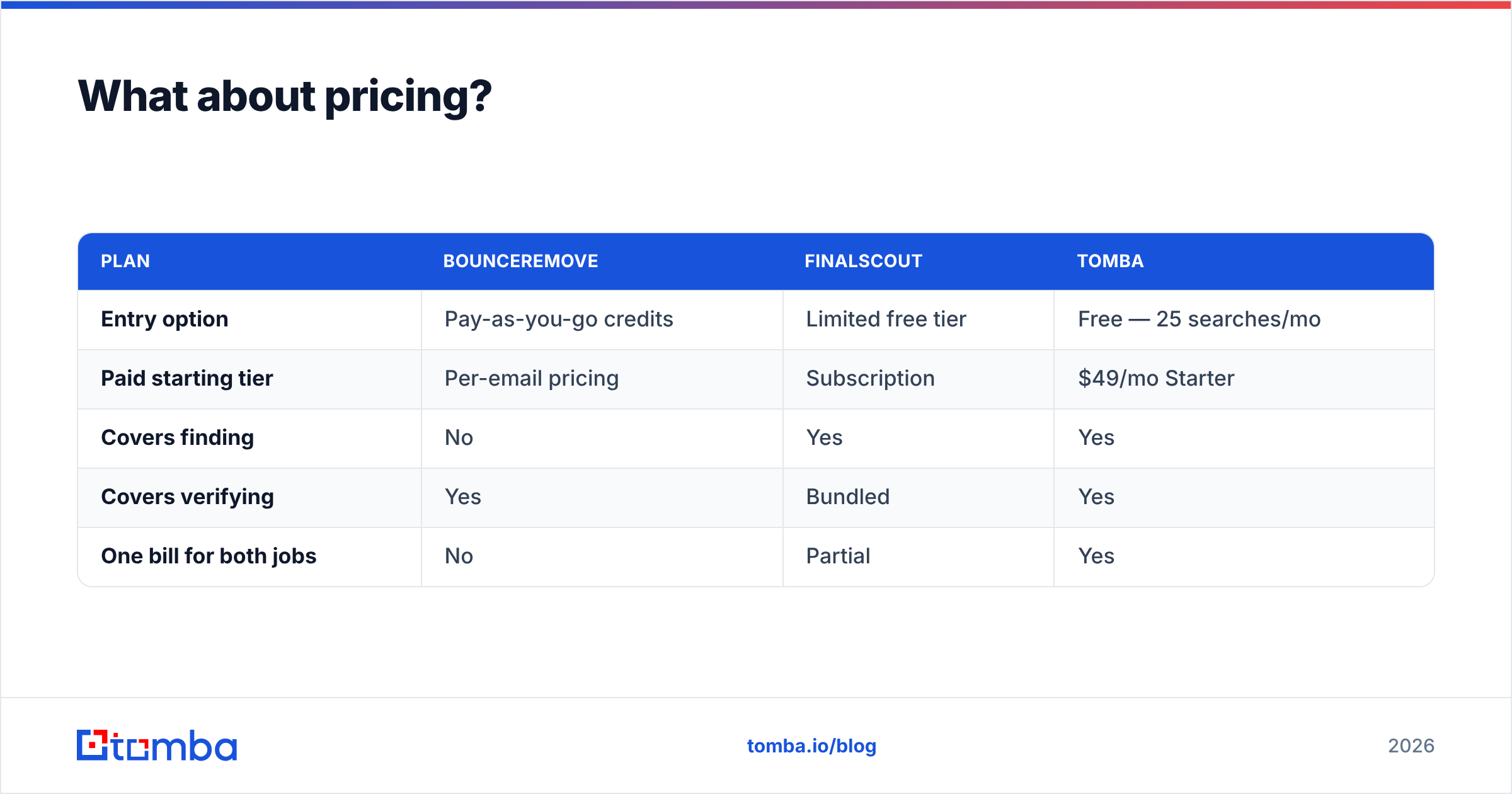
| Plan | Bounceremove | FinalScout | Tomba |
|---|---|---|---|
| Entry option | Pay-as-you-go credits | Limited free tier | Free — 25 searches/mo |
| Paid starting tier | Per-email pricing | Subscription | $49/mo Starter |
| Covers finding | No | Yes | Yes |
| Covers verifying | Yes | Bundled | Yes |
| One bill for both jobs | No | Partial | Yes |
Can you use them together?#
Yes, and some teams do: find with one tool, clean with another. But that workflow has friction. You export from the finder, import to the verifier, re-export the clean list, then import to your sequencer or HubSpot integration. Every CSV hop is a chance to lose data, duplicate rows, or break formatting.
If you go this route, at least automate the handoffs through Zapier or a similar connector so the list never sits on someone's desktop. Better still, keep finding and verifying inside one system so a found address is verified in the same step — no export round-trip at all.
Which tool should you pick in 2026?#
Here is the bottom line, by situation:
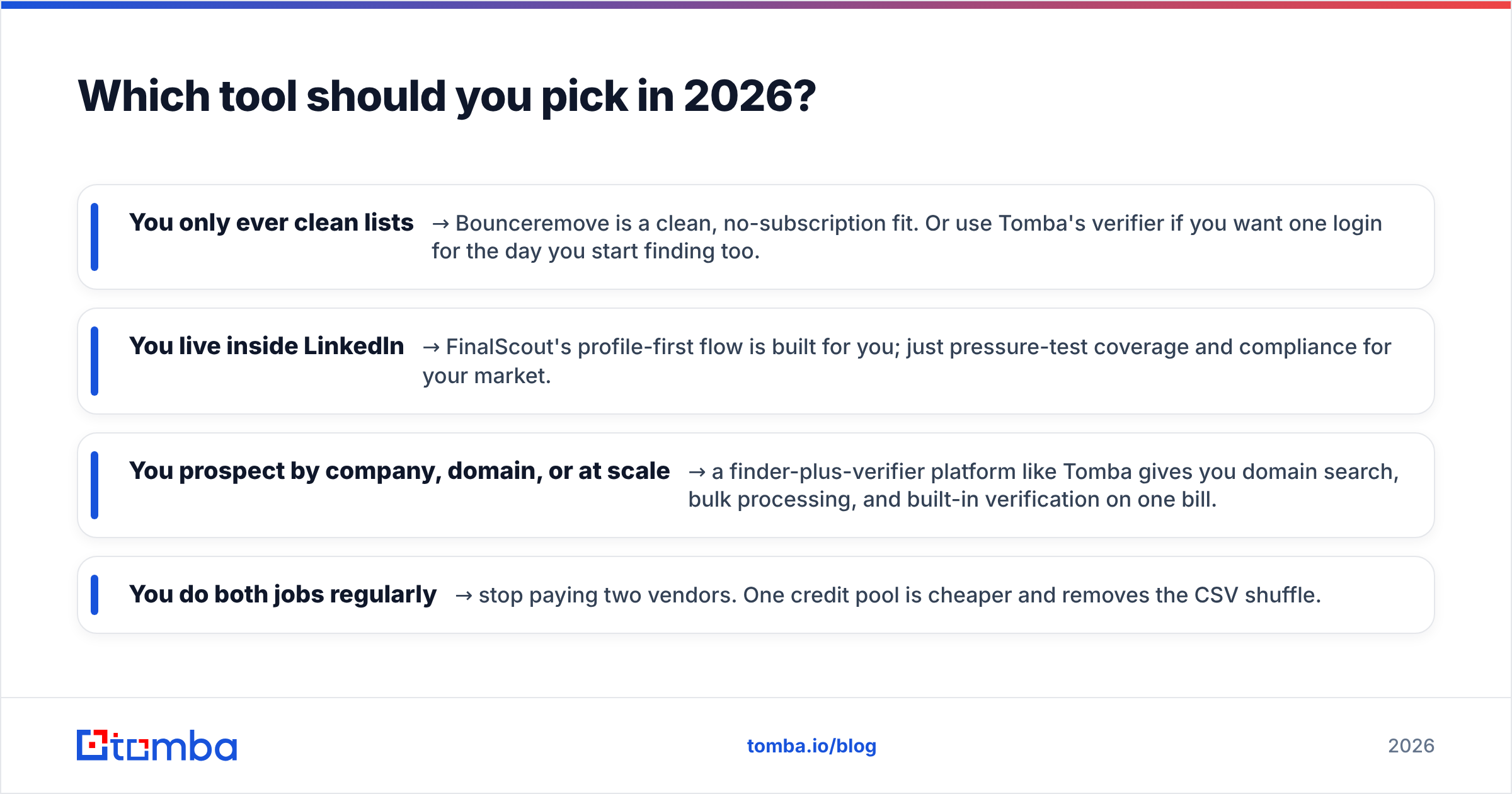
- You only ever clean lists → Bounceremove is a clean, no-subscription fit. Or use Tomba's verifier if you want one login for the day you start finding too.
- You live inside LinkedIn → FinalScout's profile-first flow is built for you; just pressure-test coverage and compliance for your market.
- You prospect by company, domain, or at scale → a finder-plus-verifier platform like Tomba gives you domain search, bulk processing, and built-in verification on one bill.
- You do both jobs regularly → stop paying two vendors. One credit pool is cheaper and removes the CSV shuffle.
Neither Bounceremove nor FinalScout is "wrong." They are simply good at different halves of outbound. The mistake is buying a verifier when you needed a finder, or a LinkedIn finder when your motion is domain-based.
The bottom line#
If your problem is finding the right people and then making sure those emails actually land, start with a tool built for the whole pipeline. The Tomba Email Finder discovers professional addresses by name, company, or domain, verifies them in the same flow, handles catch-all domains, and runs on a free tier so you can benchmark accuracy against your own list before paying a cent. Find, verify, and enrich on one credit pool — then point a standalone cleaner like Bounceremove at anything you import from elsewhere. Try Tomba free and see how many valid contacts you pull before your first invoice.
// get started
Find, verify and enrich your first contacts today
Start on the free plan with 25 searches a month, then scale when your team is ready.
Free plan · No credit card required · GDPR & CCPA
// about the author