Bounceremove vs Leadrocks 2026: Email Tool Comparison
Bounceremove verifies emails, Leadrocks builds B2B lists. Here's an honest 2026 breakdown of what each does, where each fails, and which one your pipeline actually needs.
Bounceremove vs Leadrocks: Which One Does Your Pipeline Actually Need?
Short answer up front: Bounceremove and Leadrocks solve different problems, so "versus" is a bit of a trap. Bounceremove is an email verification and list-cleaning tool. Leadrocks is a B2B contact database you pull leads from. Most teams that compare them end up needing the job both do — find good contacts, then make sure the addresses actually deliver — which is why a combined finder-plus-verifier often beats buying either one in isolation.
This breakdown walks through what each tool is, where each one earns its price, where it falls short, and how to decide without wasting a month of trial credits.
TL;DR#
- Bounceremove cleans and verifies email lists you already have. It does not source new leads.
- Leadrocks is a B2B lead database (emails, phones, LinkedIn URLs). Its verification layer is lighter than a dedicated verifier.
- They are complementary, not direct rivals — Leadrocks finds, Bounceremove validates.
- The real decision is whether to buy two single-purpose tools or one platform that finds and verifies in the same workflow.
- If you want one stack instead of two logins, a combined email finder with built-in verification (like Tomba) is usually cheaper and faster.
What is Bounceremove?#
Bounceremove is an email verification service. You upload a list — exports from a CRM, a scraped CSV, a newsletter dump — and it checks each address for syntax errors, dead domains, mailbox existence, role accounts (like info@ or sales@), and disposable providers. The output is a cleaned list sorted into valid, invalid, risky, and unknown buckets so you can stop emailing addresses that bounce.
The value is narrow and real: every bounce above ~2% drags down your sender reputation, and mailbox providers throttle or junk-folder senders with high bounce rates. A verifier is insurance for your email deliverability. What Bounceremove does not do is generate contacts. If your list is empty, a verifier has nothing to chew on.

Accuracy is the whole game for a verifier, and accuracy claims are slippery. Catch-all domains (where the server accepts mail for any address) are the classic failure point — a verifier can mark a fake address "valid" simply because the server won't admit anyone is missing. That's why pairing verification with a catch-all verifier matters more than a single green checkmark.
What is Leadrocks?#
Leadrocks is a B2B contact database. You search by job title, company, industry, location, or upload a list of LinkedIn URLs, and it returns matching contacts with emails, phone numbers, and profile links. It's a prospecting tool: the point is to fill a pipeline, not clean it.
Leadrocks markets a large stored database of contacts, and for some niches the coverage is genuinely useful — you get a fast list without manual research. The trade-offs are the ones every static database shares: data ages, a stored email from 18 months ago may belong to someone who changed jobs, and the built-in validity check is lighter than what a dedicated verifier gives you. So the irony is that a Leadrocks list is exactly the kind of file you'd then run through something like Bounceremove.
That's the loop most teams fall into — and it's the loop a single platform removes.
Bounceremove vs Leadrocks: side-by-side#
Here's the honest split. Note that several rows aren't "better/worse" — they're "does it even do this."
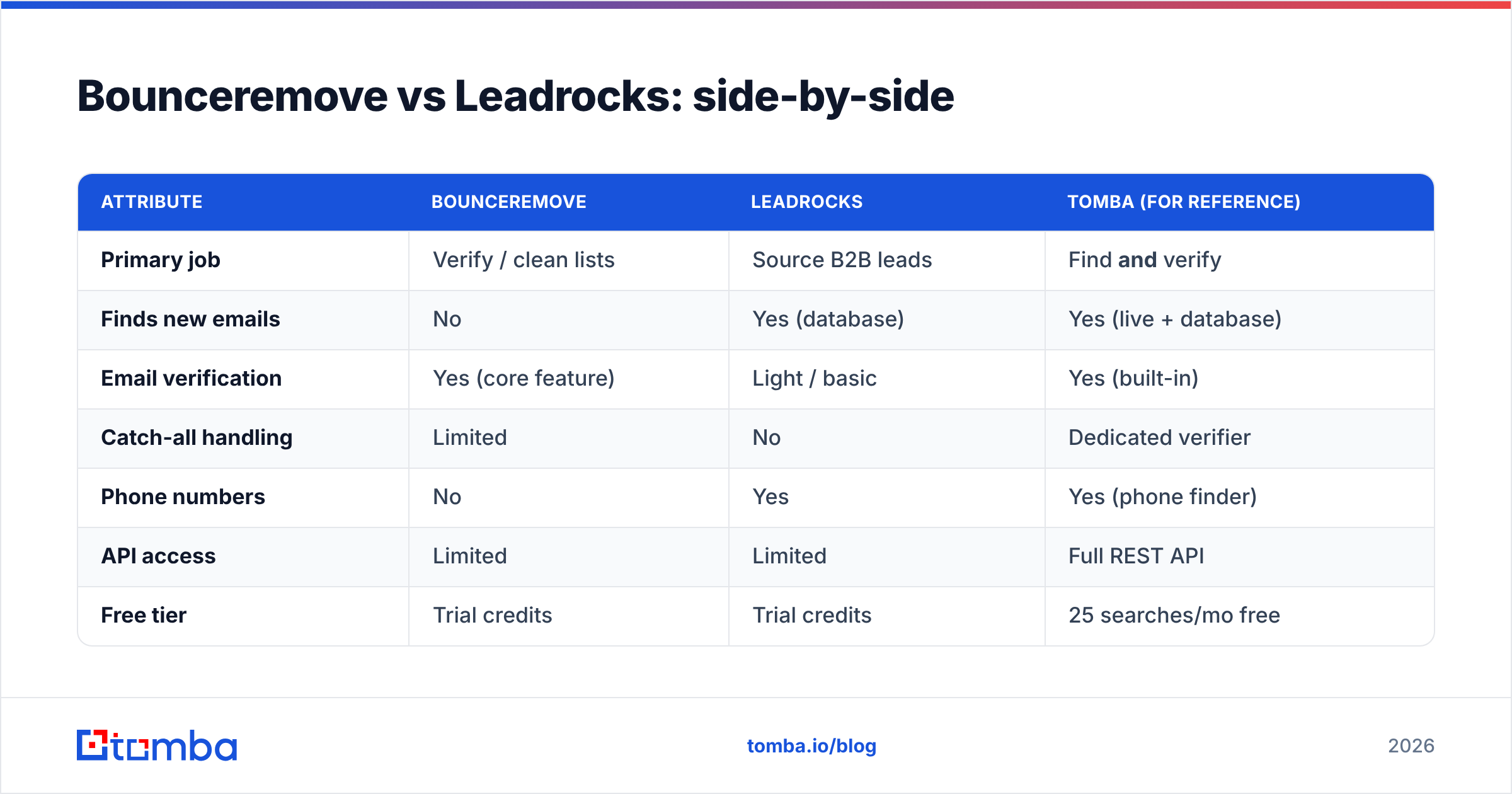
| Attribute | Bounceremove | Leadrocks | Tomba (for reference) |
|---|---|---|---|
| Primary job | Verify / clean lists | Source B2B leads | Find and verify |
| Finds new emails | No | Yes (database) | Yes (live + database) |
| Email verification | Yes (core feature) | Light / basic | Yes (built-in) |
| Catch-all handling | Limited | No | Dedicated verifier |
| Phone numbers | No | Yes | Yes (phone finder) |
| API access | Limited | Limited | Full REST API |
| Free tier | Trial credits | Trial credits | 25 searches/mo free |
| Entry price | Pay-as-you-go | Subscription / LTD | $49/mo Starter |
| Best for | Cleaning existing lists | Quick list building | End-to-end outbound |
The pattern is clear: Bounceremove and Leadrocks each own one half of the workflow. Buying both means two subscriptions, two exports, two imports, and a manual handoff between them every time you build a campaign.
Is Bounceremove better than Leadrocks?#
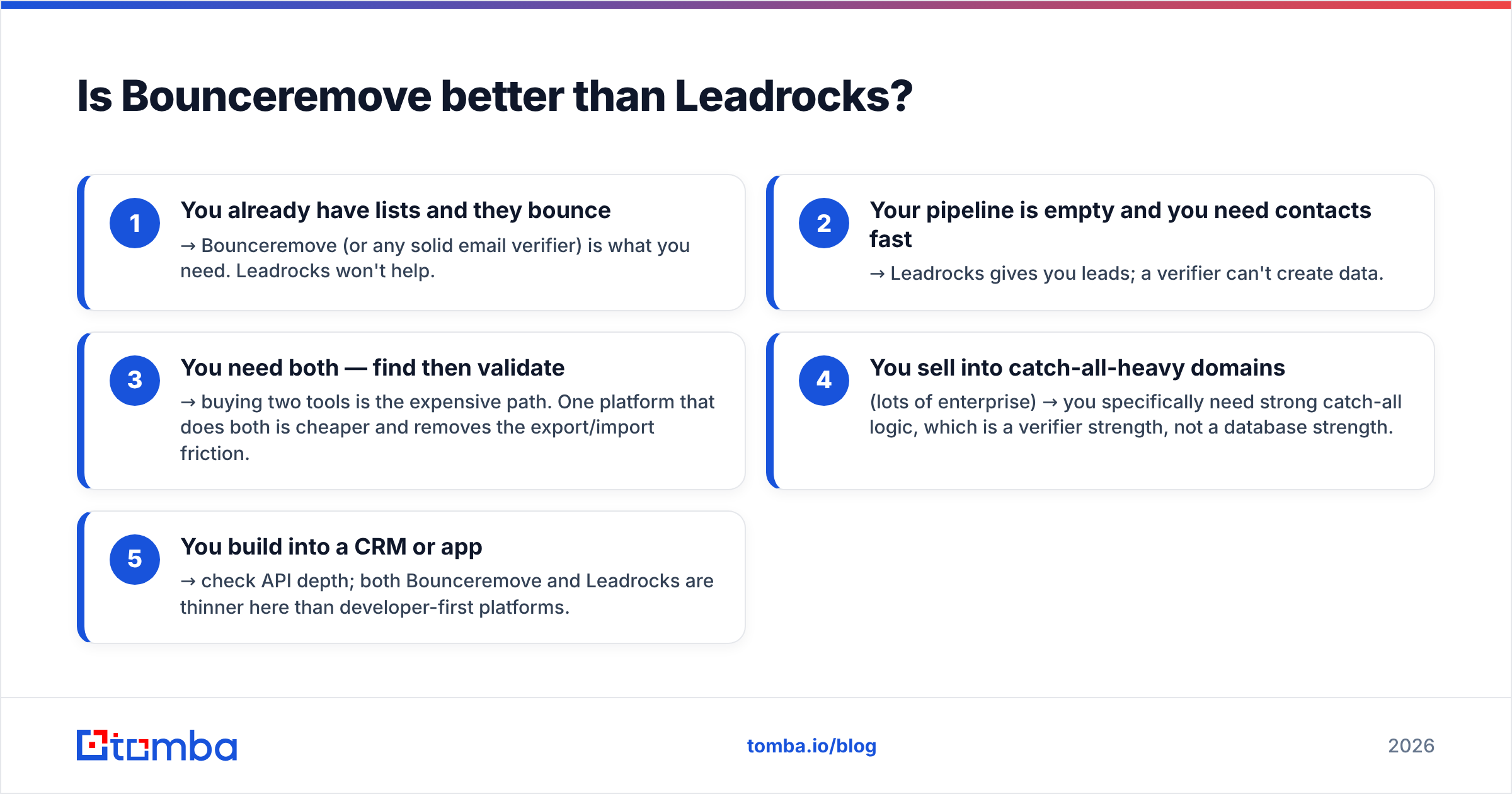
Neither is "better" — they're aimed at different stages. Use this quick decision guide:
- You already have lists and they bounce → Bounceremove (or any solid email verifier) is what you need. Leadrocks won't help.
- Your pipeline is empty and you need contacts fast → Leadrocks gives you leads; a verifier can't create data.
- You need both — find then validate → buying two tools is the expensive path. One platform that does both is cheaper and removes the export/import friction.
- You sell into catch-all-heavy domains (lots of enterprise) → you specifically need strong catch-all logic, which is a verifier strength, not a database strength.
- You build into a CRM or app → check API depth; both Bounceremove and Leadrocks are thinner here than developer-first platforms.

If you found yourself nodding at #3, you're the median outbound team — and that's exactly the case where the "vs" framing breaks down.
Why a combined finder + verifier usually wins#
Think of Leadrocks and Bounceremove like buying groceries at one store and a knife set at another to cook one dinner. It works, but you're driving across town twice for a single meal. A combined platform is the store that sells the groceries and the knives, already in the same cart.
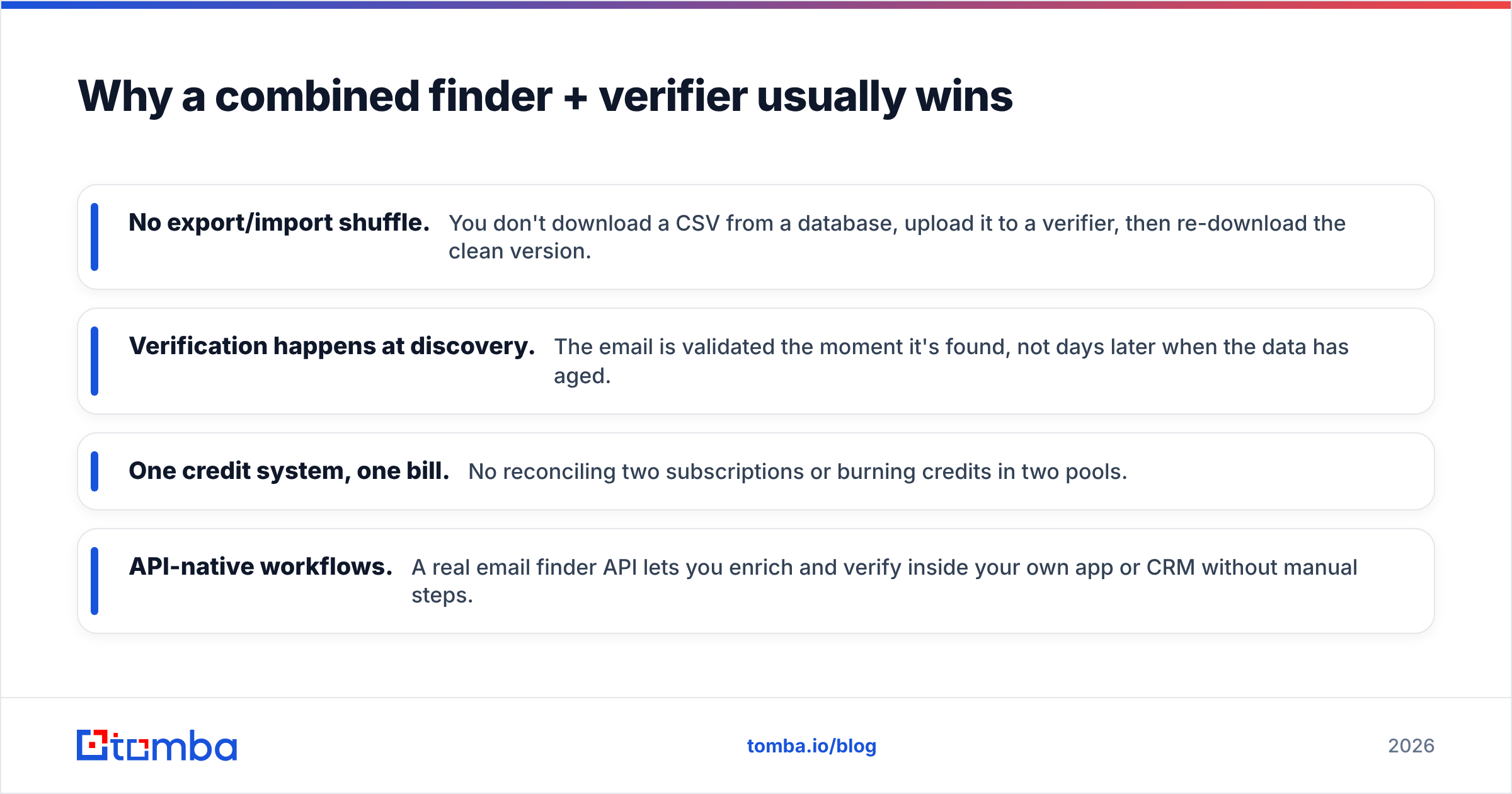
Concretely, when finding and verifying live in one tool:
- No export/import shuffle. You don't download a CSV from a database, upload it to a verifier, then re-download the clean version.
- Verification happens at discovery. The email is validated the moment it's found, not days later when the data has aged.
- One credit system, one bill. No reconciling two subscriptions or burning credits in two pools.
- API-native workflows. A real email finder API lets you enrich and verify inside your own app or CRM without manual steps.
This is where Tomba sits in the comparison. It's primarily an email finder, but the email verifier, catch-all verifier, domain search, and phone finder run in the same account — so the Leadrocks job (sourcing) and the Bounceremove job (validating) collapse into one workflow.

How accurate is each, really?#
Accuracy claims deserve skepticism across all three tools. A few ground rules that hold regardless of vendor:
- No verifier is 100% on catch-all domains. Anyone claiming otherwise is overselling. The honest answer is "we flag it as risky," not "we confirmed it."
- Database freshness beats database size. A huge stored list (Leadrocks' pitch) is only as good as its last refresh. People change jobs roughly every 2–4 years, so a chunk of any static database is stale.
- Live lookup + verification (finding the current pattern from the live domain, then validating) tends to beat pulling a year-old stored row.
For independent signal rather than vendor marketing, check current user reviews on G2 and Capterra before committing — sort by recent reviews, because data tools degrade or improve quarter to quarter. And if deliverability is your real worry, Google's own Postmaster Tools documentation explains why bounce and spam rates govern inbox placement more than any verifier's badge.
Pricing: what you actually pay#
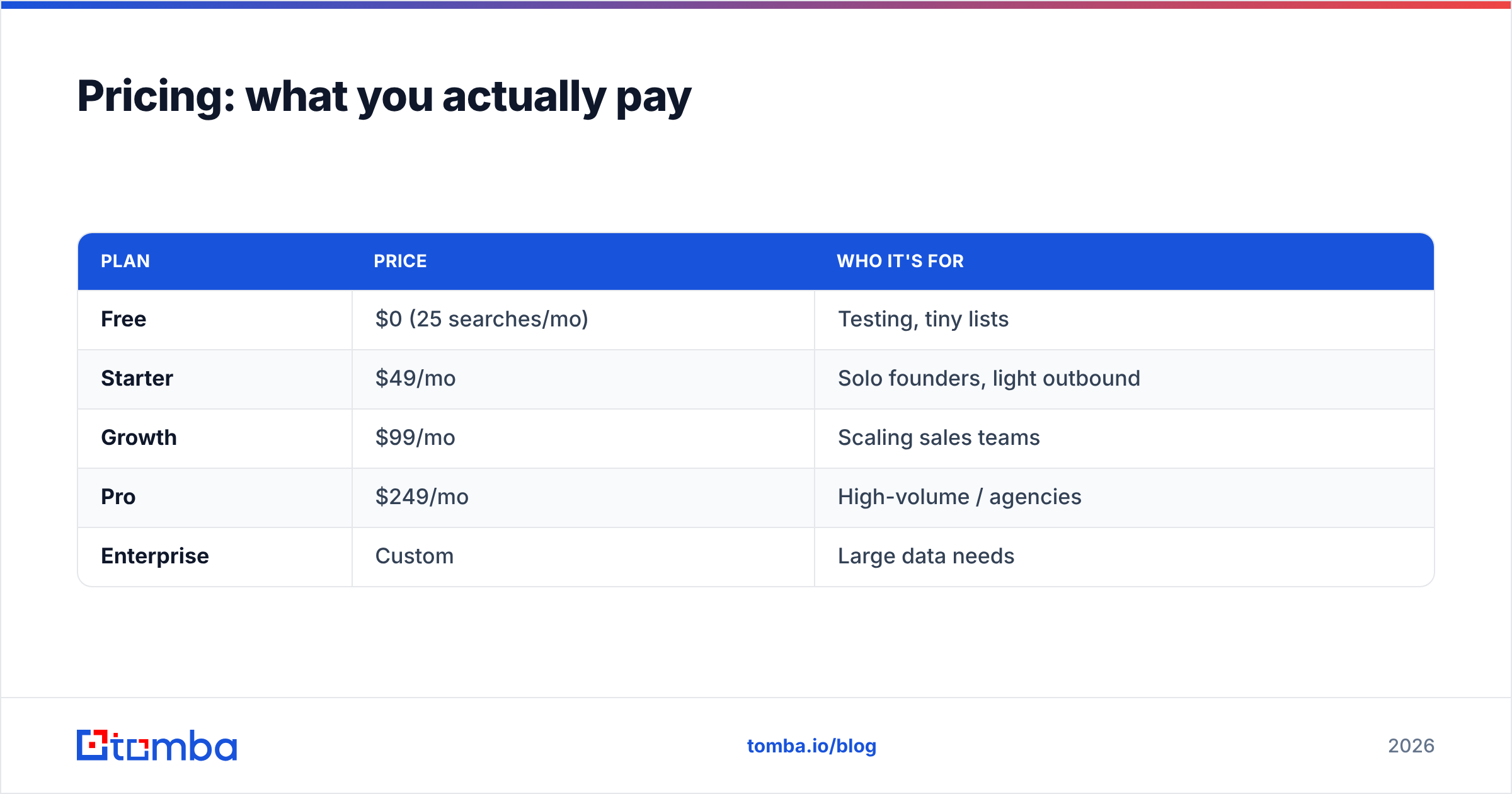
Pricing models differ enough that a raw number comparison misleads. Bounceremove leans pay-as-you-go (good for one-off cleanups, less predictable at scale). Leadrocks pushes subscriptions and has run lifetime-deal promotions (attractive upfront, but LTD data tools can stagnate). For a transparent monthly comparison, here's how Tomba's tiers line up — useful as a yardstick even if you choose another vendor:
| Plan | Price | Who it's for |
|---|---|---|
| Free | $0 (25 searches/mo) | Testing, tiny lists |
| Starter | $49/mo | Solo founders, light outbound |
| Growth | $99/mo | Scaling sales teams |
| Pro | $249/mo | High-volume / agencies |
| Enterprise | Custom | Large data needs |
The thing to model isn't the sticker price of either Bounceremove or Leadrocks — it's the combined cost of running both, plus the labor of shuttling data between them. Once you add the second subscription, a single platform at $49–$99/mo on the pricing page frequently comes out ahead. For high-volume runs, a bulk email finder that finds and verifies in one pass removes the second tool entirely.
Which should you choose?#
Match the tool to where you actually leak time and money:
- Choose Bounceremove if your only problem is bouncing lists and you already have a reliable lead source you're happy with. It's a clean, single-purpose verifier.
- Choose Leadrocks if you need a fast, cheap way to pull B2B contacts and you'll handle verification separately (or accept lighter validation).
- Choose a combined platform if you're doing real outbound at any cadence — building lists and protecting deliverability — and you don't want to maintain two tools, two exports, and two bills.
For most sales and growth teams in 2026, the third option is the pragmatic one. The "Bounceremove vs Leadrocks" question is really "do I want to assemble two halves myself, or buy the whole?"
The bottom line#
Bounceremove validates; Leadrocks sources. They're two ends of the same pipe, which is why comparing them head-to-head only makes sense once you realize you probably need both jobs done. Buying two narrow tools is a defensible choice — but it's rarely the cheapest or the fastest.
If you'd rather find verified, current B2B emails and validate them in one place — with domain search, bulk lookups, and a full API in the same account — start with the Tomba Email Finder. The free tier gives you 25 searches a month to test accuracy on your own target accounts before you pay a cent, so you can compare it against Leadrocks' data and Bounceremove's verification without committing to either.
// get started
Find, verify and enrich your first contacts today
Start on the free plan with 25 searches a month, then scale when your team is ready.
Free plan · No credit card required · GDPR & CCPA
// about the author