Bounceremove vs Listkit (2026): Which Cleans Your B2B List?
Bounceremove scrubs bounces; Listkit builds lead lists. We compare accuracy, pricing, and workflow fit in 2026 — plus where a dedicated verifier wins.
Bounceremove vs Listkit: Which One Actually Protects Your Sender Reputation in 2026?
You are comparing two tools that solve different halves of the same problem, and that mismatch is exactly why people get burned. Bounceremove is a bounce-cleaning and email verification layer. Listkit is a B2B lead database that ships contact lists. One scrubs the list you already have; the other hands you a new one. Picking between them without understanding that split is how you end up with a "clean" list that still tanks your domain.
This guide breaks down what each tool does, where each wins, what they cost, and when you actually need a third option built around a dedicated verification engine.
TL;DR#
- Bounceremove is a verification/bounce-removal tool — you bring a list, it flags invalid, risky, and catch-all addresses before you send.
- Listkit is a B2B prospecting database — you pull new contacts by filters (title, industry, tech stack) and export them to your sequencer.
- They are complements, not true competitors: Listkit fills the top of funnel, Bounceremove (or any verifier) protects deliverability before send.
- If you want both fresh-found emails and built-in verification in one workflow, a platform like Tomba Email Finder covers finding, verifying, and enrichment together.
- The deciding factors are accuracy on catch-all domains, price per credit, and how cleanly the tool drops into your existing stack.
What Is Bounceremove?#
Bounceremove is an email verification service. Think of it as the bouncer at the door of your email list: you hand it a CSV of addresses, and it checks each one against syntax rules, MX records, SMTP responses, and known spam-trap and disposable-domain signatures. Addresses come back tagged — valid, invalid, risky, unknown, or catch-all — so you only mail the ones likely to land.
Its job starts after you already have contacts. It does not find new prospects, enrich firmographic data, or build lists from scratch. The value is narrow and real: fewer hard bounces, a healthier sender reputation, and lower odds of getting throttled by Gmail and Outlook.
If your bounce rate is creeping above 2-3%, a verification pass is the fastest fix. Mailbox providers read high bounce rates as a spammer signal, and once your email deliverability drops, even your verified sends start landing in spam.

What Is Listkit?#
Listkit is a B2B data platform for building targeted prospect lists. You set filters — job title, seniority, company size, industry, location, technology used — and it returns matching contacts with emails and sometimes phone numbers, ready to export into a cold email tool or CRM.
Listkit competes in the same lane as Apollo, ZoomInfo, and similar databases. Its pitch is curated, sequence-ready lists aimed at agencies and outbound teams who want volume without manual scraping. Many Listkit users plug the output straight into a sequencer like Instantly or Smartlead.
The catch is the one every database faces: data decays. People change jobs, companies rebrand, and addresses go stale at roughly 25-30% per year per most industry estimates. A list that was accurate last quarter is not automatically safe to blast today — which is precisely why a verification step still matters even when your data source claims "verified" emails.

Bounceremove vs Listkit: Core Differences#
Here is the head-to-head on what each tool is built to do. Read this before you read pricing — capability mismatch matters more than cost.
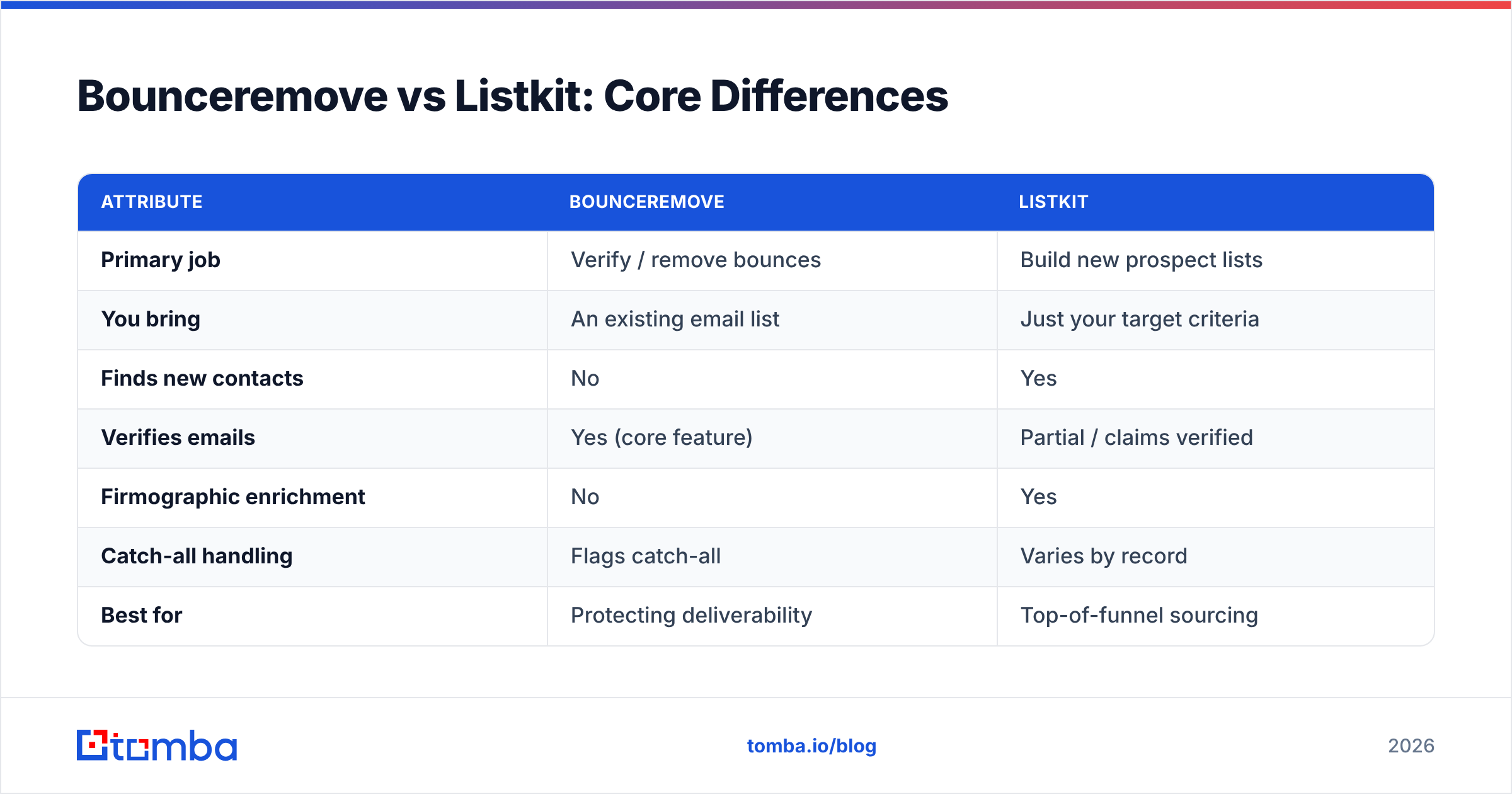
| Attribute | Bounceremove | Listkit |
|---|---|---|
| Primary job | Verify / remove bounces | Build new prospect lists |
| You bring | An existing email list | Just your target criteria |
| Finds new contacts | No | Yes |
| Verifies emails | Yes (core feature) | Partial / claims verified |
| Firmographic enrichment | No | Yes |
| Catch-all handling | Flags catch-all | Varies by record |
| Best for | Protecting deliverability | Top-of-funnel sourcing |
| Typical user | Anyone with a list | Agencies, outbound SDRs |
The takeaway: asking "Bounceremove or Listkit?" is like asking "umbrella or raincoat?" — they overlap a little, but they are not the same purchase. Most serious senders end up needing one of each function, even if they buy them from one vendor.
Which Tool Do You Actually Need?#
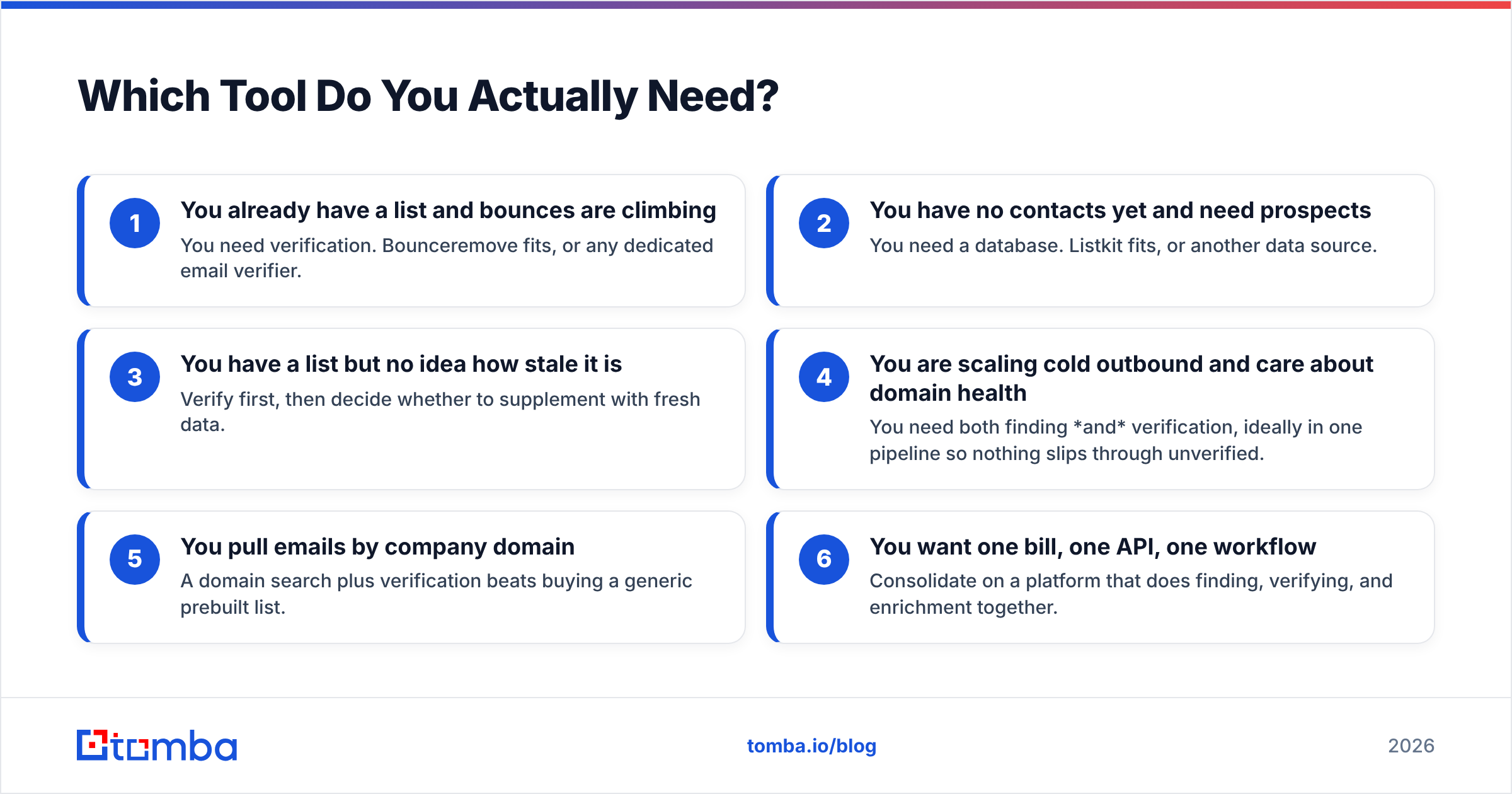
Match the tool to the gap in your workflow. Use this checklist instead of guessing:
- You already have a list and bounces are climbing — You need verification. Bounceremove fits, or any dedicated email verifier.
- You have no contacts yet and need prospects — You need a database. Listkit fits, or another data source.
- You have a list but no idea how stale it is — Verify first, then decide whether to supplement with fresh data.
- You are scaling cold outbound and care about domain health — You need both finding and verification, ideally in one pipeline so nothing slips through unverified.
- You pull emails by company domain — A domain search plus verification beats buying a generic prebuilt list.
- You want one bill, one API, one workflow — Consolidate on a platform that does finding, verifying, and enrichment together.
That last point is where the two-tool approach gets expensive and fragile. Stitching a database to a separate verifier means two subscriptions, two credit systems, and a manual export/import step where errors creep in.
How Do They Compare on Pricing?#
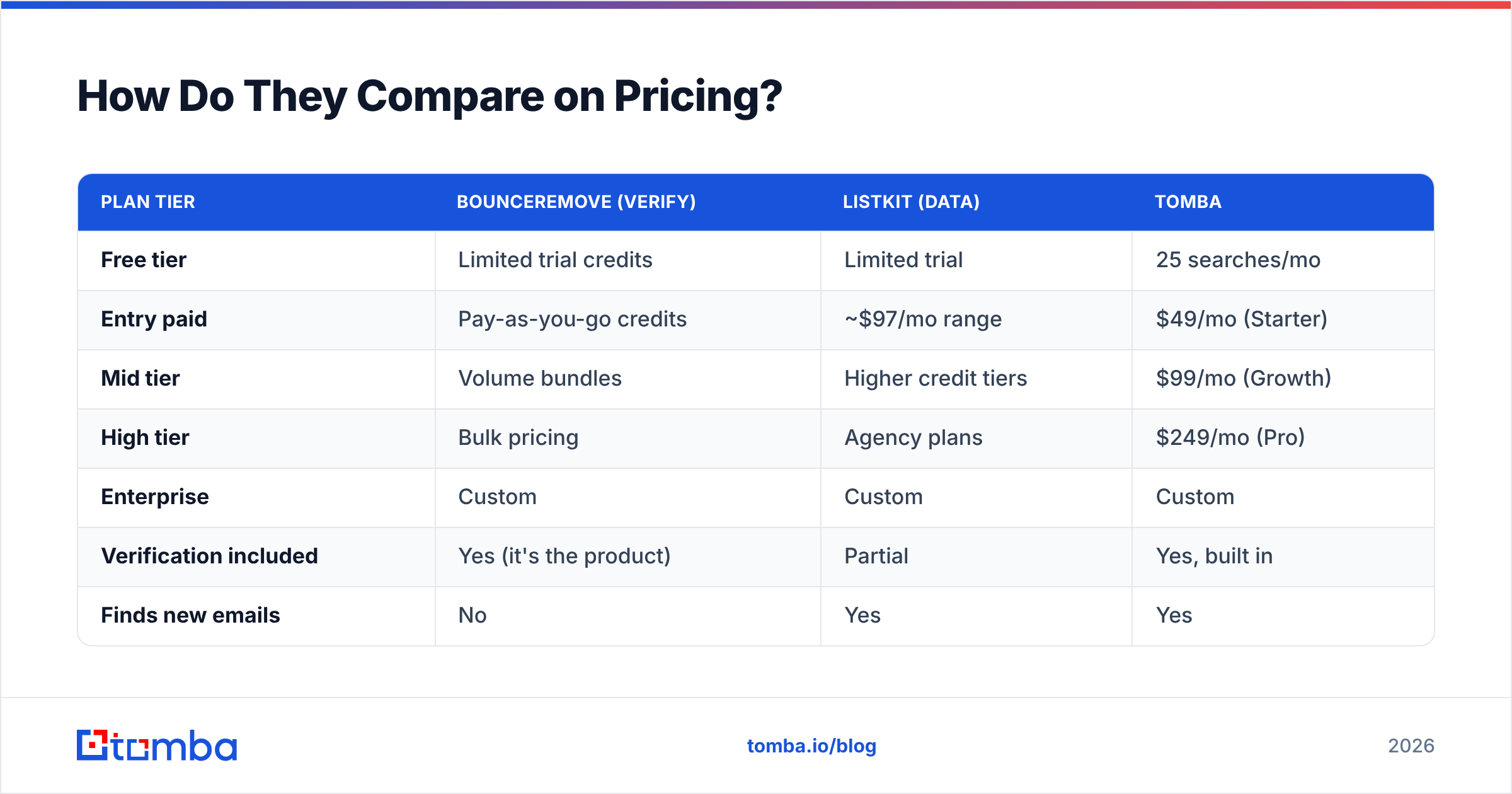
Both tools use credit-based pricing, but they meter different things — Bounceremove charges per verification, Listkit per contact pulled. That makes raw price-per-credit misleading; you have to think about what a credit buys.
| Plan tier | Bounceremove (verify) | Listkit (data) | Tomba |
|---|---|---|---|
| Free tier | Limited trial credits | Limited trial | 25 searches/mo |
| Entry paid | Pay-as-you-go credits | ~$97/mo range | $49/mo (Starter) |
| Mid tier | Volume bundles | Higher credit tiers | $99/mo (Growth) |
| High tier | Bulk pricing | Agency plans | $249/mo (Pro) |
| Enterprise | Custom | Custom | Custom |
| Verification included | Yes (it's the product) | Partial | Yes, built in |
| Finds new emails | No | Yes | Yes |
Pricing for third-party tools shifts often, so confirm current numbers on each vendor's own page before you commit. For the Tomba side, the live breakdown is on the Tomba pricing page. The honest framing: if you only ever verify, a single-purpose verifier can be cheap; if you need finding and verifying, paying for two stacks usually costs more than one combined platform.

How Accurate Is Each on Catch-All Domains?#
Catch-all domains are where verification tools live or die. A catch-all server accepts mail to any address at the domain, so a naive SMTP check returns "valid" for asdfasdf@company.com and a real person alike. If your tool can't distinguish, you either mail garbage or throw away good leads.
Bounceremove flags catch-all addresses as "risky" or "unknown" — useful, but it pushes the decision back to you. Listkit, as a database, varies record by record; some catch-all contacts ship marked "verified" when they're really unconfirmed. Neither approach is wrong, but both leave a gap you should close with a purpose-built catch-all verifier before sending to those domains.
This is the single most common reason "verified" lists still bounce: catch-all addresses that passed a shallow check. Treat any catch-all-heavy list as suspect until a dedicated catch-all pass confirms it. You can also pre-screen domains for their accept patterns with a catch-all finder so you know what you're dealing with before you spend send volume on it.
For broader context on what verification can and can't guarantee, vendor-neutral review sites like G2 and Capterra list dozens of tools with user-reported accuracy — worth a scan before you trust any single claim.
Where Does Tomba Fit In This Comparison?#
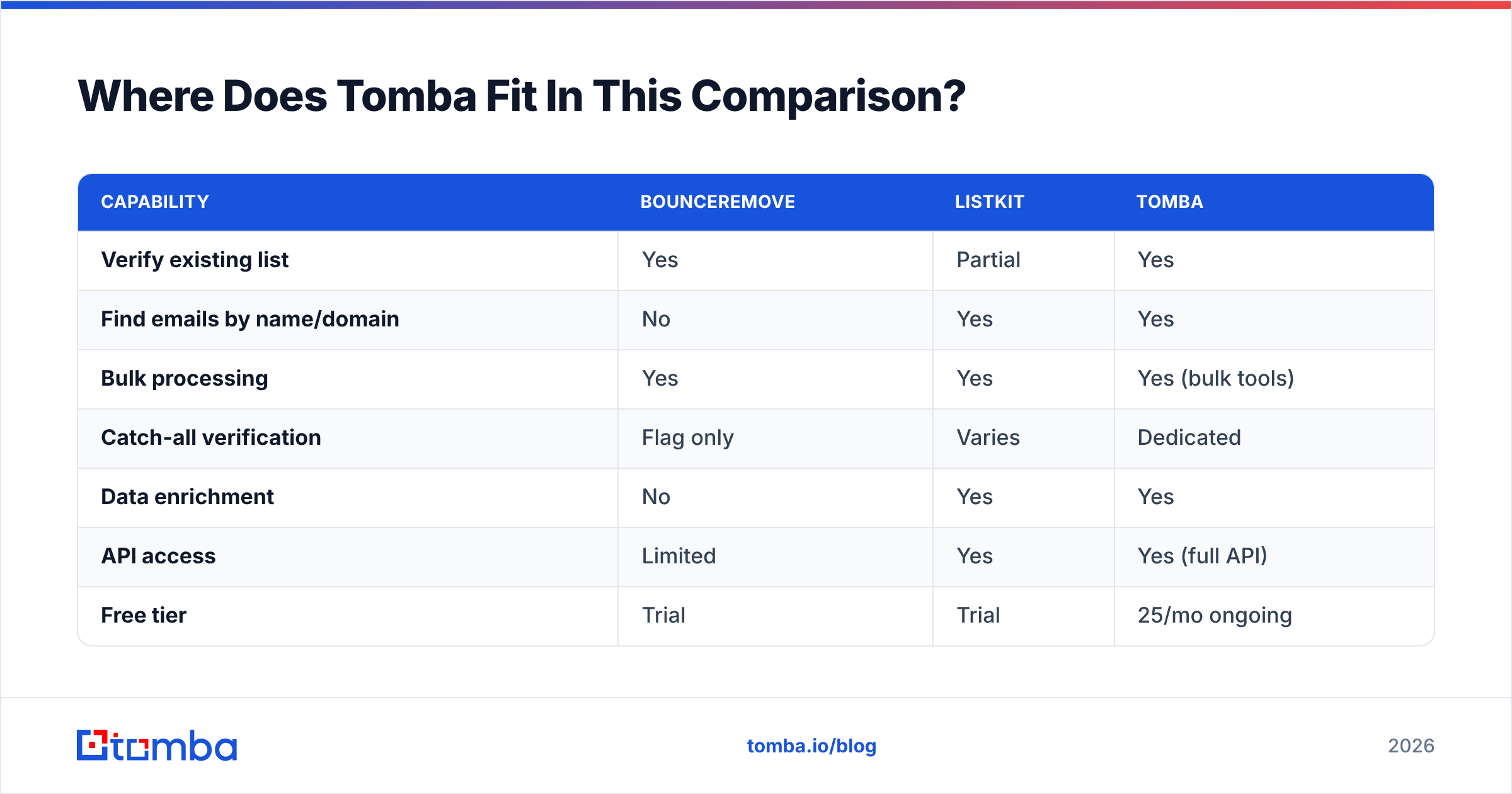
Tomba sits where the Bounceremove-plus-Listkit combo tries to reach: one platform that finds, verifies, and enriches without a handoff between tools. Instead of buying a database from one vendor and a verifier from another, you find emails by domain or name, verify them in the same pipeline, and enrich the records — all on shared credits.
Here is the functional overlap, mapped plainly:
| Capability | Bounceremove | Listkit | Tomba |
|---|---|---|---|
| Verify existing list | Yes | Partial | Yes |
| Find emails by name/domain | No | Yes | Yes |
| Bulk processing | Yes | Yes | Yes (bulk tools) |
| Catch-all verification | Flag only | Varies | Dedicated |
| Data enrichment | No | Yes | Yes |
| API access | Limited | Yes | Yes (full API) |
| Free tier | Trial | Trial | 25/mo ongoing |
Tomba's stack also includes bulk email finder and verification for processing large lists, a full Tomba API for automating the find-then-verify loop, and data enrichment to fill in firmographic gaps that a raw verifier never touches. If your real need is "give me accurate contacts I can mail safely," that's the whole job in one place — not two subscriptions taped together.
This isn't to say a single-purpose verifier is useless. If you genuinely only verify and never source, a focused tool is fine. But most teams running outbound are doing both, and the seams between two tools are where bounces, duplicates, and stale records hide.
Bounceremove vs Listkit: Pros and Cons#
A blunt scorecard for each, so you can match strengths to your situation.
Bounceremove
- Pro: Focused, does verification well, simple to drop into an existing list workflow.
- Pro: Pay-as-you-go suits occasional, list-cleaning use.
- Con: No prospecting — you still need a source of new contacts.
- Con: Catch-all decisions are pushed back to you.
Listkit
- Pro: Fast top-of-funnel list building with rich filters.
- Pro: Sequence-ready exports for agency-scale outbound.
- Con: "Verified" labels still need an independent verification pass.
- Con: Data decay means lists age quickly between pulls.
The pattern across both: each is strong inside its lane and silent outside it. That's not a flaw — it's the cost of single-purpose tools. Your job is to decide whether you'd rather manage that boundary yourself or let one platform own the whole path from contact to confirmed-deliverable.
Frequently Asked Questions#
Is Bounceremove a competitor to Listkit? Not really. Bounceremove verifies lists; Listkit builds them. They solve adjacent problems and are often used together rather than instead of each other.
Can Listkit replace a dedicated email verifier? Cautiously. Listkit ships emails it labels verified, but data decay and catch-all gaps mean an independent verification pass before sending is still the safe move.
Do I need both tools? If you source new prospects and care about deliverability, you need both functions — finding and verifying. You can buy them separately or get both from one platform like Tomba.
What's the fastest way to lower my bounce rate? Run your existing list through a verifier, suppress the invalid and risky addresses, and verify catch-all domains separately before mailing them.
The Bottom Line#
Choose by the gap you actually have. Need to clean a list? A verifier like Bounceremove. Need new prospects? A database like Listkit. Need both, on one bill, without a fragile export step in the middle? That's where consolidating pays off.
If you want to find professional emails by name, company, or domain and verify them in the same workflow — without juggling two subscriptions and a CSV handoff — start with the Tomba Email Finder. The free tier gives you 25 searches a month to test accuracy on your own target accounts before you spend a dollar, and finding, verification, and enrichment run on the same credits so nothing reaches your sequencer unchecked.
// get started
Find, verify and enrich your first contacts today
Start on the free plan with 25 searches a month, then scale when your team is ready.
Free plan · No credit card required · GDPR & CCPA
// about the author