Bouncify vs ListKit (2026): Verification vs Lead Data
Bouncify cleans the lists you already have; ListKit hands you new ones. Here's which tool actually fits your cold email stack in 2026 — and where a finder beats both.

Bouncify vs ListKit: Which One Belongs in Your 2026 Stack?
Bouncify and ListKit get lumped together in "clean data for cold email" threads, but they solve opposite ends of the same problem. One scrubs the list you already have. The other sells you the list in the first place. Picking the wrong one means either paying for data you can't trust or cleaning data you never needed.
This breakdown compares both on what they actually do, what they cost, and where each one earns its place — plus where a dedicated finder beats buying pre-built lists outright.
TL;DR#
- Bouncify is an email verifier. You bring a list; it tells you which addresses are deliverable, risky, or dead. Pay-as-you-go pricing, strong bulk and API support.
- ListKit is a B2B data platform. It builds contact lists with pre-verified emails and phone numbers, plus filters and intent signals. Subscription-based.
- They are not direct competitors — they sit at different stages. Many teams run both: ListKit (or another source) to find, a verifier to confirm.
- The cheaper path for most teams is finding emails on demand from real domains and verifying them in the same flow, instead of renting a static database.
- Best fit: Bouncify if you already have lists to clean; ListKit if you have zero data and want it done-for-you; a finder + verifier combo if you want fresh, owned, controllable pipeline.
What Is Bouncify?#
Bouncify is an email validation service. You upload a CSV (or push data through its API), and it runs each address through syntax checks, MX record lookups, SMTP pings, and spam-trap and disposable-domain detection. The output sorts your list into deliverable, undeliverable, risky, and unknown buckets so you stop mailing addresses that bounce.
Its core promise is deliverability protection. Every hard bounce chips away at your sender reputation, and once your bounce rate climbs past roughly 2–3%, mailbox providers start routing you to spam. Bouncify exists to keep that number low before you hit send.
Think of Bouncify like a bouncer at a club door. It doesn't bring guests — it just decides who gets in. The guest list (your contacts) has to come from somewhere else first.
What Is ListKit?#
ListKit is a lead-data platform built by cold email practitioners. Instead of cleaning a list you supply, it gives you the list: you filter by job title, industry, company size, technology, and intent, then export contacts that come with emails and phone numbers already verified on ListKit's side.
It markets "triple-verified" data and B2B intent signals, positioning itself as a faster on-ramp than scraping LinkedIn or stitching together exports. The trade is that you're pulling from a shared database — the same pool other outbound teams pull from — and you pay a recurring subscription for access rather than per verification.
ListKit is the catering company, not the bouncer. It shows up with the guests already invited. Whether every one of them actually answers the door is a separate question — which is exactly why verification still matters even on "verified" data.

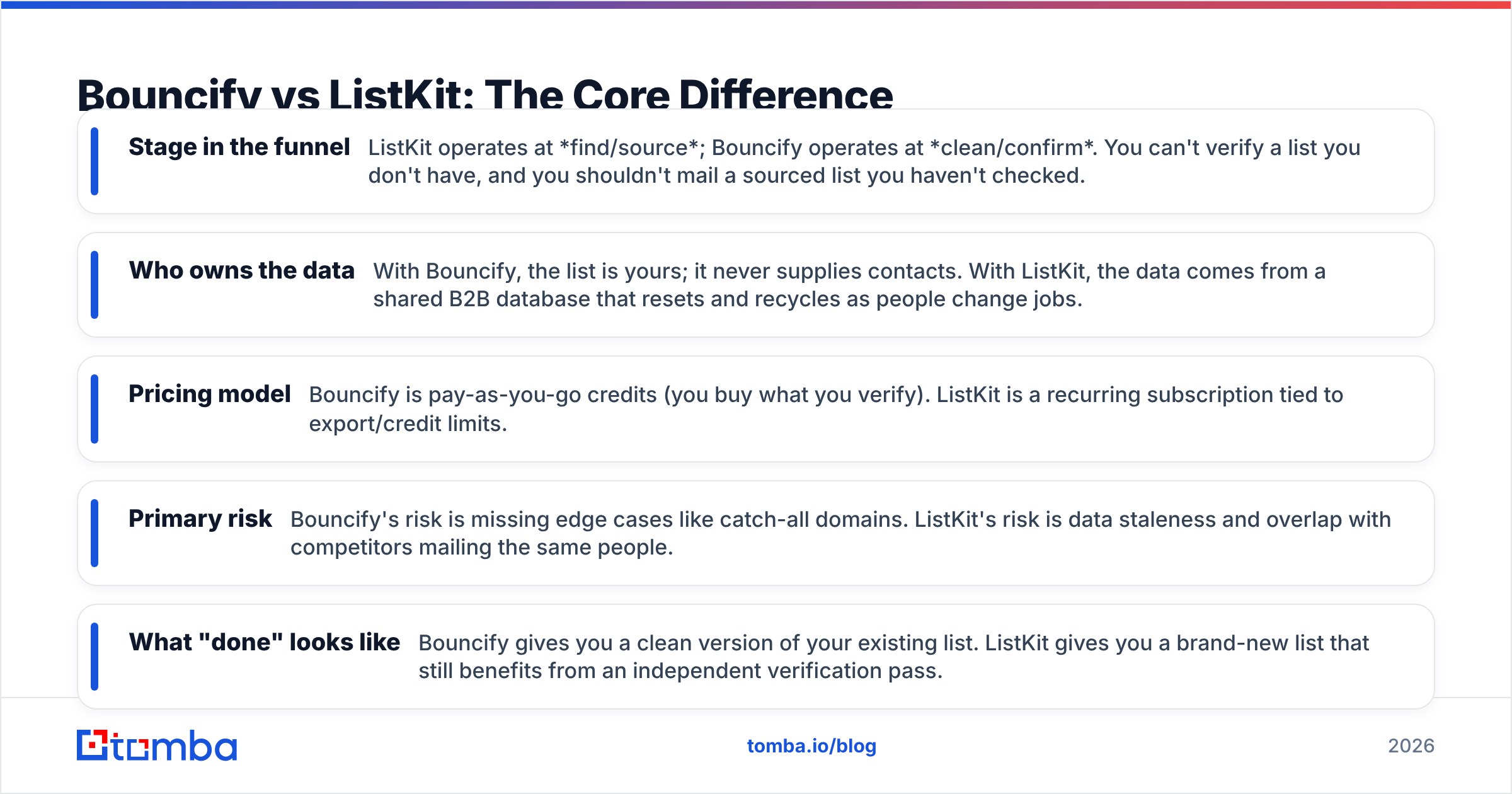
Bouncify vs ListKit: The Core Difference#
Here's the distinction that resolves 90% of the confusion: Bouncify is a verification tool, ListKit is a sourcing tool. They occupy different rows in your workflow.
- Stage in the funnel — ListKit operates at find/source; Bouncify operates at clean/confirm. You can't verify a list you don't have, and you shouldn't mail a sourced list you haven't checked.
- Who owns the data — With Bouncify, the list is yours; it never supplies contacts. With ListKit, the data comes from a shared B2B database that resets and recycles as people change jobs.
- Pricing model — Bouncify is pay-as-you-go credits (you buy what you verify). ListKit is a recurring subscription tied to export/credit limits.
- Primary risk — Bouncify's risk is missing edge cases like catch-all domains. ListKit's risk is data staleness and overlap with competitors mailing the same people.
- What "done" looks like — Bouncify gives you a clean version of your existing list. ListKit gives you a brand-new list that still benefits from an independent verification pass.
If you only remember one thing: comparing "bouncify vs listkit" head-to-head is a bit like comparing a dishwasher to a grocery store. You probably need both, but for different reasons.
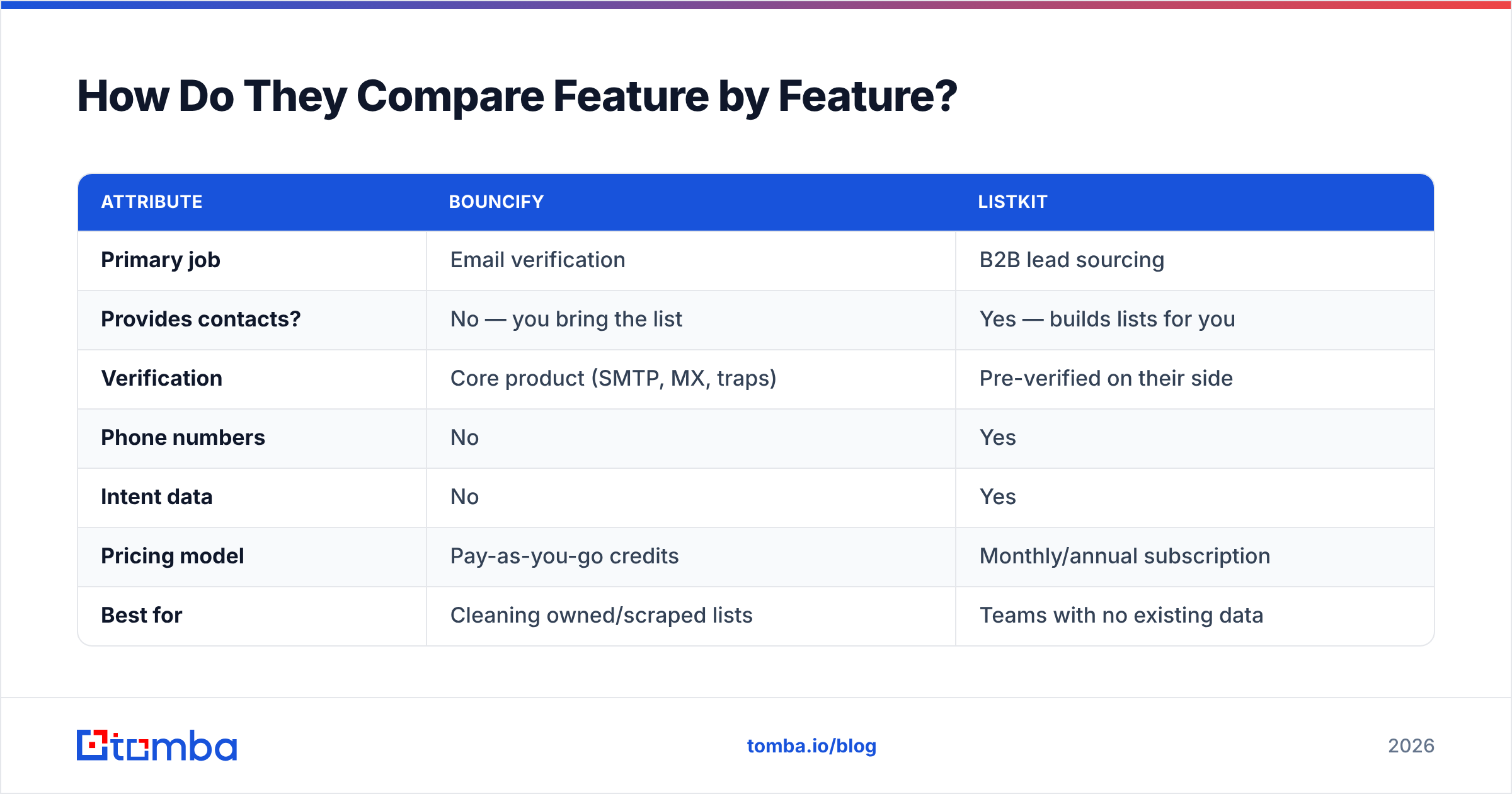
How Do They Compare Feature by Feature?#
| Attribute | Bouncify | ListKit |
|---|---|---|
| Primary job | Email verification | B2B lead sourcing |
| Provides contacts? | No — you bring the list | Yes — builds lists for you |
| Verification | Core product (SMTP, MX, traps) | Pre-verified on their side |
| Phone numbers | No | Yes |
| Intent data | No | Yes |
| Pricing model | Pay-as-you-go credits | Monthly/annual subscription |
| Best for | Cleaning owned/scraped lists | Teams with no existing data |
| API access | Yes | Yes |
| Catch-all handling | Flags as risky/unknown | Varies by record |
| Data freshness control | You control source | Shared, recycled database |
The table makes the overlap obvious: the only column they truly share is verification, and even there they approach it differently. Bouncify verifies whatever you give it. ListKit verifies what it sells you. Neither lets you point at a company domain and pull fresh, owned contacts on demand — which is the gap a dedicated finder fills.
Which Is More Accurate for Cold Email?#
Accuracy depends on what you're measuring. For verifying an existing list, a dedicated verifier like Bouncify will almost always beat the inline check baked into a data vendor, because verification is its entire reason to exist. Dedicated verifiers tend to handle SMTP timeouts, greylisting, and disposable domains more carefully.
For sourcing, ListKit's accuracy is only as good as its last database refresh. B2B data decays fast — somewhere around 22–30% of contacts go stale every year as people switch roles. "Triple-verified" at the moment of capture doesn't mean verified the day you export. That's why even teams buying from a data platform run a second, independent verification pass before launching a campaign.
The honest takeaway: don't trust a single source's self-reported accuracy. Re-verify sourced data with a separate tool, and re-check owned lists on a schedule. If you want to test methodology, the user reviews on G2 are a better signal than any vendor's homepage stat.
The cleanest setup is to verify at the point of finding. When you pull an address from a live domain and confirm it in the same step — including a real catch-all verifier for those tricky accept-all servers — you skip the "source then re-clean" round trip entirely. Tomba's email verifier is built to run inline with discovery for exactly that reason.
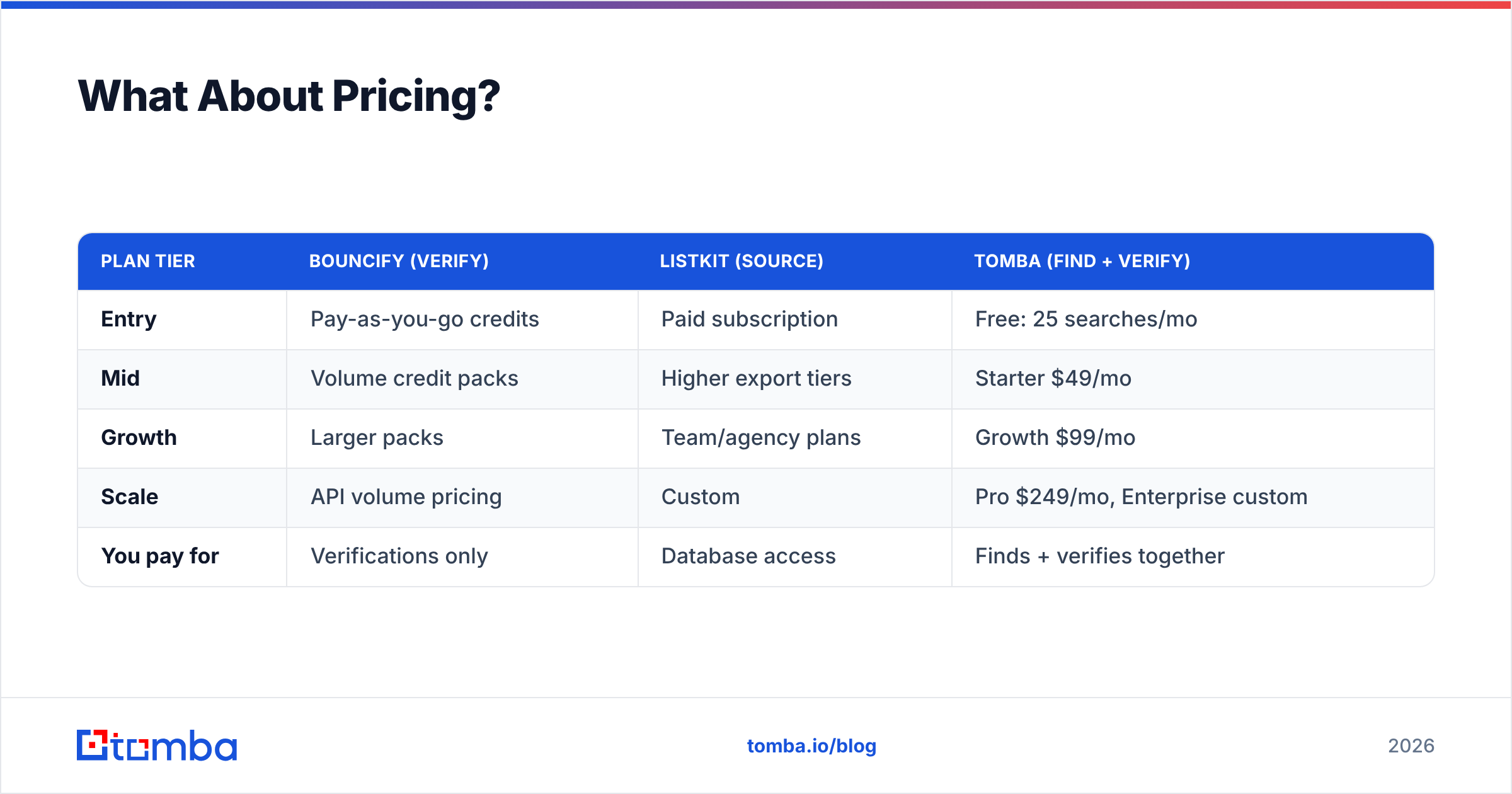
What About Pricing?#
Pricing structure is where the two diverge hardest, and it changes the math depending on your volume.
| Plan tier | Bouncify (verify) | ListKit (source) | Tomba (find + verify) |
|---|---|---|---|
| Entry | Pay-as-you-go credits | Paid subscription | Free: 25 searches/mo |
| Mid | Volume credit packs | Higher export tiers | Starter $49/mo |
| Growth | Larger packs | Team/agency plans | Growth $99/mo |
| Scale | API volume pricing | Custom | Pro $249/mo, Enterprise custom |
| You pay for | Verifications only | Database access | Finds + verifies together |
Bouncify's pay-as-you-go model is great when verification is occasional — you don't carry a subscription for a tool you use twice a quarter. ListKit's subscription makes sense when sourcing is constant and you'd otherwise pay per-record elsewhere. Tomba's pricing bundles finding and verifying into one credit so you aren't paying two vendors for two halves of one job.
A quick gut check: if you're paying for a sourcing subscription and a separate verifier and still re-cleaning exports, you've got three line items doing what one combined finder-verifier can do.
When Should You Use Each One?#
Use Bouncify when you already have lists — newsletter signups, scraped exports, an old CRM dump — and you need to clean them before a send. It's purpose-built for that single job and the pay-as-you-go pricing fits irregular use. Pair it with a bulk verify workflow if you process large files routinely.
Use ListKit when you're starting from nothing and want a done-for-you list with phones and intent baked in, and you're comfortable mailing from a shared database that other outbound teams also use. It removes the build step at the cost of data exclusivity and a recurring bill.
Use a finder + verifier when you want fresh, owned, controllable data tied to real domains rather than a static pool — and you'd rather not stitch two subscriptions together. This is where pulling emails by domain search and enriching them with data enrichment in one platform wins on both cost and control.
Can You Just Use One Tool Instead?#
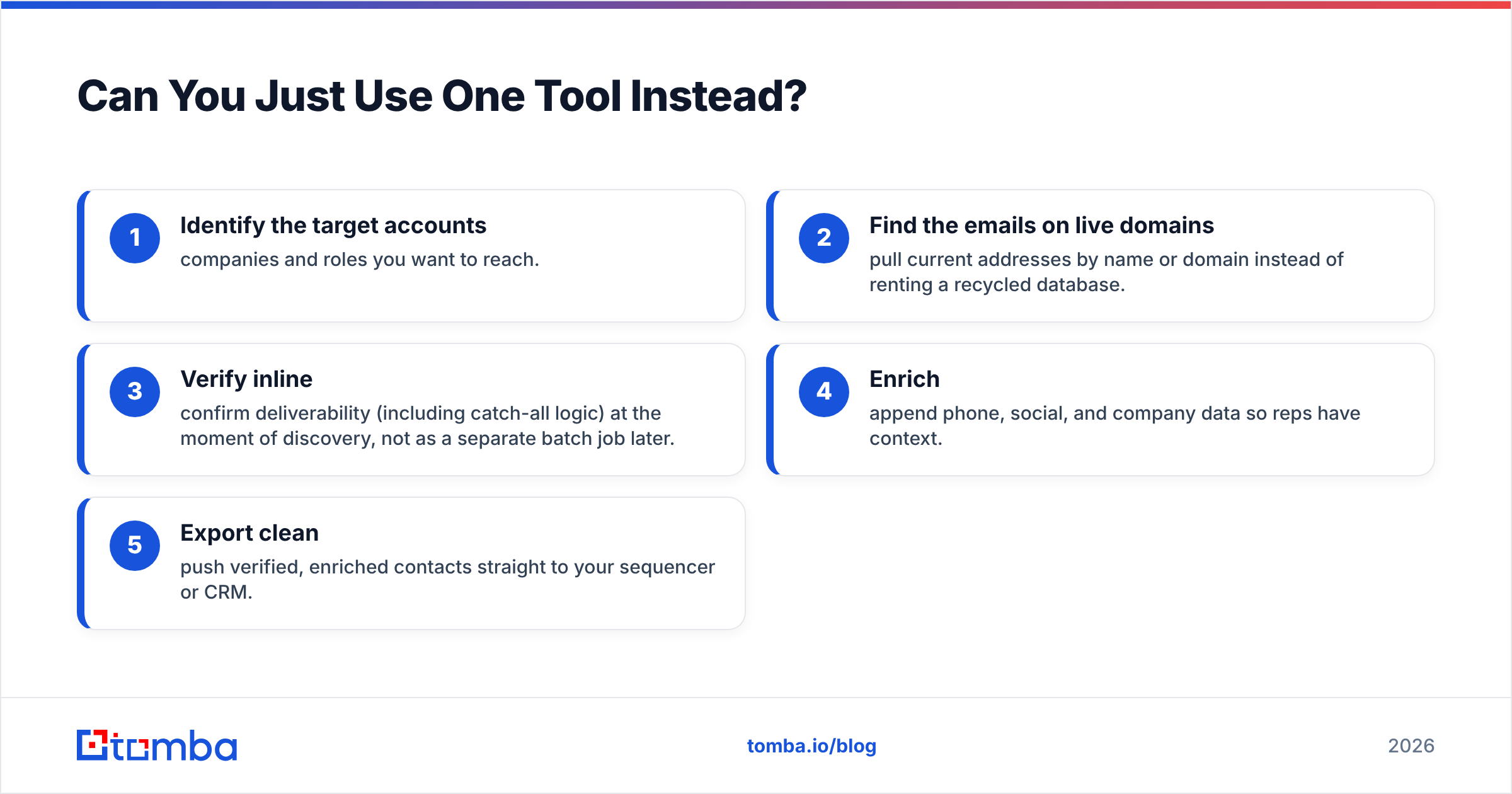
For a lot of teams, yes — and that's the point most "bouncify vs listkit" comparisons miss. The two-tool dance (source on ListKit, clean on Bouncify) exists because neither product covers the full find-to-confirm loop. A combined finder closes that loop.
Here's the workflow consolidation:
- Identify the target accounts — companies and roles you want to reach.
- Find the emails on live domains — pull current addresses by name or domain instead of renting a recycled database.
- Verify inline — confirm deliverability (including catch-all logic) at the moment of discovery, not as a separate batch job later.
- Enrich — append phone, social, and company data so reps have context.
- Export clean — push verified, enriched contacts straight to your sequencer or CRM.
Run that loop with one tool and you delete the hand-off where data goes stale between sourcing and sending. You also stop paying for the same record twice — once to find it, once to check it.
So, Bouncify or ListKit?#
Conclusion first: pick by the problem you actually have. If your bottleneck is dirty lists, Bouncify is the sharper, cheaper instrument. If your bottleneck is having no lists at all, ListKit removes the build step — just plan to re-verify what it gives you. They're complements far more than competitors, and treating them as either/or is the common mistake.
But if you're choosing tools in 2026 to build a repeatable outbound engine, the better question isn't Bouncify vs ListKit at all — it's whether you want to keep gluing a sourcing subscription to a verification subscription, or run finding and verifying as one motion on fresh, owned data.
That's the case for a dedicated finder. Tomba's email finder pulls professional addresses by name, domain, or company, verifies them inline so your bounce rate stays low, and enriches the result — no separate cleanup pass, no recycled database, no two invoices. Start free with 25 searches a month, scale to Starter at $49/mo when you're ready, and keep your pipeline fresh instead of rented. Try the Tomba Email Finder and replace the two-tool shuffle with one clean workflow.
// get started
Find, verify and enrich your first contacts today
Start on the free plan with 25 searches a month, then scale when your team is ready.
Free plan · No credit card required · GDPR & CCPA
// about the author