Brandnav vs FinalScout 2026: Which Email Finder Wins?
Brandnav vs FinalScout, compared head-to-head on accuracy, pricing, LinkedIn coverage, and verification — plus where a third option beats both.
Choosing between Brandnav vs FinalScout comes down to one question: do you need a broad B2B data platform, or a LinkedIn-first email extractor bolted to your browser? Both promise verified emails for cold outreach, but they solve the problem from opposite ends — and the right pick depends entirely on where your prospects live.
This breakdown compares the two on accuracy, pricing, workflow, and data coverage, then shows where a third tool quietly outperforms both on the metric that actually drives replies: deliverable, verified addresses at scale.
TL;DR#
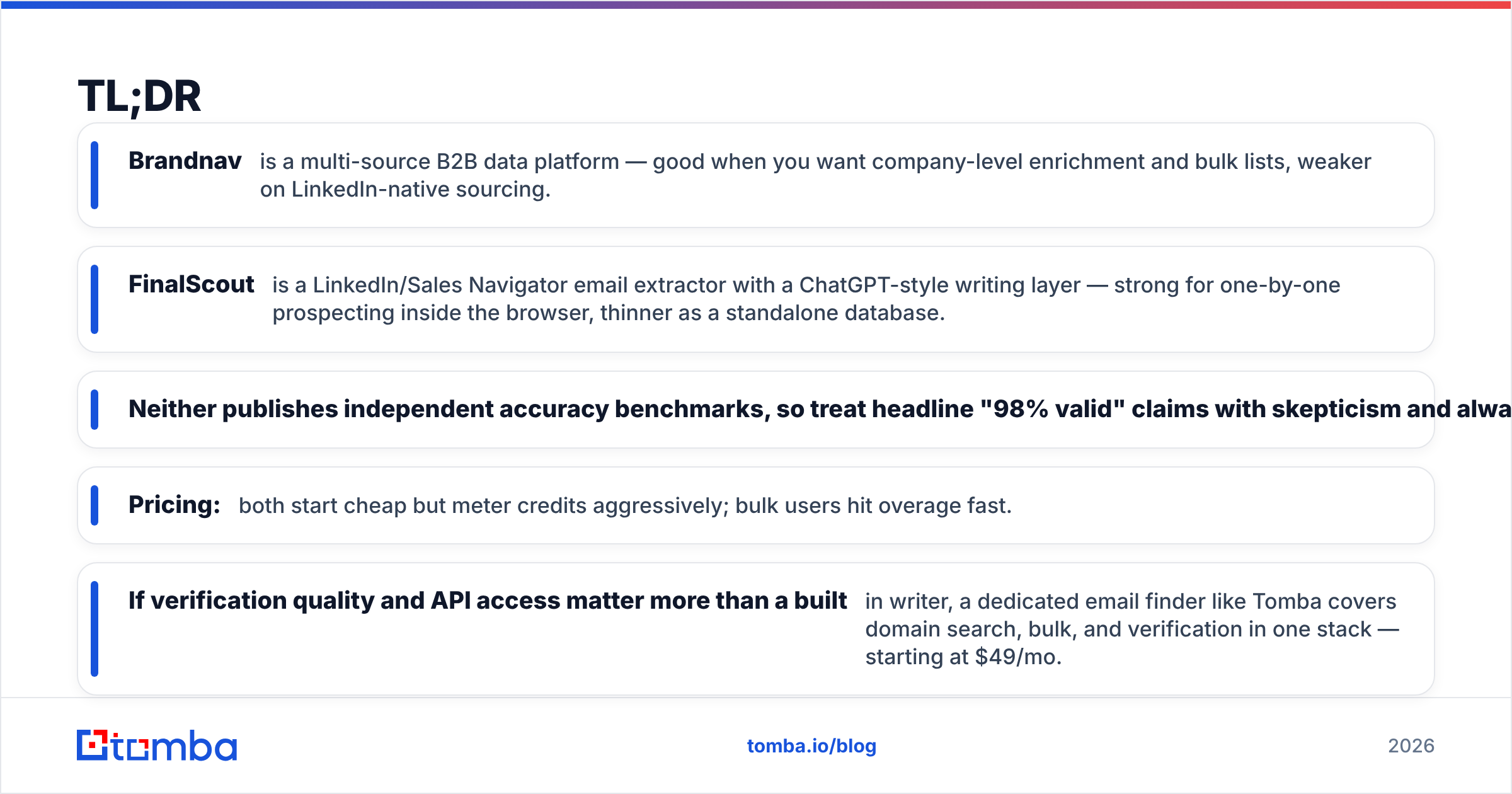
- Brandnav is a multi-source B2B data platform — good when you want company-level enrichment and bulk lists, weaker on LinkedIn-native sourcing.
- FinalScout is a LinkedIn/Sales Navigator email extractor with a ChatGPT-style writing layer — strong for one-by-one prospecting inside the browser, thinner as a standalone database.
- Neither publishes independent accuracy benchmarks, so treat headline "98% valid" claims with skepticism and always re-verify.
- Pricing: both start cheap but meter credits aggressively; bulk users hit overage fast.
- If verification quality and API access matter more than a built-in writer, a dedicated email finder like Tomba covers domain search, bulk, and verification in one stack — starting at $49/mo.
What is Brandnav?#
Brandnav positions itself as a B2B lead-data platform: you search by company, role, or domain and pull back contact records with emails, and in some tiers phone numbers and firmographics. The pitch is breadth — one place to build a list without stitching together five tools.
In practice, Brandnav behaves like a database-first product. You query, filter, and export. That's a natural fit if your motion is account-based and you already know the companies you want to penetrate. The trade-off is that database-first tools are only as fresh as their last refresh, so job-changers and recently founded companies are where coverage thins out.
)
What is FinalScout?#
FinalScout is built around LinkedIn and Sales Navigator. You browse profiles or run a search, and the extension pulls verified business emails for those people — then offers an AI writer (it leans on a ChatGPT-style model) to draft the outreach message right there. The promise is a tight loop: find the person, get the email, write the note, without leaving the tab.
That browser-native flow is FinalScout's real advantage. If your prospecting starts on LinkedIn — which for most modern SDRs it does — pulling the email at the exact moment you've qualified the profile removes a context switch. The cost is that FinalScout is tethered to LinkedIn as a sourcing surface. Take it off LinkedIn and ask it to process a raw domain list, and it's less at home.
Brandnav vs FinalScout: how do they compare?#
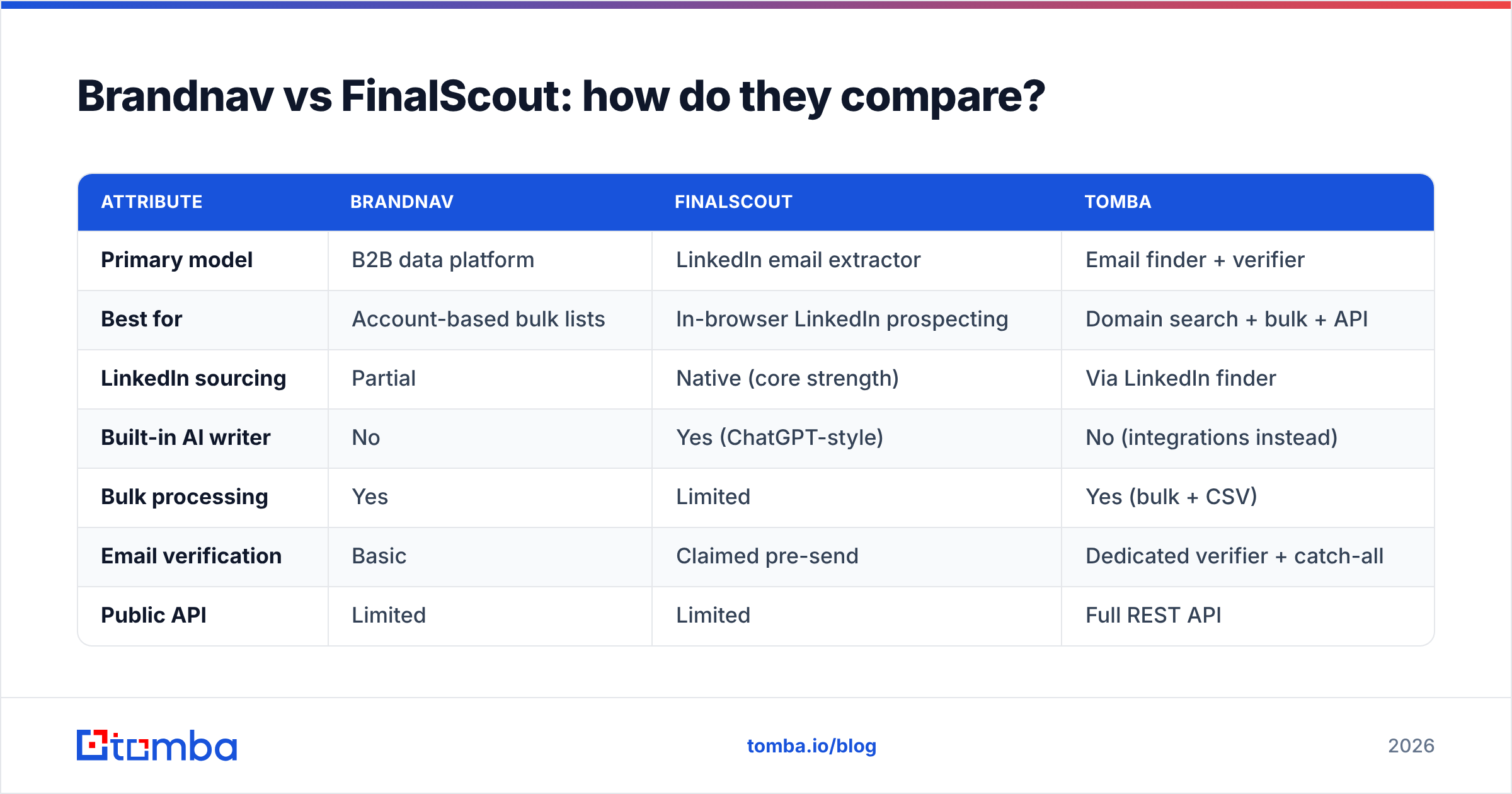
Here is the head-to-head on the attributes that actually change your reply rate and your monthly bill.
| Attribute | Brandnav | FinalScout | Tomba |
|---|---|---|---|
| Primary model | B2B data platform | LinkedIn email extractor | Email finder + verifier |
| Best for | Account-based bulk lists | In-browser LinkedIn prospecting | Domain search + bulk + API |
| LinkedIn sourcing | Partial | Native (core strength) | Via LinkedIn finder |
| Built-in AI writer | No | Yes (ChatGPT-style) | No (integrations instead) |
| Bulk processing | Yes | Limited | Yes (bulk + CSV) |
| Email verification | Basic | Claimed pre-send | Dedicated verifier + catch-all |
| Public API | Limited | Limited | Full REST API |
| Free tier | Trial credits | Limited free plan | 25 searches/mo |
| Entry paid price | Credit-metered | Credit-metered | $49/mo Starter |
The pattern: Brandnav wins on raw list-building breadth, FinalScout wins on LinkedIn-to-message speed, and a dedicated finder-plus-verifier wins on data hygiene and programmatic access. None of them is "best" in the abstract — they're best at different jobs.
Which is more accurate?#
Accuracy is the metric everyone advertises and nobody proves. Neither Brandnav nor FinalScout publishes an independent, third-party accuracy audit, so "verified" and "98% valid" should be read as marketing claims until your own bounce data confirms them.
What actually determines accuracy is two things: how fresh the underlying data is, and whether every email is SMTP-verified at the moment you pull it — not weeks earlier when it was scraped. A catch-all domain (where the mail server accepts everything) is the classic trap: a tool can call the address "valid" because the server didn't reject it, and you still bounce or land in a black hole. That's why a real catch-all verifier matters more than a green checkmark.

Practical rule regardless of which tool you choose: never trust a single source's "valid" flag for a high-stakes list. Re-run exports through an independent email verifier before you send. Protecting your domain's sender reputation is cheaper than recovering it after a spike of bounces.
How does pricing compare?#
Both Brandnav and FinalScout use credit-metered pricing, which looks cheap on the entry tier and gets expensive the moment you scale. A "credit" is usually one revealed contact, and bulk jobs burn through monthly allowances fast — then you're buying overage at the worst per-unit rate.
Here's the honest framing:
- Brandnav — credit packs sized for list-builders. Good unit economics if you export in big, infrequent batches; punishing if you drip small daily pulls.
- FinalScout — has a limited free plan and paid tiers metered by emails found. The AI writer is bundled, which is value if you'd otherwise pay for a separate copy tool.
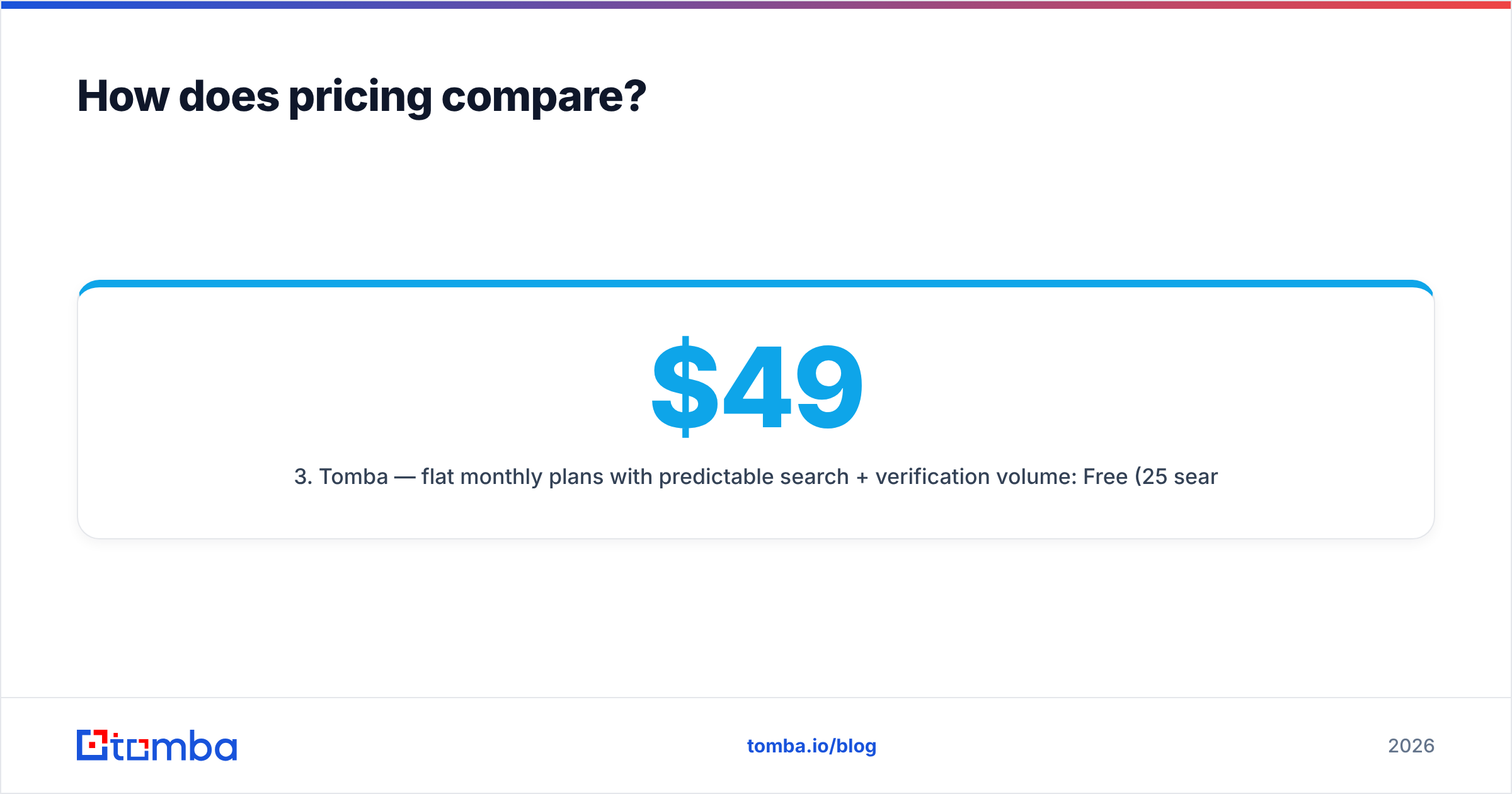
- Tomba — flat monthly plans with predictable search + verification volume: Free (25 searches/mo), Starter $49/mo, Growth $99/mo, Pro $249/mo, Enterprise custom. See full Tomba pricing for credit breakdowns.
The trap with credit models is the silent overage. Map your real monthly volume — number of contacts AND number of verifications — before committing, because verification is where credit tools quietly double-charge.
Which fits your workflow?#
This is where the decision actually gets made, because the "better" tool is the one that fits how your team already works.
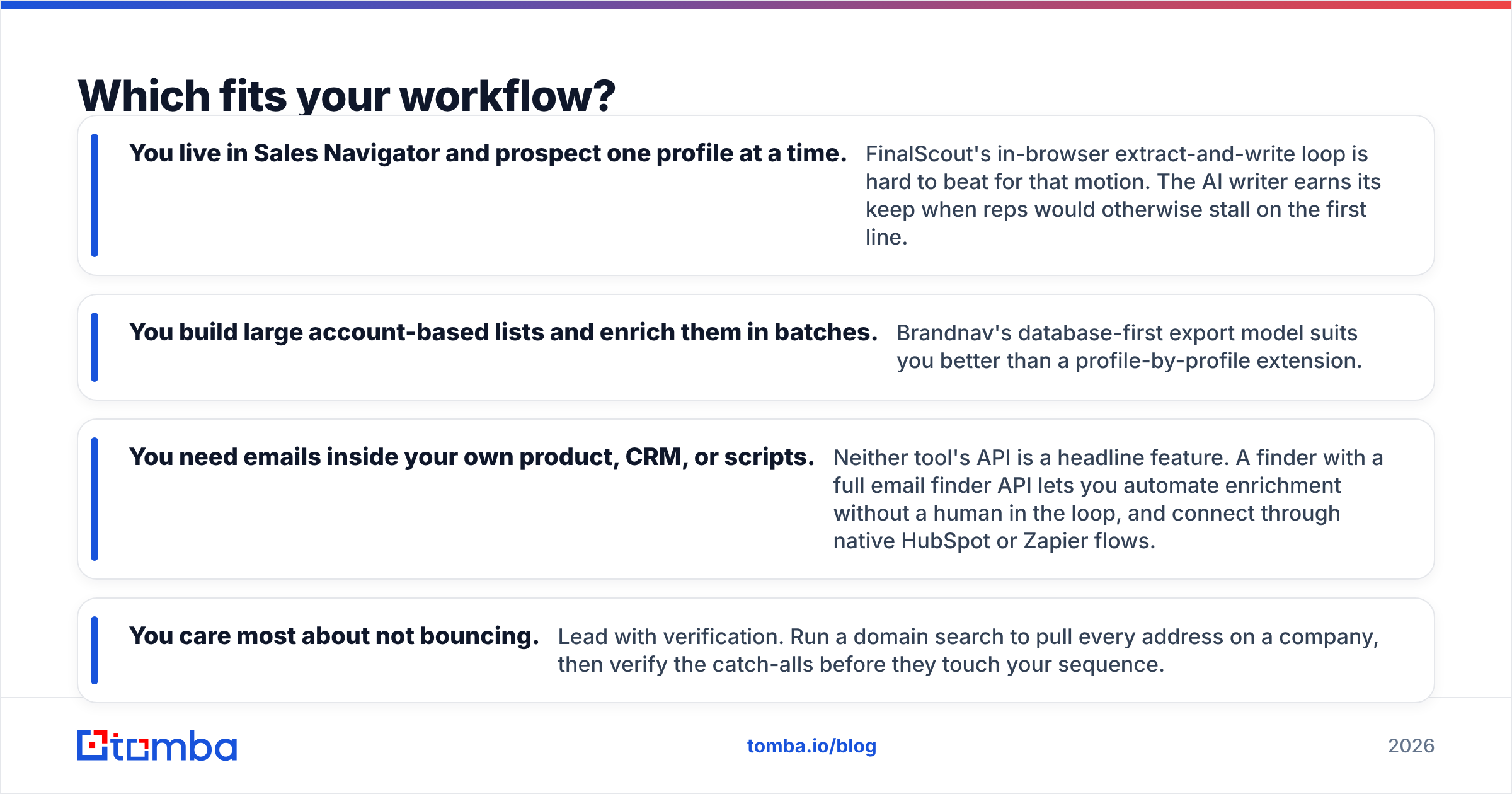
- You live in Sales Navigator and prospect one profile at a time. FinalScout's in-browser extract-and-write loop is hard to beat for that motion. The AI writer earns its keep when reps would otherwise stall on the first line.
- You build large account-based lists and enrich them in batches. Brandnav's database-first export model suits you better than a profile-by-profile extension.
- You need emails inside your own product, CRM, or scripts. Neither tool's API is a headline feature. A finder with a full email finder API lets you automate enrichment without a human in the loop, and connect through native HubSpot or Zapier flows.
- You care most about not bouncing. Lead with verification. Run a domain search to pull every address on a company, then verify the catch-alls before they touch your sequence.
Most teams discover their motion is mixed — some LinkedIn sourcing, some domain-level list-building, some automated enrichment. That's the case where a single specialized extension or a single database both leave gaps.
What are the limitations of each?#
No tool is free of trade-offs, and pretending otherwise is how you end up with a bloated stack.
Brandnav limitations: database freshness is the recurring weak point of any platform that refreshes in batches — recently changed roles and new companies lag. LinkedIn-native sourcing is partial, so true profile-level prospecting needs a second tool.
FinalScout limitations: it's anchored to LinkedIn. Off-platform list work, raw domain processing, and large-scale API enrichment aren't its strengths. And bundling an AI writer is only valuable if you'd actually use it — if you have your own copy process, you're paying for a feature you ignore.
Shared limitation: neither leads with independent, audited verification. For deliverability-critical sending you'll still want a dedicated verification pass, which is exactly the gap a bulk email finder plus verifier closes.
Is there a better alternative for verified email at scale?#
If your priority is verified, deliverable emails — by domain, in bulk, and via API — a dedicated finder-and-verifier is the more durable backbone than either a single-source database or a LinkedIn-only extension.
Tomba covers the full pipeline in one place:
| Job to be done | Tomba tool |
|---|---|
| Find every email on a company domain | Domain search |
| Find a specific person's email | Email finder |
| Confirm an address before sending | Email verifier |
| Handle accept-all domains | Catch-all verifier |
| Process thousands at once | Bulk finder |
| Automate inside your product | REST API |
The point isn't that Tomba replaces every workflow — if you genuinely live inside LinkedIn all day, FinalScout's loop is excellent at that one thing. The point is that for the broad case — mixed sourcing, real verification, and automation — a finder built around accuracy and a full API surface gives you fewer tools to stitch and fewer bounces to clean up.

For more on where contact data actually comes from and why freshness drives accuracy, see Tomba's data sources breakdown. And for the broader category, independent reviews on G2 and Capterra are useful for sanity-checking any vendor's self-reported numbers against real user bounce reports.
Brandnav vs FinalScout: the verdict#
- Pick Brandnav if your motion is account-based list-building and you want a database to export from in batches.
- Pick FinalScout if you prospect primarily inside LinkedIn and value an integrated AI writer in the same tab.
- Pick a dedicated finder + verifier if verification quality, bulk processing, and API automation are your real constraints — which, for most outbound teams scaling past a few hundred sends a month, they are.
Whichever you choose, the non-negotiable is verification before sending. The cheapest path to a healthy email deliverability score is simply not emailing addresses that were never real.
Start with verified emails, not guesses#
If you want emails that actually land, start where accuracy is the product, not an add-on. Tomba's Email Finder gives you find-by-name, find-by-domain, bulk processing, and built-in verification in one stack — with a free tier of 25 searches a month and Starter plans at $49/mo. Run your next list through it, verify before you send, and let your bounce rate decide which tool earns the renewal. Compare the full feature set on Tomba pricing and test it against your current source this week.
Ready to find emails that actually work?
Join 150,000+ professionals who stopped guessing and started sending. Free credits on signup — no credit card required.
Get the Tomba newsletter
Practical outbound tactics and product updates — once every two weeks.
About the author