Brandnav vs Labnify 2026: B2B Email Data Tools Compared
Brandnav and Labnify both promise cleaner B2B outreach, but they solve different halves of the problem. Here's the honest 2026 breakdown of pricing, accuracy, and fit.
Choosing between Brandnav and Labnify usually means you're trying to fix one of two problems: you either can't find good contact data, or you can't get the email you wrote to actually land. Those are different jobs, and the two tools lean in different directions. This guide breaks down what each one really does, where the pricing traps are, and which one fits your outbound motion in 2026.
TL;DR#
- Brandnav leans toward B2B data and lead sourcing — finding contacts, emails, and company info to fill the top of your pipeline.
- Labnify leans toward sending infrastructure — email warmup, deliverability, and campaign throughput for teams that already have a list.
- They overlap less than the "vs" framing suggests; many teams end up needing one of each job done, not one tool.
- Neither is a true all-in-one. If data accuracy is your bottleneck, a dedicated finder-and-verifier stack beats bolting on a side feature.
- For sourcing verified B2B emails at a predictable price, a specialized provider like Tomba covers the finding and verification half cleanly.
What is Brandnav?#
Brandnav positions itself as a B2B data and lead-generation layer. The core promise is helping you discover companies and decision-makers, pull contact details, and export lists you can drop into a sequencer or CRM. Think of it as the part of your outbound engine that answers "who do I email, and what's their address?"
For teams that live and die by list quality, that's the expensive half of the funnel. A contact you can't reach is worse than no contact at all, because you spend a sequence slot, an inbox reputation hit, and a follow-up on an address that was never going to convert.
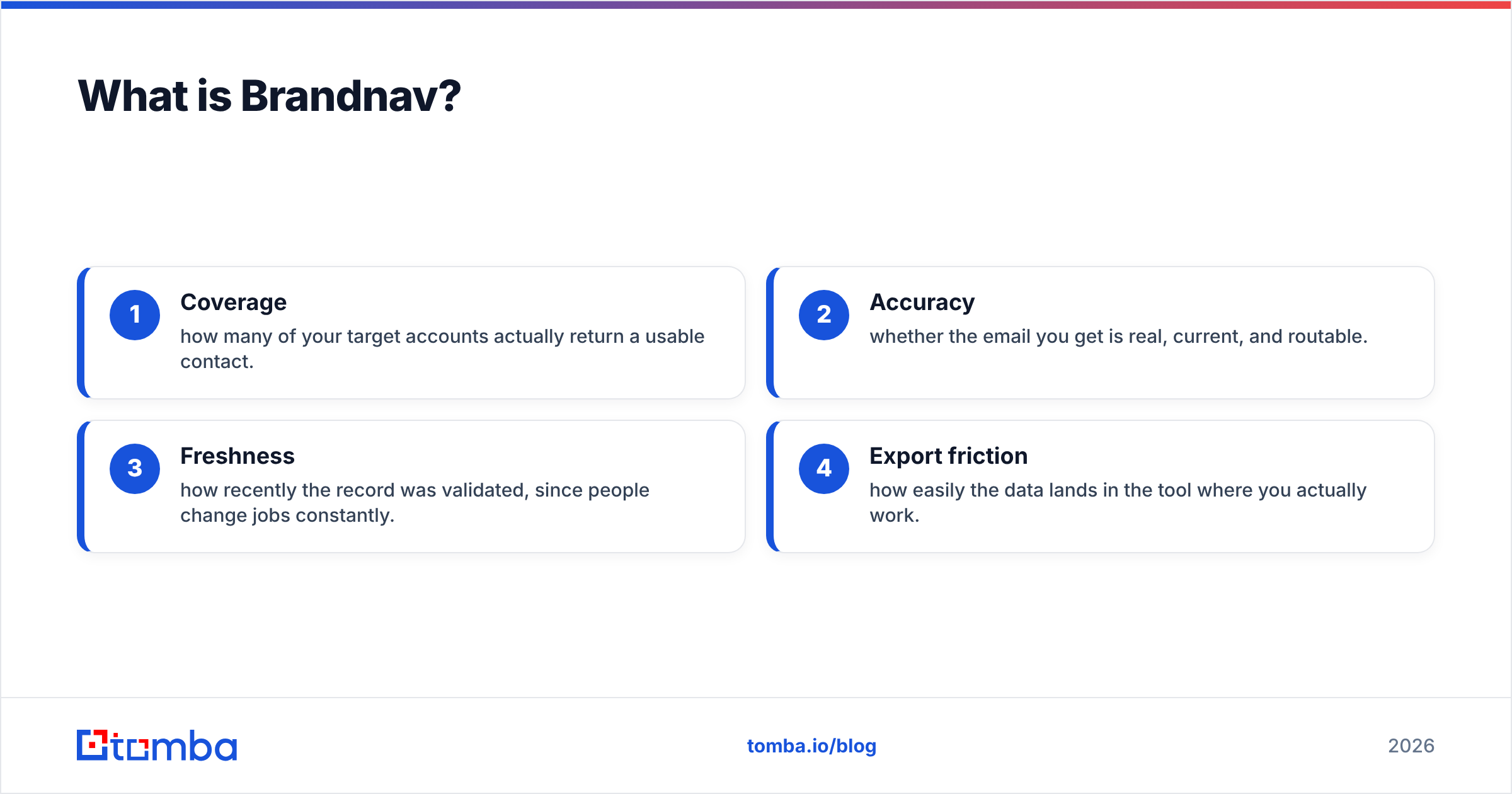
The data-sourcing job has a few moving parts that matter more than the marketing copy:
- Coverage — how many of your target accounts actually return a usable contact.
- Accuracy — whether the email you get is real, current, and routable.
- Freshness — how recently the record was validated, since people change jobs constantly.
- Export friction — how easily the data lands in the tool where you actually work.

What is Labnify?#
Labnify sits on the other side of the funnel: getting the message delivered. Its feature set centers on email sending infrastructure — warmup, inbox rotation, deliverability monitoring, and the throughput controls cold-email teams need to send at volume without torching their domains.
This matters because a perfect list still fails if your emails hit spam. Sending reputation is its own discipline — covering email deliverability, sender reputation, authentication records, and warmup pacing. Labnify's pitch is that it handles that plumbing so your reps don't have to babysit DNS records and bounce rates.
The catch: deliverability tools assume you already have clean, verified contacts to send to. Warmup can't rescue a list full of dead addresses. If 20% of your list bounces, no amount of inbox rotation saves the campaign — and the bounces themselves drag your reputation down.
Brandnav vs Labnify: how do they compare?#
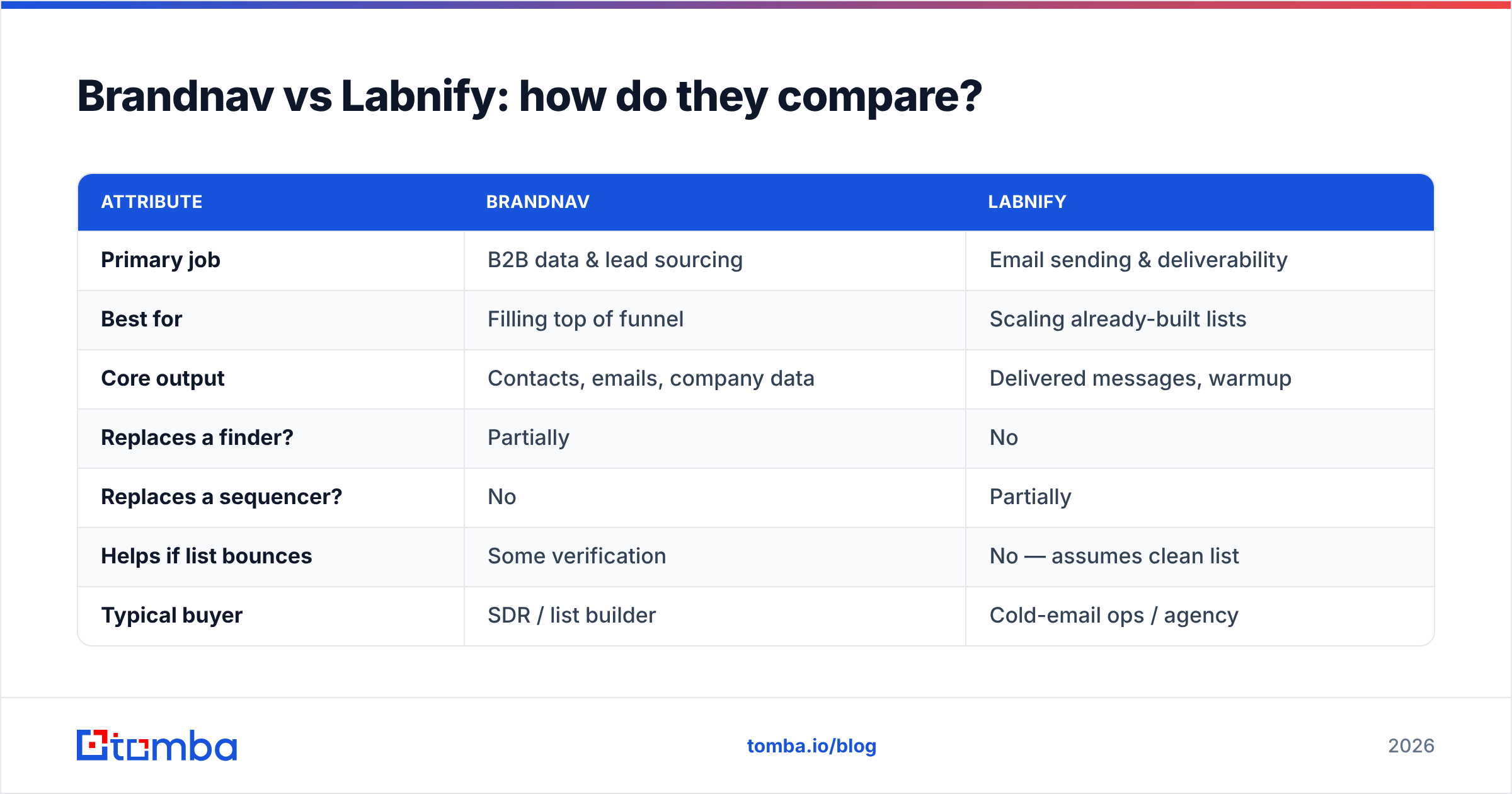
Here's the honest side-by-side. The key insight is that these tools mostly occupy different stages of the same workflow, so a head-to-head "winner" depends entirely on which stage is your bottleneck.
| Attribute | Brandnav | Labnify |
|---|---|---|
| Primary job | B2B data & lead sourcing | Email sending & deliverability |
| Best for | Filling top of funnel | Scaling already-built lists |
| Core output | Contacts, emails, company data | Delivered messages, warmup |
| Replaces a finder? | Partially | No |
| Replaces a sequencer? | No | Partially |
| Helps if list bounces | Some verification | No — assumes clean list |
| Typical buyer | SDR / list builder | Cold-email ops / agency |
The takeaway: if you frame this as "which one tool do I buy," you'll probably be disappointed by whichever you pick, because each leaves the other half of the job undone. The better question is "which half is broken right now?"
Which problem are you actually solving?#
Conclusion first: diagnose your bottleneck before you buy either tool. Most teams misdiagnose this and buy a sending tool when their data is the problem, or vice versa.
Run this quick check against your last campaign:
- High bounce rate (over 3-4%) → your data is the problem. You need better finding and email verification, not better sending.
- Good open rates, low replies → your targeting or copy is the problem, not the tooling.
- Low open rates, clean list → your deliverability is the problem. A sending tool like Labnify earns its keep here.
- Can't even build a list → your sourcing is the problem. A data tool like Brandnav (or a dedicated finder) is the move.
A useful analogy: data tools and sending tools are like a kitchen and a delivery service. Brandnav helps you cook the meal (build the list); Labnify makes sure it arrives hot (lands in the inbox). A great delivery driver can't fix a bad meal, and a great chef can't fix a driver who leaves food on the porch for three hours.
Is accuracy or deliverability more important?#
Both, but in order. Accuracy comes first because it's upstream of everything else. A verified, routable email is the input deliverability tools depend on. Garbage in, spam folder out.
This is where the "vs" framing breaks down most. Teams obsess over warmup settings while feeding their sequencer a list with a 25% invalid rate. The bounces from that bad list do more reputation damage than any warmup tool can repair. You fix the list first, then optimize sending.
That's also why a lot of mature outbound teams don't pick one of these tools — they run a verification step regardless of where the data came from. Even a "premium" data source should be passed through a verifier before it touches your primary sending domain. If you're sourcing at scale, a bulk email finder plus verification pass is cheaper than the reputation cleanup after a bad send.
How much do Brandnav and Labnify cost?#
Pricing for both tools shifts with seats, credits, and sending volume, so always confirm current numbers on their own sites and on a neutral marketplace like G2 or Capterra before committing. The structural difference matters more than any single number:
- Brandnav-style data tools typically charge by credits or contact exports — you pay per record you pull. Costs scale with how aggressively you prospect.
- Labnify-style sending tools typically charge by inboxes, sending volume, or warmup slots — you pay for throughput, not data.
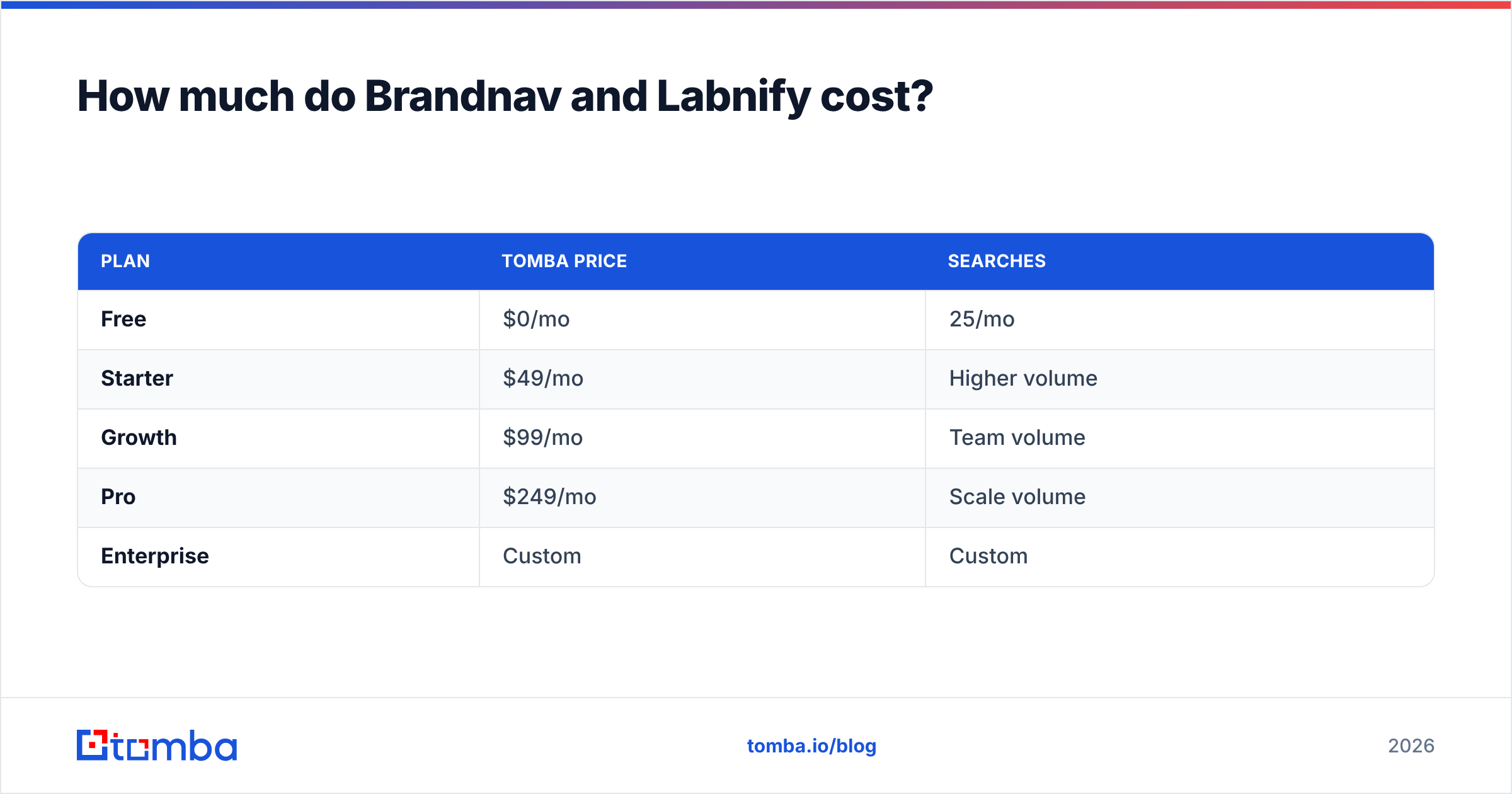
That means stacking both can get expensive fast, because you're paying two metering systems. For comparison, a dedicated finder-and-verifier like Tomba uses a single, predictable pricing ladder:
| Plan | Tomba price | Searches |
|---|---|---|
| Free | $0/mo | 25/mo |
| Starter | $49/mo | Higher volume |
| Growth | $99/mo | Team volume |
| Pro | $249/mo | Scale volume |
| Enterprise | Custom | Custom |
The point isn't that one number beats another — it's that you should map each tool's billing metric to your actual usage. A credit model punishes heavy prospecting; an inbox model punishes wide sending. Know which one you're signing up for.
Where does a dedicated email finder fit?#
If your honest diagnosis lands on "my data is the bottleneck," a specialized finder is usually a better buy than either a broad data platform or a sending tool with a data add-on. Specialization tends to win on the one metric that matters most: how often the email you get is actually real.
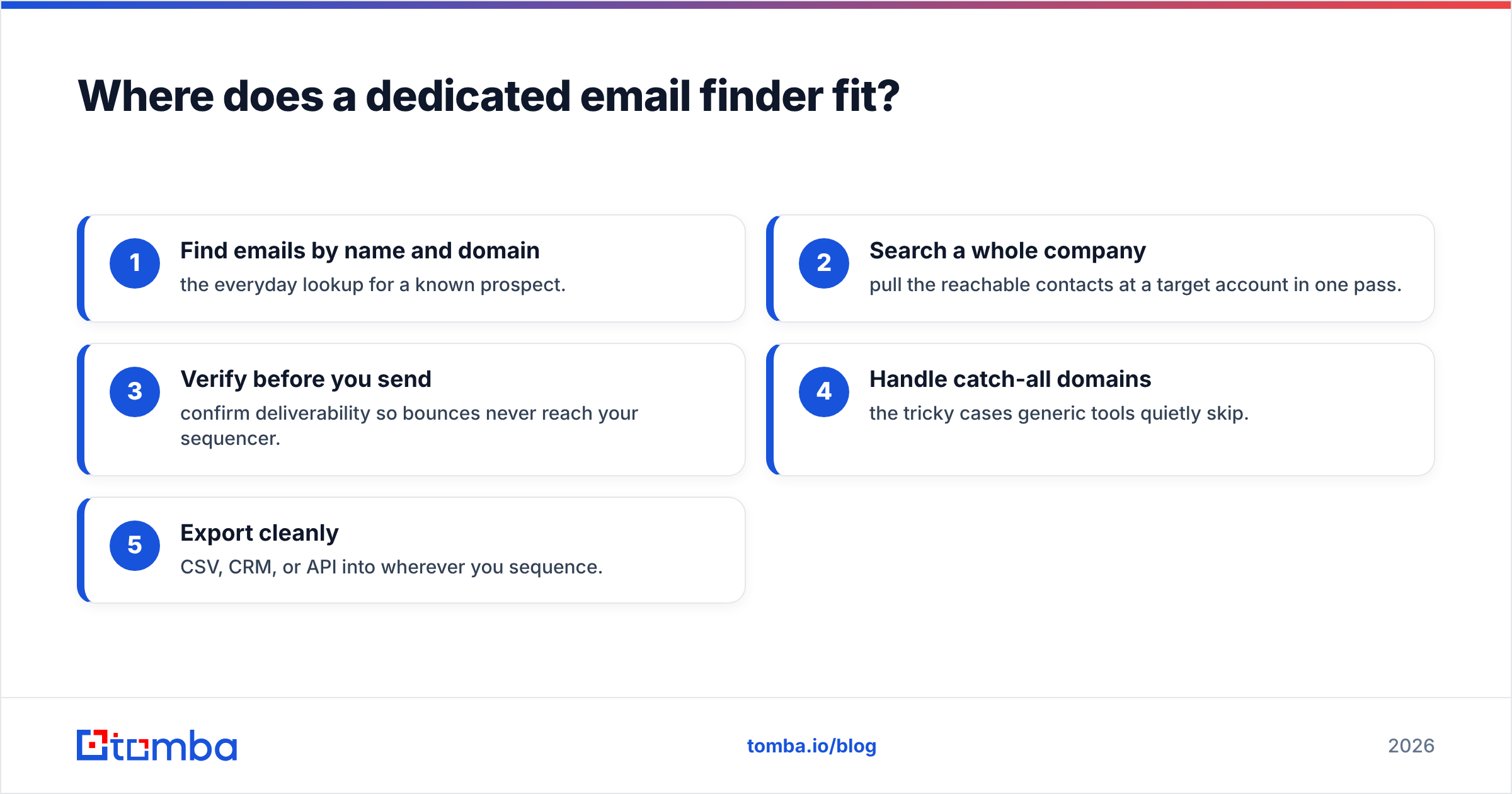
A focused email finder does a narrow set of jobs well:
- Find emails by name and domain — the everyday lookup for a known prospect.
- Search a whole company — pull the reachable contacts at a target account in one pass.
- Verify before you send — confirm deliverability so bounces never reach your sequencer.
- Handle catch-all domains — the tricky cases generic tools quietly skip.
- Export cleanly — CSV, CRM, or API into wherever you sequence.
This is the gap both Brandnav and Labnify leave at the edges. Brandnav may give you data but not the same depth of verification; Labnify assumes the data is already clean. A finder with built-in verification closes that gap directly. For sales orgs standardizing their stack, that's often the more durable foundation — see how teams structure data tooling on resources like HubSpot's sales blog.
Brandnav vs Labnify: which should you choose?#
Decision rules, plain and simple:
- Choose Brandnav if your hardest problem is finding the right companies and contacts, and you want a data layer to feed an existing sequencer.
- Choose Labnify if you already have verified lists and your hardest problem is delivering at volume without burning domains.
- Choose a dedicated finder + verifier if your bounce rate is the real issue, you want predictable per-search pricing, or you're tired of a list that looks big but performs small.
- Choose two tools only if you've confirmed both halves are genuinely broken — and budget for two metering systems.
Most teams who think they need a "Brandnav vs Labnify" verdict actually need to fix data accuracy first, then revisit sending. Get the contacts right and a surprising number of "deliverability problems" disappear, because clean lists don't generate the bounces that wreck reputation in the first place.
The bottom line#
Brandnav and Labnify aren't really competitors — they're two stages of the same outbound pipeline. Brandnav helps build the list; Labnify helps it land. The trap is buying one expecting it to do both. Diagnose your bottleneck, fix data accuracy before sending throughput, and don't pay two billing meters for a job a focused tool can do once.
If finding and verifying B2B emails is the half that's slowing you down, start with the Tomba Email Finder. You get verified, routable addresses by name, domain, or whole company, a free tier of 25 searches to test it, and a single predictable price as you scale — so the next campaign you send goes to people who actually exist. Build the clean list first; the rest of your stack works better when you do.
// get started
Find, verify and enrich your first contacts today
Start on the free plan with 25 searches a month, then scale when your team is ready.
Free plan · No credit card required · GDPR & CCPA
// about the author