BrandNav vs LeadIQ 2026: Which B2B Lead Data Tool Wins?
BrandNav and LeadIQ both promise clean B2B contact data, but they solve different problems. Here's an honest 2026 breakdown of accuracy, pricing, and fit.
Choosing between BrandNav and LeadIQ usually means you've outgrown manual prospecting and want a tool that hands you verified contact data at scale. The problem: these two tools are built for different jobs, and picking the wrong one means paying for seats you don't use or credits you can't apply where you need them.
This is a neutral, hands-on comparison for 2026 — what each tool actually does well, where each falls short, and which one fits the way your team works.
TL;DR — BrandNav vs LeadIQ in 30 seconds#
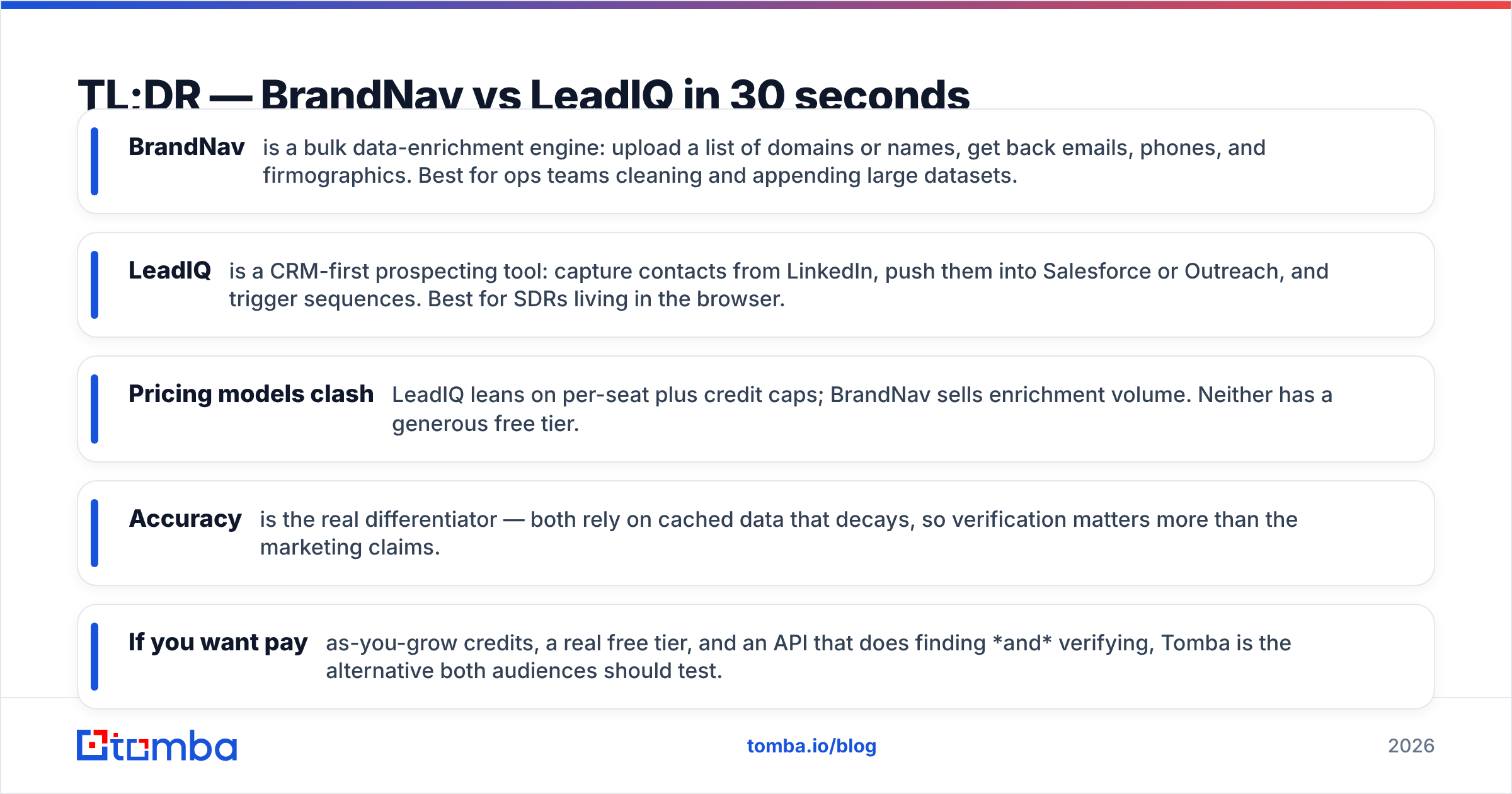
- BrandNav is a bulk data-enrichment engine: upload a list of domains or names, get back emails, phones, and firmographics. Best for ops teams cleaning and appending large datasets.
- LeadIQ is a CRM-first prospecting tool: capture contacts from LinkedIn, push them into Salesforce or Outreach, and trigger sequences. Best for SDRs living in the browser.
- Pricing models clash: LeadIQ leans on per-seat plus credit caps; BrandNav sells enrichment volume. Neither has a generous free tier.
- Accuracy is the real differentiator — both rely on cached data that decays, so verification matters more than the marketing claims.
- If you want pay-as-you-grow credits, a real free tier, and an API that does finding and verifying, Tomba is the alternative both audiences should test.
What is BrandNav?#
BrandNav is a B2B data-enrichment platform. You feed it identifiers you already have — company domains, full names, or partial records — and it returns enriched fields: work emails, phone numbers, company size, industry, and social profiles. The core use case is list enrichment in bulk, not one-off lookups.
Think of BrandNav like a car wash for your spreadsheet. You drive a dirty list in, and it comes out cleaner, with the gaps filled. Marketing ops and RevOps teams use it to append missing data before a campaign or to dedupe and refresh a stale CRM export.
Where it gets interesting: BrandNav competes on volume pricing and waterfall enrichment (checking multiple data sources for the same record). Where it gets frustrating: it's a batch tool at heart, so it's overkill if you just need to find one prospect's email before a call.

What is LeadIQ?#
LeadIQ is a sales-prospecting platform built around the SDR's daily motion. The signature feature is a Chrome extension that captures contact data directly from LinkedIn and company pages, then pushes it — cleanly mapped — into your CRM and sequencer (Salesforce, HubSpot, Outreach, Salesloft).
LeadIQ is less "fill my spreadsheet" and more "build my pipeline without leaving the tab I'm already in." It adds tracking signals, job-change alerts, and AI-assisted message personalization on top of the raw data. For a rep working 40 accounts a day, that workflow glue is the product.
The trade-off: LeadIQ's value is tied to its integrations and per-seat licensing. If your team isn't standardized on a supported CRM, or you want raw data out via API at volume, the per-seat model gets expensive fast.
BrandNav vs LeadIQ: side-by-side comparison#
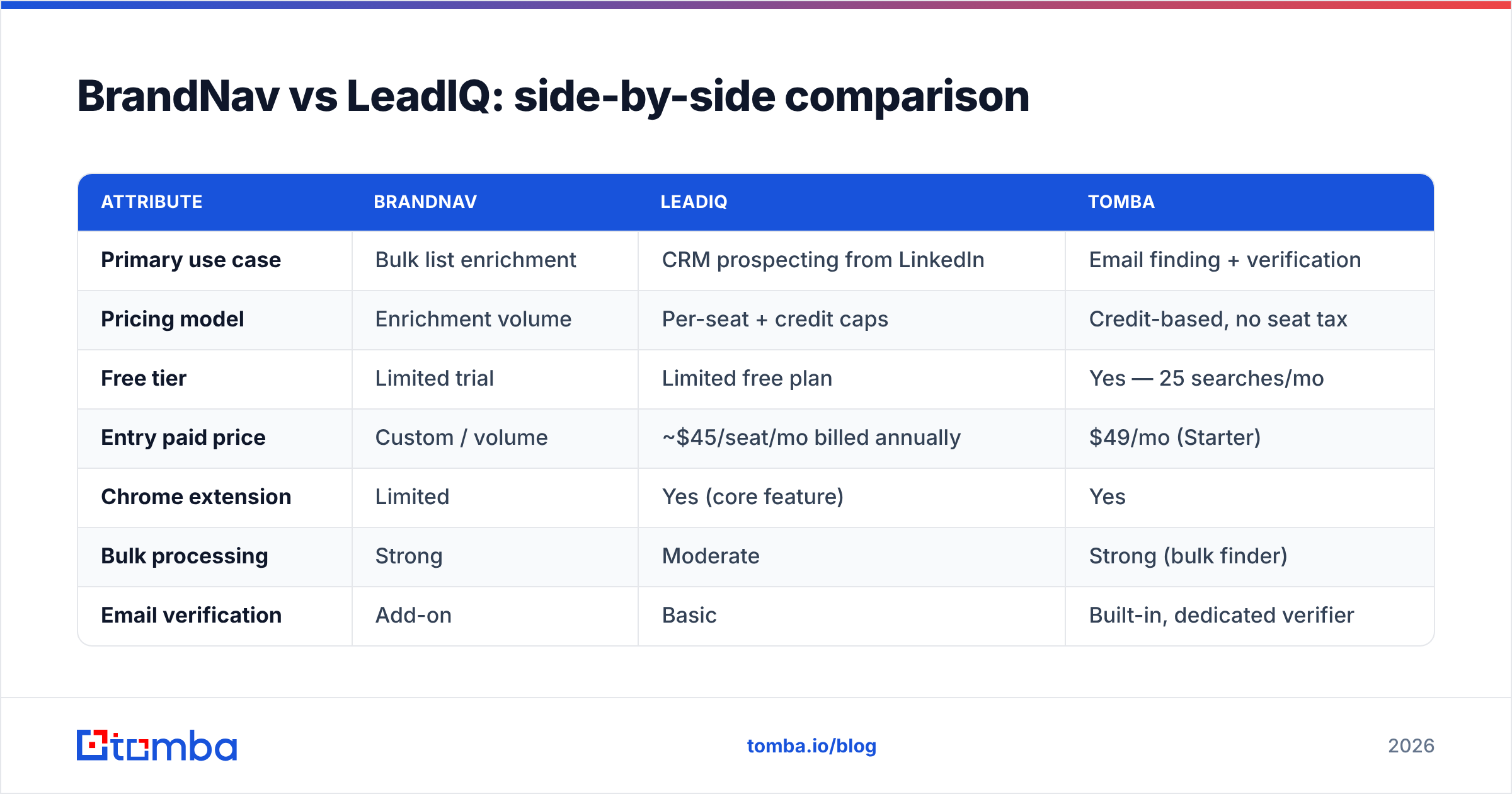
Here's the honest feature-by-feature breakdown. Prices are list pricing as published in early 2026 and shift with annual contracts, so treat the dollar figures as directional.
| Attribute | BrandNav | LeadIQ | Tomba |
|---|---|---|---|
| Primary use case | Bulk list enrichment | CRM prospecting from LinkedIn | Email finding + verification |
| Pricing model | Enrichment volume | Per-seat + credit caps | Credit-based, no seat tax |
| Free tier | Limited trial | Limited free plan | Yes — 25 searches/mo |
| Entry paid price | Custom / volume | ~$45/seat/mo billed annually | $49/mo (Starter) |
| Chrome extension | Limited | Yes (core feature) | Yes |
| Bulk processing | Strong | Moderate | Strong (bulk finder) |
| Email verification | Add-on | Basic | Built-in, dedicated verifier |
| API access | Yes | Yes (higher tiers) | Yes, all paid plans |
| Phone numbers | Yes | Yes | Yes (phone finder) |
| Best for | RevOps / data teams | SDR / AE teams | Both, at lower cost |

Which tool has more accurate data?#
Neither vendor wins accuracy by default — and you should distrust any tool that claims a single fixed percentage. B2B contact data decays roughly 2–3% per month as people change jobs, so what matters is two things: how fresh the source is, and whether the tool verifies before it hands you the address.
BrandNav's waterfall approach (checking multiple providers per record) tends to fill more fields on a bulk job, but "filled" is not the same as "deliverable." A returned email that bounces still counts as a hit on the dashboard and a strike on your sender reputation.
LeadIQ's data is generally fresh at the point of capture because you're pulling from a live profile, but it does less heavy verification on the back end, so catch-all domains slip through.
The practical takeaway: whatever you pick, run the output through a dedicated email verifier before you send. Verification is cheaper than a damaged domain. This is also why a tool that does finding and verification in one workflow — rather than as a paid add-on — saves you a step and a vendor.

How does pricing really compare?#
Pricing is where the two tools diverge most, and where buyers get surprised.
LeadIQ charges per seat, then layers credit limits on top. That's fine if every rep is a heavy daily user, but you pay for the seat whether the rep prospects 5 contacts or 500 that month. Teams with a few power users and many occasional users effectively subsidize the light users.
BrandNav sells on enrichment volume, which suits a centralized ops team running periodic large jobs. The catch is that custom/volume pricing means you negotiate, and small teams rarely get the best rate.
Here's a simplified cost-shape comparison for a 5-person team enriching ~10,000 records a month:
- LeadIQ — 5 seats × monthly fee, plus you may hit credit caps and need an upgrade tier. Predictable per-head, unpredictable at volume.
- BrandNav — one volume contract; cost scales with records, not heads. Cheaper per-record at high volume, pricier for occasional use.
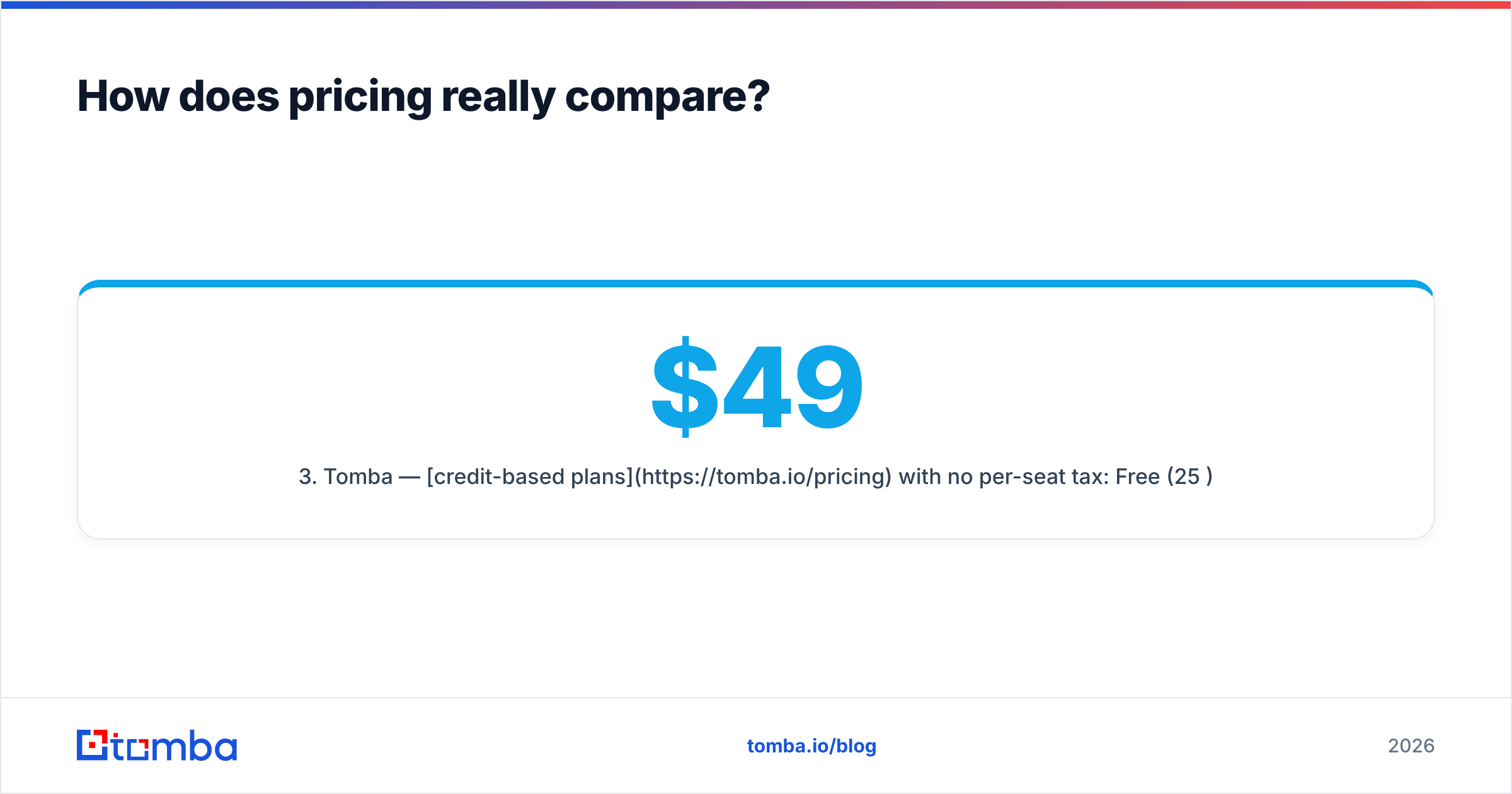
- Tomba — credit-based plans with no per-seat tax: Free (25/mo), Starter $49/mo, Growth $99/mo, Pro $249/mo. The whole team shares the credit pool, so you pay for usage, not chairs.
The seat-vs-credit question is the single biggest cost lever. If your usage is spiky or spread across many light users, per-seat licensing is the most expensive way to buy data.

Which tool fits your workflow?#
Match the tool to the motion, not the feature list.
Pick BrandNav if:
- You run centralized enrichment jobs (campaign prep, CRM hygiene, TAM building).
- Your data lives in spreadsheets and warehouses, not just the CRM.
- You value waterfall fill rate and have the volume to negotiate good pricing.
Pick LeadIQ if:
- Your SDRs prospect from LinkedIn all day and live in Salesforce or Outreach.
- Workflow glue (one-click capture, sequence triggers, job-change alerts) is worth more to you than raw cost-per-record.
- Your whole team is standardized on a supported CRM.
Consider a third option if:
- You want a real free tier to test before committing.
- You need both bulk finding and one-off lookups from the same credit pool.
- You don't want verification, phone lookup, and finding split across separate paid add-ons.
That third profile is where teams start looking at a LeadIQ alternative like Tomba — not because BrandNav or LeadIQ are bad, but because the pricing model and the all-in-one toolset fit a wider range of teams.
What about bulk processing and API access?#
If your workflow is automation-first, the API and bulk story matters more than the browser extension.
BrandNav is genuinely strong at batch. LeadIQ gates richer API access behind higher tiers, which can blunt its appeal for engineering-led GTM teams that want to build their own enrichment pipeline.
Tomba sits between the two on this axis: the bulk email finder handles large lists, and the Tomba API exposes finding, verification, domain search, and enrichment on every paid plan — not just enterprise. For teams wiring data into a custom workflow, "API on every tier" is a real cost saving versus paying up just to unlock the endpoint.
A quick reality check on bulk runs regardless of vendor: always verify before you load contacts into a sequencer. A 10,000-row enrichment with even a 5% bounce rate is 500 hard bounces, and a few thousand of those across a month is enough to dent your domain reputation. Cheap insurance, big downside avoided.
Is BrandNav or LeadIQ better for SDR teams?#
For pure SDR prospecting, LeadIQ is the more natural fit — that's literally what it's designed around. The capture-to-sequence motion removes copy-paste friction, and reps adopt it quickly because it lives where they already work.
BrandNav can support SDRs, but it asks the rep (or an ops person) to work in batches, which breaks the "find this person, reach out now" rhythm. It shines when someone hands SDRs a pre-enriched list rather than when SDRs self-serve.
The honest catch with LeadIQ for SDR teams is cost discipline: per-seat pricing across a growing team adds up, and you'll want to right-size seats every quarter. If finance pushes back on seat sprawl, a shared-credit model is the usual escape hatch.
How do BrandNav and LeadIQ compare to Tomba?#
Both BrandNav and LeadIQ are credible tools, and depending on your motion either could be the right call. But if you map them on the two axes most teams actually care about — cost flexibility and toolset breadth — a gap appears that an email finder built around credits, not seats, fills well.
Tomba gives you finding, verification, domain search, catch-all checks, phone lookup, and data enrichment from one credit pool, with a free tier to test and an API on every paid plan. You don't choose between "bulk enrichment tool" and "prospecting tool" — you get both motions without a per-seat penalty.
Don't take any vendor's word for accuracy, including ours. Cross-check independent reviews on G2 and Capterra, and pull each tool's own docs — here's LeadIQ's official site — then run the same 100 test contacts through each free trial and verify the output yourself. The bounce rate on your own list is the only benchmark that counts.
The bottom line#
- BrandNav wins for centralized, high-volume enrichment where waterfall fill rate and per-record economics matter.
- LeadIQ wins for SDR teams that prospect from LinkedIn and want tight CRM and sequencer integration.
- Both punish you on pricing if your usage doesn't match their model — volume contracts for occasional users, or per-seat fees for spiky, multi-user demand.
If you'd rather not box yourself into one motion, start with the free tier and verify everything before you send. Try the Tomba Email Finder free — 25 searches a month, no credit card, finding and verification in one place — and benchmark it against BrandNav and LeadIQ on your own list before you sign an annual contract. The tool that delivers the lowest real bounce rate on your data is the one worth paying for.
// get started
Find, verify and enrich your first contacts today
Start on the free plan with 25 searches a month, then scale when your team is ready.
Free plan · No credit card required · GDPR & CCPA
// about the author