Brandnav vs Leadsforge: Which B2B Tool Wins in 2026?
Brandnav and Leadsforge both promise clean B2B contact data, but they win at different jobs. Here's the honest 2026 breakdown — plus a sharper alternative.
Choosing between Brandnav and Leadsforge usually comes down to one question your finance team will ask later: did the data actually convert, or did you pay for rows that bounced? Both tools sell the same dream — verified B2B contacts on tap — but they get there differently, and the gap shows up in your bounce rate, your deliverability, and your monthly bill.
This is a neutral, hands-on comparison. No vendor is paying for a winner's ribbon here. We'll break down what each tool is good at, where each one quietly costs you, and which type of team should pick which. At the end, we'll be honest about where a dedicated email-finding stack like Tomba fits, because for a lot of teams the "Brandnav vs Leadsforge" debate is the wrong fight entirely.
TL;DR#
- Brandnav leans toward brand/company enrichment and firmographic data — strong when you already know the account and need to fill in the org.
- Leadsforge leans toward AI-assisted lead list building — strong when you need volume fast and care less about per-record precision.
- Accuracy and verification are where both tools get tested. If emails aren't SMTP-verified, your bounce rate eats your sender reputation.
- Pricing models differ: credit-based vs seat-based changes the real cost once your team scales past one user.
- A dedicated email finder + verifier (like Tomba) often beats a bundled "do-everything" platform on cost-per-valid-email — the metric that actually matters.
What is Brandnav?#
Brandnav positions itself as a brand and company data layer — the kind of tool you point at a domain or company name to pull back firmographics, logos, social profiles, and contact details. Its sweet spot is enrichment: you have a messy CRM full of half-complete account records, and you want them filled in and standardized.
Teams that like Brandnav usually have an account-based motion. They aren't spraying 10,000 cold emails a week; they're working a known list of target accounts and need depth — who works there, what the company stack looks like, which brands sit under a parent org. If your bottleneck is "I know who I want, I just need the details," that's the job Brandnav is built for.
The trade-off: company-level enrichment and person-level email accuracy are two different disciplines. A tool tuned for the former doesn't automatically nail the latter. That's the seam to inspect during any trial.

What is Leadsforge?#
Leadsforge is built around AI-assisted list generation. You describe an ideal customer — industry, size, geography, role — and it assembles a lead list for you, often pulling from aggregated data sources and layering on AI to match intent or fit signals. The pitch is speed: go from "I need 500 SaaS founders in the EU" to a downloadable list in minutes.
That's genuinely useful at the top of the funnel, especially for small teams without a data analyst. Where you have to stay sharp is freshness and verification. AI-generated lists are only as good as the underlying data and the verification step behind them. A confident-looking list of 500 contacts that's 18% stale is worse than 410 contacts you trust, because the bounces hit your domain reputation, not Leadsforge's.
So the real question with Leadsforge isn't "can it build a list fast?" — it can. It's "how many of those rows survive an independent SMTP check?"
Brandnav vs Leadsforge: how do they compare?#
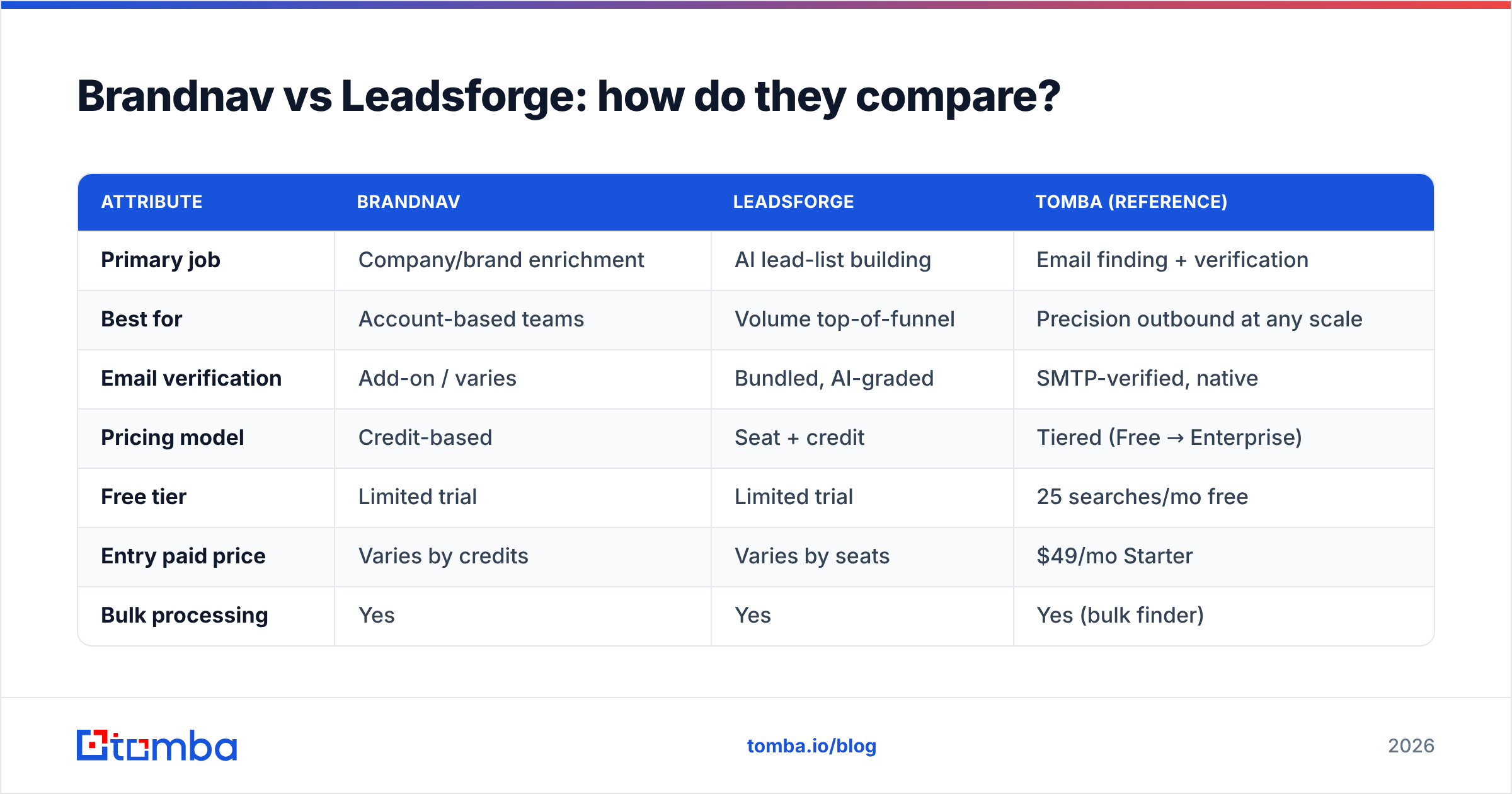
Here's the side-by-side. Treat pricing as directional — always confirm current numbers on each vendor's pricing page before you buy, because plans shift quarterly.
| Attribute | Brandnav | Leadsforge | Tomba (reference) |
|---|---|---|---|
| Primary job | Company/brand enrichment | AI lead-list building | Email finding + verification |
| Best for | Account-based teams | Volume top-of-funnel | Precision outbound at any scale |
| Email verification | Add-on / varies | Bundled, AI-graded | SMTP-verified, native |
| Pricing model | Credit-based | Seat + credit | Tiered (Free → Enterprise) |
| Free tier | Limited trial | Limited trial | 25 searches/mo free |
| Entry paid price | Varies by credits | Varies by seats | $49/mo Starter |
| Bulk processing | Yes | Yes | Yes (bulk finder) |
| API access | Yes | Limited | Full REST API |
| Catch-all handling | Basic | Basic | Dedicated verifier |
A few things to read between the lines:
- Credit vs seat pricing matters more than headline price. A credit model punishes high-volume months; a seat model punishes growing teams. Map your actual usage shape before comparing sticker prices.
- "Bundled verification" is not the same as independent verification. If the tool that found the email also grades it, you have no second opinion. A separate email verifier acts as that check.
- Catch-all domains quietly wreck list quality. Many platforms mark catch-all addresses as "valid" because the server accepts everything. A dedicated catch-all verifier is the difference between a clean list and a bounce trap.
- API depth decides whether this scales into your stack or stays a manual export-import chore.
Which tool is more accurate?#
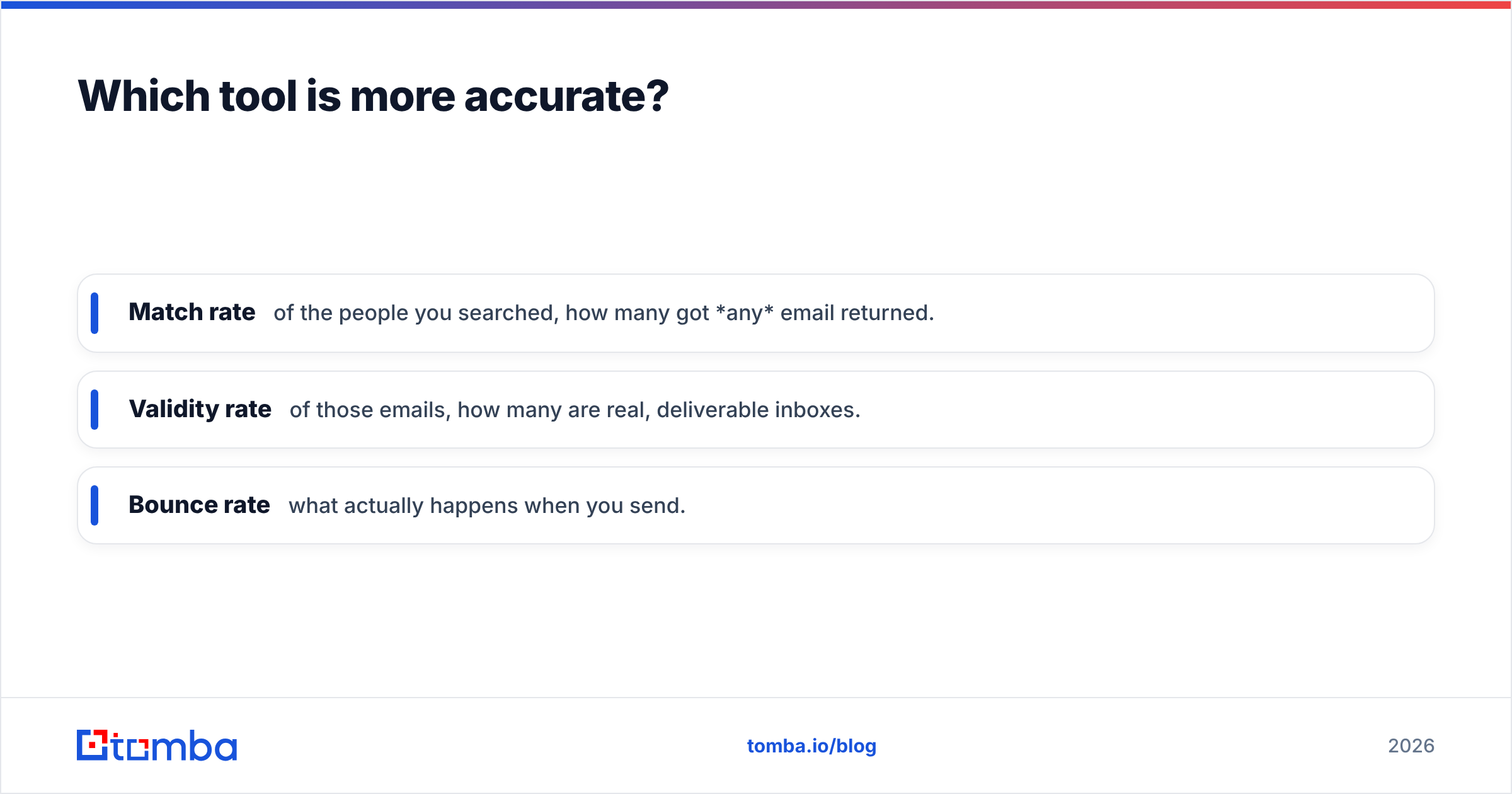
Accuracy is the whole ballgame, so let's be precise about what it means. "Accuracy" is really three separate metrics:
- Match rate — of the people you searched, how many got any email returned.
- Validity rate — of those emails, how many are real, deliverable inboxes.
- Bounce rate — what actually happens when you send.
A tool can post a gorgeous 95% match rate and still hand you a 12% bounce rate, because match rate counts guesses. The number that protects your domain is validity confirmed by an independent SMTP check — does the mail server actually accept the address?

Brandnav's accuracy tends to be strongest at the company layer and softer at the individual-email layer — expected, given its enrichment focus. Leadsforge's accuracy depends heavily on how aggressively it verifies the AI-assembled list before delivery; speed-first list builders sometimes trade a few points of validity for volume.
The practical move during any trial: pull 100 records from each tool, run them through an independent verifier, and measure the validity rate yourself. Vendor-reported accuracy is marketing; your own test is data. You can sanity-check formats fast with a free email checker before you commit budget.
What about pricing and value?#
Both Brandnav and Leadsforge use variable pricing tied to credits, seats, or both, which makes apples-to-apples hard. So compare on cost per valid email, not cost per credit.
Run the math like this:
- Take the monthly price.
- Divide by the number of records you'll actually use.
- Multiply by your measured validity rate (from your own test, not the brochure).
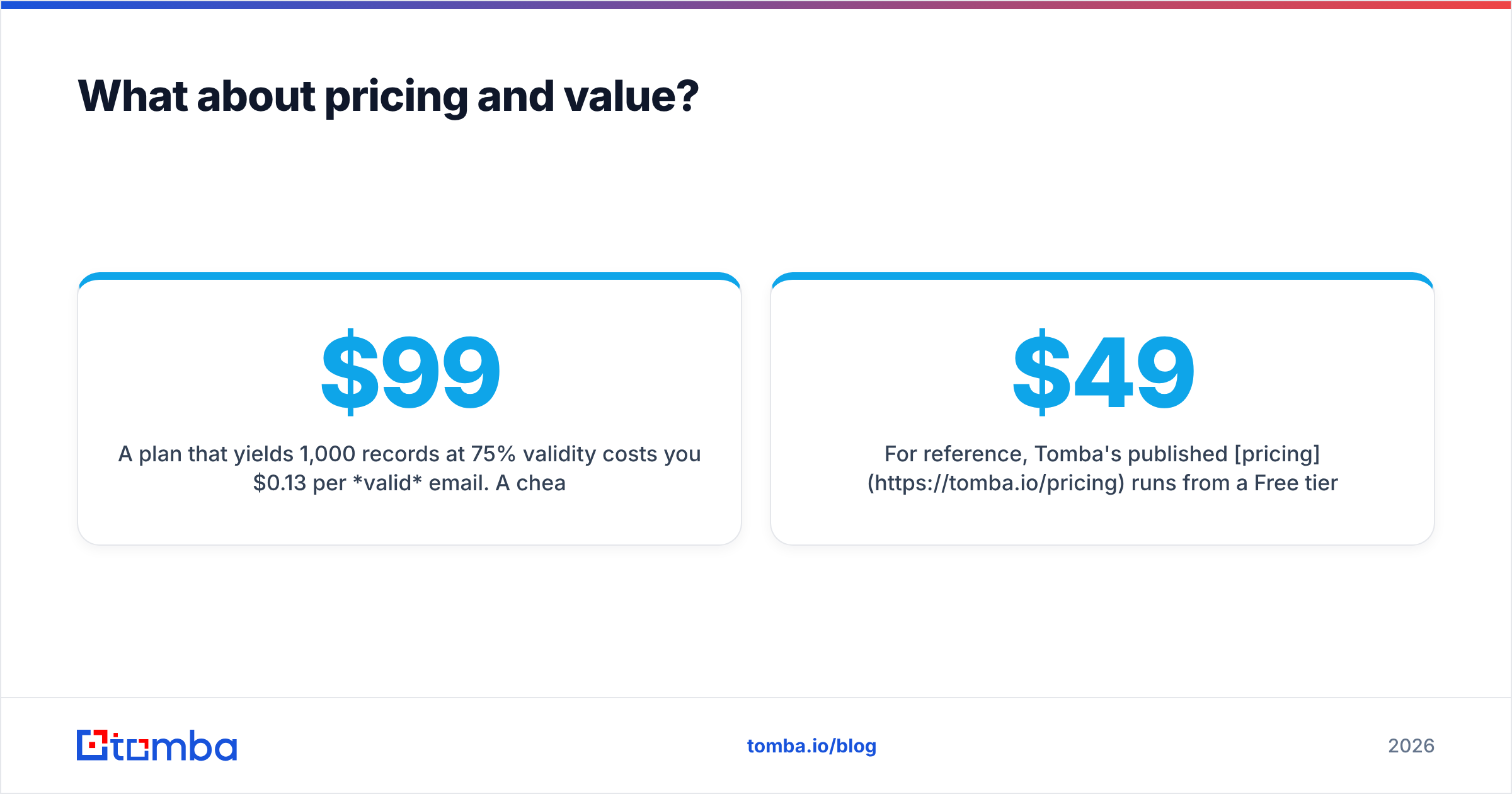
A $99 plan that yields 1,000 records at 75% validity costs you $0.13 per valid email. A cheaper $79 plan at 55% validity costs $0.14 — and it also quietly damages your sender reputation with every bounce. The cheap plan is the expensive one.
For reference, Tomba's published pricing runs from a Free tier (25 searches/month) to Starter at $49/mo, Growth at $99/mo, Pro at $249/mo, and custom Enterprise — a flat, predictable ladder rather than a credit meter that spikes in your heavy months. Predictability has real value when you're forecasting CAC.

Which one should you choose?#
Match the tool to the bottleneck, not the brand:
- Choose Brandnav if your pain is incomplete account data. You already have target companies and need firmographics, brand mapping, and enrichment to round out CRM records for an account-based play.
- Choose Leadsforge if your pain is an empty pipeline and no time. You need to go from ICP description to a usable list quickly, and you'll verify the output yourself before sending.
- Choose a dedicated email-finding stack if your pain is deliverability and cost-per-valid-email. When the core job is "find the right person's real, verified email and reach them without burning my domain," a specialist tool usually wins on the metric finance cares about.
That third path is where Tomba lives. Instead of bundling enrichment, AI list-building, and finding into one variable bill, it does email discovery and verification as a focused, SMTP-backed product — with a domain search for mapping every address at a company, a bulk email finder for scale, and a full Tomba API when you want it inside your own workflow.
How do you actually test these tools before buying?#
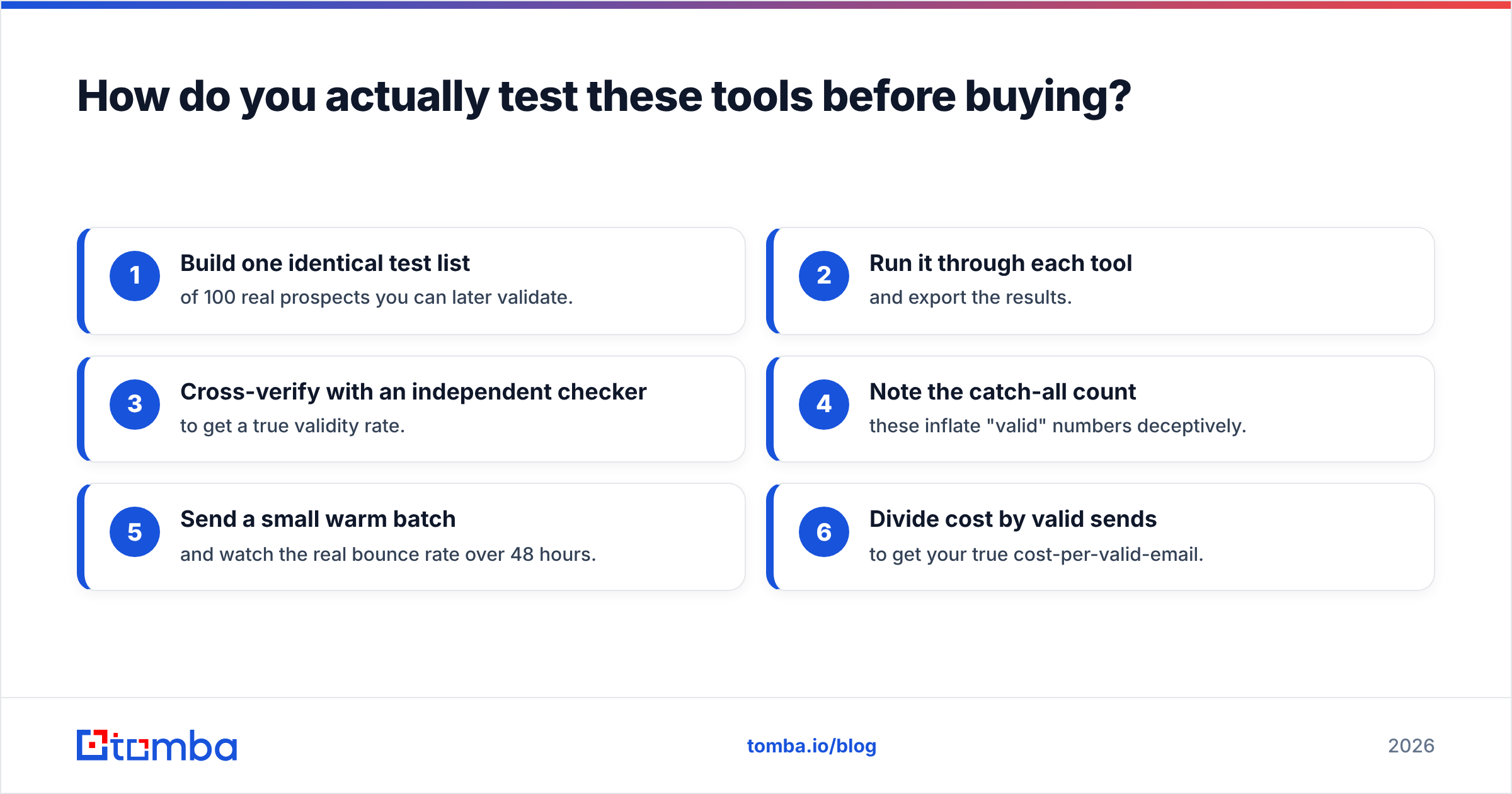
Don't trust any comparison post — including this one — over your own data. Run this 30-minute trial on each tool:
- Build one identical test list of 100 real prospects you can later validate.
- Run it through each tool and export the results.
- Cross-verify with an independent checker to get a true validity rate.
- Note the catch-all count — these inflate "valid" numbers deceptively.
- Send a small warm batch and watch the real bounce rate over 48 hours.
- Divide cost by valid sends to get your true cost-per-valid-email.
Whichever tool gives you the lowest cost-per-valid-email and the cleanest bounce rate is your answer — regardless of which one had the slicker dashboard. For added rigor, browse third-party reviews on G2 and Capterra to see how other teams describe data freshness over time, and read up on the broader category mechanics via Wikipedia's overview of email address harvesting to understand what these tools are technically doing under the hood.
The bottom line#
Brandnav and Leadsforge aren't really competitors so much as tools that solve adjacent problems: Brandnav fills in accounts you already know, Leadsforge builds lists you don't yet have. Neither was designed primarily to be the most accurate, most verifiable email finder on the market — and if that's your actual need, you'll feel the seam.
If your outbound lives or dies on deliverability and cost-per-valid-email, pick a specialist. Start with the Tomba Email Finder: find professional email addresses by domain, name, or company, verify them with native SMTP checks, and keep your sender reputation clean. Try it free with 25 searches a month — run your own 100-record test against whatever you're using today, and let the validity rate decide. That's the only comparison that pays you back.
// get started
Find, verify and enrich your first contacts today
Start on the free plan with 25 searches a month, then scale when your team is ready.
Free plan · No credit card required · GDPR & CCPA
// about the author