Brandnav vs Logvalid 2026: Email Finder & Verifier Compared
Brandnav vs Logvalid in 2026: a neutral breakdown of accuracy, pricing models, verification depth, and which email tool fits your outbound stack — plus where Tomba fits.
Choosing between Brandnav and Logvalid usually comes down to one question: do you need to find new B2B email addresses, or clean the list you already have? Both tools live in the email-data space, but they pull in different directions — and picking the wrong one quietly wastes credits and burns your sender reputation.
This is a neutral, hands-on comparison. We'll look at what each tool actually does, how their pricing models differ, how to judge accuracy without taking marketing claims at face value, and where a broader platform like Tomba changes the math.
TL;DR — Brandnav vs Logvalid in 30 seconds#
- Brandnav leans toward discovery and B2B data: finding email addresses, enriching contacts, and pulling company information into your workflow.
- Logvalid leans toward hygiene: validating and verifying existing email lists so you stop bouncing into spam folders.
- They solve adjacent problems, not the same one. Many teams end up needing both a finder and a verifier.
- Pricing models differ — credit-based discovery vs per-verification billing — so compare cost-per-result, not headline plan prices.
- A consolidated tool (finder + verifier + enrichment in one) like Tomba removes the "two subscriptions" tax most teams hit by month three.
What is Brandnav and who is it for?#
Brandnav positions itself around B2B contact discovery and data enrichment. The core promise is turning a name, a domain, or a company into a usable business email address — plus surrounding context like role, company size, or social profiles.
That makes it a top-of-funnel tool. If your problem is "I have a list of target accounts but no contact emails," a finder is what you reach for. You feed it identifiers, it returns candidate addresses, and you push those into your outreach sequence or CRM.
The honest caveat: every email finder produces some guesses. Pattern-based discovery (firstname.lastname@company.com) is fast but not infallible, which is exactly why a finder without a strong verification layer leaves you exposed. Discovery and validation are two halves of the same job.

What is Logvalid and who is it for?#
Logvalid sits at the other end of the pipeline: email verification. Its job is to take a list you already have — exports, signup forms, scraped contacts, old CRM records — and tell you which addresses are deliverable, which are risky, and which will bounce.
A good verifier runs several checks in sequence: syntax validation, domain and MX-record lookup, mailbox existence via SMTP probing, and disposable/role-account detection. The output is a status per address (valid, invalid, catch-all, unknown) so you can suppress the junk before it ever touches your sending domain.
This matters because email deliverability is reputation-driven. A few hundred hard bounces in a single campaign signals mailbox providers that you're not maintaining your list, and your inbox placement drops for everyone on that domain. Verification is insurance against that.
If your problem is "I have plenty of contacts but my bounce rate is climbing," a verifier is the right tool — and that's Logvalid's lane.
Brandnav vs Logvalid: how do they actually compare?#
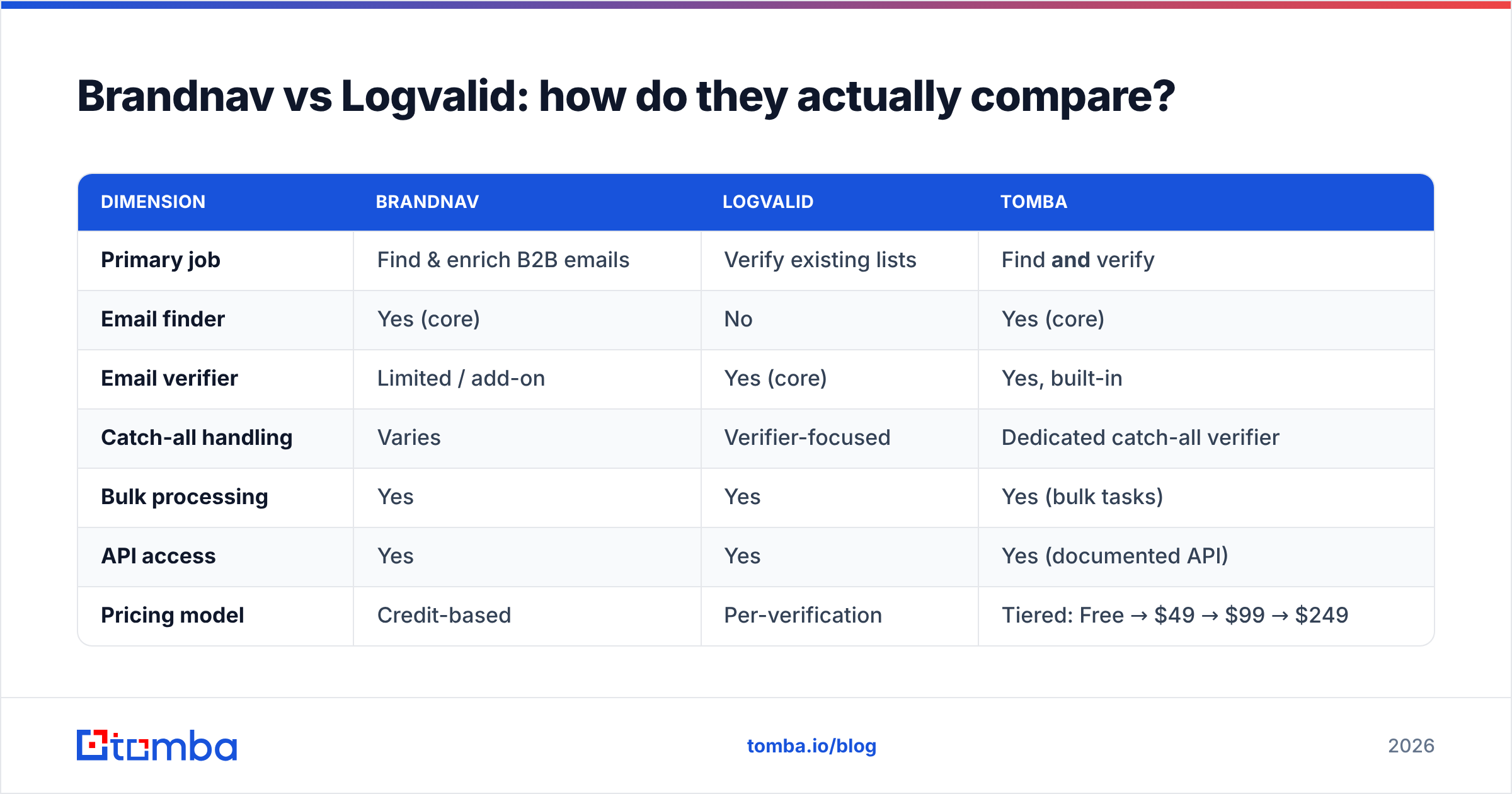
The cleanest way to think about this: Brandnav is mostly an acquisition tool, Logvalid is mostly a hygiene tool. The table below maps them on the dimensions that actually affect your workflow. Where a tool's public pricing shifts often, treat the model as the signal and confirm current numbers on the vendor's own page before you buy.
| Dimension | Brandnav | Logvalid | Tomba |
|---|---|---|---|
| Primary job | Find & enrich B2B emails | Verify existing lists | Find and verify |
| Email finder | Yes (core) | No | Yes (core) |
| Email verifier | Limited / add-on | Yes (core) | Yes, built-in |
| Catch-all handling | Varies | Verifier-focused | Dedicated catch-all verifier |
| Bulk processing | Yes | Yes | Yes (bulk tasks) |
| API access | Yes | Yes | Yes (documented API) |
| Pricing model | Credit-based | Per-verification | Tiered: Free → $49 → $99 → $249 |
| Free tier | Limited trial | Trial credits | 25 searches/mo free |
| Best fit | Prospecting teams | List cleaners | Teams needing both |
The takeaway from the grid: if you only ever do one of these jobs, a specialist is defensible. The moment you need both — which is most outbound teams — running Brandnav and Logvalid means two bills, two credit systems, and data handed between two vendors.
Which one is more accurate?#
Accuracy is where comparisons get slippery, because every vendor quotes a best-case number. The reliable way to judge is to ignore the headline percentage and run your own controlled test.
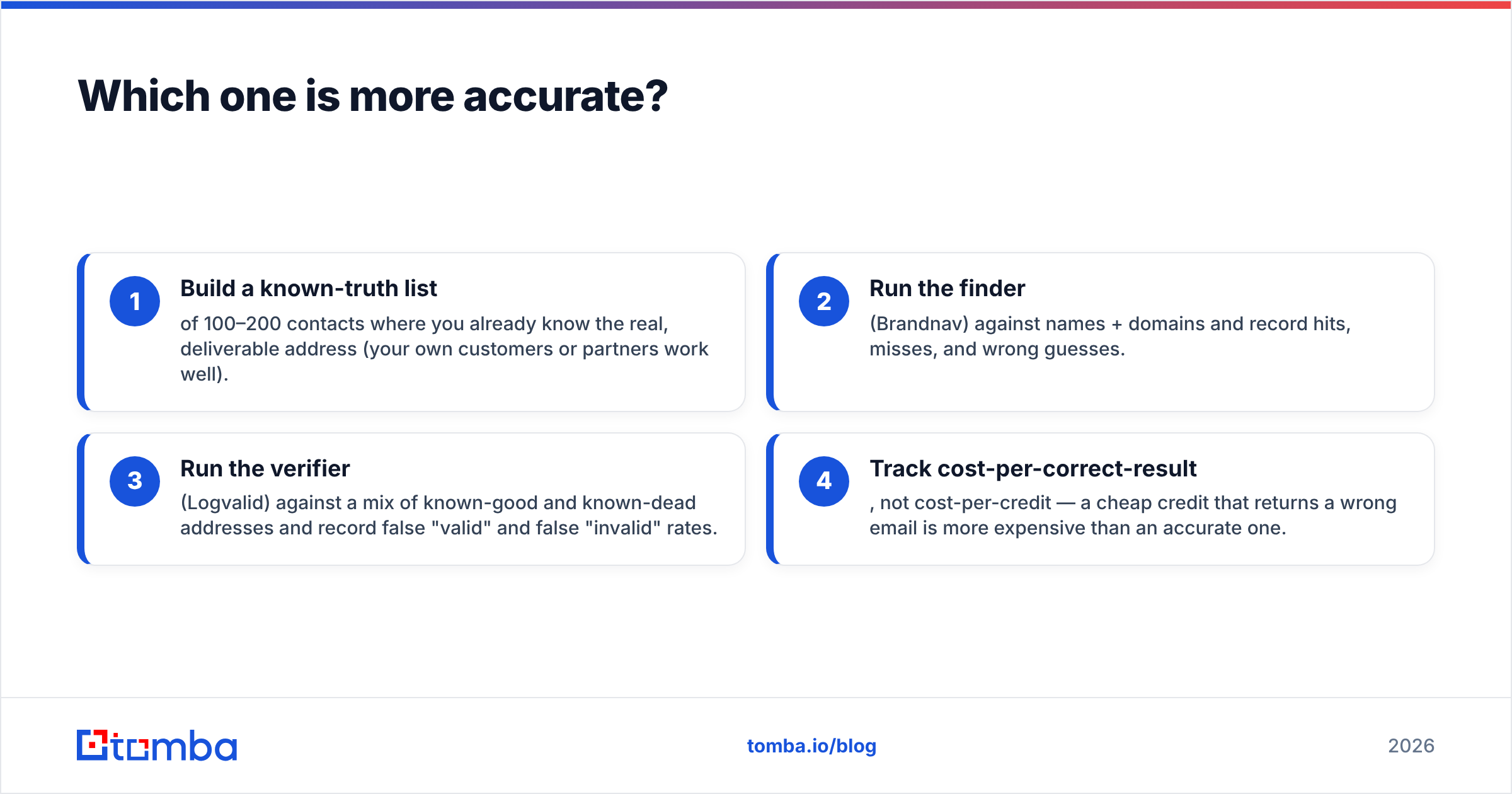
Here's a fair benchmark you can run in an afternoon:
- Build a known-truth list of 100–200 contacts where you already know the real, deliverable address (your own customers or partners work well).
- Run the finder (Brandnav) against names + domains and record hits, misses, and wrong guesses.
- Run the verifier (Logvalid) against a mix of known-good and known-dead addresses and record false "valid" and false "invalid" rates.
- Track cost-per-correct-result, not cost-per-credit — a cheap credit that returns a wrong email is more expensive than an accurate one.
The two metrics that matter most are the false-positive rate (the verifier says valid, the email bounces) and catch-all resolution (how the tool handles domains that accept all mail). Catch-all domains are the single biggest source of "unknown" results across the industry, and how aggressively a tool resolves them is the real differentiator.

For independent signal beyond your own test, cross-reference verified reviews on a marketplace like G2's email verification category or Capterra — pay attention to recent reviews mentioning bounce rates after import, not overall star averages.
How do the pricing models compare?#
This is where teams overspend. Brandnav and Logvalid use different billing logic, so a side-by-side of plan prices is misleading.
- Credit-based finders charge per lookup attempt or per returned contact. Costs scale with prospecting volume, and "no result" lookups may or may not consume a credit — read that clause carefully.
- Per-verification billing charges for each address checked. Costs scale with list size and how often you re-verify (you should re-verify quarterly, so this recurs).
If you need both functions, your real monthly cost is finder credits + verifier credits + the integration glue to move data between them. That third cost is invisible on a pricing page but real in engineering hours.
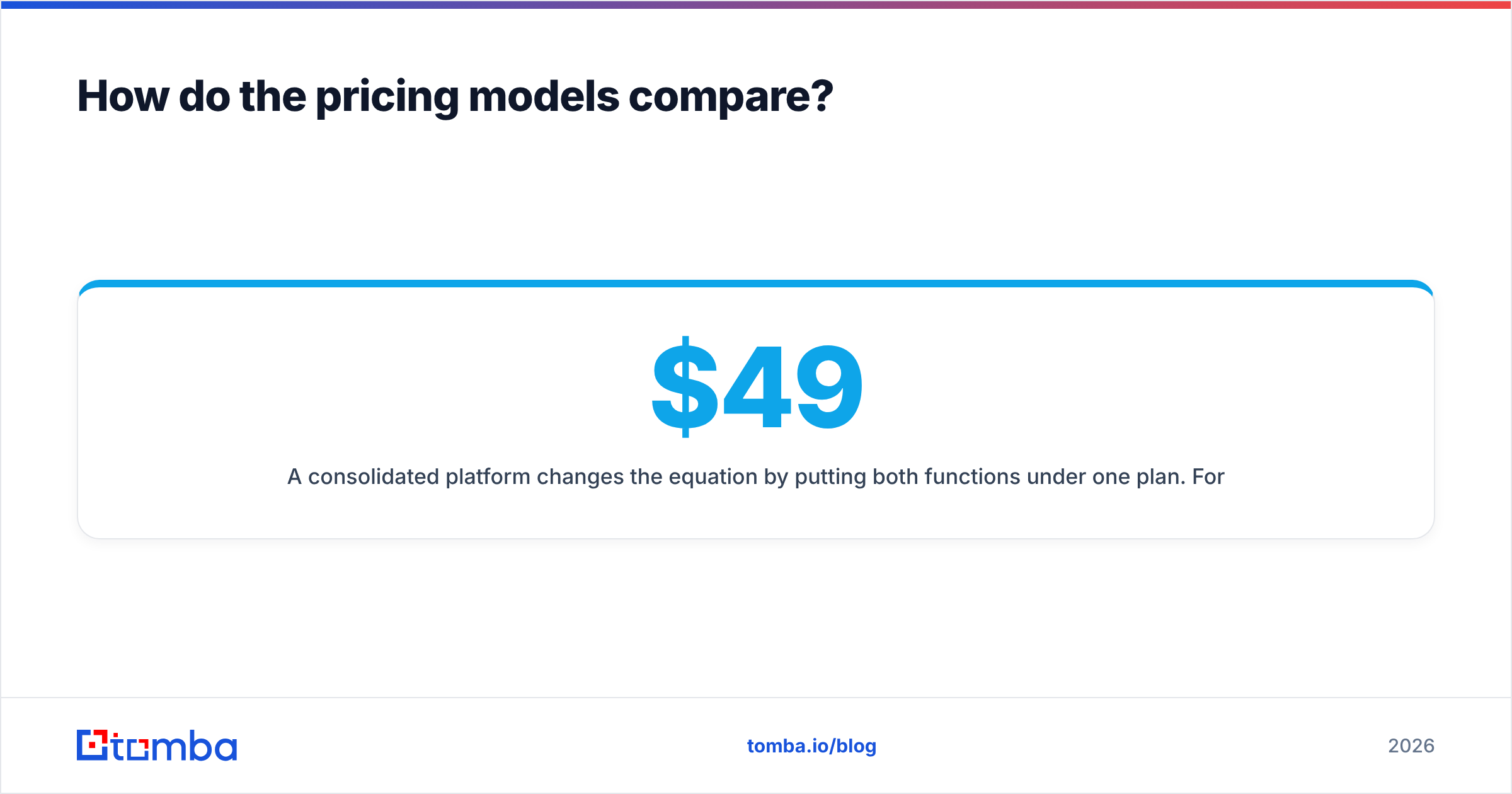
A consolidated platform changes the equation by putting both functions under one plan. For reference, Tomba's pricing runs a Free tier (25 searches/month), Starter at $49/mo, Growth at $99/mo, and Pro at $249/mo — with finding, verification, and enrichment in the same credit pool rather than three separate meters.
Where does Tomba fit between them?#
Tomba is relevant here precisely because the Brandnav-vs-Logvalid question is often a false choice. Most teams don't want to pick discovery or hygiene — they want a clean, verified contact at the end, and they don't care how many tools it took.
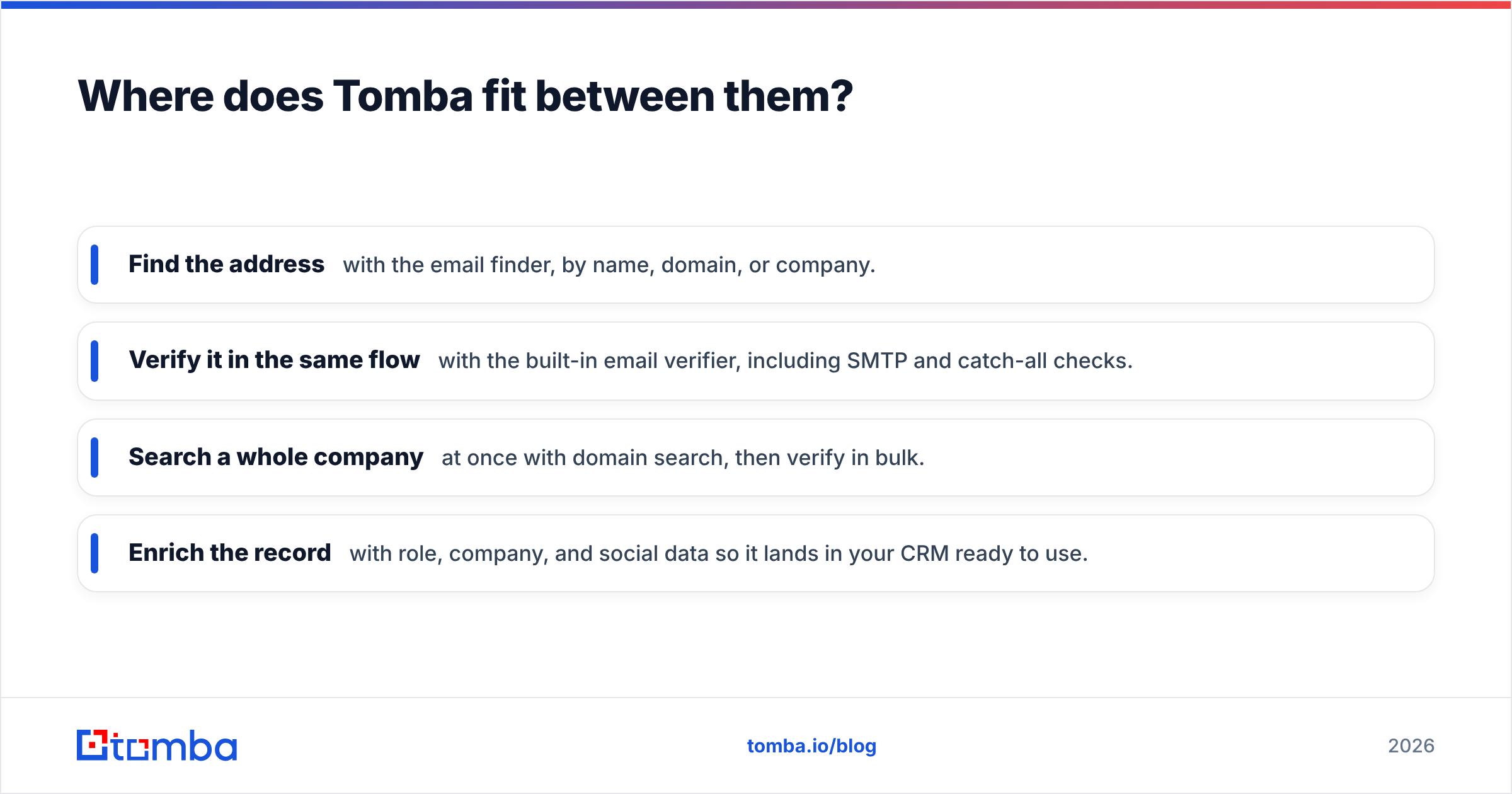
Tomba consolidates the pipeline:
- Find the address with the email finder, by name, domain, or company.
- Verify it in the same flow with the built-in email verifier, including SMTP and catch-all checks.
- Search a whole company at once with domain search, then verify in bulk.
- Enrich the record with role, company, and social data so it lands in your CRM ready to use.
The practical benefit isn't one feature beating another — it's that the contact never leaves a verified state. You're not exporting guesses from a finder, re-importing them into a verifier, and hoping the formats line up. For a deeper primer on what verification actually checks under the hood, the basics of an email address and SMTP behaviour are worth a quick read.

When should you choose each tool?#
Match the tool to the job, not the brand:
- Choose a Brandnav-style finder if your bottleneck is contact discovery — you have accounts and need decision-maker emails, and you already have verification handled elsewhere.
- Choose a Logvalid-style verifier if your bottleneck is list hygiene — you have plenty of contacts but rising bounce rates, and discovery isn't your problem.
- Choose a consolidated platform if you do both regularly, want one bill and one credit pool, or are tired of moving data between vendors and reconciling formats.
A useful rule of thumb: if you find yourself comparing a finder against a verifier, you've probably realized you need both. That's the signal to evaluate a single tool that covers the whole pipeline rather than stitching two specialists together.
What about catch-all domains and edge cases?#
Catch-all domains — servers configured to accept mail for any address — are the hardest case for any verifier, and they're worth special attention in this comparison. A naive verifier marks them "unknown" and you're stuck guessing. A stronger one applies additional signals to estimate deliverability.
If a large share of your target accounts run catch-all servers (common in enterprise and certain industries), this single factor should drive your decision more than price. Test it explicitly: feed each tool a batch of known catch-all domains and compare how many it resolves to a confident verdict versus how many it punts on. A dedicated catch-all verifier that returns actionable verdicts on those domains is worth more than a cheaper tool that gives up on them.
Other edge cases to test before committing:
- Role accounts (info@, sales@) — does the tool flag them so you can suppress low-response addresses?
- Disposable domains — are throwaway signups caught?
- International domains — accuracy often drops outside the tool's home region; test your actual geography.
Final verdict: Brandnav vs Logvalid#
There's no universal winner, because they're optimized for different jobs. Brandnav is the better answer when discovery is your constraint; Logvalid is the better answer when deliverability is. Run the afternoon benchmark above against your own data — false-positive rate and catch-all resolution will separate them faster than any feature list.
But step back and the more common reality is that you need both halves of the pipeline, and maintaining two subscriptions with two credit systems is a tax you pay every month. If that describes your team, evaluate a platform that finds and verifies in one place before you commit to a specialist pair.
That's the case for Tomba's Email Finder — find professional email addresses by name, domain, or company, verify them in the same workflow with built-in SMTP and catch-all checks, and enrich the record before it hits your CRM. Start on the free tier (25 searches a month, no card), and only scale to a paid plan once the accuracy proves itself on your own list. One tool, one verified contact at the end — no data handoffs, no double billing.
// get started
Find, verify and enrich your first contacts today
Start on the free plan with 25 searches a month, then scale when your team is ready.
Free plan · No credit card required · GDPR & CCPA
// about the author