Brandnav vs Salesbot 2026: Which B2B Email Finder Wins?
Brandnav vs Salesbot compared on accuracy, pricing, data coverage, and verification. See which B2B email finder fits your outbound stack in 2026 — and where Tomba beats both.
Choosing between Brandnav and Salesbot comes down to one question: which tool puts more verified, deliverable email addresses into your sequencer per dollar? Both promise to turn a name and a domain into a working contact. They get there in very different ways, and the gap shows up fast once you push real volume through them.
This guide breaks down Brandnav vs Salesbot on accuracy, pricing, data freshness, verification, and integrations — then shows where a focused email-finding platform like Tomba outperforms both.
TL;DR#
- Brandnav leans on aggregated B2B profiles and enrichment, which is strong for firmographics but uneven on personal work emails for smaller companies.
- Salesbot bundles email discovery into a broader outreach/automation layer, so you pay for workflow features whether or not you use them.
- Accuracy is the real tiebreaker. Neither tool publishes a hard, audited deliverability rate, so test both on your own list before committing.
- Pricing models differ sharply — Brandnav sells credits, Salesbot bundles seats plus sending. Cost-per-verified-email is the number that matters.
- If pure email-finding accuracy is the goal, Tomba's dedicated email finder and built-in verification typically return a cleaner list at a lower cost-per-valid-contact.
What are Brandnav and Salesbot?#
Brandnav is a B2B data and enrichment tool. You feed it a domain, a company name, or a partial contact record, and it returns enriched profiles — company size, industry, role, and contact details including email. Its strength is breadth: it tries to be a one-stop enrichment layer rather than a single-purpose finder.
Salesbot sits closer to the outbound-automation category. Email discovery is one feature inside a larger suite that also handles sequencing, follow-ups, and sometimes chatbot-style lead capture. The pitch is "find and contact in one place." The tradeoff is that the email-finding engine is rarely the product's center of gravity — it's a feature, not the foundation.
That distinction matters more than the marketing suggests. A tool built around email discovery invests in data partnerships, SMTP validation, and catch-all handling. A tool where discovery is one tab among ten usually licenses data from a third party and bolts a verifier on top.

How accurate is each one?#
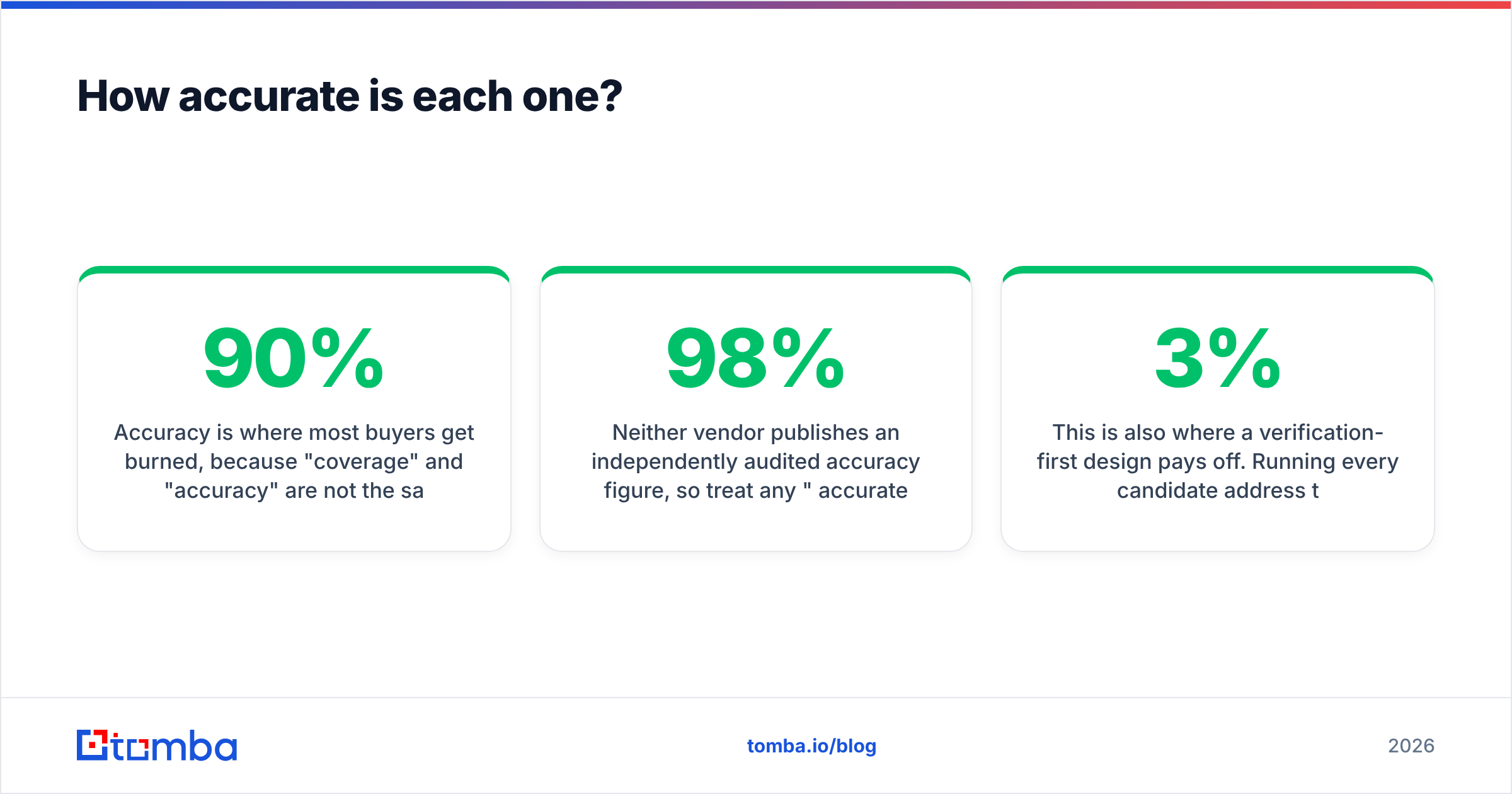
Accuracy is where most buyers get burned, because "coverage" and "accuracy" are not the same thing. A tool can return an email for 90% of your list and still be wrong 30% of the time. The metric you care about is valid, deliverable emails as a percentage of rows submitted — after bounces.
Here's how the two approaches typically behave:
- Brandnav does well on mid-market and enterprise contacts where the person has a public professional footprint. Coverage thins out on sub-50-employee companies and freshly hired reps, and enrichment-sourced emails can lag behind job changes.
- Salesbot inherits the accuracy of whatever data source powers its finder. Because verification is secondary, catch-all domains and role-based addresses (info@, sales@) slip through more often, inflating your bounce rate.
Neither vendor publishes an independently audited accuracy figure, so treat any "98% accurate" claim as marketing until you've run a 500-row sample of your own ICP through both. The only number that counts is the one your sequencer reports.
This is also where a verification-first design pays off. Running every candidate address through SMTP checks, MX validation, and catch-all verification before it ever reaches your list is what keeps bounce rates under 3%. If a finder hands you raw guesses without that layer, you're doing the verification yourself — in your inbox, with your sender reputation.

Wait — that's the wrong meme placement. Here's the comparison that matters:
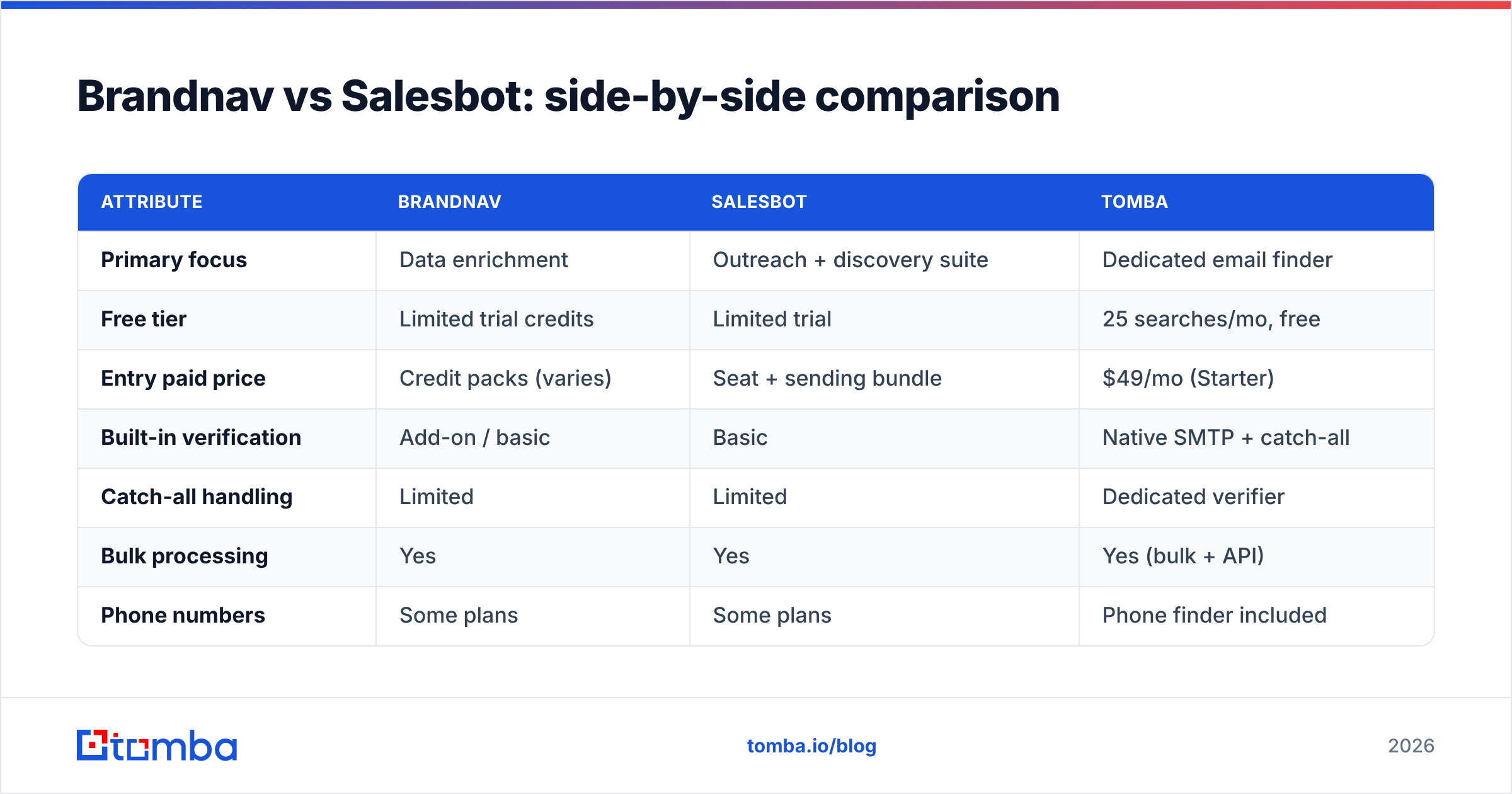
Brandnav vs Salesbot: side-by-side comparison#
| Attribute | Brandnav | Salesbot | Tomba |
|---|---|---|---|
| Primary focus | Data enrichment | Outreach + discovery suite | Dedicated email finder |
| Free tier | Limited trial credits | Limited trial | 25 searches/mo, free |
| Entry paid price | Credit packs (varies) | Seat + sending bundle | $49/mo (Starter) |
| Built-in verification | Add-on / basic | Basic | Native SMTP + catch-all |
| Catch-all handling | Limited | Limited | Dedicated verifier |
| Bulk processing | Yes | Yes | Yes (bulk + API) |
| Phone numbers | Some plans | Some plans | Phone finder included |
| API access | Yes | Limited | Full REST API |
| Best for | Firmographic enrichment | All-in-one outreach | High-accuracy email finding |
The pattern is clear: Brandnav wins if you mainly need company data, Salesbot wins if you want one login for finding and sending, and a focused finder wins on the single metric that drives reply rates — clean, verified emails.
What does each one cost in 2026?#
Pricing is where the two tools diverge most, and where total cost gets murky.
Brandnav typically sells credits. One credit equals one enrichment or lookup, and prices drop at volume. The hidden cost: enrichment calls that return a profile but no usable email often still burn a credit. Your effective cost-per-email can be far higher than the sticker price suggests.
Salesbot bundles email discovery into seat-based pricing, often with separate sending limits. You're paying for the whole outreach platform even if you only want the finder. If you already run a sequencer you like, that's duplicate spend.
For honest comparison, calculate cost per verified, deliverable email, not cost per credit or per seat:
- Run a fixed sample — say 1,000 ICP rows — through each tool.
- Count only valid emails after verification and a live send test.
- Divide total spend by valid emails. That's your real number.
- Repeat quarterly, because data decays and pricing changes.
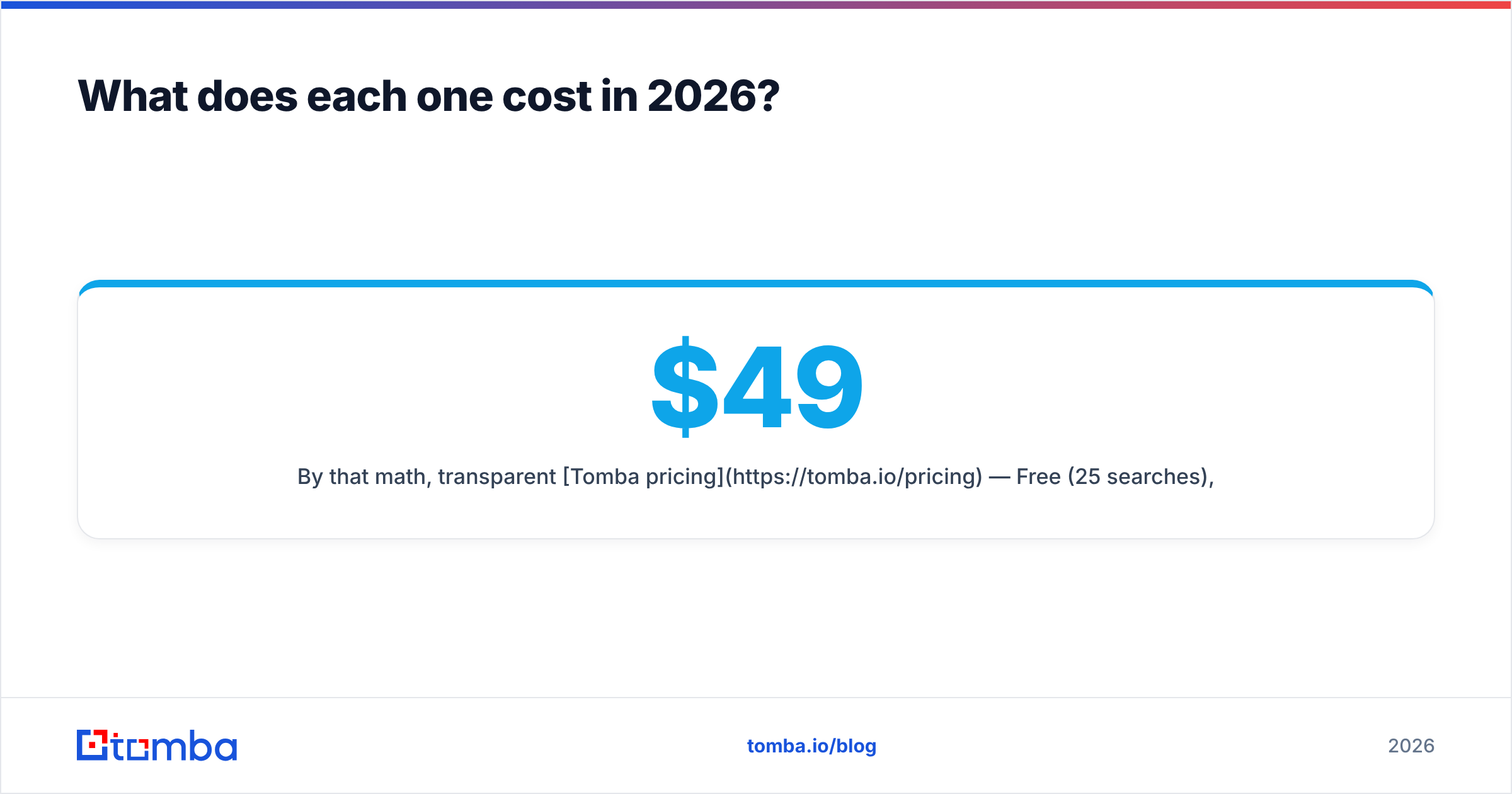
By that math, transparent Tomba pricing — Free (25 searches), Starter at $49/mo, Growth at $99/mo, and Pro at $249/mo — is easy to model because credits map to searches and verification is included rather than billed as an extra. You always know your cost-per-valid-email before you scale.
Which has better data freshness and coverage?#
Data decay is the silent killer of outbound. Roughly a quarter to a third of B2B contact data goes stale every year as people change jobs. The question isn't "how big is the database" — it's "how recently was this record confirmed."
- Brandnav refreshes through enrichment cycles, which is solid for company-level attributes but slower to catch individual job changes, so a returned email may point to someone who left.
- Salesbot relies on its underlying data licensor's refresh cadence, which you have limited visibility into.
A finder that re-validates at query time — checking the mail server when you ask, not when the record was last scraped — sidesteps most decay. That's the difference between a static database lookup and a live verification. You can read how a live-validation approach sources and confirms records on Tomba's data sources page, and it's worth asking both Brandnav and Salesbot the same pointed question: do you verify at query time, or serve a cached record?
Which fits your workflow better?#
Tooling has to fit the way your team already works.
Choose Brandnav if:
- You need firmographic enrichment as much as emails (company size, tech stack, industry).
- You're appending data to an existing CRM at scale.
- Your ICP skews mid-market and enterprise with strong public footprints.
Choose Salesbot if:
- You want one tool for both finding and sending and have no sequencer yet.
- Your volume is modest and convenience beats best-in-class accuracy.
- You value a single dashboard over per-tool optimization.
Choose a dedicated finder like Tomba if:
- Email accuracy and low bounce rates are your top priority.
- You want native verification, bulk email finder processing, and a real email finder API to wire into your own stack.
- You already have a sequencer (Instantly, Smartlead, your CRM) and just need clean contacts feeding it.

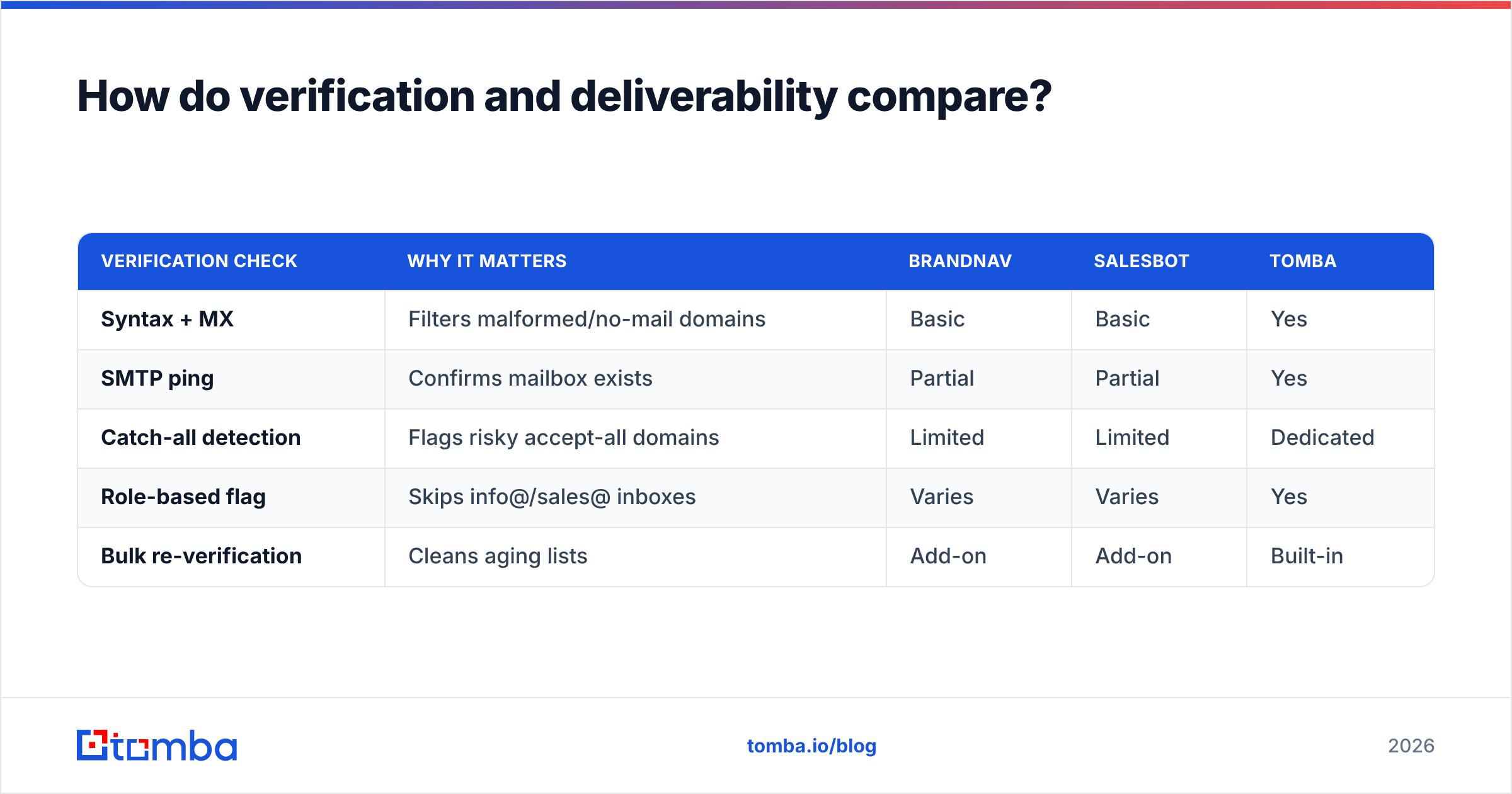
How do verification and deliverability compare?#
This is the section most comparison posts skip, and it's the one that protects your domain.
Finding an email is half the job. Sending to an unverified list quietly destroys your sender reputation, and once spam filters learn your pattern, even your good emails land in junk. A finder that doesn't verify is handing you a liability.
| Verification check | Why it matters | Brandnav | Salesbot | Tomba |
|---|---|---|---|---|
| Syntax + MX | Filters malformed/no-mail domains | Basic | Basic | Yes |
| SMTP ping | Confirms mailbox exists | Partial | Partial | Yes |
| Catch-all detection | Flags risky accept-all domains | Limited | Limited | Dedicated |
| Role-based flag | Skips info@/sales@ inboxes | Varies | Varies | Yes |
| Bulk re-verification | Cleans aging lists | Add-on | Add-on | Built-in |
If you're serious about deliverability, run finds through a standalone email verifier before every campaign — even on emails a finder swears are valid. The combination of a verification-first finder and a pre-send scrub is what keeps you in the primary inbox. For the underlying mechanics, the email deliverability fundamentals are worth a read before you scale any list.
What do reviewers say?#
Public review platforms give you a sanity check beyond vendor claims. Browse current user feedback on G2 and Capterra for both tools, and weight the reviews that mention bounce rates and refund-for-bad-data policies — those are the signals that predict real-world performance. Generic "great UI" reviews tell you nothing about data quality.
When you read them, filter for three things: stated bounce rates, how the vendor handles credits spent on dead emails, and whether catch-all domains are flagged or silently passed through. Those three details separate a finder you can scale on from one that'll torch your domain in month two.
So which should you pick?#
Conclusion first: if you need broad enrichment, test Brandnav; if you want an all-in-one and have no sequencer, test Salesbot; if email accuracy and cost-per-valid-contact are what you're optimizing for, Tomba is the stronger pick — and you can prove it on the free tier before spending a cent.
The honest answer is that you should run your own bake-off. Take 500 rows of your actual ICP, push them through all three, verify the output, and send a small test campaign. The tool with the lowest bounce rate and lowest cost-per-valid-email wins — regardless of which has the slickest dashboard.
Most teams that run this test land on the same conclusion: a dedicated, verification-first finder beats a bundled feature or an enrichment-first database when the goal is replies, not row counts.
Try the higher-accuracy alternative#
If your real objective is more booked meetings from cleaner data, skip the guesswork. The Tomba Email Finder turns a name and domain into a verified, deliverable email — with SMTP and catch-all checks baked in, transparent $49/mo Starter pricing, a free tier of 25 searches to test on your own list, and a full API plus bulk lead generation for when you scale. Run the same 500-row sample you'd give Brandnav and Salesbot, compare the bounce rates, and let the numbers decide. Start free, verify everything, and only pay once the accuracy proves itself.
// get started
Find, verify and enrich your first contacts today
Start on the free plan with 25 searches a month, then scale when your team is ready.
Free plan · No credit card required · GDPR & CCPA
// about the author