Brandnav vs Salesql: Which Email Finder Wins in 2026?
Brandnav vs Salesql compared on accuracy, pricing, data coverage, and LinkedIn workflows — plus where a verification-first finder like Tomba beats both in 2026.
Choosing between Brandnav and Salesql comes down to one question: do you need a LinkedIn-native browser extension, or a broader email-finding and verification platform that holds up at scale? Both promise to turn names into reachable inboxes. They get there very differently, and the gap shows up in your bounce rate.
TL;DR#
- Salesql is a LinkedIn-first Chrome extension. It shines when your entire workflow lives inside LinkedIn and Sales Navigator search results.
- Brandnav positions itself as a wider B2B data and email-finding platform with bulk search and enrichment, aimed at teams that work outside the browser too.
- Accuracy and verification are where most buyers get burned — neither tool's headline "accuracy" number means much without a separate email verifier in the loop.
- Pricing favors Salesql for solo LinkedIn prospectors; Brandnav's value depends heavily on how much its database overlaps with your ICP.
- If you want verified emails plus domain search, catch-all handling, and an API under one roof, a verification-first finder like Tomba is worth testing against both before you commit.
What are Brandnav and Salesql?#
Salesql is a contact-finding Chrome extension built around LinkedIn. You open a profile or a Sales Navigator list, click the extension, and it returns personal and work emails plus phone numbers. Its strength is workflow proximity: the data appears exactly where you're already prospecting. That also defines its ceiling — if a contact isn't surfaced through a LinkedIn page, Salesql isn't built to find them.
Brandnav markets itself more broadly as a B2B data and email-finding tool. Beyond single lookups, it leans on bulk processing and enrichment, so it appeals to teams uploading lists or running larger campaigns rather than clicking one profile at a time. The trade-off is that platform breadth only pays off if the underlying database actually covers the companies and roles you're targeting.
Here's the core distinction in plain terms: Salesql is a scalpel for LinkedIn, Brandnav is a wider net. The right choice depends on where your leads come from.

How accurate are Brandnav vs Salesql?#
Accuracy is the only metric that matters, and it's the one every vendor inflates. A tool that returns an email is not the same as a tool that returns a deliverable email. The number you care about is the share of returned addresses that actually land — not the share of searches that return something.
Both Brandnav and Salesql publish optimistic hit rates. In practice, real-world deliverability for any finder drops once you account for:
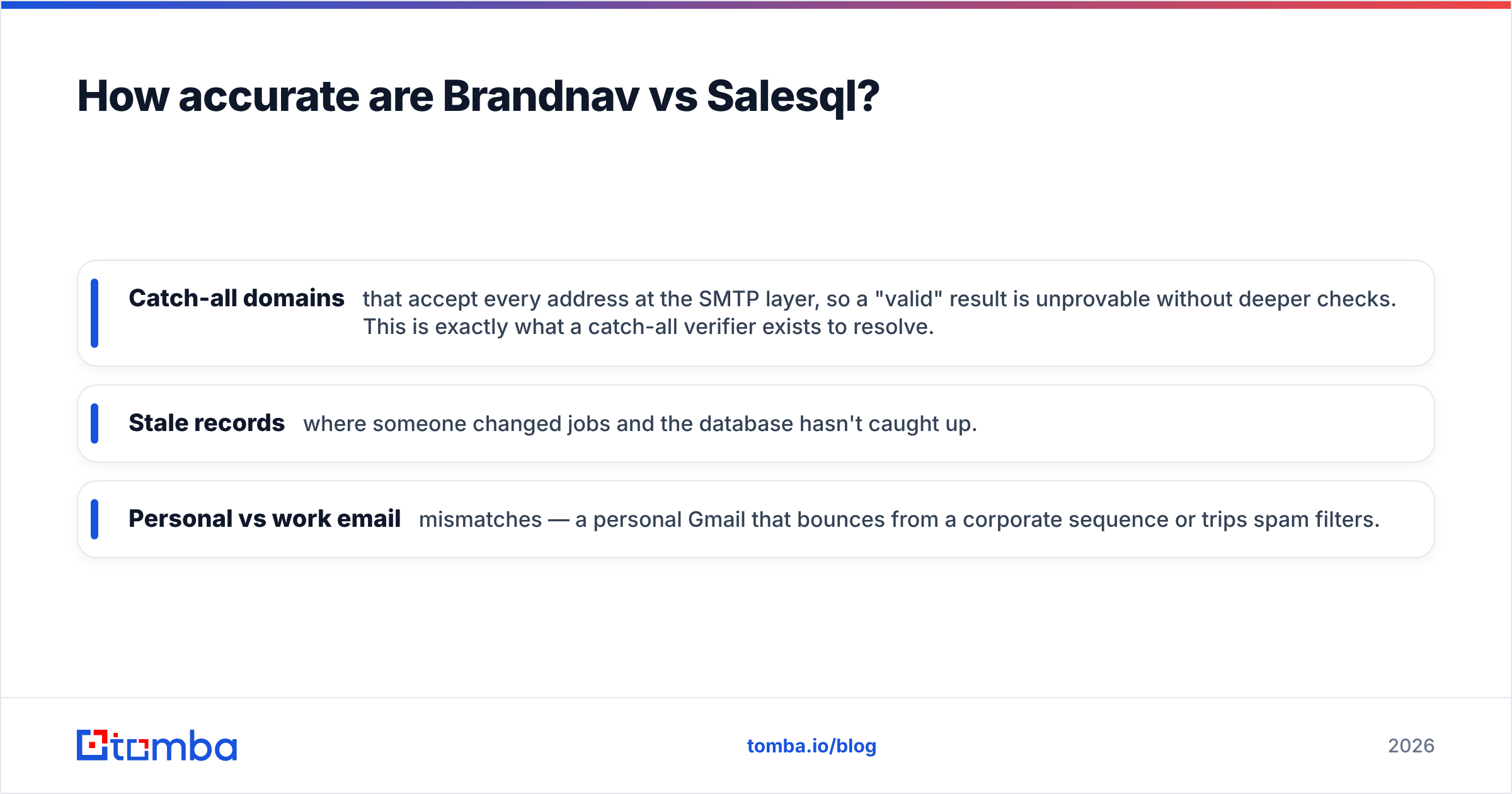
- Catch-all domains that accept every address at the SMTP layer, so a "valid" result is unprovable without deeper checks. This is exactly what a catch-all verifier exists to resolve.
- Stale records where someone changed jobs and the database hasn't caught up.
- Personal vs work email mismatches — a personal Gmail that bounces from a corporate sequence or trips spam filters.
The honest takeaway: treat any single-vendor accuracy claim as a starting point, not a guarantee. Whichever tool you pick, run the output through verification before you send. Bounce rates above 3-5% start damaging your sender reputation, and no finder's marketing page will warn you about that.
Brandnav vs Salesql: feature and pricing comparison#
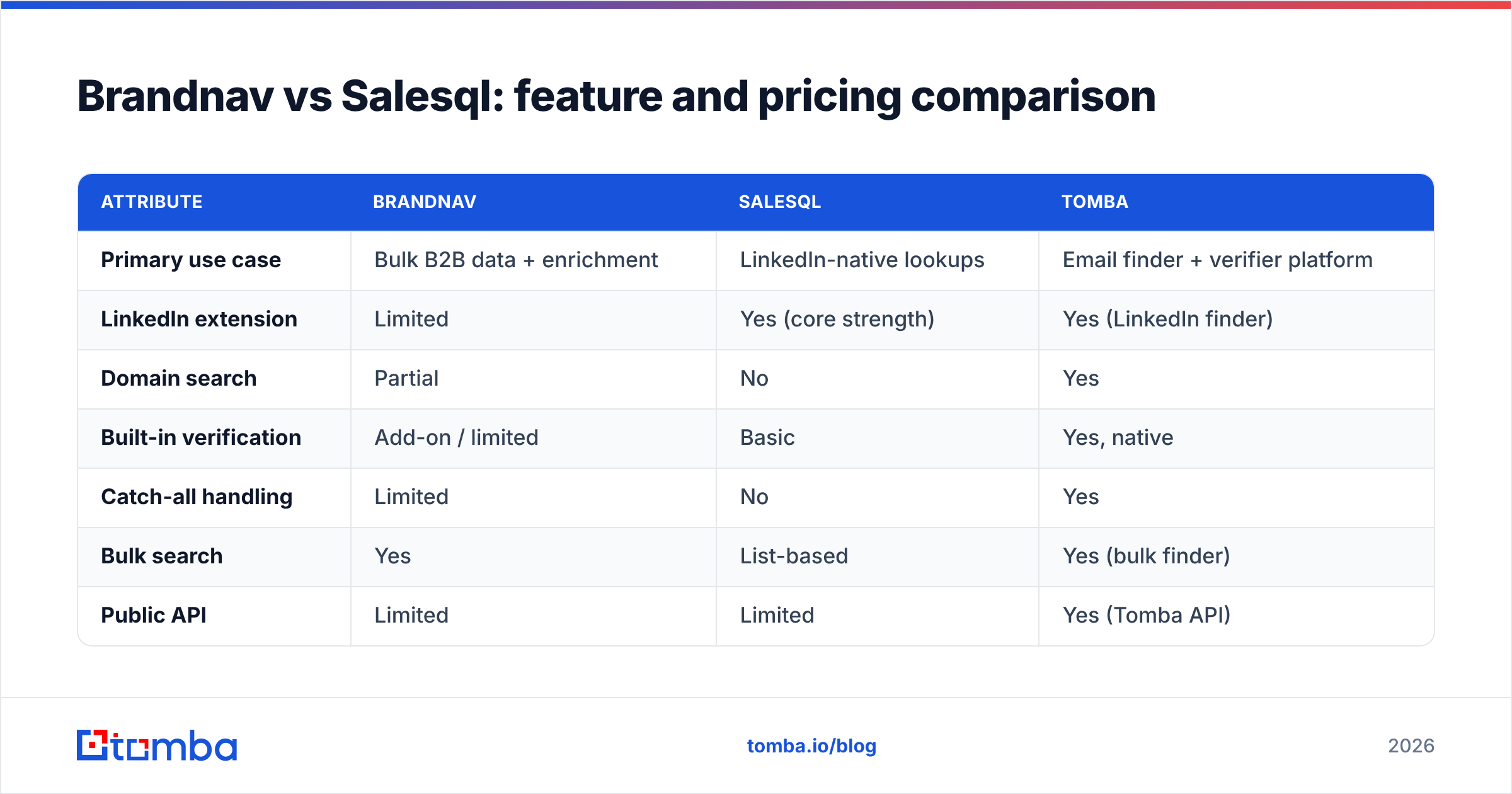
The table below maps the practical differences. Treat pricing as directional — both vendors adjust tiers and credit definitions, so confirm current numbers before buying.
| Attribute | Brandnav | Salesql | Tomba |
|---|---|---|---|
| Primary use case | Bulk B2B data + enrichment | LinkedIn-native lookups | Email finder + verifier platform |
| LinkedIn extension | Limited | Yes (core strength) | Yes (LinkedIn finder) |
| Domain search | Partial | No | Yes |
| Built-in verification | Add-on / limited | Basic | Yes, native |
| Catch-all handling | Limited | No | Yes |
| Bulk search | Yes | List-based | Yes (bulk finder) |
| Public API | Limited | Limited | Yes (Tomba API) |
| Free tier | Trial credits | Free plan (capped) | 25 searches/mo |
| Entry paid price | Varies | ~$39-$59/mo range | $49/mo Starter |
A few things to read from this:
- Salesql wins on LinkedIn ergonomics. If 90% of your sourcing is inside Sales Navigator, its extension is hard to beat for speed.
- Brandnav wins on list volume — assuming its database covers your segment. Test it against a sample of your real target accounts before scaling.
- Neither leads on verification depth. This is the recurring blind spot. A finder without a strong email verifier hands you raw data and lets you eat the bounces.
- API and tooling breadth matters if you're embedding lookups into your own systems rather than clicking manually.
Which tool fits which workflow?#
Pick Salesql if you're a solo SDR, founder, or recruiter who lives in LinkedIn. The extension's in-context speed is its whole value proposition, and for one-at-a-time prospecting it delivers. You'll want a separate verification step, but the day-to-day feel is smooth.
Pick Brandnav if you run list-based outbound and need enrichment across many records at once, and you've confirmed its data covers your ICP. The platform model only earns its keep when the database overlap is high. Run a paid pilot on 100 known contacts and measure the real match rate.

Consider a third option if you keep hitting the same wall both tools share: finding an address is easy, trusting it is not. That's the case for a verification-first platform.
Where does Tomba fit against Brandnav and Salesql?#
Tomba's pitch is simple: find and verify in the same place, so you're not stitching two vendors together. It covers the find email addresses job that Salesql does, the bulk and enrichment angle that Brandnav targets, and adds native verification, catch-all handling, and a documented API on top.
Concretely, Tomba combines:
- Email finder by name, company, or domain search — so you're not limited to whatever LinkedIn surfaces.
- Native verification built into the same workflow, including catch-all verification, so a "found" email is also a checked email.
- Bulk processing for list-based campaigns, plus integrations into the tools you already run.
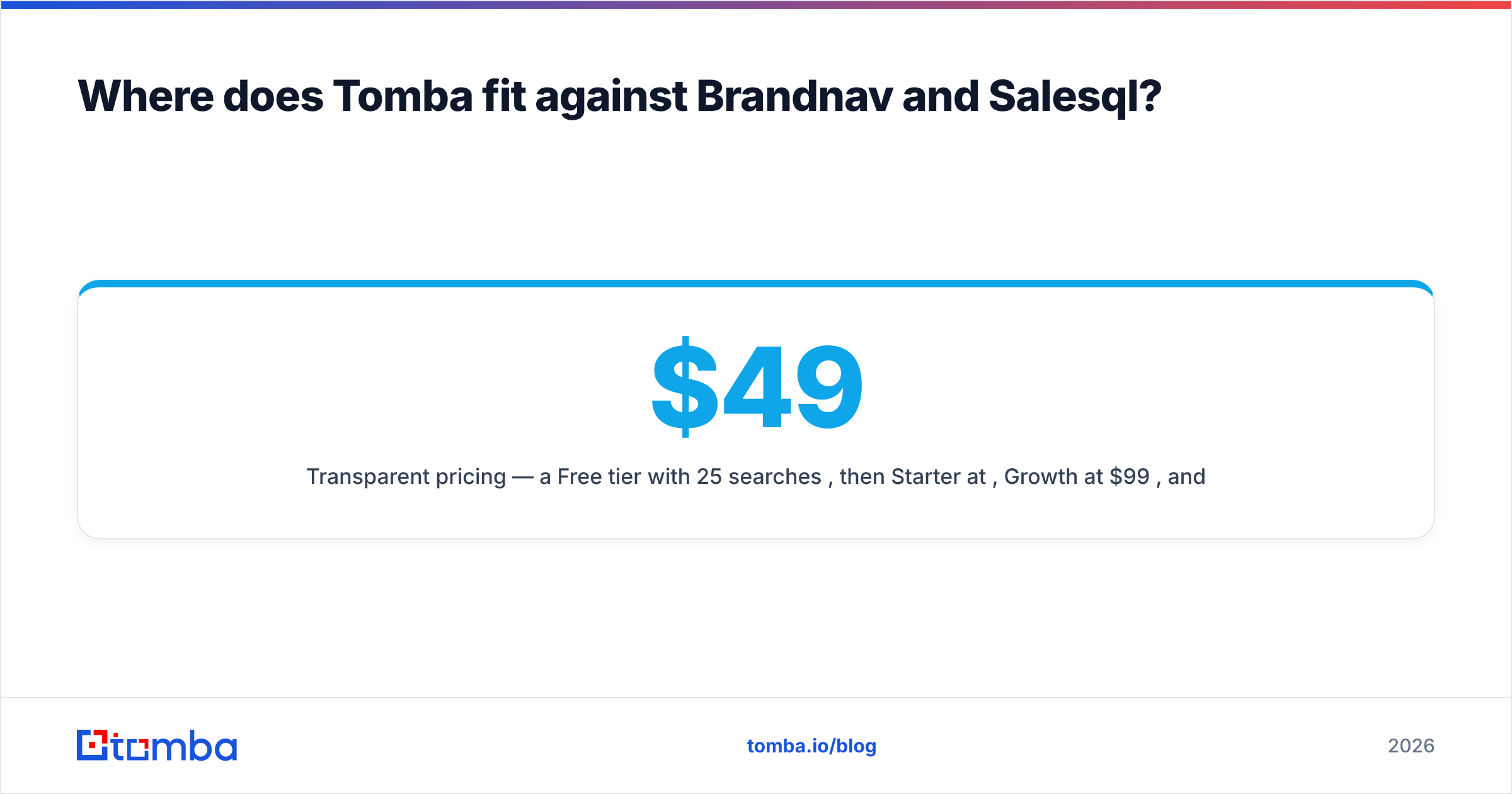
- Transparent pricing — a Free tier with 25 searches/mo, then Starter at $49/mo, Growth at $99/mo, and Pro at $249/mo. Full Tomba pricing is public, no "contact sales" wall for the basics.
The reason this matters: in independent comparisons, email-finder buyers consistently rank verified deliverability above raw match volume. Tools like Brandnav and Salesql can return more addresses, but addresses you can't trust generate bounces, and bounces quietly throttle every future campaign. You can cross-check vendor reputations on G2 and Capterra before deciding — both list user-reported deliverability complaints that marketing pages omit.

How should you evaluate any email finder in 2026?#
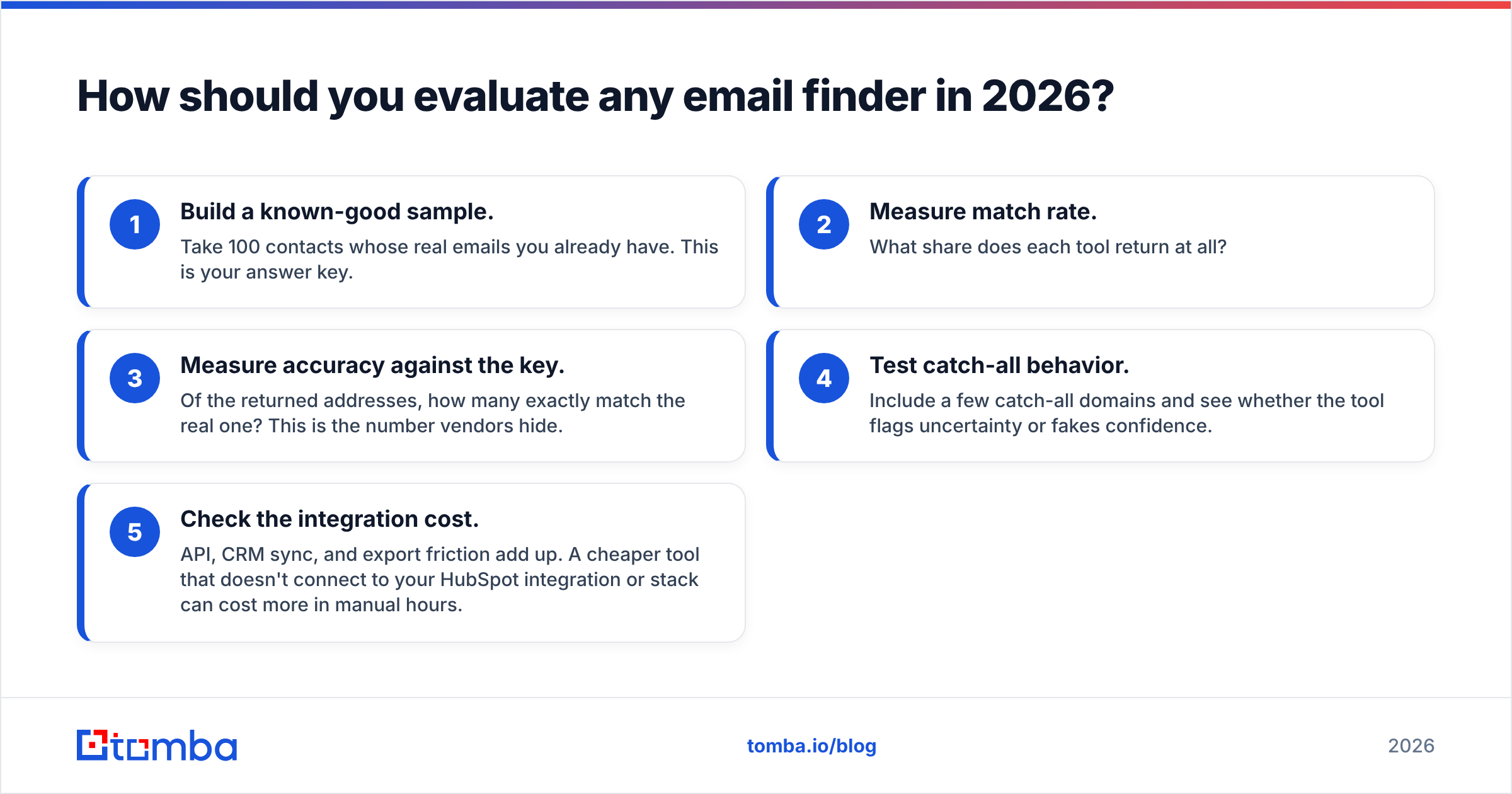
Run the same five-step test on Brandnav, Salesql, and any alternative. This removes vendor spin from the decision:
- Build a known-good sample. Take 100 contacts whose real emails you already have. This is your answer key.
- Measure match rate. What share does each tool return at all?
- Measure accuracy against the key. Of the returned addresses, how many exactly match the real one? This is the number vendors hide.
- Test catch-all behavior. Include a few catch-all domains and see whether the tool flags uncertainty or fakes confidence.
- Check the integration cost. API, CRM sync, and export friction add up. A cheaper tool that doesn't connect to your HubSpot integration or stack can cost more in manual hours.
The methodology matters more than any single vendor. The right tool for your competitor may be wrong for you because your ICP sits in a different slice of the data. For broader context on how providers source contact data, vendor documentation like HubSpot's data quality guidance and standard CRM hygiene practices are worth reading before you trust any single number.
Frequently asked questions#
Is Salesql better than Brandnav for LinkedIn prospecting? For pure in-LinkedIn speed, yes — Salesql's extension is built for that workflow. Brandnav is stronger when you work from uploaded lists rather than browsing profiles one at a time.
Do Brandnav and Salesql verify emails? Both offer some validation, but neither treats verification as a first-class feature with catch-all resolution. Plan to run results through a dedicated email verification step regardless of which you choose.
Which is cheapest? Salesql tends to be cheapest for solo LinkedIn users. Brandnav's value scales with list volume and data overlap. Tomba's Free tier (25 searches/mo) lets you benchmark accuracy at zero cost before paying.
Can I use more than one tool? Yes, and many teams do — one for sourcing, one for verification. The downside is cost and workflow friction. Consolidating find-and-verify into a single platform usually wins on both.
The bottom line#
Brandnav vs Salesql isn't a clean winner-takes-all. Salesql owns the LinkedIn-native niche; Brandnav competes on bulk data breadth. But both leave the same gap: they find addresses faster than they prove them, and unverified emails are the silent killer of cold campaigns.
If your priority is deliverable contacts rather than raw volume, start with a platform that finds and verifies in one motion. Spin up the free Tomba Email Finder, run your own 100-contact accuracy test against whatever you're using today, and let the bounce rate — not the marketing copy — make the call. Verified emails protect the sender reputation that every future deal depends on.
// get started
Find, verify and enrich your first contacts today
Start on the free plan with 25 searches a month, then scale when your team is ready.
Free plan · No credit card required · GDPR & CCPA
// about the author