Brandnav vs Sendigram (2026): Data vs Cold Email Compared
Brandnav and Sendigram get lumped together, but they solve different halves of outbound. Here's how they compare on data, sending, pricing, and fit in 2026 — and where a dedicated email finder beats both.
TL;DR
- Brandnav and Sendigram are not really the same product. Brandnav leans toward B2B data and lead enrichment; Sendigram leans toward cold email sending and sequences. Comparing them head-to-head only makes sense if you're trying to decide which problem to solve first.
- If your bottleneck is finding and verifying contacts, you want a data tool. If your bottleneck is getting emails delivered and replied to, you want a sending tool. Most teams eventually need both.
- Neither tool is a clean win for accuracy-first teams. A dedicated email finder with a real verification layer tends to beat a bundled "data + sending" suite on contact quality.
- Pricing for both moves around and is gated behind tiers and credit caps. Always check current plans before committing annually.
- If you only fix one thing in 2026, fix your data quality first — sending into a dirty list just burns your domain faster.
What are Brandnav and Sendigram?#
Short version: they sit on opposite ends of the outbound pipeline.
Think of outbound like running a restaurant. Finding good contact data is sourcing your ingredients — if they're spoiled, nothing you cook later matters. Sending cold email is the kitchen and service — even great ingredients fail if the food arrives cold or never reaches the table. Brandnav is closer to the sourcing side; Sendigram is closer to the kitchen.
Brandnav positions itself around B2B data: company and contact records, enrichment, and list building so your CRM isn't full of blanks. The pitch is "stop guessing who to contact."
Sendigram positions itself around outreach execution: sending cold email campaigns, managing sequences, and tracking replies. The pitch is "send at scale without torching deliverability."
The reason people search "brandnav vs sendigram" is usually budget. They have money for one tool and want to know which gap hurts more. That's the right question — but the honest answer depends on what's already broken in your funnel.
How do Brandnav and Sendigram compare at a glance?#
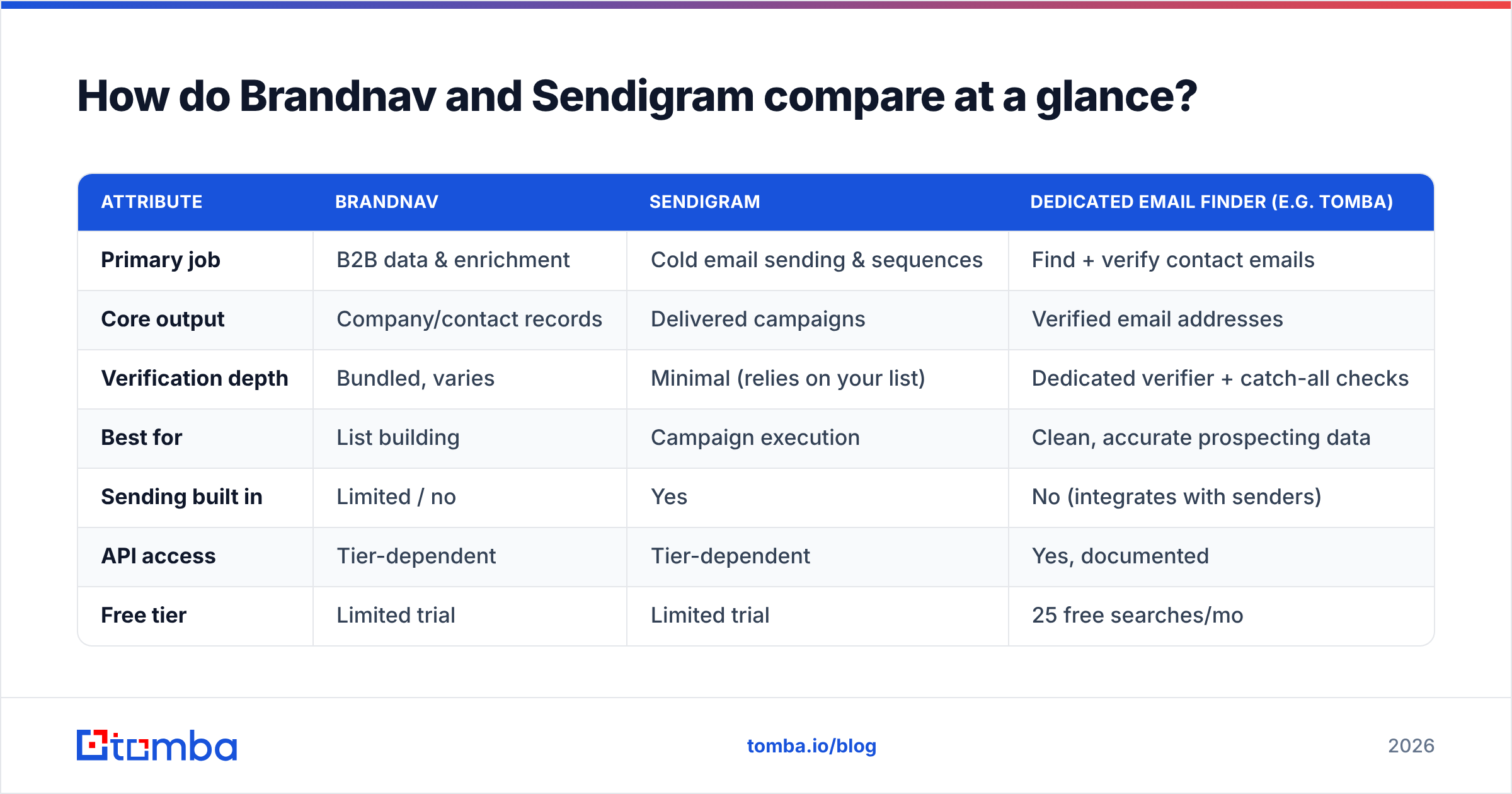
Here's the practical breakdown. Treat specific numbers as directional — both vendors change plans, and credit definitions differ — but the shape of each tool is stable.
| Attribute | Brandnav | Sendigram | Dedicated email finder (e.g. Tomba) |
|---|---|---|---|
| Primary job | B2B data & enrichment | Cold email sending & sequences | Find + verify contact emails |
| Core output | Company/contact records | Delivered campaigns | Verified email addresses |
| Verification depth | Bundled, varies | Minimal (relies on your list) | Dedicated verifier + catch-all checks |
| Best for | List building | Campaign execution | Clean, accurate prospecting data |
| Sending built in | Limited / no | Yes | No (integrates with senders) |
| API access | Tier-dependent | Tier-dependent | Yes, documented |
| Free tier | Limited trial | Limited trial | 25 free searches/mo |
| Risk if used alone | Great data, no delivery | Great delivery, weak data | Need a separate sender |
The table makes the core insight obvious: picking Brandnav vs Sendigram is choosing which half of outbound to automate. Neither replaces the other, and neither is a substitute for accurate, verified data at the top of the funnel.
Is Brandnav better than Sendigram?#
It depends on where you're losing deals — but if I had to pick a default, fix data before sending.
Choose Brandnav-style data first if:
- Your CRM is full of gaps. Missing titles, missing domains, and "info@" catch-alls mean reps waste hours researching instead of selling.
- You're building net-new lists. You don't have contacts yet, so a sending tool has nothing to send.
- Your bounce rate is climbing. Bad data is usually the cause, and no sequencer fixes a bounced address.
- You enrich for routing or scoring. Firmographic and contact enrichment feeds lead scoring and territory assignment.
Choose Sendigram-style sending first if:
- You already have clean, verified lists sitting unused in a spreadsheet.
- Your problem is throughput — you're sending manually and can't scale follow-ups.
- You need sequence logic — multi-step cadences, reply detection, and inbox rotation.
- Deliverability is your metric and your data is already trustworthy.
The trap is buying a sending tool to fix a data problem. If 20% of your list bounces, a better sequencer just helps you hit spam traps more efficiently. That's why deliverability experts keep repeating the same advice: clean the list first. Good email deliverability starts upstream of the send button.
What about data accuracy and verification?#
This is where bundled suites tend to disappoint, and where the comparison gets interesting.
A tool that does "everything" — data plus sending — usually treats verification as a checkbox, not a core competency. When verification is an afterthought, you get a few predictable failures:
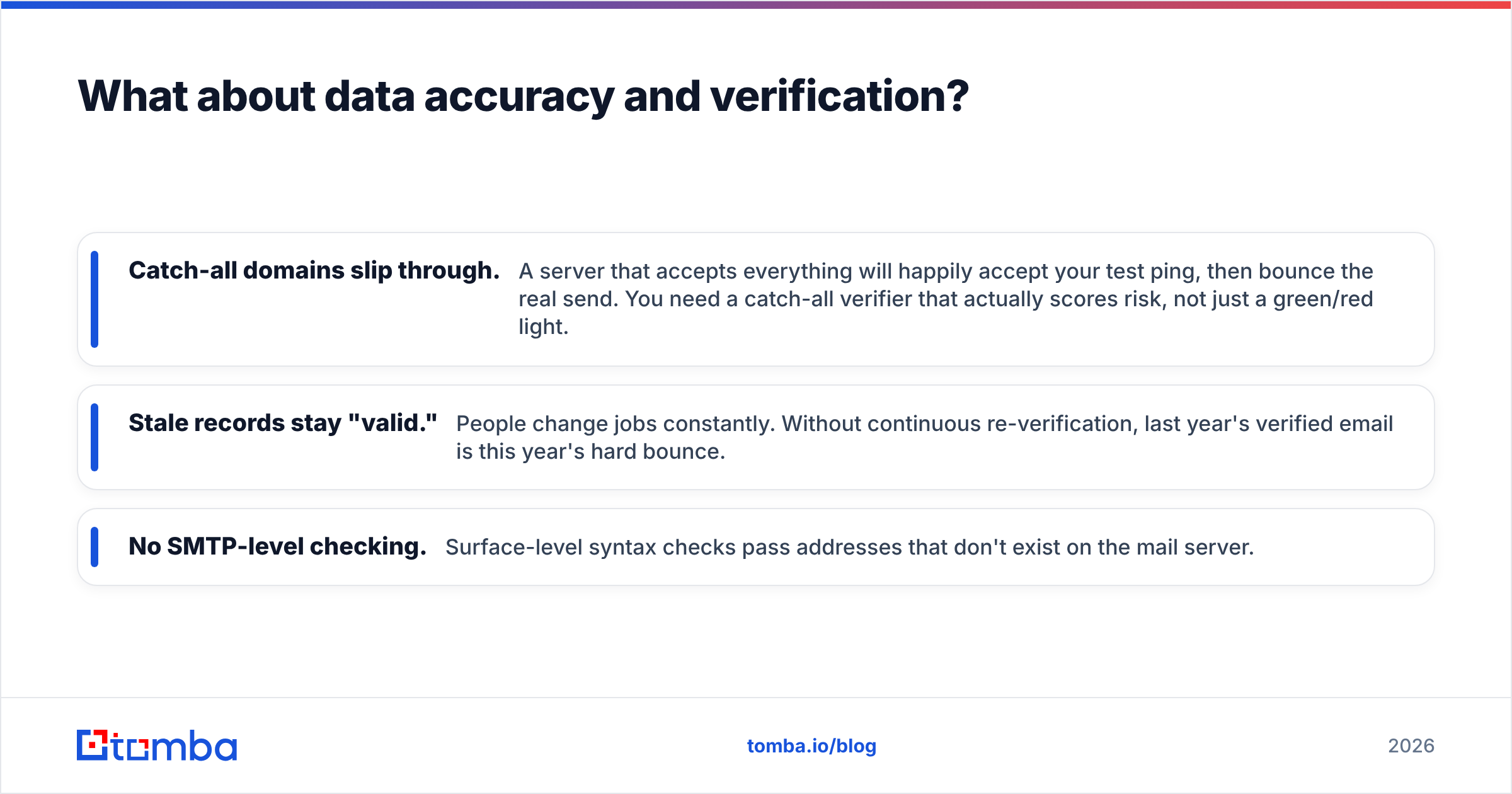
- Catch-all domains slip through. A server that accepts everything will happily accept your test ping, then bounce the real send. You need a catch-all verifier that actually scores risk, not just a green/red light.
- Stale records stay "valid." People change jobs constantly. Without continuous re-verification, last year's verified email is this year's hard bounce.
- No SMTP-level checking. Surface-level syntax checks pass addresses that don't exist on the mail server.
This is the argument for separating your data layer from your sending layer. A focused email verifier exists to do one job well: tell you whether a mailbox is real and safe to contact. When that function is bundled into a sending tool, it's rarely the priority — and your sender reputation pays for it.
If accuracy is the deciding factor between Brandnav and Sendigram, the honest takeaway is that neither a data-suite nor a sender beats a dedicated finder-plus-verifier combo on contact quality. The data tool gets you records; the verifier confirms they're worth sending to.
How much do Brandnav and Sendigram cost?#
Both use tiered, credit-gated pricing, and both reserve key features (API access, higher limits, team seats) for upper plans. Because vendors adjust plans frequently, verify current pricing on their sites and on review platforms like G2 or Capterra before you sign an annual contract.
The structural pattern to watch for:
| Cost factor | What to check |
|---|---|
| Entry price | What's actually included — or is it a stripped trial? |
| Credit definition | Does one credit = one record, one find, or one verify? |
| Overage cost | What happens when you exceed your monthly cap mid-campaign? |
| API gating | Is programmatic access locked to a high tier? |
| Annual lock-in | Is the discount worth committing before you've validated quality? |
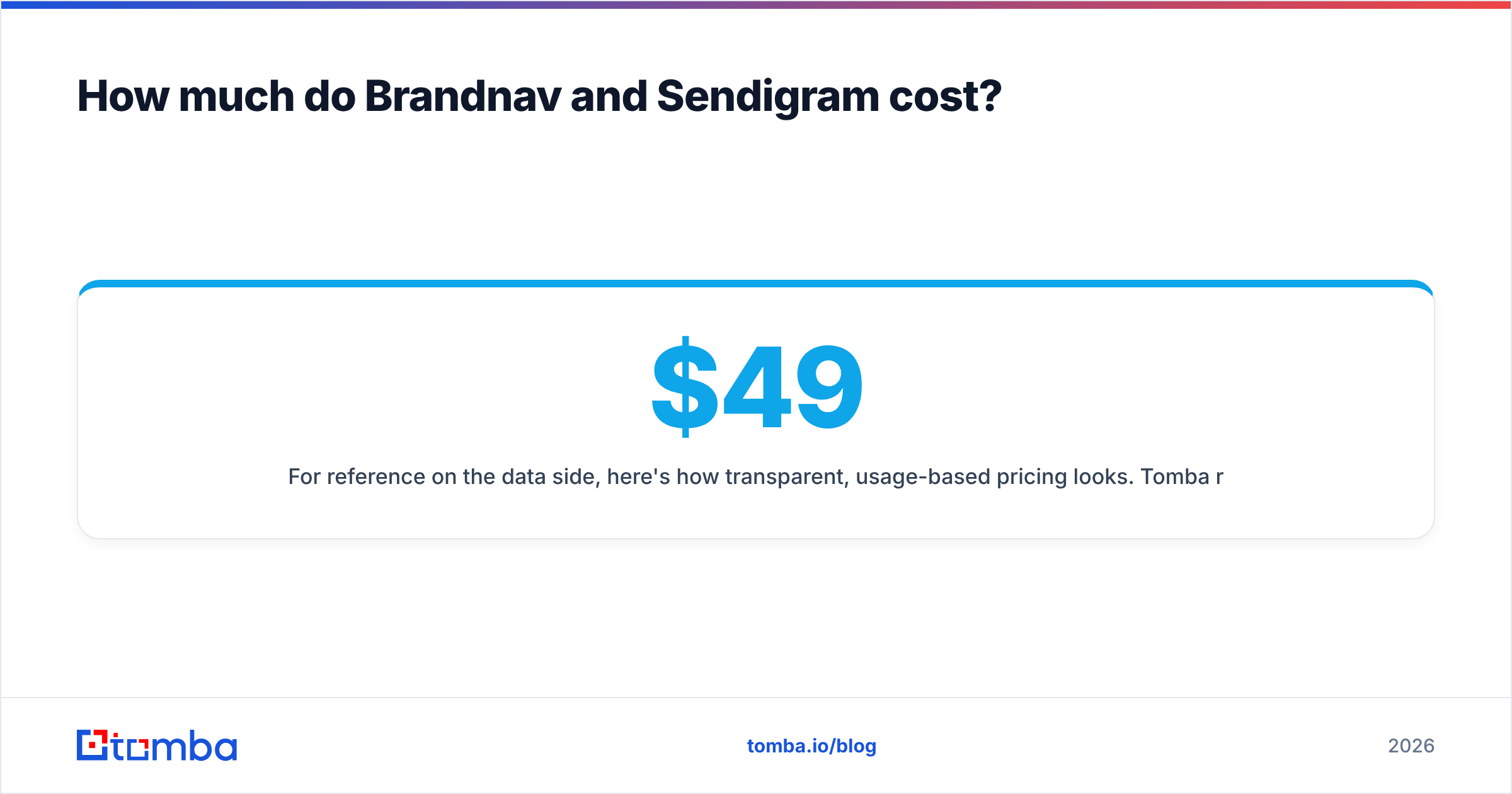
For reference on the data side, here's how transparent, usage-based pricing looks. Tomba runs a Free tier (25 searches/mo), Starter at $49/mo, Growth at $99/mo, Pro at $249/mo, and custom Enterprise — with verification included rather than sold as a separate upsell. You can see the full Tomba pricing breakdown to compare credit definitions directly.
The point isn't that one number beats another. It's that a "data + sending" bundle often looks cheaper per seat while charging you twice — once in dollars and once in deliverability when the verification is weak.
Can you use a data tool and a sender together?#
Yes — and for most serious outbound teams, that's the actual answer to "brandnav vs sendigram." You don't pick one. You build a stack where each layer does its job.
A clean two-layer stack looks like this:
- Source and verify — find contacts by company and role, confirm the email exists, drop catch-alls and risky addresses. This is the find emails and verification layer.
- Send and sequence — push only verified contacts into your cold email tool, run cadences, rotate inboxes, track replies.
The order matters. Sending unverified data is the single fastest way to wreck a domain. When you verify first, your sequencer's metrics actually mean something — open and reply rates reflect message quality, not list rot.
A few principles to keep the stack healthy:
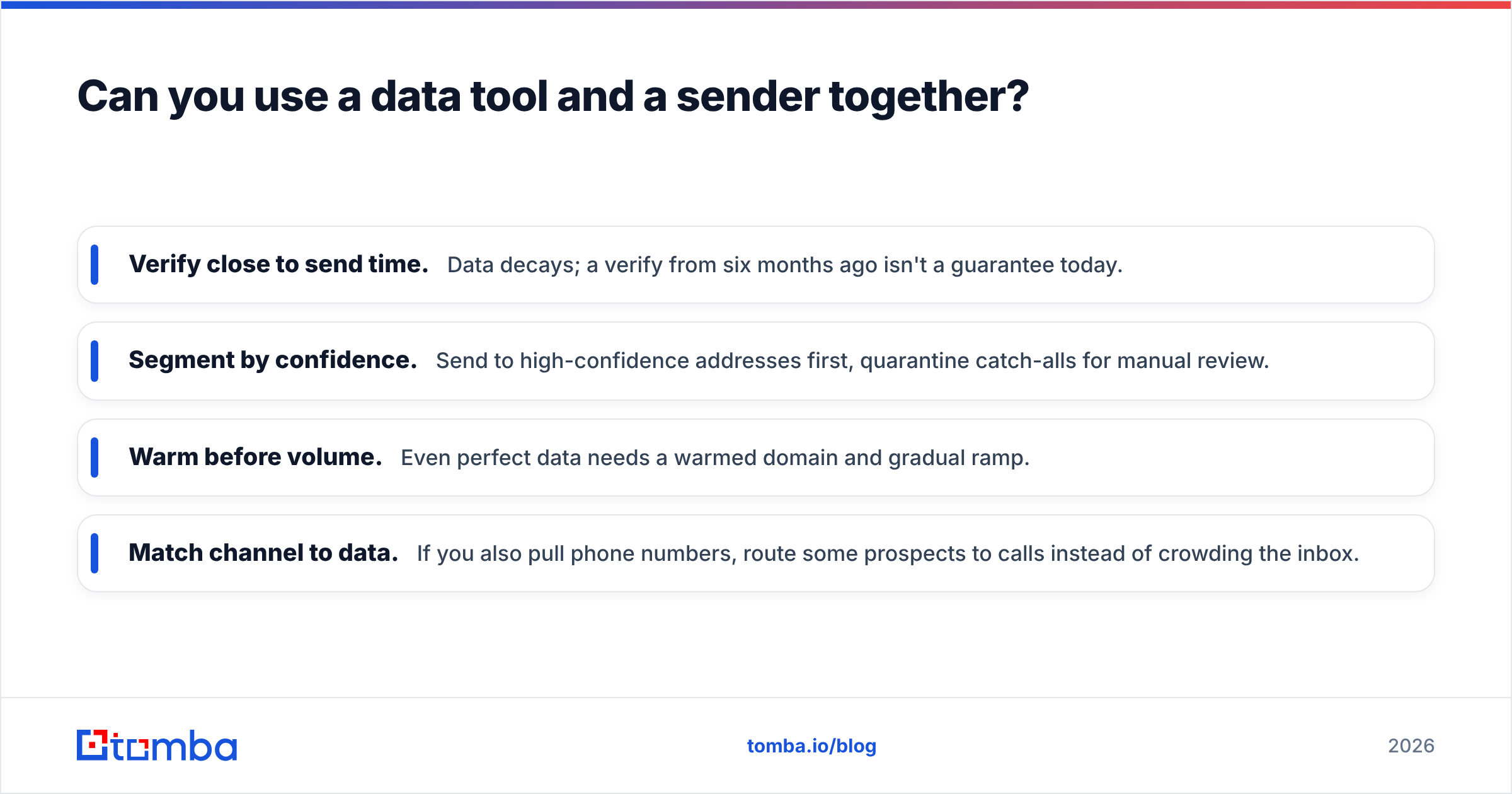
- Verify close to send time. Data decays; a verify from six months ago isn't a guarantee today.
- Segment by confidence. Send to high-confidence addresses first, quarantine catch-alls for manual review.
- Warm before volume. Even perfect data needs a warmed domain and gradual ramp.
- Match channel to data. If you also pull phone numbers, route some prospects to calls instead of crowding the inbox.
For broader context on building cold outreach that doesn't get filtered, HubSpot's sales resources and most deliverability guides converge on the same hierarchy: list quality, then domain health, then copy. Tools sit underneath that hierarchy — they don't replace it.
Which should you choose in 2026?#
Here's the decision in one pass:
- Data is your weak point → start with the data layer. A sender can't fix empty or wrong records. Get accurate, verified contacts first, then add sending.
- Data is already clean → start with the sender. If you genuinely have verified lists, Sendigram-style execution is the missing piece.
- You're not sure which is broken → it's almost always data. Pull a sample of your current list, run it through a verifier, and look at the bounce/catch-all rate. If it's above a few percent, fix sourcing before you spend on sending.
For teams that prospect into specific companies, the highest-leverage first move is usually domain search — pull every relevant contact at a target account, verify them, and only then decide how to reach out. That's the step both Brandnav and Sendigram assume you've already nailed, and the one most outbound programs quietly get wrong.
What's the bottom line on Brandnav vs Sendigram?#
They're complementary, not competitive — and the comparison itself reveals the real gap: contact accuracy at the top of the funnel. Brandnav-style tools give you records. Sendigram-style tools give you reach. Neither, on its own, guarantees that the address you're emailing is real, current, and safe to send to.
So before you commit budget to either:
- Audit your current bounce and catch-all rate.
- Decide whether your bottleneck is finding contacts or reaching them.
- Don't pay for bundled verification that you can't independently trust.
- Buy the layer that fixes your actual constraint — and keep verification non-negotiable.
If the honest answer is "our data isn't clean enough to send," start there. Tomba's Email Finder finds professional email addresses by name, company, or domain — and pairs every result with built-in verification so you push only deliverable contacts into whatever sender you choose. Start free with 25 searches a month, confirm the accuracy on your own target accounts, and add a sending tool once your list is something worth sending. Fix the ingredients first; the kitchen runs a lot smoother after that.
// get started
Find, verify and enrich your first contacts today
Start on the free plan with 25 searches a month, then scale when your team is ready.
Free plan · No credit card required · GDPR & CCPA
// about the author