Brandnav vs Truelist (2026): Which Email Tool Wins?
Brandnav finds and enriches B2B contacts; Truelist verifies lists. See how they compare on accuracy, pricing, and use cases—and where Tomba fits.
TL;DR
- Brandnav and Truelist solve different problems. Brandnav is closer to a B2B contact-finding and enrichment layer; Truelist is a focused email verification (list-cleaning) tool. Comparing them head-to-head only makes sense if you're trying to decide which gap to fill first.
- If you need to find and enrich contacts, a finder-first platform matters more than a standalone verifier.
- If you already have lists and just need them clean, a dedicated verifier like Truelist does the job—but you'll still need a source for new contacts.
- Most teams need both jobs done. That's where a combined finder-plus-verifier such as Tomba Email Finder removes the second subscription.
- Pricing and accuracy are the two deciders. We break down both below with a side-by-side table.
What are Brandnav and Truelist?#
Short version: Brandnav leans toward sourcing and enriching B2B contact data, while Truelist is a dedicated email verifier that cleans the lists you already have. They sit at opposite ends of the same workflow.
Think of it like a kitchen. Brandnav is closer to going to the market and bringing back ingredients (contacts, company data, emails). Truelist is the quality check at the counter—it tosses the spoiled items (invalid, risky, or dead emails) before you cook. You can't serve a meal with only one of them if you started with an empty fridge.
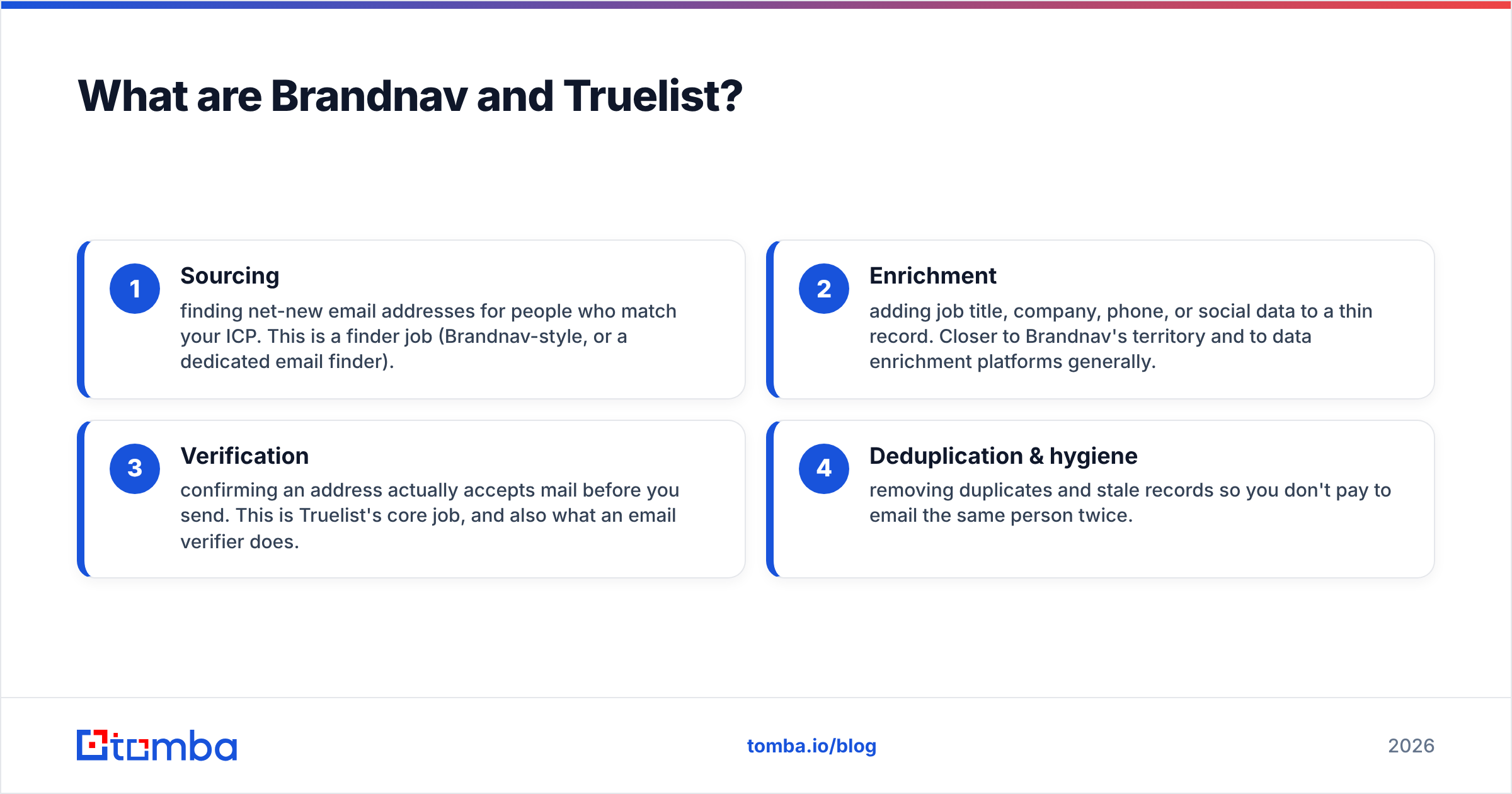
Where each tool fits in the pipeline:
- Sourcing — finding net-new email addresses for people who match your ICP. This is a finder job (Brandnav-style, or a dedicated email finder).
- Enrichment — adding job title, company, phone, or social data to a thin record. Closer to Brandnav's territory and to data enrichment platforms generally.
- Verification — confirming an address actually accepts mail before you send. This is Truelist's core job, and also what an email verifier does.
- Deduplication & hygiene — removing duplicates and stale records so you don't pay to email the same person twice.
Most buyers searching "brandnav vs truelist" are really asking a bigger question: do I buy a finder, a verifier, or one tool that does both? Keep that framing as you read.

How does Brandnav compare to Truelist on features?#
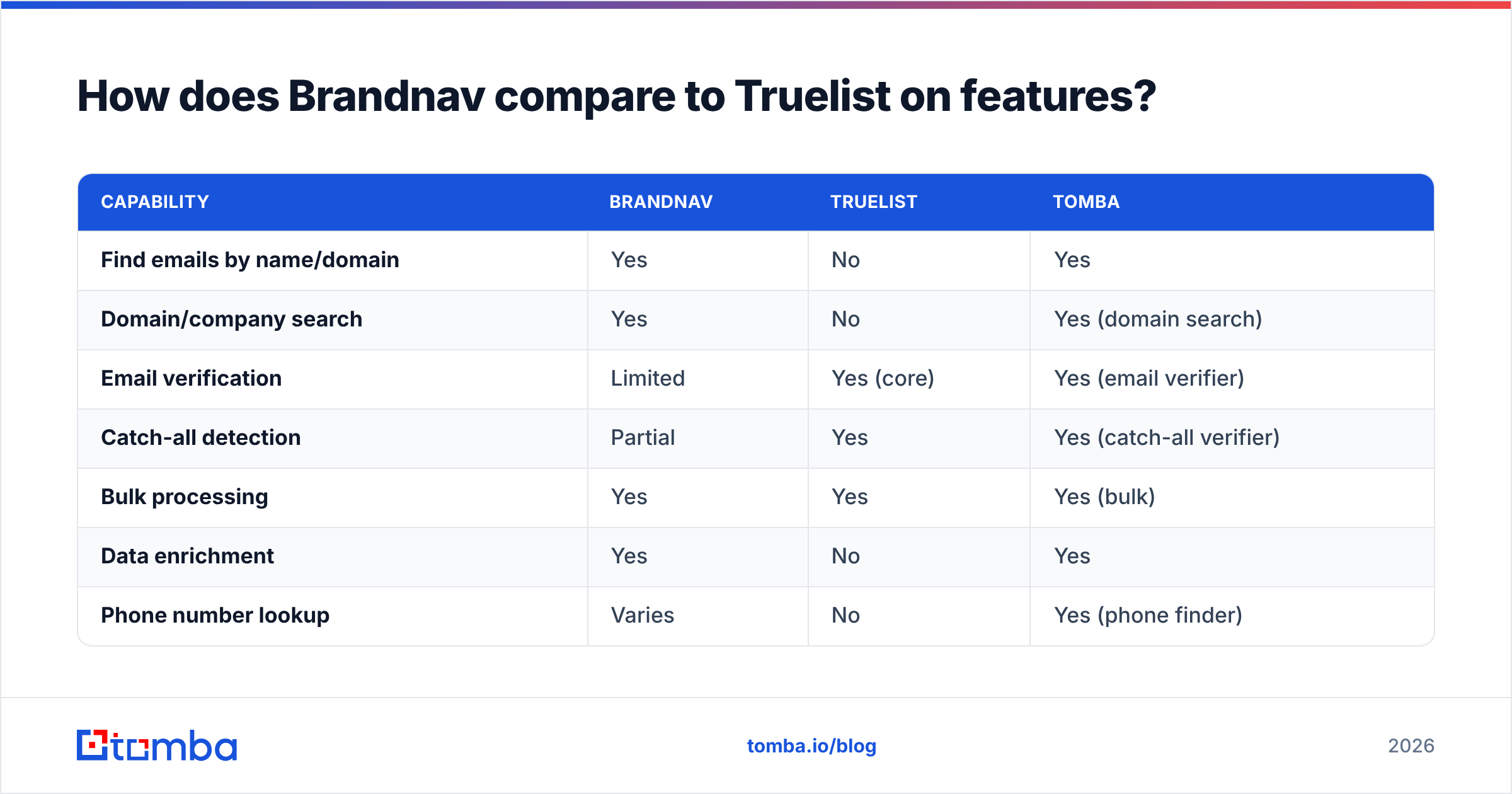
The honest answer: they barely overlap. Brandnav is built to get you contacts; Truelist is built to protect your sender reputation by cleaning those contacts. A feature-by-feature table makes the gap obvious.
| Capability | Brandnav | Truelist | Tomba |
|---|---|---|---|
| Find emails by name/domain | Yes | No | Yes |
| Domain/company search | Yes | No | Yes (domain search) |
| Email verification | Limited | Yes (core) | Yes (email verifier) |
| Catch-all detection | Partial | Yes | Yes (catch-all verifier) |
| Bulk processing | Yes | Yes | Yes (bulk) |
| Data enrichment | Yes | No | Yes |
| Phone number lookup | Varies | No | Yes (phone finder) |
| Public API | Yes | Yes | Yes (Tomba API) |
| Free tier | Limited | Yes (small) | 25 searches/mo |
Read it this way: if the cells you care about are in the top half (finding, domain search, enrichment, phone), Truelist isn't really in the running. If they're in the verification rows, Brandnav is the weaker pick. The only tool that fills both columns without a second contract is the combined option.
That's not a knock on either product—specialization is a legitimate strategy. It just means "Brandnav vs Truelist" is rarely a true either/or for a real outbound team. You usually end up needing the capability the other one is missing.
Is Brandnav better than Truelist for accuracy?#
Accuracy means two different things here, so don't compare a single number.
For a finder, accuracy is hit rate plus correctness: out of 100 prospects, how many emails did it return, and how many of those are real? For a verifier, accuracy is catch rate: of the bad addresses in your list, how many did it correctly flag (especially catch-all and role-based addresses, which are the tricky ones).

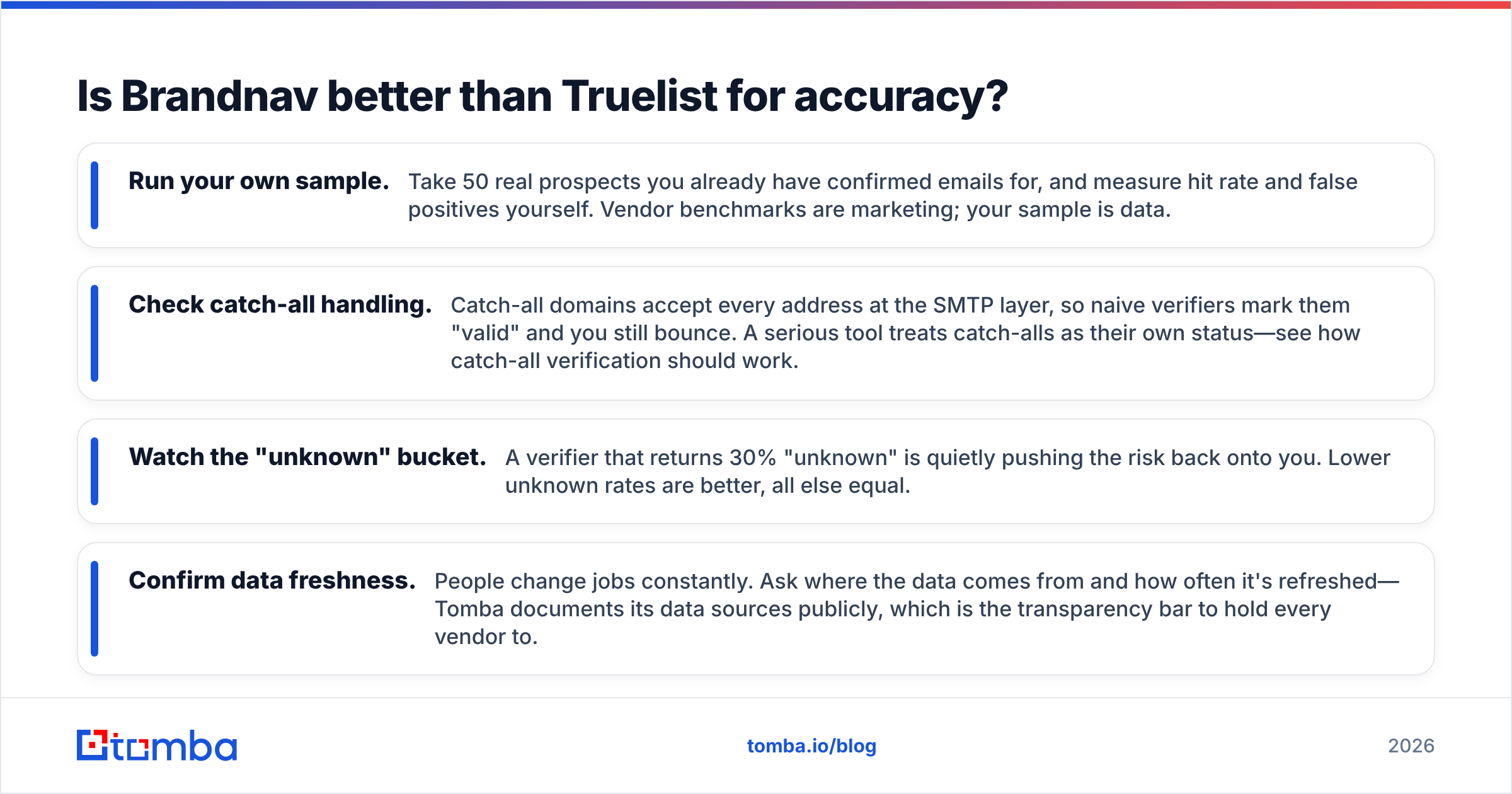
A few things to test before you trust any vendor's headline accuracy claim:
- Run your own sample. Take 50 real prospects you already have confirmed emails for, and measure hit rate and false positives yourself. Vendor benchmarks are marketing; your sample is data.
- Check catch-all handling. Catch-all domains accept every address at the SMTP layer, so naive verifiers mark them "valid" and you still bounce. A serious tool treats catch-alls as their own status—see how catch-all verification should work.
- Watch the "unknown" bucket. A verifier that returns 30% "unknown" is quietly pushing the risk back onto you. Lower unknown rates are better, all else equal.
- Confirm data freshness. People change jobs constantly. Ask where the data comes from and how often it's refreshed—Tomba documents its data sources publicly, which is the transparency bar to hold every vendor to.
For verification specifically, Truelist is purpose-built and competitive. For finding accurate net-new addresses, you want a finder with a large, well-sourced index. That's the dimension where a dedicated finder pulls ahead of a verifier-only product.
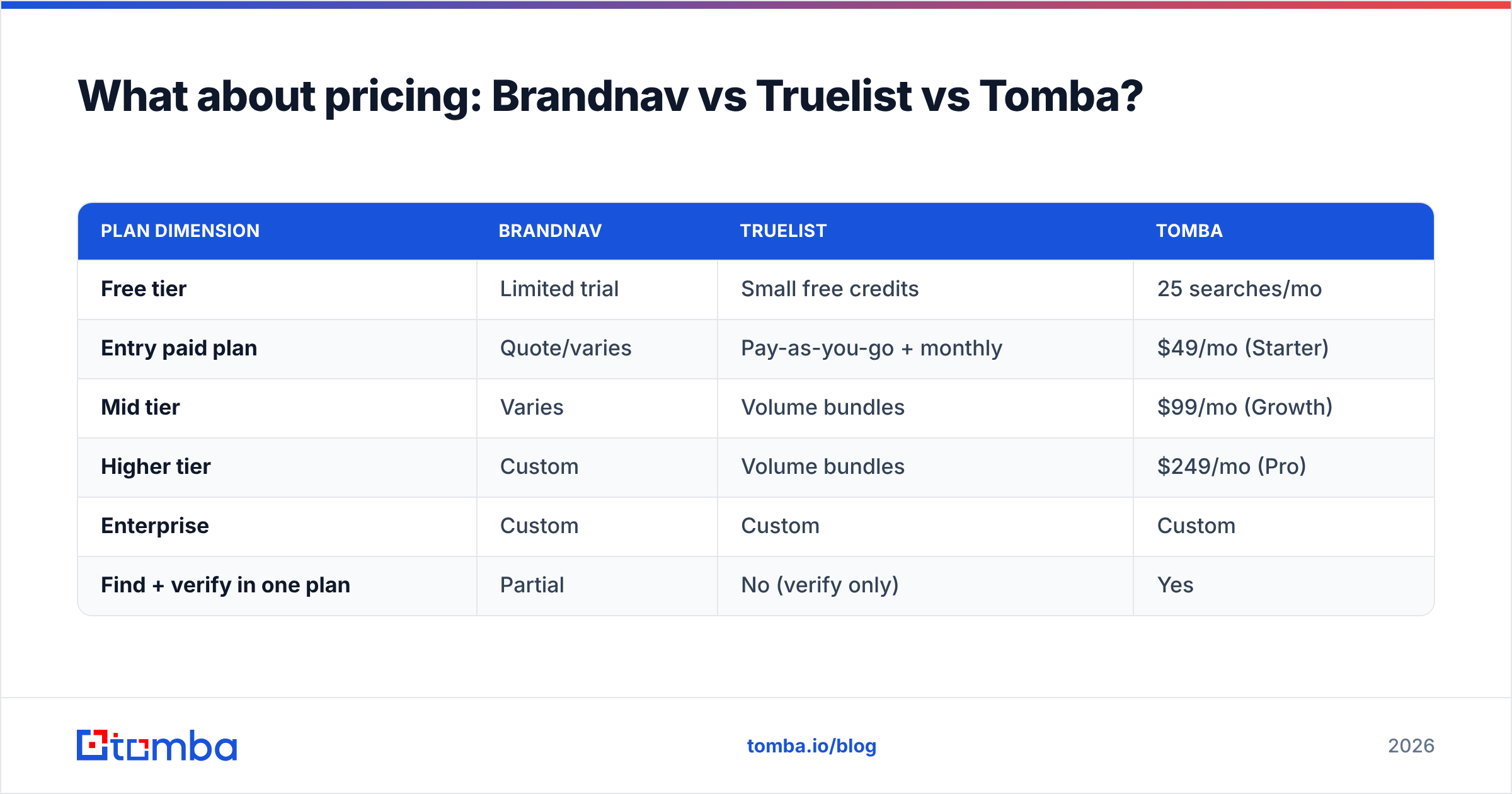
What about pricing: Brandnav vs Truelist vs Tomba?#
Pricing models differ enough that you should compare on cost per useful outcome, not sticker price. A cheap verifier still leaves you paying separately to find contacts; a finder with no verifier means a second tool for hygiene.
| Plan dimension | Brandnav | Truelist | Tomba |
|---|---|---|---|
| Free tier | Limited trial | Small free credits | 25 searches/mo |
| Entry paid plan | Quote/varies | Pay-as-you-go + monthly | $49/mo (Starter) |
| Mid tier | Varies | Volume bundles | $99/mo (Growth) |
| Higher tier | Custom | Volume bundles | $249/mo (Pro) |
| Enterprise | Custom | Custom | Custom |
| Find + verify in one plan | Partial | No (verify only) | Yes |
A note on the numbers: pricing for these tools shifts, so confirm current figures on each vendor's own page before you buy. Tomba's plans are published openly—Free, Starter at $49/mo, Growth at $99/mo, Pro at $249/mo, and Enterprise—on the Tomba pricing page. The practical takeaway is the last row: paying for finding and verification under one plan is usually cheaper than stacking a finder subscription plus a separate verifier subscription, once you account for both jobs you actually need done.
When should you choose each tool?#
Match the tool to the job you're short on. Here's the decision logic.
Choose a verifier-first tool like Truelist when:
- You already have a steady flow of new contacts from another source.
- Your main pain is bounce rate and email deliverability, not lead supply.
- You import lists from events, signups, or partners and need them scrubbed before each send.
Choose a finder/enrichment tool like Brandnav when:
- You're building lists from scratch and need net-new contacts.
- You need company and contact attributes appended to thin CRM records.
- Your bottleneck is finding the right person, not cleaning what you have.
Choose a combined platform when:
- You need both jobs and don't want two bills, two integrations, and two dashboards.
- You run outbound at volume and want find → verify in one API call.
- You want a single audit trail for where a contact came from and whether it's been validated.
This is the most common real-world scenario, which is why combined tooling has grown. You rarely have only a sourcing problem or only a hygiene problem for long—solve one and the other surfaces.
How does Tomba fit into the Brandnav vs Truelist decision?#
Tomba covers both ends of the pipeline that Brandnav and Truelist split between them. It's a finder first—built to locate professional addresses by name, domain, or company—with verification, catch-all checking, enrichment, and phone lookup alongside it.
Concretely, that means you can:
- Find addresses one-off or in bulk with the email finder and bulk email finder.
- Verify every result, including catch-all domains, before it touches your sending tool.
- Enrich thin records with title, company, and contact data via data enrichment.
- Automate the whole flow through the Tomba API or no-code integrations like HubSpot, Pipedrive, and Zapier.

To be fair to the alternatives: if you only verify and never source new contacts, a dedicated verifier is a perfectly reasonable, focused choice. And if your org has a heavy enrichment-and-intent motion, you may want a specialized data platform. The combined approach wins when you need coverage across the pipeline without managing multiple vendors—which describes most growing outbound teams.
For deeper context on how email verification should behave at the SMTP level, the Wikipedia overview of email validation is a neutral primer, and third-party reviews on G2 and Capterra are useful for reading unfiltered user feedback on any of these tools before you commit.
Frequently asked questions#
Is Brandnav a verifier or a finder? Brandnav leans toward finding and enriching B2B contacts rather than verifying lists. It has some verification capability, but verification isn't its core focus the way it is for Truelist.
Can Truelist find new email addresses? No. Truelist is built to verify and clean lists you already have. You'll need a separate finder or data source to generate net-new contacts.
Do I need both a finder and a verifier? Usually yes. Finding gives you contacts; verifying protects your sender reputation. The two jobs are sequential, which is why combined tools exist—so you don't pay for and integrate both separately.
Which is cheapest? It depends on volume and on whether you count both jobs. A standalone verifier looks cheap until you add the cost of a separate finder. Compare on total cost to find and verify, using each vendor's current published pricing.
What's a good single-tool alternative? A combined finder-plus-verifier like Tomba covers sourcing, verification, catch-all checks, and enrichment under one plan and one API—removing the need to run a finder and a verifier in parallel.
The bottom line#
Brandnav and Truelist aren't really rivals—they're two halves of the same workflow. Brandnav helps you find and enrich; Truelist helps you clean. Pick by the gap you have today, but know that most teams end up needing both.
If you'd rather not stitch two subscriptions together, start with the Tomba Email Finder. Find verified, accurate B2B emails by name, domain, or company, validate them—including catch-alls—and enrich the results, all in one place. Spin up the free tier with 25 searches a month, test it against your own prospect sample, and scale to a paid plan only when the hit rate proves itself.
Ready to find emails that actually work?
Join 150,000+ professionals who stopped guessing and started sending. Free credits on signup — no credit card required.
Get the Tomba newsletter
Practical outbound tactics and product updates — once every two weeks.
About the author