Brandnav vs Wiza 2026: Which B2B Email Finder Wins?
Brandnav vs Wiza compared on accuracy, pricing, LinkedIn export, and verification — plus where a third option quietly beats both in 2026.
Choosing between Brandnav and Wiza usually comes down to one question: do you live inside LinkedIn, or do you need clean emails at scale across any domain? Both tools find B2B contact data, but they were built for different jobs — and the gap shows the moment you push real volume through them.
This is a neutral, hands-on comparison. We'll look at accuracy, pricing, LinkedIn workflows, verification, and the integrations that decide whether the data actually reaches your CRM. We'll also be honest about where a third option — Tomba — fits, because pretending a two-horse race is the whole market would not help you.
TL;DR — Brandnav vs Wiza in 30 seconds#
- Wiza is a LinkedIn-first prospecting tool. If your motion starts with Sales Navigator lists and LinkedIn exports, it is fast and frictionless.
- Brandnav leans toward bulk B2B data and enrichment, with a broader "find emails outside LinkedIn" angle and waterfall-style lookups.
- Accuracy is close on common corporate domains; both degrade on catch-all domains, where verification quality matters more than the finder itself.
- Pricing favors Wiza for credit-based LinkedIn pulls and Brandnav for larger enrichment batches — but per-valid-email cost is the number to watch, not headline price.
- The honest third pick: if you want domain-wide search plus a strict email verifier and an email finder API under one roof, Tomba covers both jobs from a free tier up.

What is Brandnav and who is it for?#
Brandnav positions itself as a B2B data and email-finding platform aimed at teams that need contact information in bulk — not just one lead at a time. The core promise is breadth: feed it names, companies, or domains and get back work emails, often using multiple data sources stacked together (a "waterfall" approach) to improve hit rate.
That makes Brandnav a natural fit for:
- List builders who already have a spreadsheet of companies and need emails appended.
- Agencies running outbound for multiple clients who care about cost per enriched row.
- RevOps teams who want enrichment to feed a CRM rather than a one-off LinkedIn pull.
The trade-off is that breadth tools can be noisier. When you stitch several sources together, you inherit the weakest source's mistakes unless verification is strict. So with Brandnav, the verification step is where you should focus your QA.
What is Wiza and who is it for?#
Wiza is built around LinkedIn and Sales Navigator. You run a search on LinkedIn, and Wiza extracts the matching contacts with emails and phone numbers, then lets you export to CSV or push to your CRM. For SDRs who think in Sales Navigator filters, that workflow is hard to beat for speed.
Wiza is strongest when:
- Your ICP is defined inside Sales Navigator (title, geography, headcount, industry).
- You prospect person-by-person or list-by-list, not domain-by-domain.
- You want phone numbers alongside emails for a multi-channel cadence.
The limitation is the flip side of its strength: if a prospect isn't well-represented on LinkedIn, or you need every email at a domain regardless of who's on LinkedIn, Wiza's model works against you. It's a person-first tool, not a domain-first one.
Brandnav vs Wiza: the head-to-head comparison#
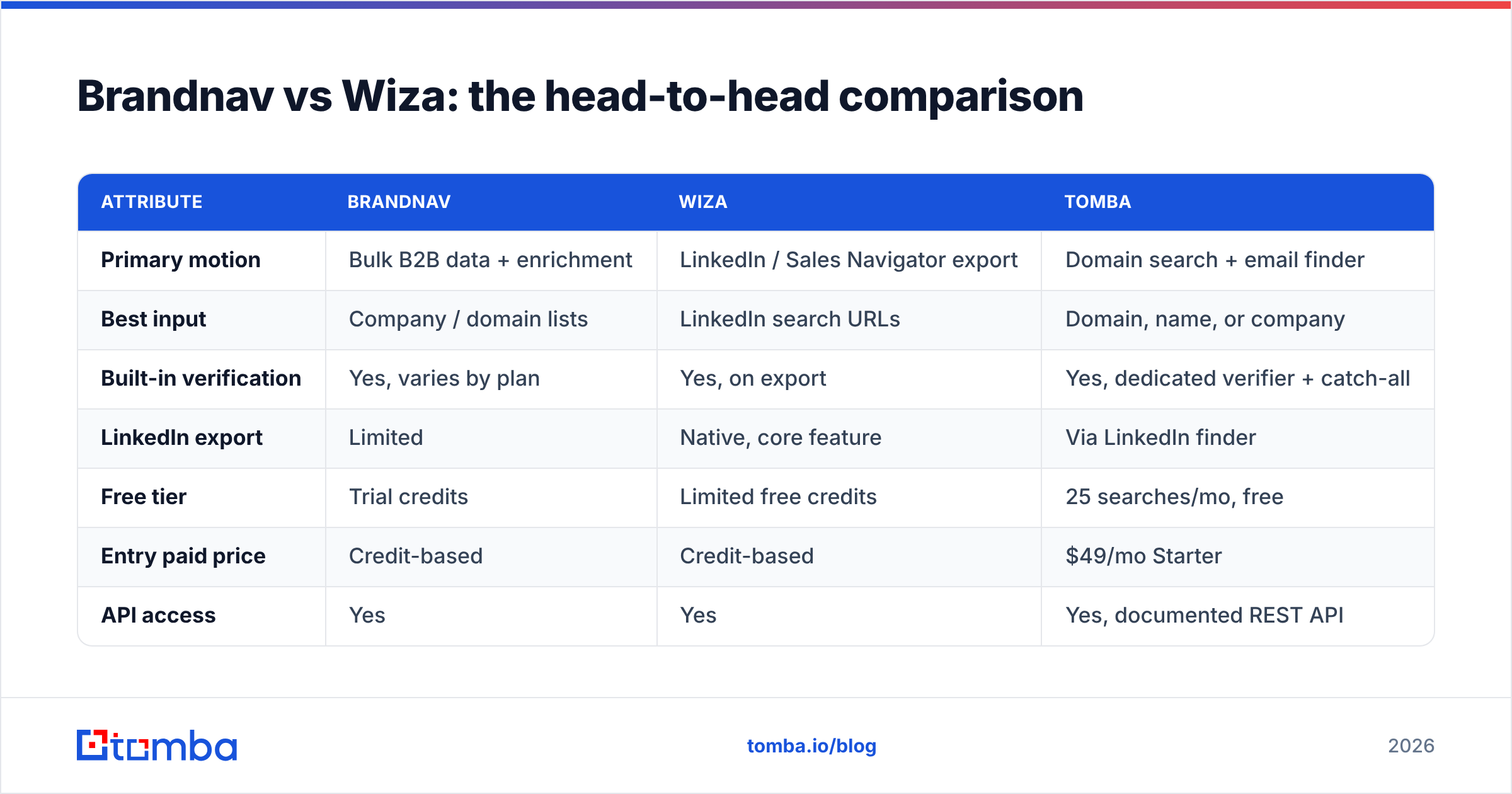
Here's the core comparison across the attributes that actually change your results. Treat the numbers as directional — every vendor adjusts plans, and your mileage depends heavily on your target industries.
| Attribute | Brandnav | Wiza | Tomba |
|---|---|---|---|
| Primary motion | Bulk B2B data + enrichment | LinkedIn / Sales Navigator export | Domain search + email finder |
| Best input | Company / domain lists | LinkedIn search URLs | Domain, name, or company |
| Built-in verification | Yes, varies by plan | Yes, on export | Yes, dedicated verifier + catch-all |
| LinkedIn export | Limited | Native, core feature | Via LinkedIn finder |
| Free tier | Trial credits | Limited free credits | 25 searches/mo, free |
| Entry paid price | Credit-based | Credit-based | $49/mo Starter |
| API access | Yes | Yes | Yes, documented REST API |
| Bulk processing | Strong | List-based | Bulk finder + verifier |
A few things stand out. Both Brandnav and Wiza are credit-based, which makes per-valid-email cost hard to predict until you run a real batch. Tomba's flat monthly tiers — see pricing — make budgeting simpler, especially the free 25-search tier for testing before you commit.
Is Brandnav or Wiza more accurate?#
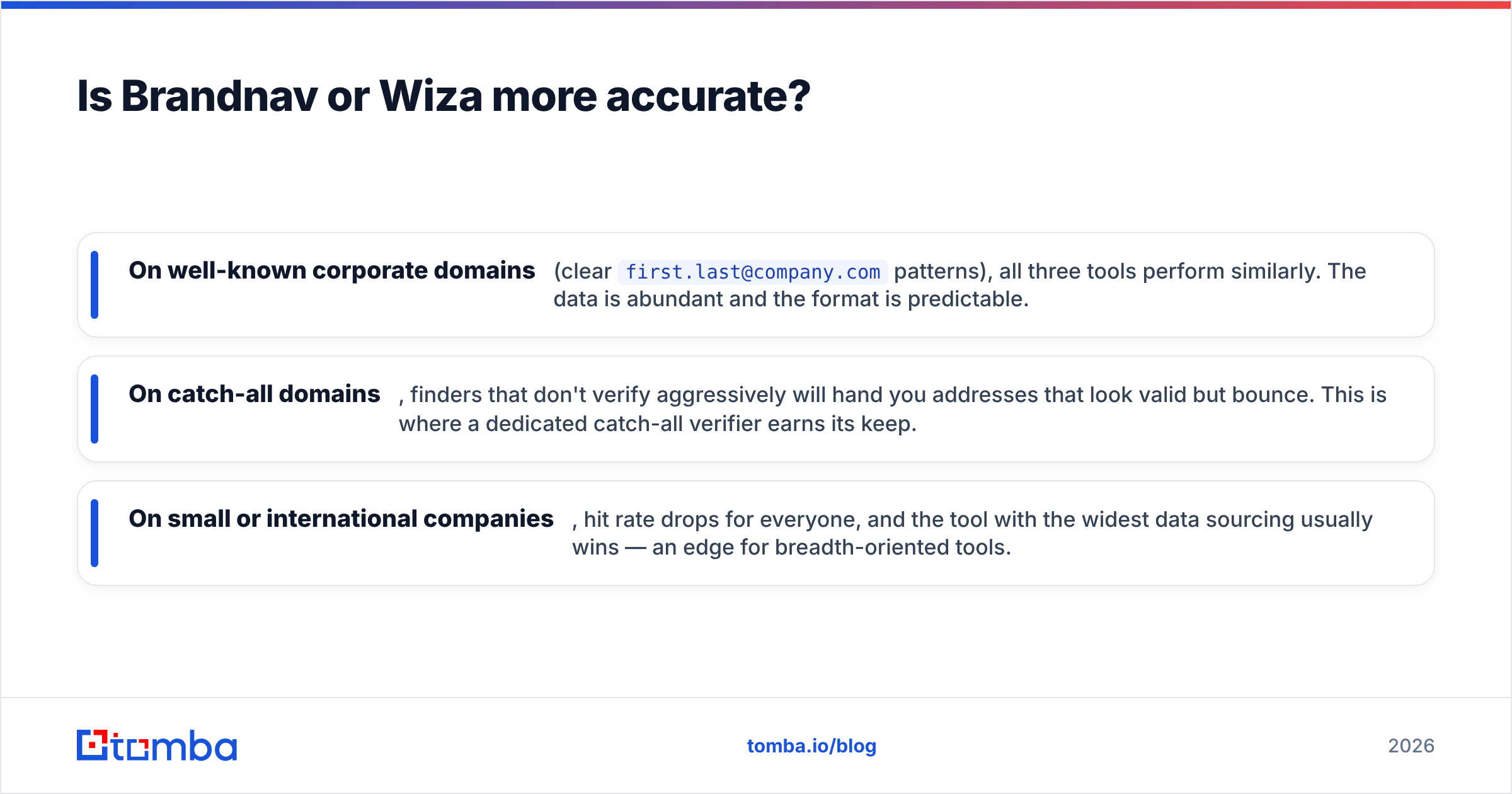
Accuracy is close on standard corporate domains, and the real differentiator is how each tool handles catch-all domains and verification. Headline "98% accuracy" claims rarely survive contact with messy real-world lists.
The pattern most teams see in testing:
- On well-known corporate domains (clear
first.last@company.compatterns), all three tools perform similarly. The data is abundant and the format is predictable. - On catch-all domains, finders that don't verify aggressively will hand you addresses that look valid but bounce. This is where a dedicated catch-all verifier earns its keep.
- On small or international companies, hit rate drops for everyone, and the tool with the widest data sourcing usually wins — an edge for breadth-oriented tools.
The lesson: don't buy on a finder's accuracy claim alone. Buy on verified accuracy. A tool that finds 1,000 emails and confirms 700 deliverable beats one that finds 1,000 and confirms 500, even if both claim the same find rate.

If you want to go deeper on how providers actually source records, Tomba publishes its data sources openly — a useful sanity check when comparing any vendor's accuracy story against marketing copy. For third-party validation, cross-reference user reviews on G2 before trusting any single accuracy figure.
How do Brandnav and Wiza pricing compare?#
Both run on credits, so the honest answer is: it depends on your volume and your bounce tolerance. Credit pricing punishes you twice if the data is wrong — you spend a credit to find a bad email, then spend reputation when it bounces.
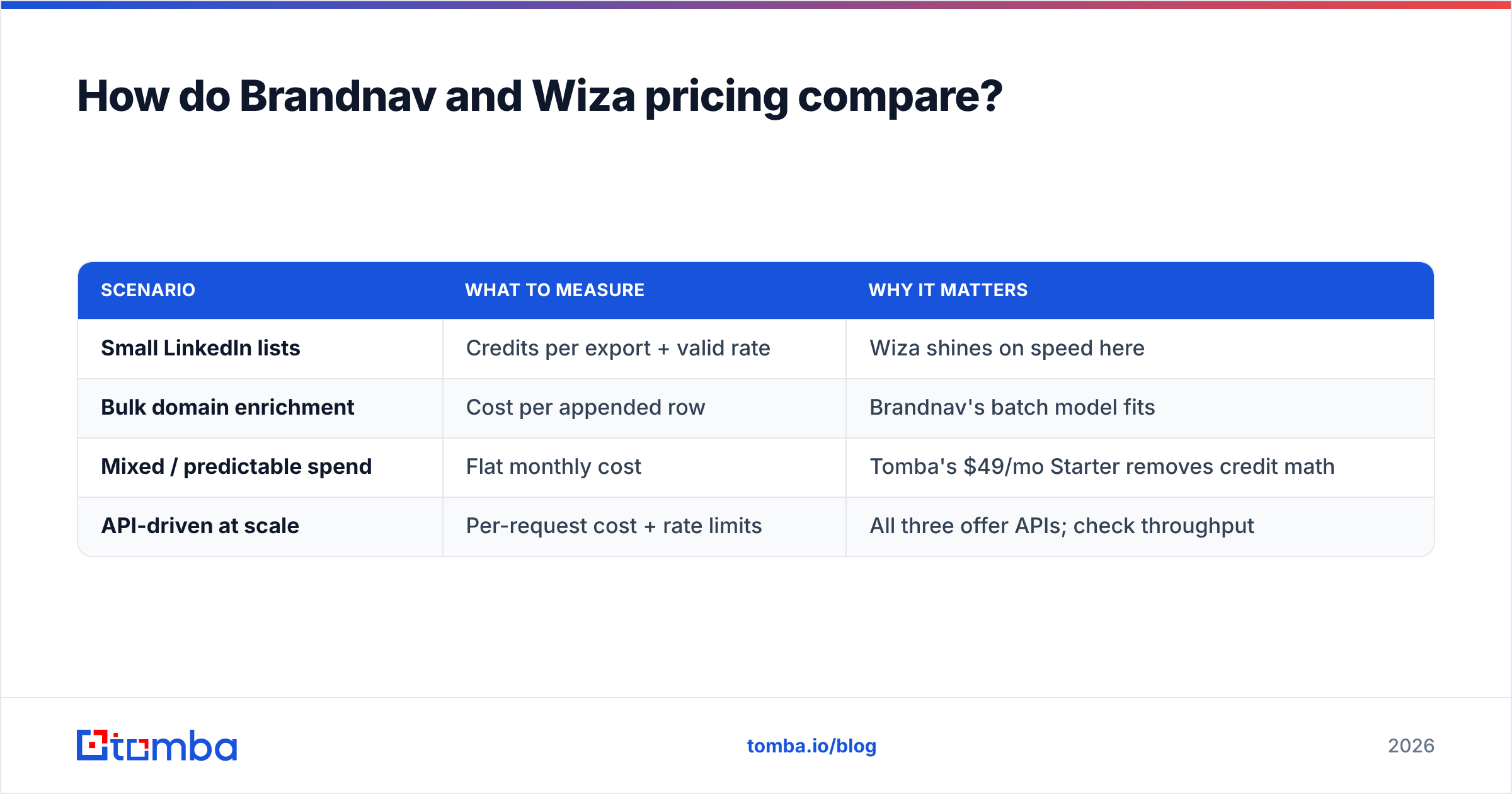
Here's how to think about cost per valid contact rather than headline price:
| Scenario | What to measure | Why it matters |
|---|---|---|
| Small LinkedIn lists | Credits per export + valid rate | Wiza shines on speed here |
| Bulk domain enrichment | Cost per appended row | Brandnav's batch model fits |
| Mixed / predictable spend | Flat monthly cost | Tomba's $49/mo Starter removes credit math |
| API-driven at scale | Per-request cost + rate limits | All three offer APIs; check throughput |
If your volume swings month to month, credit models can spike unexpectedly. If it's steady, a flat plan is easier to forecast. Tomba's tiers run Free (25 searches), Starter $49/mo, Growth $99/mo, and Pro $249/mo — predictable, with the bulk email finder included rather than metered as a separate add-on.
Which tool fits your workflow?#
The right pick maps to where your prospecting starts. Match the tool to your motion and you'll save credits and bounces both.
- You live in Sales Navigator → Wiza. Its native LinkedIn export is the smoothest path from a saved search to a CSV.
- You enrich big company lists → Brandnav. Its bulk, waterfall-style sourcing is designed for appending emails to rows you already have.
- You need domain-wide coverage → a domain search tool. When you want every relevant address at a company — not just the people who happen to be active on LinkedIn — domain search beats person-by-person extraction.
- You want one tool for find + verify + API → Tomba. The email finder, verifier, and developer API share one account and one credit pool.
There's no universal winner. There's only the tool that matches how your team actually sources leads. A LinkedIn-heavy SDR team and a programmatic RevOps team should buy differently.
Where does Tomba fit between them?#
Tomba sits at the intersection: domain-first like a data platform, but with the verification rigor that credit-based finders often skip. Instead of choosing between "LinkedIn export" and "bulk enrichment," you get domain search, a name-based finder, a strict verifier, catch-all detection, and a phone finder under one roof.
For developers, the Tomba API is documented and stable, with official libraries — relevant if you're automating enrichment rather than clicking through a UI. For non-technical users, there are native add-ons for Google Sheets and a Chrome extension, so the same data engine works whether you're scripting or spreadsheet-ing.
If you're specifically evaluating LinkedIn workflows that Wiza is known for, it's worth comparing Tomba's own Wiza alternative breakdown to see the feature-by-feature differences before you commit budget.
How to test any email finder before you buy#
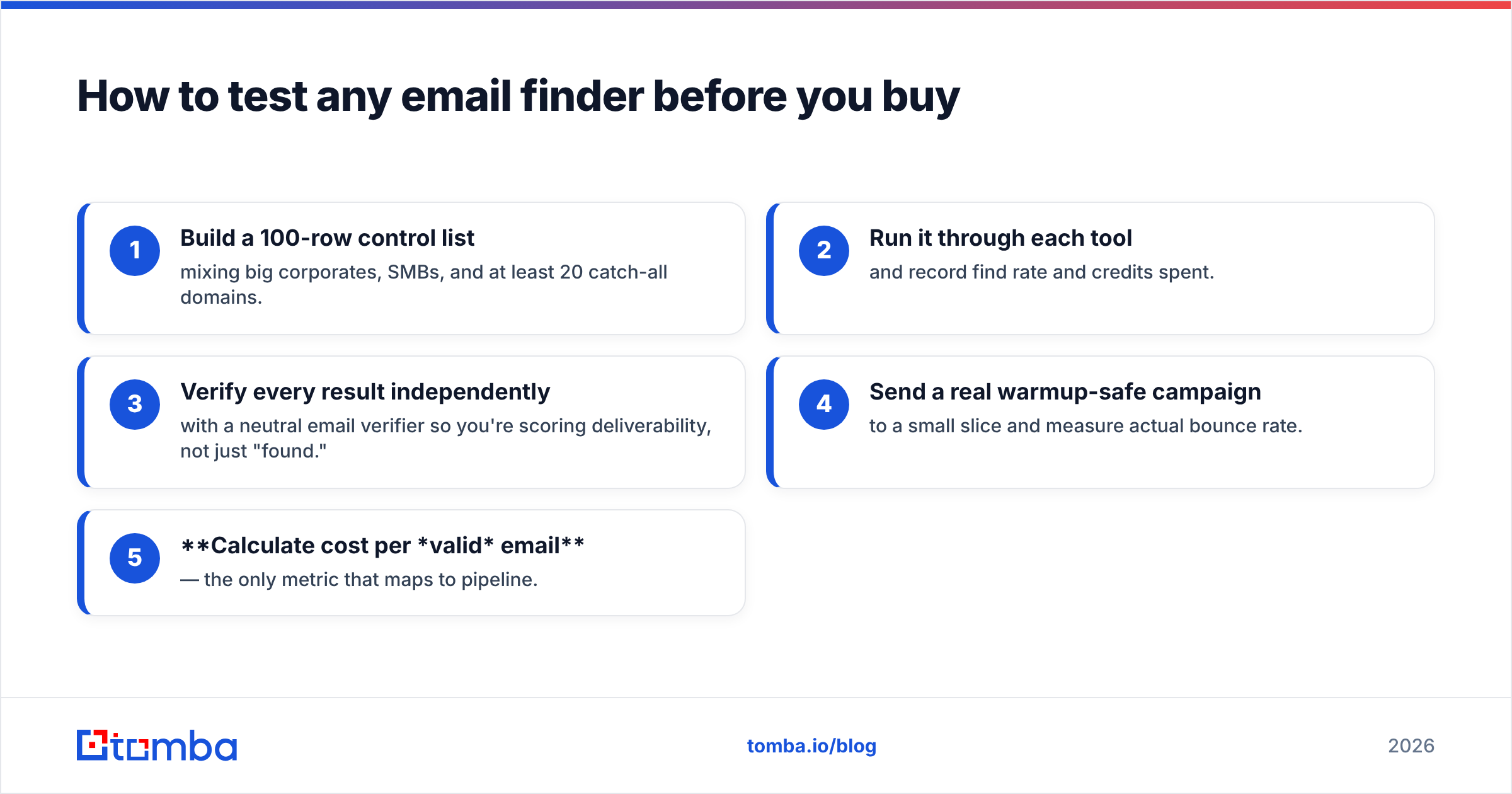
Don't trust a comparison post — including this one — over your own data. Run the same controlled test against each tool and let the results decide.
- Build a 100-row control list mixing big corporates, SMBs, and at least 20 catch-all domains.
- Run it through each tool and record find rate and credits spent.
- Verify every result independently with a neutral email verifier so you're scoring deliverability, not just "found."
- Send a real warmup-safe campaign to a small slice and measure actual bounce rate.
- Calculate cost per valid email — the only metric that maps to pipeline.
This five-step test takes an afternoon and routinely overturns vendor marketing claims. The tool with the prettiest dashboard is rarely the one with the lowest cost per deliverable contact. For a deeper primer on the metrics that matter, HubSpot's guidance on email deliverability is a solid neutral reference.
Frequently asked questions#
Is Wiza better than Brandnav for cold email? For cold email specifically, the winner is whichever tool gives you the lowest verified bounce rate, not the most finds. Wiza is faster for LinkedIn-sourced lists; Brandnav is stronger for bulk domain enrichment. Verify both outputs before sending either.
Does Brandnav or Wiza handle catch-all domains? Both attempt it, but catch-all domains are the hardest case for any finder. A dedicated catch-all verifier gives you a clearer signal than a finder's built-in guess.
Are Brandnav and Wiza GDPR-compliant? Both publish compliance documentation; review each vendor's current terms directly, since requirements vary by region and use case. Always confirm your own legal basis for outreach.
What's the cheapest way to test all three? Use free tiers. Tomba offers 25 free searches per month with no card, which is enough to run the control-list test above against a meaningful sample.
The bottom line#
Brandnav and Wiza are both capable, but they solve different problems: Brandnav for bulk enrichment, Wiza for LinkedIn-native prospecting. Pick based on where your prospecting starts, and always score tools on cost per verified email rather than headline find rate or sticker price.
If you'd rather not choose between domain coverage and verification quality, start with the Tomba Email Finder. You get domain search, name-based lookup, strict verification, and a developer API on a free tier that's built for exactly the kind of head-to-head test described above — run your control list, check the verified rate, and let your own numbers make the call.
// get started
Find, verify and enrich your first contacts today
Start on the free plan with 25 searches a month, then scale when your team is ready.
Free plan · No credit card required · GDPR & CCPA
// about the author