BriteVerify vs FindThatLead 2026: Verifier vs Finder
BriteVerify only scrubs lists; FindThatLead finds and emails leads. See which one fits your 2026 pipeline — and the tool that does both.
You are comparing two tools that barely overlap. That is the first thing to understand about BriteVerify vs FindThatLead: one cleans the list you already have, the other builds the list from scratch. Picking between them as if they were interchangeable is how teams end up paying for the wrong half of the workflow.
This guide breaks down what each tool actually does, where the accuracy and pricing land in 2026, and which one belongs in your stack — or whether a single platform that finds and verifies makes both unnecessary.
TL;DR#
- BriteVerify is an email verifier, not a finder. It validates lists you already own and is priced per verification with no monthly floor required.
- FindThatLead is an email finder plus light outreach. It discovers addresses by domain or name and lets you send campaigns, but its verification is a secondary feature.
- Accuracy: BriteVerify is strong on validation; FindThatLead's found-and-verified data is good for prospecting but less rigorous as a standalone scrubber.
- Cost shape differs: BriteVerify is pay-as-you-go per email; FindThatLead is a monthly credit subscription. Compare on cost-per-usable-contact, not sticker price.
- If you need both finding and verification, a combined platform like Tomba removes the two-tool tax entirely.
What is BriteVerify?#
BriteVerify, owned by Validity, is an email verification service. You feed it a list of addresses you already collected — from forms, a CRM, an old export — and it tells you which are deliverable, which are invalid, which are role-based (info@, sales@), and which are risky catch-alls.
It does not find new emails. That is the whole point of confusion in any BriteVerify vs FindThatLead comparison: BriteVerify sits at the end of your data pipeline, scrubbing before you send so your bounce rate stays low and your sender reputation survives.
Its pricing is usage-based — you buy verification credits and spend them per email checked, which suits teams with irregular, bursty cleaning needs rather than constant prospecting.

What is FindThatLead?#
FindThatLead is a lead generation tool. Give it a domain and it returns the email addresses associated with that company; give it a name and company and it predicts the likely address. It also bundles a prospecting search, a Chrome extension, and a basic email-sending module for cold campaigns.
Verification exists inside FindThatLead, but it is a supporting check on the addresses it finds — not a dedicated, high-volume list-scrubbing engine the way BriteVerify is. FindThatLead lives at the start of the pipeline: it creates the contacts you will later message.
So the honest framing is not "which is better" but "which job are you hiring for." Finding leads and verifying lists are different jobs.

How do BriteVerify and FindThatLead compare head-to-head?#
Here is the core distinction laid out. Read the Primary job row first — it explains every other difference.
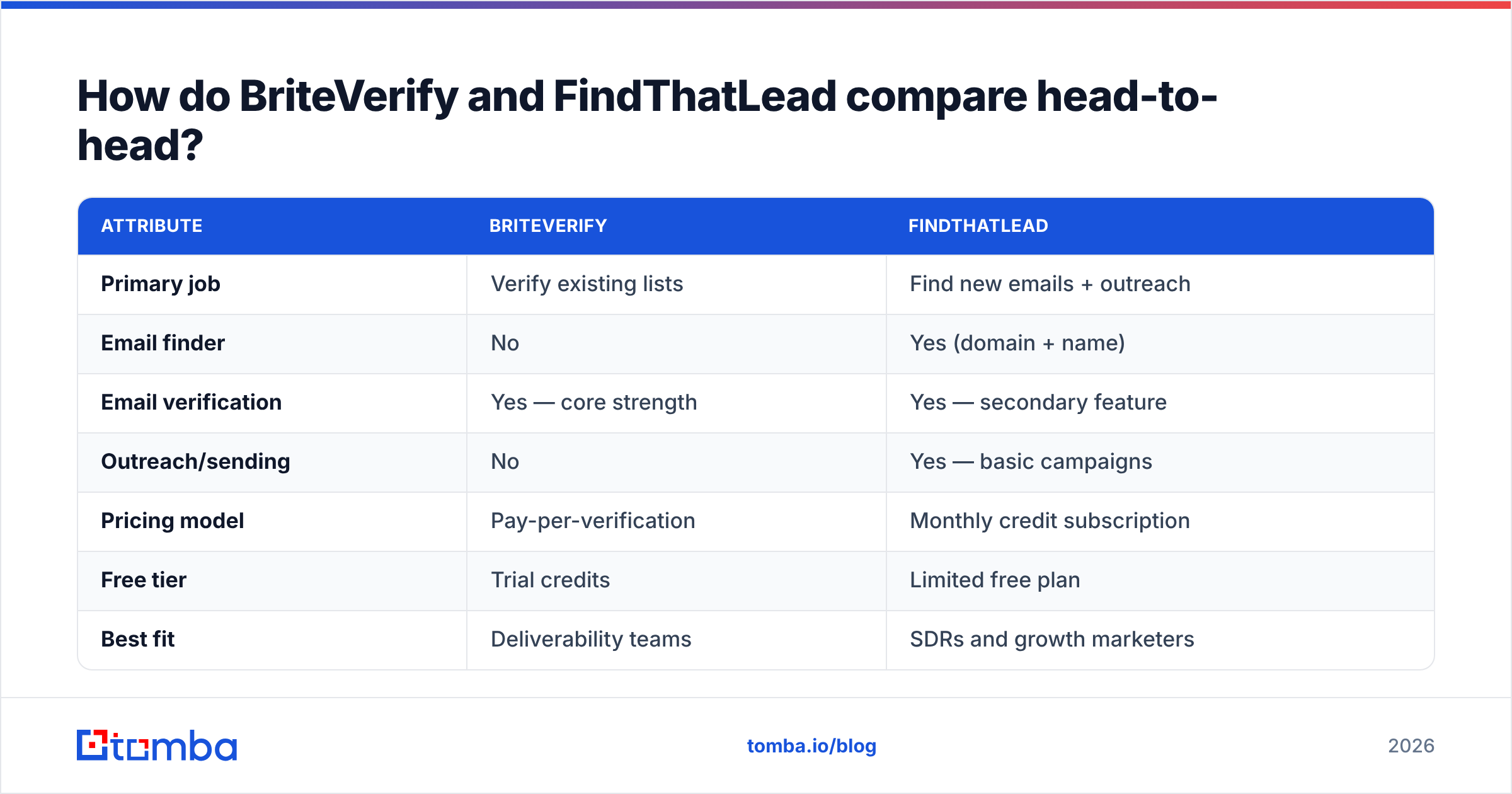
| Attribute | BriteVerify | FindThatLead |
|---|---|---|
| Primary job | Verify existing lists | Find new emails + outreach |
| Email finder | No | Yes (domain + name) |
| Email verification | Yes — core strength | Yes — secondary feature |
| Outreach/sending | No | Yes — basic campaigns |
| Pricing model | Pay-per-verification | Monthly credit subscription |
| Free tier | Trial credits | Limited free plan |
| Best fit | Deliverability teams | SDRs and growth marketers |
| API access | Yes | Yes |
The pattern is clear: if your problem is "my list is dirty," BriteVerify is purpose-built. If your problem is "I have no list yet," FindThatLead is the relevant tool. Neither solves the other's problem well.
Which one is more accurate?#
Accuracy means different things for each tool, so compare them on their own job.
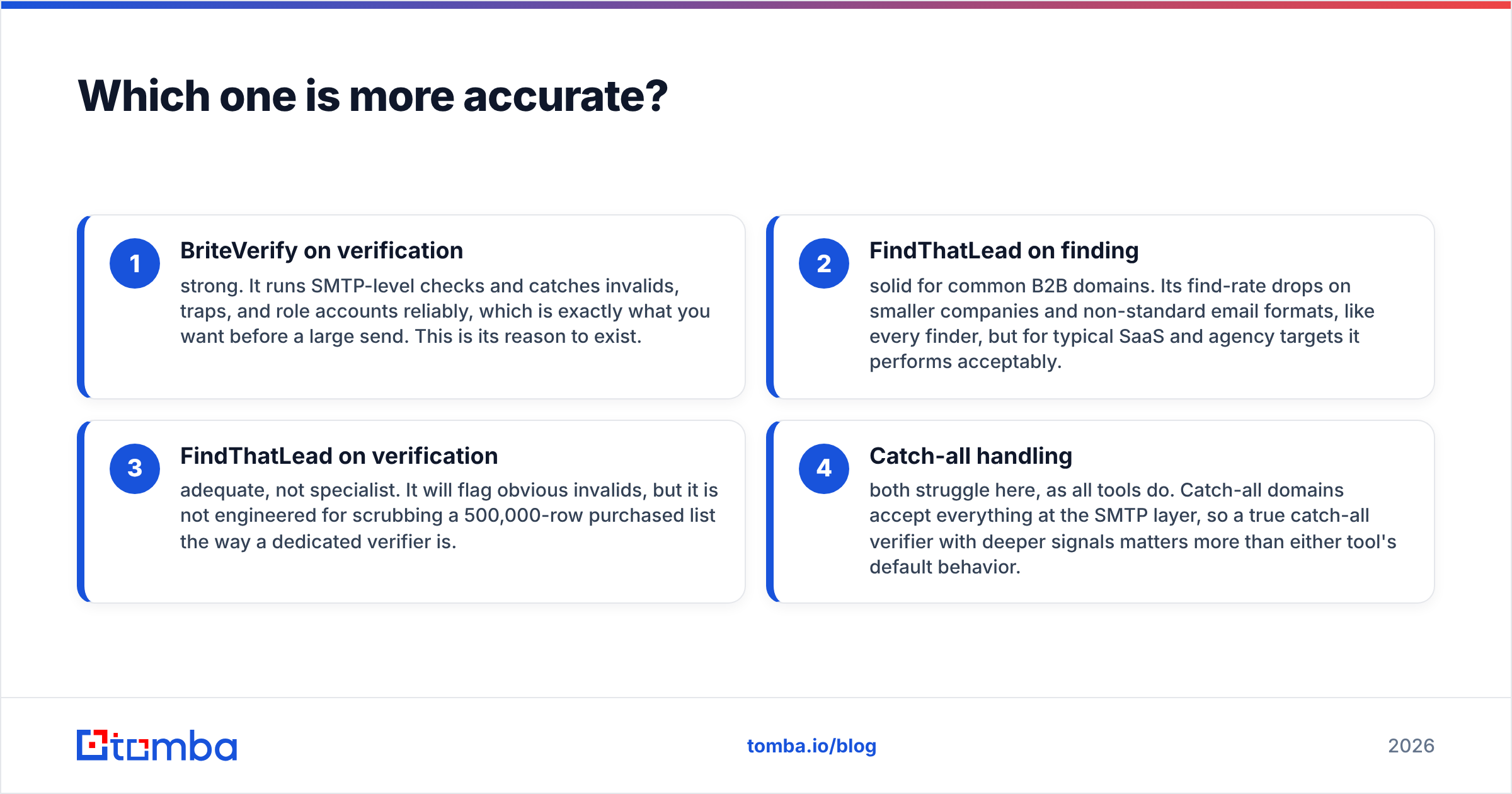
- BriteVerify on verification — strong. It runs SMTP-level checks and catches invalids, traps, and role accounts reliably, which is exactly what you want before a large send. This is its reason to exist.
- FindThatLead on finding — solid for common B2B domains. Its find-rate drops on smaller companies and non-standard email formats, like every finder, but for typical SaaS and agency targets it performs acceptably.
- FindThatLead on verification — adequate, not specialist. It will flag obvious invalids, but it is not engineered for scrubbing a 500,000-row purchased list the way a dedicated verifier is.
- Catch-all handling — both struggle here, as all tools do. Catch-all domains accept everything at the SMTP layer, so a true catch-all verifier with deeper signals matters more than either tool's default behavior.
The takeaway: BriteVerify wins accuracy for verification, FindThatLead wins for finding, and asking either to do the other's job is where accuracy complaints come from.
How does pricing compare in 2026?#
The two tools price on different axes, which makes a sticker-price comparison meaningless. BriteVerify charges per email verified — good when you clean infrequently but in large batches. FindThatLead charges a monthly subscription with a credit allowance — good when you prospect continuously.
To compare fairly, calculate cost per usable contact: a found email you can actually send to, after verification. A cheap finder that returns unverified guesses costs more once bounces and reputation damage are priced in. Validity (BriteVerify's parent) and FindThatLead both publish current rates on their own sites — check Validity and FindThatLead directly, since promotional pricing changes.
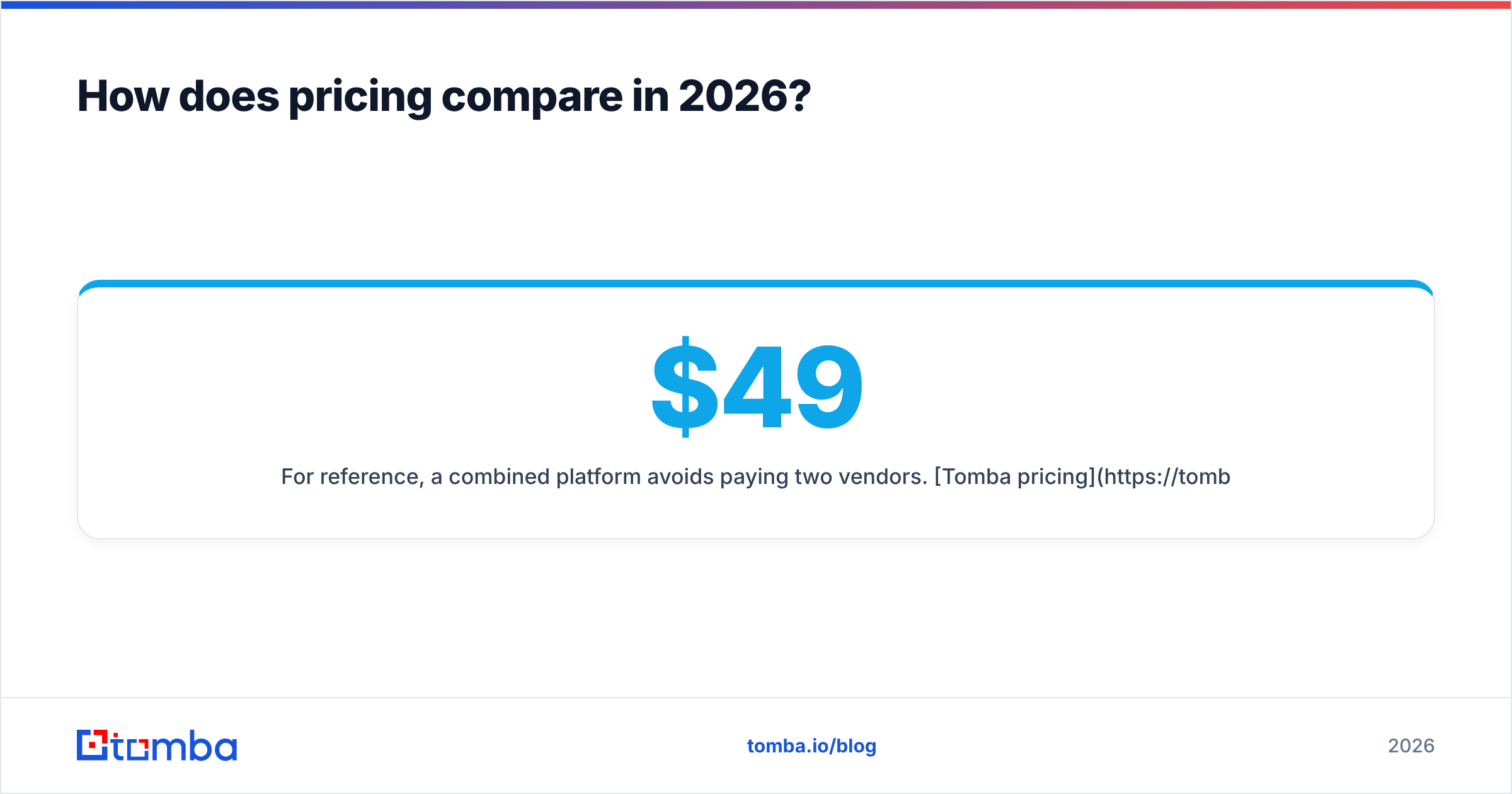
For reference, a combined platform avoids paying two vendors. Tomba pricing starts with a free tier of 25 searches per month, then Starter at $49/mo, Growth at $99/mo, and Pro at $249/mo — finder and verifier included in one plan rather than split across two subscriptions.
When should you choose BriteVerify?#
Choose BriteVerify when verification is your workflow and you already have the contacts.
- You run high-volume email programs. Marketing teams sending to large owned lists need clean data before every campaign to protect email deliverability.
- You buy or inherit lists. Imported data of unknown quality needs a specialist scrubber, and BriteVerify is built for exactly that batch-cleaning job.
- You don't prospect. If new-contact discovery happens elsewhere — a CRM, a data provider, inbound forms — you only need the cleaning half.
- You want pay-as-you-go. Irregular cleaning needs fit usage pricing better than a monthly subscription you underuse.
BriteVerify is the wrong choice if you have no list to clean yet. It will not build one for you.
When should you choose FindThatLead?#
Choose FindThatLead when your bottleneck is finding people, not cleaning a list.
- You're an SDR or founder doing outbound. You need find email addresses by domain and a quick way to message them, which FindThatLead bundles.
- You run small, continuous campaigns. The built-in sender handles light cold outreach without a separate tool.
- You target standard B2B companies. Find-rates are best on common domains with predictable formats.
- You want one subscription for find + send. For early-stage teams, fewer tools beats best-in-class depth.
FindThatLead is the wrong choice if your real need is industrial-grade list hygiene — its verification is a feature, not a fortress.
What if you need to find AND verify?#
This is the case the BriteVerify vs FindThatLead debate exposes: most teams need both jobs done, and buying two tools means two bills, two integrations, and two data formats to reconcile.
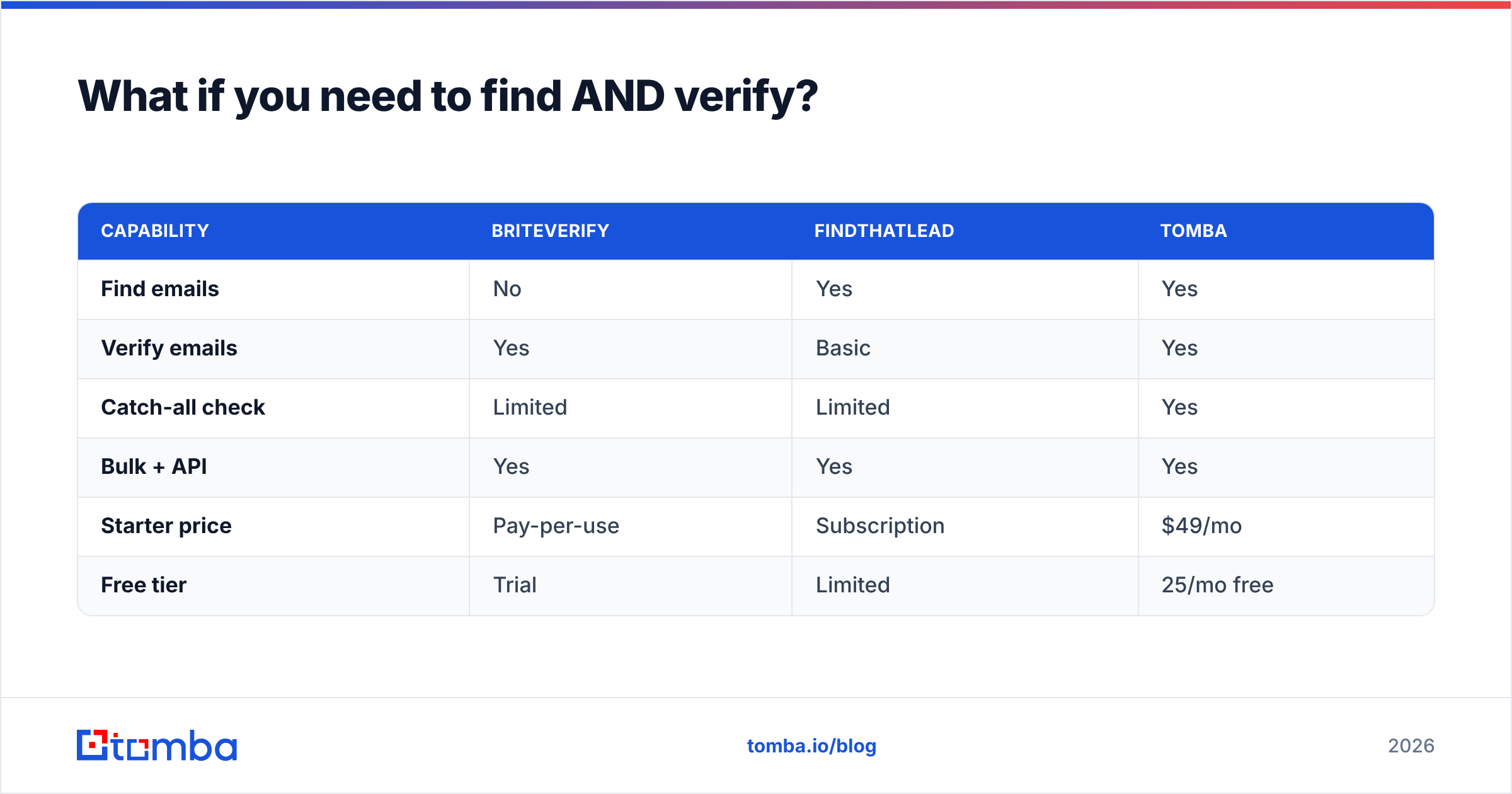
A consolidated platform handles the full path — discover the address, verify it, enrich it, export it — without leaving one product. That is where Tomba fits. It pairs a domain-and-name email finder with a dedicated email verifier, plus a catch-all verifier, bulk processing, and a data enrichment layer. The find step and the verify step share one credit pool and one API.
| Capability | BriteVerify | FindThatLead | Tomba |
|---|---|---|---|
| Find emails | No | Yes | Yes |
| Verify emails | Yes | Basic | Yes |
| Catch-all check | Limited | Limited | Yes |
| Bulk + API | Yes | Yes | Yes |
| Starter price | Pay-per-use | Subscription | $49/mo |
| Free tier | Trial | Limited | 25/mo free |
For a team that prospects and protects deliverability, a do-both platform usually beats stitching a finder to a separate verifier — fewer moving parts, one source of truth, and no data lost in the handoff between two vendors.
How do you decide quickly?#
Run this decision in under a minute:
- Do you already have the list? Yes → you need verification (BriteVerify). No → you need finding (FindThatLead).
- Do you need both, repeatedly? Yes → a combined tool removes the two-subscription tax.
- What's your volume shape? Bursty cleaning → pay-per-use. Continuous prospecting → subscription credits.
- Where do bounces hurt most? If reputation is fragile, prioritize verification depth and a real catch-all verifier over a finder's convenience.
Match the tool to the job in front of you, not to the louder brand. Verification and discovery are separate disciplines, and the cheapest path is usually the tool that does the one you actually need — or the single platform that does both.
The verdict#
BriteVerify and FindThatLead are not really competitors; they are two ends of the same pipeline. BriteVerify is the better dedicated verifier. FindThatLead is the better lead finder with light outreach attached. If you only need one job done, pick the specialist for that job.
But most pipelines need both — you find the contact, then you confirm it is real before you send. Running two subscriptions to do that is the hidden cost neither tool advertises. If you would rather find, verify, and enrich in one place, start with the Tomba Email Finder: a free tier of 25 searches a month, a built-in verifier, and one Tomba API for the whole workflow. Clean data and real prospects, without paying two vendors for one job.
// get started
Find, verify and enrich your first contacts today
Start on the free plan with 25 searches a month, then scale when your team is ready.
Free plan · No credit card required · GDPR & CCPA
// about the author