BriteVerify vs LimeLeads 2026: Which B2B Tool Wins?
BriteVerify verifies emails, LimeLeads builds lists — but they solve different halves of the same problem. Here's how they compare in 2026, and the tool that does both.
Choosing between BriteVerify and LimeLeads is a trick question, because they don't actually do the same job. BriteVerify cleans the list you already have. LimeLeads hands you a list to begin with. If you're comparing them, you're really asking a bigger question: where in my outbound workflow am I losing money — bad data going in, or bad data sitting in my CRM?
This guide breaks down both tools honestly, shows where each one earns its price, and explains why a lot of teams end up paying for two products when one platform can cover the gap.
TL;DR — BriteVerify vs LimeLeads at a glance#
- BriteVerify is a pure email verification engine (owned by Validity). It's accurate and trusted by enterprise senders, but it does not find or generate leads — it only validates emails you supply.
- LimeLeads is a B2B contact database. It generates targeted lead lists with company and contact data, but its verification depth and data freshness lag dedicated tools.
- Pricing models differ hard: BriteVerify charges per verification credit; LimeLeads charges per exported lead on a subscription.
- Neither one finds and verifies in a single pass — which is why teams frequently stack a finder, a database, and a verifier.
- If you want sourcing plus verification in one place, an email finder with a built-in email verifier like Tomba removes the need to buy both categories.
What is BriteVerify and what does it actually do?#
BriteVerify is an email verification service. You feed it a list of addresses — from a signup form, a CRM export, or a purchased list — and it tells you which ones are deliverable, which are invalid, which are risky (catch-all, role-based, disposable), and which will bounce.
Think of it like a bouncer at the door of your email program. It doesn't bring guests to the party; it just checks IDs and turns away the fakes before they ruin your sender reputation. Technically, it runs syntax checks, domain/MX validation, and mailbox-level SMTP pinging to score each address.
BriteVerify sits inside the Validity platform, which also owns Everest and the Sender Score reputation data. That pedigree matters for deliverability-obsessed enterprise teams: the verification is conservative and reliable, and it integrates with marketing platforms like Marketo, HubSpot, and Eloqua.
What it will not do: give you a single new prospect. If your list is empty, BriteVerify has nothing to chew on.

What is LimeLeads and what does it actually do?#
LimeLeads is a self-serve B2B lead generation database. You filter by industry, company size, job title, location, and technology, then preview and export contact records — names, titles, company info, and email addresses — into a CSV or your CRM.
If BriteVerify is the bouncer, LimeLeads is the guest list. It's where the names come from. The platform pitches itself on a clean interface, transparent credit usage (you only spend credits when you reveal/export a lead), and a "verified at export" promise on email data.
The catch is one every database vendor shares: a contact database is a snapshot of a world that changes every day. People switch jobs, companies rebrand, domains get retired. LimeLeads' verification happens at the moment of export, but the underlying record may already be months old, and its total coverage is smaller than the data giants. For SMB and mid-market prospecting in North America it's serviceable; for deep enterprise or non-US coverage it thins out.
BriteVerify vs LimeLeads: the core difference#
Here's the cleanest way to hold it in your head:
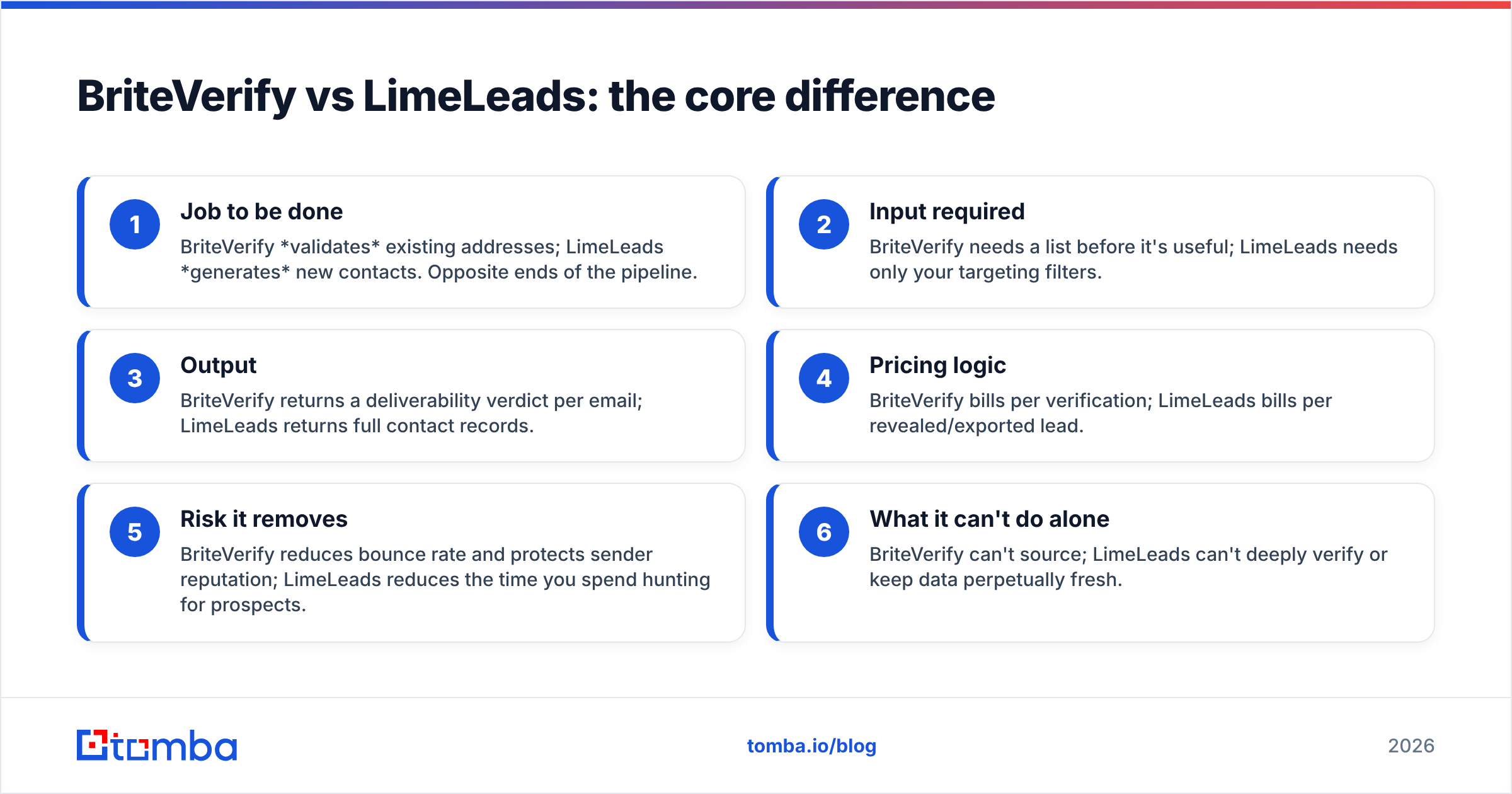
- Job to be done — BriteVerify validates existing addresses; LimeLeads generates new contacts. Opposite ends of the pipeline.
- Input required — BriteVerify needs a list before it's useful; LimeLeads needs only your targeting filters.
- Output — BriteVerify returns a deliverability verdict per email; LimeLeads returns full contact records.
- Pricing logic — BriteVerify bills per verification; LimeLeads bills per revealed/exported lead.
- Risk it removes — BriteVerify reduces bounce rate and protects sender reputation; LimeLeads reduces the time you spend hunting for prospects.
- What it can't do alone — BriteVerify can't source; LimeLeads can't deeply verify or keep data perpetually fresh.
So "which is better" only makes sense once you know which gap is bleeding you. If you have a fat, stale list and high bounce rates, you need verification. If you have great deliverability but an empty pipeline, you need data.
How do BriteVerify and LimeLeads compare on features and price?#
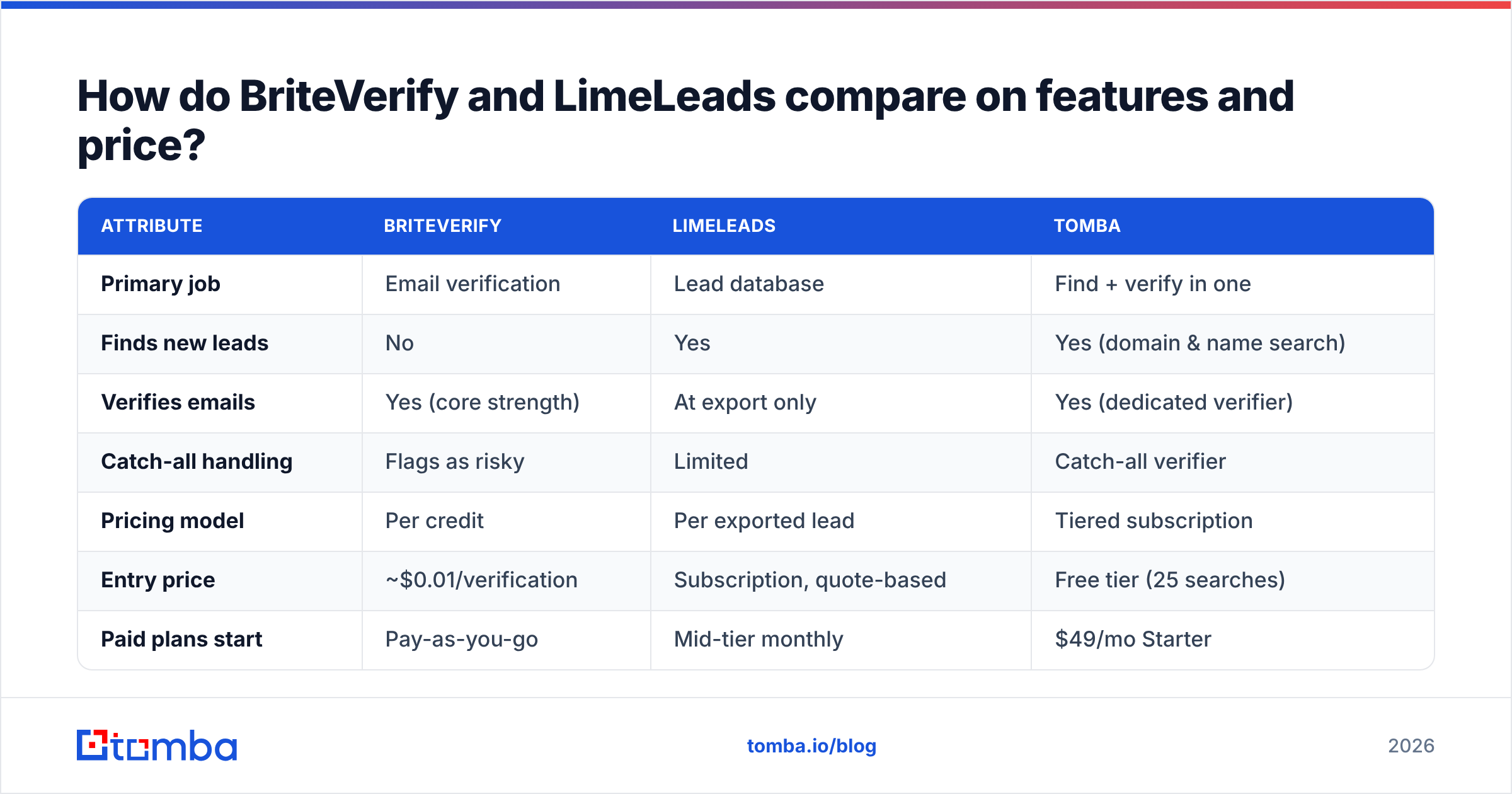
| Attribute | BriteVerify | LimeLeads | Tomba |
|---|---|---|---|
| Primary job | Email verification | Lead database | Find + verify in one |
| Finds new leads | No | Yes | Yes (domain & name search) |
| Verifies emails | Yes (core strength) | At export only | Yes (dedicated verifier) |
| Catch-all handling | Flags as risky | Limited | Catch-all verifier |
| Pricing model | Per credit | Per exported lead | Tiered subscription |
| Entry price | ~$0.01/verification | Subscription, quote-based | Free tier (25 searches) |
| Paid plans start | Pay-as-you-go | Mid-tier monthly | $49/mo Starter |
| Free tier | Trial credits | Limited trial | Yes — 25 searches/mo |
| API access | Yes | Yes | Yes (Tomba API) |
| Best for | Enterprise list hygiene | SMB US prospecting | Teams wanting one tool |
A note on numbers: BriteVerify's per-verification rate drops with volume but adds up fast on large recurring lists. LimeLeads' subscription is built around export volume tiers. For a current breakdown of an all-in-one alternative, see Tomba pricing — the Starter plan is $49/mo, not the $39 figure you'll sometimes see quoted in stale roundups.
Which one is more accurate?#
For verifying an address you already have, BriteVerify is the stronger, more conservative engine — that's its entire reason to exist, and Validity's deliverability heritage backs it up. It will catch traps and catch-alls that lighter tools wave through.
For the accuracy of the leads themselves, LimeLeads is only as good as its last database refresh. Its "verified at export" step helps, but it can't fix a contact who left the company three months ago — the email may be syntactically valid and still belong to nobody. This is the quiet failure mode of every static database: a clean-looking email that bounces because the person is gone.
The honest takeaway: BriteVerify wins on verification depth; LimeLeads' accuracy is capped by data age, which no verifier fully solves. If accuracy at the point of sourcing matters most, you want a finder that pulls live data and verifies in the same request rather than a database snapshot plus a separate cleaner.
When should you choose BriteVerify?#
Pick BriteVerify if:
- You already have a large list (newsletter, CRM, event signups) and your bounce rate is hurting deliverability.
- You run high-volume marketing automation and need enterprise-grade list hygiene before every send.
- You're inside the Validity ecosystem already (Everest, Sender Score) and want one vendor.
- You don't need new leads — you need the ones you have to be clean.
BriteVerify is a specialist. If verification is your only gap, it's a defensible choice. Just remember you'll still need a separate source for new contacts, which means a second line item and a second integration.
When should you choose LimeLeads?#
Pick LimeLeads if:
- You're an SMB or mid-market team targeting US companies and want a simple, self-serve way to build lists.
- You value a clean UI and transparent credit usage over maximum database size.
- Your outbound volume is moderate and you don't need enterprise-scale coverage or international depth.
- You're comfortable doing a verification pass yourself before sending, because export-time validation isn't a substitute for a dedicated verifier on aging records.
LimeLeads gets you off zero. But pair it with real verification, and budget for the fact that any database degrades between refreshes.
The hidden cost: you're probably buying two tools#
Here's the pattern teams fall into. They buy LimeLeads (or another database) for sourcing, watch bounce rates climb as records age, then bolt on BriteVerify to clean the mess. Now you're paying two subscriptions, syncing two exports, and still doing manual CSV gymnastics between them.
That's the real comparison hiding behind "BriteVerify vs LimeLeads": it's not which one to buy, it's whether you should be buying two categories at all.
An all-in-one approach collapses the workflow:
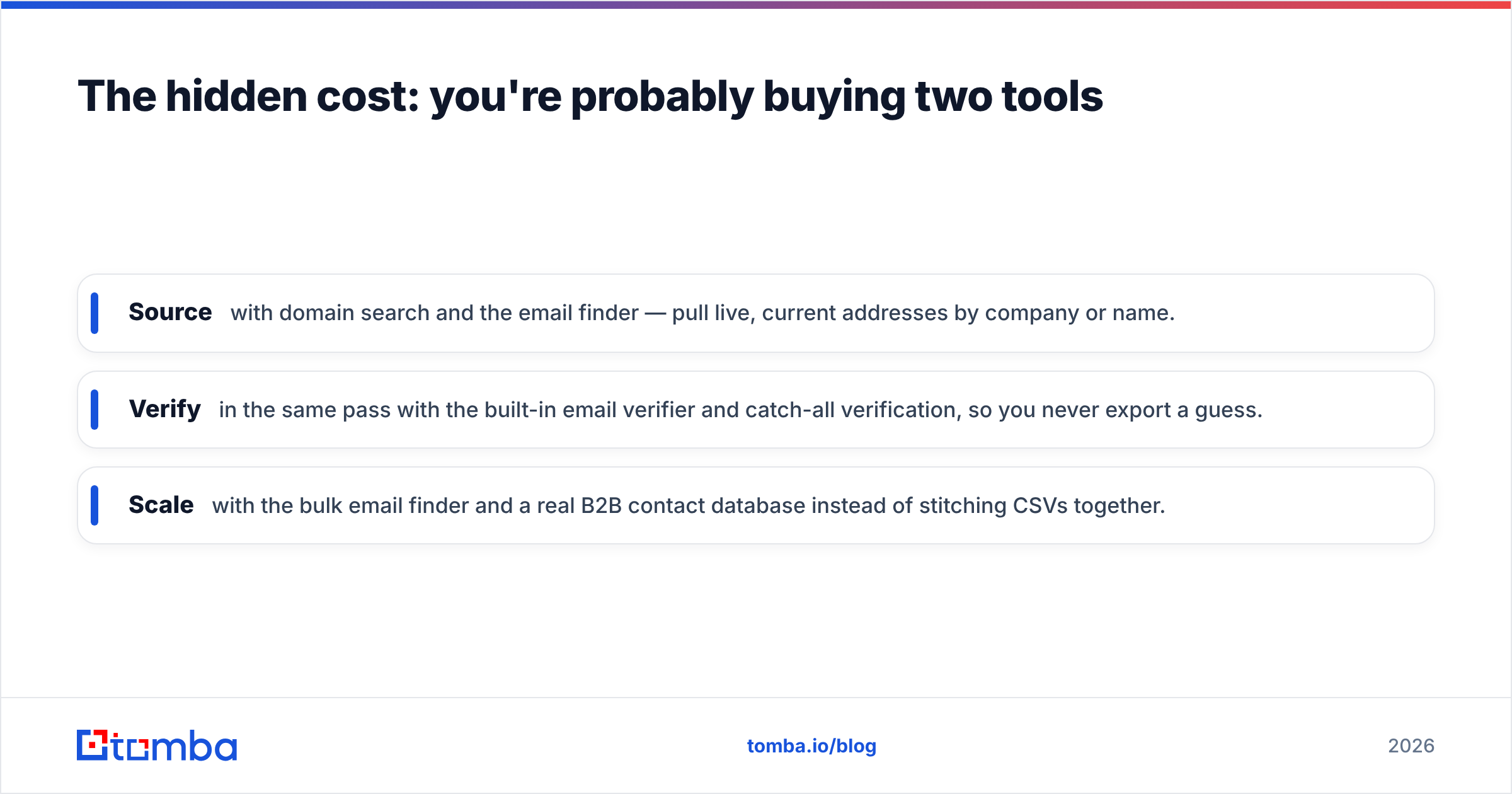
- Source with domain search and the email finder — pull live, current addresses by company or name.
- Verify in the same pass with the built-in email verifier and catch-all verification, so you never export a guess.
- Scale with the bulk email finder and a real B2B contact database instead of stitching CSVs together.
You get the sourcing job LimeLeads does and the verification job BriteVerify does, without running both — and without paying twice.
How does Tomba fit as a single-tool alternative?#
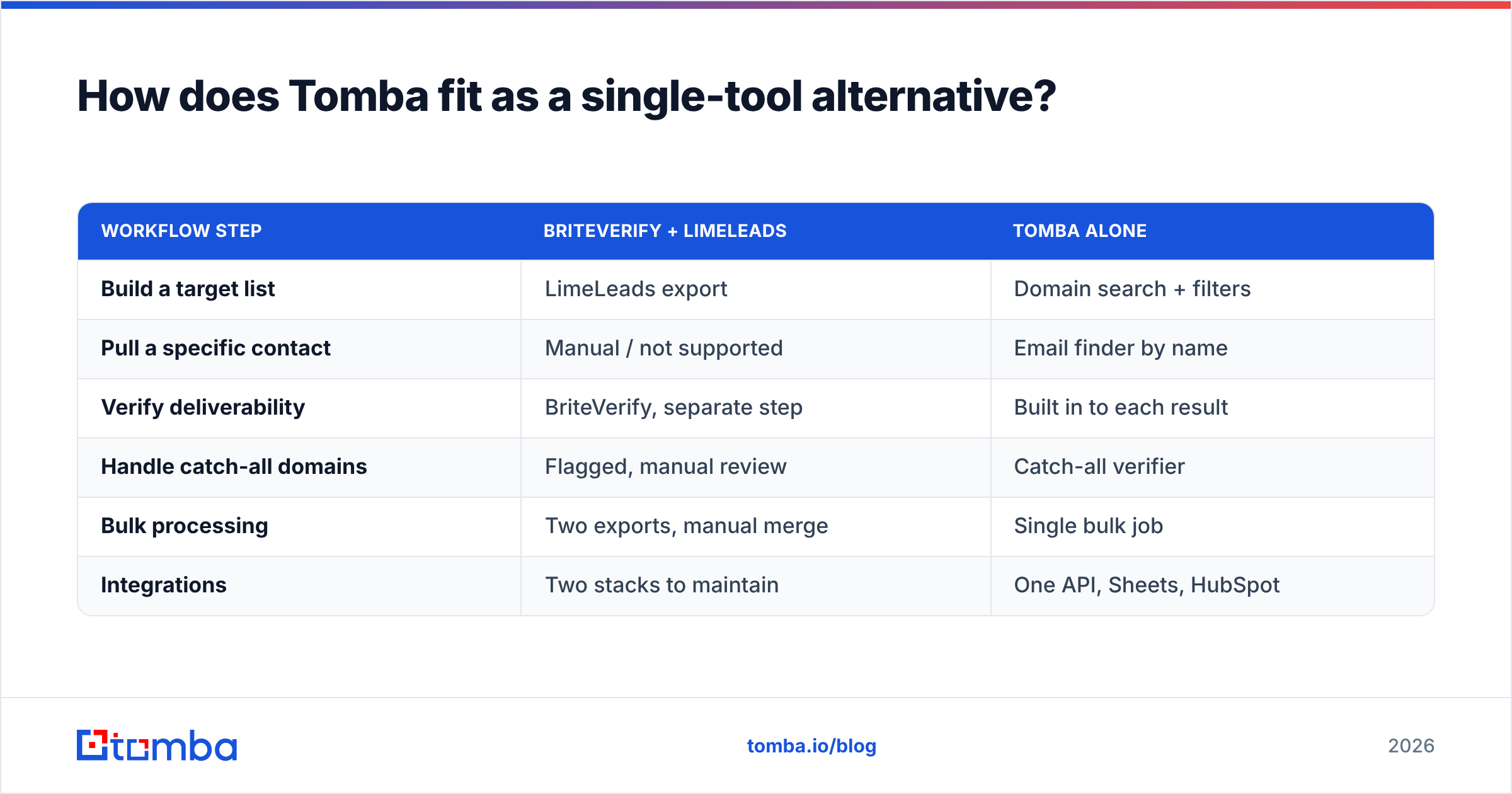
Tomba is built for the case where BriteVerify and LimeLeads each only solve half your problem. Instead of a static export plus a separate cleaner, you search for emails by name, company, or domain and get a confidence-scored, verified result in the same request.
| Workflow step | BriteVerify + LimeLeads | Tomba alone |
|---|---|---|
| Build a target list | LimeLeads export | Domain search + filters |
| Pull a specific contact | Manual / not supported | Email finder by name |
| Verify deliverability | BriteVerify, separate step | Built in to each result |
| Handle catch-all domains | Flagged, manual review | Catch-all verifier |
| Bulk processing | Two exports, manual merge | Single bulk job |
| Integrations | Two stacks to maintain | One API, Sheets, HubSpot |
That's not to say Tomba replaces BriteVerify for a pure enterprise deliverability audit on a 5-million-record marketing list — Validity's specialist tooling earns its place there. But for the everyday B2B motion of find the right person, confirm the email, send most sales and growth teams run, one platform is cheaper and faster than a stitched-together stack.
BriteVerify vs LimeLeads: quick verdict#
- Choose BriteVerify if your only problem is dirty existing lists and you want enterprise-grade verification.
- Choose LimeLeads if you're a US-focused SMB that needs a simple self-serve lead database and you'll verify separately.
- Choose an all-in-one if you'd rather not buy a sourcing tool and a verification tool — and want live data instead of a snapshot.
Compare the underlying data sources before you commit to any vendor; freshness is what actually determines your bounce rate, not the logo on the dashboard.
You can sanity-check any of these tools on real review data at G2, and both vendors' own docs at briteverify.com and limeleads.com are worth a skim before you trial.
The bottom line#
BriteVerify and LimeLeads aren't really rivals — they're two halves of the same pipeline that a lot of teams end up buying separately. BriteVerify keeps your existing lists clean; LimeLeads fills your pipeline with new ones. If you only have one of those gaps, buy the specialist. If you have both — and most growing teams do — running two subscriptions to do one job is the expensive way around.
Skip the stack. Start with the free tier of the Tomba Email Finder, find verified, current B2B emails by name or domain, and verify them in the same step — sourcing and list hygiene in one tool, starting at 25 free searches a month and $49/mo when you scale.
// get started
Find, verify and enrich your first contacts today
Start on the free plan with 25 searches a month, then scale when your team is ready.
Free plan · No credit card required · GDPR & CCPA
// about the author