BriteVerify vs Lusha 2026: Verify or Enrich Your B2B Data?
BriteVerify verifies emails. Lusha finds contacts. They solve different problems—here's how they really compare on pricing, accuracy, and which one your team actually needs in 2026.
Picking between BriteVerify and Lusha feels like a fair fight until you realize they barely play the same sport. One cleans the list you already have. The other builds the list from scratch. If you buy the wrong one, you end up paying for a tool that solves a problem you don't have while the real problem stays exactly where it was.
This guide breaks down what each tool actually does, what it costs in 2026, where the accuracy claims hold up, and which one belongs in your stack—plus where a single platform like Tomba quietly covers both jobs.
TL;DR#
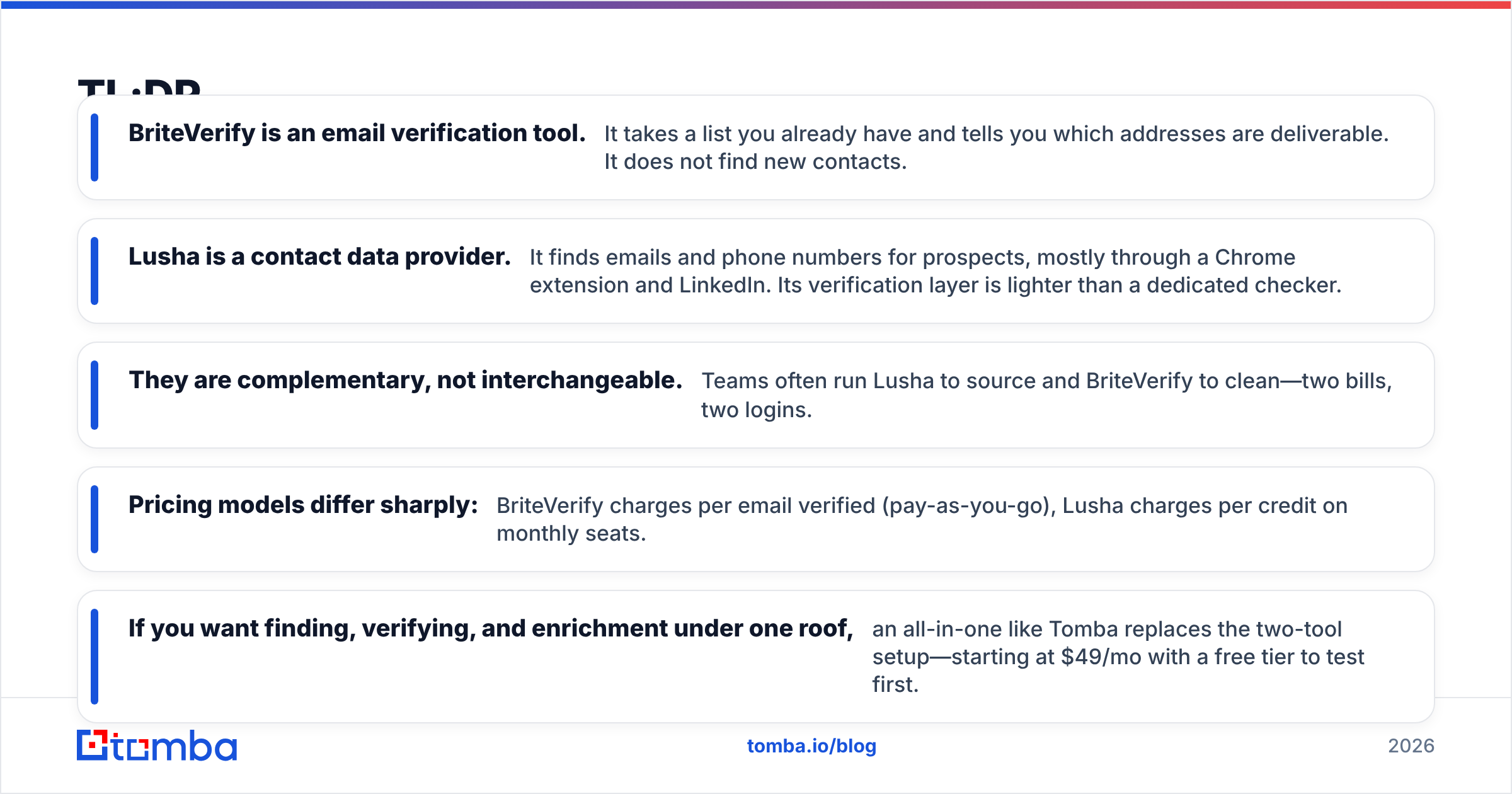
- BriteVerify is an email verification tool. It takes a list you already have and tells you which addresses are deliverable. It does not find new contacts.
- Lusha is a contact data provider. It finds emails and phone numbers for prospects, mostly through a Chrome extension and LinkedIn. Its verification layer is lighter than a dedicated checker.
- They are complementary, not interchangeable. Teams often run Lusha to source and BriteVerify to clean—two bills, two logins.
- Pricing models differ sharply: BriteVerify charges per email verified (pay-as-you-go), Lusha charges per credit on monthly seats.
- If you want finding, verifying, and enrichment under one roof, an all-in-one like Tomba replaces the two-tool setup—starting at $49/mo with a free tier to test first.
What is BriteVerify?#
BriteVerify, owned by Validity, is a pure-play email verification service. You upload a list—or hit the API in real time at signup forms—and it checks each address against syntax rules, domain records, and mailbox-level signals, then tags each one as valid, invalid, risky, or unknown.
Think of it like a bouncer at the door of your email list. It doesn't recruit new guests; it just stops the fake IDs from getting in. That single focus is its strength. BriteVerify is fast, accurate on standard mailboxes, and built to plug into ESPs like Marketo, HubSpot, and Mailchimp so bad addresses never reach your sender reputation.
What it does not do: find anyone. If your list is empty, BriteVerify has nothing to chew on. It also struggles—like every verifier—with catch-all domains, where the server accepts everything and confirms nothing.
What is Lusha?#
Lusha sits on the opposite side of the funnel. It's a B2B contact-data platform that surfaces work emails and direct-dial phone numbers for the people you want to reach. Most users live inside its Chrome extension, pulling contact details while browsing LinkedIn profiles or company sites.
If BriteVerify is the bouncer, Lusha is the scout—out finding people you didn't have yet. It leans on a crowdsourced and licensed database, so coverage is strongest for mid-market and enterprise roles in North America and weaker for SMBs and some regions.
Lusha does verify the data it serves, but that verification is a quality step on its own database, not a standalone engine you point at an arbitrary list. Feed Lusha a CSV of 50,000 unknown addresses and it won't clean them the way BriteVerify will.
BriteVerify vs Lusha: the core difference#
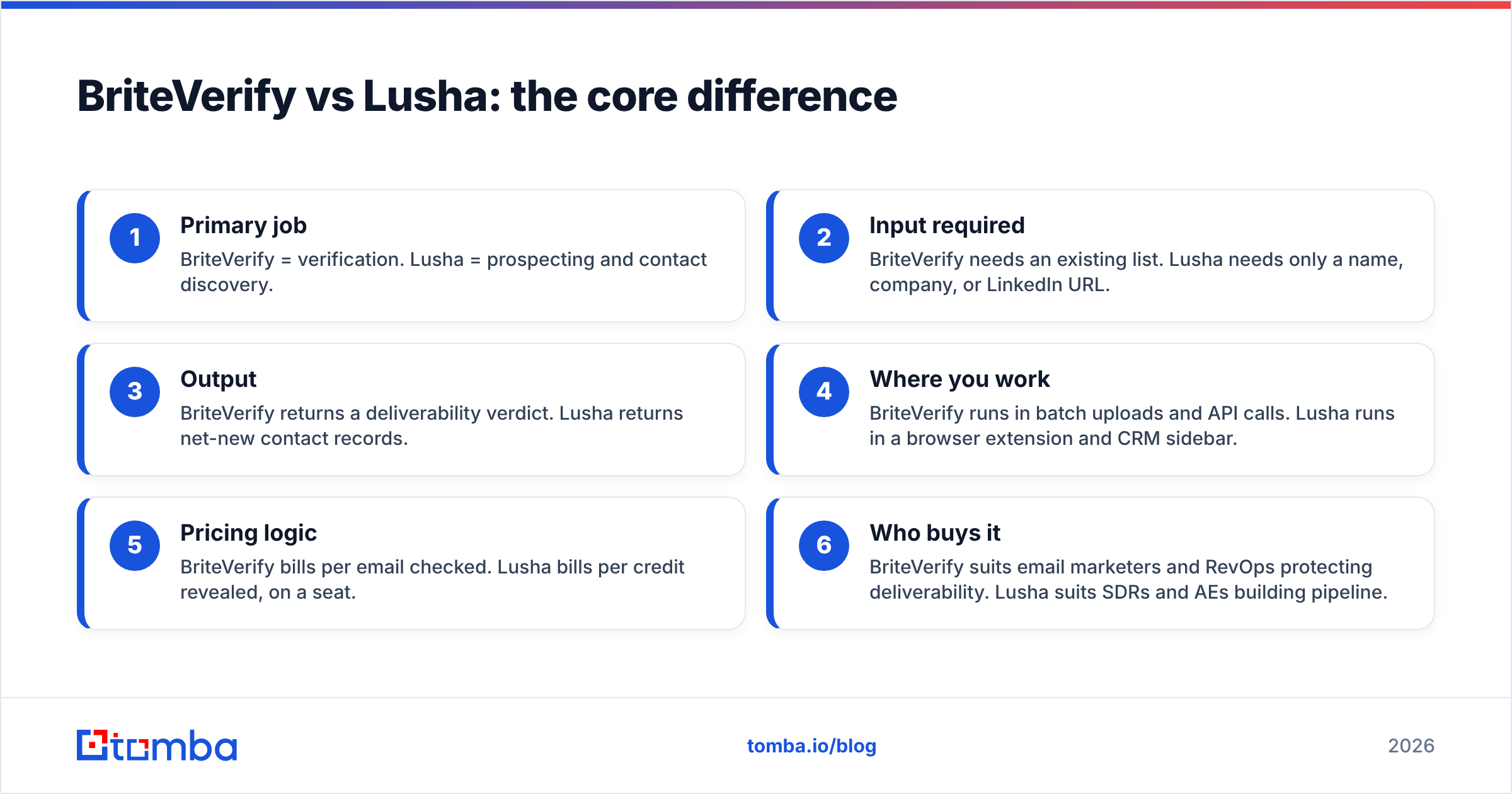
Here's the distinction in one line: BriteVerify validates emails you already have; Lusha finds emails and phones you don't. Everything else follows from that.
- Primary job — BriteVerify = verification. Lusha = prospecting and contact discovery.
- Input required — BriteVerify needs an existing list. Lusha needs only a name, company, or LinkedIn URL.
- Output — BriteVerify returns a deliverability verdict. Lusha returns net-new contact records.
- Where you work — BriteVerify runs in batch uploads and API calls. Lusha runs in a browser extension and CRM sidebar.
- Pricing logic — BriteVerify bills per email checked. Lusha bills per credit revealed, on a seat.
- Who buys it — BriteVerify suits email marketers and RevOps protecting deliverability. Lusha suits SDRs and AEs building pipeline.

Because they answer different questions, "which is better" is the wrong frame. The sharper question is: which problem do you have right now—and can one tool solve both?
How do BriteVerify and Lusha compare on features and pricing?#
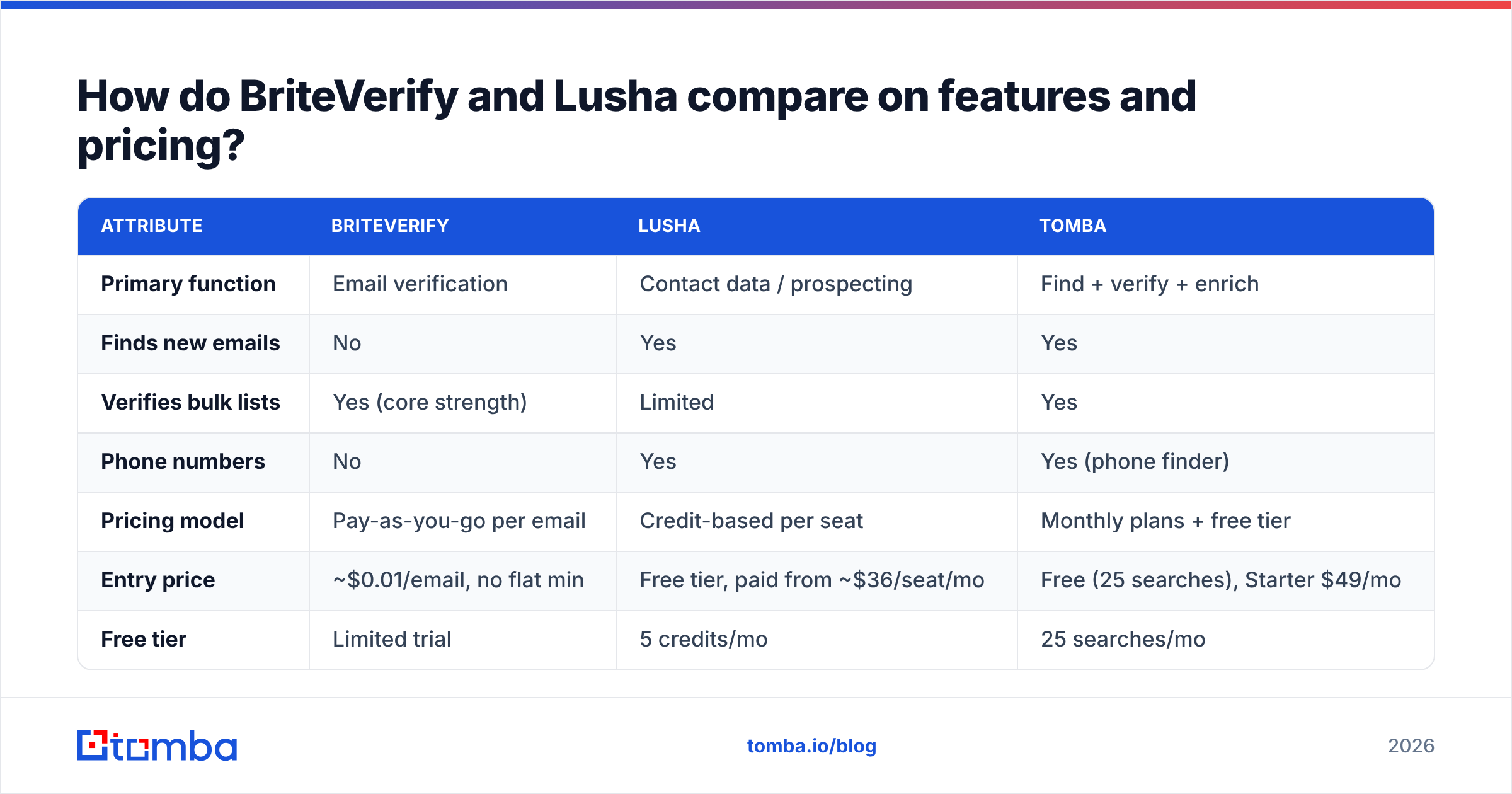
Pricing for both shifts with negotiation and volume, so treat the figures below as representative 2026 list pricing rather than a quote. The structural differences matter more than the exact dollars.
| Attribute | BriteVerify | Lusha | Tomba |
|---|---|---|---|
| Primary function | Email verification | Contact data / prospecting | Find + verify + enrich |
| Finds new emails | No | Yes | Yes |
| Verifies bulk lists | Yes (core strength) | Limited | Yes |
| Phone numbers | No | Yes | Yes (phone finder) |
| Pricing model | Pay-as-you-go per email | Credit-based per seat | Monthly plans + free tier |
| Entry price | ~$0.01/email, no flat min | Free tier, paid from ~$36/seat/mo | Free (25 searches), Starter $49/mo |
| Free tier | Limited trial | 5 credits/mo | 25 searches/mo |
| Catch-all handling | Flags as "accept-all" | Varies | Dedicated catch-all verifier |
| API access | Yes | Yes (higher tiers) | Yes, all plans |
| Best for | List hygiene at scale | SDR prospecting | Teams wanting one stack |
A few things stand out. BriteVerify's per-email model is honest for sporadic, large cleanups—you pay only for what you check. But if you verify continuously, those pennies compound. Lusha's credit model is predictable per seat yet punishing if a rep burns through reveals mid-month, and the best API and bulk features hide behind its upper tiers.
Neither tool, on its own, gives you the full find-then-verify loop. That gap is exactly where consolidating makes financial sense—see Tomba's pricing for how a single plan absorbs both jobs.
Which is more accurate?#
Accuracy means different things for each tool, so a head-to-head number is misleading.
For BriteVerify, accuracy is about deliverability prediction: did the address it called "valid" actually accept mail? On standard mailboxes, dedicated verifiers including BriteVerify perform well, typically landing bounce rates in the low single digits when you act on their verdicts. The recurring weakness is catch-all and greylisting domains, where no verifier can be certain because the receiving server refuses to confirm.
For Lusha, accuracy is about whether the contact record is correct and current: is this really the prospect's work email and direct line? Here, freshness is the enemy. People change jobs, and any crowdsourced database decays. Independent reviews on G2 put Lusha's email accuracy as solid for enterprise roles and shakier for SMB and non-US contacts.
The practical takeaway: a contact tool's "verified" badge is not the same as running the address through a dedicated checker. That's why many teams reveal with Lusha, then re-verify with a tool like BriteVerify before launching a campaign—two steps, two costs. If you'd rather not stitch that together, an email verifier built into the same platform that found the address removes the hand-off entirely.
When should you choose BriteVerify?#
Pick BriteVerify when finding contacts is not your problem—keeping your list clean is. Concretely:
- You run a large marketing database and need to scrub it before sends to protect sender reputation.
- You want real-time verification on web forms to block typos and disposable addresses at the source.
- Your volume is spiky—occasional big cleanups rather than constant verification—so pay-as-you-go beats a subscription.
- You're already in the Validity ecosystem and want native deliverability tooling.
BriteVerify is a specialist, and specialists are worth it when the job is narrow and high-stakes. Just remember it starts working only after some other tool has filled your list.
When should you choose Lusha?#
Pick Lusha when you need net-new contacts and live mostly on LinkedIn. Specifically:
- Your SDRs prospect one profile at a time and want a one-click reveal of email and phone.
- You target mid-market and enterprise accounts in North America, where Lusha's coverage is strongest.
- You value a clean browser extension and CRM push over bulk-file workflows.
- Direct-dial phone numbers matter to your outbound motion, not just email.
Where Lusha gets frustrating is scale and cost control: credits vanish quickly across a team, regional coverage is uneven, and you'll still want a separate verification pass before sending cold. For many buyers that second bill is the tipping point toward consolidation.
Do you actually need both?#
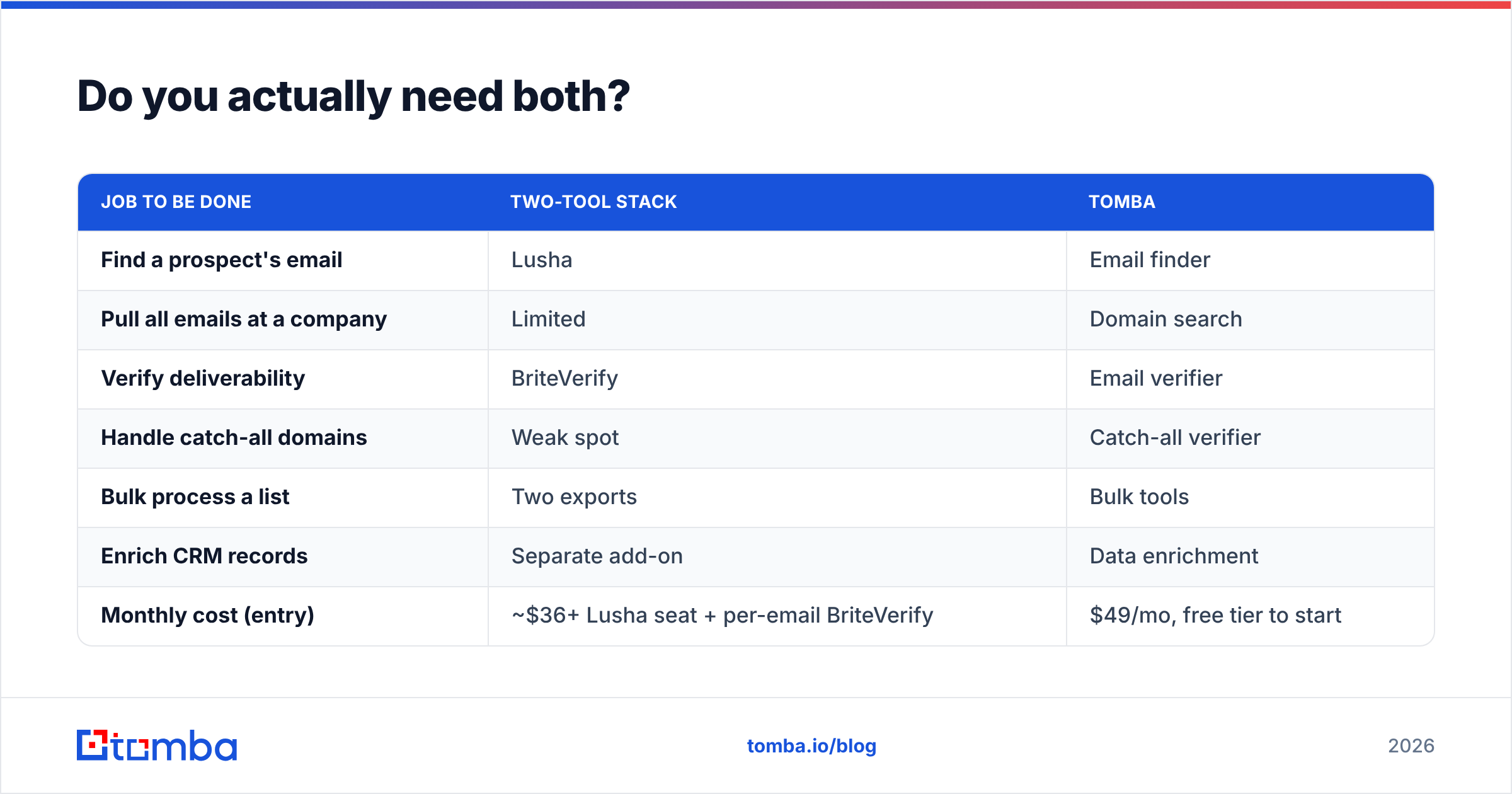
Often, yes—if you stick with these two tools. The classic stack is Lusha to source contacts and BriteVerify to verify them, which means two subscriptions, two onboarding curves, and a manual export-import shuffle between them. That's friction, and friction costs hours every week.
The alternative is a platform that finds and verifies in one place. This is where Tomba fits cleanly:
| Job to be done | Two-tool stack | Tomba |
|---|---|---|
| Find a prospect's email | Lusha | Email finder |
| Pull all emails at a company | Limited | Domain search |
| Verify deliverability | BriteVerify | Email verifier |
| Handle catch-all domains | Weak spot | Catch-all verifier |
| Bulk process a list | Two exports | Bulk tools |
| Enrich CRM records | Separate add-on | Data enrichment |
| Monthly cost (entry) | ~$36+ Lusha seat + per-email BriteVerify | $49/mo, free tier to start |
Consolidation isn't always the answer—if you only ever verify, BriteVerify alone is fine; if you only ever prospect on LinkedIn, Lusha alone works. But the moment your workflow needs both finding and verifying, paying two vendors to do half the job each starts to look expensive.
How does Tomba compare to BriteVerify and Lusha?#
Tomba is built as the single stack the two-tool buyers keep reassembling by hand. It finds professional emails by name, company, or domain; verifies them—including catch-all domains—and enriches records, all under one plan and one API.
Against BriteVerify, Tomba matches the verification job and adds the finding step BriteVerify lacks, so you're not waiting on another tool to fill your list first. Against Lusha, Tomba covers contact discovery and bundles real verification rather than a lighter quality badge, plus transparent monthly pricing instead of credit anxiety.
The honest caveats: Lusha's Chrome-extension-on-LinkedIn workflow is purpose-built and slick for one-at-a-time SDR prospecting, and BriteVerify's deep ESP integrations and pure pay-as-you-go model are genuinely convenient for occasional, massive list scrubs. If those exact patterns are your whole use case, the specialists earn their keep. For most teams juggling both finding and verifying, one platform wins on cost and simplicity.
The bottom line#
BriteVerify and Lusha aren't really competitors—they're two halves of the same workflow. BriteVerify cleans; Lusha sources. Choosing between them means choosing which half of your problem to solve, and most growing teams eventually need both.
That's the case for not buying either in isolation. If you want to find verified, deliverable emails—and skip the export-import dance between a sourcing tool and a verifier—start with the Tomba Email Finder. The free tier gives you 25 searches a month to test accuracy on your own target accounts, and paid plans start at $49/mo with finding, verification, and enrichment in one place. Run a real list through it before you commit to two separate subscriptions.
// get started
Find, verify and enrich your first contacts today
Start on the free plan with 25 searches a month, then scale when your team is ready.
Free plan · No credit card required · GDPR & CCPA
// about the author