BriteVerify vs SalesQL 2026: Which Email Tool Wins?
BriteVerify verifies lists; SalesQL finds LinkedIn emails. They solve different problems — here's which one your pipeline actually needs in 2026, and where one tool beats both.
You are comparing two tools that barely overlap. That is the first thing to understand about BriteVerify vs SalesQL: one cleans email lists you already have, the other digs new emails out of LinkedIn profiles. Picking between them as if they were rivals is how teams end up paying for the wrong half of their workflow.
This guide breaks down what each tool actually does, where the accuracy numbers land, what you pay, and — honestly — when a single all-in-one platform replaces both.
TL;DR#
- BriteVerify is a pay-as-you-go email verifier. It tells you whether an address is valid, risky, or dead. It does not find emails.
- SalesQL is a LinkedIn-first email finder. It pulls personal and work emails from profiles via a Chrome extension. Its verification is light.
- They are complements, not competitors: SalesQL finds, BriteVerify confirms. Using only one leaves a gap.
- Pricing splits clean: BriteVerify charges per verification (~$0.01/email), SalesQL sells monthly credit plans starting around $39/mo.
- If you want finding and deep verification in one place, an all-in-one like Tomba covers both jobs from a single credit pool — often cheaper than stitching two subscriptions together.

What is BriteVerify?#
BriteVerify, owned by Validity, is one of the older names in email hygiene. Its single job is to take a list of addresses and grade each one: valid, invalid, accept-all (catch-all), or unknown. You upload a CSV, or call the API at the point of capture, and it scrubs bad addresses before they hurt your sender reputation.
Think of BriteVerify like a bouncer at the door of your email program. It does not recruit guests — it just decides who gets in. That focus is its strength and its limit. If your CRM is already full of contacts you scraped, exported, or bought, BriteVerify is excellent at telling you which ones will bounce. But it will never hand you a new lead.
BriteVerify's verification checks syntax, domain/MX records, and performs SMTP-level mailbox pinging. It is genuinely good at the core task, which is why deliverability-conscious teams keep it around. For the underlying concept, see this primer on email deliverability.
What is SalesQL?#
SalesQL is a prospecting tool built around LinkedIn. You install its Chrome extension, open a profile (or a search/Sales Navigator list), and it surfaces likely email addresses — both personal and business — plus phone numbers on higher tiers. It is designed for SDRs who live inside LinkedIn and want to turn a profile into a contact record in two clicks.
Where BriteVerify confirms addresses, SalesQL generates them. It guesses patterns, cross-references its database, and returns candidates with a confidence label. The catch: SalesQL's built-in validation is shallower than a dedicated verifier, so a slice of what it returns still needs a second pass before you send cold.
If LinkedIn is your main prospecting surface, a LinkedIn finder workflow is the category SalesQL competes in — and it has real competition there.
BriteVerify vs SalesQL: how do they compare?#
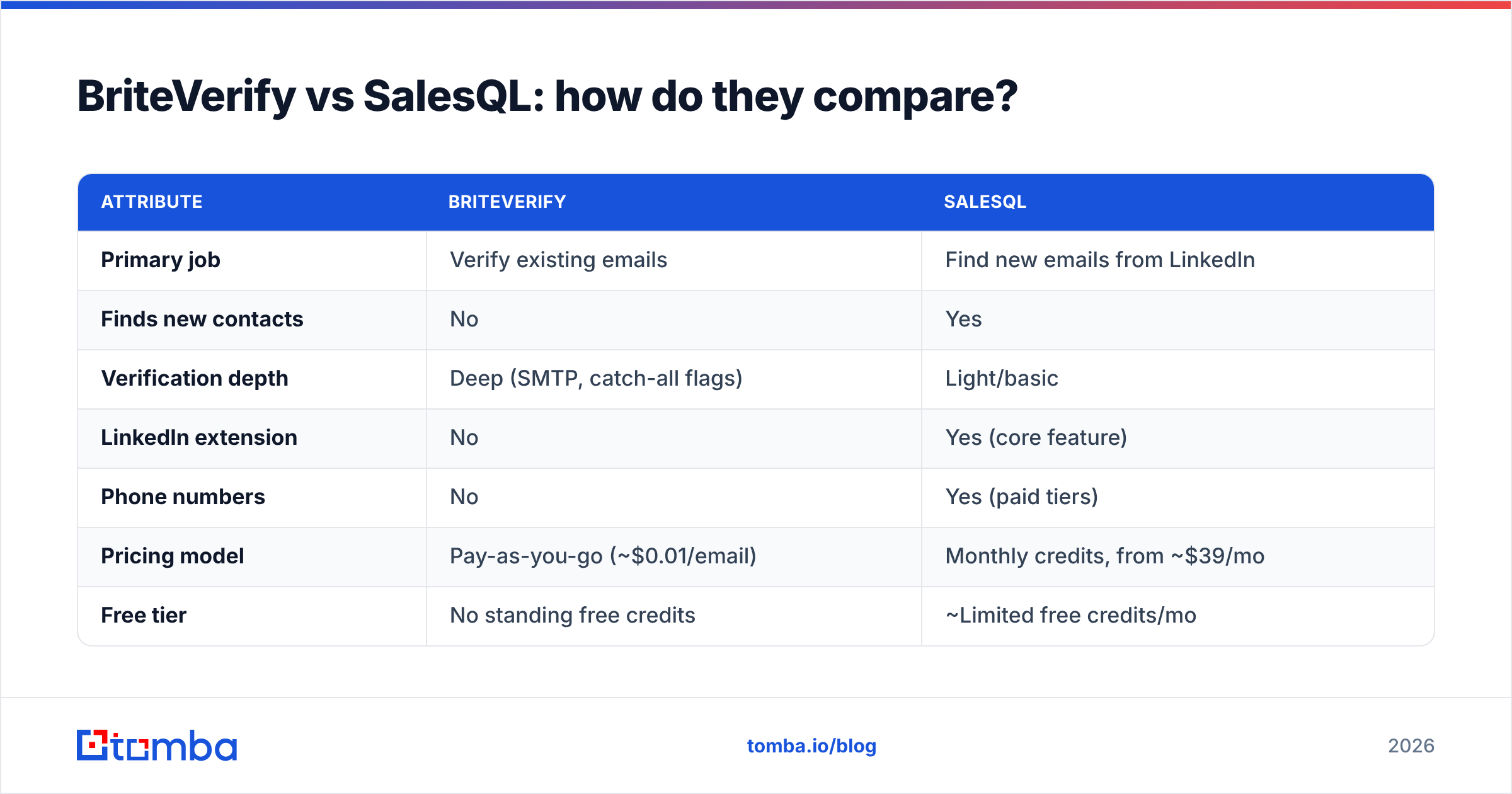
Here is the core split. Read the "Primary job" row first; everything else follows from it.
| Attribute | BriteVerify | SalesQL |
|---|---|---|
| Primary job | Verify existing emails | Find new emails from LinkedIn |
| Finds new contacts | No | Yes |
| Verification depth | Deep (SMTP, catch-all flags) | Light/basic |
| LinkedIn extension | No | Yes (core feature) |
| Phone numbers | No | Yes (paid tiers) |
| Pricing model | Pay-as-you-go (~$0.01/email) | Monthly credits, from ~$39/mo |
| Free tier | No standing free credits | ~Limited free credits/mo |
| Best for | List hygiene, form validation | LinkedIn prospecting |
| API | Yes | Yes (higher tiers) |
The table makes the real takeaway obvious: choosing BriteVerify vs SalesQL is choosing which stage of the pipeline you are solving for, not which vendor is better.

Which one is more accurate?#
Different question for each tool, so judge them separately.
For BriteVerify, "accuracy" means: when it says valid, does the email actually accept mail? On clean B2B lists it performs well, with low false-positive rates on standard mailboxes. Its known weak spot is catch-all (accept-all) domains, where no verifier can be fully certain because the server accepts everything. BriteVerify flags these honestly rather than guessing — which is the right behavior, but it means you still need a strategy for catch-alls.
For SalesQL, "accuracy" means: of the emails it surfaces, how many are real and reachable? Here results are more variable. Personal emails tend to be reliable; guessed work emails on smaller or unusual domains are where misses concentrate. Because SalesQL's own verification is basic, the safe move is to run its output through a stronger verifier before launching a sequence.
This is exactly why pairing a finder with a real email verifier matters. A finder that returns 100 addresses at 70% deliverability becomes far more useful once a verification pass strips the dead 30% and confirms the catch-alls with a dedicated catch-all verifier.
What do they cost in 2026?#
The pricing models are not comparable line-for-line, so map them to volume instead.
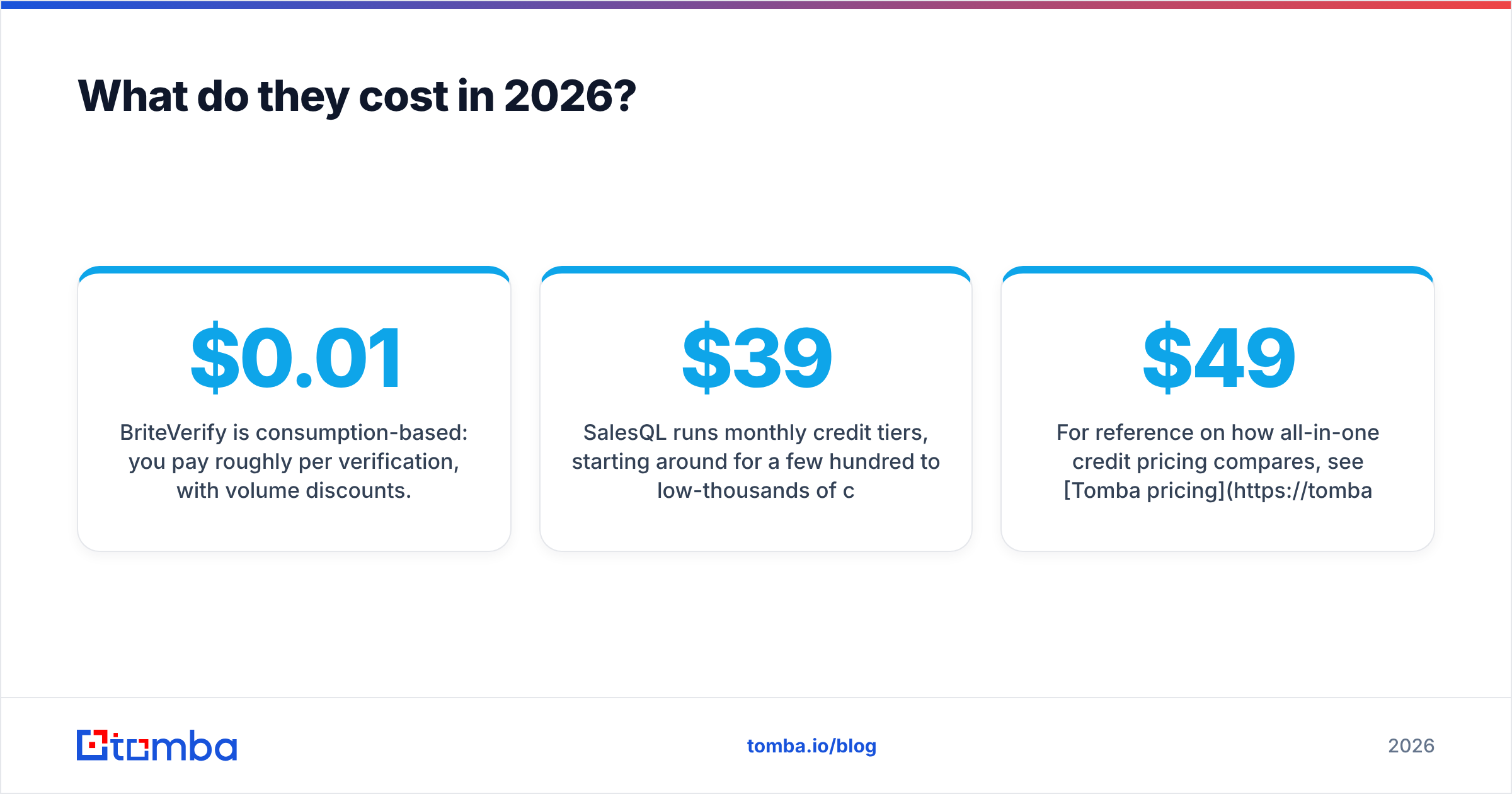
- BriteVerify is consumption-based: you pay roughly $0.01 per verification, with volume discounts. There is no monthly floor, which suits teams that verify in bursts. A 10,000-email scrub lands near $100.
- SalesQL runs monthly credit tiers, starting around $39/mo for a few hundred to low-thousands of credits, scaling up for teams. A credit is consumed per profile/email revealed.
So a team that only verifies an existing 50k list occasionally will spend less with BriteVerify's pay-as-you-go. A team prospecting daily on LinkedIn needs SalesQL's monthly credits — and then still needs verification budget on top. Two tools, two bills.
For reference on how all-in-one credit pricing compares, see Tomba pricing: a Free tier (25 searches/mo), Starter at $49/mo, Growth at $99/mo, and Pro at $249/mo — where the same credits cover finding and verification rather than splitting them across vendors.
Do you actually need both?#
Usually, yes — and that is the uncomfortable answer for anyone hoping one $39 subscription solves prospecting.
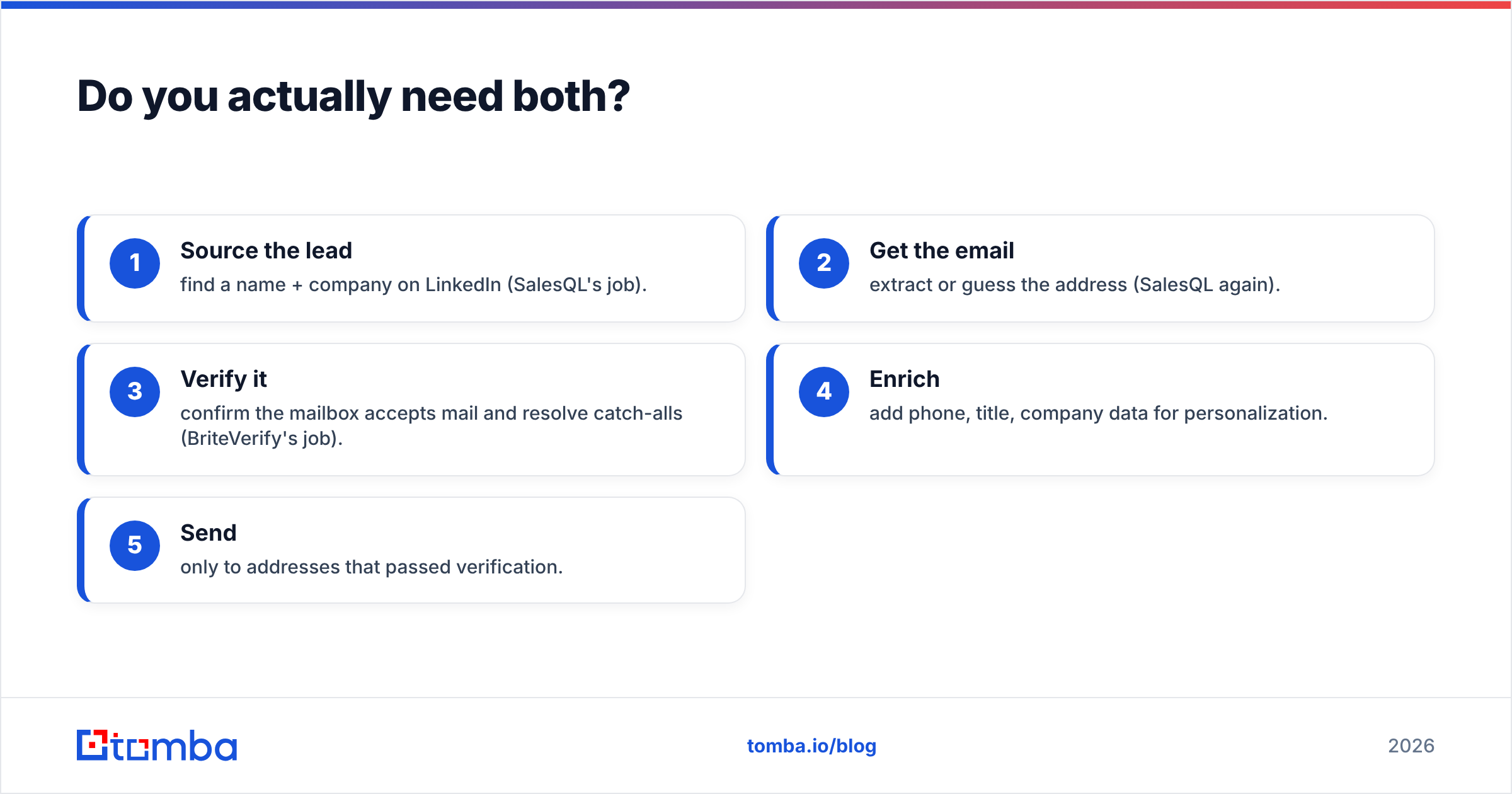
A realistic outbound flow looks like this:
- Source the lead — find a name + company on LinkedIn (SalesQL's job).
- Get the email — extract or guess the address (SalesQL again).
- Verify it — confirm the mailbox accepts mail and resolve catch-alls (BriteVerify's job).
- Enrich — add phone, title, company data for personalization.
- Send — only to addresses that passed verification.
SalesQL covers steps 1–2. BriteVerify covers step 3. Neither does step 4 well. So most teams running this stack end up with two subscriptions plus a separate enrichment tool — three bills, three logins, three credit systems to reconcile.
That fragmentation is the actual problem worth solving, more than "which of these two is better."
Where does an all-in-one platform fit?#
A consolidated platform collapses that five-step flow into one credit pool. This is where Tomba sits relative to BriteVerify vs SalesQL: instead of a verify-only tool and a find-only tool, you get both jobs plus enrichment under one roof.
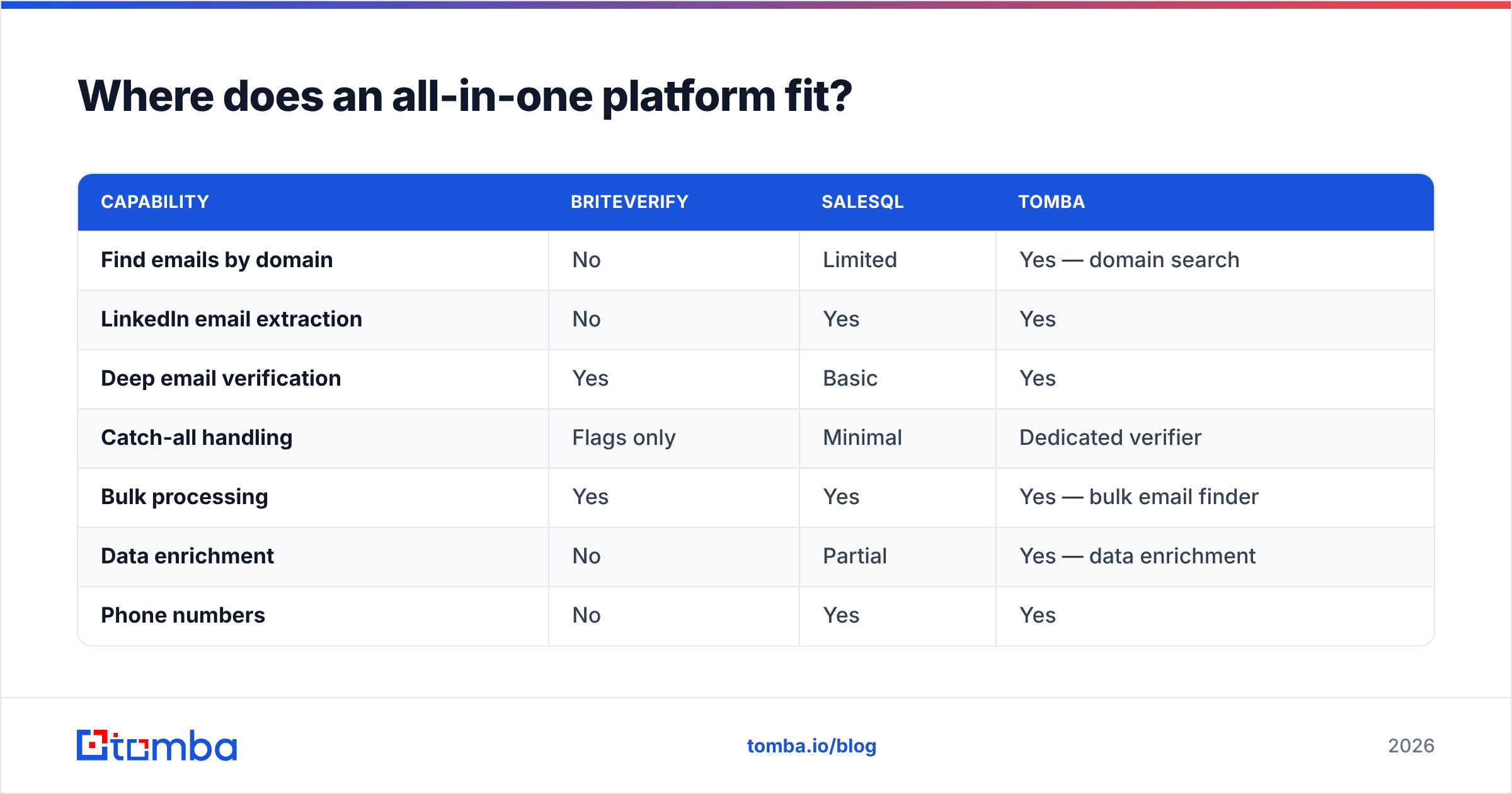
| Capability | BriteVerify | SalesQL | Tomba |
|---|---|---|---|
| Find emails by domain | No | Limited | Yes — domain search |
| LinkedIn email extraction | No | Yes | Yes |
| Deep email verification | Yes | Basic | Yes |
| Catch-all handling | Flags only | Minimal | Dedicated verifier |
| Bulk processing | Yes | Yes | Yes — bulk email finder |
| Data enrichment | No | Partial | Yes — data enrichment |
| Phone numbers | No | Yes | Yes |
| Starting price | ~$0.01/email | ~$39/mo | $49/mo (Free: 25/mo) |
The point is not that Tomba beats BriteVerify at raw verification depth on every edge case — Validity's verifier is mature and worth respecting. The point is consolidation: if you would otherwise buy SalesQL and a verifier and an enrichment add-on, one platform with a shared credit pool is usually cheaper and far less annoying to operate.
For LinkedIn-heavy teams specifically, the relevant head-to-head is finder-vs-finder. Tools like SalesQL, Wiza, and ContactOut all play in that space, and the Tomba email finder competes directly while folding verification in by default.
Which should you choose?#
Match the tool to the gap in your pipeline:
- Choose BriteVerify if your only problem is dirty lists. You already have contacts, you just need them scrubbed before sends, and you verify in occasional batches. Its pay-as-you-go model and verification depth are hard to beat for pure hygiene.
- Choose SalesQL if LinkedIn is your prospecting engine and you need a fast extension to turn profiles into contacts — and you accept that you will verify the output elsewhere.
- Choose an all-in-one (Tomba) if you are doing both finding and verifying, hate juggling separate bills, and want enrichment and phone data without bolting on a third vendor.
Be honest about which one you are. Most growing outbound teams discover they are the third case after a quarter of stitching the first two together.
For deeper vendor research, Validity's own documentation (validity.com) covers BriteVerify's verification specifics, and review aggregators like G2 and Capterra carry verified user feedback on both tools — worth a scan before you commit budget.
The bottom line#
BriteVerify and SalesQL are not really rivals; they are two pieces of the same machine. SalesQL finds the email, BriteVerify confirms it can be reached. Run only one and you either send to addresses that bounce or you never get the addresses at all.
If you would rather not assemble that machine from parts, start with a platform that ships every piece together. The Tomba Email Finder locates verified professional emails by name, domain, or company — and pairs each result with built-in verification, catch-all handling, and enrichment, all from one credit pool. Spin up the Free tier (25 searches a month, no card) and run your next list through it before you pay for two subscriptions to do one job.
Ready to find emails that actually work?
Join 150,000+ professionals who stopped guessing and started sending. Free credits on signup — no credit card required.
Get the Tomba newsletter
Practical outbound tactics and product updates — once every two weeks.
About the author