BriteVerify vs SignalHire 2026: Which Email Tool Wins?
BriteVerify verifies lists; SignalHire finds contacts. We compare accuracy, pricing, and use cases head-to-head so you pick the right tool in 2026 — plus a cheaper finder-plus-verifier combo.
You typed "BriteVerify vs SignalHire" into a search box because you have a list problem or a contact problem — and you are not sure which tool solves yours. Here is the short answer before the deep dive.
TL;DR
- BriteVerify is an email verifier. It cleans lists you already have. It does not find new contacts.
- SignalHire is a contact finder. It surfaces emails and phone numbers from profiles, then verifies them as a secondary feature.
- They barely compete. Picking "the winner" is the wrong question — the right one is find versus clean.
- Pricing models differ wildly: BriteVerify charges per verification ($0.01/email and down), SignalHire sells monthly credit packs starting around $49/mo.
- If you need both find and verify in one bill, a combined platform like Tomba usually undercuts running two vendors.
What is BriteVerify and what does it actually do?#
BriteVerify, owned by Validity, is a pure email verification service. You upload a list — exports from a CRM, a webform, an old newsletter database — and BriteVerify tells you which addresses are deliverable, which are invalid, which are role accounts (info@, sales@), and which are risky catch-alls.
Think of it as a spell-checker for your contact list. It does not write new sentences; it flags the broken ones. That focus is its strength. BriteVerify is fast, real-time API-friendly, and trusted by marketing teams who care about protecting email deliverability before a big send.
What it deliberately does not do: prospecting. There is no "find the VP of Marketing at Acme" function. If your list is empty, BriteVerify has nothing to chew on.
What is SignalHire and how is it different?#
SignalHire is a contact-finding platform built for recruiters and sales teams. You search by name, company, LinkedIn profile, or job criteria, and it returns work emails, personal emails, and phone numbers. It runs a verification step on the contacts it surfaces, but verification is a byproduct, not the product.
In the restaurant analogy: SignalHire is the kitchen that sources ingredients and cooks the dish. BriteVerify is the health inspector who checks the dish is safe to serve. You can hire the inspector, but the inspector will not cook for you.
SignalHire's draw is the combination of email and phone discovery plus a browser extension that works over LinkedIn. Its weakness is that bulk verification of a large existing list — BriteVerify's home turf — is not what it is tuned for.

BriteVerify vs SignalHire: the core difference#
Here is the distinction that should drive your decision, laid out as the job each tool is hired to do:
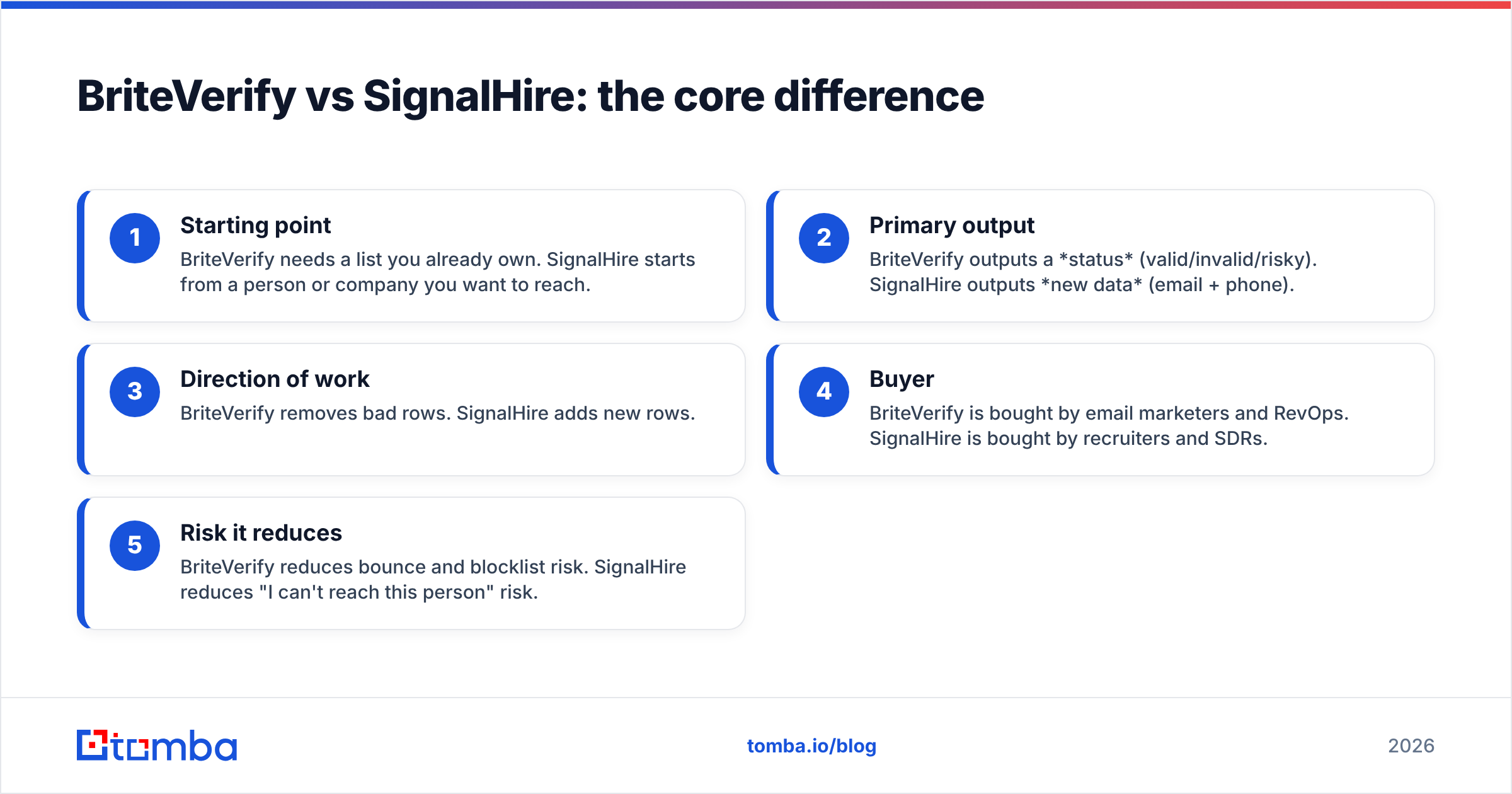
- Starting point — BriteVerify needs a list you already own. SignalHire starts from a person or company you want to reach.
- Primary output — BriteVerify outputs a status (valid/invalid/risky). SignalHire outputs new data (email + phone).
- Direction of work — BriteVerify removes bad rows. SignalHire adds new rows.
- Buyer — BriteVerify is bought by email marketers and RevOps. SignalHire is bought by recruiters and SDRs.
- Risk it reduces — BriteVerify reduces bounce and blocklist risk. SignalHire reduces "I can't reach this person" risk.
If you read those five points and thought "I need both," you have just discovered why so many teams end up paying two subscriptions — and why a single platform that does email finding and email verification together can be the cheaper path.
How do BriteVerify and SignalHire compare on features?#
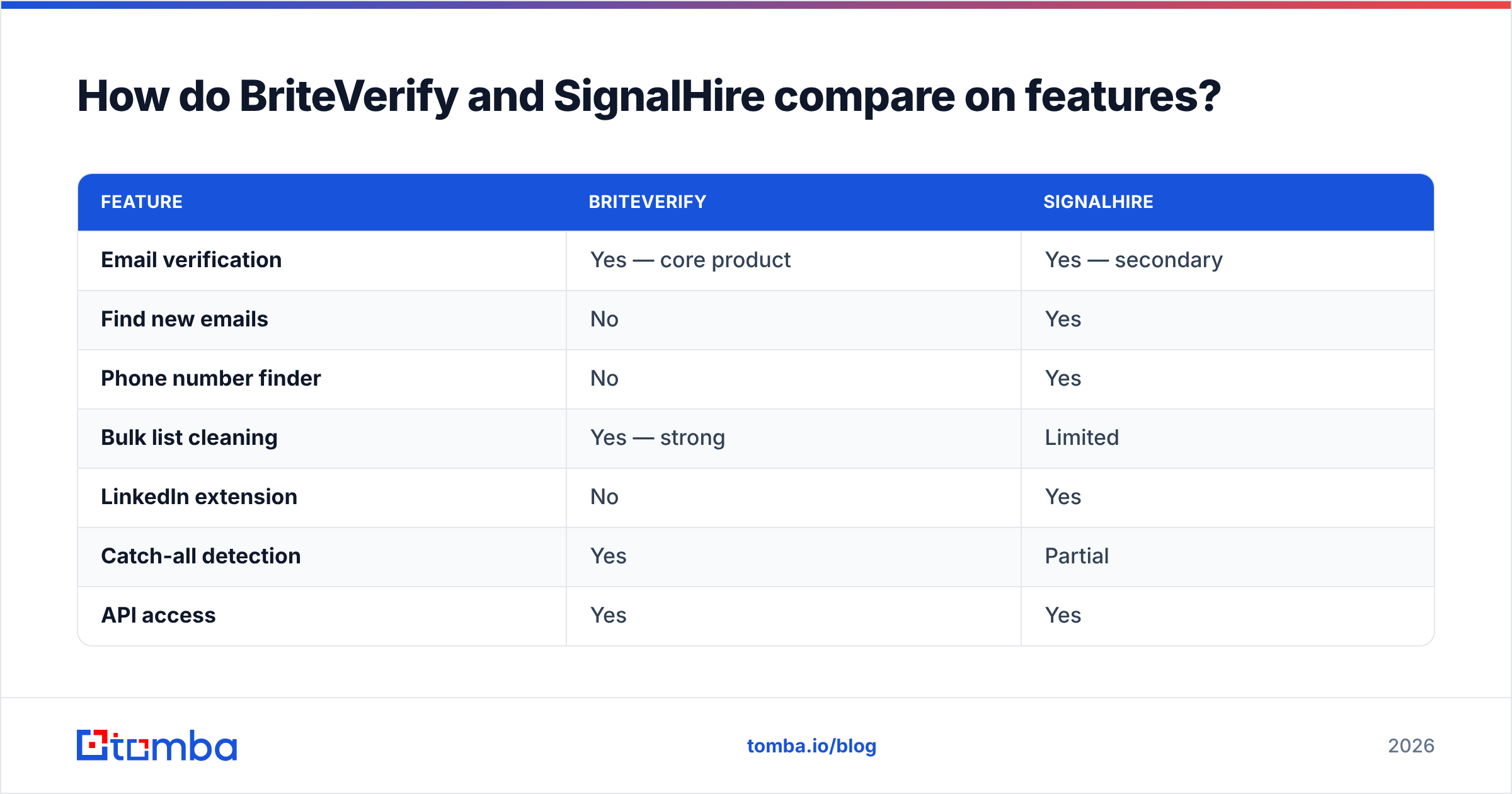
| Feature | BriteVerify | SignalHire |
|---|---|---|
| Email verification | Yes — core product | Yes — secondary |
| Find new emails | No | Yes |
| Phone number finder | No | Yes |
| Bulk list cleaning | Yes — strong | Limited |
| LinkedIn extension | No | Yes |
| Catch-all detection | Yes | Partial |
| API access | Yes | Yes |
| Real-time form validation | Yes | No |
| Best for | Cleaning existing lists | Sourcing new contacts |
The table makes the overlap obvious: only the verification row is shared, and even there the depth differs. BriteVerify treats verification as the whole job. SignalHire treats it as a confidence stamp on data it just found.
How does pricing compare?#
This is where the two tools feel like they come from different planets, because their pricing models are not even the same shape.
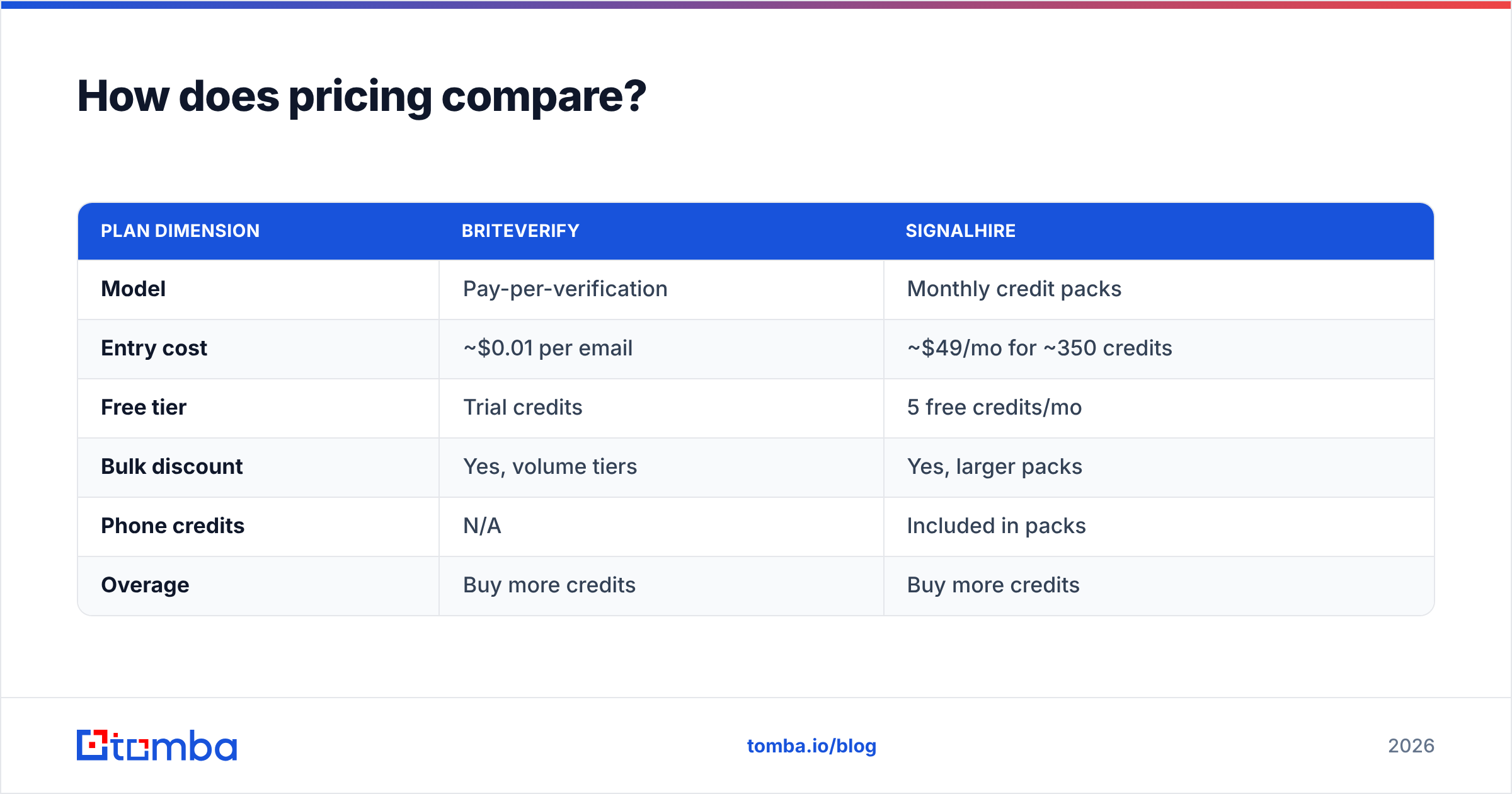
| Plan dimension | BriteVerify | SignalHire |
|---|---|---|
| Model | Pay-per-verification | Monthly credit packs |
| Entry cost | ~$0.01 per email | ~$49/mo for ~350 credits |
| Free tier | Trial credits | 5 free credits/mo |
| Bulk discount | Yes, volume tiers | Yes, larger packs |
| Phone credits | N/A | Included in packs |
| Overage | Buy more credits | Buy more credits |
BriteVerify's per-email pricing is great if you verify infrequently — a one-time scrub of 20,000 contacts costs roughly $200 and you walk away. SignalHire's subscription suits steady monthly prospecting where you burn credits every week.
The hidden cost shows up when you need both jobs done. Running SignalHire to find contacts and BriteVerify to deep-clean them means two logins, two invoices, and two data-quality standards to reconcile. For comparison, Tomba pricing bundles finding and verifying: a Free tier (25 searches/mo), Starter at $49/mo, Growth at $99/mo, and Pro at $249/mo — one bill for both jobs.

Which tool is more accurate?#
Accuracy means different things for each tool, so compare them on their own turf.
For verification accuracy, BriteVerify is excellent. It has years of mailbox-level signal and is conservative about marking addresses valid, which keeps bounce rates low. SignalHire's verification is decent for the contacts it finds but is not built to grade a giant imported list with the same rigor.
For find rate — what percentage of the people you search for return a usable email — SignalHire competes with the dedicated finders, but coverage varies by region and seniority. A pure email finder with broad data sources will often match or beat a finder-plus-verifier hybrid on raw hit rate.

The takeaway: do not assume one tool's strength transfers to the other's job. A great verifier is not automatically a great finder, and vice versa. When accuracy matters on both axes, evaluate them separately, then pick the stack — not the single tool — that wins both.
When should you choose BriteVerify?#
Pick BriteVerify when:
- You already have the list. Webform signups, a dormant newsletter, a CRM export — anything that needs cleaning before a send.
- Deliverability is the priority. You are protecting sender reputation ahead of a campaign and want the most conservative valid/invalid call.
- You want real-time validation on signup forms to stop typos and disposable addresses at the door.
- You verify in bursts, not continuously, so pay-per-email beats a subscription.
BriteVerify is the wrong choice if your list is empty or thin. It cannot prospect, and no amount of configuration changes that.
When should you choose SignalHire?#
Pick SignalHire when:
- You need phone numbers, not just email. SignalHire's phone discovery is a genuine differentiator for callers and recruiters.
- You live in LinkedIn. The extension fits a profile-by-profile sourcing workflow.
- You are recruiting and need multiple contact channels per candidate.
- Monthly, steady prospecting matches a credit subscription better than per-unit billing.
SignalHire is overkill if all you have is a stale list to scrub — you would be paying for find capacity you never use.
Is there a tool that does both find and verify?#
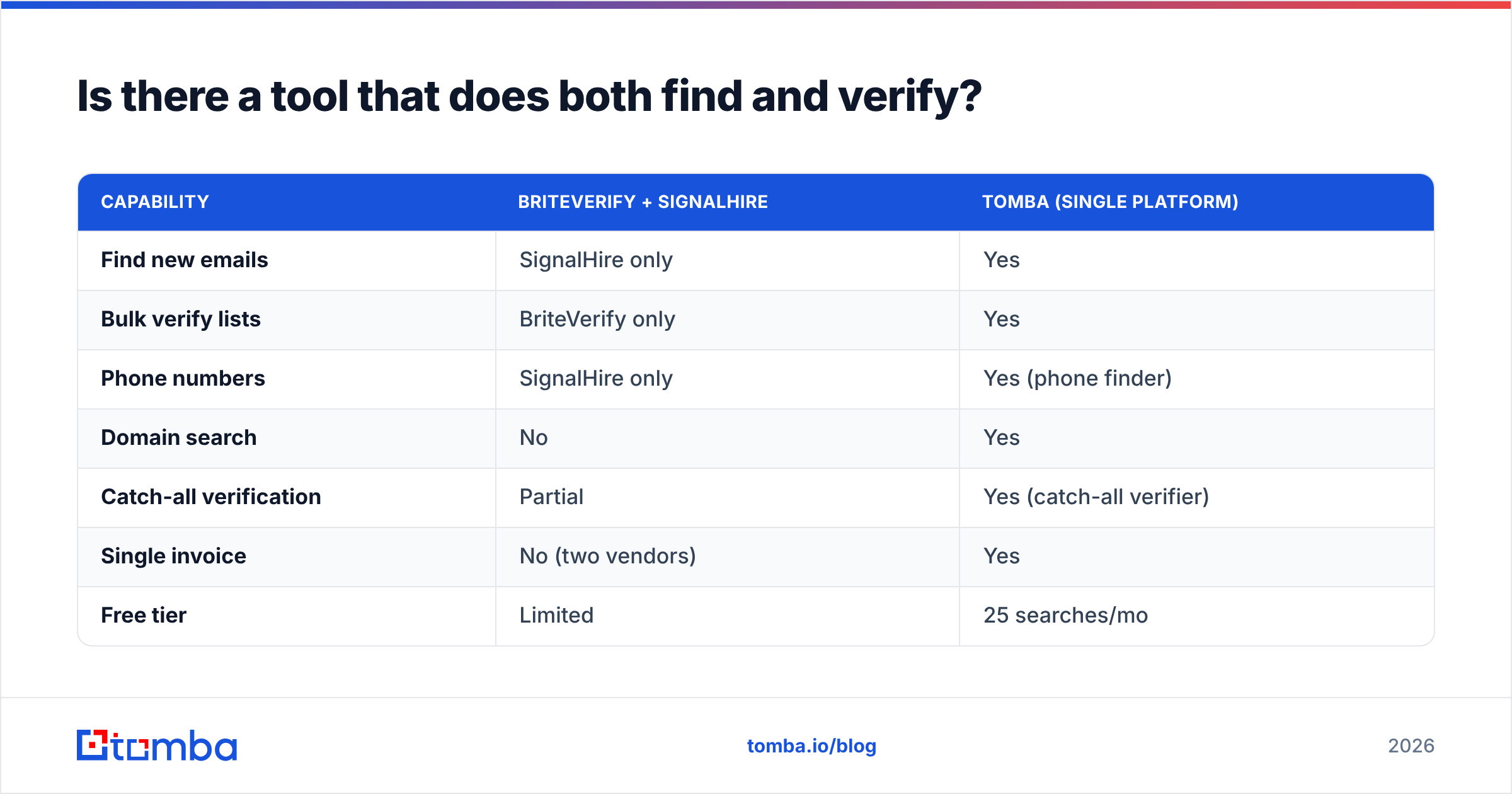
Yes — and for most B2B teams, that is the actual answer to "BriteVerify vs SignalHire." If you genuinely need to find contacts and clean lists, buying a finder and a verifier separately is two bills for one workflow.
A combined platform handles the full motion: find emails by domain, enrich and verify them, and export clean. Here is how a unified approach stacks up against running the two specialists side by side:
| Capability | BriteVerify + SignalHire | Tomba (single platform) |
|---|---|---|
| Find new emails | SignalHire only | Yes |
| Bulk verify lists | BriteVerify only | Yes |
| Phone numbers | SignalHire only | Yes (phone finder) |
| Domain search | No | Yes |
| Catch-all verification | Partial | Yes (catch-all verifier) |
| Single invoice | No (two vendors) | Yes |
| Free tier | Limited | 25 searches/mo |
| Starting price | ~$49/mo + per-email | $49/mo all-in |

Tools like Tomba, Apollo, and others in the G2 lead-intelligence category collapse the find-and-verify split into one workflow. That is not a knock on BriteVerify or SignalHire — both are good at their narrow jobs. It is a budgeting reality: two specialists usually cost more than one generalist that covers the same ground.
How do you decide in practice?#
Run this quick triage:
- Only cleaning a list? BriteVerify. Done.
- Only finding contacts + phones, LinkedIn-heavy? SignalHire.
- Both finding and verifying, on one budget? A combined platform — Tomba, or another finder-plus-verifier — almost always wins on total cost.
- High-volume API workflow? Compare the email verification API options on per-call price and rate limits, not just the marketing page.
The mistake teams make is forcing one tool to do the other's job. BriteVerify will never prospect. SignalHire will never be your bulk-list deliverability gatekeeper at BriteVerify's depth. Match the tool to the verb — find or clean — and the choice becomes obvious.
One more practical note: whatever you pick, run a verification pass before any cold campaign. Even freshly found emails decay, and a quick verify-emails step is the cheapest insurance against a bounce spike that tanks your sender reputation.
Final verdict: BriteVerify vs SignalHire#
There is no single winner because these tools answer different questions. BriteVerify wins if your only job is cleaning a list you already own. SignalHire wins if your job is sourcing new emails and phone numbers, especially from LinkedIn. The "versus" framing only holds for the sliver of verification they both touch — and there, BriteVerify is the deeper specialist.
But if you scrolled this far, you probably need both halves of the job. That is the real decision: two specialist subscriptions, or one platform that finds and verifies on a single bill.
If that is you, start with the Tomba Email Finder. The free tier gives you 25 searches a month to test hit rate on your own target accounts, built-in verification means you skip the separate cleaning step, and the $49/mo Starter plan covers both find and verify for less than running two tools. Find the contact, confirm it is deliverable, export — one workflow, one login, one invoice.
// get started
Find, verify and enrich your first contacts today
Start on the free plan with 25 searches a month, then scale when your team is ready.
Free plan · No credit card required · GDPR & CCPA
// about the author