BriteVerify vs UpLead 2026: Email Verifier vs Lead Database
BriteVerify verifies emails. UpLead builds lead lists. So which do you actually need in 2026? A side-by-side breakdown of pricing, accuracy, and where one tool can do both.
You are comparing two tools that barely overlap. That is the first thing to get straight before you spend a dollar on either one.
BriteVerify is an email verification service. You feed it a list, it tells you which addresses are deliverable. UpLead is a B2B prospecting database. You search it for companies and contacts, and it hands you new leads. One cleans what you already have; the other finds what you do not. Buying the wrong one means either a clean list with no one new on it, or a giant list of leads you never confirmed are real.
This post breaks down where each tool wins, what they cost in 2026, and why a growing number of teams skip the two-tool tax by using a single platform that finds and verifies in one pass.
TL;DR#
- BriteVerify (by Validity) is a pure email verification tool — accurate, simple, pay-as-you-go, but it does not find new contacts.
- UpLead is a B2B contact database with 160M+ records and real-time email verification baked into its lookups, but it is a data subscription, not a list-cleaning service for your existing CRM.
- They solve different problems: verification vs. discovery. Many teams end up paying for both.
- Pricing favors BriteVerify for one-off list cleaning and UpLead for ongoing prospecting volume.
- If you want finding + verification in one tool, a platform like Tomba covers both workflows starting at $49/mo, with a free tier to test first.
What is BriteVerify and what does it actually do?#
BriteVerify is an email verification product owned by Validity. Its job is narrow and it does that job well: you upload a list of email addresses, and it returns a status for each one — valid, invalid, accept-all (catch-all), or unknown. It also validates phone numbers and postal addresses as add-ons.
Think of BriteVerify like a bouncer checking IDs at the door. It does not bring guests to your party; it only tells you which of the people already in line are real. That distinction matters. BriteVerify assumes you already have a list — exported from your CRM, scraped from a webinar signup, or bought from somewhere else.
Its strengths are accuracy and simplicity. The interface is plain, the API is stable, and the pay-as-you-go credit model means you are not locked into a subscription. Validity's broader reputation and deliverability suite (Everest, GridBuffer) gives BriteVerify enterprise credibility that smaller verifiers lack.

The weakness is the flip side of that focus: BriteVerify will never tell you the email of a VP of Marketing you have not met yet. It cannot enrich a thin record. It is a finishing tool, not a sourcing tool.
What is UpLead and how is it different?#
UpLead is a B2B database and prospecting platform. You search by industry, title, company size, technology used, location, and dozens of other filters, then pull verified contact records — name, email, phone, company, LinkedIn — into your CRM or a CSV.
If BriteVerify is the bouncer, UpLead is the talent agency that actually books the guests. Its core value is discovery: turning "I want HR directors at 50–200 person SaaS companies in Texas" into a list of real people you can email today.
UpLead's headline feature is real-time verification at the point of export. Instead of cleaning a list after the fact, it checks each email as you download it, so the leads land already validated. That blurs the line with BriteVerify — UpLead does some of what BriteVerify does, but only on contacts pulled from its own database. It will not verify a random list you bring from elsewhere.
For data coverage, UpLead advertises 160M+ contacts and strong intent-data and technographic layers. That makes it a B2B data play, competing more with ZoomInfo and Apollo than with a verifier.
BriteVerify vs UpLead: the core difference at a glance#
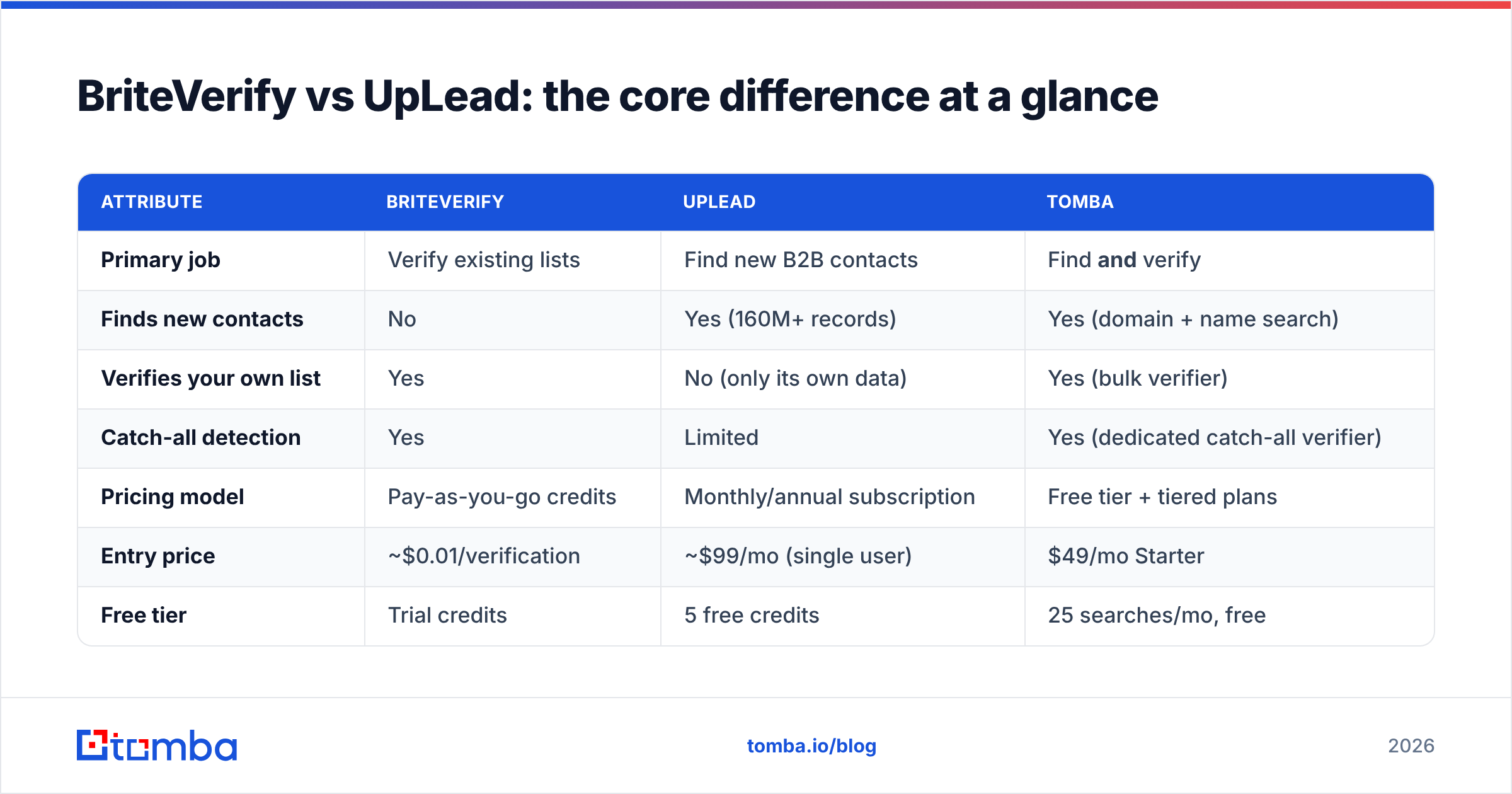
Here is the comparison that actually decides your purchase. Read the "Primary job" row first — everything else follows from it.
| Attribute | BriteVerify | UpLead | Tomba |
|---|---|---|---|
| Primary job | Verify existing lists | Find new B2B contacts | Find and verify |
| Finds new contacts | No | Yes (160M+ records) | Yes (domain + name search) |
| Verifies your own list | Yes | No (only its own data) | Yes (bulk verifier) |
| Catch-all detection | Yes | Limited | Yes (dedicated catch-all verifier) |
| Pricing model | Pay-as-you-go credits | Monthly/annual subscription | Free tier + tiered plans |
| Entry price | ~$0.01/verification | ~$99/mo (single user) | $49/mo Starter |
| Free tier | Trial credits | 5 free credits | 25 searches/mo, free |
| Best for | List hygiene before send | Building net-new pipeline | Teams wanting one tool |
The pattern is clear. BriteVerify and UpLead are not really rivals — they sit on opposite ends of the same workflow. The "vs" in briteverify vs uplead is mostly a sign that you have not yet decided which problem you are solving.
)
Which problem are you actually solving?#
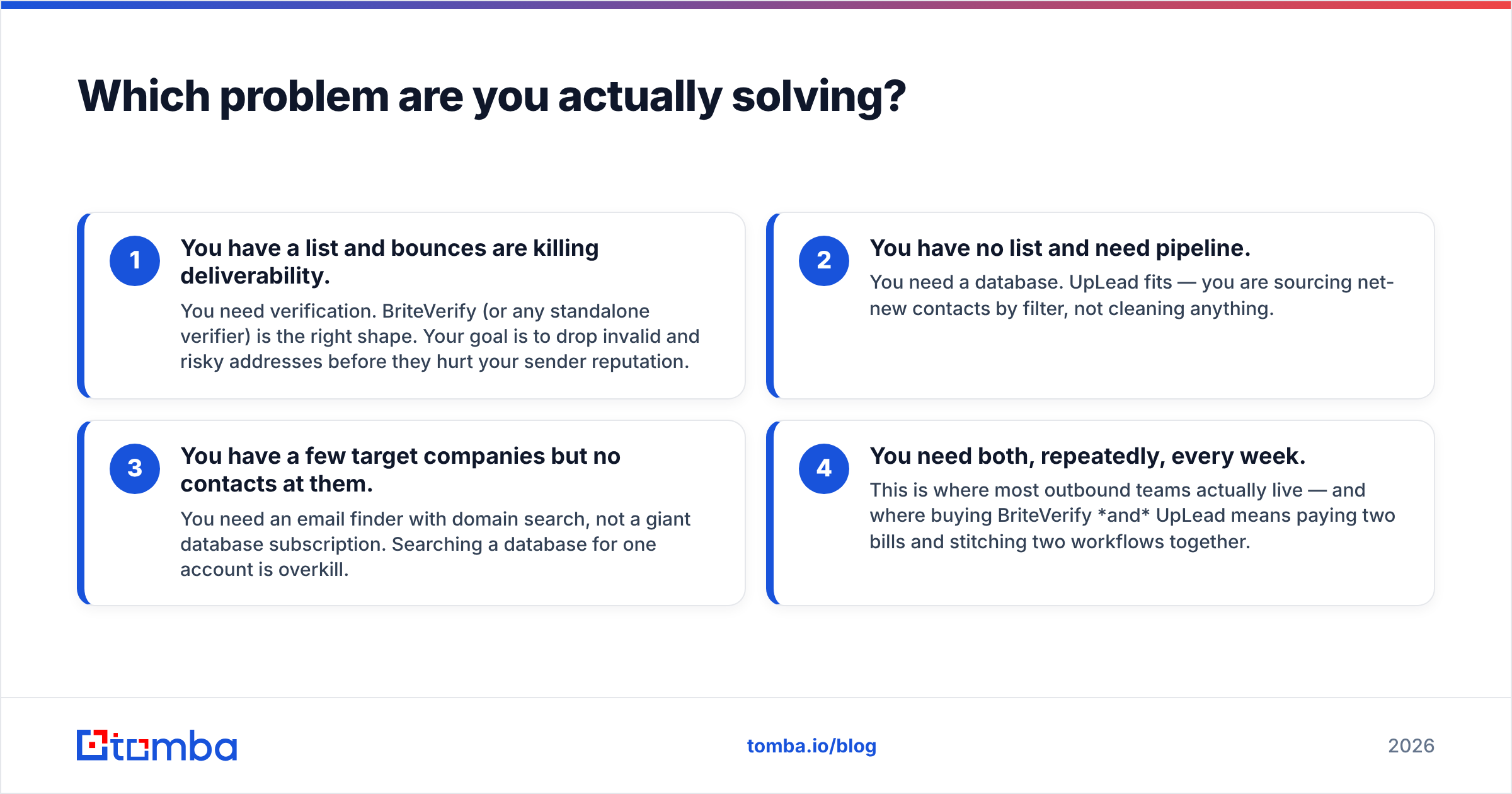
Pick your row, not your brand. Use this to map your situation to the right category of tool.
- You have a list and bounces are killing deliverability. You need verification. BriteVerify (or any standalone verifier) is the right shape. Your goal is to drop invalid and risky addresses before they hurt your sender reputation.
- You have no list and need pipeline. You need a database. UpLead fits — you are sourcing net-new contacts by filter, not cleaning anything.
- You have a few target companies but no contacts at them. You need an email finder with domain search, not a giant database subscription. Searching a database for one account is overkill.
- You need both, repeatedly, every week. This is where most outbound teams actually live — and where buying BriteVerify and UpLead means paying two bills and stitching two workflows together.
That fourth case is the one the "vs" framing hides. If your real answer is "both," the smarter question is whether one tool can do the whole loop.
How much do BriteVerify and UpLead cost in 2026?#
Pricing is where the two tools diverge most, because they are sold on different units. BriteVerify sells verifications. UpLead sells access plus credits.
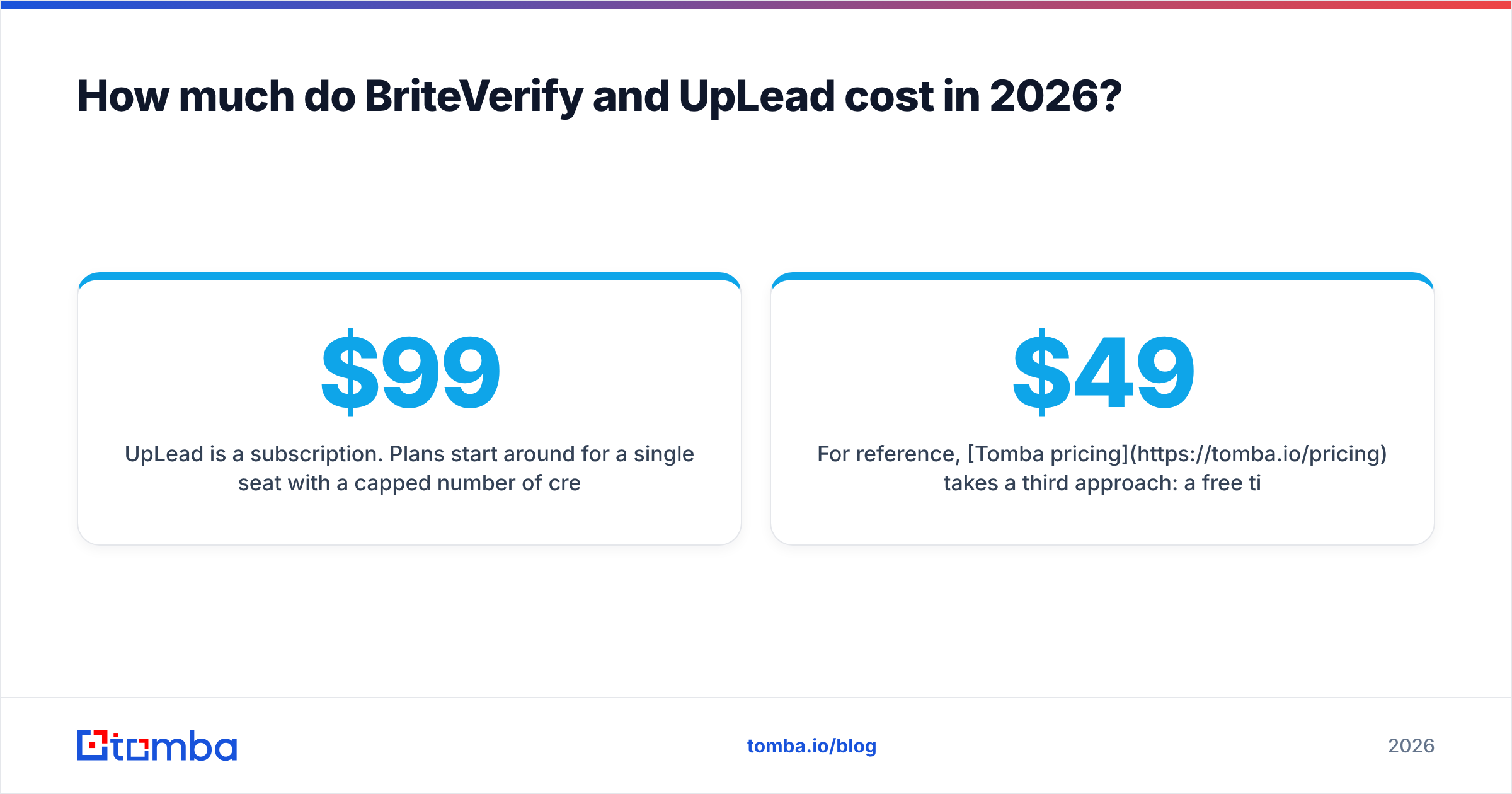
BriteVerify uses pay-as-you-go pricing — roughly a cent per verification, dropping at volume, with no forced monthly commitment. That is ideal if you clean a list once a quarter. It gets expensive only at very large recurring volumes, where a subscription verifier may be cheaper per address.
UpLead is a subscription. Plans start around $99/mo for a single seat with a capped number of credits (one credit ≈ one revealed contact), scaling up through team and professional tiers with more credits, API access, and advanced filters. Annual billing discounts the monthly rate. Because credits reset monthly, UpLead rewards steady prospecting and punishes occasional use — unused credits generally do not roll over indefinitely.
For reference, Tomba pricing takes a third approach: a free tier (25 searches/mo), then Starter at $49/mo, Growth at $99/mo, and Pro at $249/mo, where each plan covers both finding and verification from the same credit pool. So a team that would otherwise buy UpLead for discovery and BriteVerify for hygiene can compare that combined spend against a single plan.
)
Is BriteVerify more accurate than UpLead?#
For verifying an arbitrary list, yes — that is BriteVerify's entire job, and it is good at catch-all detection and SMTP-level checks. For the accuracy of net-new contacts, UpLead is the relevant tool, since BriteVerify has no contacts of its own to be accurate about.
The honest answer: you cannot directly compare their accuracy because they measure different things. BriteVerify's accuracy is "did I correctly classify this address you gave me?" UpLead's accuracy is "is this contact I sourced still real and reachable?" Both vendors publish high accuracy claims; treat both with the usual skepticism and test on your own data.
What actually erodes accuracy in practice is the catch-all problem. Catch-all domains accept every address at the SMTP layer, so a basic check returns "valid" even when the mailbox does not exist. BriteVerify flags these as accept-all but cannot resolve them further. If a meaningful slice of your list is catch-all, you want a dedicated catch-all verifier that probes deeper rather than a binary pass/fail. This is a common blind spot when teams assume "verified" means "guaranteed deliverable."
Independent reviews on G2 are worth scanning before you commit — sort by recent reviews and filter for your company size, because enterprise and SMB experiences with both tools differ sharply.
Can one tool replace both BriteVerify and UpLead?#
Yes, for most outbound and lead-gen teams — and that is increasingly the point. The two-tool stack (database for finding + verifier for cleaning) made sense when no single product did both well. In 2026, several platforms close that gap.
A combined email finder and verifier handles the full loop: you find a contact by name and company, the platform sources the most likely address, verifies it in the same step, and flags catch-alls before you ever hit send. No CSV hand-off between two vendors, no double billing, no reconciling two different "verified" definitions.
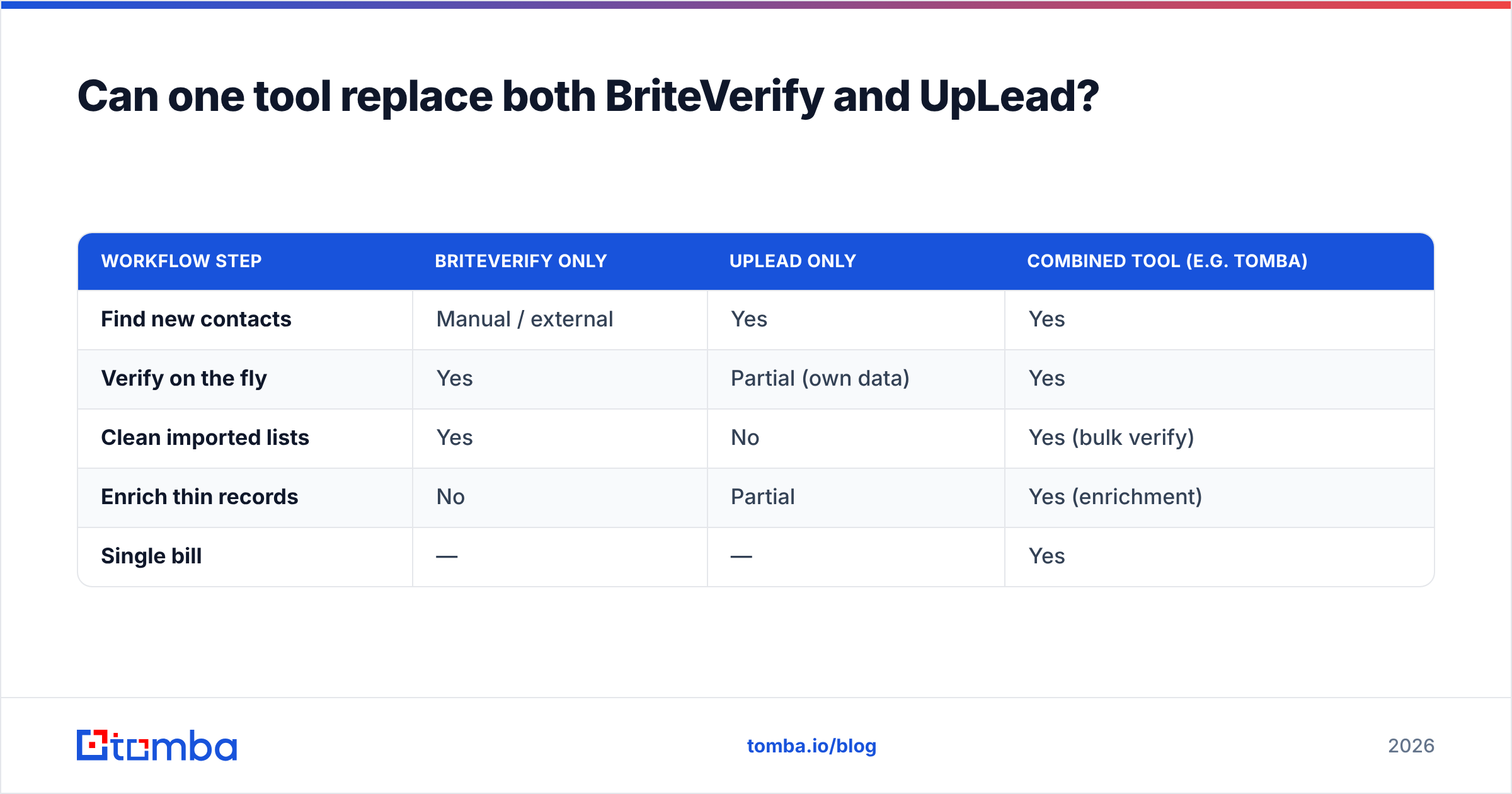
Here is how the three approaches stack up for a typical outbound workflow:
| Workflow step | BriteVerify only | UpLead only | Combined tool (e.g. Tomba) |
|---|---|---|---|
| Find new contacts | Manual / external | Yes | Yes |
| Verify on the fly | Yes | Partial (own data) | Yes |
| Clean imported lists | Yes | No | Yes (bulk verify) |
| Enrich thin records | No | Partial | Yes (enrichment) |
| Single bill | — | — | Yes |
The trade-off is real: a specialist tool like BriteVerify may edge out a generalist on pure verification depth, and UpLead's database filters are deep. If verification accuracy on huge third-party lists is your only job, a standalone verifier still earns its place. But if you are doing both jobs, paying and integrating twice rarely pays off.
What should you choose?#
Decide by your dominant motion, not by feature checklists.
- Choose BriteVerify if you mostly clean lists you already own, prefer pay-as-you-go over subscriptions, and do not need to source new contacts. It is the cleanest standalone verifier for that narrow job.
- Choose UpLead if your bottleneck is finding people, you prospect steadily every month, and you value deep firmographic and technographic filters in a database you query repeatedly.
- Choose a combined platform if you find and verify regularly and are tired of paying two vendors. This is where most outbound and SDR teams actually sit.
Whatever you pick, test on your own data before committing budget. A free trial on a real segment of your list tells you more than any vendor benchmark.
Find and verify in one place with Tomba#
If your honest answer to "which problem am I solving" is both, stop paying the two-tool tax. The Tomba Email Finder finds professional emails by domain, name, or company and verifies them in the same step — so you get net-new contacts that are already deliverable, plus a bulk email verifier for the lists you bring from elsewhere and a dedicated catch-all verifier for the addresses other tools mark "unknown." Start on the free tier with 25 searches a month, then scale from $49/mo when the pipeline proves itself. One bill, one workflow, finding and cleaning in a single pass.
Ready to find emails that actually work?
Join 150,000+ professionals who stopped guessing and started sending. Free credits on signup — no credit card required.
Get the Tomba newsletter
Practical outbound tactics and product updates — once every two weeks.
About the author