7 Best Browse AI Alternatives in 2026 (Compared & Ranked)
Browse AI is great for monitoring web pages, but it falls short when you need structured B2B contact data at scale. Here are 7 alternatives compared on price, accuracy, and use case for 2026.
Browse AI is a popular no-code web scraping and monitoring tool. But if you landed here, you've probably hit one of its walls: robot maintenance, brittle selectors, or the realization that scraping a page is not the same as getting clean, verified B2B contact data. This guide compares the seven best Browse AI alternatives for 2026 so you can pick the right tool for your actual job — not just the most popular one.
TL;DR#
- Browse AI is a monitoring tool, not a contact-data engine. It excels at watching pages for changes; it struggles when you need verified emails, firmographics, or structured lead lists.
- Best for developers: Apify and Bright Data give you raw scraping power and proxies, but you maintain the parsing logic yourself.
- Best for no-code automation: Octoparse and Zapier-style flows replicate Browse AI's ease without the robot babysitting.
- Best for B2B prospecting: If your end goal is reaching decision-makers, a data enrichment and email finder platform like Tomba skips scraping entirely and returns verified contacts via API.
- Price range: Free tiers exist across the board; serious volume runs $49–$499/mo depending on whether you're paying for scrape compute or finished data.
What is Browse AI and what is it actually good at?#
Browse AI lets you "train a robot" to extract data from a web page by pointing and clicking, then re-run that robot on a schedule. Think of it like a security camera pointed at a specific shelf in a store: it's excellent at telling you when something on that shelf changes — a price drop, a new job listing, a competitor's pricing page update.
That monitoring use case is where Browse AI genuinely shines. You can find its official capabilities on the Browse AI homepage. The problem starts when teams stretch it into jobs it was never built for: building lead lists, enriching CRM records, or pulling thousands of verified business emails. Robots break when sites change layout, captchas block runs, and the output is raw scraped text that still needs cleaning and verification.
So before you compare alternatives, get honest about your job-to-be-done. Are you monitoring pages, scraping structured data at scale, or building a list of people to sell to? Those are three different problems, and the best Browse AI alternative depends entirely on which one you have.
What are the main types of Browse AI alternatives?#
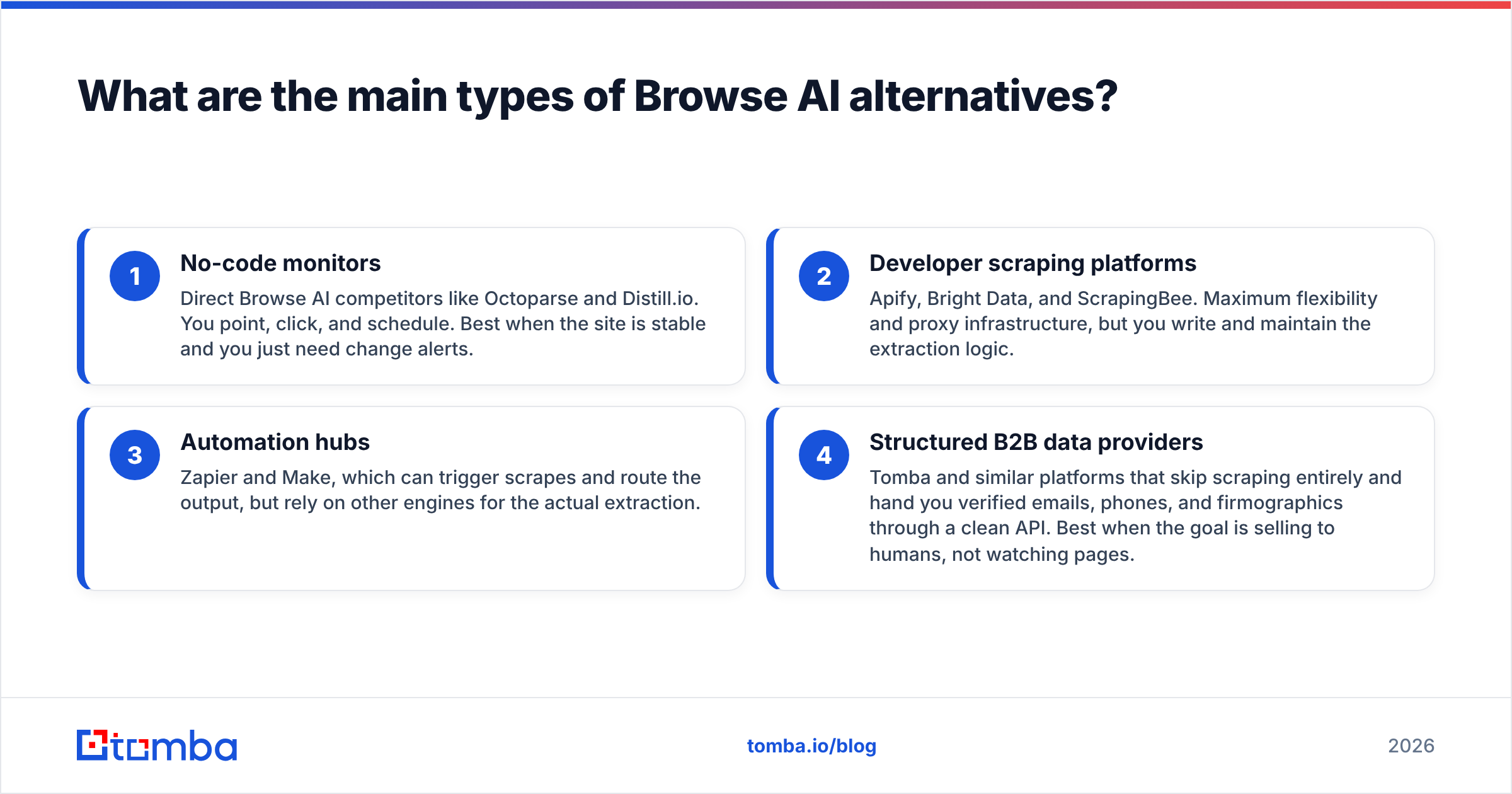
Not every alternative competes on the same axis. Here's how the landscape breaks down, with the highest-impact distinction first:
- No-code monitors — Direct Browse AI competitors like Octoparse and Distill.io. You point, click, and schedule. Best when the site is stable and you just need change alerts.
- Developer scraping platforms — Apify, Bright Data, and ScrapingBee. Maximum flexibility and proxy infrastructure, but you write and maintain the extraction logic.
- Automation hubs — Zapier and Make, which can trigger scrapes and route the output, but rely on other engines for the actual extraction.
- Structured B2B data providers — Tomba and similar platforms that skip scraping entirely and hand you verified emails, phones, and firmographics through a clean API. Best when the goal is selling to humans, not watching pages.
The mistake most teams make is choosing within category 1 or 2 when their real need lives in category 4. If you're scraping LinkedIn or company sites just to reverse-engineer contact emails, you're doing manually — and against terms of service — what a purpose-built domain search does cleanly in one call.
How do the top Browse AI alternatives compare?#
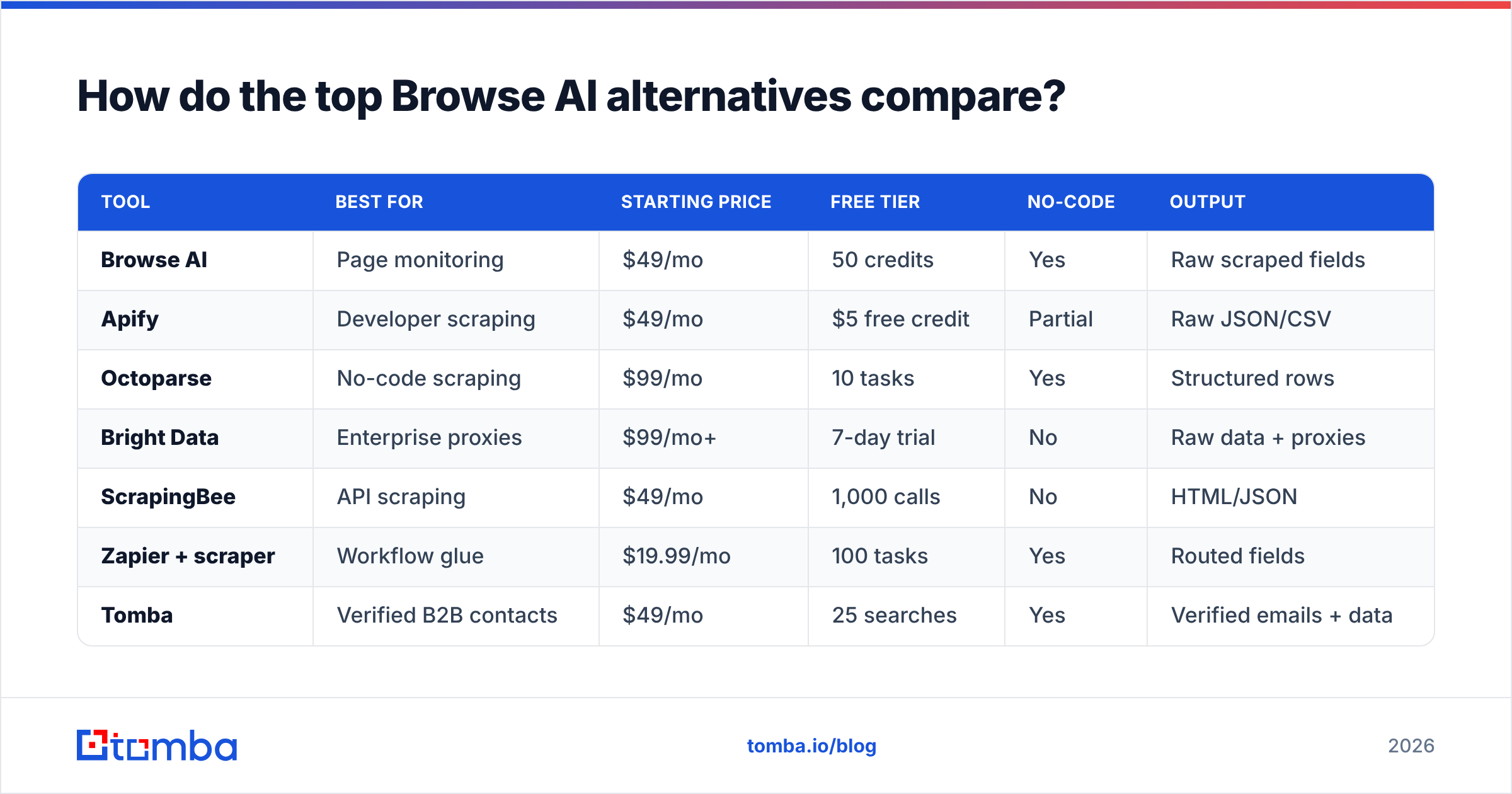
Here's a side-by-side look at the seven alternatives worth your attention in 2026. Pricing reflects published entry tiers; all figures are the vendor's lowest paid plan unless noted.
| Tool | Best for | Starting price | Free tier | No-code | Output |
|---|---|---|---|---|---|
| Browse AI | Page monitoring | $49/mo | 50 credits | Yes | Raw scraped fields |
| Apify | Developer scraping | $49/mo | $5 free credit | Partial | Raw JSON/CSV |
| Octoparse | No-code scraping | $99/mo | 10 tasks | Yes | Structured rows |
| Bright Data | Enterprise proxies | $99/mo+ | 7-day trial | No | Raw data + proxies |
| ScrapingBee | API scraping | $49/mo | 1,000 calls | No | HTML/JSON |
| Zapier + scraper | Workflow glue | $19.99/mo | 100 tasks | Yes | Routed fields |
| Tomba | Verified B2B contacts | $49/mo | 25 searches | Yes | Verified emails + data |
A few takeaways from the table:
- Entry prices cluster around $49/mo, but you're paying for different things. With Apify or ScrapingBee you pay for compute and successful requests. With Tomba you pay for finished, verified records — no parsing, no proxy rotation, no maintenance.
- Octoparse is the closest no-code clone of Browse AI's experience, but its lowest serious plan starts at $99/mo.
- Bright Data is overkill unless you're running enterprise-scale scraping with rotating residential proxies and a legal team to match.
You can cross-check current ratings for any of these on G2 before committing, since pricing and feature sets shift quarterly.
Is Apify a good Browse AI alternative?#
Apify is the strongest pick if you have developers and need flexibility. It's a marketplace of pre-built "Actors" (scrapers) plus the infrastructure to run your own. See the full platform on the Apify site. Where Browse AI gives you one robot per page, Apify gives you a programmable cloud where you can scrape, transform, and schedule anything.
The trade-off is ownership. Apify hands you raw capability; you own the parsing logic, the error handling, and the cleanup. When a target site changes its markup, your Actor breaks and you fix it. For an engineering team this is a fair deal. For a sales or marketing team that just wants leads, it's a part-time job nobody asked for.
Choose Apify when: you need custom extraction at scale and have engineering time to maintain it. Skip Apify when: your real deliverable is a list of verified contacts, not a pile of scraped HTML.
What if you actually need B2B contact data?#
Here's the realization most teams reach after a month of robot maintenance: they never wanted to scrape pages. They wanted to reach people. Scraping was just the awkward means to an end.

If your end goal is filling a pipeline, a structured data platform removes the entire scraping layer. Instead of building a robot to crawl a company's site and guess at email formats, you call an API with a domain and get back verified addresses, names, roles, and patterns. This is the gap between "I scraped a page" and "I have 200 verified decision-maker emails ready to import."
Tomba is built for exactly this end of the spectrum. A few capabilities that no scraping tool replicates cleanly:
- Email Finder — give it a name and company domain, get the verified professional email. No selectors, no breakage.
- Domain Search — pull every discoverable email pattern and contact for a company in one call.
- Verification built in — every result is checked against the mail server, so you're not exporting bounces.
- Bulk processing — upload a list of domains or names and enrich thousands of rows at once.
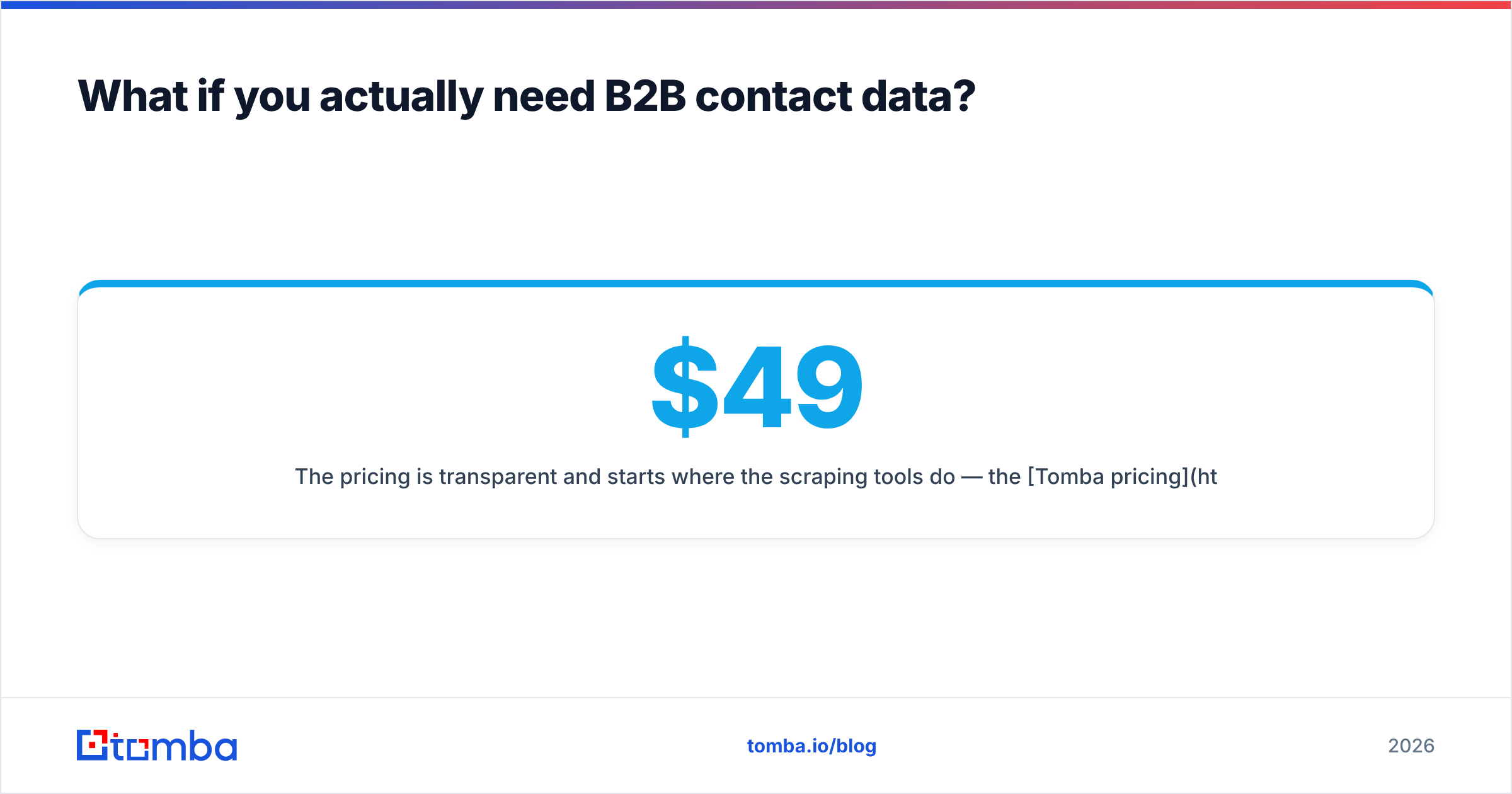
The pricing is transparent and starts where the scraping tools do — the Tomba pricing runs a Free tier (25 searches/mo), Starter at $49/mo, Growth at $99/mo, and Pro at $249/mo. The difference is what you get per dollar: finished, verified contacts instead of raw text you still have to validate.
Is no-code scraping (Octoparse) better than Browse AI?#
For pure no-code scraping, Octoparse is a legitimate upgrade path. It handles more complex flows than Browse AI — pagination, infinite scroll, dropdowns — without code, and it outputs cleaner structured rows.
But it inherits the same fundamental fragility. Any visual scraper is coupled to the target site's DOM. When the site redesigns, your task breaks, and you're back in the editor re-pointing fields. Octoparse softens this with auto-detection and cloud runs, but it doesn't eliminate the maintenance tax — it just makes the tax slightly cheaper.
The honest framing: Octoparse is a better Browse AI, not a different category. If you're committed to scraping, it's a fine choice. If you're scraping only because you didn't know contact data was available via API, it's solving the wrong problem more efficiently.
How do I choose the right Browse AI alternative?#
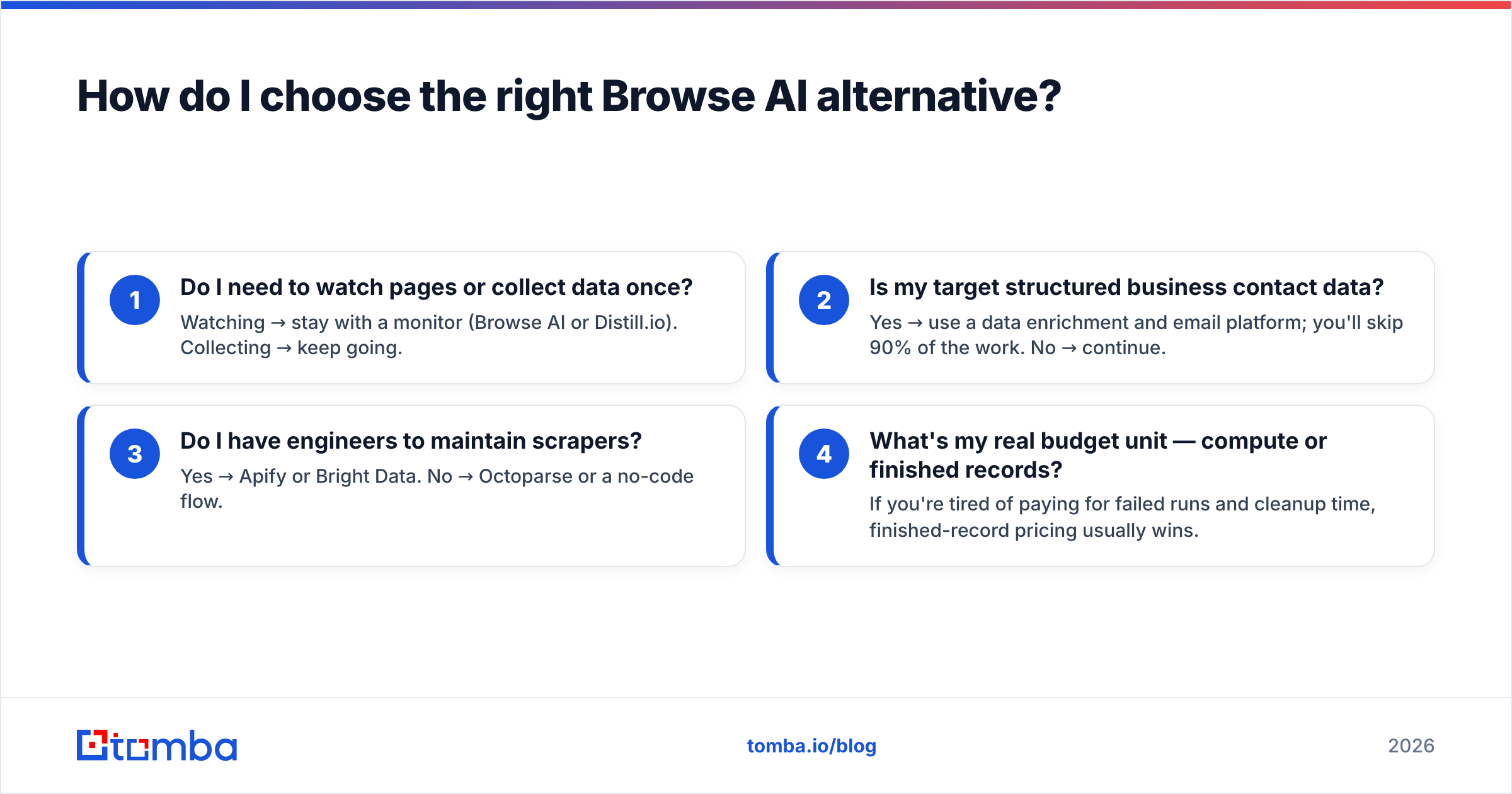
Work backward from your output, not forward from the tool. Ask these in order:
- Do I need to watch pages or collect data once? Watching → stay with a monitor (Browse AI or Distill.io). Collecting → keep going.
- Is my target structured business contact data? Yes → use a data enrichment and email platform; you'll skip 90% of the work. No → continue.
- Do I have engineers to maintain scrapers? Yes → Apify or Bright Data. No → Octoparse or a no-code flow.
- What's my real budget unit — compute or finished records? If you're tired of paying for failed runs and cleanup time, finished-record pricing usually wins.
Most B2B teams who arrive at Browse AI for "lead scraping" actually answer "yes" to question 2 — which means the right tool was never a scraper at all. Pair an email finder with your CRM through Tomba's integrations and the scraping step disappears from your workflow entirely.
Frequently asked questions#
Is Browse AI free? Browse AI offers a limited free tier with around 50 credits, then paid plans start near $49/mo. Most alternatives, including Tomba's Free tier (25 searches/mo), offer something to test before you pay.
Can I use Browse AI to find email addresses? Only indirectly, by scraping pages that happen to display emails — which is brittle and often against site terms. A dedicated email finder returns verified addresses directly and legally, with no scraping required.
What's the best Browse AI alternative for non-developers? For no-code scraping, Octoparse. For no-code B2B contact data, Tomba — point it at a domain or name and skip the robot-building entirely.
Do these tools handle data verification? Most scrapers do not; they return raw text. Platforms built for contact data verify each record against the mail server before returning it, so you don't export bounces.
The bottom line#
Browse AI is a sharp tool for the narrow job of monitoring web pages. The moment your goal shifts to collecting verified B2B contacts, you've outgrown it — and most scraping alternatives just hand you the same maintenance burden in a new wrapper.
If what you actually need is decision-maker emails ready to import and send, stop scraping and start finding. Try the Tomba Email Finder free — 25 searches a month, verified results, no robots to babysit. Point it at a domain, get clean contacts, and put the maintenance tax behind you for good.
// get started
Find, verify and enrich your first contacts today
Start on the free plan with 25 searches a month, then scale when your team is ready.
Free plan · No credit card required · GDPR & CCPA
// about the author