11 Best BuiltWith Alternatives for Tech Lookup in 2026
BuiltWith is great at telling you what a site runs on, but weak at telling you who to email. Here are 11 BuiltWith alternatives that turn technographics into pipeline in 2026.

You opened BuiltWith to answer one question — "what is this site built on?" — and walked away with a Shopify badge, a Klaviyo tag, and absolutely no way to email the person who chose them. That gap is why people go looking for BuiltWith alternatives.
This guide compares 11 of them on the only things that matter: technographic depth, data freshness, how they price, and whether they actually hand you a contact at the end. No filler, just the trade-offs.
TL;DR#
- BuiltWith is a technology lookup tool, not a prospecting tool. It tells you what a site uses; it rarely tells you who to contact or hands you a verified email.
- The best BuiltWith alternative depends on your job. Researchers want a free tech profiler (Wappalyzer); marketers want lists by technology (BuiltWith, Datanyze); sellers want tech signals plus contact data.
- Technographics are only half a workflow. Knowing a company runs HubSpot is useless until you pair it with a verified decision-maker email.
- Tomba covers the "who" half with domain search, enrichment, and a website tech stack checker, starting free (25 searches/mo) and $49/mo on Starter.
- Skip the all-in-one promise. Most teams pair a cheap tech-detection tool with a dedicated contact-data provider rather than overpaying for one bloated platform.
What does BuiltWith actually do (and where does it stop)?#
BuiltWith is a technology profiler. Paste a domain and it returns the stack — CMS, ecommerce platform, analytics, ad pixels, payment processors, hosting, and a few thousand other detectable technologies. Its lead-gen product lets you flip that around: "show me every site running Shopify Plus in Australia."
That reverse-lookup is genuinely useful for technographic targeting. The wall you hit is consistent across every BuiltWith user:
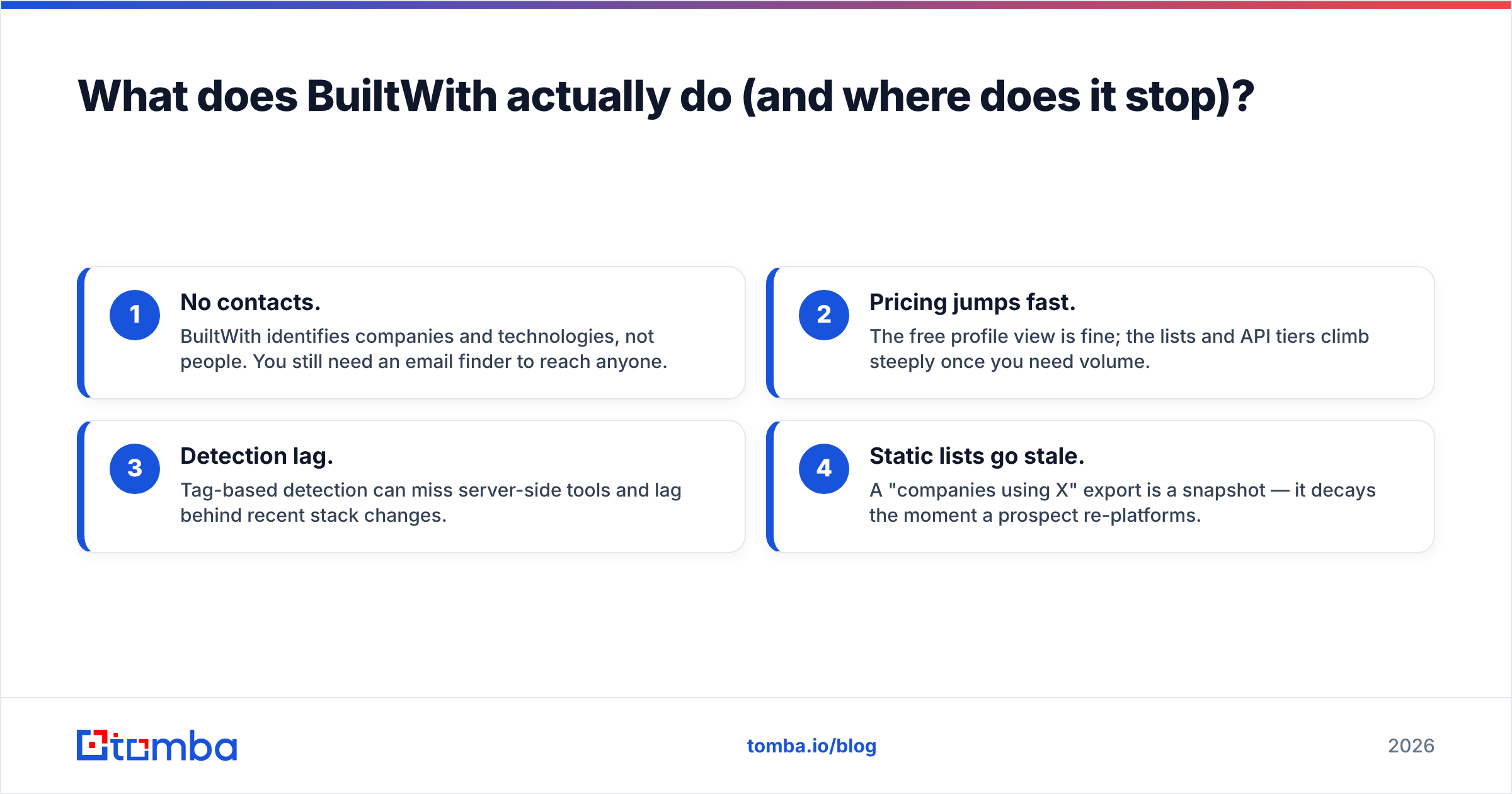
- No contacts. BuiltWith identifies companies and technologies, not people. You still need an email finder to reach anyone.
- Pricing jumps fast. The free profile view is fine; the lists and API tiers climb steeply once you need volume.
- Detection lag. Tag-based detection can miss server-side tools and lag behind recent stack changes.
- Static lists go stale. A "companies using X" export is a snapshot — it decays the moment a prospect re-platforms.
So the real question isn't "what replaces BuiltWith?" It's "which part of BuiltWith am I trying to replace?" — the detector, the list builder, or the missing contact layer.

How to choose a BuiltWith alternative#
Match the tool to the job before you compare price tags. Use these five factors:
- Detection breadth — How many technologies can it actually see, and does it catch server-side and recently-changed stacks, not just client-side tags?
- Direction of search — Do you need single-domain lookups (research) or reverse lists by technology (campaign building)?
- Contact bridge — Does it stop at the company, or does it connect a tech signal to a named, verified decision-maker?
- Freshness — Live re-scan on demand, or a quarterly export that's already aging?
- Cost model — Per-lookup credits, flat monthly seats, or enterprise-only API quotes? Predictability matters at scale.
A researcher debugging a competitor's stack and a sales team building a 5,000-account technographic campaign have almost nothing in common — don't buy the same tool for both.
What are the best BuiltWith alternatives in 2026?#
Here's the shortlist, grouped by the job each does best.
- Wappalyzer — The default free tech detector. Browser extension plus an API and lookup lists. Great for quick profiling; contact data is thin.
- Datanyze — Technographics built for sales, with contact data attached. Chrome extension surfaces tech on the page you're viewing.
- SimilarTech — Strong reverse-lookup and market-share trends. Good for "who's adopting X this quarter" research.
- HG Insights — Enterprise technographic intelligence with spend estimates. Heavy, expensive, account-based.
- Slintel / 6sense — Buyer-intent plus technographics for large GTM teams; overkill for solo lookups.
- Clearbit (Breeze Intelligence) — Firmographic and technographic enrichment, now inside HubSpot's ecosystem.
- Apollo.io — A contact database with technographic filters bolted on; good for combined search.
- WhatRuns — Free, lightweight browser detector — a no-frills Wappalyzer rival.
- BuiltWith Free + a contact tool — Keep BuiltWith for detection, add a contact layer separately.
- Tomba — Domain search, enrichment, and a free website tech stack checker that pairs the "what" with verified contacts.
BuiltWith alternatives compared: features and pricing#
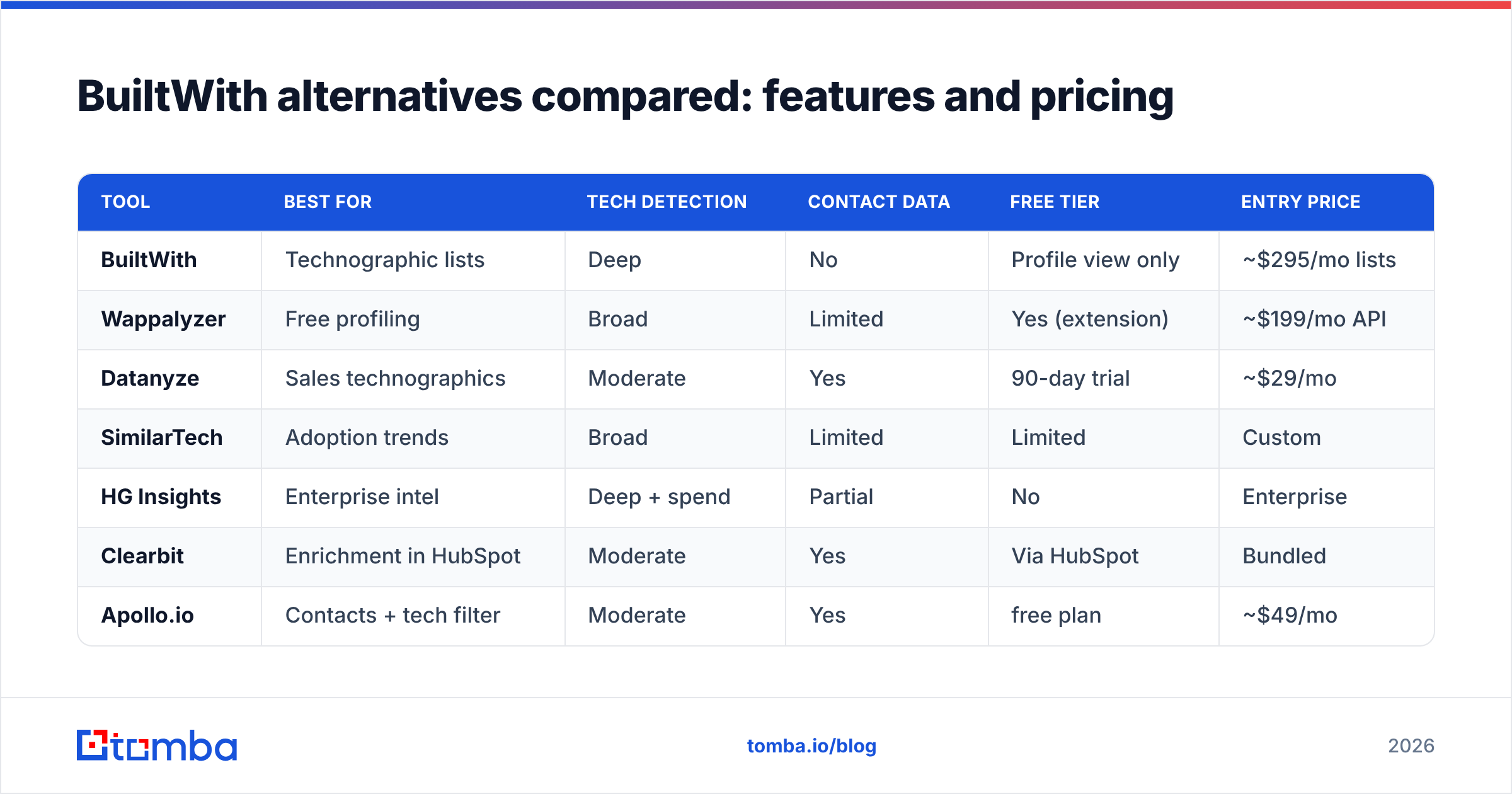
| Tool | Best for | Tech detection | Contact data | Free tier | Entry price |
|---|---|---|---|---|---|
| BuiltWith | Technographic lists | Deep | No | Profile view only | ~$295/mo lists |
| Wappalyzer | Free profiling | Broad | Limited | Yes (extension) | ~$199/mo API |
| Datanyze | Sales technographics | Moderate | Yes | 90-day trial | ~$29/mo |
| SimilarTech | Adoption trends | Broad | Limited | Limited | Custom |
| HG Insights | Enterprise intel | Deep + spend | Partial | No | Enterprise |
| Clearbit | Enrichment in HubSpot | Moderate | Yes | Via HubSpot | Bundled |
| Apollo.io | Contacts + tech filter | Moderate | Yes | free plan | ~$49/mo |
| Tomba | Tech + verified emails | Moderate | Yes | 25 searches/mo | $49/mo |
Prices are list references and move often — confirm on each vendor's site. The pattern that matters: tools strong on detection are usually weak on contacts, and vice versa. Almost nobody is excellent at both, which is why most teams run a pair.
Is a free BuiltWith alternative good enough?#
For pure lookups, yes. Wappalyzer and WhatRuns browser extensions will tell you a single site's stack for free, and that covers the most common BuiltWith use case — curiosity and competitive research. You can confirm a profiler's accuracy against the official BuiltWith site and cross-check on a review site like G2 before committing budget.
Free breaks down the moment you need three things at once: scale (thousands of domains), reverse lookup (lists by technology), or contacts (someone to email). At that point you're either paying BuiltWith's list pricing or assembling a cheaper stack yourself.
The cheaper stack usually looks like: a free detector for the what, plus a credit-based contact provider for the who. That combination routinely costs less than a single mid-tier BuiltWith lists plan and gives you verified emails BuiltWith never had.
Where do technographics actually turn into pipeline?#
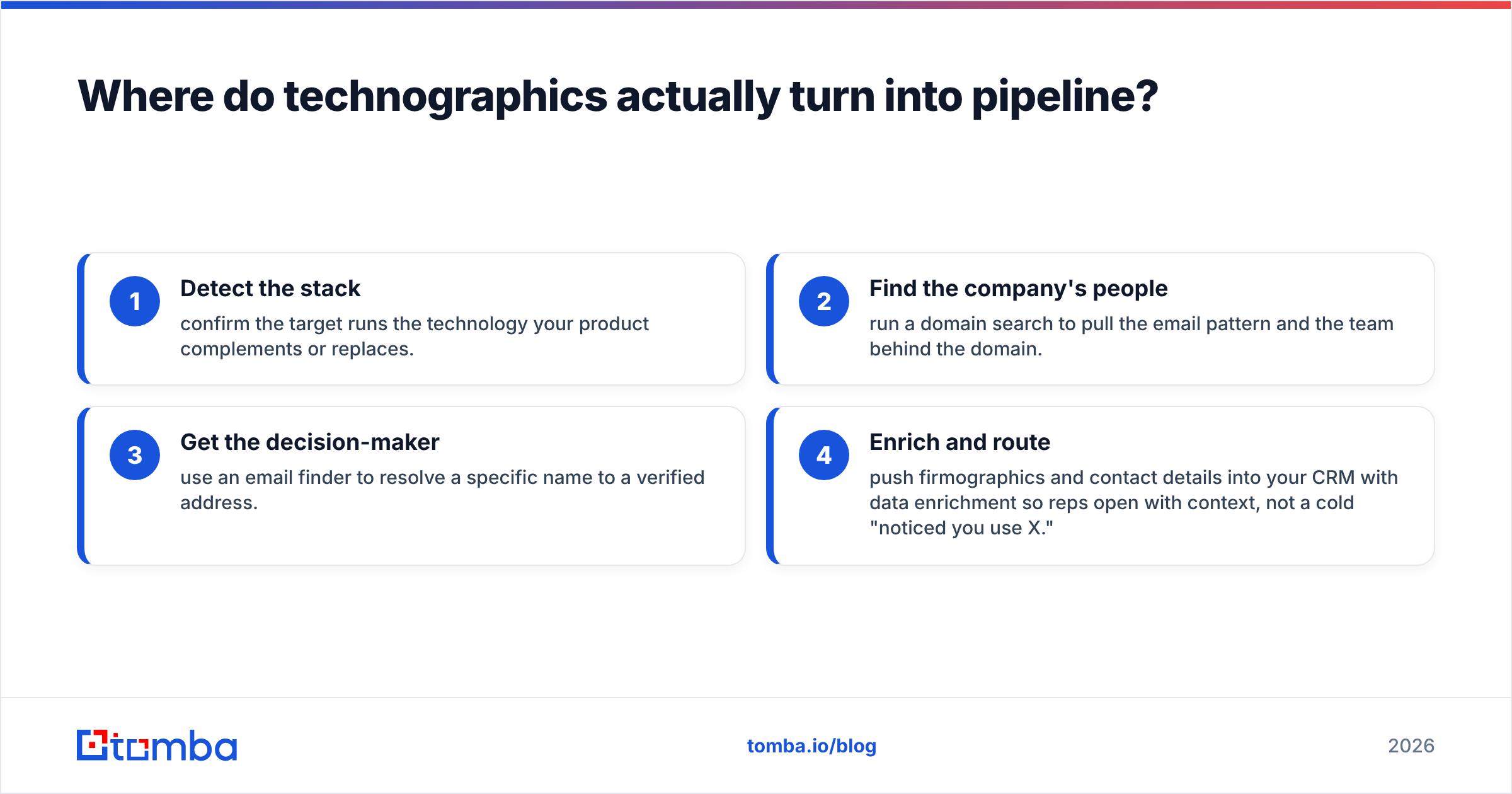
Technographics only pay off when they end in a conversation. The handoff looks like this:
- Detect the stack — confirm the target runs the technology your product complements or replaces.
- Find the company's people — run a domain search to pull the email pattern and the team behind the domain.
- Get the decision-maker — use an email finder to resolve a specific name to a verified address.
- Enrich and route — push firmographics and contact details into your CRM with data enrichment so reps open with context, not a cold "noticed you use X."
That's the step BuiltWith leaves to you. A tool that detects the stack and returns a verified contact collapses two subscriptions into one workflow — and skips the CSV gymnastics of stitching a tech list to a contact database by hand.

How does Tomba compare to BuiltWith?#
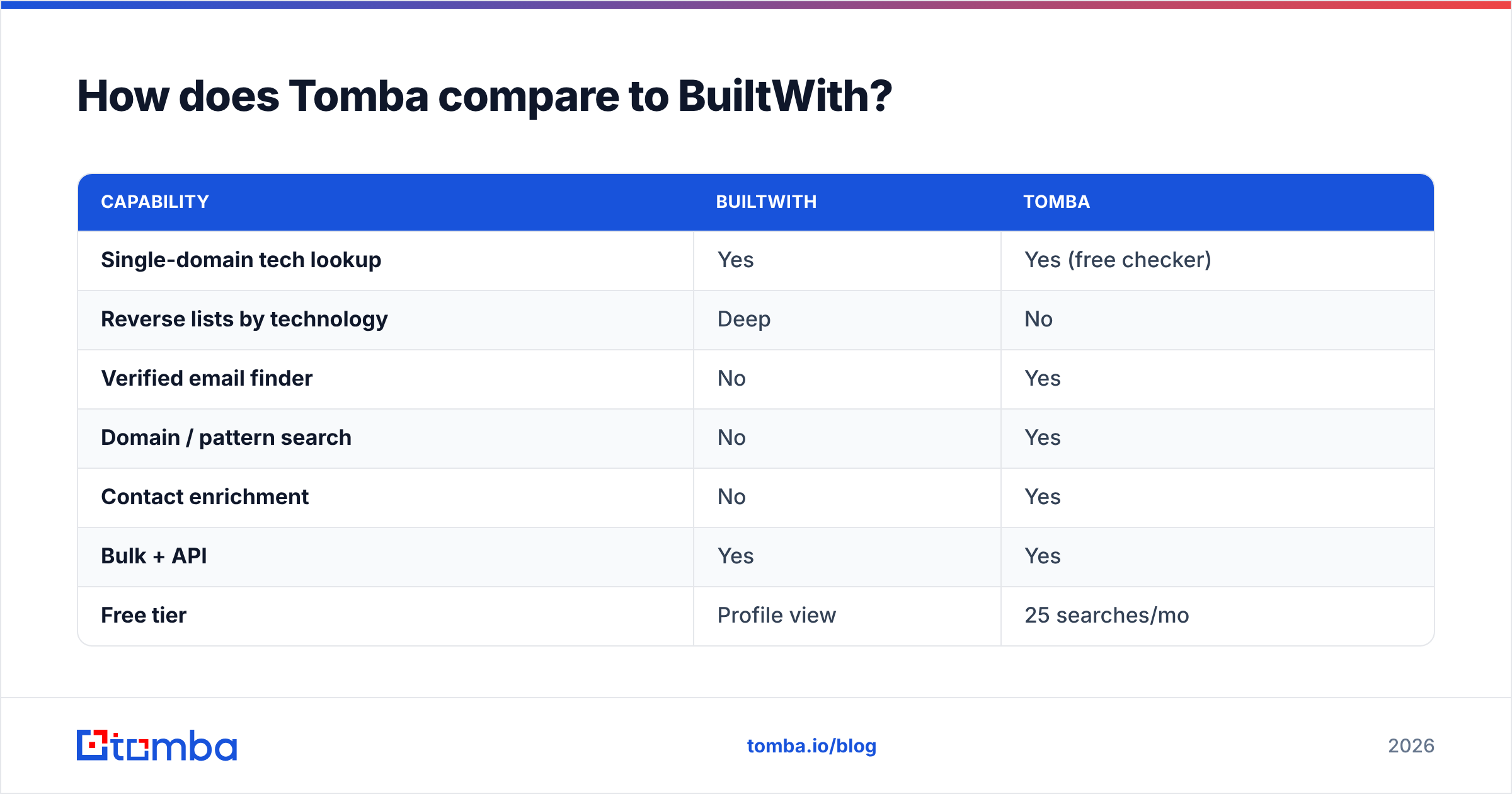
Different jobs, complementary strengths. BuiltWith is the better pure technographic list builder — if your entire motion is "every Shopify Plus store in the EU," its reverse-lookup database is deeper. Tomba is the better contact bridge — it answers "now who do I email there, and is the address real?"
| Capability | BuiltWith | Tomba |
|---|---|---|
| Single-domain tech lookup | Yes | Yes (free checker) |
| Reverse lists by technology | Deep | No |
| Verified email finder | No | Yes |
| Domain / pattern search | No | Yes |
| Contact enrichment | No | Yes |
| Bulk + API | Yes | Yes |
| Free tier | Profile view | 25 searches/mo |
| Entry price | ~$295/mo lists | $49/mo |
If you only need lists, keep BuiltWith. If you need to reach the companies you find, you'll add a contact tool regardless — and Tomba's pricing starts at $49/mo on Starter (after a free tier of 25 searches/mo), which is well below BuiltWith's lists tier. Many teams run BuiltWith for discovery and Tomba for the contact layer, and the combined bill still beats a single enterprise technographic seat.
Which BuiltWith alternative should you pick?#
- You just want to inspect a site's stack: Wappalyzer or WhatRuns, free. Done.
- You build campaigns by technology at scale: BuiltWith lists or SimilarTech for the reverse lookup.
- You're in enterprise GTM with intent budgets: HG Insights or 6sense.
- You need tech signals and people to email: pair a free detector with Tomba's domain search and email finder — the cheapest path to actual pipeline.
- You live inside HubSpot: Clearbit/Breeze enrichment, since it's native.
Most readers of a "BuiltWith alternatives" article are really in that fourth bucket. You don't have a detection problem — free tools solved that years ago. You have a contact problem.
Closing: stop collecting tech badges, start booking meetings#

Knowing a company runs Klaviyo and Shopify is trivia until it ends in a reply. Use a free detector to confirm the stack, then let Tomba Email Finder turn that domain into a verified, named decision-maker you can actually pitch — backed by domain search, enrichment, and a built-in website tech stack checker. Start on the free tier (25 searches/mo) or jump to Starter at $49/mo and connect the "what" to the "who" in one workflow. Your pipeline doesn't care which CMS they run; it cares whether you emailed the right person.
// get started
Find, verify and enrich your first contacts today
Start on the free plan with 25 searches a month, then scale when your team is ready.
Free plan · No credit card required · GDPR & CCPA
// about the author