BuiltWith Pricing Reviews Pros and Cons 2026: Full Breakdown
A neutral 2026 breakdown of BuiltWith pricing, real user reviews, and the honest pros and cons — plus when a cheaper technographics or lead-data stack makes more sense.
BuiltWith is one of the oldest names in website technology profiling, but its pricing has quietly become a sticking point for the marketers and sales teams who rely on it. If you are evaluating BuiltWith in 2026, you want the plain version: what it costs, what people actually say after they pay, and where it falls short. This review gives you all three.
TL;DR#
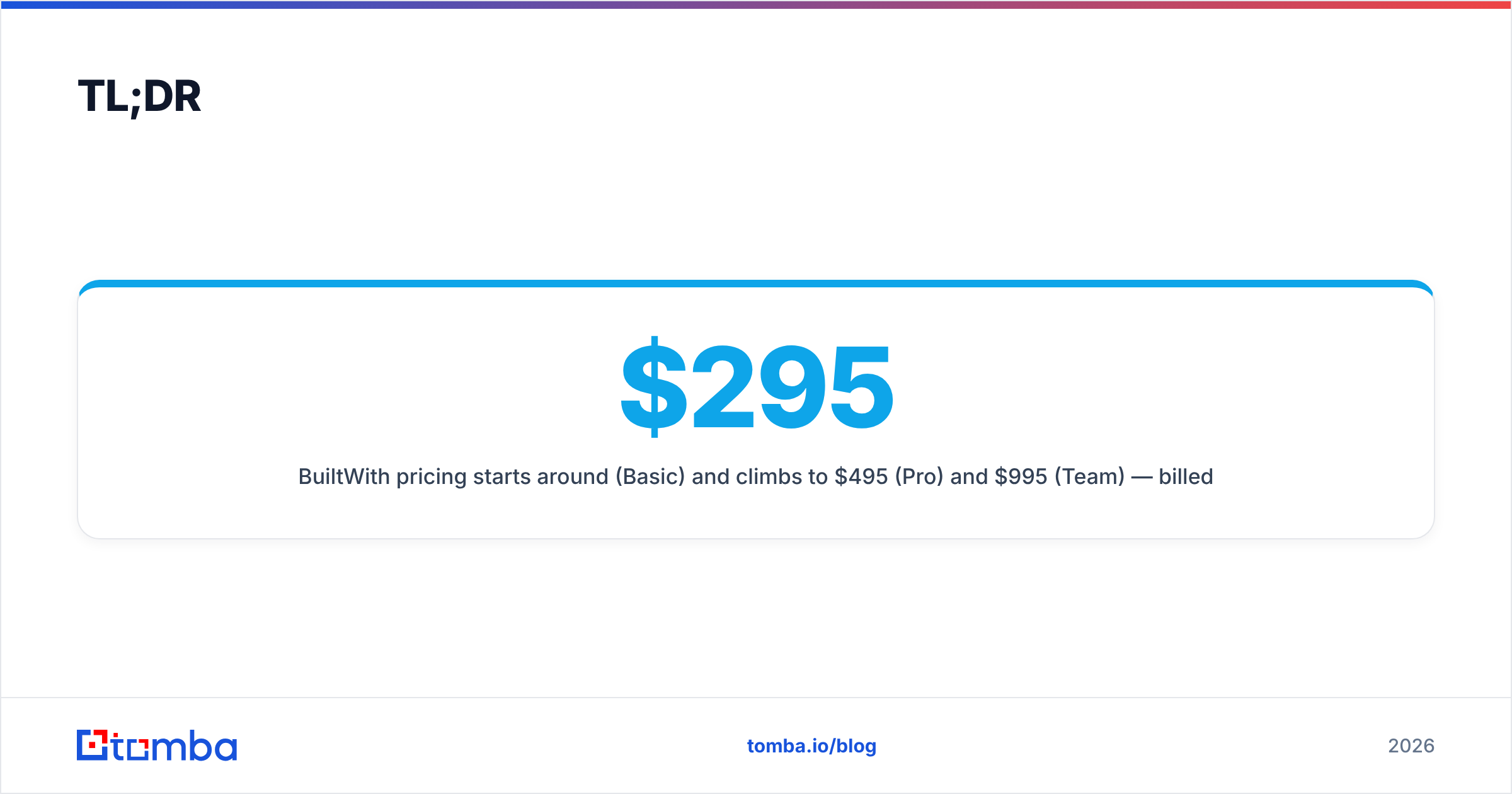
- BuiltWith pricing starts around $295/month (Basic) and climbs to $495 (Pro) and $995 (Team) — billed annually, with no usable free tier beyond the public lookup widget.
- Its core strength is technographic depth — it tracks tens of thousands of web technologies across hundreds of millions of sites, which no email finder matches.
- The biggest complaints in reviews are price, contact-data gaps, and a dated interface that feels built for analysts, not SDRs.
- It is overkill for most prospecting teams who mainly need verified emails, phones, and basic firmographics — that work is cheaper elsewhere.
- Best fit: competitive intelligence, market sizing, and partnership research where knowing the tech stack is the whole point.
What is BuiltWith and who is it for?#
BuiltWith is a technology lookup and lead-generation tool. Paste in a domain and it tells you what runs under the hood — CMS, analytics, ad pixels, payment processors, hosting, ecommerce platform, and thousands of other categories. Reverse that and you can build lists like "every Shopify store using Klaviyo in Australia."
That makes it a technographics platform first and a lead database second. Its natural audience is:
- Competitive intelligence teams mapping which vendors win which accounts.
- Partner and channel managers finding companies that already use a complementary tool.
- Market researchers sizing how many sites use a given technology over time.
- Sales teams with a tech-stack-dependent pitch — for example, an agency that only sells to WooCommerce merchants.
If your outbound motion does not actually depend on the target's tech stack, BuiltWith is probably the wrong tool, and you will feel that in the invoice. You can sanity-check what a single site runs for free with a website tech stack checker before committing to a subscription.
How much does BuiltWith cost in 2026?#
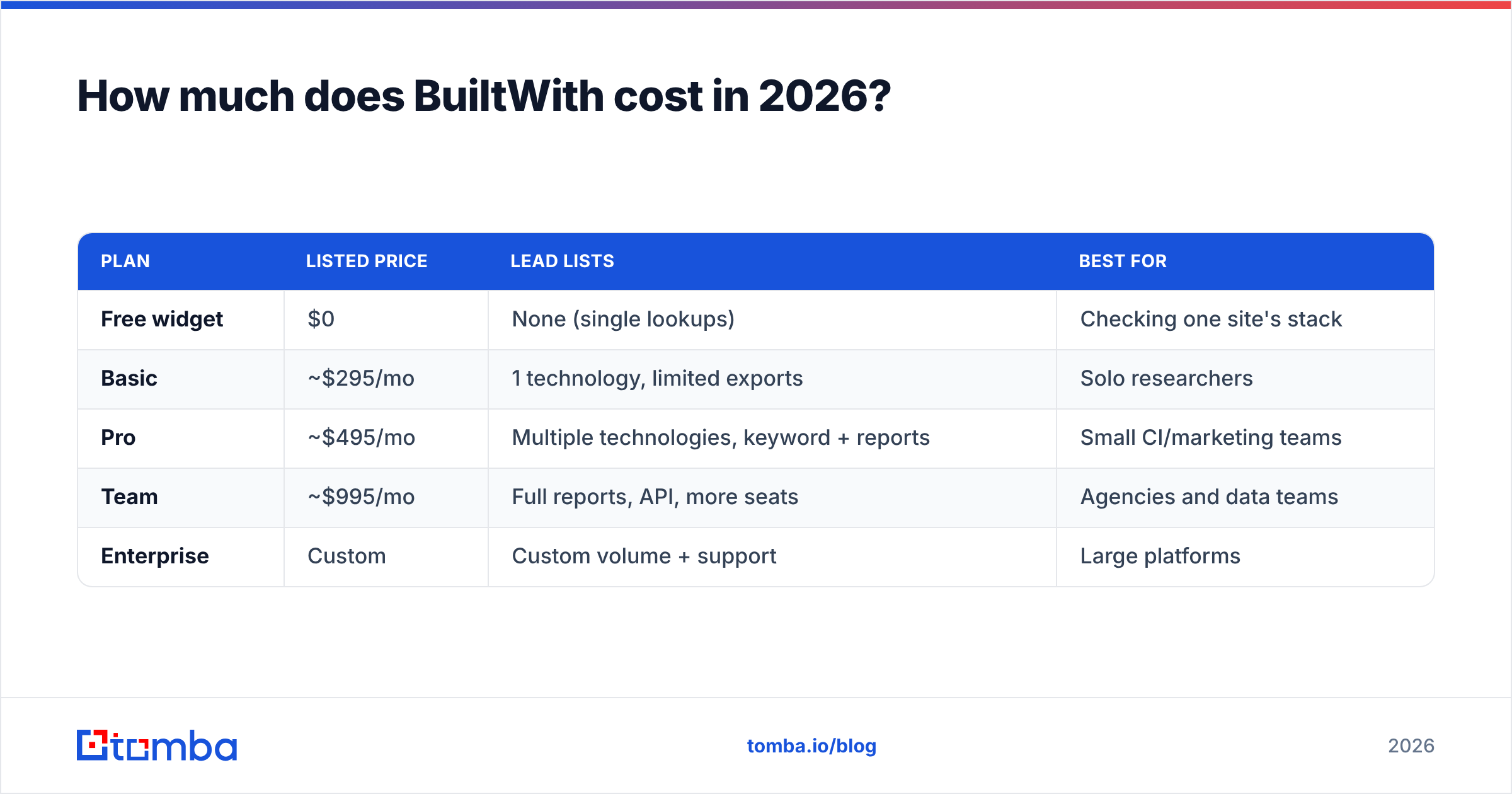
BuiltWith publishes three public tiers plus a free public widget. As of 2026 the listed monthly prices (billed annually) look like this. Always confirm current numbers on the official BuiltWith pricing page, since vendors adjust tiers without much notice.
| Plan | Listed price | Lead lists | Best for |
|---|---|---|---|
| Free widget | $0 | None (single lookups) | Checking one site's stack |
| Basic | ~$295/mo | 1 technology, limited exports | Solo researchers |
| Pro | ~$495/mo | Multiple technologies, keyword + reports | Small CI/marketing teams |
| Team | ~$995/mo | Full reports, API, more seats | Agencies and data teams |
| Enterprise | Custom | Custom volume + support | Large platforms |
A few things worth flagging from the pricing structure:
- There is no true free tier. The free experience is a single-site lookup, not a working account, so you cannot test list-building without paying.
- Annual billing is the headline price. Month-to-month, where offered, runs higher.
- Contact data is bundled, not the focus. You are paying for technographics; emails and phones come along for the ride and are not the strongest part of the dataset.
Compared with the cost of a focused email-finding stack, the gap is large. A plan like Tomba pricing starts at $49/month for verified contact discovery, which is the part most SDR teams actually use day to day.
What do BuiltWith reviews say?#
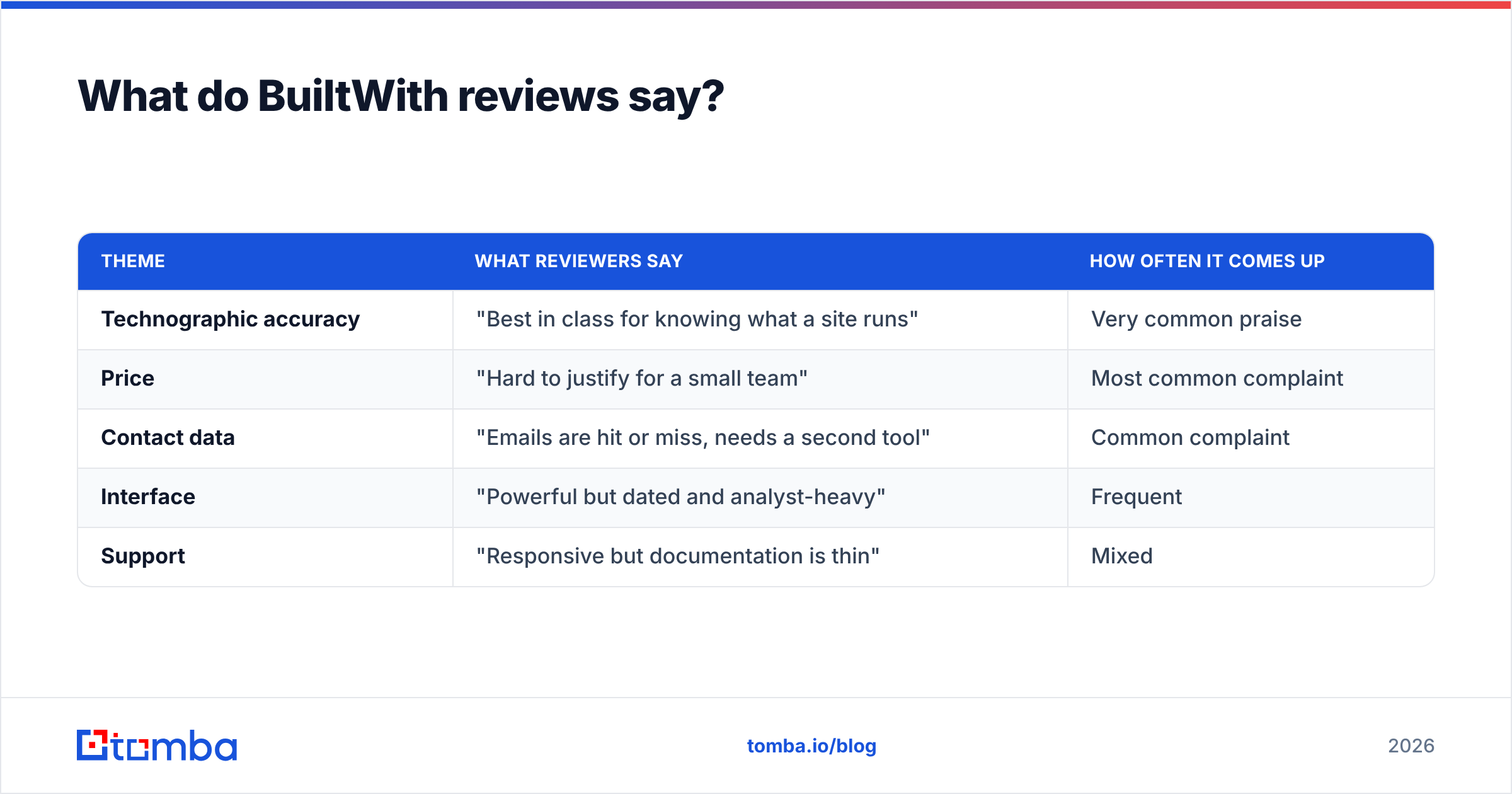
Aggregate review sentiment on sites like G2 and Capterra lands in a consistent place: people respect the data depth and dislike the price and the contact gaps. Here is the recurring pattern across reviews.
| Theme | What reviewers say | How often it comes up |
|---|---|---|
| Technographic accuracy | "Best in class for knowing what a site runs" | Very common praise |
| Price | "Hard to justify for a small team" | Most common complaint |
| Contact data | "Emails are hit or miss, needs a second tool" | Common complaint |
| Interface | "Powerful but dated and analyst-heavy" | Frequent |
| Support | "Responsive but documentation is thin" | Mixed |
The takeaway from reviews is not that BuiltWith is bad — it is that BuiltWith is specialized and expensive, and buyers who expected an all-in-one prospecting suite walk away disappointed. Buyers who wanted exactly technographics tend to stay.
What are the pros and cons of BuiltWith?#
Here is the honest balance sheet.
Pros
- Unmatched technology coverage. Thousands of tech categories tracked across hundreds of millions of domains, with historical trend data most competitors lack.
- Strong list-building by technology. Filtering "everyone using X" is genuinely better here than in general-purpose databases.
- Trend and market-share reports. Useful for analysts and product marketers studying adoption over time.
- API access on higher tiers for teams that want to pipe technographics into their own systems.
Cons
- High entry price. ~$295/month is a real barrier for solo operators and small teams.
- Weaker contact data. You will often still need a dedicated email verifier and email finder to actually reach the people behind the domains.
- Dated UX. The interface rewards patience and rewards analysts more than fast-moving sales reps.
- No meaningful free tier. You cannot validate the workflow without committing budget.
- Overkill for non-technographic outbound, where you are paying for data you never use.

Is BuiltWith worth the price?#
It depends entirely on whether the tech stack is part of your targeting. Run it through this quick decision filter:
- Does your pitch change based on the prospect's technology? If yes, BuiltWith earns its keep. If no, you are overpaying.
- Do you need historical adoption trends? That is a genuine BuiltWith strength worth paying for.
- Is contact data your main need? If so, a dedicated finder plus verifier will be cheaper and more accurate.
- Are you a small team or solo? The $295 floor is steep — pilot carefully.
- Do you need API technographics at scale? The Team and Enterprise tiers are built for that.
If three or more answers point toward tech-stack-driven work, BuiltWith is defensible. If your honest answer is "I mostly need emails and phone numbers for a defined list," you are buying a research platform to do a prospecting job.
What are the best BuiltWith alternatives?#
Most teams do not need a one-to-one BuiltWith clone. They need the specific outcome BuiltWith was being stretched to deliver. Match the job to the tool:
- You need verified business emails at volume. Use a dedicated email finder and pull every contact at a target company with domain search. This is where BuiltWith is weakest and a focused tool is strongest.
- You need firmographic and contact enrichment in your CRM. A data enrichment workflow fills in titles, companies, and verified emails without paying technographics prices.
- You only need to identify one site's stack occasionally. A free tech checker handles that without a subscription at all.
- You genuinely need technology-based list building and trends. Stay with BuiltWith — that is its lane and few tools match it.
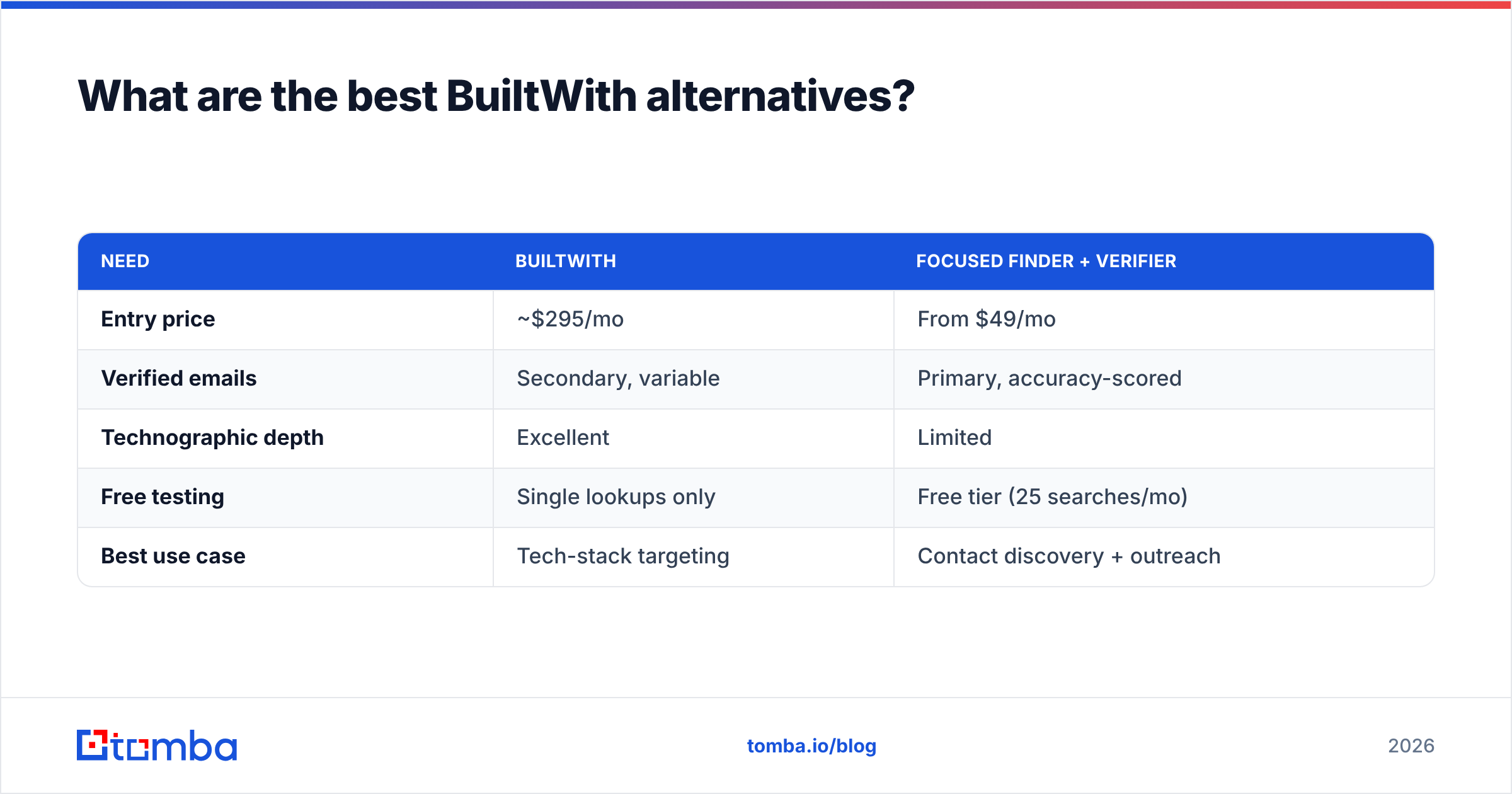
Here is how the trade-off looks for a typical outbound team whose main job is reaching people, not studying tech adoption.
| Need | BuiltWith | Focused finder + verifier |
|---|---|---|
| Entry price | ~$295/mo | From $49/mo |
| Verified emails | Secondary, variable | Primary, accuracy-scored |
| Technographic depth | Excellent | Limited |
| Free testing | Single lookups only | Free tier (25 searches/mo) |
| Best use case | Tech-stack targeting | Contact discovery + outreach |
The point is not that one wins outright. It is that paying BuiltWith prices to extract contact data is the most common mistake in these reviews — and the easiest one to fix. Where Tomba sources its records is documented openly on its data sources page, which matters when accuracy drives your reply rate.
How should you decide?#
Lead with the question, not the brand. If knowing the technology is the deliverable, BuiltWith is a strong, if pricey, buy. If knowing the technology is just a means to reaching a person, you almost certainly want a leaner contact-data tool and can skip the four-figure annual commitment.
A practical hybrid many teams land on: keep a single BuiltWith seat (or use the free lookup) for the occasional tech-stack question, and run day-to-day prospecting on a dedicated finder and verifier. You get the technographic insight when you need it without paying research-platform rates for routine contact discovery.
Whatever you choose, test before you commit. BuiltWith's lack of a real free tier makes that harder, which is exactly why so many reviews carry a note of buyer's remorse — people paid first and discovered the contact-data gap second.
Final verdict and next step#
BuiltWith remains the benchmark for technographic intelligence, and for competitive research, partner mapping, and market sizing it is hard to beat. The pros and cons net out simply: deep, trustworthy tech data at a price that only makes sense when the tech data is the actual goal. For everyone whose real need is verified contacts and clean outreach lists, it is the wrong tool at the wrong price.
If your bottleneck is reaching the right people — not cataloging their tech stack — start with the Tomba Email Finder. You can find and verify professional emails by name, company, or domain on a free tier of 25 searches a month, then scale from $49/month when it proves out. Spend your budget on the data you act on, and let BuiltWith handle the research questions that genuinely require it.
// get started
Find, verify and enrich your first contacts today
Start on the free plan with 25 searches a month, then scale when your team is ready.
Free plan · No credit card required · GDPR & CCPA
// about the author