BuiltWith vs Datanyze: Which Tech Data Tool Wins in 2026?
BuiltWith vs Datanyze, compared head-to-head: coverage, pricing, accuracy, and which technographic tool actually fits your 2026 GTM motion.
Choosing between BuiltWith and Datanyze comes down to one question: do you want the deepest possible technology lookup on a single domain, or a lighter technographic layer wired into your prospecting workflow? This guide breaks down both tools on coverage, accuracy, pricing, and real GTM fit so you can stop guessing and pick the one your team will actually use.
TL;DR: BuiltWith vs Datanyze in 2026#
- BuiltWith is the deeper technology database. It indexes 60,000+ web technologies across hundreds of millions of sites and is the go-to for market research, TAM sizing, and "who uses Shopify" list building.
- Datanyze is the lighter, sales-first option. It focuses on technographics plus basic contact data delivered through a Chrome extension, built for reps prospecting one account at a time.
- Pricing favors Datanyze for individual reps (cheaper entry, per-credit model); BuiltWith favors analysts and marketers who need bulk lists and historical tech data.
- Neither is a contact-data powerhouse. Both lean on technographics; if you need verified emails and phone numbers at scale, you'll pair them with a dedicated finder.
- Best combined play: use technographic signals to build a target list, then enrich and verify contacts with a purpose-built tool like Tomba before you send.
What is the core difference between BuiltWith and Datanyze?#
BuiltWith and Datanyze both answer "what technology does this company use?" — but they were built for different buyers.
BuiltWith started as a technology profiler. Paste a domain and it returns the full detected stack: analytics tags, ecommerce platform, CDN, payment processors, marketing pixels, hosting, and thousands of other categories. Its real power is the reverse lookup — "show me every site running HubSpot in Germany with 10+ other martech tools" — which makes it a favorite for competitive research and total-addressable-market analysis.
Datanyze was acquired and repositioned as a sales-intelligence Chrome extension. It surfaces technographic and firmographic data plus basic email and direct-dial guesses while you browse a company's website or LinkedIn. It trades BuiltWith's database depth for in-the-flow convenience that a quota-carrying rep can use without leaving the tab.
Think of it like two different maps. BuiltWith is the satellite view of the entire market — exhaustive, zoomable, great for planning. Datanyze is the turn-by-turn navigation on the one street you're driving down right now.

Both tools sit in the B2B data and intelligence layer of your stack, and both share the same limitation we'll come back to: technographic data tells you what a company runs, not who to email or whether that email is even valid.
How do BuiltWith and Datanyze compare on features?#
Here's the head-to-head on the attributes that actually decide which tool earns a spot in your stack.
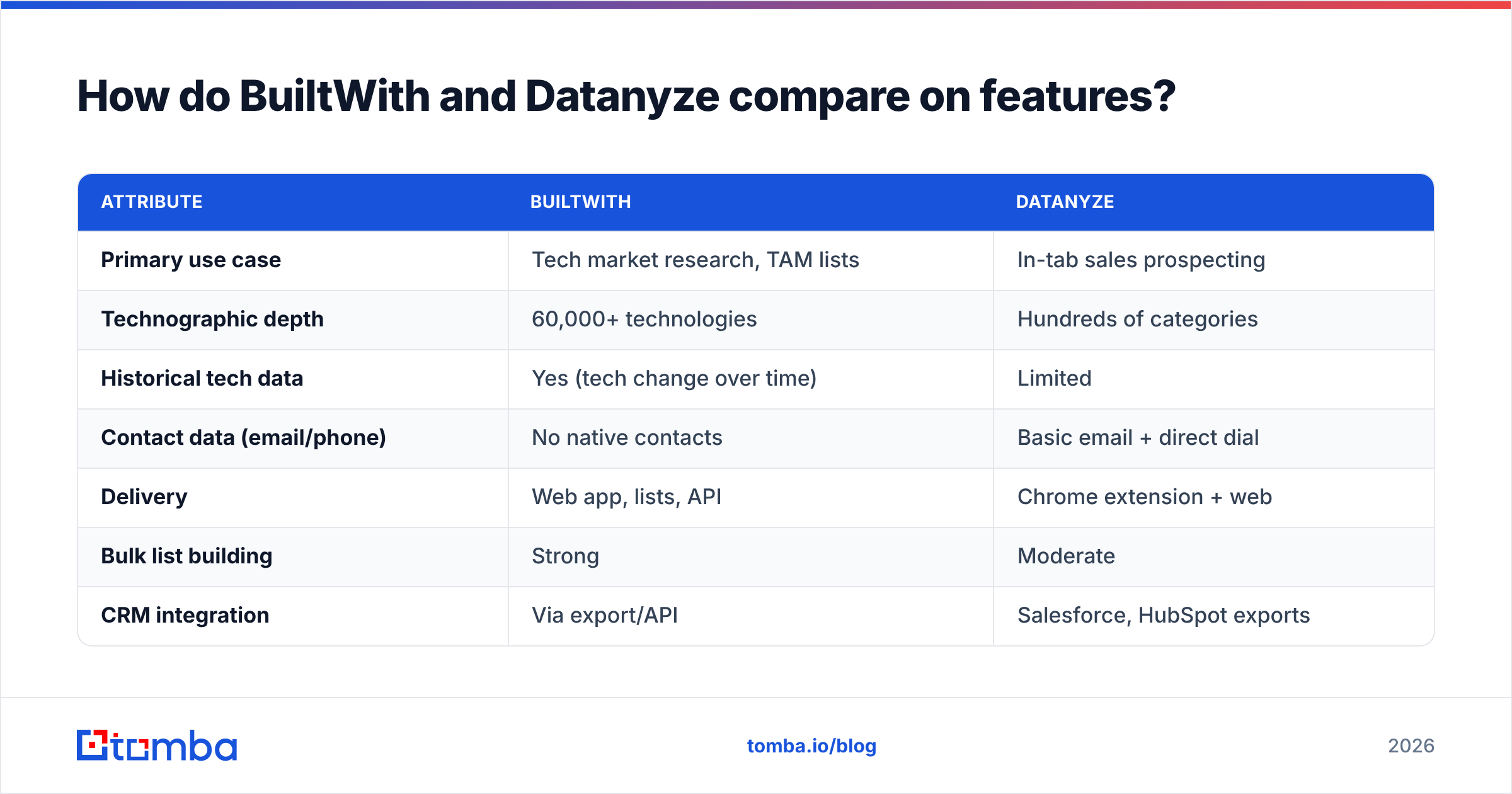
| Attribute | BuiltWith | Datanyze |
|---|---|---|
| Primary use case | Tech market research, TAM lists | In-tab sales prospecting |
| Technographic depth | 60,000+ technologies | Hundreds of categories |
| Historical tech data | Yes (tech change over time) | Limited |
| Contact data (email/phone) | No native contacts | Basic email + direct dial |
| Delivery | Web app, lists, API | Chrome extension + web |
| Bulk list building | Strong | Moderate |
| CRM integration | Via export/API | Salesforce, HubSpot exports |
| Best fit | Analysts, marketers, researchers | SDRs, AEs |
| Free option | Limited free lookups | Limited free tier |
The pattern is clear. BuiltWith wins on database breadth and historical depth — if your question is "how big is the market for X technology," nothing matches it. Datanyze wins on workflow fit — if your question is "who do I email at this one account I'm looking at," its extension is faster than tabbing into a separate research tool.
Where both fall short is contact accuracy. Datanyze's emails are often pattern-based guesses, and BuiltWith doesn't provide personal contacts at all. That gap is exactly why most teams treat technographics as a targeting layer and bolt on a dedicated data enrichment step before outreach.
Is BuiltWith better than Datanyze for accuracy?#
For technology detection, BuiltWith is generally more accurate and more granular — it detects more tools per site and tracks when a company adds or drops a technology over time. That historical signal ("this account just installed a competing CRM") is genuinely hard to replicate.
Datanyze's technographic detection is solid for the mainstream categories reps care about (CRM, marketing automation, ecommerce platform) but thinner in the long tail. Its bigger accuracy question is on the contact side: extension-surfaced emails skew toward inferred patterns rather than verified addresses, so bounce risk is real if you send without checking.
The honest takeaway: don't trust any technographic tool's contact data blind. Whatever you pull from BuiltWith's firmographics or Datanyze's extension, run the addresses through an email verifier before they touch a sequence. A single technographic tool that doubles as your verification layer doesn't exist — these are complementary jobs.
If you want to sanity-check a single company's stack yourself for free, a quick website tech stack lookup is a fast way to validate what either platform reports before you pay for bulk access.
How much do BuiltWith and Datanyze cost in 2026?#
Pricing is where the two diverge most sharply, and it maps directly to who each tool is for.
| Plan dimension | BuiltWith | Datanyze |
|---|---|---|
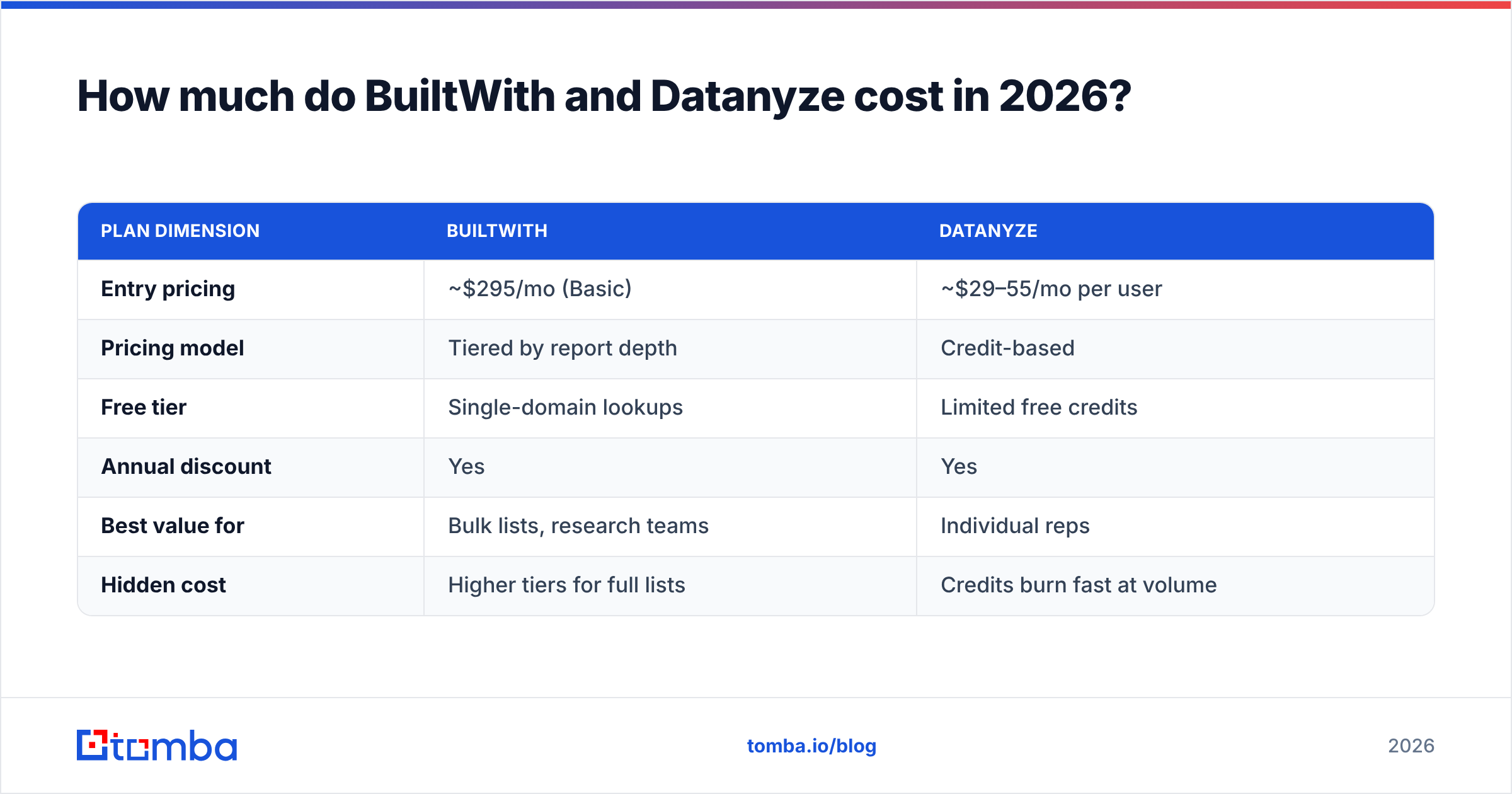
| Entry pricing | ~$295/mo (Basic) | ~$29–55/mo per user |
| Pricing model | Tiered by report depth | Credit-based |
| Free tier | Single-domain lookups | Limited free credits |
| Annual discount | Yes | Yes |
| Best value for | Bulk lists, research teams | Individual reps |
| Hidden cost | Higher tiers for full lists | Credits burn fast at volume |
BuiltWith's entry tier sounds steep, but it's priced for a researcher or marketer who needs to export thousands of technology-matched domains in one pull. Datanyze's per-seat, credit-based model is friendlier to a single SDR who needs a handful of contacts a day — until you scale volume, at which point credits run out faster than expected.
Neither price includes high-volume verified contact data. When you compare that to a contact-first platform — Tomba pricing starts free at 25 searches/month, then $49/mo Starter, $99/mo Growth, and $249/mo Pro — you can see the tools are solving different parts of the funnel. Technographic tools price the signal; contact tools price the reach.

Which tool fits your GTM motion?#
Match the tool to the job, not the hype.
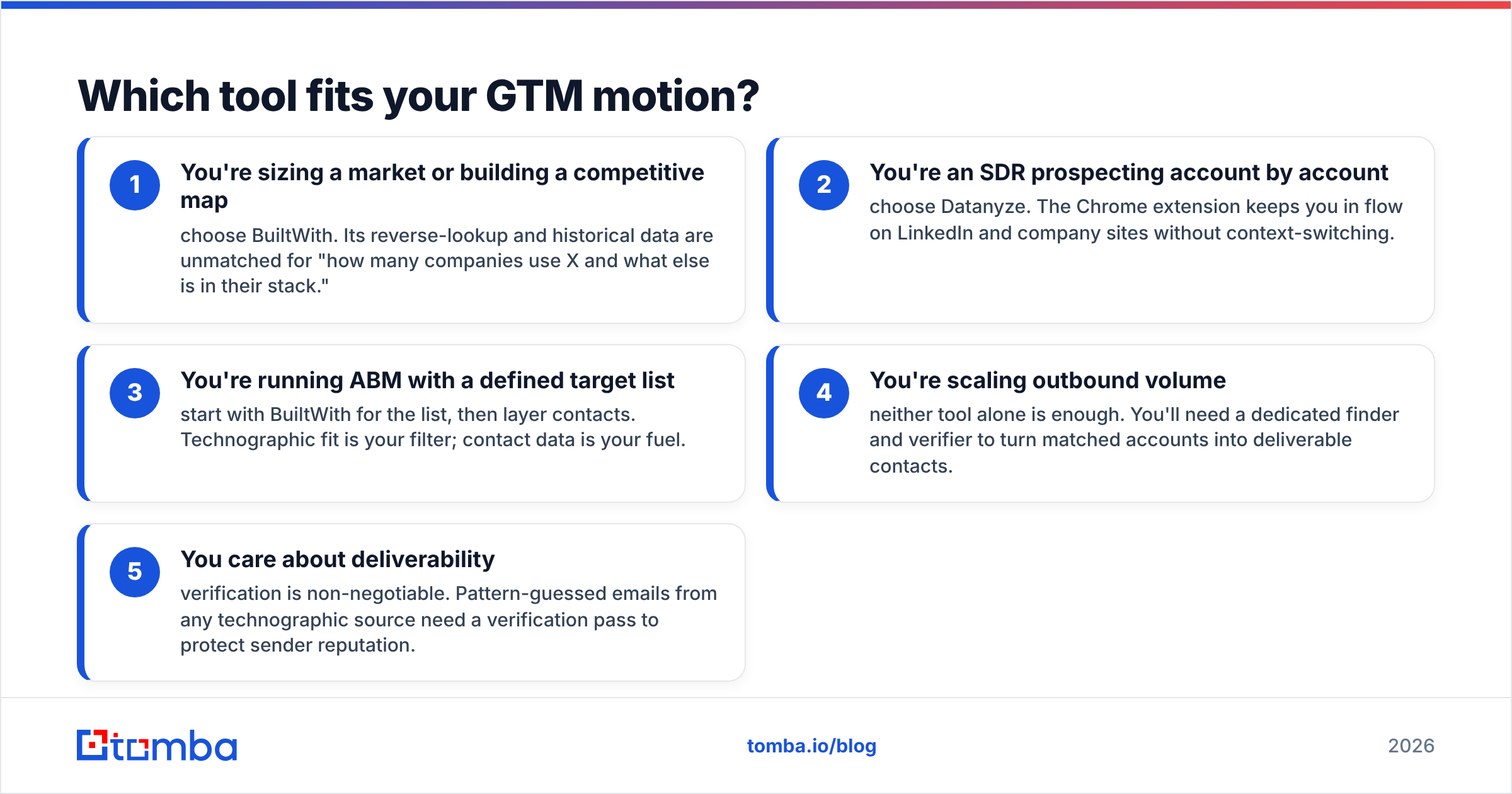
- You're sizing a market or building a competitive map — choose BuiltWith. Its reverse-lookup and historical data are unmatched for "how many companies use X and what else is in their stack."
- You're an SDR prospecting account by account — choose Datanyze. The Chrome extension keeps you in flow on LinkedIn and company sites without context-switching.
- You're running ABM with a defined target list — start with BuiltWith for the list, then layer contacts. Technographic fit is your filter; contact data is your fuel.
- You're scaling outbound volume — neither tool alone is enough. You'll need a dedicated finder and verifier to turn matched accounts into deliverable contacts.
- You care about deliverability — verification is non-negotiable. Pattern-guessed emails from any technographic source need a verification pass to protect sender reputation.
The common thread: technographics tell you which doors to knock on. They don't hand you the keys. For that you need accurate, verified contact data — and that's a separate, specialized job.
What do reviewers say about BuiltWith vs Datanyze?#
On G2, BuiltWith earns consistent praise for the sheer depth of its technology index and its value in market research, with the main critique being the price jump to access full bulk lists. Datanyze reviews highlight the convenience of the extension and the low entry cost, while flagging contact-data accuracy and credit limits as the recurring frustrations.
Neither sentiment is surprising — they reflect exactly the trade-offs above. Buyers who need depth tolerate BuiltWith's pricing; buyers who need speed accept Datanyze's lighter dataset. Almost every review thread that mentions outreach success also mentions pairing the tool with a separate source for verified emails.
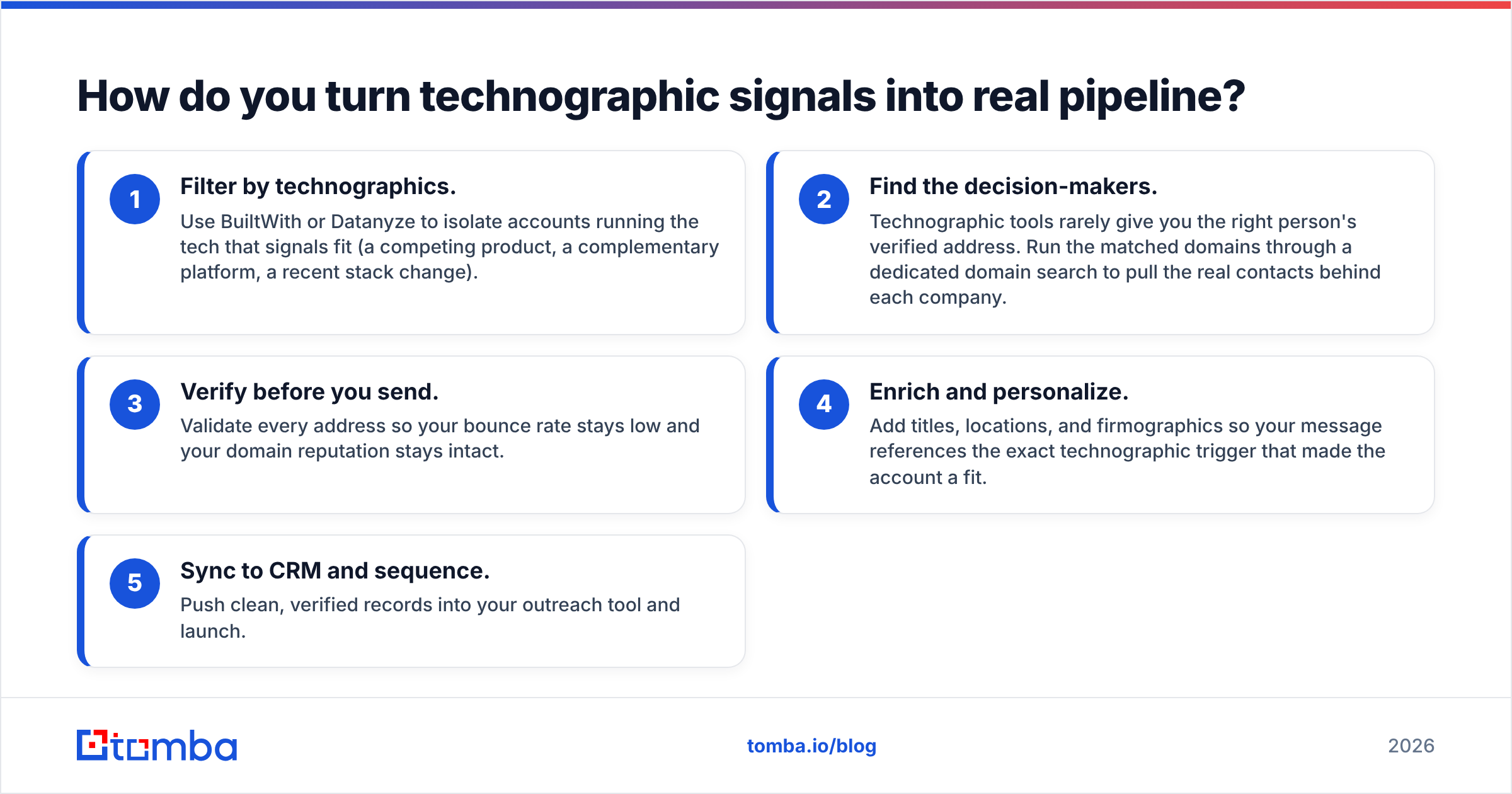
How do you turn technographic signals into real pipeline?#
Here's the workflow that actually converts signal into sent email:
- Filter by technographics. Use BuiltWith or Datanyze to isolate accounts running the tech that signals fit (a competing product, a complementary platform, a recent stack change).
- Find the decision-makers. Technographic tools rarely give you the right person's verified address. Run the matched domains through a dedicated domain search to pull the real contacts behind each company.
- Verify before you send. Validate every address so your bounce rate stays low and your domain reputation stays intact.
- Enrich and personalize. Add titles, locations, and firmographics so your message references the exact technographic trigger that made the account a fit.
- Sync to CRM and sequence. Push clean, verified records into your outreach tool and launch.
Steps 2 through 4 are where a contact-data platform earns its place next to whichever technographic tool you pick. Technographics narrow the universe; verified contact data is what makes the outreach land.
The bottom line: BuiltWith vs Datanyze#
Pick BuiltWith if you're a marketer, analyst, or researcher who needs the deepest technology database and bulk list building, and you can justify the higher entry price. Pick Datanyze if you're a rep who wants lightweight technographics and basic contacts inside your browser at a low monthly cost. Both are legitimate winners for different buyers — there's no universal "best."
But remember what neither tool does well: deliver verified emails and phone numbers at the volume real outbound demands. Technographic data points you at the right companies; it doesn't hand you a clean contact list.
That's where Tomba's Email Finder closes the loop. Once your technographic tool has flagged the accounts worth pursuing, Tomba finds the verified professional emails behind those domains, validates them in the same workflow, and enriches each record with the firmographic context your reps need — starting free with 25 searches a month, then scaling from $49/mo. Use BuiltWith or Datanyze to choose your targets; use Tomba to actually reach them.
// get started
Find, verify and enrich your first contacts today
Start on the free plan with 25 searches a month, then scale when your team is ready.
Free plan · No credit card required · GDPR & CCPA
// about the author