Bulk Email Checker: How to Verify Lists at Scale in 2026
A bulk email checker cleans thousands of addresses in one upload so your cold campaigns stop bouncing. Here's how the tools compare on accuracy, speed, and price in 2026.
A single dirty list can torch a domain you spent months warming up. When you upload 50,000 unverified addresses and blast a campaign, the bounces don't just fail to deliver — they tell Gmail and Outlook that you don't know who your contacts are. That signal follows you. A bulk email checker is how you stop that from happening before you ever hit send.
This guide explains what a bulk email checker actually does, how the leading tools compare on accuracy and price, and how to build a verification workflow that keeps your bounce rate under 2% in 2026.
TL;DR#
- A bulk email checker validates thousands of email addresses in one upload — checking syntax, domain, MX records, and mailbox existence — so you remove invalid contacts before sending.
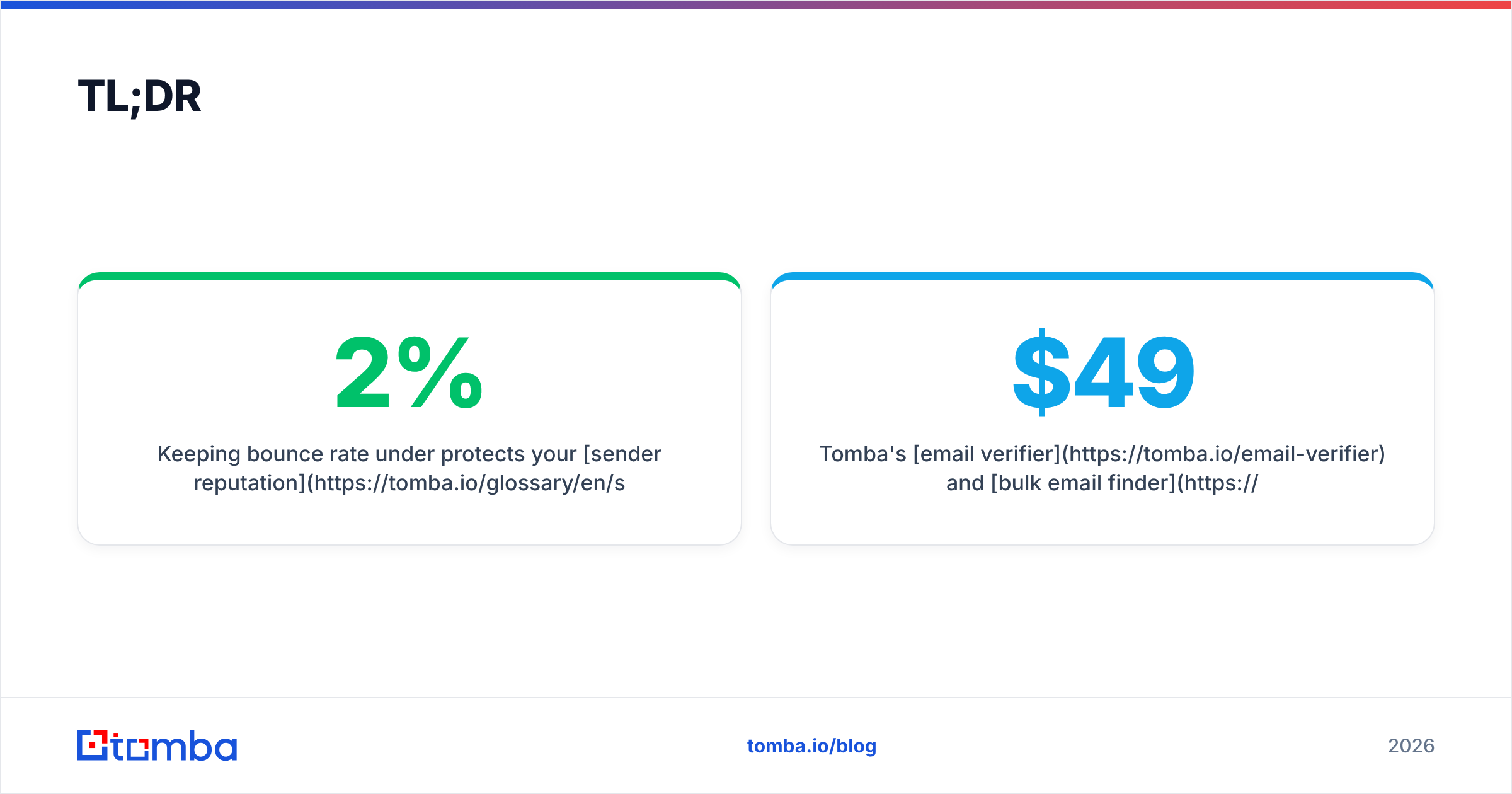
- Keeping bounce rate under 2% protects your sender reputation and inbox placement; most mailbox providers start throttling above 3-5%.
- Accuracy, catch-all handling, and price-per-credit are the three things that separate good tools from list-killers.
- Tomba's email verifier and bulk email finder cover both finding and cleaning in one workflow, starting at $49/mo.
- Verify on import, re-verify lists older than 90 days, and always treat catch-all domains as a separate risk tier.
What is a bulk email checker?#
A bulk email checker is a tool that takes a list of email addresses — usually a CSV upload or an API batch — and tells you which ones are safe to send to. Think of it like a bouncer at a club checking IDs at the door, except it checks thousands of IDs in parallel instead of one at a time.
Under the hood, a quality checker runs each address through several layers:
- Syntax validation — Is the address formatted correctly per RFC 5322? Catches typos like
john@gmail,com. - Domain and MX check — Does the domain exist and have mail servers configured to receive mail? A domain with no MX record can't accept email at all.
- SMTP / mailbox verification — The checker opens a conversation with the receiving server to confirm the specific mailbox exists, without actually sending a message.
- Catch-all detection — Flags domains that accept mail to any address, which makes individual mailbox verification unreliable.
- Role and disposable filtering — Identifies
info@,support@, and temporary throwaway addresses you usually want to exclude from cold outreach.
The output is a status for every row: valid, invalid, catch-all (or "accept-all"), unknown, or risky. You keep the valid ones, drop the invalid ones, and make a judgment call on the rest.

Why does bulk email verification matter for deliverability?#
Conclusion first: every invalid address you mail is a vote against your domain. Mailbox providers like Gmail and Microsoft track how often you hit non-existent addresses, spam traps, and unengaged contacts. High bounce rates are one of the loudest negative signals you can send.
Here's the chain reaction when you skip verification:
- Hard bounces pile up. Each one is a permanent failure that providers log against your sending domain.
- Spam traps fire. Old, recycled addresses are turned into traps. Hitting one can get you blocklisted outright.
- Inbox placement drops. Even your valid recipients stop seeing you, because your reputation now routes you to spam.
- Recovery is slow. Rebuilding email deliverability after a reputation hit takes weeks of careful warmup, not days.
According to Wikipedia's overview of email bounce handling, a bounce message is the receiving system's way of saying delivery failed — and modern providers treat repeated failures as evidence of low-quality sending. The fix is upstream: clean the list before it ever touches your sending infrastructure.
A useful rule of thumb: aim to keep your bounce rate below 2%. If a list comes back from verification with more than 15-20% invalid addresses, that list was never going to perform, and you just saved your domain.
How do the top bulk email checkers compare in 2026?#
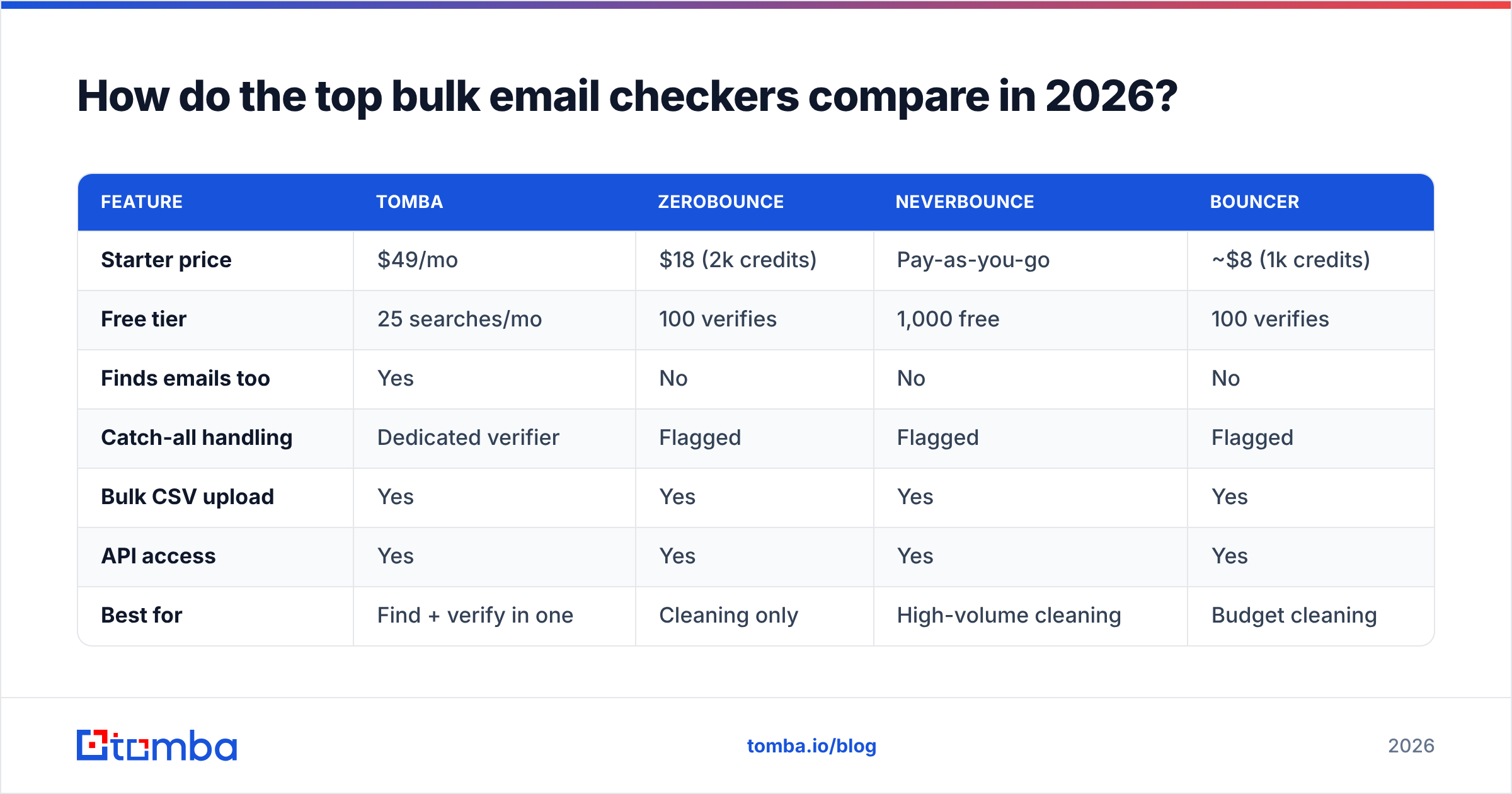
The market splits into pure verifiers (they only clean lists) and platforms that combine finding and verifying. Here's how the most common options stack up on the attributes that actually matter.
| Feature | Tomba | ZeroBounce | NeverBounce | Bouncer |
|---|---|---|---|---|
| Starter price | $49/mo | $18 (2k credits) | Pay-as-you-go | ~$8 (1k credits) |
| Free tier | 25 searches/mo | 100 verifies | 1,000 free | 100 verifies |
| Finds emails too | Yes | No | No | No |
| Catch-all handling | Dedicated verifier | Flagged | Flagged | Flagged |
| Bulk CSV upload | Yes | Yes | Yes | Yes |
| API access | Yes | Yes | Yes | Yes |
| Best for | Find + verify in one | Cleaning only | High-volume cleaning | Budget cleaning |
The key trade-off: dedicated verifiers like ZeroBounce, NeverBounce, and Bouncer do one job well, but you still need a separate tool to source the contacts. Tomba combines both — you can find email addresses by domain, then verify them in the same workflow without exporting and re-importing CSVs between platforms. For teams running cold outreach end to end, that's fewer moving parts and one billing line instead of two.
For independent reviews of any of these tools, G2's email verification category is a reliable place to read real user feedback before you commit.
What should you look for in a bulk email checker?#
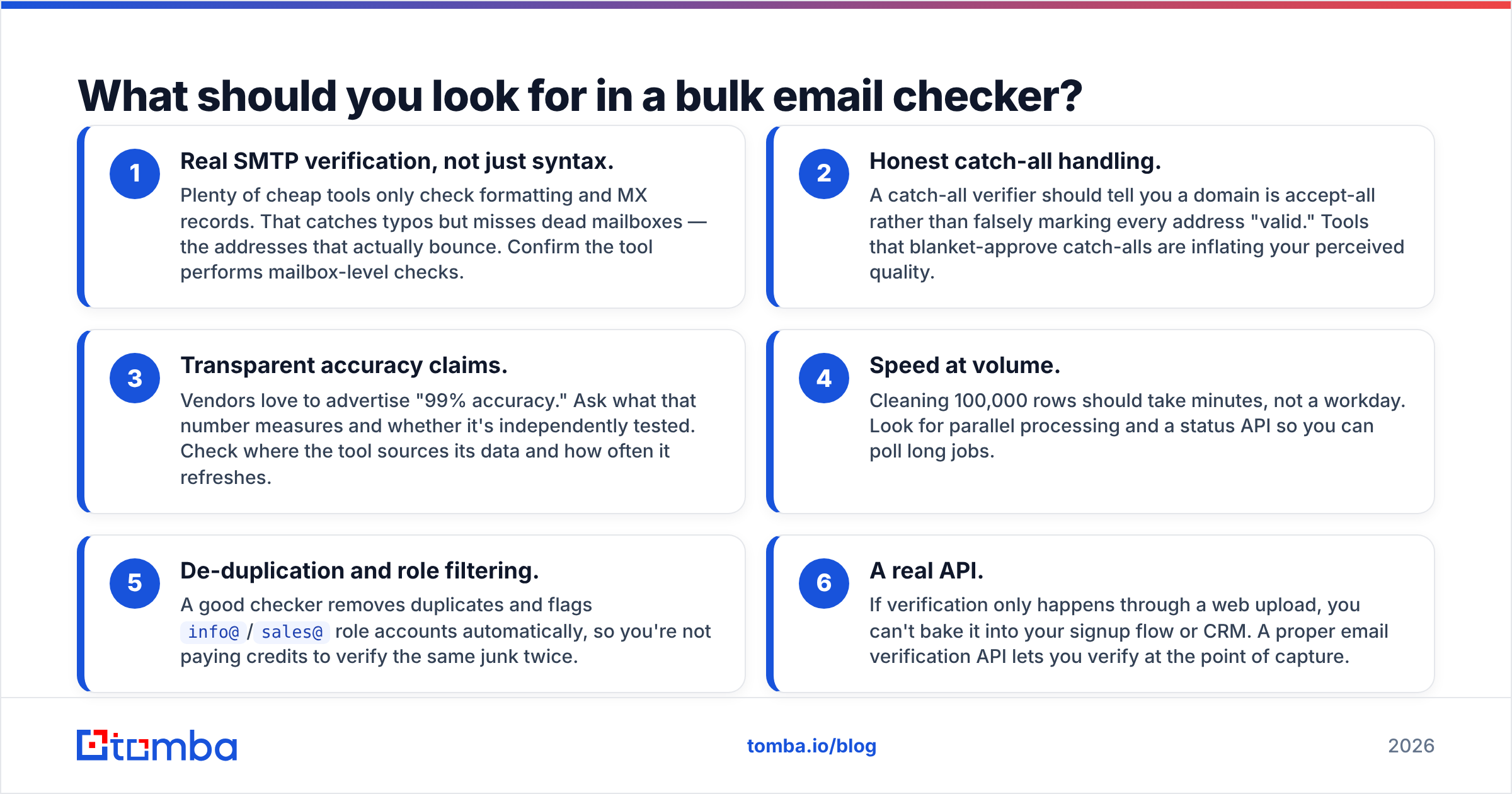
Not all "valid" results are created equal. Use these criteria to separate a checker you can trust from one that just rubber-stamps your list.
- Real SMTP verification, not just syntax. Plenty of cheap tools only check formatting and MX records. That catches typos but misses dead mailboxes — the addresses that actually bounce. Confirm the tool performs mailbox-level checks.
- Honest catch-all handling. A catch-all verifier should tell you a domain is accept-all rather than falsely marking every address "valid." Tools that blanket-approve catch-alls are inflating your perceived quality.
- Transparent accuracy claims. Vendors love to advertise "99% accuracy." Ask what that number measures and whether it's independently tested. Check where the tool sources its data and how often it refreshes.
- Speed at volume. Cleaning 100,000 rows should take minutes, not a workday. Look for parallel processing and a status API so you can poll long jobs.
- De-duplication and role filtering. A good checker removes duplicates and flags
info@/sales@role accounts automatically, so you're not paying credits to verify the same junk twice. - A real API. If verification only happens through a web upload, you can't bake it into your signup flow or CRM. A proper email verification API lets you verify at the point of capture.

How accurate is bulk email verification, really?#
Accuracy depends almost entirely on two things: how the tool handles catch-all domains, and how fresh its data is. A checker can be 99% accurate on standard mailboxes and near-useless on catch-all domains, because those domains accept mail to any address by design — including ones that don't exist.
This is why the "valid / invalid" binary is misleading. A trustworthy bulk email checker returns a richer status set:
- Valid — Mailbox confirmed to exist. Safe to send.
- Invalid — Confirmed dead or malformed. Remove it.
- Catch-all / accept-all — The domain accepts everything, so existence can't be confirmed. Send with caution or segment separately.
- Unknown — The server didn't respond clearly. Re-verify later before deciding.
- Risky — Role account, disposable, or full mailbox. Usually exclude from cold outreach.
The practical move is to treat catch-all and unknown results as their own tier rather than lumping them into "valid." Many bounces in otherwise-clean lists come from catch-all domains that were optimistically marked deliverable. Tools with a dedicated approach to these — like Tomba's catch-all verification — give you a more honest picture than tools that simply pass them through.
Data freshness matters just as much. People change jobs constantly, so a verification result from a year ago is a guess, not a fact. Re-verify any list older than 90 days before a major send.
How do you build a bulk verification workflow?#
Conclusion first: verify in three places — on import, before every major send, and on a recurring schedule for your active database. Here's how that looks in practice.
Step 1 — Verify on acquisition. Whenever a list enters your system (a purchased list, a scraped export, a webinar signup batch), run it through the checker immediately. Don't let unverified data sit in your CRM where someone might mail it by accident.
Step 2 — Find and verify together. If you're sourcing contacts rather than uploading an existing list, use a bulk email finder that returns verification status with each result. This collapses two steps into one and avoids the export/re-import dance.
Step 3 — Segment by status. Split results into send-now (valid), exclude (invalid/risky), and review (catch-all/unknown). Only the first tier goes into your primary sequence.
Step 4 — Re-verify on a schedule. Set a recurring job — quarterly is a sensible default — to re-check your active list. Addresses decay roughly 20-30% per year as people switch jobs.
Step 5 — Verify at the point of capture. Wire the verification API into your signup forms so bad addresses never enter the database in the first place. This is the highest-leverage step because it prevents the problem instead of cleaning it up.
For teams that live in spreadsheets or no-code tools, you don't even need to touch code — Tomba connects to Google Sheets and other tools so verification runs where your list already lives.
How much does a bulk email checker cost?#
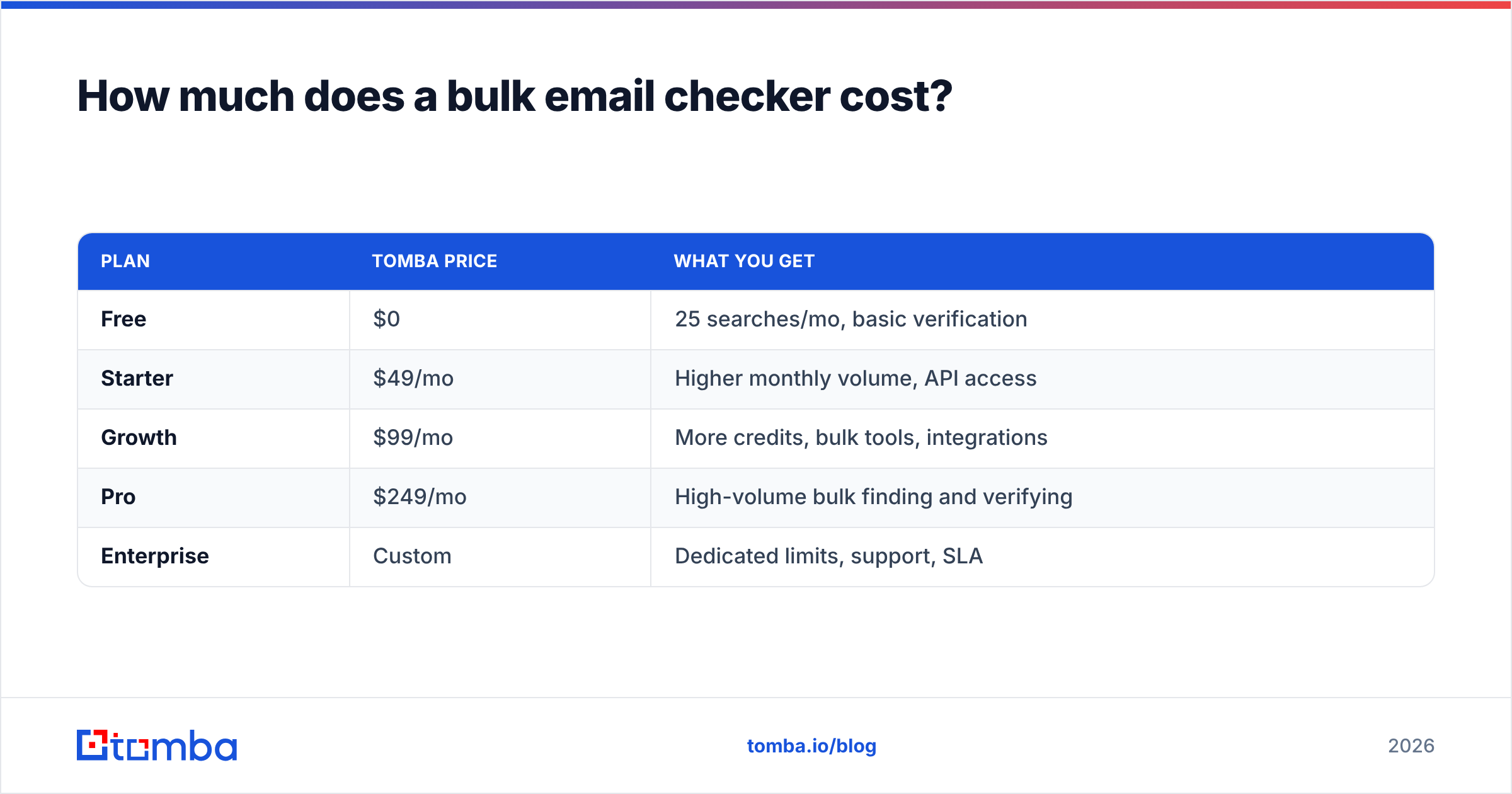
Pricing models fall into two camps: pay-as-you-go credits and monthly subscriptions. Credits suit one-off cleanups; subscriptions suit teams verifying continuously.
| Plan | Tomba price | What you get |
|---|---|---|
| Free | $0 | 25 searches/mo, basic verification |
| Starter | $49/mo | Higher monthly volume, API access |
| Growth | $99/mo | More credits, bulk tools, integrations |
| Pro | $249/mo | High-volume bulk finding and verifying |
| Enterprise | Custom | Dedicated limits, support, SLA |
The thing to watch is cost per usable contact, not headline price. A cheap tool that marks catch-alls as valid forces you to either eat the bounces or pay again to re-verify elsewhere. A slightly pricier tool with honest catch-all handling and built-in finding often costs less per contact you can actually email. You can see the full breakdown on the Tomba pricing page.
For pure verification, the per-credit math is simple. For combined find-and-verify workflows, factor in the tool you'd otherwise need for sourcing — that's usually where the bundled platforms pull ahead.
Common bulk email checker mistakes to avoid#
- Trusting one-time verification forever. A clean list in January is a dirty list by June. Re-verify.
- Treating catch-alls as valid. This is the single biggest source of "surprise" bounces in supposedly clean lists.
- Verifying after the send instead of before. Verification only helps upstream. Once you've bounced, the damage to reputation is done.
- Ignoring role and disposable filters. Mailing
info@and throwaway addresses drags down engagement metrics even when the addresses technically exist. - Buying lists and skipping the check. Purchased lists are the highest-risk data you'll ever handle. Verify every single row before it touches your sending domain.
The bottom line#
A bulk email checker isn't an optional polish step — it's the firewall between your campaigns and a wrecked sender reputation. The best tools verify at the mailbox level, handle catch-all domains honestly, and let you verify at scale through both uploads and an API. Whether you're cleaning a 100,000-row export or wiring verification into your signup flow, the goal is the same: never let an unverified address reach the send button.
If you want finding and verification in one place — sourcing professional addresses by domain or name, then cleaning them before you send — start with the Tomba Email Finder and pair it with the built-in email verifier. The free tier lets you test accuracy on your own list before you commit, and paid plans start at $49/mo for teams running outreach at volume. Clean data in, fewer bounces out.
// get started
Find, verify and enrich your first contacts today
Start on the free plan with 25 searches a month, then scale when your team is ready.
Free plan · No credit card required · GDPR & CCPA
// about the author