Business Email Example: 12 Templates That Get Replies (2026)
Need a business email example you can copy today? Get 12 proven templates for sales, follow-ups, intros, and apologies — plus the structure that gets replies in 2026.
Business Email Example: 12 Templates That Get Replies in 2026
You don't need another lecture on "email etiquette." You need a business email example you can paste, tweak, and send before your coffee goes cold. This guide gives you twelve, plus the repeatable structure underneath them so you can write your own from scratch.
TL;DR#
- A strong business email has six parts: subject line, greeting, opening line, body with one clear ask, sign-off, and signature.
- The single biggest mistake is burying the ask. State why you're writing in the first two sentences.
- Short wins: emails under 125 words get meaningfully higher reply rates than walls of text.
- Personalization beats volume. A verified, correct recipient is worth more than fifty guessed addresses.
- Below: 12 copy-paste templates for outreach, follow-ups, introductions, scheduling, and apologies.
What makes a good business email example?#
A good business email respects the reader's time and makes the next step obvious. Think of it like a well-labeled package: the recipient should know what's inside, who it's from, and what they're expected to do — without unwrapping every layer.
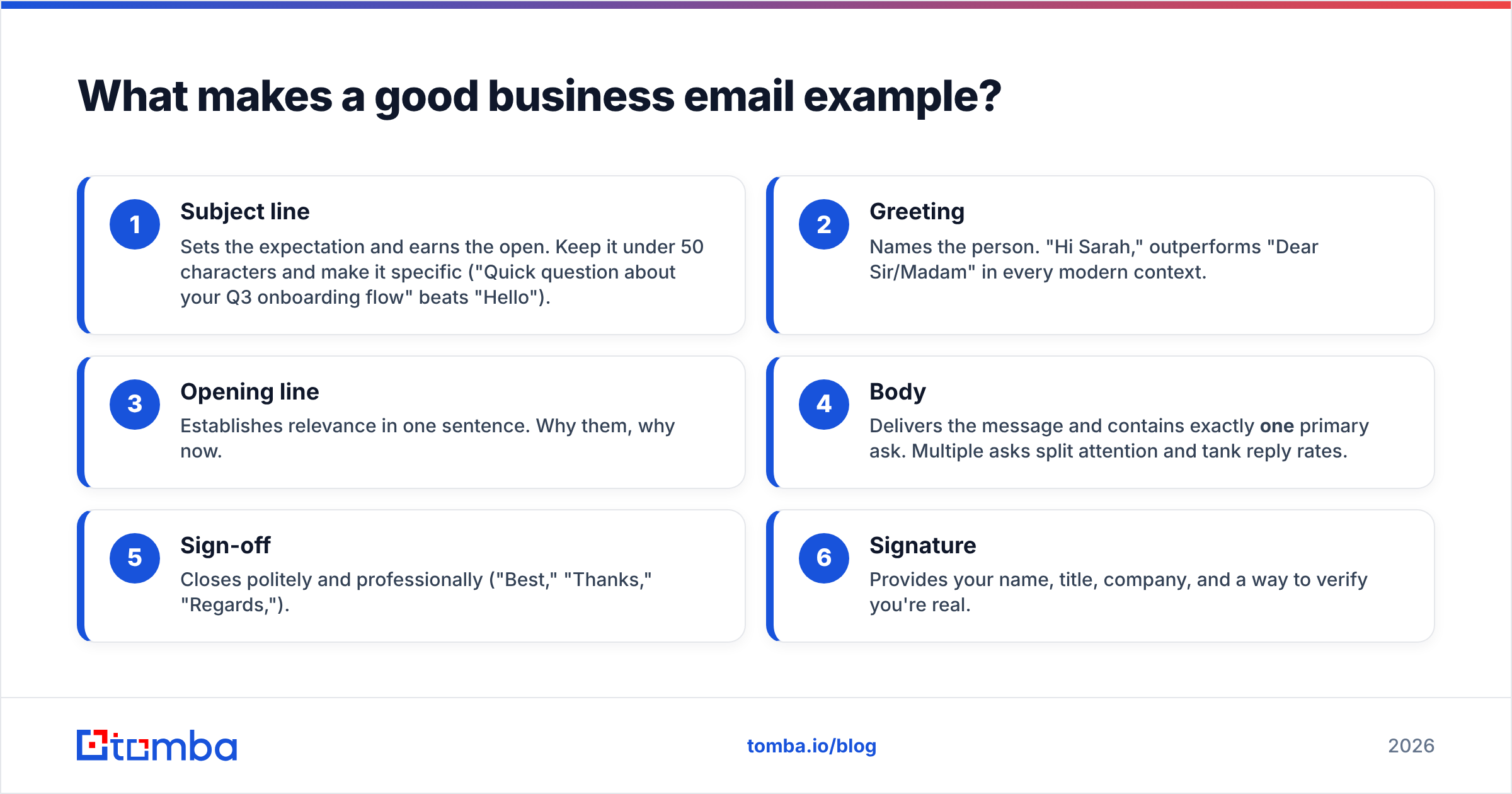
Every effective business email shares the same skeleton. Here's the six-part structure, with the job each part does:
- Subject line — Sets the expectation and earns the open. Keep it under 50 characters and make it specific ("Quick question about your Q3 onboarding flow" beats "Hello").
- Greeting — Names the person. "Hi Sarah," outperforms "Dear Sir/Madam" in every modern context.
- Opening line — Establishes relevance in one sentence. Why them, why now.
- Body — Delivers the message and contains exactly one primary ask. Multiple asks split attention and tank reply rates.
- Sign-off — Closes politely and professionally ("Best," "Thanks," "Regards,").
- Signature — Provides your name, title, company, and a way to verify you're real.
Get these six right and the content almost writes itself. Skip one — especially the single clear ask — and even a beautifully worded email gets ignored.
)
What does a basic business email example look like?#
Here's the simplest possible version, annotated so you can see the structure in action:
Subject: Question about your demo scheduling
Hi Marcus,
I noticed your team recently launched the new self-serve plan — congrats on the rollout.
I'm reaching out because we help SaaS teams cut demo no-shows by automating reminders. Would you be open to a 15-minute call next Tuesday or Wednesday to see if it's a fit?
Thanks,
Jordan Lee
Account Executive, Acme Reminders
jordan@acmereminders.com
Notice how it does the work: one compliment grounded in a real detail, one reason for writing, one ask with two concrete time options, and a signature that proves Jordan is a real person at a real company. That's the template. Everything else is variation.
How is a business email different from a personal email?#
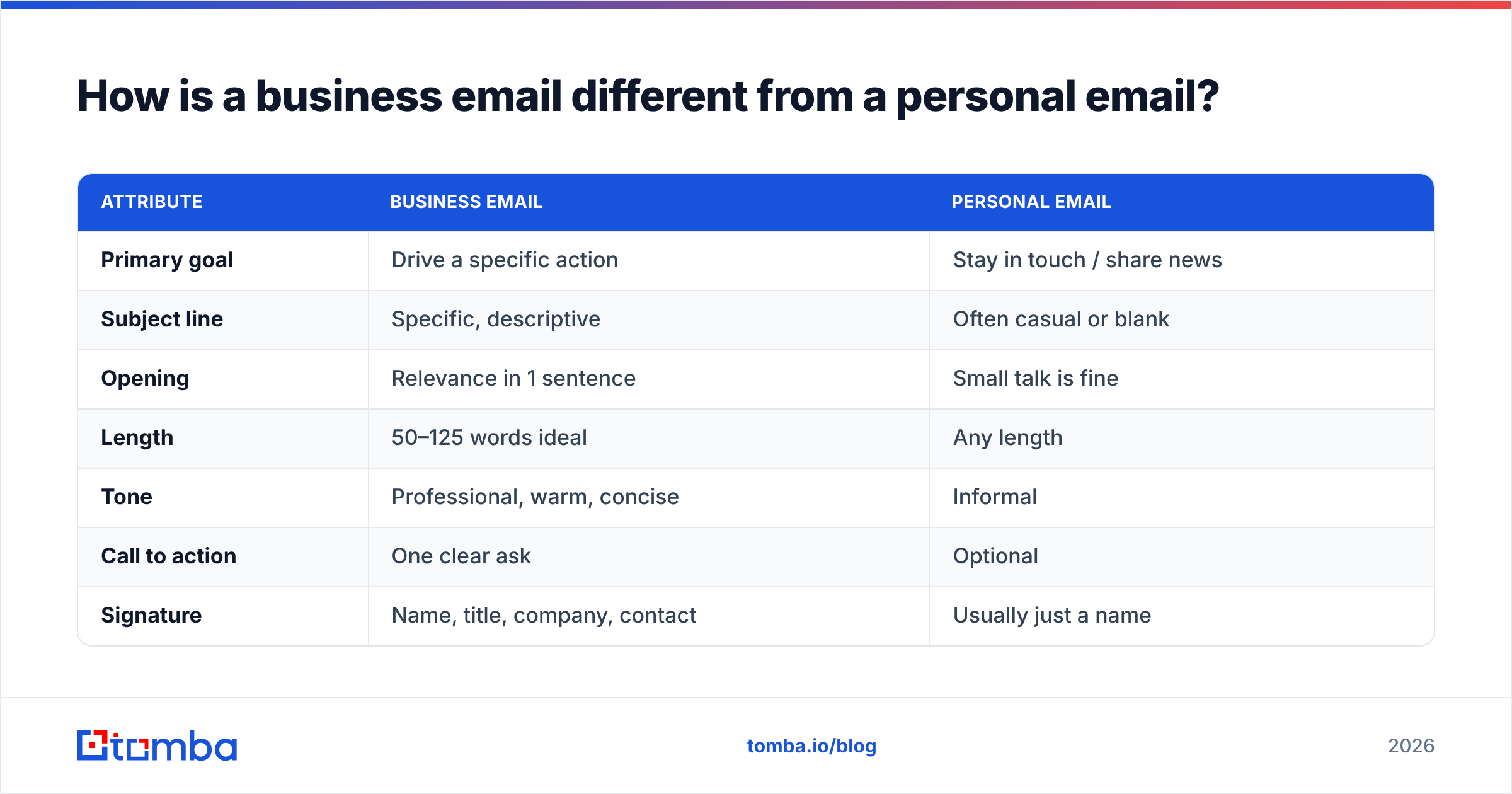
The difference is purpose and tone, not formality for its own sake. A personal email can ramble; a business email earns its keep in the first three lines.
| Attribute | Business email | Personal email |
|---|---|---|
| Primary goal | Drive a specific action | Stay in touch / share news |
| Subject line | Specific, descriptive | Often casual or blank |
| Opening | Relevance in 1 sentence | Small talk is fine |
| Length | 50–125 words ideal | Any length |
| Tone | Professional, warm, concise | Informal |
| Call to action | One clear ask | Optional |
| Signature | Name, title, company, contact | Usually just a name |
The takeaway: business writing isn't stiffer, it's tighter. You can be friendly and human while still being ruthless about clarity.
What are the best business email examples by use case?#
Below are twelve templates grouped by what you're trying to accomplish. Swap the bracketed fields and you're ready to send. For cold outreach especially, accuracy matters more than the wording — sending a great email to a wrong address is just noise. Confirming the right contact with a reliable email finder before you write is the highest-leverage step most people skip.
Cold outreach#
1. The relevance-first cold email
Subject: Idea for [Company]'s [specific process]
Hi [First name],
Saw that [Company] just [trigger event — funding, launch, hire]. Teams at that stage usually struggle with [specific pain].
We helped [similar company] fix exactly that and [concrete result]. Worth a quick 15-minute call to see if the same applies to you?
Best,
[Your name + signature]
2. The mutual-connection intro
Subject: [Mutual contact] suggested I reach out
Hi [First name],
[Mutual contact] mentioned you're leading [initiative] and thought we should connect. We do [one-line value prop].
Open to a short call next week?
Thanks,
[Your name]
Follow-ups#
3. The gentle nudge
Subject: Re: [original subject]
Hi [First name],
Floating this back to the top of your inbox in case it slipped through. Still happy to set up that call whenever works.
Best,
[Your name]
4. The value-add follow-up
Subject: Thought this might help
Hi [First name],
No pressure on my last note — but I came across [resource/article] and thought of your team's work on [topic]. Sharing in case it's useful.
[Your name]
5. The breakup email
Subject: Should I close the loop?
Hi [First name],
I haven't heard back, so I'll assume the timing isn't right. I'll stop reaching out — but if things change, you know where to find me.
All the best,
[Your name]
Introductions and networking#
6. The double opt-in intro
Subject: Intro to [Person B]?
Hi [Person A],
I'd love to introduce you to [Person B], who [reason it's relevant]. Want me to make the connection?
[Your name]
7. The post-event follow-up
Subject: Great meeting you at [event]
Hi [First name],
Enjoyed our chat about [topic] at [event]. You mentioned [detail] — I'd love to continue that conversation over coffee or a call.
Best,
[Your name]
Scheduling and logistics#
8. The meeting request
Subject: 15 minutes this week?
Hi [First name],
Could we grab 15 minutes to talk through [topic]? I'm free [option 1] or [option 2] — or send a time that suits you.
Thanks,
[Your name]
9. The reschedule
Subject: Need to move our [day] call
Hi [First name],
Apologies — a conflict came up for our [time] call. Could we move to [new option 1] or [new option 2]? Sorry for the shuffle.
[Your name]
Customer and internal#
10. The apology email
Subject: About yesterday's outage
Hi [First name],
I want to apologize for [issue] and the disruption it caused. Here's what happened and what we've changed so it won't recur: [brief explanation].
Happy to talk it through anytime.
Sincerely,
[Your name]
11. The thank-you / closing
Subject: Thank you
Hi [First name],
Just a note to say thanks for [specific action]. It genuinely made a difference, and I'm looking forward to working together.
Best,
[Your name]
12. The internal status update
Subject: [Project] — weekly update
Hi team,
Quick status on [project]:
- Done: [item]
- In progress: [item]
- Blocked: [item — and what you need]
Flag anything before Friday.
Thanks,
[Your name]
How do you write a business email that actually gets a reply?#
Lead with the ask, keep it short, and make sure it lands in a real inbox. Most "no reply" problems are not wording problems — they're targeting and deliverability problems.
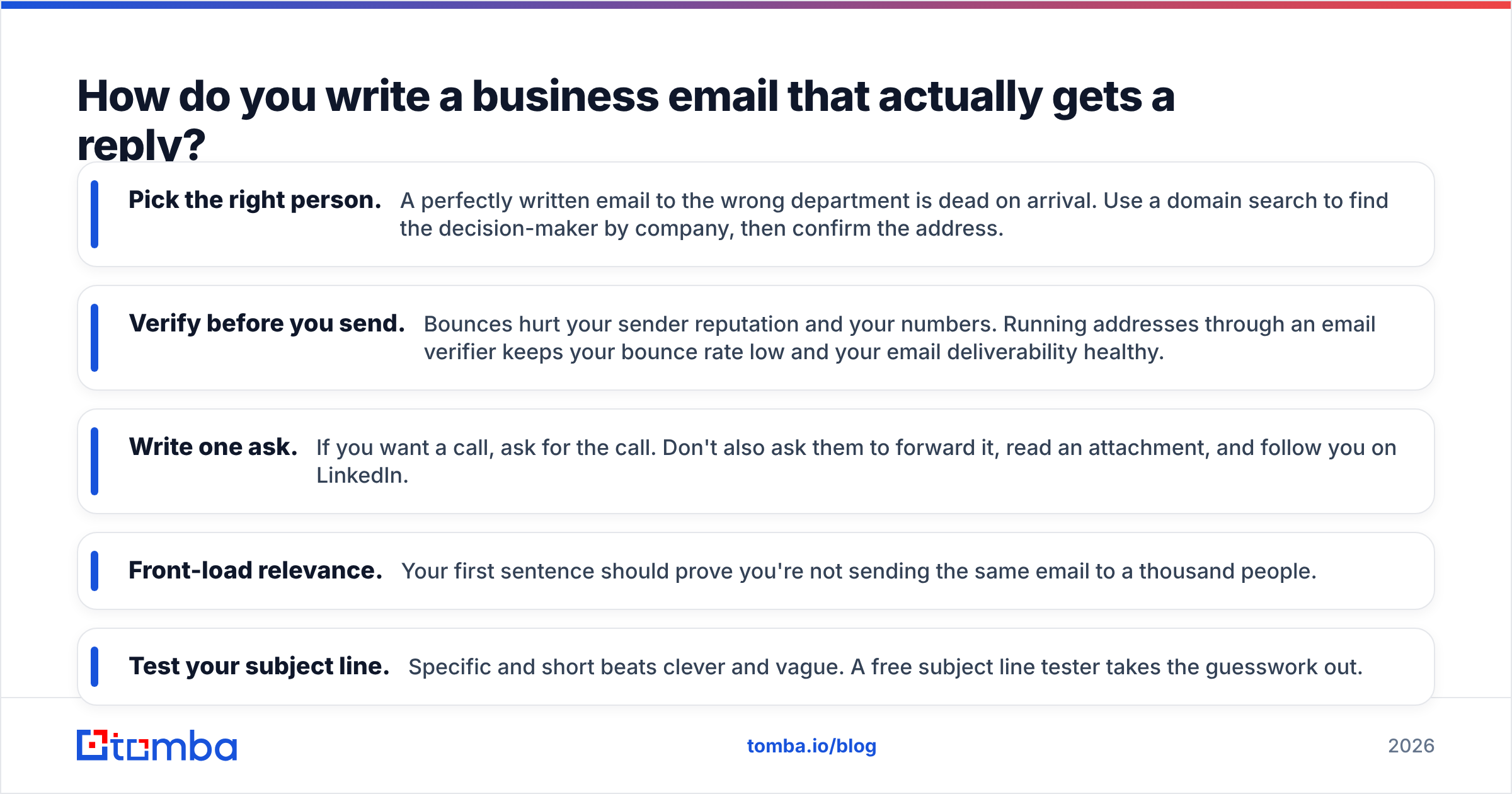
Here's where reply rates are won or lost:
- Pick the right person. A perfectly written email to the wrong department is dead on arrival. Use a domain search to find the decision-maker by company, then confirm the address.
- Verify before you send. Bounces hurt your sender reputation and your numbers. Running addresses through an email verifier keeps your bounce rate low and your email deliverability healthy.
- Write one ask. If you want a call, ask for the call. Don't also ask them to forward it, read an attachment, and follow you on LinkedIn.
- Front-load relevance. Your first sentence should prove you're not sending the same email to a thousand people.
- Test your subject line. Specific and short beats clever and vague. A free subject line tester takes the guesswork out.
For the broader rules of cold sending — sequencing, timing, and warmup — the resources from inbox providers like HubSpot and the deliverability community on G2 are worth bookmarking.
)
What are the most common business email mistakes?#
Avoid these and you're already ahead of most senders:
- No subject line, or a vague one. "Hello" and "Following up" tell the reader nothing. Be specific.
- Burying the ask in paragraph four. If your reader has to dig for the point, they won't.
- Writing too much. Every extra sentence is a reason to close the tab. Cut ruthlessly.
- Sending to unverified addresses. Hard bounces signal spam to inbox providers and quietly degrade every future send.
- Generic personalization. "I love what your company is doing" fools no one. Reference something real.
- Forgetting the signature. No title, no company, no way to verify you — straight to the trash.
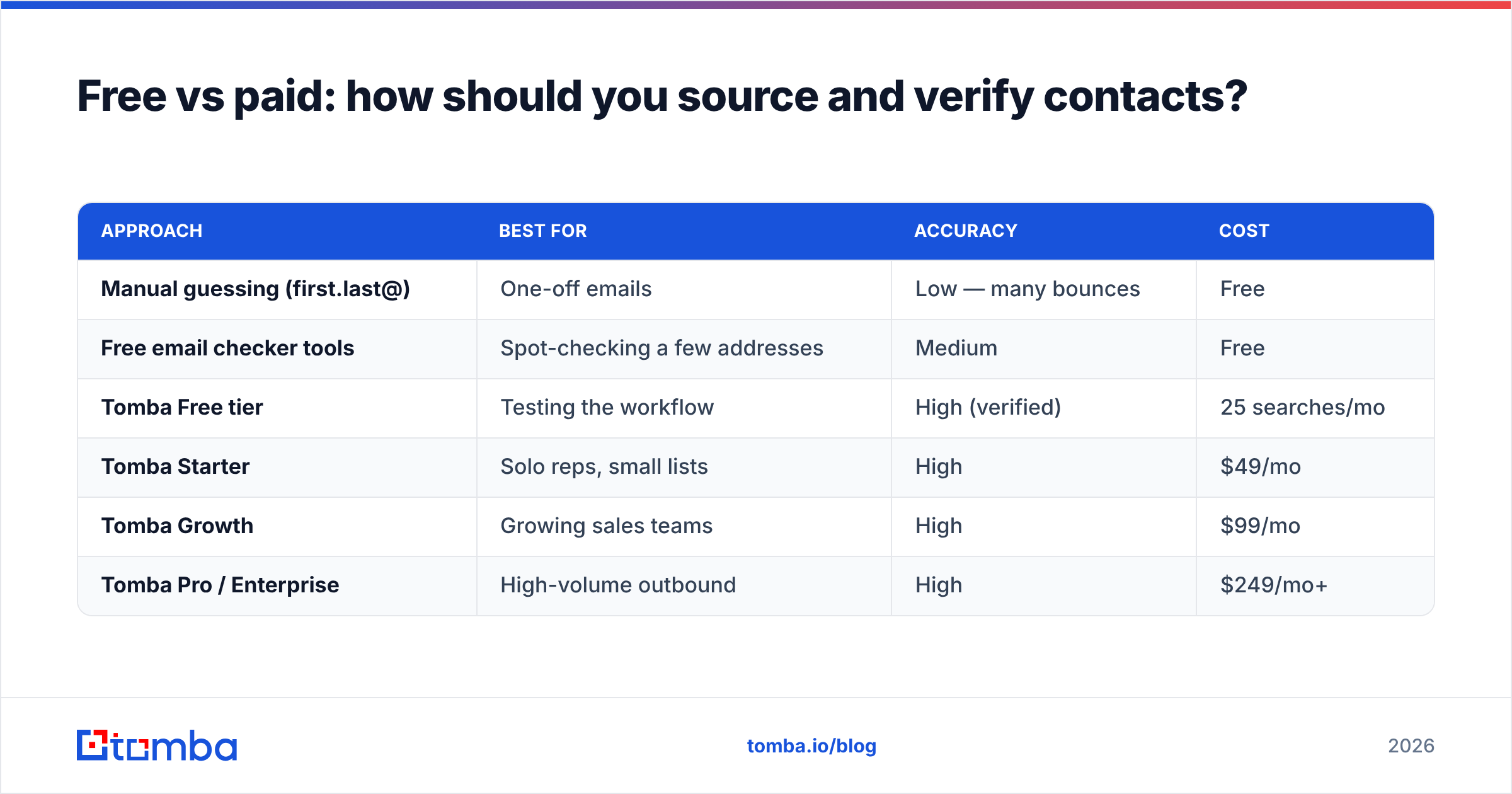
Free vs paid: how should you source and verify contacts?#
You can hand-build a small list for free, but anything at scale needs verified data and bulk tools. Here's an honest comparison of the common approaches:
| Approach | Best for | Accuracy | Cost |
|---|---|---|---|
| Manual guessing (first.last@) | One-off emails | Low — many bounces | Free |
| Free email checker tools | Spot-checking a few addresses | Medium | Free |
| Tomba Free tier | Testing the workflow | High (verified) | 25 searches/mo |
| Tomba Starter | Solo reps, small lists | High | $49/mo |
| Tomba Growth | Growing sales teams | High | $99/mo |
| Tomba Pro / Enterprise | High-volume outbound | High | $249/mo+ |
If you're just validating one address, a free email checker does the job. Once you're sending dozens or hundreds of business emails a week, paid verification and a bulk email finder pay for themselves by protecting your sender reputation. You can compare tiers on the Tomba pricing page.
How long should a business email be?#
Aim for 50 to 125 words for outreach and follow-ups. Internal updates and detailed customer emails can run longer, but the rule holds: every sentence should justify its place. Read your draft out loud — if you stumble or get bored, your reader will too.
A simple test: can the recipient understand who you are, what you want, and what to do next in under ten seconds of reading? If not, trim until they can.
Frequently asked questions#
What is a professional email format? A professional email follows the six-part structure: clear subject line, personalized greeting, a relevant opening, a concise body with one ask, a polite sign-off, and a complete signature with your name, title, and company.
How do I start a business email? Open with the recipient's name, then a single sentence that establishes relevance — why you're writing to them, specifically. Skip "I hope this email finds you well."
How do I find someone's business email address? Use an email finder that searches by name and company domain, then verify the result before sending. Tools like the Tomba Email Finder return verified, deliverable addresses so you're not guessing.
What's the best sign-off for a business email? "Best," "Thanks," and "Regards," are safe and professional in nearly every context. Match the formality to your relationship with the reader.
Start with the right address, not just the right words#
The best business email example in the world still fails if it lands in the wrong inbox — or bounces. Before you obsess over the perfect opening line, make sure you're writing to a real, verified person at the right company. The Tomba Email Finder finds professional email addresses by name, company, or domain and verifies them on the spot, so every template above actually reaches a human. Start free with 25 searches a month, then scale up as your outreach grows. Write better emails — and send them to addresses that exist.
// get started
Find, verify and enrich your first contacts today
Start on the free plan with 25 searches a month, then scale when your team is ready.
Free plan · No credit card required · GDPR & CCPA
// about the author