Business Meeting Email Format: The 2026 Template Guide
Master the business meeting email format in 2026 with a copy-paste structure, real templates, and a side-by-side breakdown of what gets a yes.
You can write a polite, professional email and still get ignored. The reason is almost never tone — it is structure. A business meeting request lives or dies on whether the reader can answer one question in five seconds: what are you asking me to do, and when? This guide gives you the exact business meeting email format that makes that answer obvious, plus copy-paste templates you can adapt today.
TL;DR#
- A meeting request email has six fixed parts: subject line, greeting, context line, the ask, a proposed time, and a one-click close.
- The subject line and first sentence do 80% of the work. If the reader can't tell why you're emailing from the preview pane, the rest never gets read.
- Always propose a specific time (with timezone) instead of asking "when are you free?" — you remove the decision friction.
- Keep the body under 120 words. Meeting emails are scanned, not read.
- Verify the address before you send. A perfectly formatted email to a dead inbox still books zero meetings — use an email verifier first.
What is the standard business meeting email format?#
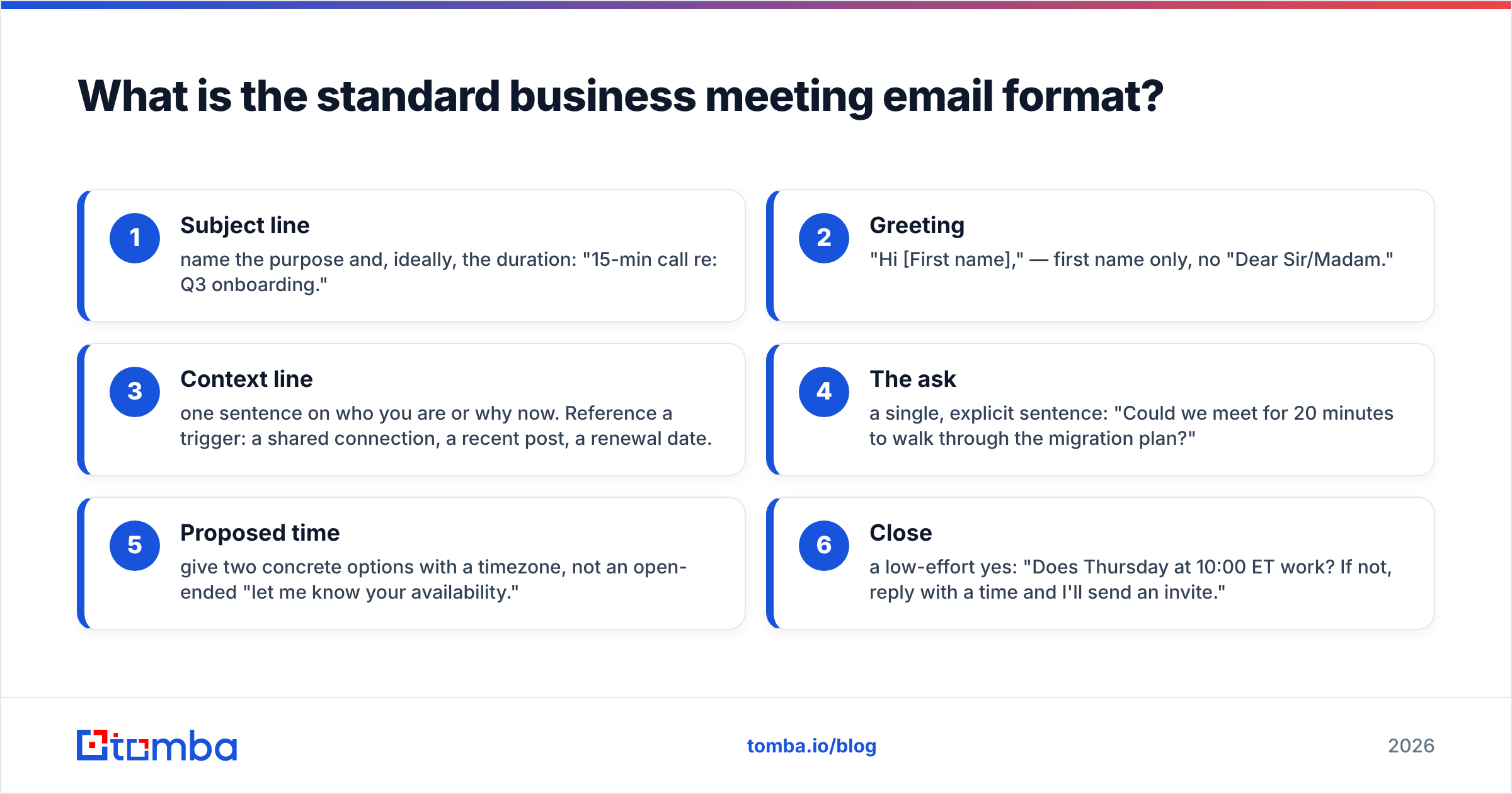
The standard format is a six-part skeleton that works whether you're emailing a prospect, a colleague, or a VP. Every effective request follows it, even when the writer doesn't know they're using a template.
- Subject line — name the purpose and, ideally, the duration: "15-min call re: Q3 onboarding."
- Greeting — "Hi [First name]," — first name only, no "Dear Sir/Madam."
- Context line — one sentence on who you are or why now. Reference a trigger: a shared connection, a recent post, a renewal date.
- The ask — a single, explicit sentence: "Could we meet for 20 minutes to walk through the migration plan?"
- Proposed time — give two concrete options with a timezone, not an open-ended "let me know your availability."
- Close — a low-effort yes: "Does Thursday at 10:00 ET work? If not, reply with a time and I'll send an invite."
That's it. The discipline is in what you leave out, not what you add.
Why does structure beat politeness?#
Because attention is the scarce resource, not goodwill. Think of your email like a road sign on a highway. The driver is moving at 70 mph and glances for half a second. A sign that reads "Exit 24 — Fuel, Food, 1 Mile" works. A beautifully worded paragraph about the history of the town does not, no matter how courteous.
Decision-makers triage their inbox the same way. According to research compiled by HubSpot, the average professional receives over a hundred emails a day. Your meeting request competes with all of them. Politeness is table stakes; clarity is the differentiator. A blunt-but-clear email beats a warm-but-vague one every time, because the reader can act on it without thinking.
This is also why "I hope this email finds you well" is dead weight. It delays the ask, eats preview-pane space, and signals a template. Cut it.
What does a good vs. bad meeting email look like?#
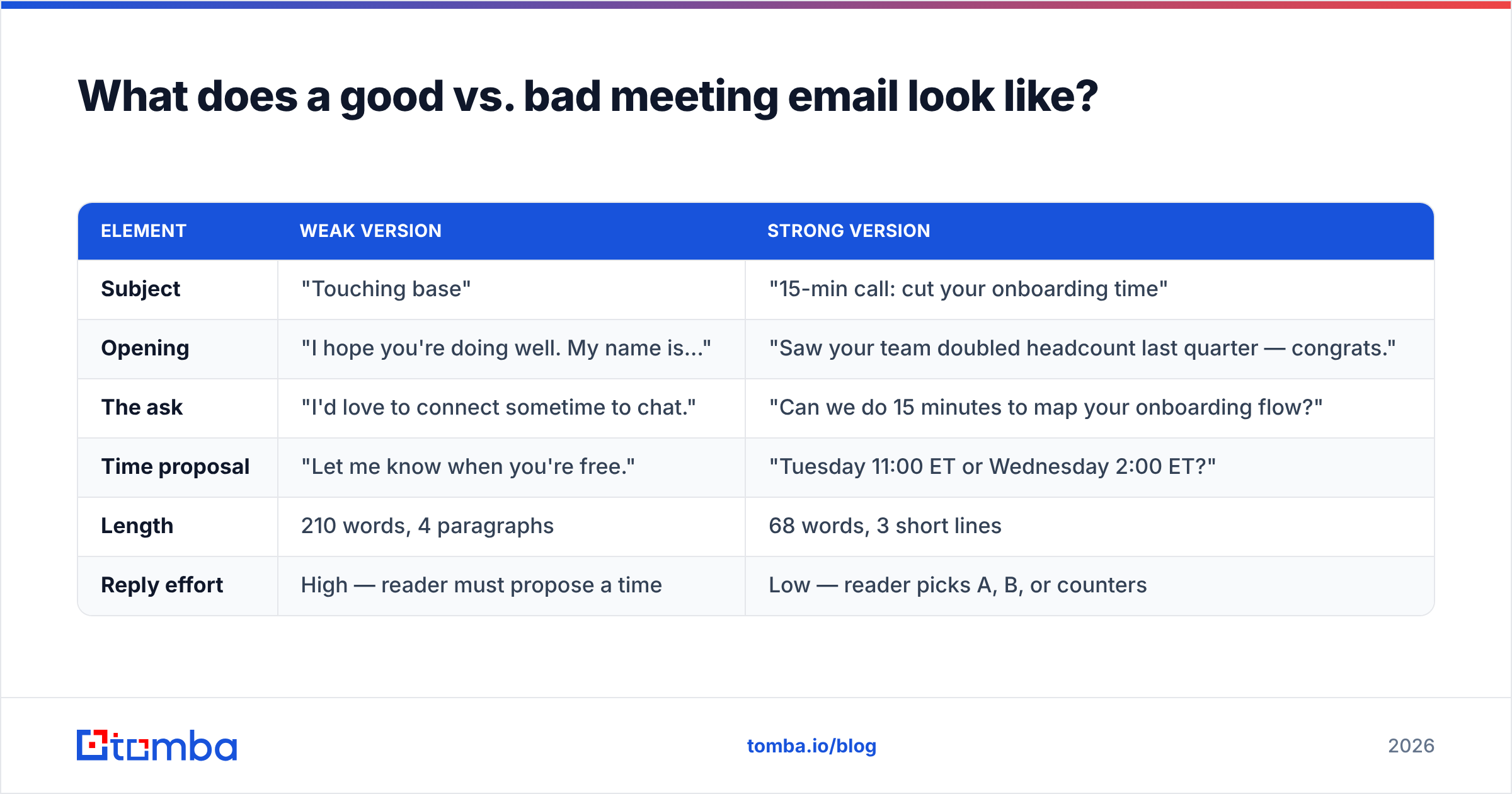
Here's the same request written two ways. The difference is entirely structural.
| Element | Weak version | Strong version |
|---|---|---|
| Subject | "Touching base" | "15-min call: cut your onboarding time" |
| Opening | "I hope you're doing well. My name is..." | "Saw your team doubled headcount last quarter — congrats." |
| The ask | "I'd love to connect sometime to chat." | "Can we do 15 minutes to map your onboarding flow?" |
| Time proposal | "Let me know when you're free." | "Tuesday 11:00 ET or Wednesday 2:00 ET?" |
| Length | 210 words, 4 paragraphs | 68 words, 3 short lines |
| Reply effort | High — reader must propose a time | Low — reader picks A, B, or counters |
The weak version asks the reader to do work: figure out what you want, decide if it's worth it, and propose logistics. The strong version does all of that for them. The only thing left is a yes.
What's the right subject line for a meeting request?#
Treat the subject line as a headline, not a label. It should answer "why open this?" in under sixty characters so it survives mobile truncation. Strong patterns:
- Specific + time-boxed: "20 min next week — pipeline review?"
- Value-first: "Idea to cut your AWS bill ~18%"
- Referral-anchored: "[Mutual name] suggested we talk"
- Calendar-direct: "Meeting request: Thursday, design handoff"
Avoid one-word subjects ("Hi," "Quick question," "Touching base"). They read as either spam or filler, and both get archived. If you want to test variants before sending at scale, run them through a subject line tester to catch spam triggers and length issues.
How do you format the body for skimming?#
Format for the eye before the brain. A reader's first pass is a visual scan: are there walls of text, or is there white space and a clear shape? Optimize the layout, then the words.
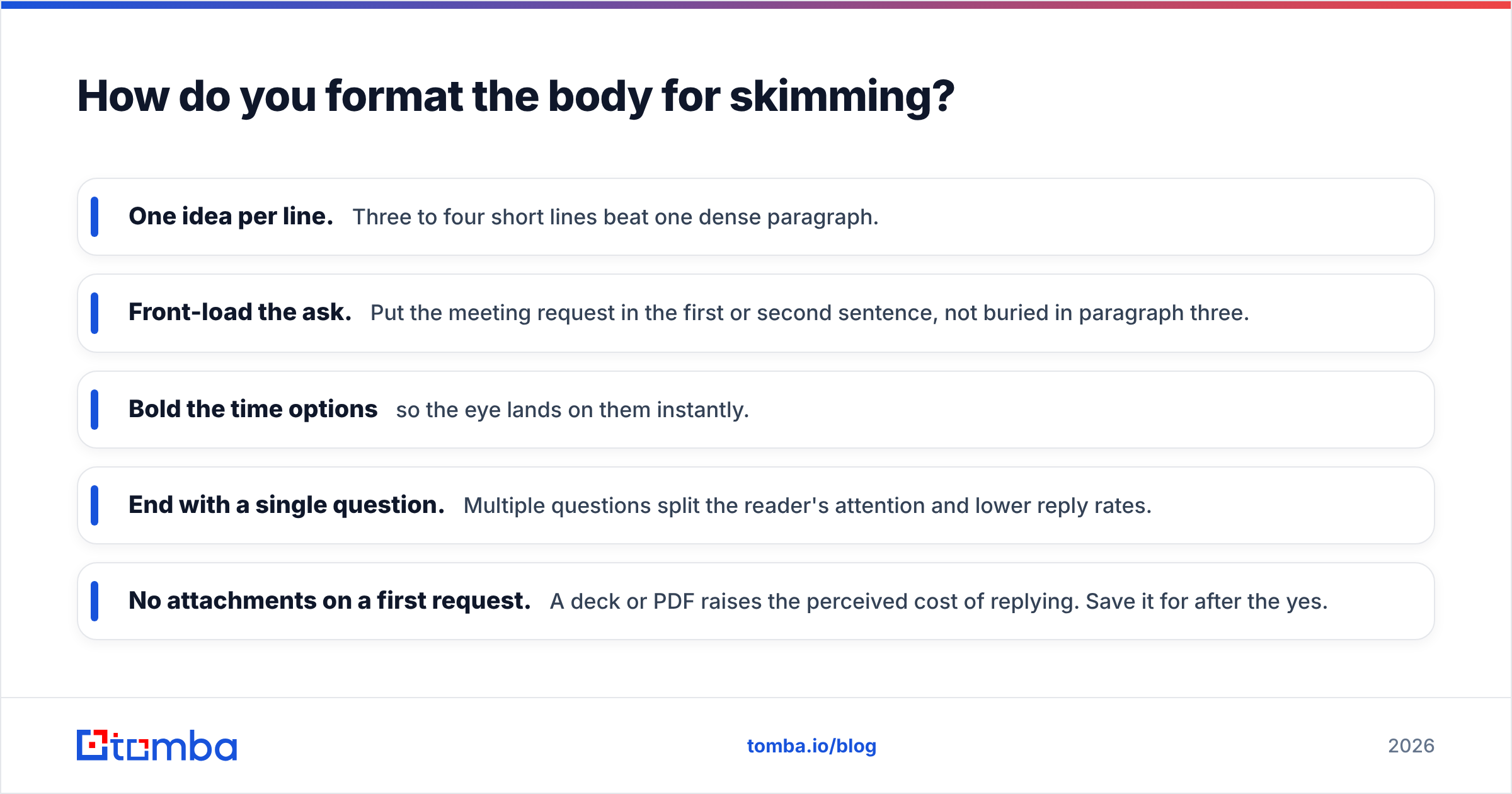
- One idea per line. Three to four short lines beat one dense paragraph.
- Front-load the ask. Put the meeting request in the first or second sentence, not buried in paragraph three.
- Bold the time options so the eye lands on them instantly.
- End with a single question. Multiple questions split the reader's attention and lower reply rates.
- No attachments on a first request. A deck or PDF raises the perceived cost of replying. Save it for after the yes.
If you write a lot of these, build a reusable library. A set of cold email templates gives you a tested starting structure so you're tweaking, not drafting from scratch.
What are some copy-paste meeting email templates?#
Three formats for the three most common scenarios. Swap the brackets and send.
1. Cold prospect request
Subject: 15 min — [specific outcome] for [their company]?
Hi [First name],
Noticed [trigger: recent hire, launch, post]. We help [similar companies] [outcome] — usually [proof point].
Worth 15 minutes to see if it maps to your setup? Tuesday 10:00 ET or Wednesday 3:00 ET work on my end.
[Your name]
2. Internal / colleague request
Subject: 20 min this week — [project] decision
Hi [Name],
We need to lock the [decision] before [deadline]. Two open questions: [A] and [B].
Can you do Thursday 11:00 or Friday 9:30? I'll send the invite + a one-page brief.
Thanks,
[Your name]
3. Follow-up after no reply
Subject: Re: 15 min — [original topic]
Hi [First name],
Floating this back up. Still happy to keep it to 15 minutes.
Does early next week work, or should I check back next month?
[Your name]
Notice the follow-up keeps the original subject (so it threads) and offers an easy off-ramp ("check back next month"), which paradoxically lifts replies because it lowers pressure.
Does the email format matter if you have the wrong address?#
No — and this is where most meeting requests quietly fail. The cleanest format in the world bounces if the address is wrong, outdated, or a catch-all that silently swallows mail. You never get a reply, and you assume your copy was the problem.
Two checks prevent wasted sends:
- Find the right address. If you only have a name and a company, use an email finder to get the verified work address instead of guessing at
first.last@. - Confirm it's deliverable. Run the address through verification to filter invalid, role-based, and risky inboxes before you send. For domains that accept everything, a dedicated catch-all verifier tells you whether the mailbox actually exists.
For teams sending dozens of requests a week, doing this one address at a time doesn't scale. A bulk email finder verifies a whole list at once, so your formatted templates only land in inboxes that can reply. Deliverability and format are two halves of the same job — nail one and ignore the other, and you still get silence.
How does Tomba compare to manual address hunting?#
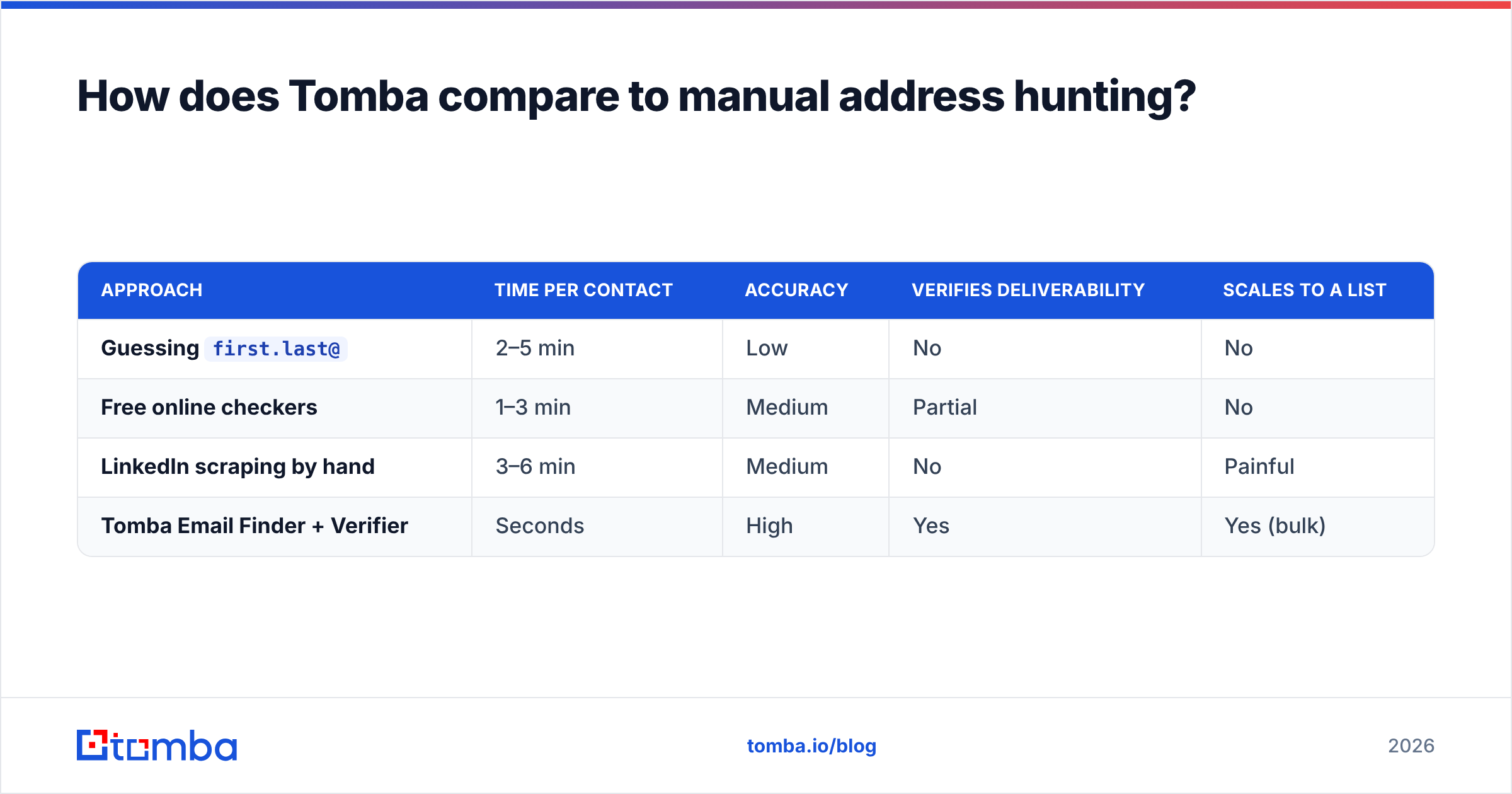
Manual hunting means guessing patterns, pasting them into a free checker, and hoping. Here's how that stacks up against a dedicated finder.
| Approach | Time per contact | Accuracy | Verifies deliverability | Scales to a list |
|---|---|---|---|---|
Guessing first.last@ |
2–5 min | Low | No | No |
| Free online checkers | 1–3 min | Medium | Partial | No |
| LinkedIn scraping by hand | 3–6 min | Medium | No | Painful |
| Tomba Email Finder + Verifier | Seconds | High | Yes | Yes (bulk) |
The format guide above books meetings only when the email arrives. Spending an hour perfecting six lines of copy and zero seconds confirming the address is a common, expensive mistake. You can review full Tomba pricing to match a plan to your volume — the free tier covers 25 searches a month if you just want to test the workflow.
What mistakes kill meeting request emails?#
Most failures repeat the same handful of patterns. Audit your draft against this list before sending:
- No specific time. "Let me know your availability" pushes the work back to the reader and stalls the thread.
- Burying the ask. If the meeting request isn't visible in the preview pane, assume it won't be read.
- Over-explaining. A first email doesn't need your full pitch. It needs enough to earn 15 minutes.
- Wrong timezone or none. "3:00" without a timezone causes a reschedule loop. Always include ET/PT/GMT.
- Sending to an unverified address. The silent killer — covered above.
- No clear next step. End with one question and one action, not a vague "looking forward to connecting."
Fix these six and your reply rate climbs without you touching the persuasion at all. Structure is leverage.
How do you follow up without being annoying?#
Follow up two to three times, spaced three to five business days apart, and add value or an easy exit each time — never just "bumping this." The first follow-up restates the ask in one line. The second offers a different angle or a smaller commitment ("even a 5-minute call?"). The third gives a graceful close ("I'll assume the timing's off and circle back next quarter").
Persistence works because most non-replies are about timing, not rejection. Studies on outbound cited across G2 consistently show a large share of positive replies arrive after the first message. The key is that each touch must respect the reader's time as much as the original — same tight format, no guilt-tripping, always an off-ramp.
Closing: format the email, then make sure it lands#
A great business meeting email format is a repeatable system: a clear subject, a one-line context, an explicit ask, a specific time, and a one-click close — all under 120 words. Master that skeleton and you'll book more meetings with less writing.
But formatting is only half the equation. The most persuasive request still fails if it hits the wrong inbox. Before you send your next batch of requests, run your contacts through the Tomba Email Finder to get verified, deliverable work addresses in seconds — so the only thing standing between you and the meeting is whether they say yes. Start free with 25 searches and see how many more replies a clean list earns you.
// get started
Find, verify and enrich your first contacts today
Start on the free plan with 25 searches a month, then scale when your team is ready.
Free plan · No credit card required · GDPR & CCPA
// about the author