Business Owner Lookup: How to Find Any Owner's Contact in 2026
A practical 2026 playbook for running a business owner lookup — from free public registries to enrichment APIs — so you can find the real decision-maker, not a generic info@ inbox.
TL;DR
- A business owner lookup is the process of identifying who actually owns or controls a company and finding a verified way to reach them — not the front-desk
info@address. - Free public sources (state registries, SEC filings, OpenCorporates) confirm legal ownership but rarely give you a working email or direct phone.
- LinkedIn and company sites surface names and roles; enrichment tools turn those names into verified contact data at scale.
- The fastest reliable workflow is a hybrid: confirm the owner in a registry, then run an email finder and verifier to get a deliverable address.
- Always verify before you send — a bounce on a cold outreach to an owner can cost you the relationship and your sender reputation.
What is a business owner lookup?#
A business owner lookup is finding the human who holds decision-making authority over a company — the founder, principal, managing member, or majority shareholder — and getting a contact channel that actually reaches them.
Think of it like tracing a house's deed instead of knocking on the front door. The front door (a general contact form or support@ inbox) is staffed by people paid to filter you out. The deed tells you who owns the place, and from there you can find a direct line. For sales, recruiting, due diligence, partnerships, or debt collection, that direct line is the difference between a reply and silence.
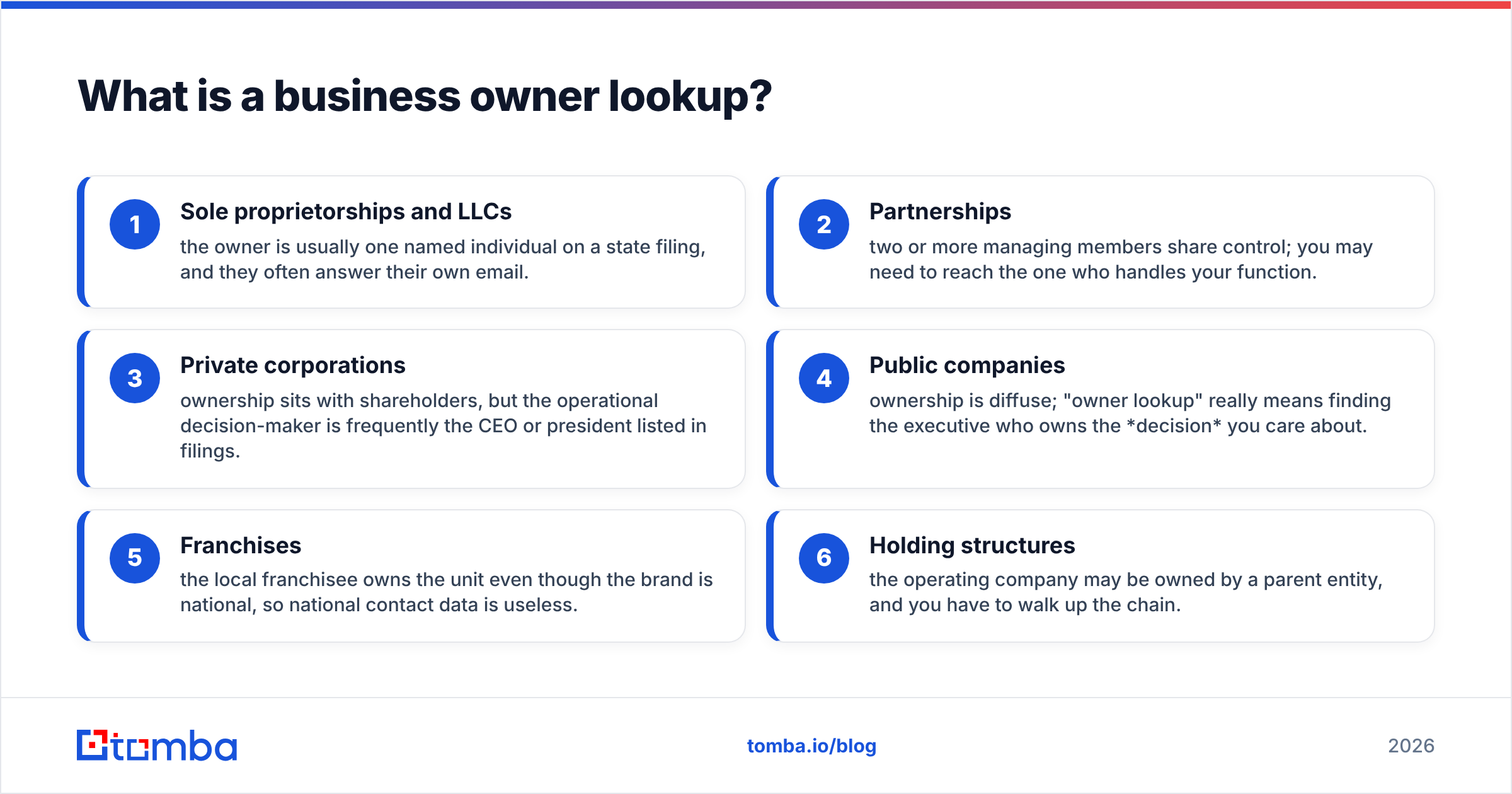
The challenge is that "owner" means different things depending on company size:
- Sole proprietorships and LLCs — the owner is usually one named individual on a state filing, and they often answer their own email.
- Partnerships — two or more managing members share control; you may need to reach the one who handles your function.
- Private corporations — ownership sits with shareholders, but the operational decision-maker is frequently the CEO or president listed in filings.
- Public companies — ownership is diffuse; "owner lookup" really means finding the executive who owns the decision you care about.
- Franchises — the local franchisee owns the unit even though the brand is national, so national contact data is useless.
- Holding structures — the operating company may be owned by a parent entity, and you have to walk up the chain.
Get the entity type right first. It tells you which source will actually have the answer.
Why is finding a business owner so hard?#
Because the easy data is public and the useful data is hidden. Ownership records are designed for legal transparency, not outreach — they confirm a name and maybe a registered-agent address, but almost never a personal email or mobile number.
Three frictions stack up:
- Privacy by design. Registered agents exist specifically so owners don't have to publish their home address. Many filings list a law firm or a service like a registered-agent company instead of the person.
- Stale data. Annual reports lag reality. An owner who sold last year can still appear on the most recent public filing.
- Name ambiguity. "John Smith, owner of Acme LLC" is useless when there are 400 Acme LLCs and 50,000 John Smiths. You need a second data point — domain, city, or LinkedIn — to disambiguate.
This is the gap that modern lookup tools fill: they connect the legal name from a registry to the reachable contact from web and email infrastructure.

Where can you look up a business owner for free?#
Start with public records — they are the source of truth for legal ownership and they cost nothing. They just won't hand you a contact channel.
- Secretary of State business registries. Every U.S. state runs a free entity search. You'll get the registered name, status, formation date, registered agent, and often the managing member or officers. This is your primary confirmation of who owns the entity.
- SEC EDGAR. For public companies and larger private filers, SEC filings name executives and major shareholders, often with biographical detail.
- OpenCorporates. OpenCorporates aggregates company registries across jurisdictions into one search — useful when you don't know which state or country the entity sits in.
- County and local licensing. DBAs ("doing business as"), liquor licenses, and contractor licenses frequently list the owner's name and sometimes a phone number.
- The company website. The About, Team, and Leadership pages are the most underrated free source. Founders love telling their story, and that story usually includes a name and a title.
Free sources answer who. They rarely answer how do I reach them. For that, you move to the contact layer.
How do public records compare to data tools?#
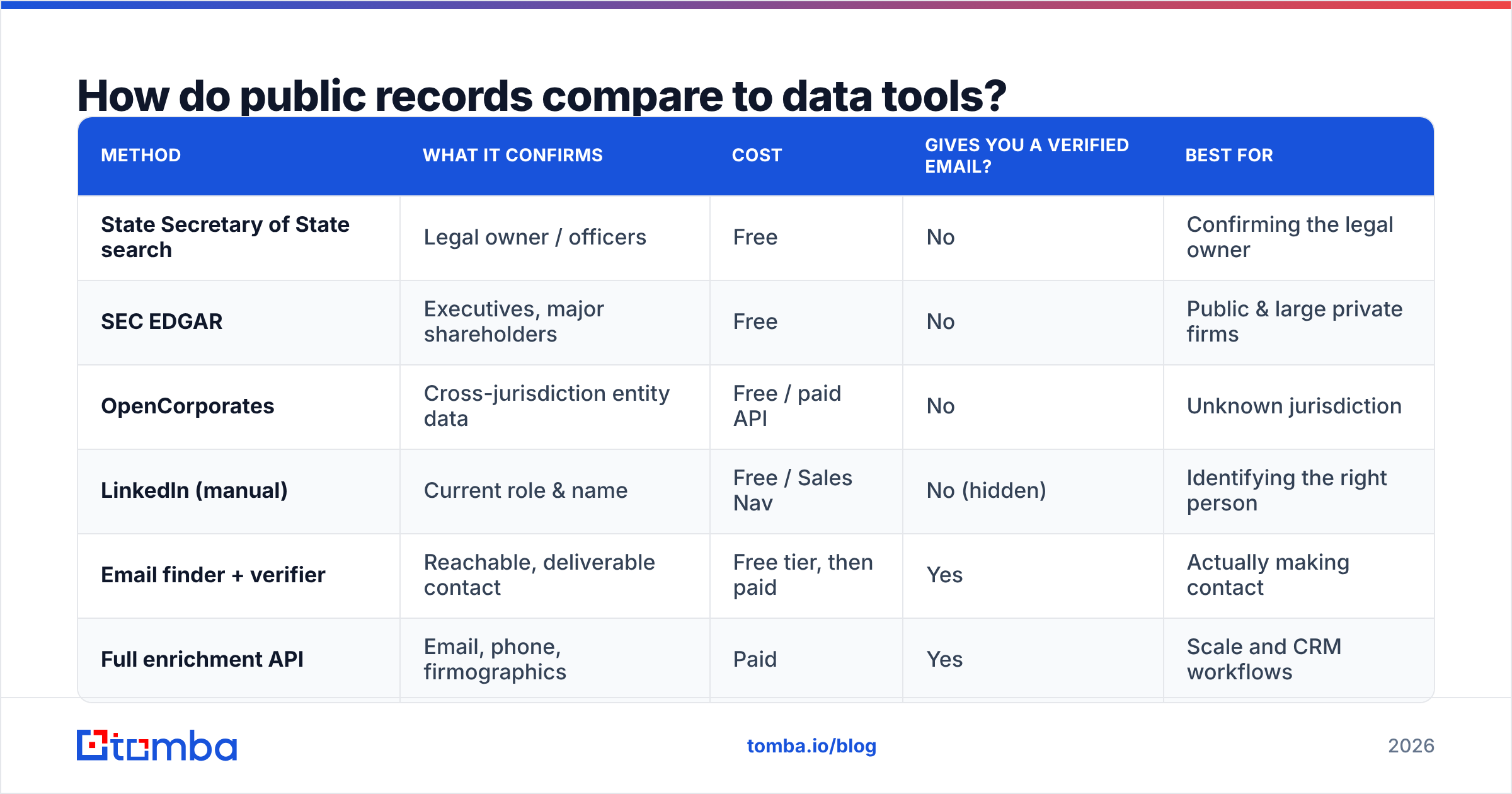
Here's the honest trade-off between the free legal sources and paid contact-data tools. Neither replaces the other — they answer different questions.
| Method | What it confirms | Cost | Gives you a verified email? | Best for |
|---|---|---|---|---|
| State Secretary of State search | Legal owner / officers | Free | No | Confirming the legal owner |
| SEC EDGAR | Executives, major shareholders | Free | No | Public & large private firms |
| OpenCorporates | Cross-jurisdiction entity data | Free / paid API | No | Unknown jurisdiction |
| LinkedIn (manual) | Current role & name | Free / Sales Nav | No (hidden) | Identifying the right person |
| Email finder + verifier | Reachable, deliverable contact | Free tier, then paid | Yes | Actually making contact |
| Full enrichment API | Email, phone, firmographics | Paid | Yes | Scale and CRM workflows |
The pattern is clear: registries and LinkedIn get you a confirmed name; a contact-data tool turns that name into a deliverable email and phone. You almost always need both halves.
How do you find the owner's email and phone?#
Once you have a confirmed name and the company domain, the contact step is fast. This is the part most people overcomplicate.
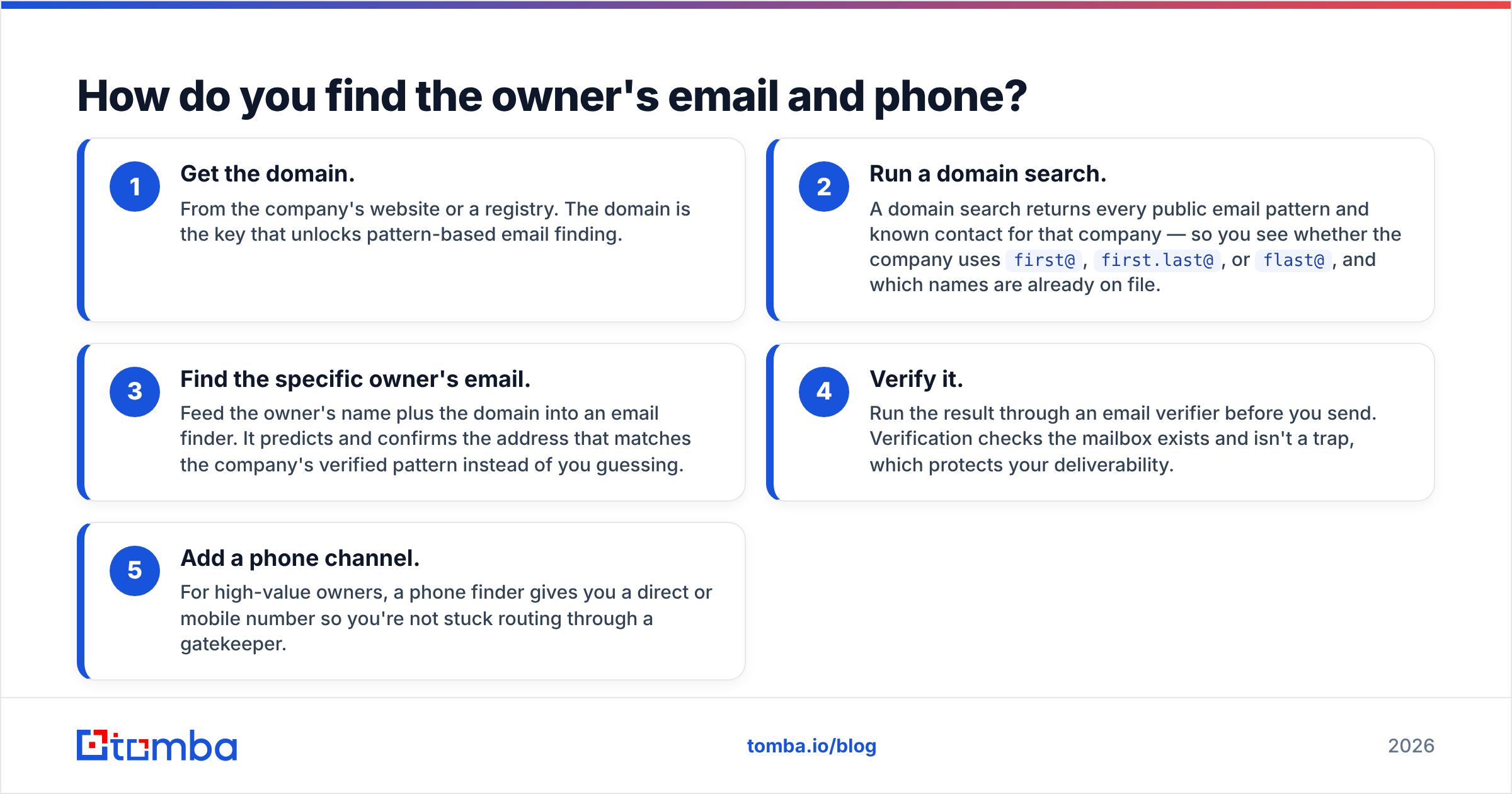
The reliable sequence:
- Get the domain. From the company's website or a registry. The domain is the key that unlocks pattern-based email finding.
- Run a domain search. A domain search returns every public email pattern and known contact for that company — so you see whether the company uses
first@,first.last@, orflast@, and which names are already on file. - Find the specific owner's email. Feed the owner's name plus the domain into an email finder. It predicts and confirms the address that matches the company's verified pattern instead of you guessing.
- Verify it. Run the result through an email verifier before you send. Verification checks the mailbox exists and isn't a trap, which protects your deliverability.
- Add a phone channel. For high-value owners, a phone finder gives you a direct or mobile number so you're not stuck routing through a gatekeeper.
If you only have an email and need the name behind it — say a payment came from an address you don't recognize — flip the process with a reverse email lookup, which resolves an address back to a person and company.
For one-off lookups, doing this by hand is fine. The moment you have a list of 50 or 500 businesses, switch to a bulk email finder and let the tool process the whole CSV against verified patterns.

Is a manual lookup or an enrichment tool better?#
Use manual research for one or two high-stakes targets; use an enrichment tool the moment volume or repeatability enters the picture. The two aren't rivals — they're different gears for different speeds.
Manual lookup wins when:
- You're chasing a single strategic account and want context (recent news, the owner's background, mutual connections) that a tool won't summarize.
- The entity is unusual — a trust, a foreign holding company, a recently-restructured partnership — where judgment beats automation.
- Compliance demands a documented paper trail from the primary registry source.
An enrichment tool wins when:
- You have a list. Ten lookups by hand is a coffee break; 500 is a lost week.
- You need verified, deliverable contacts, not just names.
- You want the data to flow into your CRM automatically rather than living in a spreadsheet.
The most efficient teams do both: a quick registry check to confirm the legal owner, then data enrichment to append verified email, phone, and firmographics across the whole list. You get accuracy on the names and speed on the contacts.
What about LinkedIn and social profiles?#
LinkedIn is the best free source for current role and decision-making authority — and a weak source for actual contact details, because it hides them.
Owners list themselves as "Founder," "Owner," or "Managing Partner," which instantly disambiguates the person you found in a stale registry. Sales Navigator lets you filter by company size, seniority, and geography to isolate the right principal. According to vendor research on B2B buying, decision-makers increasingly vet sellers through professional networks before replying, so a LinkedIn match also tells you the profile is alive and active. (Independent review sites like G2 catalog the dozens of tools built specifically around this LinkedIn-to-contact gap.)
What LinkedIn won't give you is the email. That's where a LinkedIn finder bridges the gap — you identify the owner on their profile, then resolve a verified business email tied to the company domain. The profile proves you have the right human; the finder makes them reachable.
How do you keep a business owner lookup accurate and compliant?#
Accuracy and compliance are the same discipline: only act on data you've verified, and only collect what you have a legitimate reason to use.
Practical guardrails:
- Verify every email before the first send. An unverified guess to a business owner is a bounce risk, and bounces hammer your sender reputation. Verification is cheap insurance.
- Re-check ownership periodically. Businesses sell, merge, and dissolve. If a registry filing is more than a year old, treat the owner as a hypothesis until a live signal (an active LinkedIn profile, a verified email) confirms it.
- Match the entity type to the source. Don't trust national-brand contact data for a local franchisee, and don't expect a sole proprietor to appear in SEC filings.
- Respect privacy law. B2B outreach is generally permitted, but GDPR, CAN-SPAM, and CCPA set rules on consent, opt-out, and data handling. Use business contact data for legitimate business purposes, honor unsubscribes immediately, and document your source. The SBA's guidance on small-business compliance is a reasonable starting point for U.S. rules.
- Centralize the data. A scattered spreadsheet decays fast. Pushing verified owners into a maintained B2B database keeps your records fresh and deduplicated.
The teams that win at owner outreach aren't the ones with the biggest lists — they're the ones whose lists are verified, current, and legally sourced.
What's the fastest end-to-end workflow?#
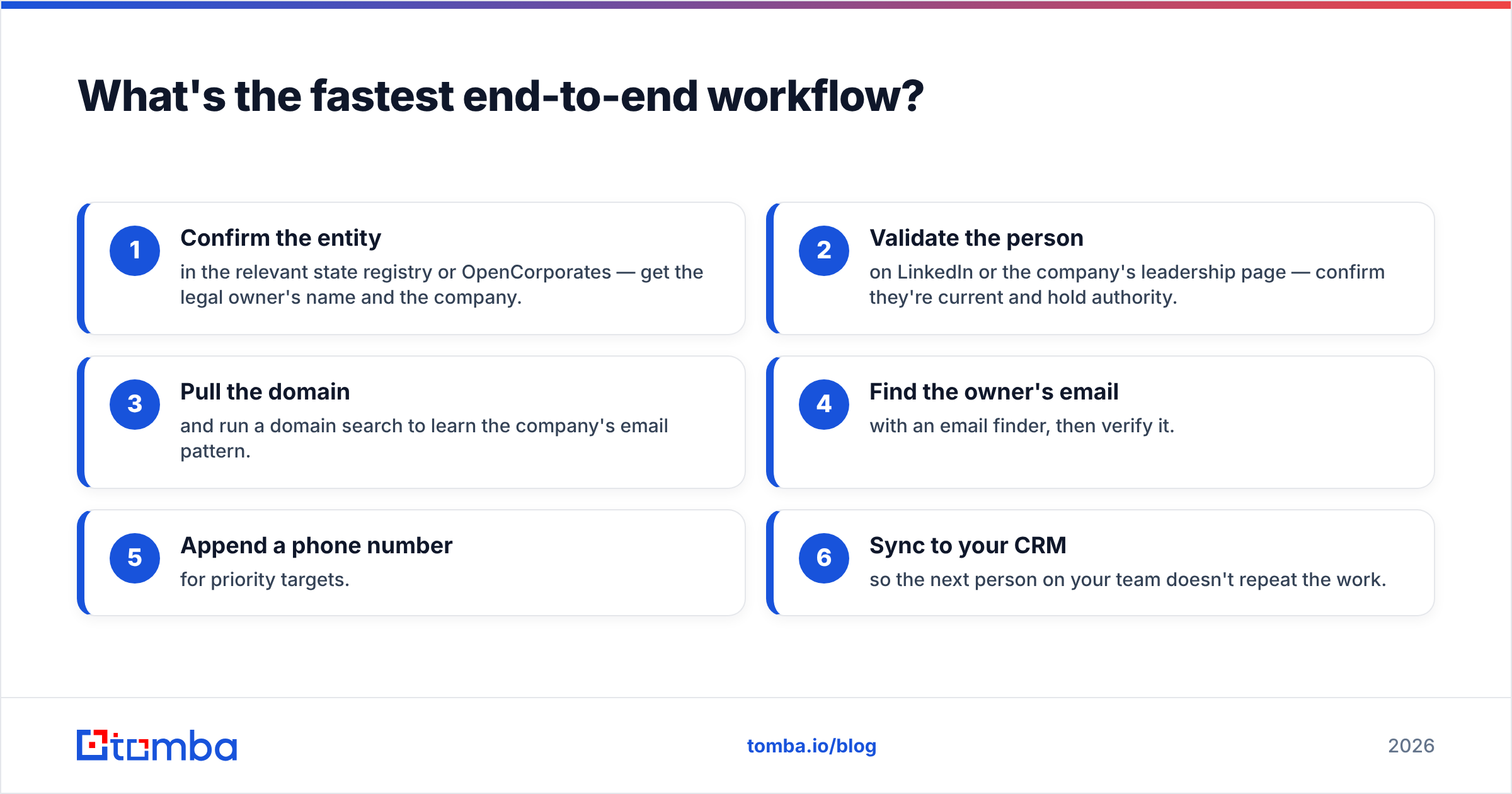
Put it together and a complete business owner lookup takes minutes, not hours:
- Confirm the entity in the relevant state registry or OpenCorporates — get the legal owner's name and the company.
- Validate the person on LinkedIn or the company's leadership page — confirm they're current and hold authority.
- Pull the domain and run a domain search to learn the company's email pattern.
- Find the owner's email with an email finder, then verify it.
- Append a phone number for priority targets.
- Sync to your CRM so the next person on your team doesn't repeat the work.
Each step narrows uncertainty: registry gives you legitimacy, LinkedIn gives you currency, the finder-plus-verifier gives you reachability. Skip a step and you trade accuracy for speed — usually a bad deal when the prize is a business owner's attention.
The bottom line#
A business owner lookup is a two-layer problem. Public registries and SEC filings answer who owns this for free but leave you without a way to reach them. LinkedIn confirms the person is current. The contact layer — finding and verifying the owner's actual email and phone — is what turns a name into a conversation.
If your goal is to reach owners at scale with confidence, start with the contact layer that the free sources can't provide. The Tomba Email Finder takes a name and a domain and returns a verified, deliverable email matched to the company's real pattern — and it pairs with domain search, verification, and phone lookup in one place. The free tier gives you 25 searches a month to test it on your own target list, with paid plans starting at $49/mo when you're ready to scale. Confirm the owner in a registry, then let Tomba make them reachable.
// get started
Find, verify and enrich your first contacts today
Start on the free plan with 25 searches a month, then scale when your team is ready.
Free plan · No credit card required · GDPR & CCPA
// about the author