Business Phone Numbers Lookup: The 2026 B2B Sales Guide
A business phone numbers lookup turns a name or domain into a dialable, verified line. Here's how the methods compare, what accuracy to expect, and how to do it at scale in 2026.
TL;DR
- A business phone numbers lookup converts a person's name, a company domain, or a LinkedIn profile into a dialable, verified phone line — ideally a direct dial or mobile, not a switchboard.
- Manual lookups (Google, company sites, switchboard transfers) are free but slow and stale; API-driven enrichment is faster, fresher, and scales to thousands of contacts.
- Expect realistic match rates of 40–70% for direct dials in B2B, depending on region and seniority — anyone promising 95% is selling you noise.
- Validate every number before dialing: line-type detection and HLR checks stop you from burning rep time on disconnected or landline-only numbers.
- For sales teams, the winning workflow is enrich by domain or name, validate the line, then push clean numbers into your CRM or dialer automatically.
What is a business phone numbers lookup?#
A business phone numbers lookup is the process of starting from something you already know — a full name, a work email, a company website, or a LinkedIn URL — and resolving it to a current phone number you can actually call. Think of it like a reverse directory for the B2B world: instead of flipping through a phone book by number, you search by person or company and get the line back.
There are three distinct outputs, and conflating them is where most teams waste budget:
- Company main line — the switchboard. Easy to find, low value, often a dead end through an IVR menu.
- Department or office direct line — routes to a team (sales, support, AP). Useful for vendor and procurement outreach.
- Individual direct dial or mobile — the prize. It rings the person you want, skips the gatekeeper, and drives the highest connect rates in cold calling.
The whole game in 2026 is moving from #1 toward #3 at scale, without burning hours per contact. That requires a data provider that maintains fresh phone records and a validation layer that confirms the number is live before your rep dials.
Why do business phone numbers go stale so fast?#
Phone data decays faster than almost any other contact field. People change jobs, companies port numbers, mobile carriers churn, and direct extensions get reassigned. Industry estimates put B2B data decay at roughly 30% per year across all fields, and phone numbers sit at the volatile end of that range because mobile is tied to the individual, not the employer.
That decay is exactly why a one-time scrape goes bad. A list you pulled 18 months ago is, statistically, a third wrong today. The practical takeaway: treat phone lookup as a recurring enrichment process, not a one-and-done export. Re-verify before each campaign, and prefer providers that timestamp their records so you know how old a number is.
How do the main lookup methods compare?#
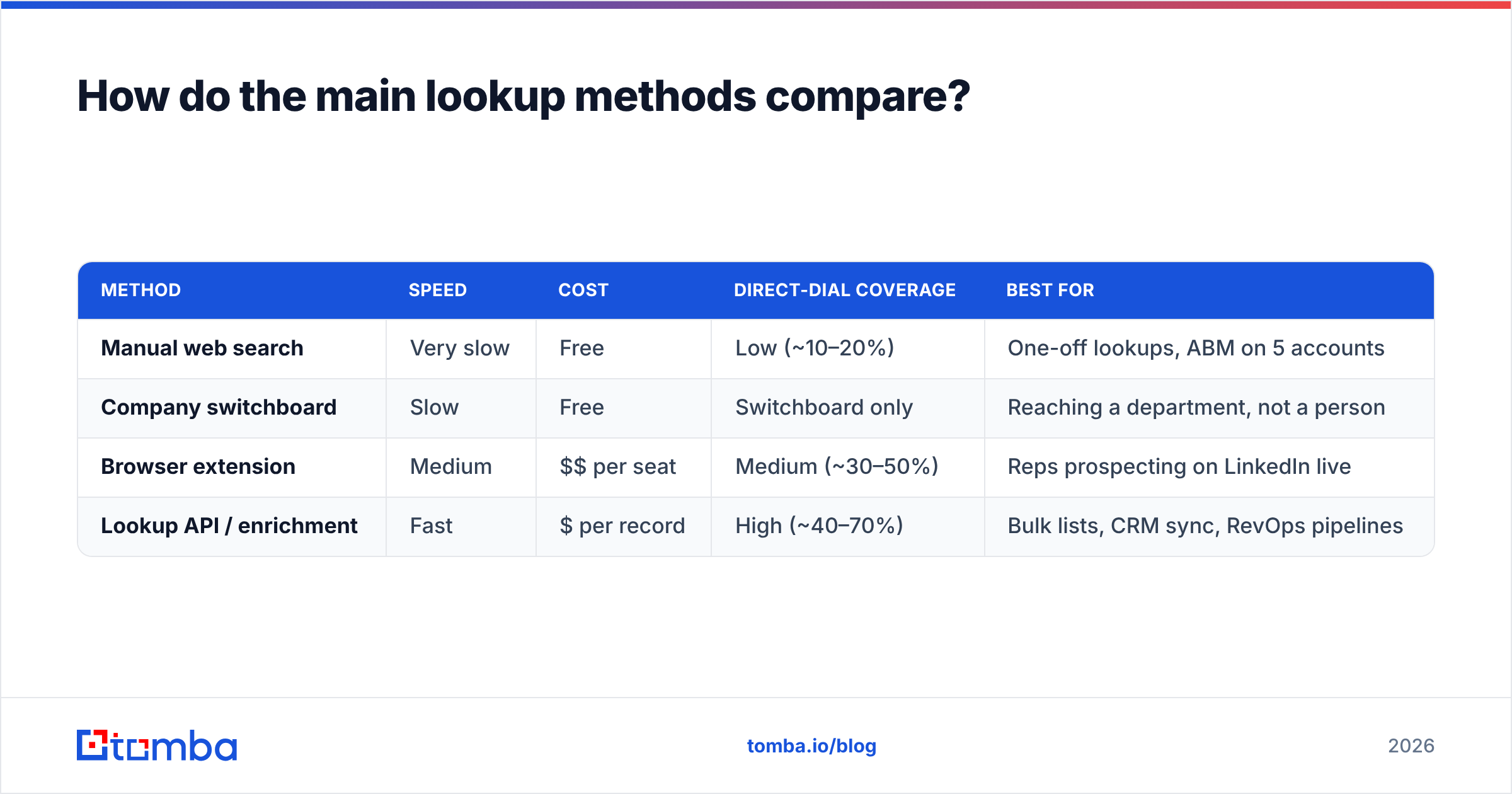
You have four realistic paths to a business phone number. Each trades speed for cost or coverage. Here's the honest breakdown:
| Method | Speed | Cost | Direct-dial coverage | Best for |
|---|---|---|---|---|
| Manual web search | Very slow | Free | Low (~10–20%) | One-off lookups, ABM on 5 accounts |
| Company switchboard | Slow | Free | Switchboard only | Reaching a department, not a person |
| Browser extension | Medium | $$ per seat | Medium (~30–50%) | Reps prospecting on LinkedIn live |
| Lookup API / enrichment | Fast | $ per record | High (~40–70%) | Bulk lists, CRM sync, RevOps pipelines |
The pattern is clear: manual methods are free but cap out at low coverage and can't scale past a handful of contacts a day. An API-driven phone finder flips that — you pay per record but resolve thousands of numbers programmatically and feed them straight into your stack. For a hybrid team, a browser extension covers live LinkedIn prospecting while the API handles overnight bulk jobs.
A quick decision framework for picking your method:
- Volume under 20 lookups/week — manual search plus a free tool is fine.
- Live prospecting inside LinkedIn or a CRM — use a Chrome extension so reps stay in flow.
- Hundreds to thousands of contacts — go API-first with bulk lead generation and scheduled re-enrichment.
- You already have emails or domains — run data enrichment to append phones to existing records rather than rebuilding lists.
How accurate is a business phone numbers lookup?#
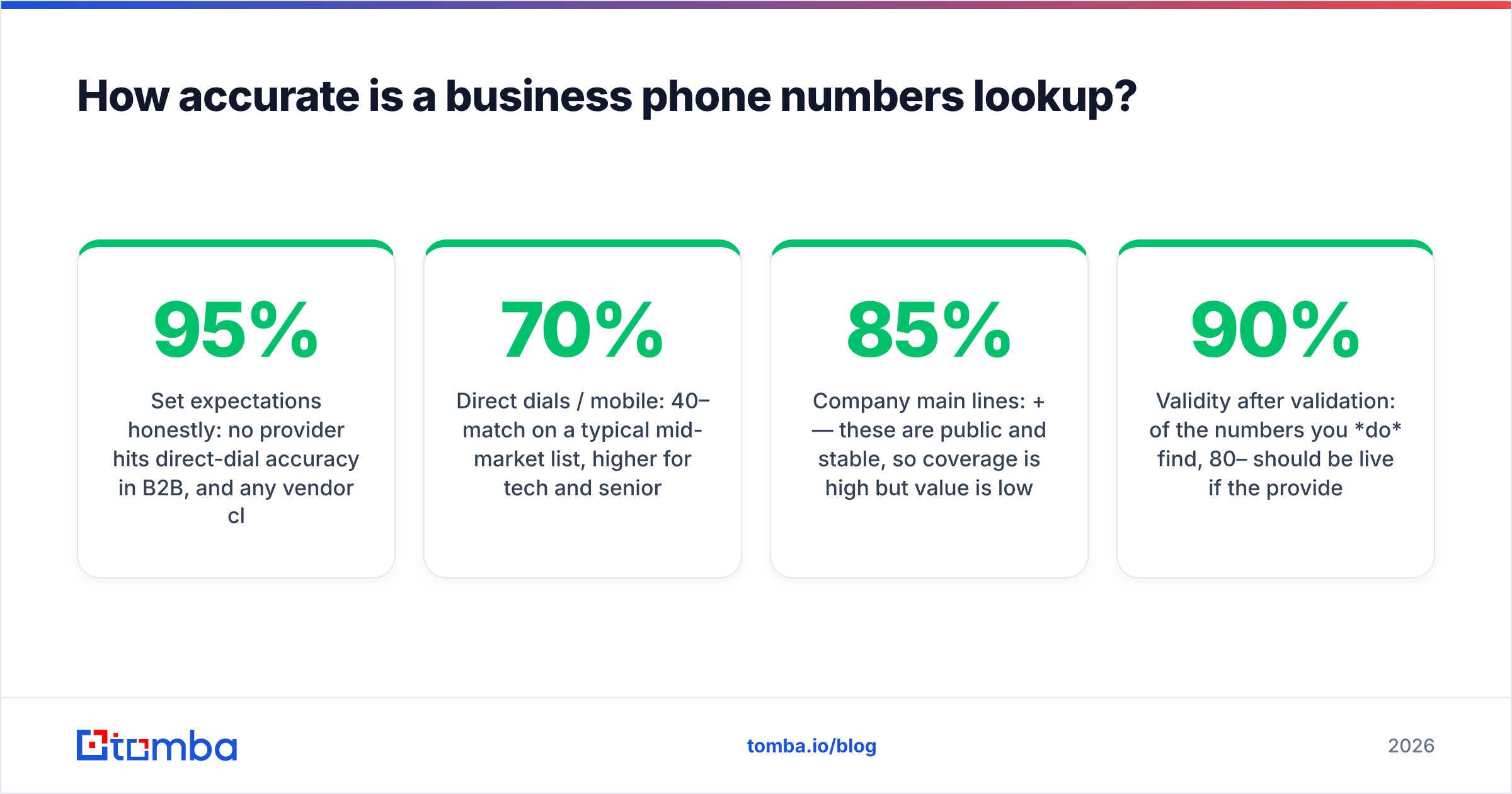
Set expectations honestly: no provider hits 95% direct-dial accuracy in B2B, and any vendor claiming it is counting switchboard numbers or unverified guesses. Realistic, useful benchmarks look like this:
- Direct dials / mobile: 40–70% match on a typical mid-market list, higher for tech and senior titles, lower for SMB and non-English regions.
- Company main lines: 85%+ — these are public and stable, so coverage is high but value is low.
- Validity after validation: of the numbers you do find, 80–90% should be live if the provider runs line-type and reachability checks.
The two levers that move accuracy are data freshness (how recently the number was confirmed) and validation (whether the line is checked before it reaches you). Look at a provider's data sources before committing — a vendor that's transparent about where records come from and how often they refresh is worth more than one quoting a vanity accuracy number.
According to independent review aggregators like G2, the gap between marketed and real-world coverage is the single most common complaint about phone-data vendors. Test on your own ICP with a free tier before you buy seats — your industry and region matter more than any benchmark chart.
What's the difference between finding and validating a number?#
Finding gives you a candidate number. Validating confirms it's worth dialing. Skipping validation is the fastest way to torch a calling campaign, because disconnected numbers and wrong line types waste your reps' most expensive resource: talk time.
A proper validation layer checks several things:
- Line type — mobile, landline, VoIP, or toll-free. For cold calling, mobile usually connects better; for compliance, line type also affects what's legal to auto-dial.
- Reachability (HLR lookup) — whether the number is currently active on a carrier network.
- Country and carrier — confirms the number maps to the region and operator you expect, catching formatting errors and spoofed data.
- Format normalization — converts everything to E.164 (+country code) so your dialer and CRM don't choke on inconsistent inputs.
Run a phone validator as a mandatory step between lookup and dial. The math is simple: if validation removes 15% dead numbers from a 1,000-contact list, that's 150 calls your reps never waste — and at even a few minutes per attempt, the time saved dwarfs the validation cost.

Is business phone lookup legal and compliant?#
Mostly yes for B2B, but the rules are real and region-specific — and "it's just B2B" is not a blanket exemption. The short version: lookup and enrichment of business contact data is broadly permitted, but how you call is regulated.
Key frameworks to know:
- TCPA (US) — governs autodialers and prerecorded calls; scrub against the Do-Not-Call registry and be careful with automated dialing to mobile numbers. See the FCC's TCPA overview for the current rules.
- GDPR (EU/UK) — business contact data can be processed under legitimate interest, but you must honor opt-outs, document your basis, and respond to data-subject requests. Wikipedia's GDPR summary is a solid primer.
- Local DNC and calling-hours laws — many countries and US states restrict calling windows and registry obligations.
Practical compliance hygiene: keep a record of where each number came from, suppress anyone who opts out across all future campaigns, and respect calling hours by time zone. A provider transparent about where its data comes from makes your legitimate-interest documentation far easier to defend.
How do you do a business phone numbers lookup at scale?#
For anything past a few dozen contacts, manual lookup collapses. Here's the workflow that actually scales in a 2026 sales org:
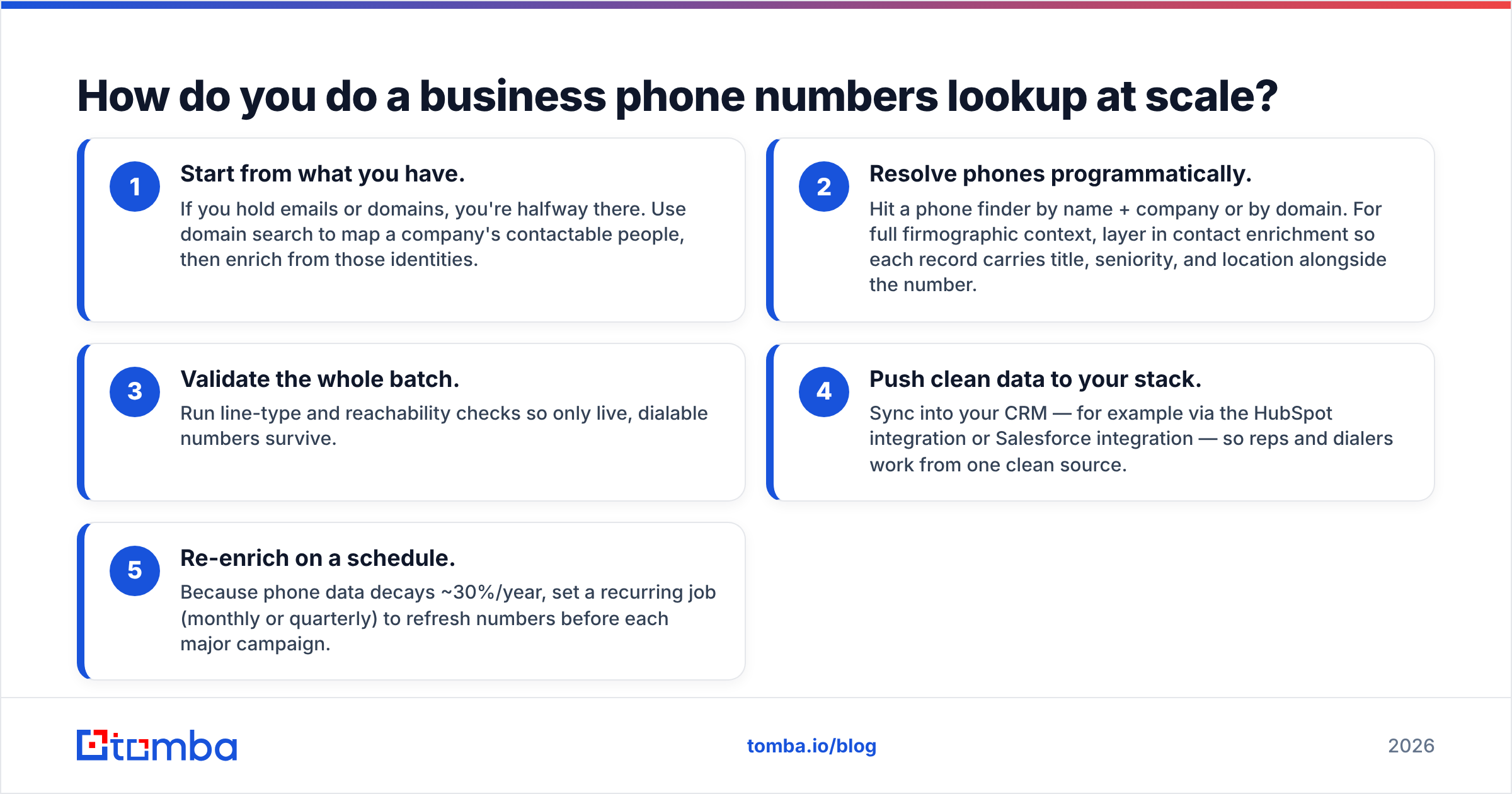
- Start from what you have. If you hold emails or domains, you're halfway there. Use domain search to map a company's contactable people, then enrich from those identities.
- Resolve phones programmatically. Hit a phone finder by name + company or by domain. For full firmographic context, layer in contact enrichment so each record carries title, seniority, and location alongside the number.
- Validate the whole batch. Run line-type and reachability checks so only live, dialable numbers survive.
- Push clean data to your stack. Sync into your CRM — for example via the HubSpot integration or Salesforce integration — so reps and dialers work from one clean source.
- Re-enrich on a schedule. Because phone data decays ~30%/year, set a recurring job (monthly or quarterly) to refresh numbers before each major campaign.
This pipeline turns phone lookup from a per-rep chore into an automated data layer. Your reps stop guessing numbers and start dialing verified lines, and RevOps gets a repeatable, auditable process instead of a pile of spreadsheets.
When to use email instead of phone#
Phone isn't always the right channel. If your motion is high-volume outbound or your buyers screen calls, lead with email and reserve calls for warm or high-value accounts. Many teams resolve both — append a phone and a verified work email so reps can multithread. Pairing a phone lookup with an email verifier gives sequences two reliable channels instead of one.
What should you look for in a phone lookup provider?#
Cut through marketing claims with this checklist:
- Transparent data sourcing — they tell you where numbers come from and how fresh they are.
- Built-in validation — line type, HLR, and format normalization included, not a separate upsell.
- Coverage in your regions — test on your actual ICP, not their best-case demo.
- API + bulk + extension — flexibility to fit live prospecting and overnight batch jobs.
- CRM sync — native integrations so data lands where reps work.
- Honest pricing — predictable per-record or per-plan costs, with a free tier to test before committing.
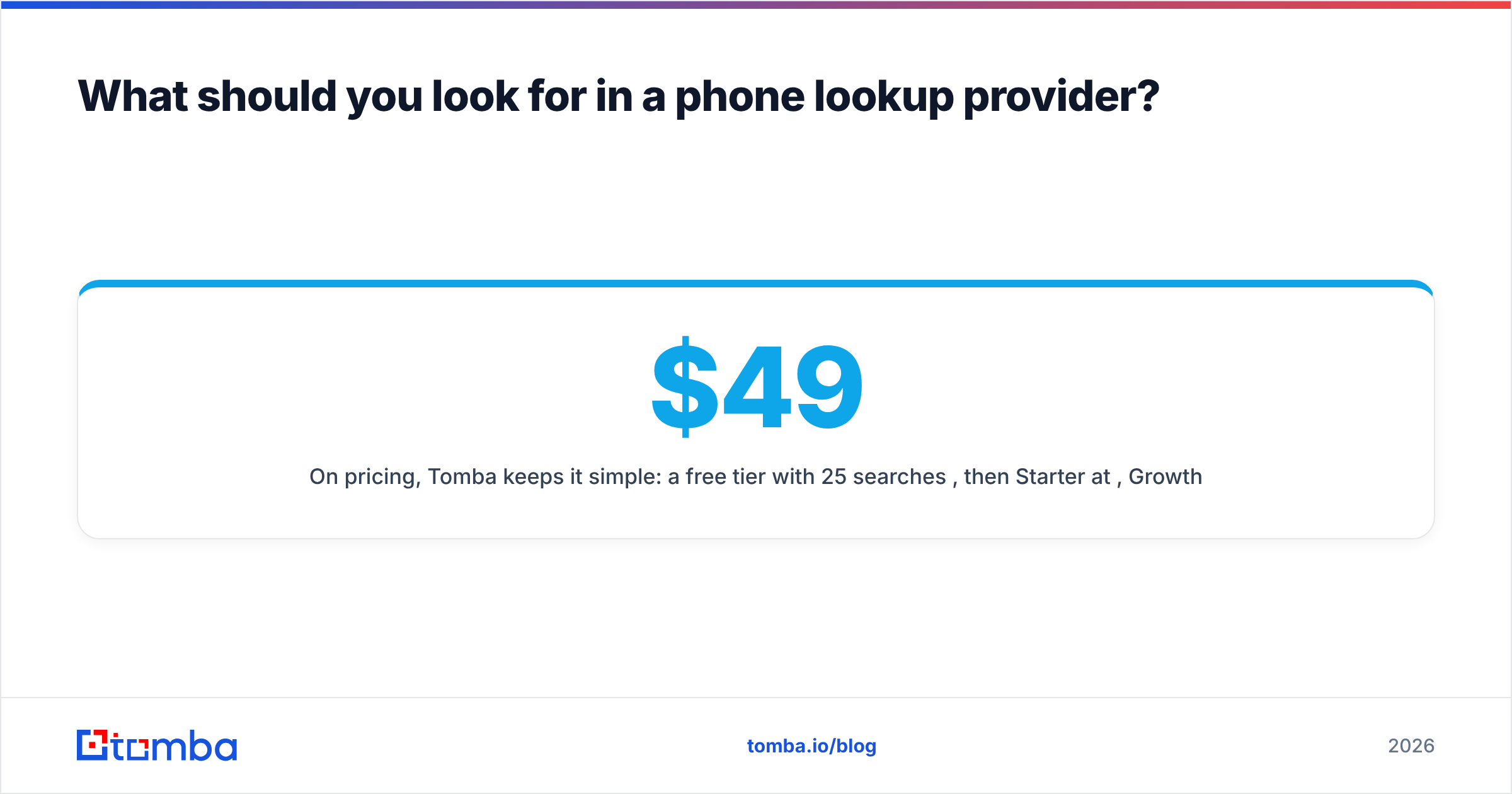
On pricing, Tomba keeps it simple: a free tier with 25 searches/month, then Starter at $49/mo, Growth at $99/mo, and Pro at $249/mo, with Enterprise custom. Full Tomba pricing is public, so you can model cost-per-contact before you commit. That predictability matters when you're enriching thousands of records — surprise overage bills are the hidden tax of opaque vendors.
Frequently asked questions#
Can I find a direct dial from just a company domain? Often yes — a phone finder can resolve people at a domain and return their direct or mobile lines, though coverage depends on region and seniority. Pair it with domain search to map who's at the company first.
How accurate are the numbers, really? Plan for 40–70% direct-dial coverage on a typical B2B list, with 80–90% of found numbers being live after validation. Test on your own ICP before scaling.
Do I need to validate if the provider already "verifies" numbers? Yes. Run your own phone validator check immediately before dialing — data decays daily, and a number confirmed last quarter may be dead today.
Is this legal for cold outreach? B2B lookup and enrichment are broadly permitted, but calling is regulated (TCPA, GDPR, local DNC). Scrub against do-not-call lists, honor opt-outs, and respect calling hours.
Ready to stop guessing numbers?#
If your reps are losing hours to manual searches and dead lines, the fix is a single clean pipeline: resolve the number, validate it, and sync it to your CRM automatically. Start with the Tomba Email Finder to anchor each contact to a verified identity, then layer in the phone finder and phone validator to turn names and domains into dialable, live business lines at scale. Spin up the free tier — 25 searches a month, no card — and benchmark the coverage against your own target accounts before you commit a dollar.
// get started
Find, verify and enrich your first contacts today
Start on the free plan with 25 searches a month, then scale when your team is ready.
Free plan · No credit card required · GDPR & CCPA
// about the author