Bytemine vs Findymail 2026: Email Finder Accuracy & Pricing
Bytemine vs Findymail compared on accuracy, pricing, data coverage, and integrations — plus where a verified third option fits in 2026.
Choosing between Bytemine and Findymail comes down to one question: which tool puts more verified, deliverable emails into your sequencer per dollar? Both are lightweight email finders aimed at cold-outbound teams that hate bouncing campaigns. They take different routes to get there, and neither is a clean win for every use case.
This guide breaks down accuracy, pricing, data coverage, integrations, and the buying decision — then shows where a more complete, verification-first platform fits if you outgrow either one.
TL;DR — Bytemine vs Findymail in 2026#
- Findymail leads on simplicity and bounce guarantees: clean UI, LinkedIn-list enrichment, and an automatic credit refund when an email bounces. Best for solo founders and small SDR teams running Instantly or Smartlead.
- Bytemine leans toward bulk and developer workflows, with batch processing and API access at a lower entry price, but thinner published accuracy data and a smaller integration list.
- Accuracy is close on common B2B domains; both struggle with catch-all domains, where neither resolves verification cleanly without an extra step.
- Pricing favors Bytemine at the entry tier, but Findymail's bounce-refund model can make its effective cost lower for messy lists.
- If you need verified emails, phone numbers, domain search, and enrichment in one place, a platform like Tomba Email Finder covers more ground than either single-purpose tool.
What do Bytemine and Findymail actually do?#
Both tools solve the same core problem: you have a name and a company (or a LinkedIn URL), and you need a working email address to start a conversation.
Here is how they differ in approach:
- Findymail — A polished email finder built around list enrichment. You upload a LinkedIn Sales Navigator export or a CSV, and it returns verified emails. Its headline feature is a bounce guarantee: if an email it sold you bounces, you get the credit back. It markets itself heavily to the cold-email crowd using Instantly, Smartlead, and Lemlist.
- Bytemine — A finder-plus-API tool positioned for volume and automation. It emphasizes bulk lookups and programmatic access, which appeals to growth engineers and agencies running their own pipelines rather than clicking around a dashboard.
- Shared DNA — Both pull from a mix of public web crawling, pattern matching, and SMTP-style checks. Both are narrower than full sales-intelligence suites; you are buying email discovery, not a CRM or a full B2B dataset.
If you want the underlying concept, see how domain search and pattern detection feed an email finder before you compare vendors.
Is Bytemine or Findymail more accurate?#
Short answer: they are close on standard corporate domains, and both degrade on catch-all and niche domains. Accuracy is the single most important spec for an email finder, because every wrong address costs you a bounce, and bounces wreck sender reputation.
Two things actually drive accuracy:
- Verification depth — Does the tool just guess a pattern (
first.last@company.com) or does it confirm the mailbox exists? Findymail's bounce guarantee implies confidence in its verification layer. Bytemine publishes less about its verification methodology, so test it on your own list before committing. - Catch-all handling — Catch-all domains accept every address at the SMTP layer, so a naive checker marks everything "valid." Neither tool resolves catch-alls definitively. This is where a dedicated catch-all verifier earns its keep.

Treat any vendor's self-reported "99% accuracy" with skepticism — independent review sites like G2 show real-world bounce rates are usually higher than the marketing claim. The only number that matters is the bounce rate on your segments, so run a 200-contact pilot on each tool before you scale spend.
Bytemine vs Findymail: pricing and plans#
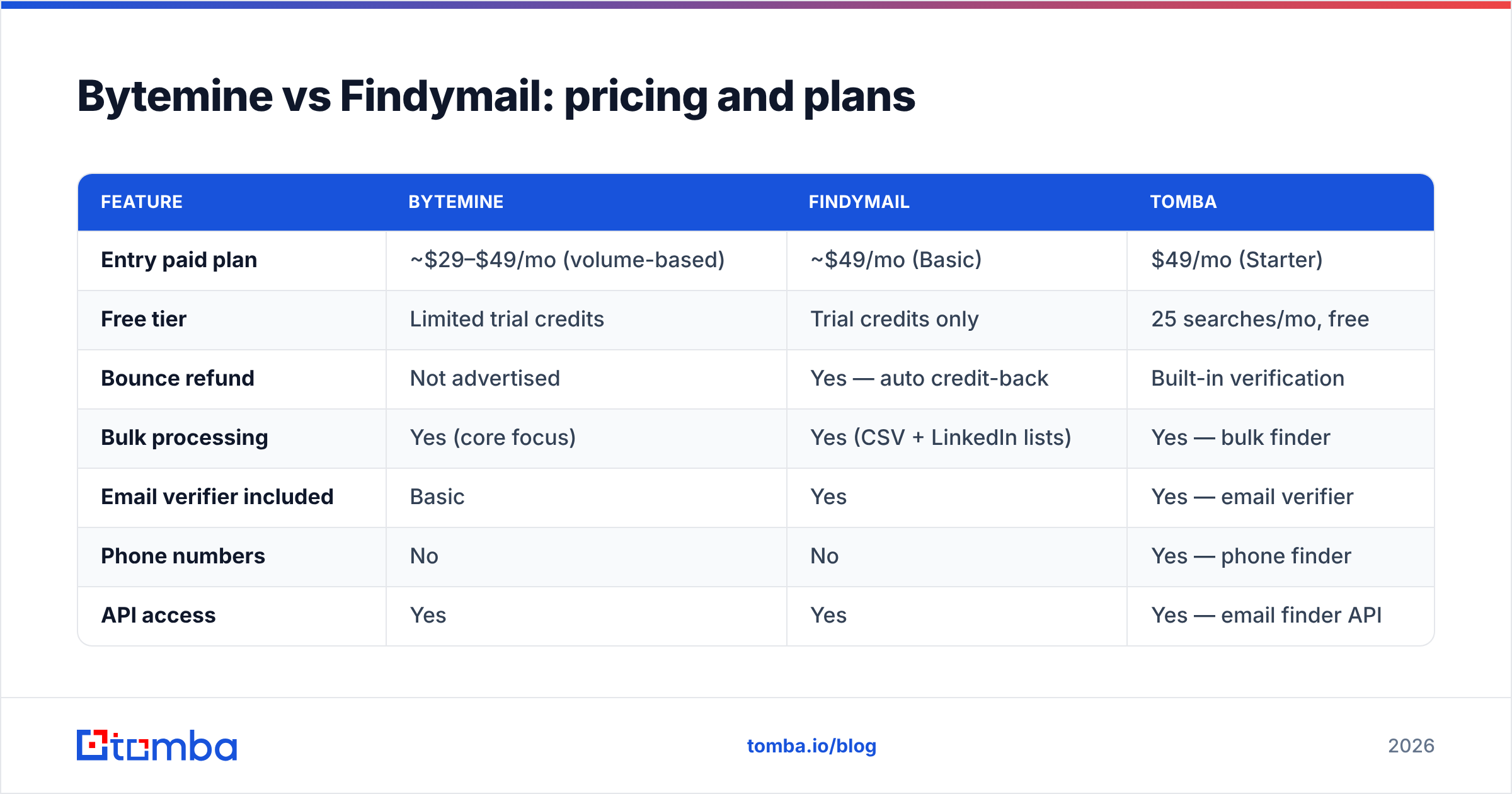
Pricing is where the two tools diverge most clearly. Findymail charges a premium for its bounce guarantee and clean UX; Bytemine competes on entry price and bulk economics.
| Feature | Bytemine | Findymail | Tomba |
|---|---|---|---|
| Entry paid plan | ~$29–$49/mo (volume-based) | ~$49/mo (Basic) | $49/mo (Starter) |
| Free tier | Limited trial credits | Trial credits only | 25 searches/mo, free |
| Bounce refund | Not advertised | Yes — auto credit-back | Built-in verification |
| Bulk processing | Yes (core focus) | Yes (CSV + LinkedIn lists) | Yes — bulk finder |
| Email verifier included | Basic | Yes | Yes — email verifier |
| Phone numbers | No | No | Yes — phone finder |
| API access | Yes | Yes | Yes — email finder API |
| Catch-all verification | Limited | Limited | Dedicated module |
A few honest caveats: published prices for both tools shift with promotions and credit bundles, so confirm the live number on each vendor's site before you buy. The "effective" cost also depends on list quality — if you scrape messy lists, Findymail's refund model can beat a cheaper tool that simply charges you for dead addresses. You can compare these against transparent Tomba pricing to anchor your budget.
Which integrations and workflows does each support?#
Your email finder has to fit the rest of your stack, or you will drown in CSV exports.
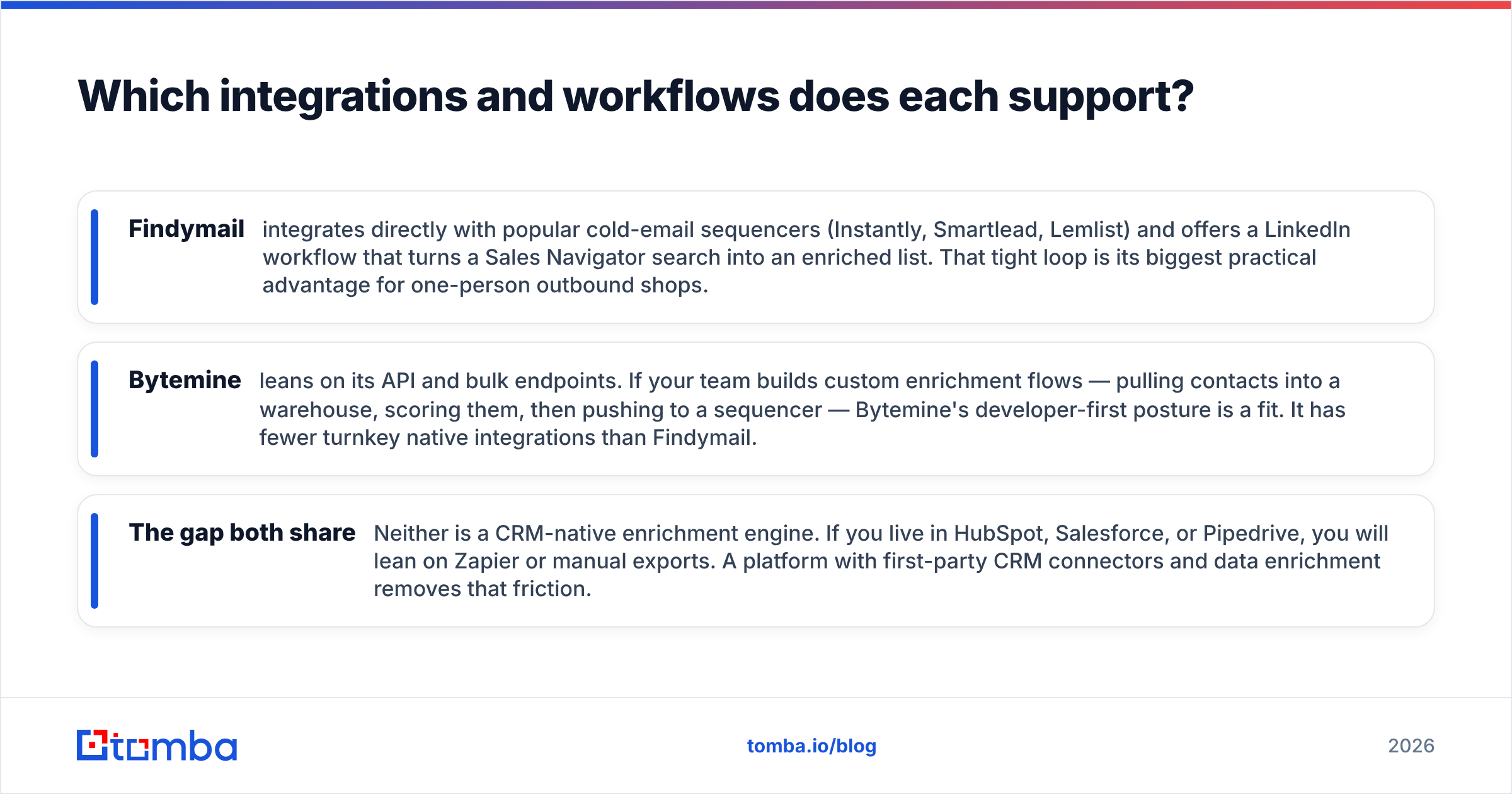
- Findymail integrates directly with popular cold-email sequencers (Instantly, Smartlead, Lemlist) and offers a LinkedIn workflow that turns a Sales Navigator search into an enriched list. That tight loop is its biggest practical advantage for one-person outbound shops.
- Bytemine leans on its API and bulk endpoints. If your team builds custom enrichment flows — pulling contacts into a warehouse, scoring them, then pushing to a sequencer — Bytemine's developer-first posture is a fit. It has fewer turnkey native integrations than Findymail.
- The gap both share — Neither is a CRM-native enrichment engine. If you live in HubSpot, Salesforce, or Pipedrive, you will lean on Zapier or manual exports. A platform with first-party CRM connectors and data enrichment removes that friction.
For teams that want enrichment to happen automatically inside the CRM, look at how native connectors such as a HubSpot integration change the workflow versus exporting CSVs by hand.
Bytemine vs Findymail: pros and cons#
Findymail — pros
- Bounce guarantee lowers risk on messy lists
- Clean, beginner-friendly interface
- Strong LinkedIn list-enrichment workflow
- Direct integrations with major cold-email tools
Findymail — cons
- Higher entry price than Bytemine
- Email-only; no phone numbers or deep firmographics
- Catch-all domains still require an extra verification step
Bytemine — pros
- Lower cost of entry for bulk lookups
- Developer-friendly API and batch processing
- Good fit for agencies and growth engineers
Bytemine — cons
- Less published accuracy and verification detail
- Fewer native integrations
- Thinner support resources for non-technical users
When should you pick a different tool entirely?#
Pick a broader platform when email-only discovery stops being enough. Both Bytemine and Findymail are good at one job. The moment your motion needs phone numbers, multi-channel data, reliable catch-all resolution, or CRM-native enrichment, a single-purpose finder forces you to bolt on three more subscriptions.
Signs you have outgrown a basic finder:
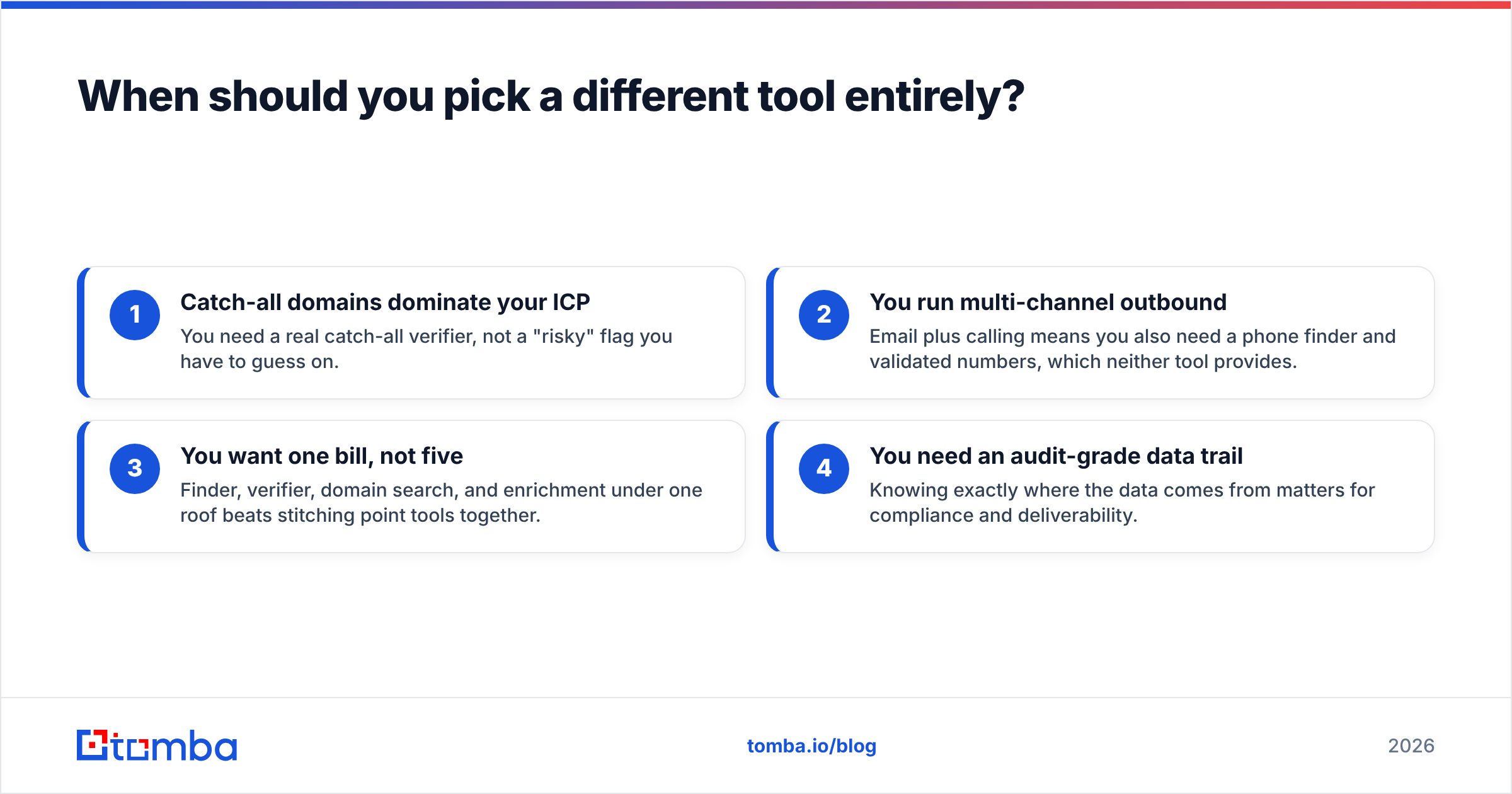
- Catch-all domains dominate your ICP — You need a real catch-all verifier, not a "risky" flag you have to guess on.
- You run multi-channel outbound — Email plus calling means you also need a phone finder and validated numbers, which neither tool provides.
- You want one bill, not five — Finder, verifier, domain search, and enrichment under one roof beats stitching point tools together.
- You need an audit-grade data trail — Knowing exactly where the data comes from matters for compliance and deliverability.
This is where Tomba sits relative to both. It runs the same finder workflow Findymail and Bytemine offer, then adds a built-in email verifier, domain search, bulk processing, phone discovery, and enrichment — at a starting price of $49/mo with a genuinely usable free tier of 25 searches per month.

If you are evaluating finders specifically because you keep bouncing into deliverability problems, fixing the data at the source — verification before send — does more for your inbox placement than any warmup trick. Authoritative deliverability guidance from providers like HubSpot consistently points to list hygiene as the first lever, not the last.
How to run a fair head-to-head test#
Don't take any vendor's word for it — including this guide. Run a controlled bake-off:
- Build one seed list of 200 contacts spanning your real ICP, including a few catch-all domains and a few niche company domains.
- Run the identical list through Bytemine, Findymail, and a third option so you have a control.
- Send to a verification layer (or your sequencer's built-in check) and record the true bounce rate after a small test send.
- Score on three axes: match rate (how many emails returned), accuracy (how many were deliverable), and cost-per-valid-email (total spend ÷ deliverable emails).
- Weight cost-per-valid-email highest. A cheap tool that returns dead addresses is more expensive than a pricier tool that returns inbox-ready ones.
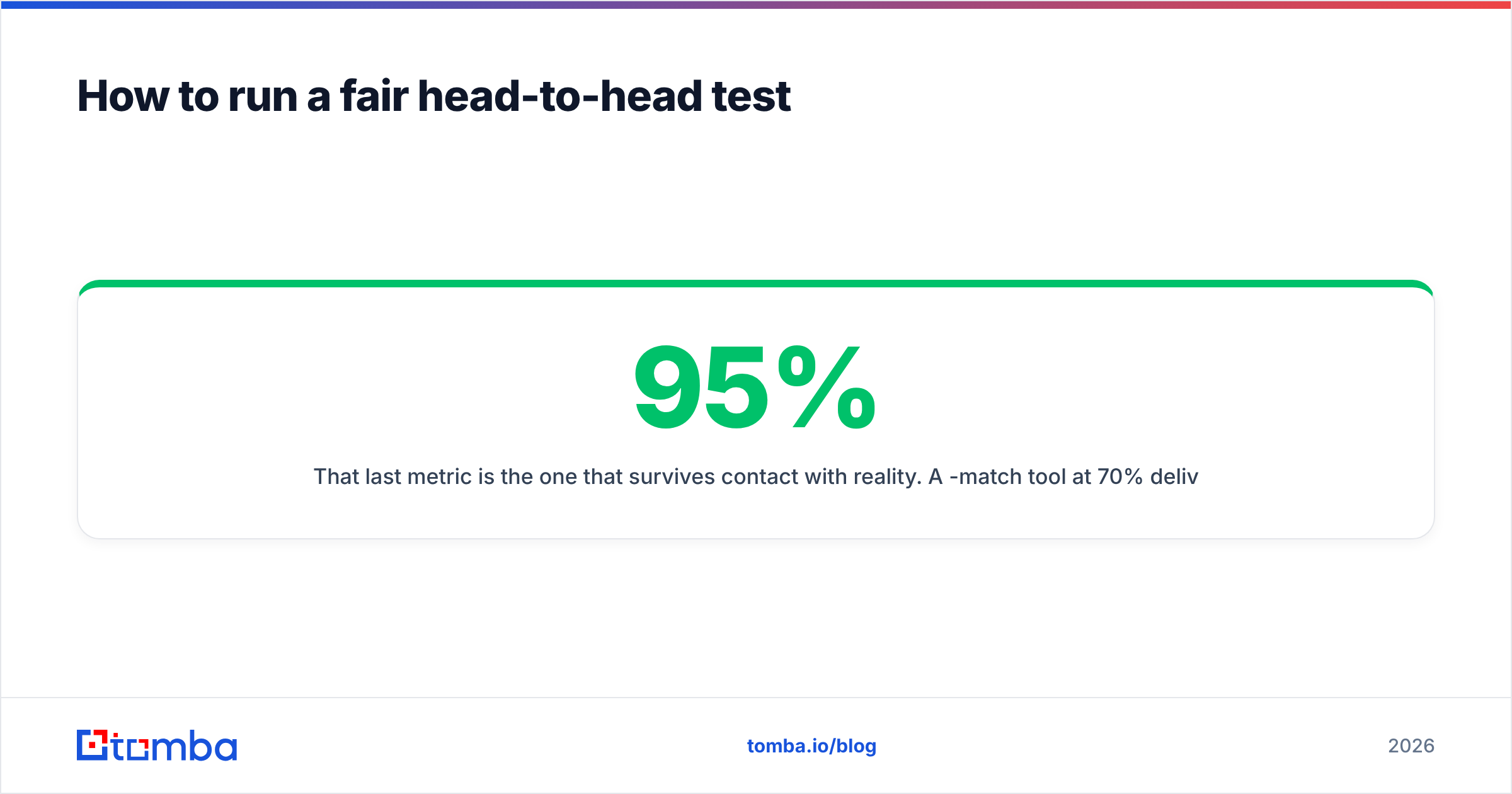
That last metric is the one that survives contact with reality. A 95%-match tool at 70% deliverability loses to an 80%-match tool at 96% deliverability almost every time.
Frequently asked questions#
Is Findymail better than Bytemine for cold email? For most solo founders and small SDR teams running Instantly or Smartlead, yes — the bounce guarantee and native sequencer integrations reduce risk and setup time. Bytemine is the better pick if you are an engineer or agency optimizing for bulk volume and API automation at a lower entry price.
Do Bytemine or Findymail handle catch-all domains? Both flag catch-all domains but neither resolves them with high confidence. If catch-alls are common in your market, add a dedicated catch-all verifier to avoid sending to addresses that look valid but bounce.
Which is cheaper, Bytemine or Findymail? Bytemine usually has a lower sticker price at the entry tier. Findymail can have a lower effective cost on messy lists because bounced credits are refunded. Compare cost-per-valid-email, not headline price.
Can I replace both with one tool? Often, yes. A consolidated platform that bundles finding, verification, domain search, phone discovery, and enrichment removes the need to run a separate finder and verifier. See Tomba pricing to compare an all-in-one bill against two point tools.
The bottom line#
Bytemine and Findymail are both competent, focused email finders. Choose Findymail if you want the lowest-risk, most beginner-friendly cold-email workflow and you are happy to pay a small premium for the bounce guarantee. Choose Bytemine if you are technical, run bulk lists, and want the cheapest entry into API-driven enrichment.
But if the real goal is verified, deliverable contacts across email and phone — without juggling separate finder, verifier, and enrichment subscriptions — start with Tomba Email Finder. You get the same find-and-enrich workflow these tools offer, plus built-in verification, domain search, bulk processing, and a free tier of 25 searches a month to test it on your own list before you spend a dollar. Run the 200-contact bake-off above, weight cost-per-valid-email, and let the bounce rate pick the winner.
Ready to find emails that actually work?
Join 150,000+ professionals who stopped guessing and started sending. Free credits on signup — no credit card required.
Get the Tomba newsletter
Practical outbound tactics and product updates — once every two weeks.
About the author