Bytemine vs Kipplo (2026): Which Email Finder Wins?
Bytemine vs Kipplo, head to head: accuracy, pricing, verification, and integrations compared so you can pick the right email finder in 2026 (plus a stronger third option).
Choosing between Bytemine and Kipplo comes down to one question most buyers skip: which one actually returns valid email addresses at the volume and price you need? Both tools sell the same promise — turn a name and a domain into a deliverable email — but they make very different trade-offs on accuracy, verification, and cost per credit.
This guide breaks down Bytemine vs Kipplo across the criteria that change your bounce rate and your bill, then shows where a third option fits if neither feels right.
TL;DR: Bytemine vs Kipplo at a glance#
- Bytemine leans toward breadth — large raw database, more "found" results, but you carry more verification work to keep bounces low.
- Kipplo leans toward a cleaner UI and tighter verification, but published pricing climbs fast once you move past the free tier.
- Accuracy is the deciding factor. A tool that "finds" 90% of contacts but only verifies 70% will torch your sender reputation on the first send.
- Neither is the only choice. If you want documented accuracy, transparent per-credit pricing, and a built-in email verifier, put Tomba on the same shortlist.
- Match the tool to the workflow: bulk list-building, CRM enrichment, and one-off prospecting reward different feature sets.
What do Bytemine and Kipplo actually do?#
Both are B2B email finders. You give them an input — a full name plus a company domain, a LinkedIn URL, or a whole company domain — and they return professional email addresses with a confidence score. That score is the tool guessing how likely the address is to be real and deliverable.
Under the hood, email finders combine three things:
- A crawled and licensed database of known addresses and email patterns (e.g.,
first.last@company.com). - Pattern inference that predicts the format for a company you haven't seen before.
- SMTP and catch-all verification that pings the mail server to confirm the mailbox exists.
The gap between vendors is almost never "can it find an email." It's how honest the confidence score is, and how aggressively the tool verifies before it hands you a result. That distinction is the whole game for email deliverability — a "found" address that bounces costs you more than a missing one.
Bytemine vs Kipplo vs Tomba: the comparison table#
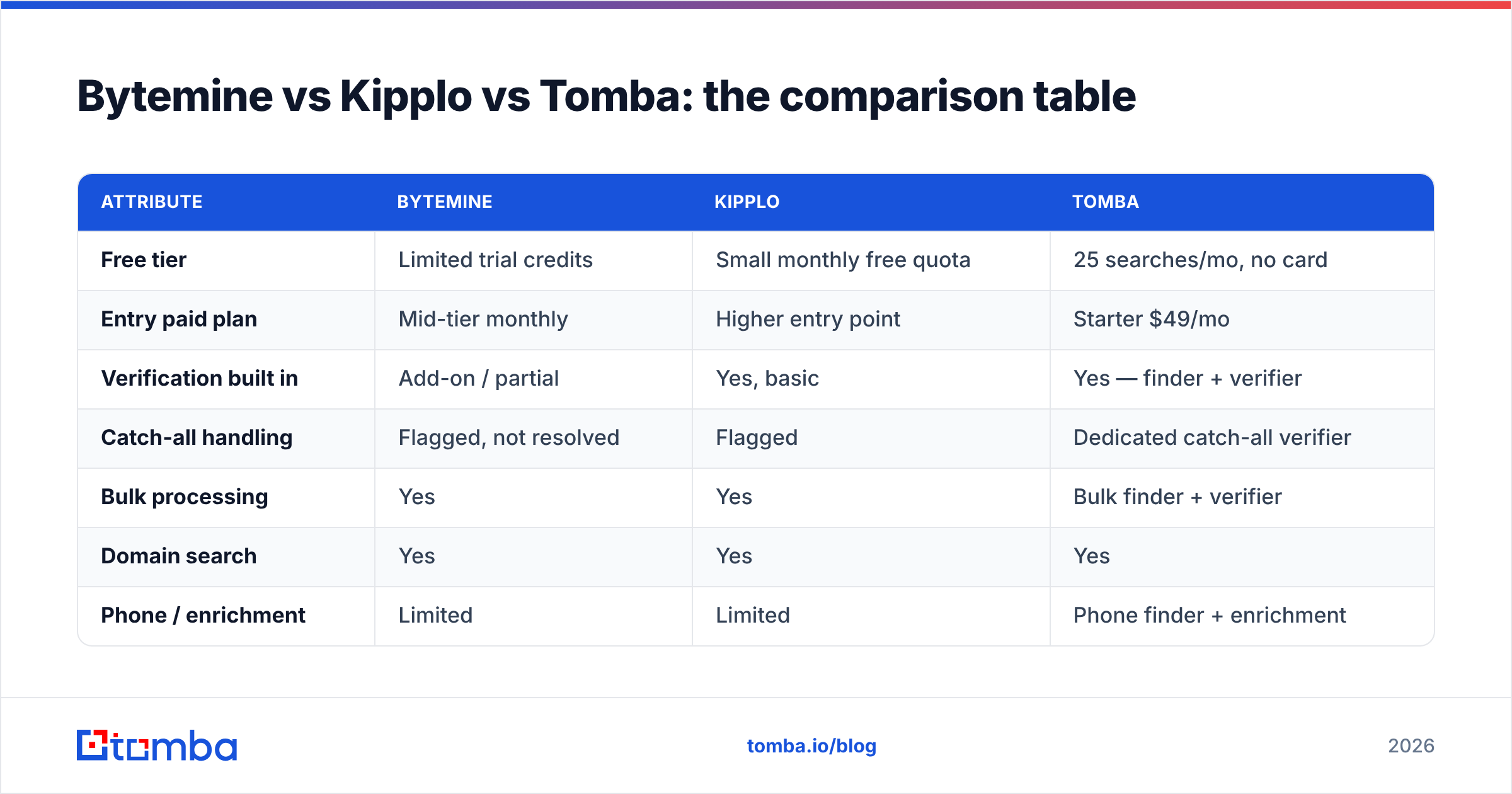
Here is the head-to-head on the attributes that move the needle. Treat competitor cells as a buyer's checklist — confirm current numbers on each vendor's pricing page before you commit, since email-finder plans change often.
| Attribute | Bytemine | Kipplo | Tomba |
|---|---|---|---|
| Free tier | Limited trial credits | Small monthly free quota | 25 searches/mo, no card |
| Entry paid plan | Mid-tier monthly | Higher entry point | Starter $49/mo |
| Verification built in | Add-on / partial | Yes, basic | Yes — finder + verifier |
| Catch-all handling | Flagged, not resolved | Flagged | Dedicated catch-all verifier |
| Bulk processing | Yes | Yes | Bulk finder + verifier |
| Domain search | Yes | Yes | Yes |
| Phone / enrichment | Limited | Limited | Phone finder + enrichment |
| Native integrations | Some CRMs | Some CRMs | HubSpot, Salesforce, Pipedrive, Sheets, API |
| API access | Yes | Yes | Documented REST API |
The pattern across most email-finder comparisons is consistent: the database size matters less than the verification depth and the price per verified credit. A cheaper "found" credit that bounces is the most expensive credit you can buy.

Is Bytemine more accurate than Kipplo?#
Accuracy is not a single number — it's two numbers you have to read together:
- Coverage (hit rate): what percentage of your input list returns any email.
- Validity (deliverability): what percentage of those returned emails are actually good.
A tool can win on coverage and lose badly on validity. Bytemine tends to optimize for coverage, which feels great in a demo because almost every row gets an address. The risk is that more of those addresses are inferred patterns that were never SMTP-confirmed, so your real test — the bounce rate after sending — comes back ugly.
Kipplo generally verifies more conservatively, so it returns fewer addresses but a higher share of them land. That's the safer default for cold outbound, where one bad sending session can park your domain in spam folders for weeks.
The honest way to settle Bytemine vs Kipplo for your data is a bake-off:
- Take the same 200-row list of real prospects.
- Run it through both tools.
- Verify every returned address with an independent email verifier you don't control.
- Compare net valid emails per dollar, not raw hits.
Whatever wins on net valid emails per dollar is your tool — regardless of which marketing page claims a bigger number.
How do Bytemine and Kipplo handle verification and catch-all domains?#
Catch-all domains are where most email finders quietly fall apart. A catch-all server accepts mail for any address at the domain, so a basic SMTP check returns "valid" for `literally.anything@company.com." If your tool counts catch-alls as verified, your reported accuracy is inflated and your bounce risk is hidden.
- Bytemine typically flags catch-alls but leaves resolution to you.
- Kipplo also flags them, with limited additional resolution.
- A dedicated catch-all verifier goes further by applying additional signals to estimate whether a specific mailbox on a catch-all domain is real.
If a meaningful chunk of your target accounts use Google Workspace or Microsoft 365 with catch-all configured, this single capability matters more than the headline price. Ask each vendor directly: "How do you score a catch-all domain, and is that counted as a verified result?"
For a deeper read on the underlying signals — SPF, sender reputation, and why verification protects your domain — the glossary entries on sender reputation and SPF records are worth ten minutes before you scale any outbound program.
Bytemine vs Kipplo pricing: which is cheaper?#
Price comparisons between email finders are deceptive because vendors count credits differently. Some charge a credit on every search (even a miss), others only on a found result, and a few charge again for verification. Always normalize to cost per verified email.
Here's a structured way to evaluate any email-finder plan, including these two:
- Credit definition — Are you billed per search, per result, or per verified result? This alone can triple effective cost.
- Rollover — Do unused credits expire monthly? Spiky prospecting workloads waste flat plans.
- Verification cost — Is verification bundled, or a separate line item that doubles your spend?
- Bulk and API limits — Are there throughput caps or rate limits that throttle list-building?
- Team seats — Per-seat pricing can dwarf the credit cost for a 5-person SDR team.
- Overage behavior — Does the tool hard-stop or auto-charge when you exceed your quota?
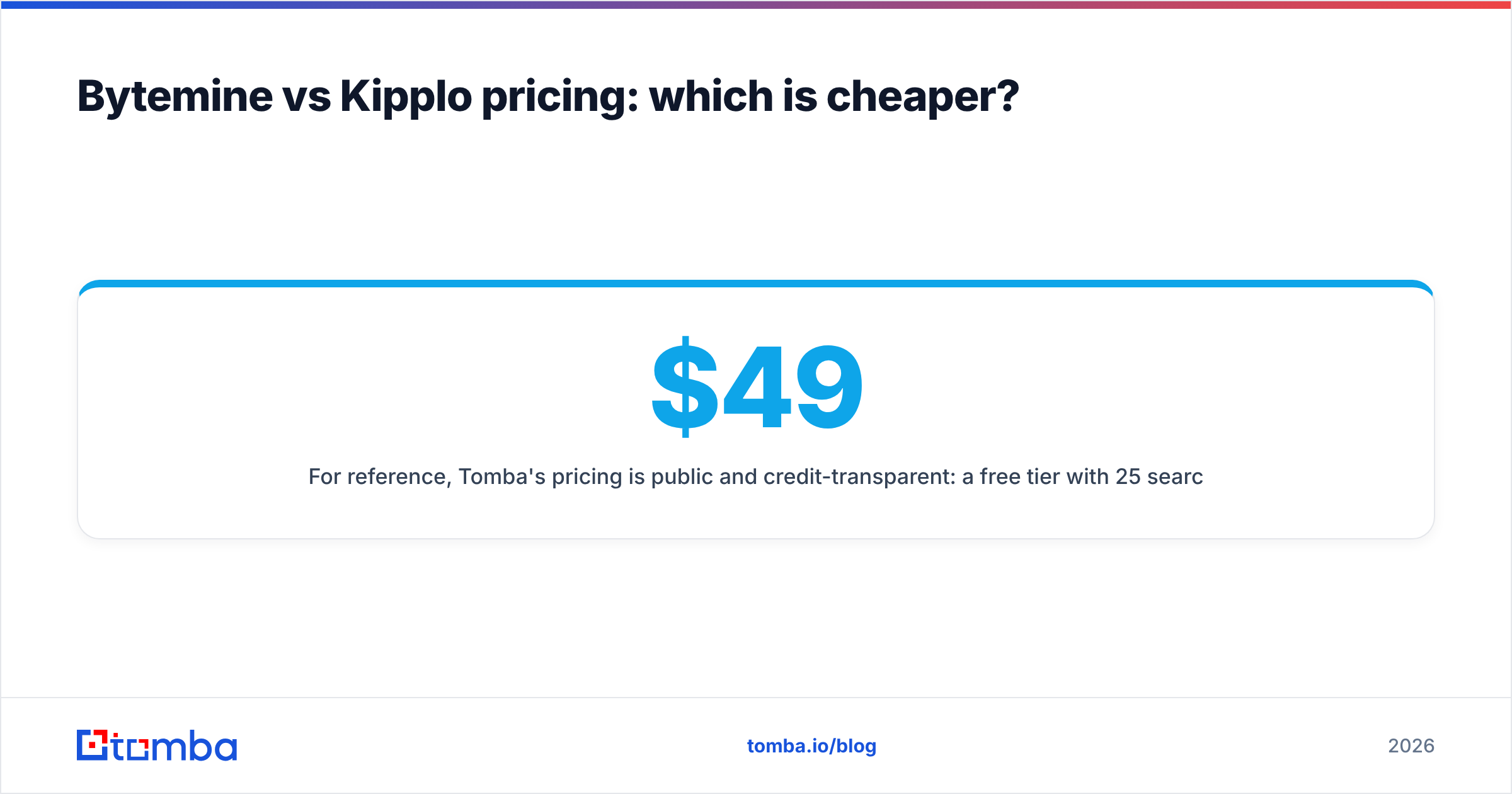
For reference, Tomba's pricing is public and credit-transparent: a free tier with 25 searches per month, Starter at $49/mo, Growth at $99/mo, Pro at $249/mo, and custom Enterprise. You can see the full breakdown and what each credit covers on the Tomba pricing page, then hold Bytemine and Kipplo to the same per-verified-email math.

Which integrates better with your stack?#
A finder you have to babysit in a separate browser tab will get used half as much as one that lives inside your CRM and spreadsheets. When comparing Bytemine vs Kipplo, map their connectors to the tools your team actually opens every day.
The non-negotiables for most B2B teams:
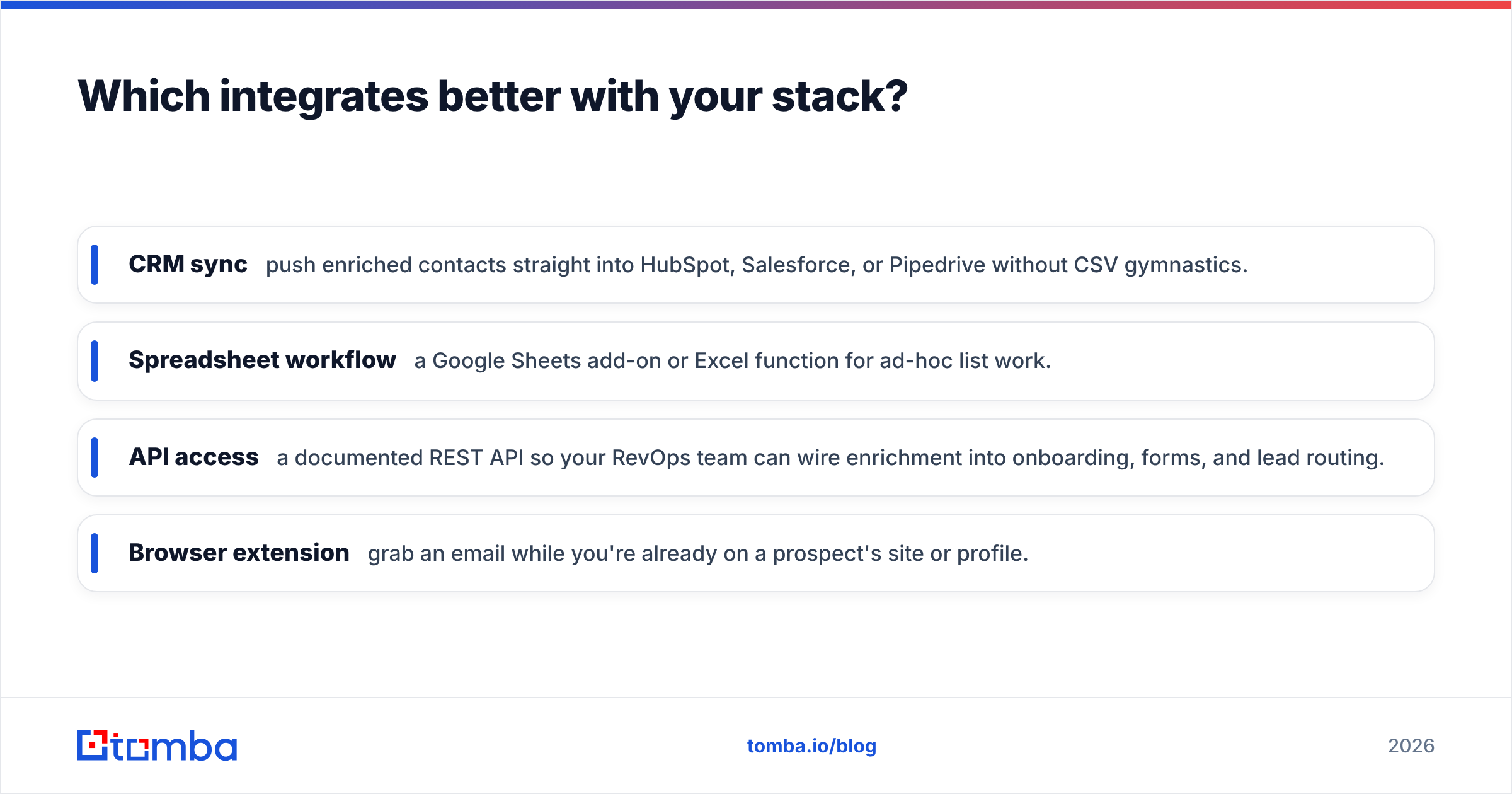
- CRM sync — push enriched contacts straight into HubSpot, Salesforce, or Pipedrive without CSV gymnastics.
- Spreadsheet workflow — a Google Sheets add-on or Excel function for ad-hoc list work.
- API access — a documented REST API so your RevOps team can wire enrichment into onboarding, forms, and lead routing.
- Browser extension — grab an email while you're already on a prospect's site or profile.
Tomba covers this surface area with native HubSpot and Salesforce connectors, a Google Sheets add-on, a Chrome extension, and a documented email finder API. If Bytemine or Kipplo is missing one of your daily-driver tools, factor in the hidden cost of the manual export-import loop that fills the gap.
Which tool should you choose — and when?#
There's no universal winner; there's a best fit per workflow. Use this to decide:
- Pick Bytemine if raw coverage is your priority and you already run a rigorous, independent verification step before every send. You're trading clean-up time for a higher hit rate.
- Pick Kipplo if you want a tidy interface and conservative verification for smaller, higher-intent lists, and the entry price fits your budget.
- Pick Tomba if you want documented accuracy, transparent per-credit pricing, finder and verifier in one place, catch-all handling, and integrations that remove the CSV shuffle. It's the safe default when you don't want to gamble your sender reputation on an inflated confidence score.
For most outbound teams, the deciding test is boringly simple: run the same list through your finalists, verify the output independently, and count net valid emails per dollar. Whichever tool wins that math wins your business.
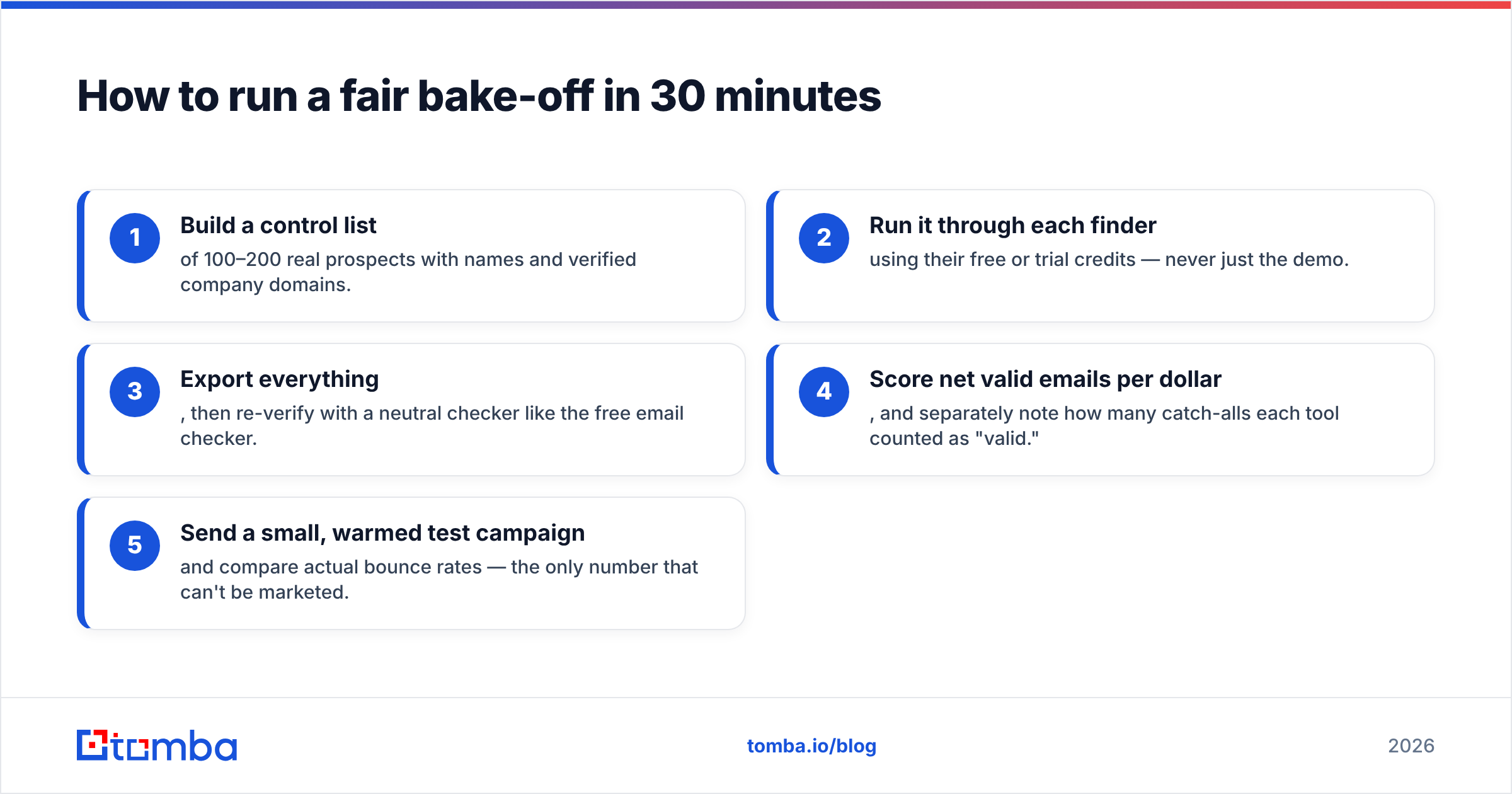
How to run a fair bake-off in 30 minutes#
- Build a control list of 100–200 real prospects with names and verified company domains.
- Run it through each finder using their free or trial credits — never just the demo.
- Export everything, then re-verify with a neutral checker like the free email checker.
- Score net valid emails per dollar, and separately note how many catch-alls each tool counted as "valid."
- Send a small, warmed test campaign and compare actual bounce rates — the only number that can't be marketed.
This removes vendor spin entirely. You're no longer choosing based on a homepage claim; you're choosing based on your own deliverability data.
The bottom line on Bytemine vs Kipplo#
Bytemine vs Kipplo isn't really a fight about who finds more emails — it's about who finds more deliverable ones at a price that scales. Bytemine pushes coverage and asks you to do the verification work. Kipplo verifies more tightly but gets expensive past the free tier. Both are reasonable, and both should be measured against your own list rather than a feature grid.
If you'd rather not gamble on an inflated confidence score, start with a tool that bundles accurate finding, verification, and catch-all handling in one transparent plan. Spin up a free Tomba account — 25 searches a month, no card required — run your control list through the Tomba Email Finder, verify the results, and let net valid emails per dollar make the call for you. It's the fastest way to turn a vendor debate into a decision you can defend.
// get started
Find, verify and enrich your first contacts today
Start on the free plan with 25 searches a month, then scale when your team is ready.
Free plan · No credit card required · GDPR & CCPA
// about the author