Bytemine vs Quickenrich: Best B2B Data Tool in 2026?
Bytemine vs Quickenrich, compared on accuracy, pricing, coverage, and verification — plus where a leaner email-finder beats both on cost per valid contact.
Choosing between Bytemine and Quickenrich usually comes down to one question your finance team will ask later: how much did each valid contact actually cost? Both promise B2B emails, phone numbers, and enrichment. But the marketing pages hide the part that matters — bounce rates, credit math, and how much manual cleanup you do after export.
This guide breaks down both tools on the things that move pipeline, then shows where a focused email finder undercuts both on cost per usable record.
TL;DR#
- Bytemine leans toward large-database breadth and intent signals, which suits enterprise GTM teams that already have a RevOps function to clean data.
- Quickenrich positions on speed and CRM enrichment workflows, which fits smaller teams that live inside HubSpot or Pipedrive.
- Neither publishes transparent, audited accuracy numbers — so budget for verification on top of either subscription.
- Cost per valid contact is the metric that decides this, not headline credit counts. Padded databases inflate the denominator.
- If your real need is "find and verify emails reliably without a five-figure contract," a dedicated email finder like Tomba often wins on price and bounce rate.
What do Bytemine and Quickenrich actually do?#
Both are B2B contact-data platforms. You give them a name, domain, or company, and they return work emails, sometimes phone numbers, and a layer of firmographic enrichment (title, headcount, industry, tech stack). The category is crowded — see the G2 sales intelligence grid for how many vendors compete here — so the differences are in execution, not concept.
Here is the honest framing before the feature tables: Bytemine and Quickenrich are both "broad" tools. They try to do finding, verifying, enriching, and sometimes sequencing in one bundle. That breadth is convenient, but it has two costs — you pay for modules you may not use, and the data accuracy is often a blended average across many sources rather than a verified result per lookup.
- Bytemine — pitched at mid-market and enterprise. Strengths: database size, intent/technographic signals, team seats. Weakness: pricing opacity and contract minimums.
- Quickenrich — pitched at SMB and RevOps-light teams. Strengths: fast CRM sync, simpler UI, self-serve onboarding. Weakness: thinner international coverage and catch-all handling.
- The shared gap — neither makes it easy to see your delivered rate before you commit budget, which is exactly the number cold email lives or dies on.

How do Bytemine and Quickenrich compare on features and pricing?#
The table below uses representative tiers. Treat enterprise numbers as directional — both vendors quote custom deals, which is itself a signal about predictability.
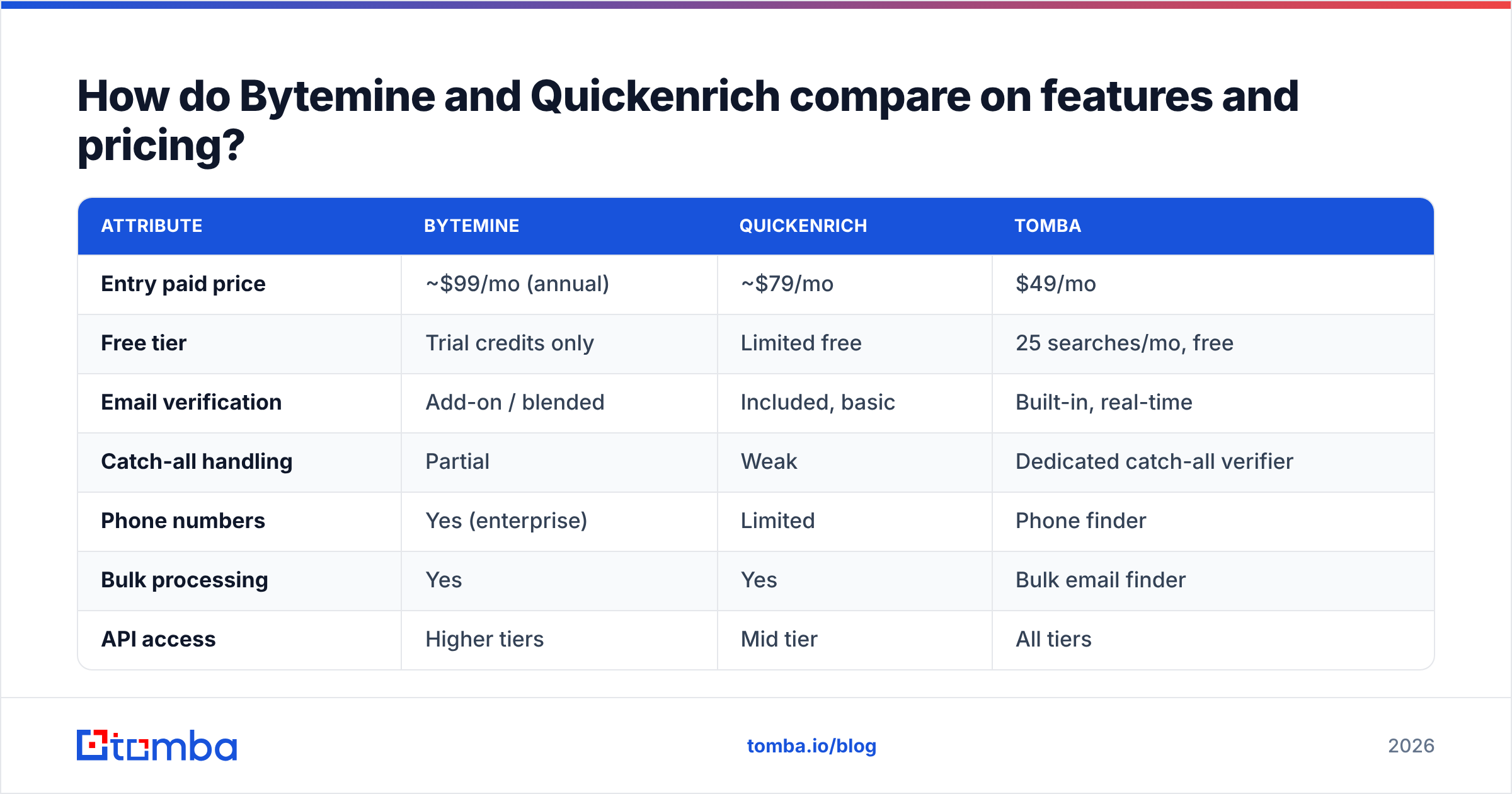
| Attribute | Bytemine | Quickenrich | Tomba |
|---|---|---|---|
| Entry paid price | ~$99/mo (annual) | ~$79/mo | $49/mo |
| Free tier | Trial credits only | Limited free | 25 searches/mo, free |
| Email verification | Add-on / blended | Included, basic | Built-in, real-time |
| Catch-all handling | Partial | Weak | Dedicated catch-all verifier |
| Phone numbers | Yes (enterprise) | Limited | Phone finder |
| Bulk processing | Yes | Yes | Bulk email finder |
| API access | Higher tiers | Mid tier | All tiers |
| Contract minimum | Common | Sometimes | None (monthly) |
Two things stand out. First, the cheapest credible entry point in this comparison is the lower price with a genuinely usable free tier — that lets you benchmark accuracy on your own list before spending anything. Second, when verification is an add-on rather than built in, your effective price per valid email is higher than the sticker suggests.
For the full breakdown of plans and credit math, the Tomba pricing page lays out exactly what each tier returns, which is the kind of transparency you should demand from any vendor in this space.
Is Bytemine more accurate than Quickenrich?#
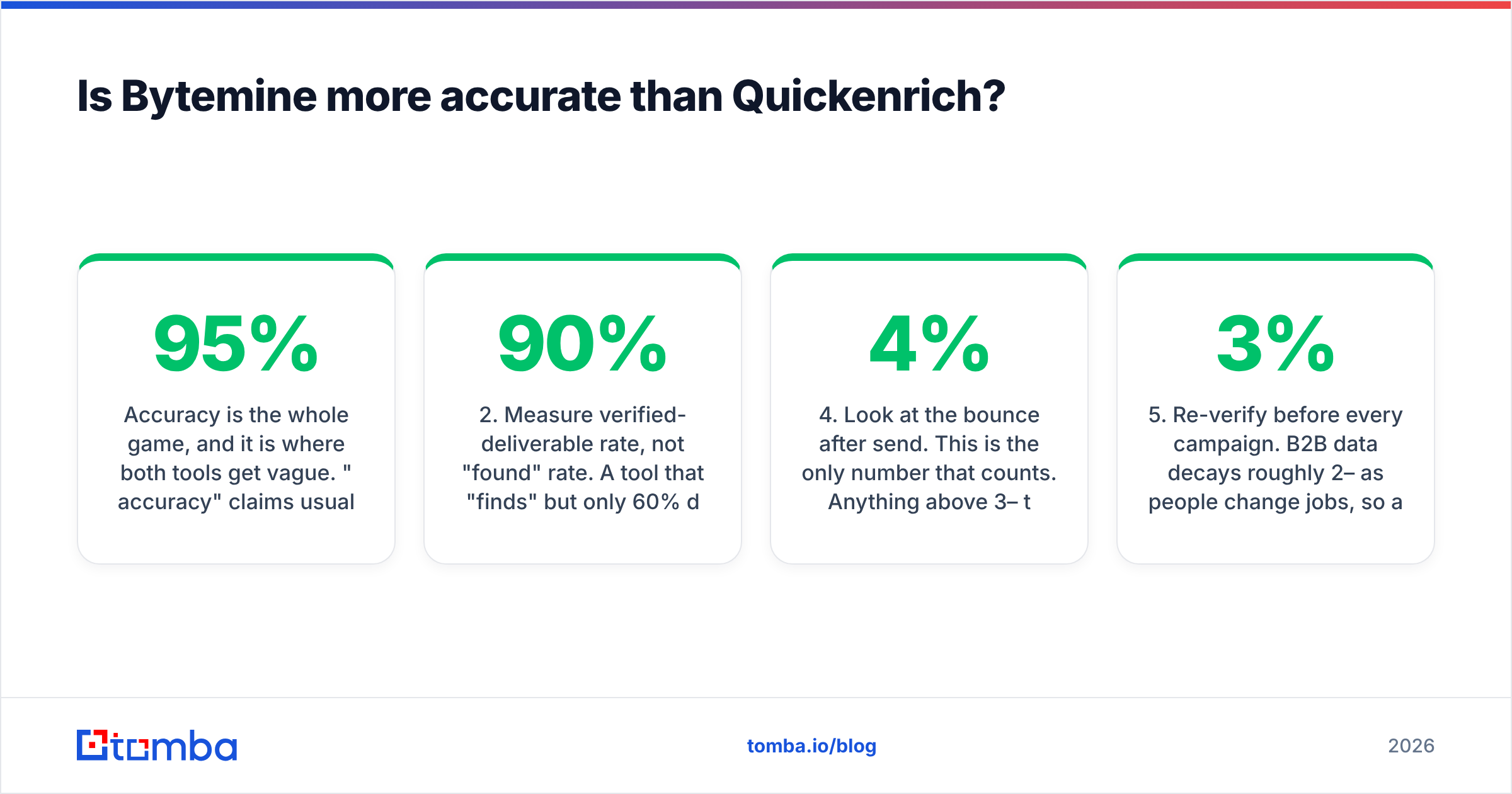
Accuracy is the whole game, and it is where both tools get vague. "95% accuracy" claims usually mean syntax-valid, not delivers to inbox. Those are very different. A syntactically perfect address on a catch-all domain can still bounce or, worse, land you in a spam trap.
Here is how to evaluate accuracy honestly rather than trusting a marketing number:
- Run the same 500-row test list through each tool. Use accounts you can verify against reality.
- Measure verified-deliverable rate, not "found" rate. A tool that "finds" 90% but only 60% deliver is worse than one that finds 70% that all deliver.
- Check catch-all behavior explicitly. Ask whether the tool flags catch-all domains or silently returns guesses. Silent guessing is what wrecks sender reputation.
- Look at the bounce after send. This is the only number that counts. Anything above 3–4% threatens your email deliverability and can drag your domain reputation down.
- Re-verify before every campaign. B2B data decays roughly 2–3% per month as people change jobs, so a "verified" record from last quarter is already stale.
The reason a dedicated finder tends to win this test is focus: when finding and verifying emails is the only job, the verification layer is first-class, not a checkbox. Tomba pairs its finder with a built-in email verifier so the deliverable check happens before the address ever reaches your sequencer.

Which tool fits which team?#
Neither Bytemine nor Quickenrich is "bad." They fit different shapes of team. Match the tool to your actual operating model, not to the longest feature list.
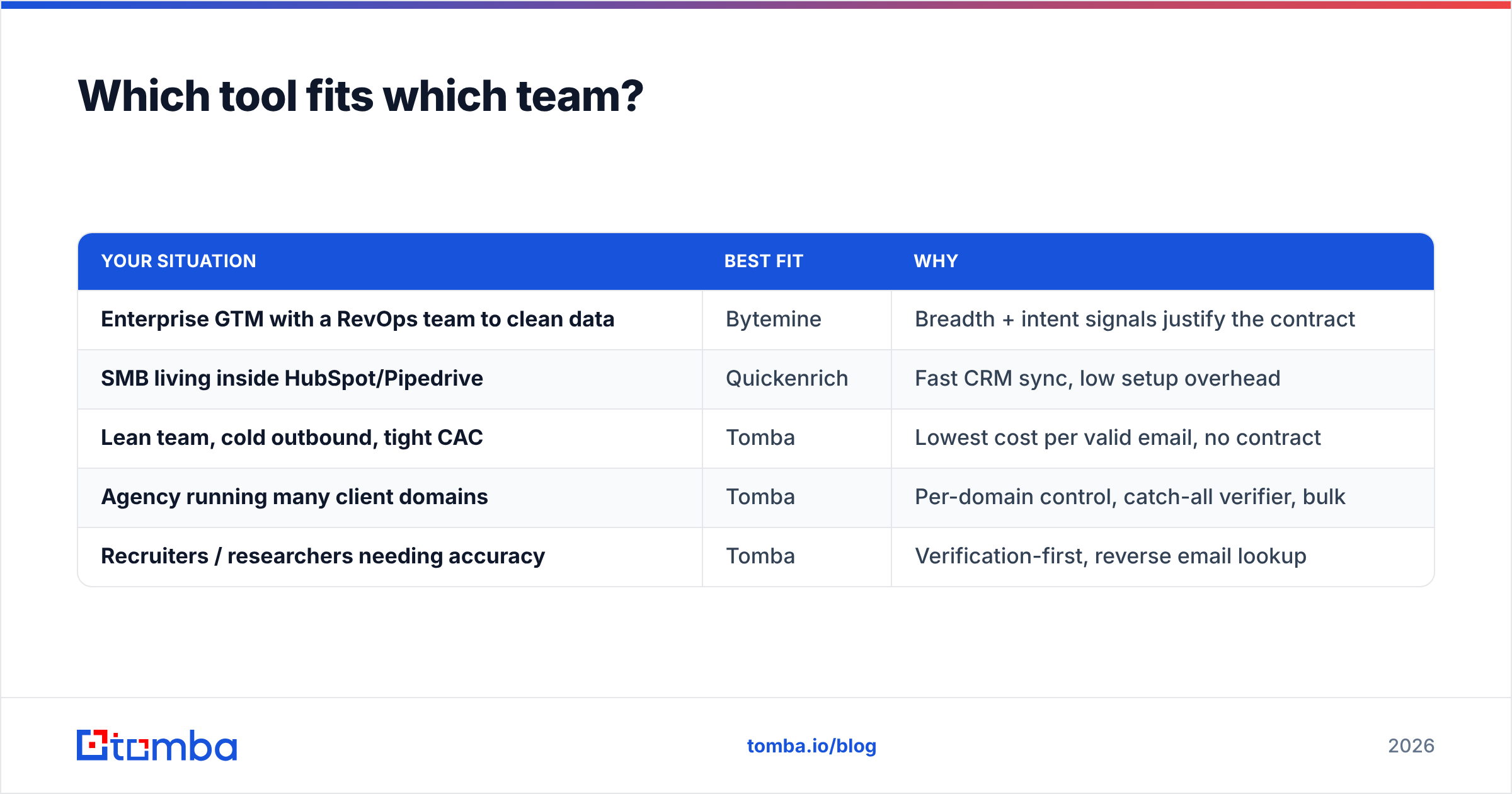
| Your situation | Best fit | Why |
|---|---|---|
| Enterprise GTM with a RevOps team to clean data | Bytemine | Breadth + intent signals justify the contract |
| SMB living inside HubSpot/Pipedrive | Quickenrich | Fast CRM sync, low setup overhead |
| Lean team, cold outbound, tight CAC | Tomba | Lowest cost per valid email, no contract |
| Agency running many client domains | Tomba | Per-domain control, catch-all verifier, bulk |
| Recruiters / researchers needing accuracy | Tomba | Verification-first, reverse email lookup |
If you already pay for a broad platform and use most of its modules, switching costs may not be worth it. But if you bought a suite and only use the email-finding 20% of it — which is extremely common — you are subsidizing features you never touch. That is the classic case for unbundling.
What does "broad suite" cost you that a focused tool doesn't?#
Conclusion first: broad suites cost you on three axes — money, data quality, and lock-in.
- Money. Bundled pricing forces you to pay for intent data, sequencing, or dialer minutes you may not need. A focused finder charges only for finding and verifying.
- Data quality. A platform optimizing for "biggest database" has an incentive to keep marginal, stale records in the count. That inflates the credits-used number and your bounce rate. A verification-first tool optimizes for removing bad records.
- Lock-in. Annual contracts and seat minimums make it hard to leave when the data degrades. Monthly billing keeps the vendor honest because you can walk any month.
Think of it like groceries. A broad suite is a bulk warehouse membership — great if your family is large enough to use everything before it spoils, wasteful if you are cooking for two. A focused tool is buying exactly what is on tonight's recipe. For most outbound teams, the recipe is "valid emails, verified, exported clean."
How do I migrate without losing data?#
If you decide a leaner stack makes sense, migration is less painful than vendors imply. The path:
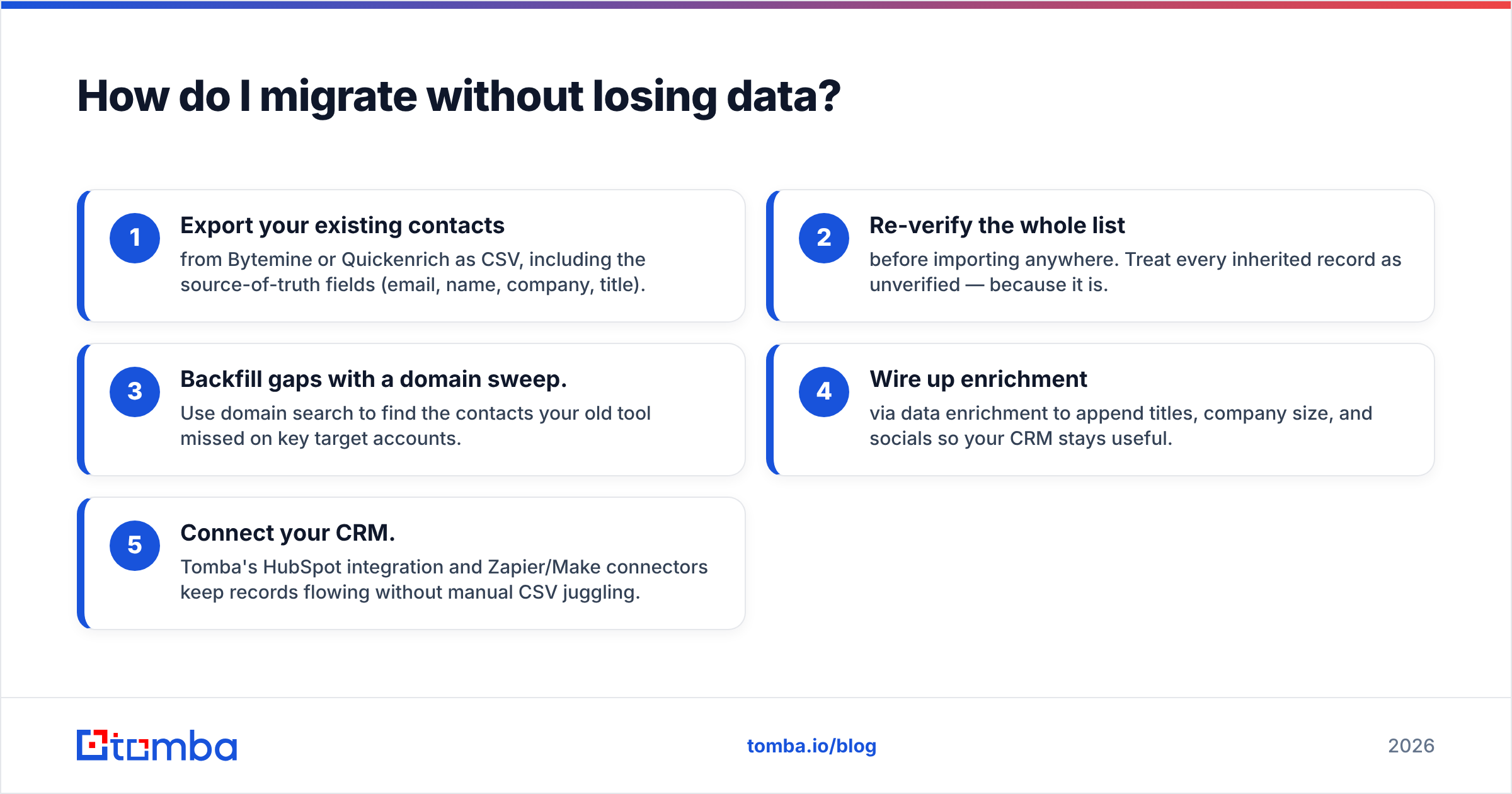
- Export your existing contacts from Bytemine or Quickenrich as CSV, including the source-of-truth fields (email, name, company, title).
- Re-verify the whole list before importing anywhere. Treat every inherited record as unverified — because it is.
- Backfill gaps with a domain sweep. Use domain search to find the contacts your old tool missed on key target accounts.
- Wire up enrichment via data enrichment to append titles, company size, and socials so your CRM stays useful.
- Connect your CRM. Tomba's HubSpot integration and Zapier/Make connectors keep records flowing without manual CSV juggling.
The whole migration is mostly a verification pass. If your inherited data is clean, it imports fast. If it isn't, you just learned something important about the tool you are leaving.

Bytemine vs Quickenrich: the verdict#
There is no universal winner between the two, and any post that declares one is selling something. The honest read:
- Pick Bytemine if you are enterprise, need intent and technographic layers, and have people to manage data hygiene. You are paying for breadth and accept the contract.
- Pick Quickenrich if you are SMB-to-mid-market, want fast CRM enrichment, and value setup speed over international depth.
- Pick a focused finder if your honest need is reliable, verified emails at the lowest cost per valid contact — without a suite you half-use or a contract you can't exit.
Most teams reading a "Bytemine vs Quickenrich" comparison are actually trying to solve the third problem. They think they need a bigger platform when they need cleaner data, cheaper. Run all three on the same test list, measure delivered rate and cost per valid email, and let the bounce report decide. Compare that against how the broader vendors stack up on the Capterra sales intelligence listings before signing anything annual.
Try the leaner option first#
Before you commit to either suite, prove the accuracy gap to yourself. Tomba's email finder gives you 25 free searches a month — no contract, real-time verification built in — so you can run your own benchmark against Bytemine and Quickenrich on a list you control. Find the emails, check the bounce rate, do the cost-per-valid-contact math. If a focused tool delivers the same contacts at a fraction of the suite price, you just saved your team a five-figure renewal. Start free, verify everything, and only pay for data that actually lands.
// get started
Find, verify and enrich your first contacts today
Start on the free plan with 25 searches a month, then scale when your team is ready.
Free plan · No credit card required · GDPR & CCPA
// about the author