Bytemine vs RemoveBounce 2026: Which Email Tool Wins?
Bytemine finds leads, RemoveBounce verifies them — but which one should anchor your stack in 2026? A neutral, feature-by-feature breakdown with pricing, accuracy, and a better third option.
TL;DR
- Bytemine is built to find B2B contacts — emails, company data, lead lists — so it sits at the top of your funnel.
- RemoveBounce is built to clean lists — it verifies whether the emails you already have will bounce, so it sits one step later.
- They solve different problems, which means "Bytemine vs RemoveBounce" is really a question about which gap in your pipeline hurts most right now.
- On a pure cost-per-outcome basis, running two separate vendors is rarely cheaper than a single platform that finds and verifies.
- If you want one tool that does both — discovery plus validation — Tomba covers the whole chain at a transparent price, starting free.
What is Bytemine and what does it actually do?#
Bytemine is a lead-generation and prospecting tool. Its job is the front of the funnel: you give it a domain, a company, or a target persona, and it returns contact records — names, professional emails, and firmographic context you can drop into a sequence.
Think of it like a metal detector at the beach. It's good at surfacing things that are buried — new contacts you didn't have — but it doesn't tell you which coins are real and which are bottle caps. That second job, separating valid addresses from dead ones, is where a different kind of tool earns its keep.
Bytemine's strength is breadth of discovery. If your problem is "my list is empty and I need net-new prospects," a finder is the right category. The trade-off is that raw discovery data always carries some decay — people change jobs, domains get retired, and catch-all servers accept everything — so a finder alone leaves a verification gap.

What is RemoveBounce and where does it fit?#
RemoveBounce is an email verification service. It doesn't go hunting for new contacts — it takes a list you already own and tells you which addresses are safe to send to. It runs syntax checks, MX-record lookups, SMTP pings, and disposable/role-account detection, then hands back a cleaned file with valid, invalid, and risky buckets.
Using the beach analogy again: RemoveBounce is the friend who tells you which coins are actually silver before you try to spend them. It assumes you already dug something up.
This is the core distinction. Bytemine creates the list. RemoveBounce protects it. If you ask RemoveBounce to find contacts, you're using a verifier as a finder — it can't do that. If you ask Bytemine to guarantee zero bounces, you're asking a finder to be a verifier — it wasn't built for that either.
Bytemine vs RemoveBounce: how do they compare side by side?#
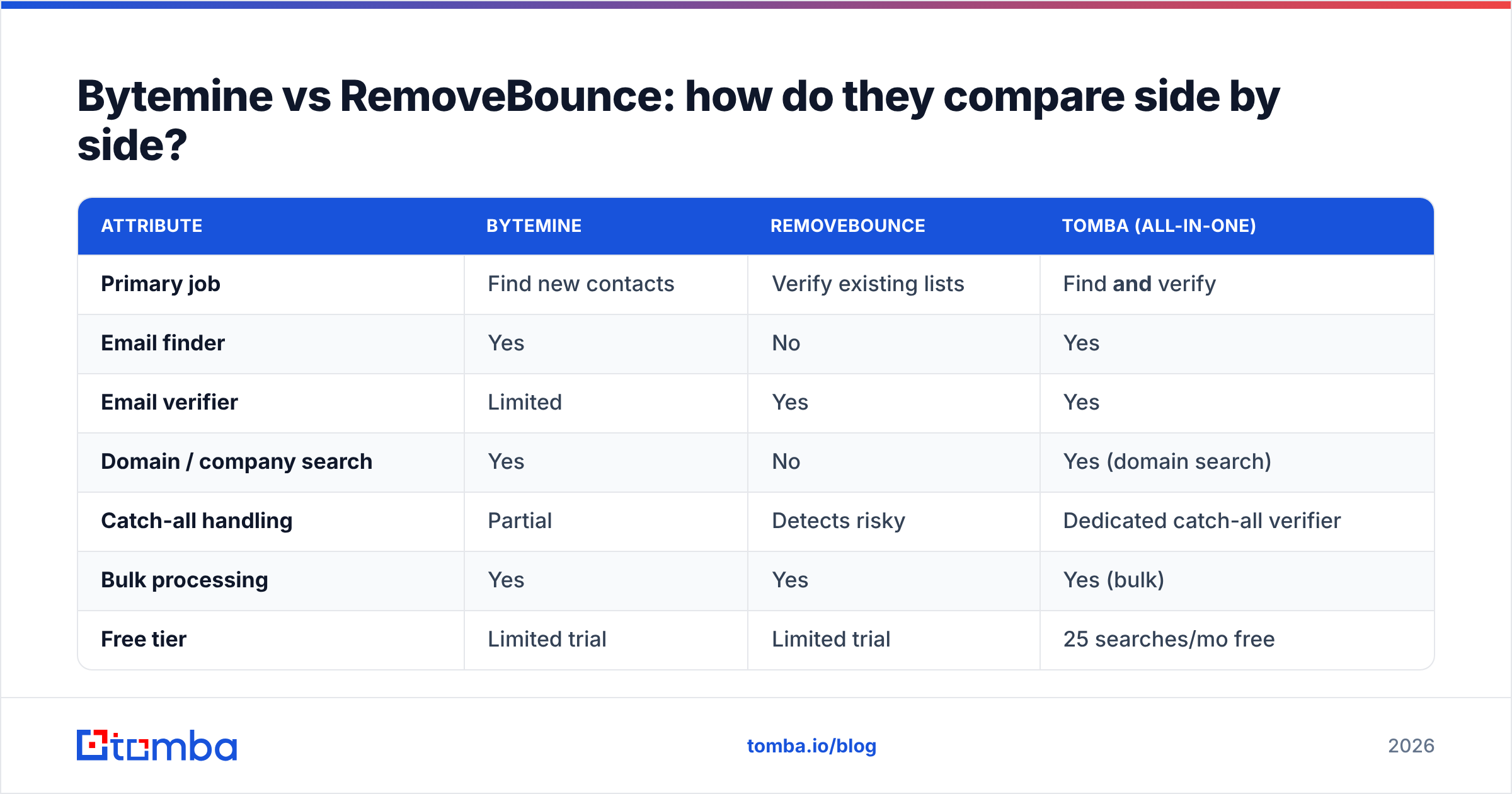
Here's the honest, category-aware comparison. Notice that most rows are not "better/worse" — they're "different job."
| Attribute | Bytemine | RemoveBounce | Tomba (all-in-one) |
|---|---|---|---|
| Primary job | Find new contacts | Verify existing lists | Find and verify |
| Email finder | Yes | No | Yes |
| Email verifier | Limited | Yes | Yes |
| Domain / company search | Yes | No | Yes (domain search) |
| Catch-all handling | Partial | Detects risky | Dedicated catch-all verifier |
| Bulk processing | Yes | Yes | Yes (bulk) |
| Free tier | Limited trial | Limited trial | 25 searches/mo free |
| Native CRM integrations | Some | Few | HubSpot, Salesforce, Pipedrive, Zapier |
| API access | Yes | Yes | Yes (Tomba API) |
The pattern is clear: to cover the full chain with Bytemine and RemoveBounce, you buy two subscriptions, manage two dashboards, and move CSV files between them. A consolidated platform removes that handoff.
Which one is more accurate?#
Accuracy means two different things here, so compare them on the right axis.
For discovery accuracy — "is the email this tool found correct?" — you judge a finder like Bytemine on hit rate and bad-data rate. A good finder returns a high percentage of deliverable addresses and flags the rest.
For verification accuracy — "will this address bounce?" — you judge a verifier like RemoveBounce on how well it classifies valid, invalid, and catch-all/risky without false positives. The hardest case for any verifier is the catch-all domain, where the server accepts every address regardless of whether the mailbox exists. That's exactly why a dedicated catch-all verifier matters more than a generic SMTP ping.
The blind spot in a two-tool setup: your finder's output never gets verified before it's scored, and your verifier never sees why an address was guessed. When find and verify live in one system, the verifier confirms the finder's guess in the same pass — fewer wasted credits, fewer surprises in your bounce rate. For more on how source quality drives accuracy, see how Tomba sources its data.

How does pricing compare?#
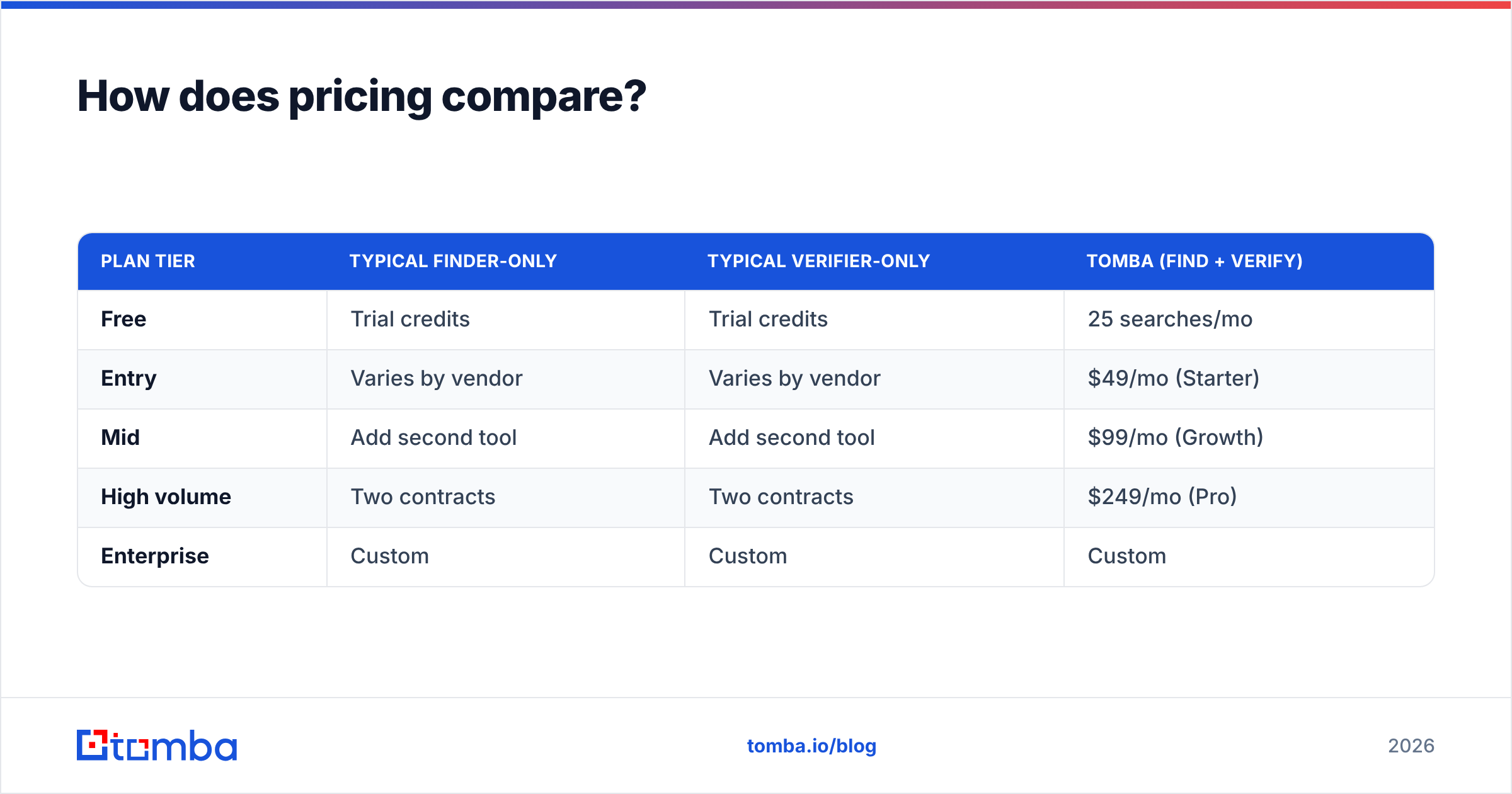
Pricing is where the two-vendor math gets uncomfortable. Both Bytemine and RemoveBounce price independently, so your real cost is the sum of a finder plan plus a verifier plan — plus the hidden cost of moving data between them.
| Plan tier | Typical finder-only | Typical verifier-only | Tomba (find + verify) |
|---|---|---|---|
| Free | Trial credits | Trial credits | 25 searches/mo |
| Entry | Varies by vendor | Varies by vendor | $49/mo (Starter) |
| Mid | Add second tool | Add second tool | $99/mo (Growth) |
| High volume | Two contracts | Two contracts | $249/mo (Pro) |
| Enterprise | Custom | Custom | Custom |
Tomba's published pricing bundles both jobs into one line item: Free (25 searches/mo), Starter at $49/mo, Growth at $99/mo, Pro at $249/mo, and custom Enterprise. When you're comparing "Bytemine vs RemoveBounce," remember you're usually pricing two products against one.
When should you pick Bytemine?#
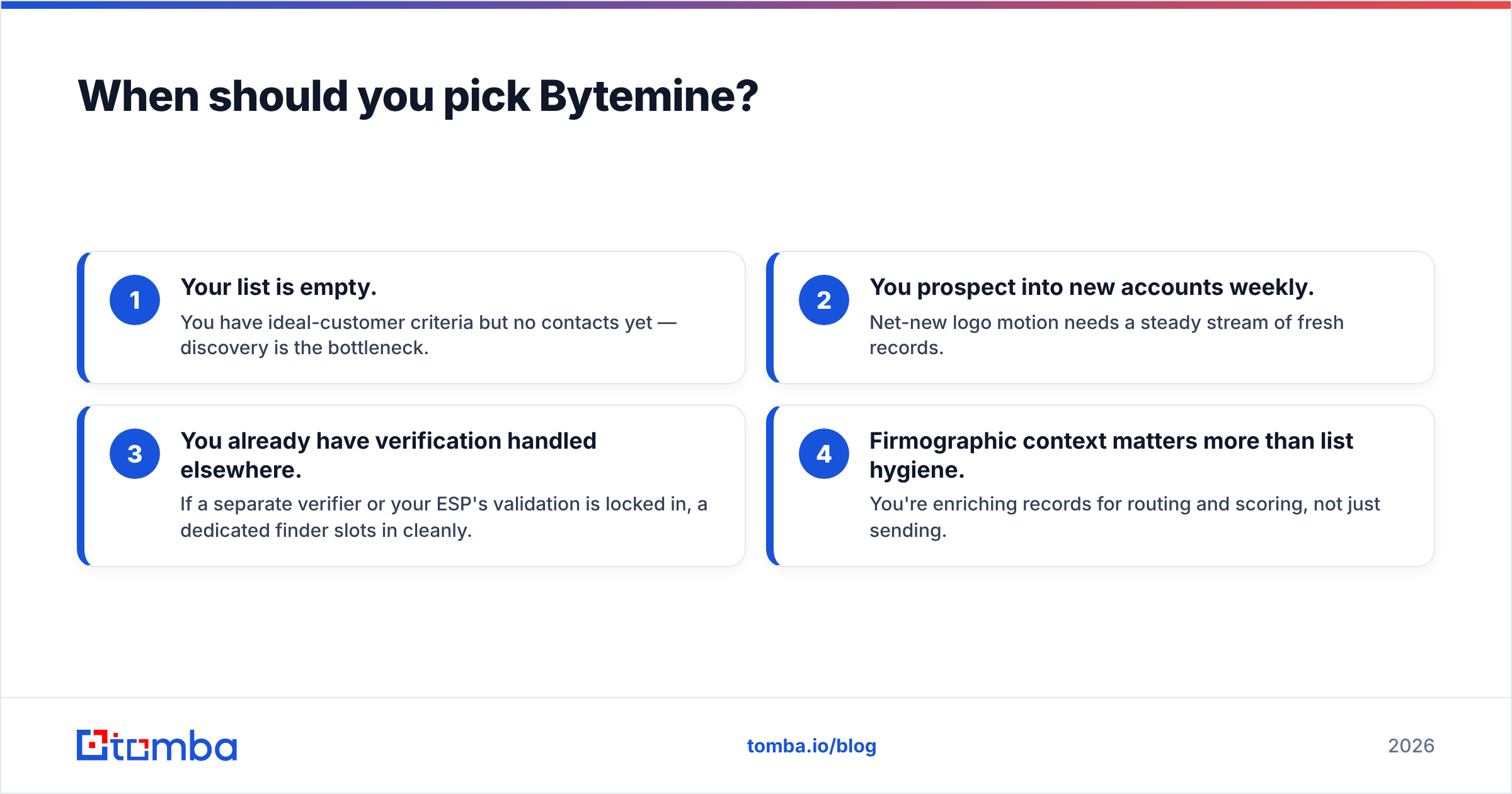
Choose a finder-first tool like Bytemine when:
- Your list is empty. You have ideal-customer criteria but no contacts yet — discovery is the bottleneck.
- You prospect into new accounts weekly. Net-new logo motion needs a steady stream of fresh records.
- You already have verification handled elsewhere. If a separate verifier or your ESP's validation is locked in, a dedicated finder slots in cleanly.
- Firmographic context matters more than list hygiene. You're enriching records for routing and scoring, not just sending.
If that's you, a finder is the correct category — just plan for the verification step that has to follow.
When should you pick RemoveBounce?#
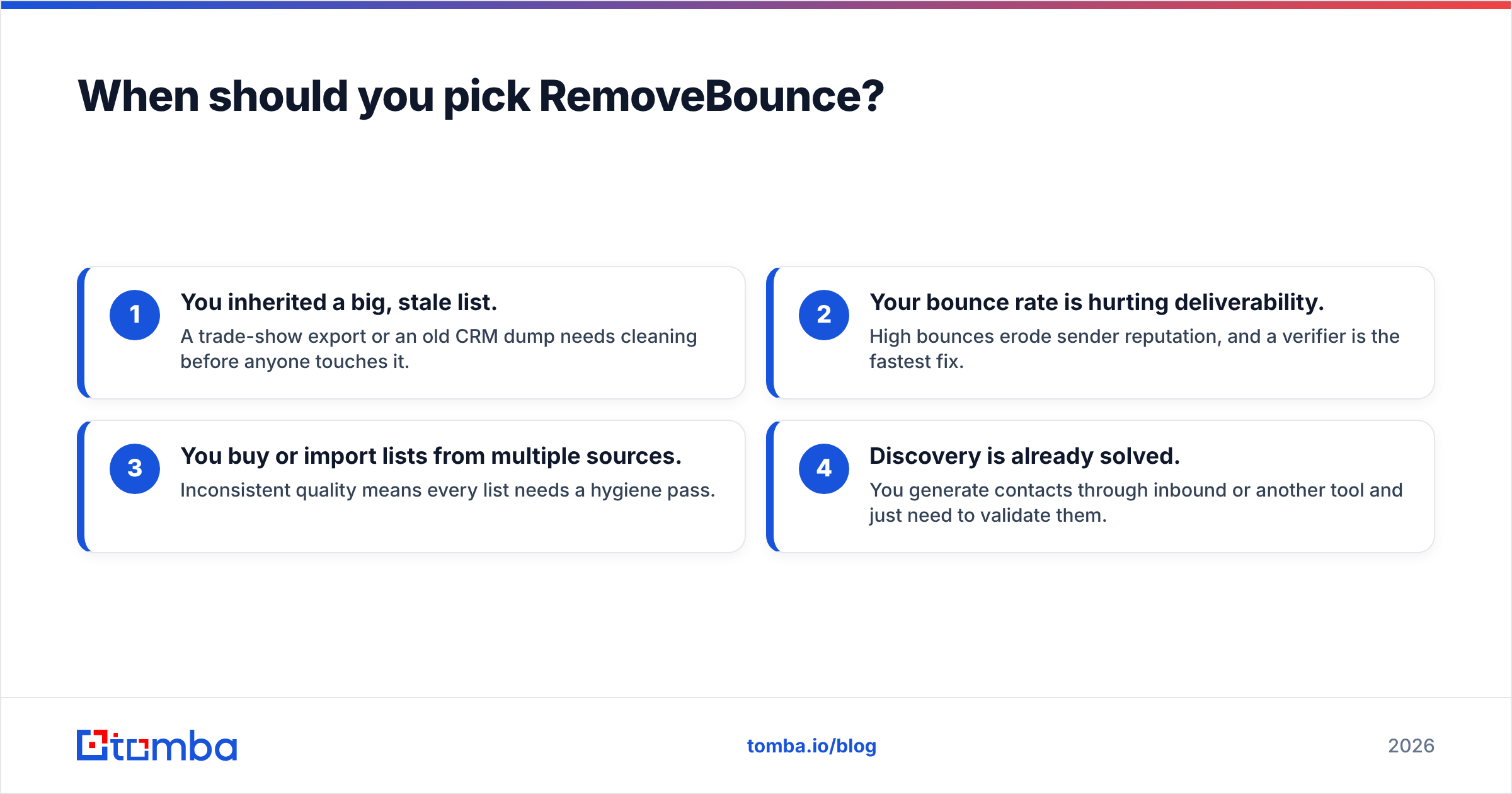
Choose a verifier-first tool like RemoveBounce when:
- You inherited a big, stale list. A trade-show export or an old CRM dump needs cleaning before anyone touches it.
- Your bounce rate is hurting deliverability. High bounces erode sender reputation, and a verifier is the fastest fix.
- You buy or import lists from multiple sources. Inconsistent quality means every list needs a hygiene pass.
- Discovery is already solved. You generate contacts through inbound or another tool and just need to validate them.
A verifier is insurance against email deliverability damage. It's essential — but on its own it can't grow your pipeline.
Is there a tool that does both?#
Yes — and that's the practical resolution to the whole debate. Most teams don't have only a discovery problem or only a hygiene problem; they have both, in sequence, every week. Running Bytemine for one and RemoveBounce for the other means two bills, two APIs, and a manual CSV bridge in the middle.
Tomba collapses that chain. You find email addresses by domain, name, or company, then verify emails in the same workflow — with a catch-all finder, bulk processing, and native integrations into HubSpot, Salesforce, and Pipedrive so nothing leaves your CRM. One credit system covers discovery and validation, which usually beats two specialist subscriptions on total cost.
That doesn't make Bytemine or RemoveBounce bad — each is competent at its single job. It means the combination you'd assemble from them is often available as one product, with less operational drag.
How do I decide in practice?#
Run this quick decision test before you buy anything:
- Where does it hurt today? Empty list → finder. Bouncing list → verifier. Both → all-in-one.
- How many tools do you want to maintain? Each added vendor is another login, contract, and integration to babysit.
- What's your real cost-per-deliverable-email? Add finder + verifier subscriptions and divide by clean emails produced. Compare that single number to a bundled plan.
- Does it fit your stack? Check native CRM and Zapier support before pricing — a tool you have to glue together costs more than its sticker.
Score those four and the right category — and often the right specific tool — becomes obvious without guesswork.
How accurate is this comparison, and what should you verify yourself?#
Tool capabilities change fast, so treat any comparison (including this one) as a starting point, not gospel. Before committing, confirm current feature sets on each vendor's own site and on a neutral review platform like G2 or Capterra, and read each tool's API docs if you plan to integrate. Vendor positioning shifts quarter to quarter; the categories — find vs verify vs all-in-one — are the durable part of the decision.
What stays true regardless of pricing changes: a finder grows your list, a verifier protects it, and a combined platform removes the handoff between the two. Decide which of those three jobs you're actually buying.
The bottom line#
Bytemine and RemoveBounce aren't really competitors — they're neighbors on the same pipeline. Bytemine finds contacts; RemoveBounce keeps your list clean. If you only need one job done, pick the matching specialist. But most outbound teams need both, every week, and stitching two vendors together adds cost and friction that a single platform avoids.
If you'd rather run discovery and verification from one place — with a free tier to test it, transparent Tomba plans as you scale, and a Tomba Email Finder that hands clean, verified addresses straight to your CRM — start with Tomba's free 25 searches and see how much of your two-tool stack it replaces. One platform, one bill, the whole chain covered.
Ready to find emails that actually work?
Join 150,000+ professionals who stopped guessing and started sending. Free credits on signup — no credit card required.
Get the Tomba newsletter
Practical outbound tactics and product updates — once every two weeks.
About the author