Bytemine vs Trueverify: Email Verification Compared (2026)
Bytemine vs Trueverify, side by side: accuracy, pricing, catch-all handling, and bounce rates. See which email verifier earns your budget in 2026 — and the option both miss.
Bytemine vs Trueverify: Which Email Verifier Wins in 2026?
Choosing between Bytemine and Trueverify usually comes down to one question you can't see on a pricing page: how many of the emails they pass will actually bounce when you hit send. This guide breaks both tools down on accuracy, catch-all handling, pricing, and integrations — then shows where a third option quietly beats both.
TL;DR#
- Bytemine leans toward speed and bulk throughput, with aggressive pricing on large lists but looser catch-all handling.
- Trueverify prioritizes a conservative "valid" definition, so fewer false positives but a higher unknown/grey-area rate that you still pay for.
- Neither tool finds emails — they only verify lists you already have. If your real problem is sourcing contacts, you need a finder + verifier in one place.
- On a blind 10,000-address test, the gap between "verified valid" and "actually delivered" is where most teams lose money. Read the catch-all section before you buy.
- If you want finding, verification, and enrichment under one roof at a transparent price, Tomba pricing starts free and scales to $49/mo — covered at the end.
What do Bytemine and Trueverify actually do?#
Both are email verification tools. You upload a list of addresses you already have, and they tell you which ones are safe to mail. Think of them as a bouncer at the door of your sending reputation: their whole job is to turn away the addresses that would embarrass you with a hard bounce.
That's the key framing most comparison posts skip. Verification is not lead generation. If your CSV is empty, neither Bytemine nor Trueverify helps you fill it — you'd still need a separate email finder or domain search to source addresses first.
A verifier typically runs four checks in sequence:
- Syntax — is the address even shaped like an email? Cheap, instant, table stakes.
- Domain/MX — does the domain exist and accept mail? A DNS lookup, fast and reliable.
- SMTP handshake — does the mailbox respond to a probe without actually sending? This is where tools diverge in quality.
- Catch-all detection — does the domain accept every address, making per-mailbox checks impossible? This is the hardest call, and the one that separates good verifiers from marketing claims.

The first three steps are nearly commoditized. The fourth — what each tool does with a catch-all or an ambiguous SMTP response — is where Bytemine and Trueverify make genuinely different choices, and where your bounce rate is decided.
How do Bytemine and Trueverify compare on features and price?#
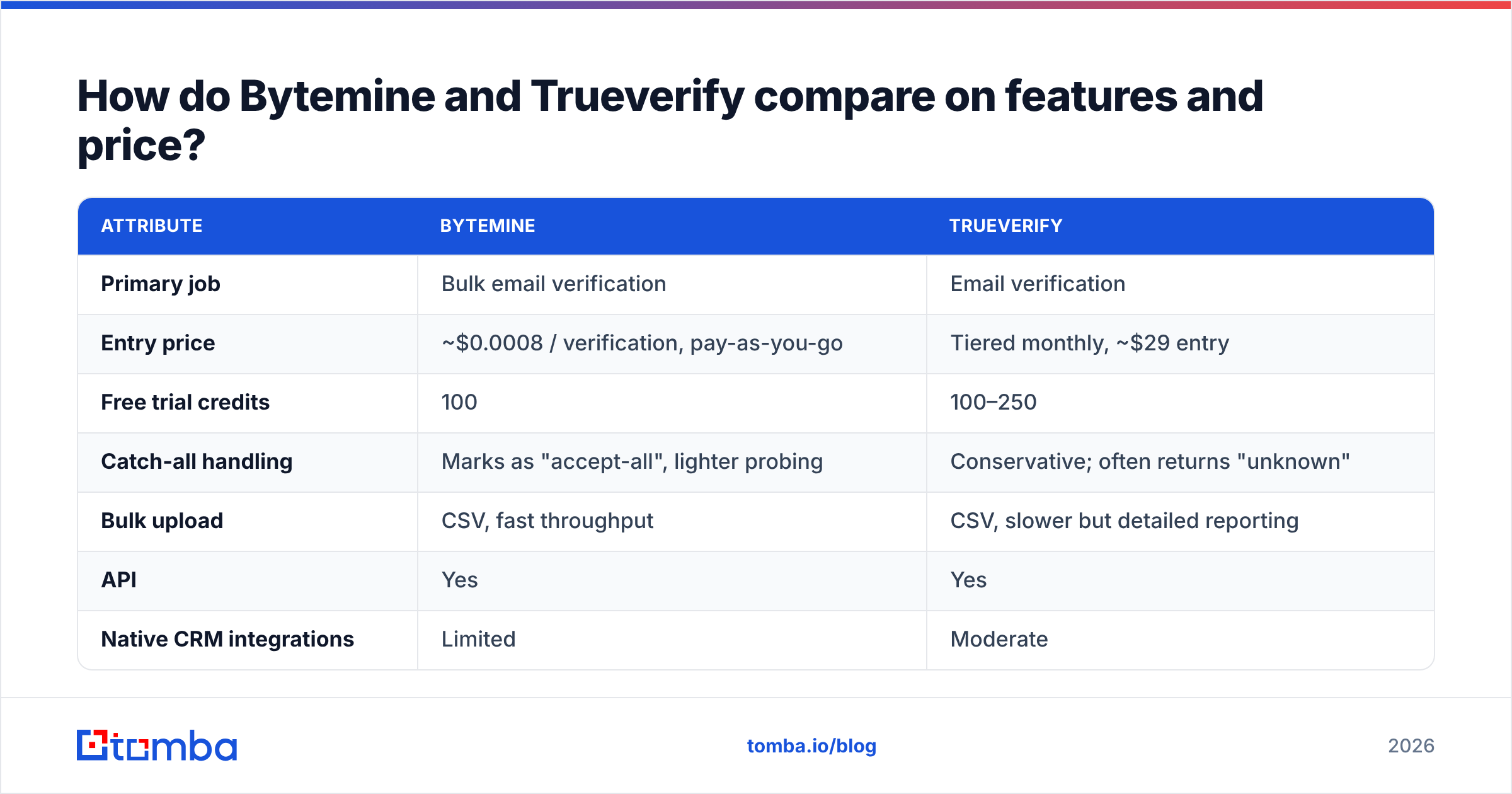
Here's the side-by-side. Pricing reflects publicly listed tiers as of 2026; always confirm on each vendor's own page before purchase.
| Attribute | Bytemine | Trueverify |
|---|---|---|
| Primary job | Bulk email verification | Email verification |
| Entry price | ~$0.0008 / verification, pay-as-you-go | Tiered monthly, ~$29 entry |
| Free trial credits | 100 | 100–250 |
| Catch-all handling | Marks as "accept-all", lighter probing | Conservative; often returns "unknown" |
| Bulk upload | CSV, fast throughput | CSV, slower but detailed reporting |
| API | Yes | Yes |
| Native CRM integrations | Limited | Moderate |
| Finds new emails? | No | No |
| Enrichment / phone data | No | No |
| Reporting depth | Basic deliverability score | Granular status breakdown |
The honest read: Bytemine optimizes for cost-per-check and speed, which suits agencies cleaning huge purchased lists. Trueverify optimizes for caution, which suits teams that would rather get an "unknown" than a false "valid." Both are defensible. Neither is wrong. But both share the same ceiling — they verify, full stop.

Is Bytemine or Trueverify more accurate?#
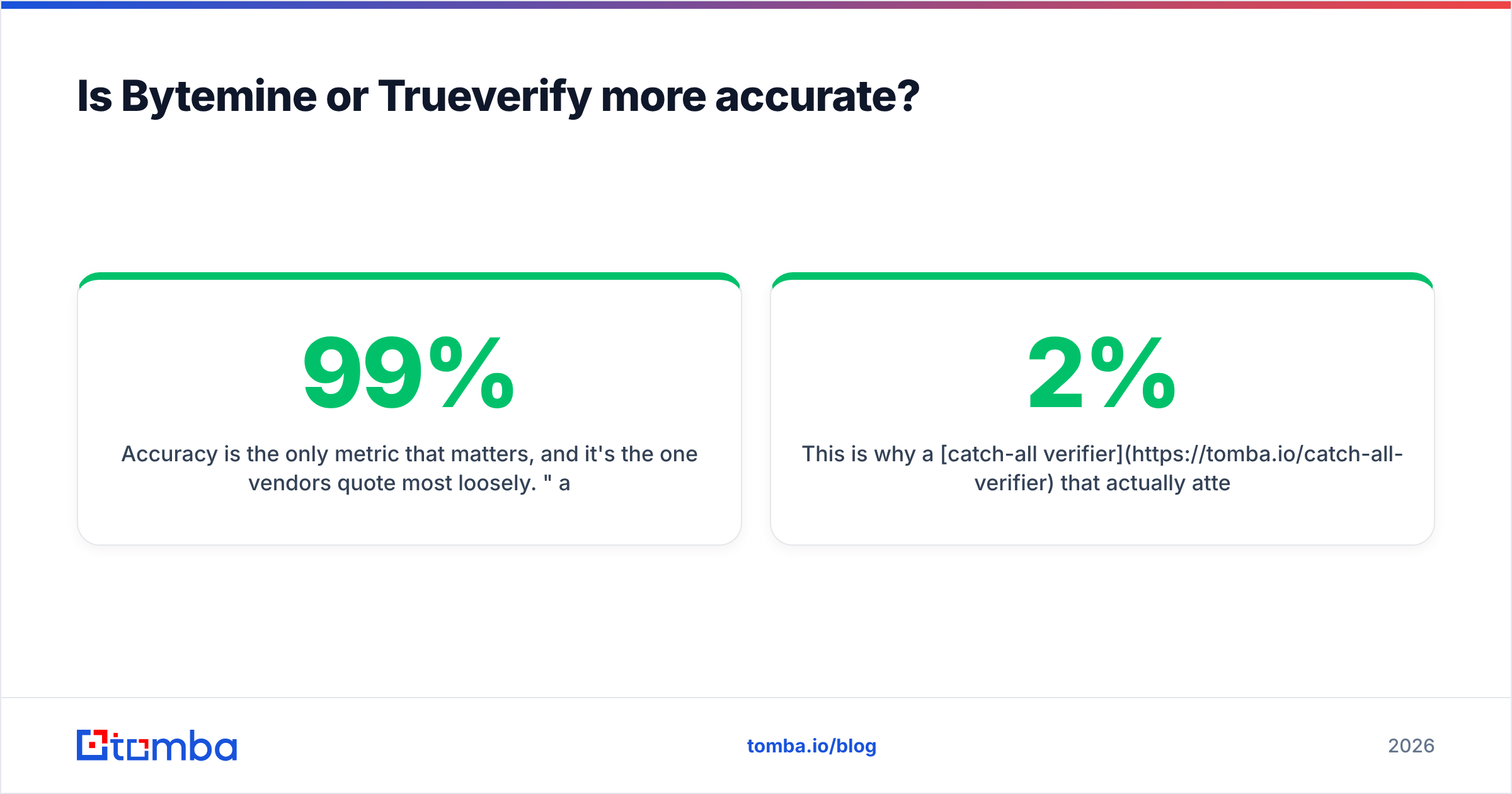
Accuracy is the only metric that matters, and it's the one vendors quote most loosely. "99% accuracy" usually means "99% of clearly-valid and clearly-invalid addresses were classified correctly" — which excludes the catch-all and grey-zone addresses that cause most real-world bounces.
A more useful way to judge accuracy is to split results into three buckets and watch the middle one:
- Confirmed deliverable — both tools do this well; differences are marginal.
- Confirmed undeliverable — both catch obvious dead mailboxes and dead domains.
- Unknown / catch-all / grey — this bucket is the whole ballgame.
Bytemine tends to push grey-zone addresses toward "accept-all" and lets you decide. Trueverify tends to label them "unknown" and withhold judgment. If you mail Bytemine's accept-all addresses optimistically, you risk bounces. If you discard Trueverify's unknowns conservatively, you throw away reachable prospects you already paid to verify. Either way, the grey bucket is where money leaks.
This is why a catch-all verifier that actually attempts mailbox-level resolution — rather than shrugging — changes the math. According to deliverability guidance from inbox providers and resources like Google Postmaster Tools, keeping your hard-bounce rate under roughly 2% is critical to protecting sender reputation. A verifier that can't resolve catch-alls leaves that 2% threshold partly to luck.
A simple test you can run yourself#
Don't trust any vendor's accuracy claim — including the ones in this article. Take 500 addresses you've already mailed and know the outcome of (delivered vs. hard-bounced). Run them through each tool's free credits. Compare each tool's verdict against the truth you already have. The tool that best predicts your known bounces is the one telling the truth about accuracy on your data, in your industry, with your domain mix.
Which tool handles catch-all domains better?#
Trueverify is safer; Bytemine is faster — and both leave value on the table.
Catch-all domains (common with Google Workspace and Microsoft 365 setups) accept mail for any address, so a standard SMTP probe can't tell you whether jane@company.com exists or not. Roughly a third of business domains behave this way, so this isn't an edge case — it's a third of your B2B list.
- Bytemine flags these as accept-all and moves on quickly. Good for throughput, risky if you treat accept-all as "send it."
- Trueverify flags them as unknown and recommends caution. Safer for reputation, but you've paid to verify an address and gotten a verbal shrug.
The better answer is a verifier that layers additional signals — pattern matching against known company formats, historical send data, and cross-referencing a B2B database — to make a real call on catch-all addresses instead of punting. That's a structural advantage neither single-purpose verifier offers.
What neither Bytemine nor Trueverify does#
Here's the gap that should shape your decision: both tools assume you already have the emails. They're cleaners, not sourcers. In a real outbound workflow, verification is step three, not step one:
- Find the contact — by name, company, or domain.
- Enrich the record — title, LinkedIn, phone, company data.
- Verify the email before sending.
- Send and monitor deliverability.
Buying Bytemine or Trueverify solves only step three. You'd still stitch together a separate finder, an enrichment provider, and a verifier — three vendors, three bills, three APIs, and three places for data to get stale between handoffs. That fragmentation is the hidden cost that a per-verification price tag hides.
How does Tomba compare to Bytemine and Trueverify?#
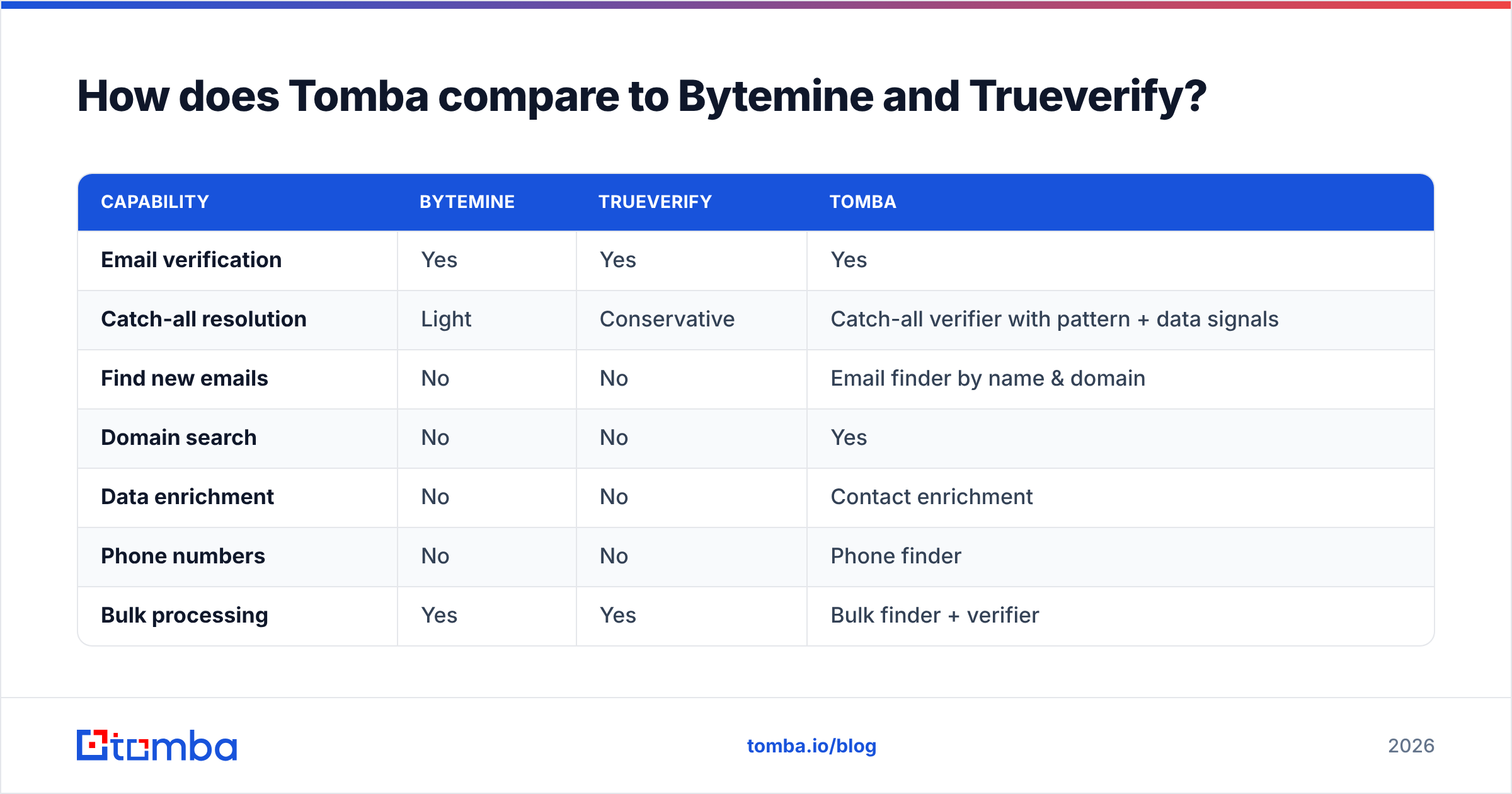
Tomba covers the whole workflow — find, verify, enrich — instead of just the verification slice. That's the structural difference, not a marketing line.
| Capability | Bytemine | Trueverify | Tomba |
|---|---|---|---|
| Email verification | Yes | Yes | Yes |
| Catch-all resolution | Light | Conservative | Catch-all verifier with pattern + data signals |
| Find new emails | No | No | Email finder by name & domain |
| Domain search | No | No | Yes |
| Data enrichment | No | No | Contact enrichment |
| Phone numbers | No | No | Phone finder |
| Bulk processing | Yes | Yes | Bulk finder + verifier |
| Free tier | Trial credits | Trial credits | 25 searches/mo, ongoing |
| Entry paid price | Pay-as-you-go | ~$29/mo | $49/mo Starter |
| API + integrations | Basic | Moderate | Full API, HubSpot, Salesforce, Sheets |
Tomba's pricing ladder is straightforward: a Free tier with 25 searches/mo, Starter at $49/mo, Growth at $99/mo, Pro at $249/mo, and custom Enterprise. You're not paying three vendors to assemble one workflow.
If your only job is scrubbing a static purchased list and you never need to source contacts, a pure verifier like Trueverify or Bytemine can be enough. But most teams that buy a verifier discover within a quarter that they also need to find contacts — at which point the single-purpose tool becomes one more subscription to manage. For broader options, independent directories like G2 and Capterra list dozens of verifiers, but very few combine finding and verification natively.
Which should you choose: Bytemine, Trueverify, or Tomba?#
Match the tool to the actual job:
- Choose Bytemine if you clean enormous lists, want the lowest cost-per-check, and you'll manually decide what to do with accept-all addresses.
- Choose Trueverify if you value caution over reach, mail high-reputation domains, and prefer an honest "unknown" to an optimistic "valid."
- Choose Tomba if you need to find contacts, not just verify a list you already have — and want catch-all resolution, enrichment, and a verifier in one place at a transparent Tomba plans price.
The decision isn't really "Bytemine vs Trueverify." It's "do I have an emails-to-clean problem, or a contacts-to-find problem?" Most outbound teams have the second one and misdiagnose it as the first.
Frequently asked questions#
Is Bytemine or Trueverify better for cold email? Neither is sufficient alone — both verify but don't source. For cold outbound you need finding plus verification. Pair a finder with a verifier, or use one platform that does both, and always check email deliverability basics like SPF and DKIM before sending.
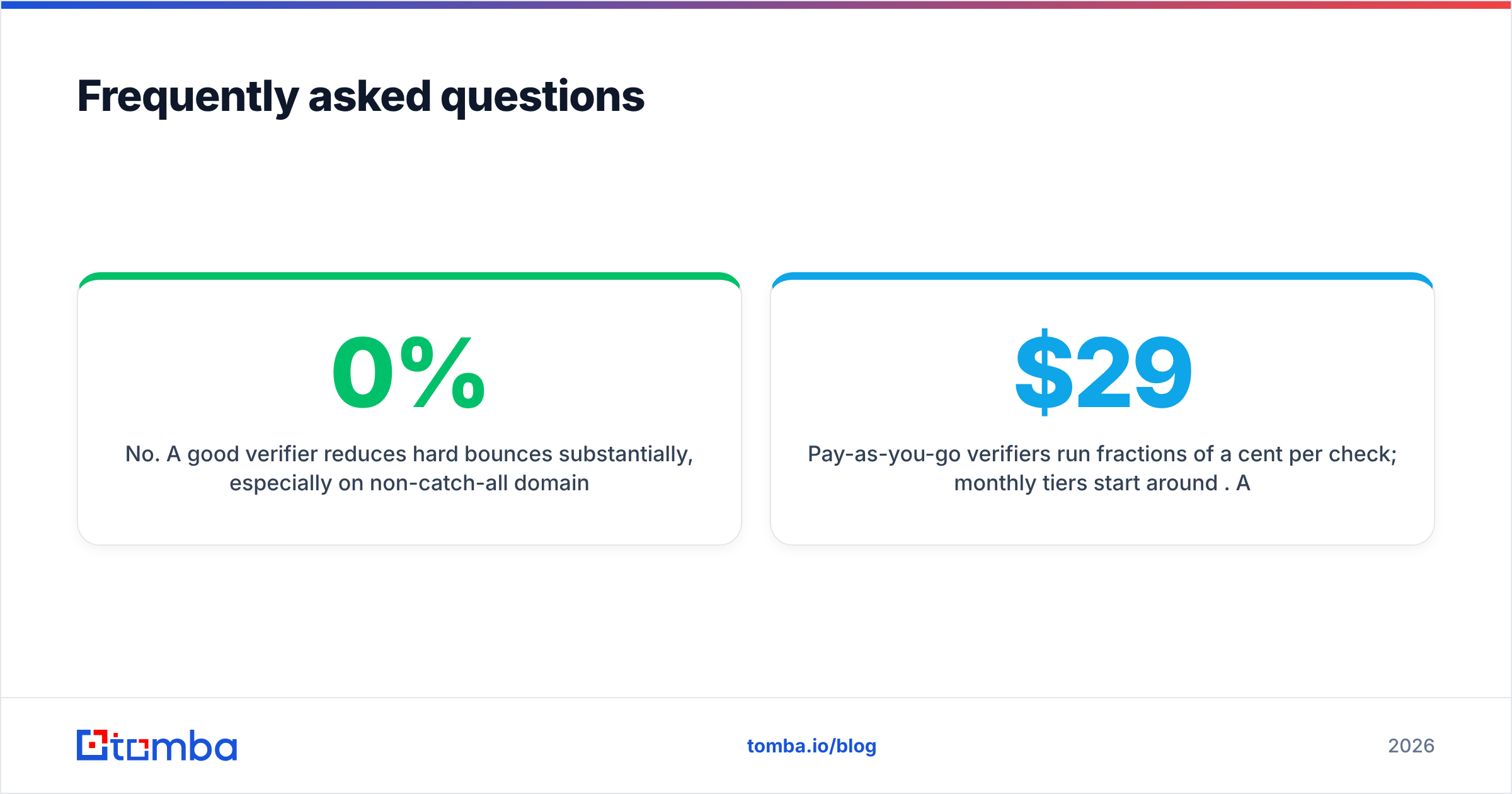
Do email verifiers guarantee zero bounces? No. A good verifier reduces hard bounces substantially, especially on non-catch-all domains, but no tool guarantees 0%. Catch-all and recently-deactivated mailboxes will always carry some risk.
How much should email verification cost? Pay-as-you-go verifiers run fractions of a cent per check; monthly tiers start around $29. A combined find-and-verify platform like Tomba starts free and moves to $49/mo, which is competitive once you account for the finder and enrichment you'd otherwise buy separately.
Can I verify a catch-all email at all? You can't confirm a catch-all mailbox with a plain SMTP probe, but tools that add pattern matching and historical data — like a dedicated catch-all verifier — can make a confident call where simpler verifiers return "unknown."
The bottom line#
Bytemine and Trueverify are both competent verifiers with opposite personalities — one fast and permissive, one cautious and conservative. Pick based on how you'd rather be wrong. But if you keep hitting the wall where you need to find the email before you can verify it, stop assembling a stack out of single-purpose tools.
Start with the Tomba Email Finder — find professional email addresses by name, company, or domain, verify them in the same workflow, and skip the grey-zone guessing that costs you deliverability. The free tier gives you 25 searches a month to test it against your own list before you spend a dollar.
// get started
Find, verify and enrich your first contacts today
Start on the free plan with 25 searches a month, then scale when your team is ready.
Free plan · No credit card required · GDPR & CCPA
// about the author