Bytemine vs Wiza 2026: Which B2B Email Finder Wins?
Bytemine vs Wiza compared on accuracy, pricing, data coverage, and LinkedIn workflows — plus where a verification-first tool like Tomba beats both in 2026.
Choosing between Bytemine and Wiza usually comes down to one question: do you trust the emails they hand you? Both promise B2B contact data pulled from LinkedIn and the open web, both charge by credits, and both will happily fill your CRM. The difference shows up three weeks later — in your bounce rate, your sender reputation, and how many of those "verified" addresses actually reach a human.
This is a direct, neutral comparison of Bytemine vs Wiza for 2026. We'll look at accuracy, pricing, data coverage, export workflows, and the gotchas neither vendor puts on the pricing page. Where a third option does the job better for the money, we'll say so.
TL;DR — Bytemine vs Wiza at a glance#
- Wiza is a LinkedIn-native prospecting tool. Its strength is scraping Sales Navigator searches into clean lists with emails and phone numbers attached. Best for teams who live inside LinkedIn.
- Bytemine positions itself as a broader B2B data and email-finder platform with bulk lookups and enrichment. Coverage is decent; verification depth is where it gets thin.
- Accuracy is the real battleground. Both surface catch-all and "guessed" emails that pass their internal checks but still bounce in production.
- Pricing favors Wiza for LinkedIn-only workflows, but credit costs scale fast once you go bulk. Bytemine's per-record pricing is competitive but opaque on rollover.
- If verified-before-send accuracy is your priority, a verification-first tool like Tomba Email Finder — starting at $49/mo — beats both on cost-per-valid-email.
What are Bytemine and Wiza?#
Wiza (wiza.co) started as a LinkedIn-to-CSV scraper and grew into a full prospecting suite. You run a search in LinkedIn or Sales Navigator, hit Wiza, and it returns a structured list with work emails, personal emails, and phone numbers. It bills credits per revealed contact and integrates with the usual CRMs.
Bytemine is a B2B email-finder and data platform aimed at outbound teams who want domain-level and bulk lookups without being locked into LinkedIn. You feed it names, domains, or lists; it returns emails plus firmographic enrichment. It markets itself on coverage and speed.
Here's the core mechanic both share: neither tool actually owns most of the data it sells. They guess email patterns (first.last@domain), cross-reference public sources, and run a quick SMTP ping. That works — until you hit catch-all domains, role accounts, and stale records, which is exactly where bounce rates spike.
How accurate are Bytemine vs Wiza emails?#
Accuracy is the only metric that matters, because everything downstream — deliverability, reply rate, domain reputation — depends on it. A tool that returns 5,000 emails at 70% validity is worse than one returning 3,000 at 96%, because the bad 1,500 quietly torch your sender reputation.
Three failure modes separate the good finders from the noisy ones:
- Catch-all handling. Catch-all domains accept every address at the SMTP layer, so a naive ping reports "valid" for emails that don't exist. Wiza and Bytemine both flag catch-alls, but they still count many of them toward your usable list. A dedicated catch-all verifier applies pattern confidence and secondary signals instead of shrugging.
- Guessed vs. sourced. When a tool can't find a real record, it permutes a likely address and labels it "found." Some are right; many aren't. Ask any vendor what percentage of returned emails are pattern-guessed versus observed — the honest answer reveals a lot.
- Freshness. People change jobs. A 2023 email in a 2026 database bounces. Re-verification cadence matters more than raw record count.

In independent user reviews on G2, both Wiza and Bytemine draw praise for volume and complaints about bounce rates on cold lists — the predictable tradeoff of guess-and-ping enrichment. If you run high-volume cold email, budget for a separate verification pass regardless of which you pick. That's why pairing any finder with a standalone email verifier is standard practice for serious outbound teams.
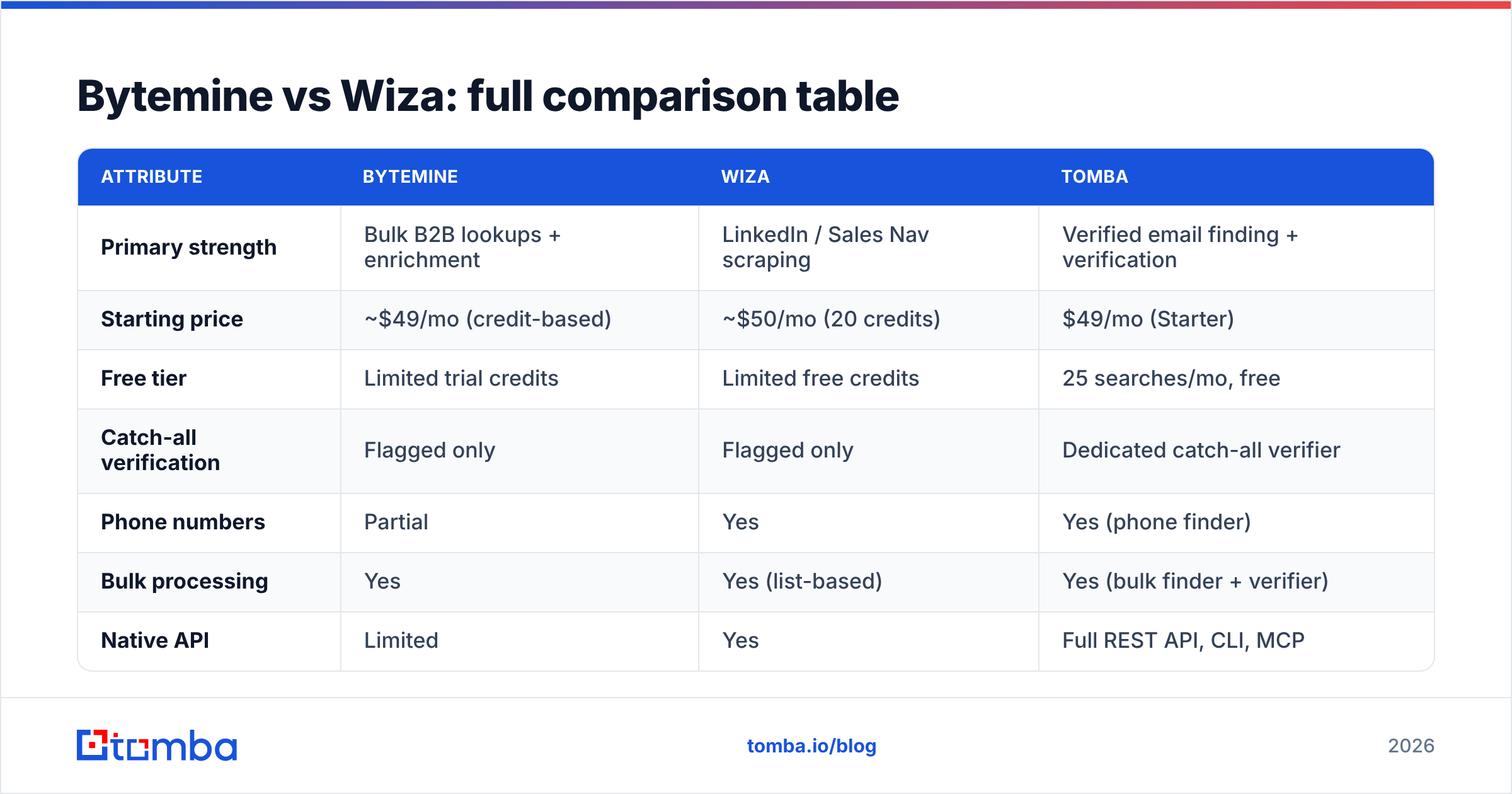
Bytemine vs Wiza: full comparison table#
| Attribute | Bytemine | Wiza | Tomba |
|---|---|---|---|
| Primary strength | Bulk B2B lookups + enrichment | LinkedIn / Sales Nav scraping | Verified email finding + verification |
| Starting price | ~$49/mo (credit-based) | ~$50/mo (20 credits) | $49/mo (Starter) |
| Free tier | Limited trial credits | Limited free credits | 25 searches/mo, free |
| Catch-all verification | Flagged only | Flagged only | Dedicated catch-all verifier |
| Phone numbers | Partial | Yes | Yes (phone finder) |
| Bulk processing | Yes | Yes (list-based) | Yes (bulk finder + verifier) |
| Native API | Limited | Yes | Full REST API, CLI, MCP |
| Best for | Mixed-source bulk lists | LinkedIn-first SDR teams | Accuracy-first outbound |
Pricing and credit definitions change often — confirm current numbers on each vendor's own page and cross-check listings on Capterra before committing to an annual plan.
Is Wiza better than Bytemine for LinkedIn prospecting?#
Yes — if LinkedIn is your whole world. Wiza's entire design assumes you build target lists inside Sales Navigator. The Chrome extension turns a search of 2,500 prospects into an enriched CSV in minutes, with emails and phones appended. For an SDR team running account-based motions off LinkedIn filters, that workflow is hard to beat.
Bytemine is more agnostic. It doesn't tie you to LinkedIn; you can start from a domain list, a CSV of company names, or an API call. That flexibility is the point. If your prospecting starts from a B2B database or a marketing list rather than LinkedIn searches, Bytemine's model fits more naturally — but you lose Wiza's slick scrape-to-list pipeline.
The honest framing: Wiza is a LinkedIn tool that finds emails; Bytemine is an email tool that happens to read LinkedIn. Pick based on where your prospecting actually begins.
What about pricing — which is cheaper?#
Cheaper per credit isn't the same as cheaper per valid email. That distinction decides your real cost.
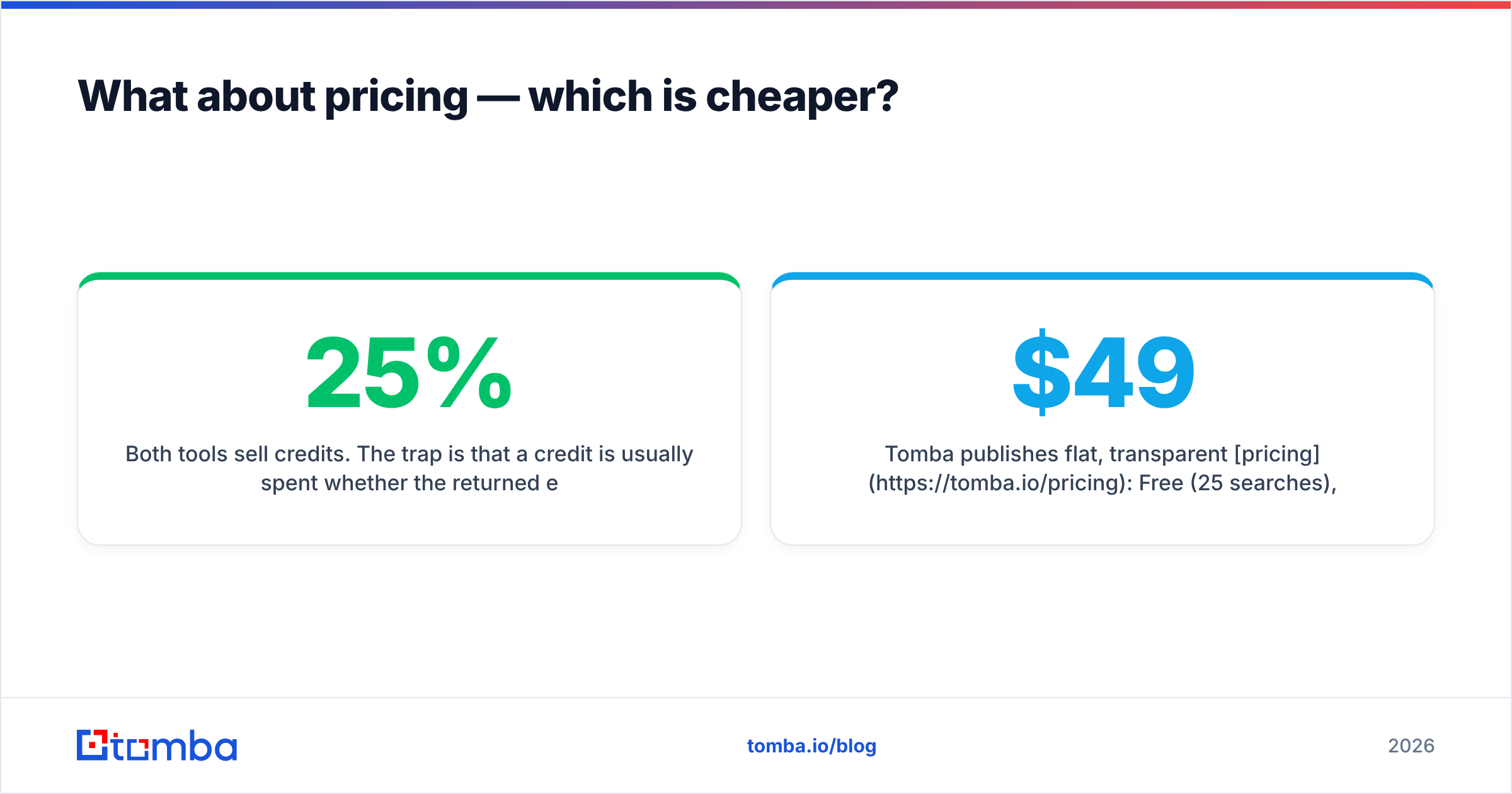
Both tools sell credits. The trap is that a credit is usually spent whether the returned email is good or bad. So if 25% of a tool's output bounces, your effective cost-per-usable-email is 33% higher than the sticker price implies. Run the math on validity, not volume:
- Wiza tends to be friendlier for small, LinkedIn-driven lists. Costs climb steeply once you push into thousands of records per month.
- Bytemine offers competitive bulk rates, but rollover and overage terms are worth reading closely before you scale.
- Tomba publishes flat, transparent pricing: Free (25 searches), Starter $49/mo, Growth $99/mo, Pro $249/mo. Verification is built in, so you're not paying twice.
For teams doing serious volume, the smart move is to separate finding from verifying and price each step. A bulk email finder plus a verification pass usually beats a single all-in-one credit on cost-per-delivered-message.
Where do both Bytemine and Wiza fall short?#
Three recurring gaps show up across user feedback for both tools:
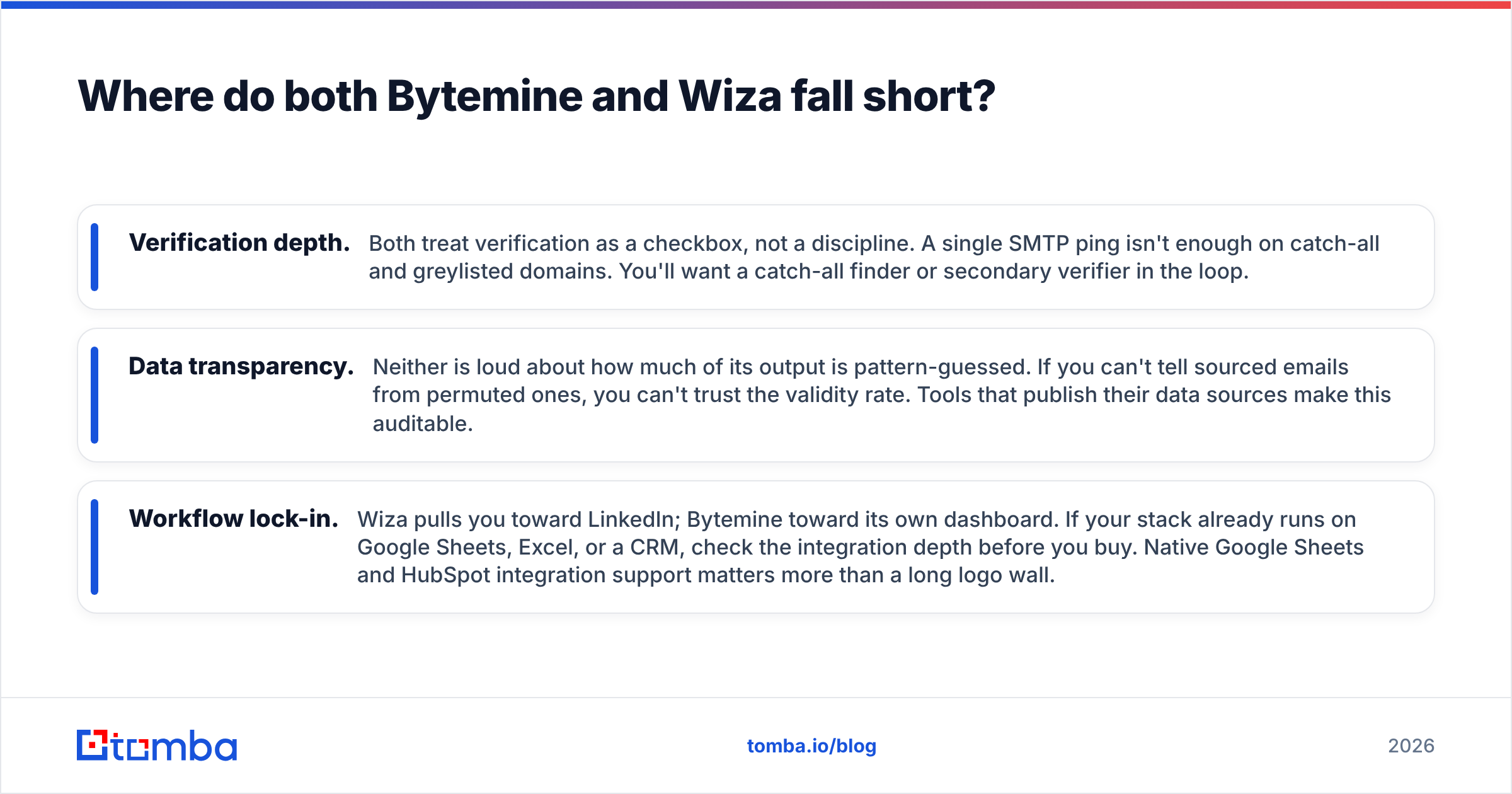
- Verification depth. Both treat verification as a checkbox, not a discipline. A single SMTP ping isn't enough on catch-all and greylisted domains. You'll want a catch-all finder or secondary verifier in the loop.
- Data transparency. Neither is loud about how much of its output is pattern-guessed. If you can't tell sourced emails from permuted ones, you can't trust the validity rate. Tools that publish their data sources make this auditable.
- Workflow lock-in. Wiza pulls you toward LinkedIn; Bytemine toward its own dashboard. If your stack already runs on Google Sheets, Excel, or a CRM, check the integration depth before you buy. Native Google Sheets and HubSpot integration support matters more than a long logo wall.
None of this means either tool is bad. It means you should test on your domains, with your target accounts, before you trust a vendor's headline accuracy number.
How do you actually test Bytemine vs Wiza?#
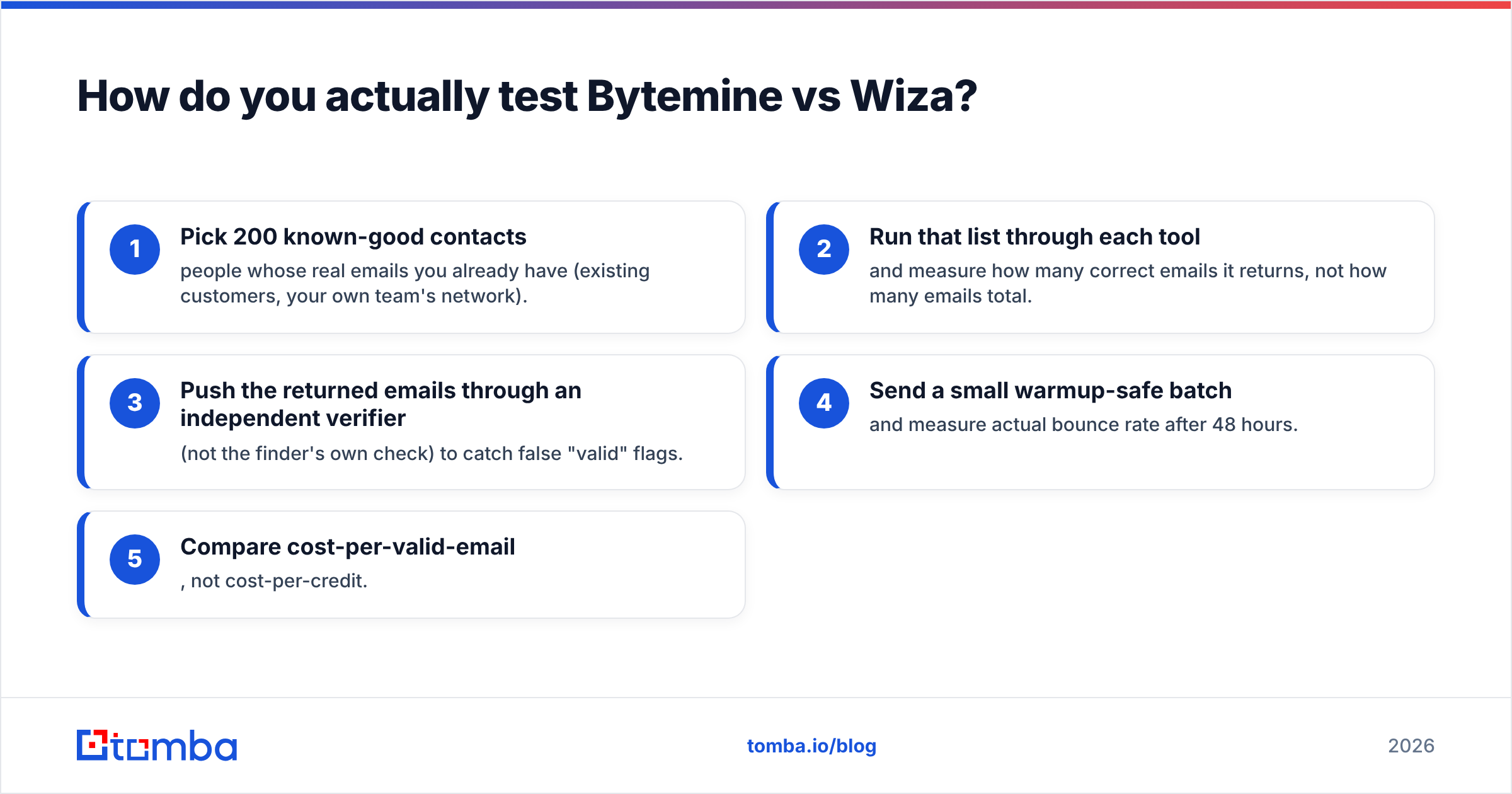
Run the same controlled bake-off you'd run for any data vendor:
- Pick 200 known-good contacts — people whose real emails you already have (existing customers, your own team's network).
- Run that list through each tool and measure how many correct emails it returns, not how many emails total.
- Push the returned emails through an independent verifier (not the finder's own check) to catch false "valid" flags.
- Send a small warmup-safe batch and measure actual bounce rate after 48 hours.
- Compare cost-per-valid-email, not cost-per-credit.
This five-step test takes an afternoon and saves months of deliverability cleanup. Whichever tool wins on your data wins, full stop — vendor benchmarks are marketing.

Bytemine vs Wiza vs Tomba: which should you choose?#
- Choose Wiza if 90% of your prospecting happens inside LinkedIn Sales Navigator and you want the fastest scrape-to-CSV pipeline. You'll accept some bounce risk for that speed.
- Choose Bytemine if you prospect from mixed sources — domain lists, company names, bulk uploads — and want flexibility over LinkedIn lock-in.
- Choose Tomba if accuracy and cost-per-valid-email are the deciding factors. Built-in verification, a dedicated catch-all verifier, transparent data sourcing, and a full Tomba API mean you're not bolting on a second tool to clean up the first.
The right answer is often a combination: a finder for discovery, plus a rigorous verifier before every send. The teams with the best deliverability treat verification as non-negotiable, not optional.
The bottom line#
Bytemine and Wiza are both capable B2B email finders with real, specific strengths — Wiza for LinkedIn-native SDRs, Bytemine for flexible bulk lookups. Neither is a scam, and either can work if you pair it with disciplined verification. But if you're optimizing for the metric that actually protects your domain — verified, deliverable emails at a predictable price — a verification-first platform closes the gap they both leave open.
Want to see how your real target list scores before you commit to a credit plan? Start free with Tomba Email Finder — 25 searches a month, no card, built-in verification, and flat $49/mo pricing when you scale. Find emails you can actually send to, then prove it with a bulk verify pass before your next campaign goes out.
// get started
Find, verify and enrich your first contacts today
Start on the free plan with 25 searches a month, then scale when your team is ready.
Free plan · No credit card required · GDPR & CCPA
// about the author