Byteplant vs Leadsforge 2026: Which B2B Data Tool Wins?
Byteplant validates email addresses; Leadsforge generates AI lead lists. Here is an honest 2026 breakdown of where each wins, what they cost, and the smarter stack.
You typed "Byteplant vs Leadsforge" into a search bar because you want one tool to fix outbound, and you are not sure which of these two does it. Short answer: they barely compete. Byteplant is an email-validation and data-quality engine. Leadsforge is an AI lead-list generator. One cleans data you already have; the other invents lists you do not. Picking between them without knowing that distinction is how teams end up paying twice for half a workflow.
This breakdown puts both tools side by side, shows where each genuinely wins, lists 2026 pricing as honestly as public information allows, and points out where a finder-plus-verifier stack beats either one alone.
TL;DR#
- Byteplant is a validation and data-hygiene specialist (email, phone, address). It is strong at catching bad records before you send, weak at sourcing new ones.
- Leadsforge is an AI-driven lead-list builder. It is good at generating contact lists fast, but those lists still need independent verification before they touch your sender reputation.
- They solve different halves of the same problem. Comparing them is like comparing a water filter to a well.
- For most outbound teams, the winning move is find + verify in one pipeline: source accurate emails, then validate them before the first send.
- A combined platform like Tomba handles both sides at one price point, which is why this "versus" question usually resolves into "neither, alone."
What is Byteplant?#
Byteplant is a long-running data-quality company best known for its email-validation API and bulk list-cleaning tools. Think of it as the bouncer at the door of your email list: it does not invite guests, it just checks IDs and turns away the fakes, the typos, and the spam traps.
Its core jobs:
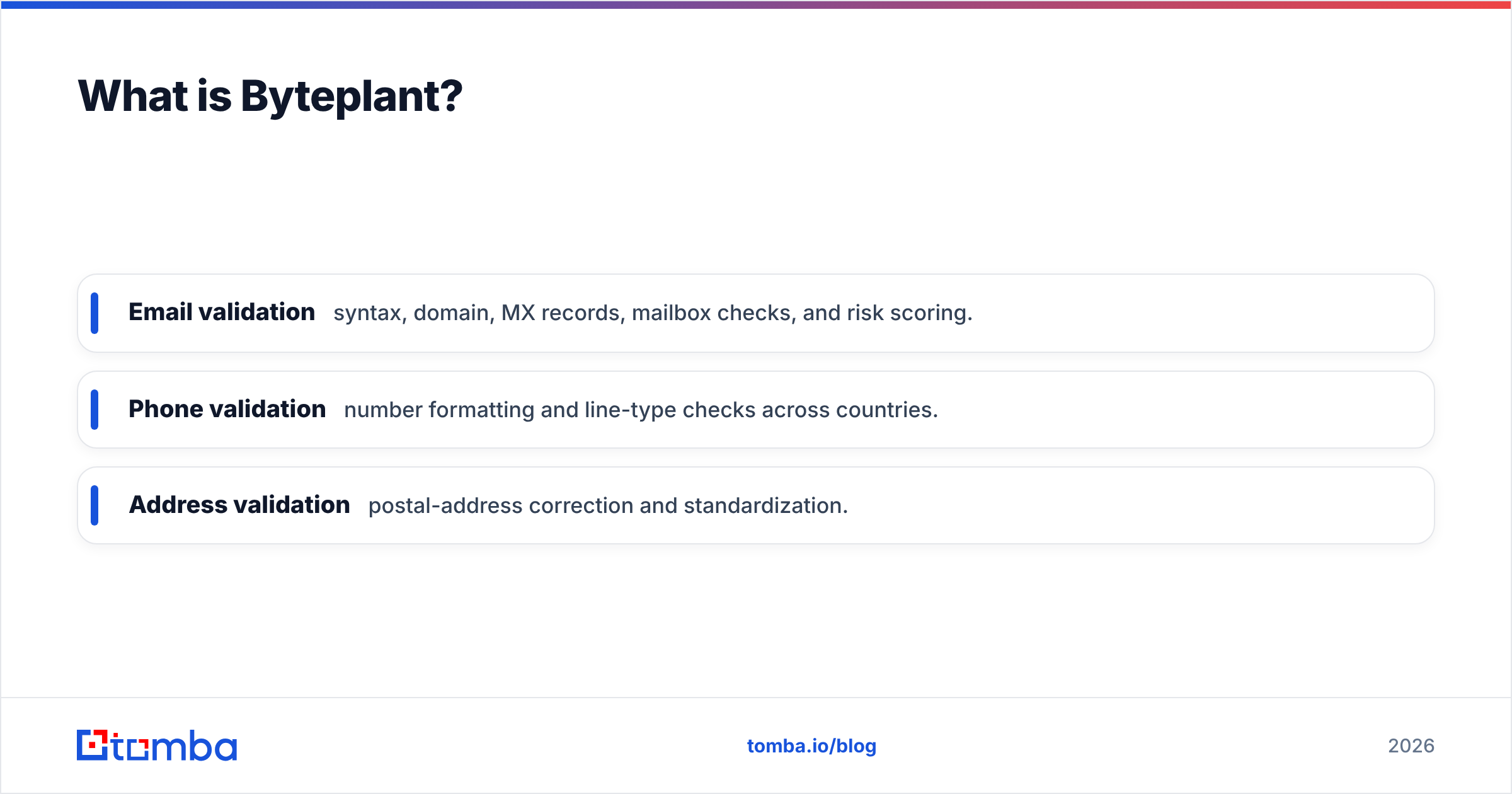
- Email validation — syntax, domain, MX records, mailbox checks, and risk scoring.
- Phone validation — number formatting and line-type checks across countries.
- Address validation — postal-address correction and standardization.
Byteplant sells primarily on accuracy and deliverability protection. If you have a 200,000-row list of unknown quality, it will tell you which rows are safe to mail. What it will not do is hand you 200,000 new prospects. You bring the data; it grades the data. You can read more about its positioning on byteplant.com and reviews on G2.
What is Leadsforge?#
Leadsforge is an AI lead-generation tool. You describe your ideal customer in plain language — "marketing directors at Series B SaaS companies in Germany" — and it returns a list of matching contacts. Think of it as a research intern who never sleeps: fast, broad, and occasionally confidently wrong.
Its core jobs:
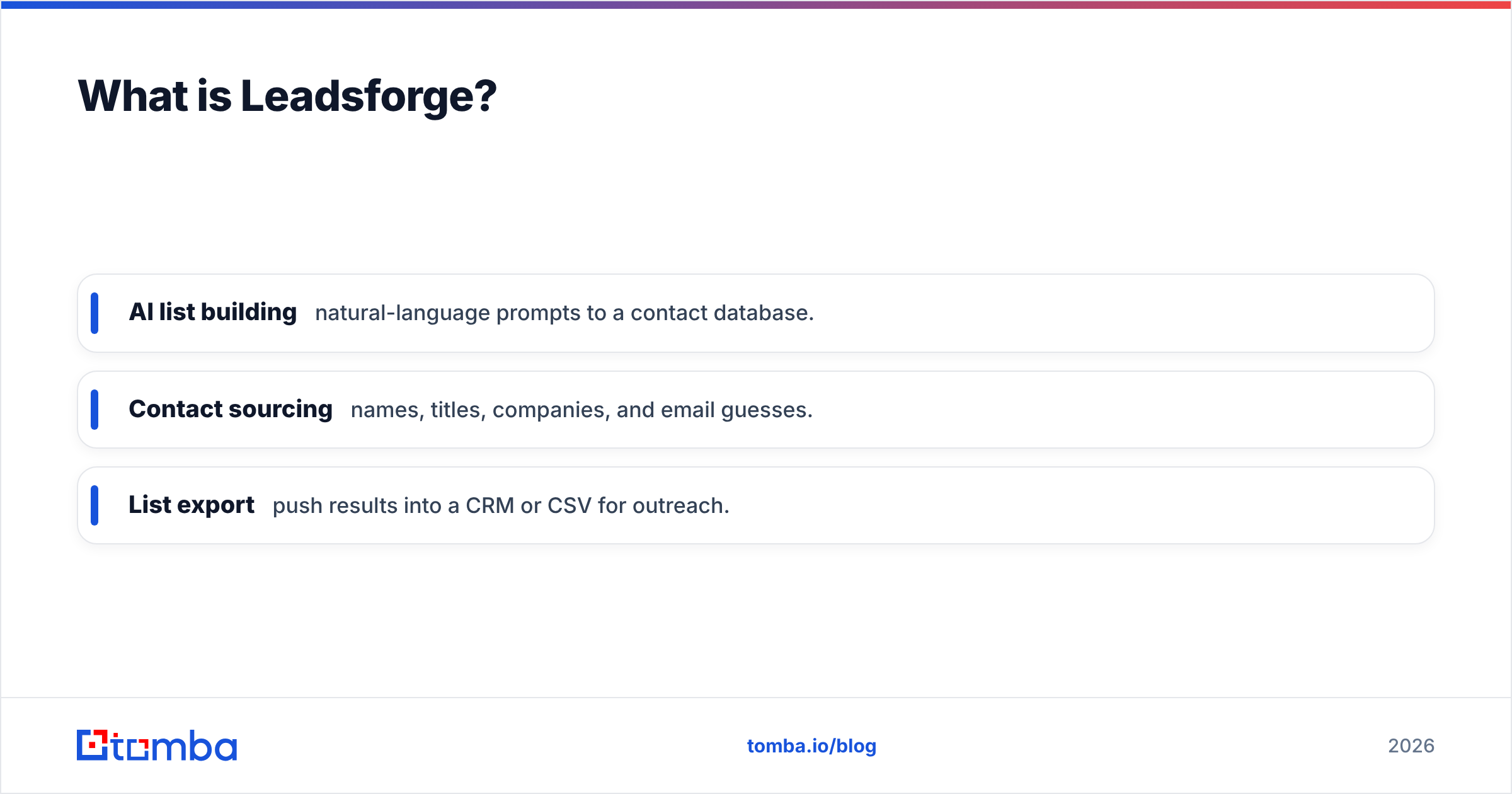
- AI list building — natural-language prompts to a contact database.
- Contact sourcing — names, titles, companies, and email guesses.
- List export — push results into a CRM or CSV for outreach.
Leadsforge competes on speed and ease. It removes the manual labor of building a prospect list from scratch. The catch every honest reviewer mentions: AI-sourced emails are predictions, not confirmations. Pattern-guessed addresses look right and still bounce. So a Leadsforge list almost always needs a verification pass before it is safe to send — which is exactly the gap Byteplant (or any verifier) fills. Check current details on the official Leadsforge site and user feedback on Capterra.
Byteplant vs Leadsforge: the core difference#
Here is the cleanest way to hold these two in your head:
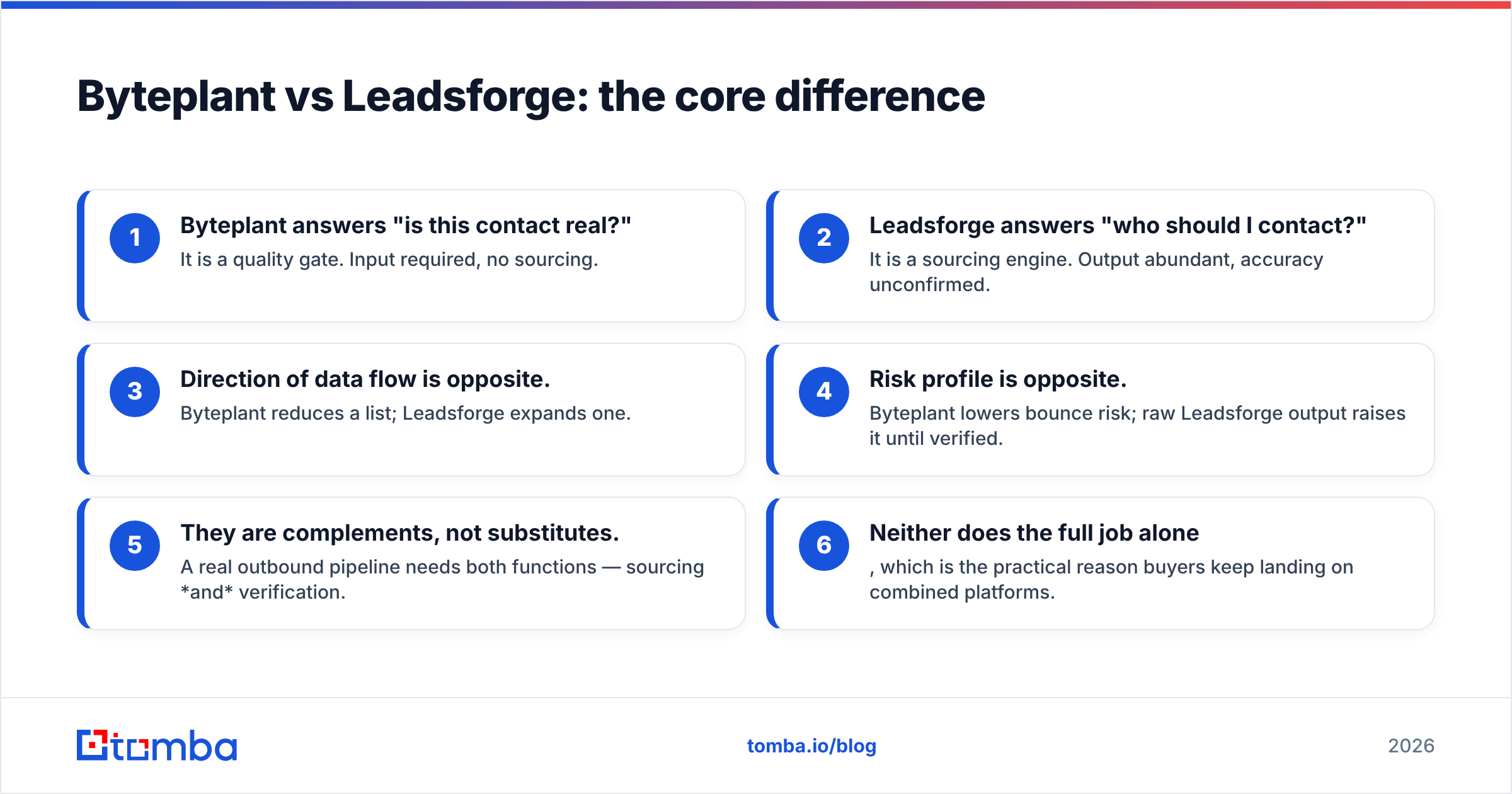
- Byteplant answers "is this contact real?" — It is a quality gate. Input required, no sourcing.
- Leadsforge answers "who should I contact?" — It is a sourcing engine. Output abundant, accuracy unconfirmed.
- Direction of data flow is opposite. Byteplant reduces a list; Leadsforge expands one.
- Risk profile is opposite. Byteplant lowers bounce risk; raw Leadsforge output raises it until verified.
- They are complements, not substitutes. A real outbound pipeline needs both functions — sourcing and verification.
- Neither does the full job alone, which is the practical reason buyers keep landing on combined platforms.
If you only remember one line: you do not choose Byteplant or Leadsforge. You choose whether to buy those two functions as two tools or as one.
How do Byteplant and Leadsforge compare on features and price?#
Pricing for both is usage-based and changes, so treat the figures below as 2026 directional ranges rather than quotes — confirm on each vendor's page before you buy.
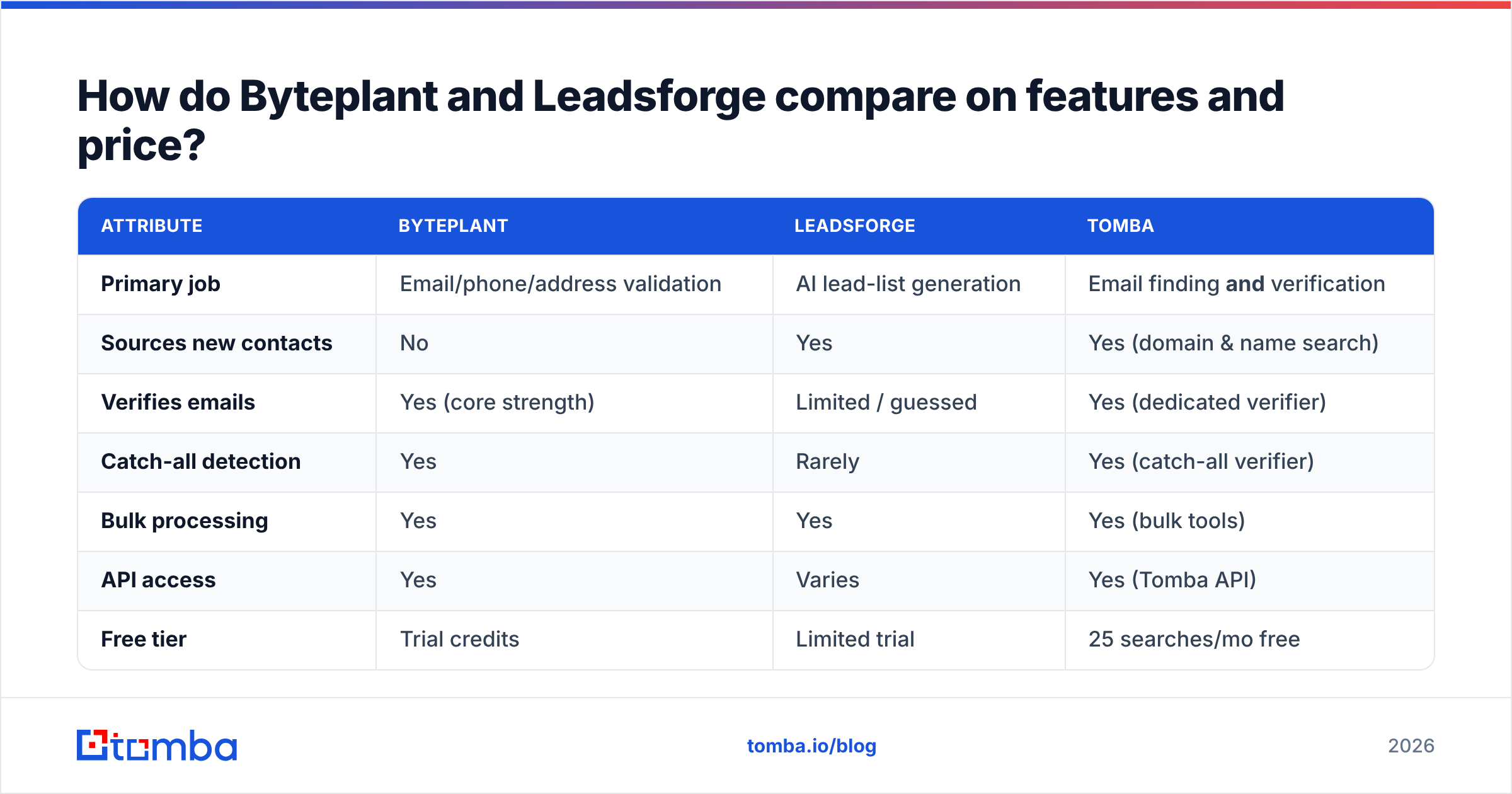
| Attribute | Byteplant | Leadsforge | Tomba |
|---|---|---|---|
| Primary job | Email/phone/address validation | AI lead-list generation | Email finding and verification |
| Sources new contacts | No | Yes | Yes (domain & name search) |
| Verifies emails | Yes (core strength) | Limited / guessed | Yes (dedicated verifier) |
| Catch-all detection | Yes | Rarely | Yes (catch-all verifier) |
| Bulk processing | Yes | Yes | Yes (bulk tools) |
| API access | Yes | Varies | Yes (Tomba API) |
| Free tier | Trial credits | Limited trial | 25 searches/mo free |
| Entry paid price | Usage-based credits | Subscription tiers | $49/mo Starter |
| Best for | Cleaning existing lists | Fast cold list building | End-to-end outbound data |
The table exposes the real story: each specialist tool has a column of "No" or "Limited" exactly where the other is strong. A combined tool fills both columns. For Tomba's exact figures, see the Tomba pricing page — Free (25 searches/mo), Starter $49/mo, Growth $99/mo, Pro $249/mo, and Enterprise custom.
Which one is more accurate?#
Accuracy means different things for each tool, so "more accurate" is the wrong question.
Byteplant is measured on validation accuracy — does it correctly flag a dead or risky mailbox? On that axis it performs well, because validation is its entire business. A good verifier removes hard bounces, role accounts, and known spam traps before they cost you.
Leadsforge is measured on sourcing accuracy — when it claims an email belongs to a person, is it right? This is where AI list tools get shaky. Many returned addresses are permutated guesses ("first.last@company.com") that were never confirmed against a live mailbox. The list looks complete; the bounce rate at send time tells the real story.
That is why the two are so often run together: Leadsforge-style sourcing followed by Byteplant-style validation. The smarter alternative is to source from data that was confirmed in the first place and then verify it again. Tomba's approach documents where its data comes from, then layers a dedicated email verifier on top, so you are not stacking two subscriptions to reach a clean, send-ready list.
When should you pick Byteplant?#
Choose Byteplant if your problem is dirty data you already own.
- You have a large legacy CRM or marketing list and bounce rates are climbing.
- You run high-volume email and need a validation API in your sending pipeline.
- You also need phone and postal-address validation, not just email.
- You are not trying to find new prospects — you are protecting deliverability on existing ones.
Byteplant is a sharp tool for hygiene. If sourcing is already solved and your only pain is bad records slipping through, it does its one job well. What it will never do is grow your pipeline.
When should you pick Leadsforge?#
Choose Leadsforge if your problem is an empty pipeline and no time to research.
- You are a small team that needs prospect lists now and cannot hand-build them.
- You like the natural-language workflow of describing an ICP and getting a list back.
- You accept that the output is a starting point that still needs a verification pass.
- Volume and speed matter more to you than guaranteed per-contact accuracy.
Leadsforge removes the most tedious part of outbound. Just budget for a verification step afterward, or your "fast" list becomes a slow deliverability problem.
Why most teams end up wanting both — in one tool#
Run the logic to its end and the "versus" collapses. If Byteplant cannot source and Leadsforge cannot reliably verify, the honest buyer needs two products — two contracts, two credit systems, two integrations to maintain. That is friction and double spend for a single outcome: a clean list of real people you can email.
This is the structural reason combined platforms exist. A tool that both finds and verifies removes the seam between sourcing and hygiene:
- Find decision-maker emails by domain or name with an email finder.
- Verify every result through a built-in verifier before export.
- Scale the whole thing through bulk processing and an API instead of gluing two vendors together.
You are not buying a worse version of each specialist — you are buying the part of each that you actually use, without the part you have to bolt on separately.
Byteplant vs Leadsforge: the honest verdict#
Neither tool "wins," because they were built for different halves of outbound. If forced to map them:
- Pick Byteplant when sourcing is solved and validation is the gap.
- Pick Leadsforge when you need lists fast and will verify them yourself.
- Pick a combined finder-plus-verifier when you want one workflow, one bill, and send-ready data without manual stitching — which describes most teams reading a comparison like this.
The comparison usually starts as "Byteplant or Leadsforge" and ends as "why am I paying for two tools to do one job?" That is the right question. Answer it before you sign either contract.
Start with accurate, verified data#
If your real goal is a clean list of contactable prospects — not a validation API on one side and an AI guesser on the other — start where the data is both sourced and confirmed. The Tomba Email Finder finds professional email addresses by domain, name, or company, verifies them against live mailboxes, and scales through bulk tools and an API. The free tier gives you 25 searches a month to test accuracy on your own target accounts before paying a cent, and paid plans start at $49/mo. Run a few of your hardest-to-find prospects through it, compare the bounce rate to whatever you are using now, and let the results decide.
Ready to find emails that actually work?
Join 150,000+ professionals who stopped guessing and started sending. Free credits on signup — no credit card required.
Get the Tomba newsletter
Practical outbound tactics and product updates — once every two weeks.
About the author